Mule introduction
Introduction to Mule
• Mule is a lightweight integration platform that enables you
to connect anything, anywhere.
• Intelligently manage message routing, data mapping,
orchestration, reliability, security, and scalability between
nodes.
• It integrate applications or systems on premise or in the
cloud.
• Provides out-of-the-box connectors to create SaaS
integration applications
• It builds and consume API’s
With Mule you can
• Integrate applications or systems on premises or
in the cloud
• Use out-of-the-box connectors to create SaaS
integration applications
• Build and expose APIs
• consume APIs
• Create Web services which orchestrate calls to
other services
With Mule you can
• Create interfaces to expose applications
for mobile consumption
• Integrate B2B with solutions that are secure,
efficient, and quick to build and deploy
• Shift applications onto the cloud
• Connect B2B e-commerce activities
Anypoint Platform for APIs
• A web based tool to help quickly design RESTful
APIs
• Use the API Notebook to explore the API, test it,
and iteratively improve it
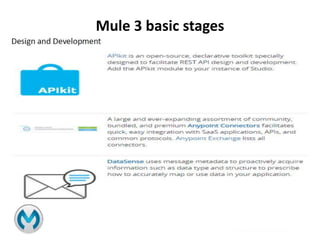
• Build it with APIkit, open-source tooling included
in Anypoint Studio
• Deploy your API to the API Gateway
• Use Anypoint API Manager management for all
your APIs
Anypoint Platform for SaaS
Integration
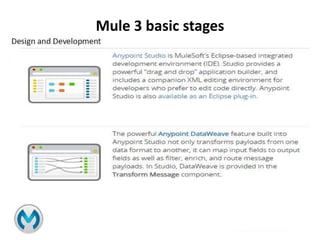
• Design your integrations with Anypoint Studio
• Using the intuitive drag-and-drop tool or using XML
• Use Anypoint Connectors to connect to a large number
of SaaS and on-premises applications, or connect
through standard protocols such as web services, HTTP,
or FTP
• Run your integrations either in the cloud
via CloudHub or on-premises via an Mule
ESBstandalone instance
Anypoint Platform for SOA
• ESB is a great tool allows you to quickly and easily connect applications to
exchange data following the service-oriented architecture (SOA)
methodology
• ESB provides for a flexible architecture. It enables multiple application
communication and provides easy integration with other systems.
• There is a lot details that need to be understood first around the
integration points, protocols, data formats, IT infrastructure, security etc
• Anything that connects MUST send it's information adhering to this data
definition.
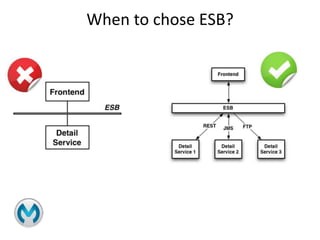
When to chose ESB?
• Are you integrating 3 or more applications/services?
• Do you need to use more than one type of
communication protocol?
• Do you need message routing capabilities?
• Do you need to publish services for consumption
by other applications?
When to chose ESB?
Mule ESB Deployment Architecture
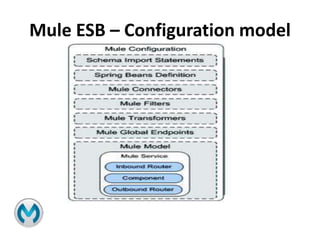
Mule ESB – Configuration model
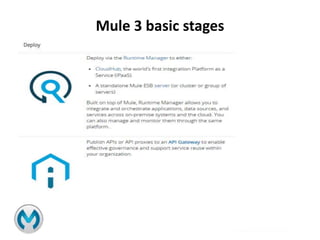
Mule 3 basic stages
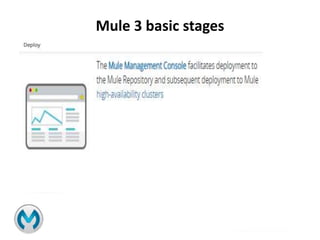
Mule 3 basic stages
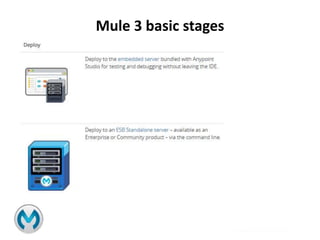
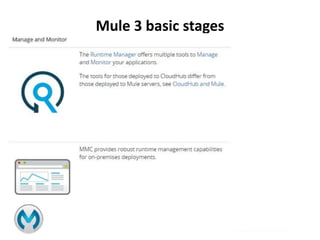
Mule 3 basic stages
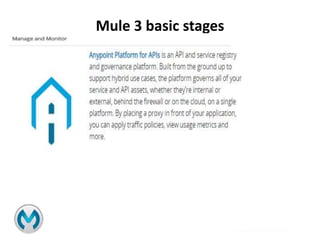
Mule 3 basic stages
Mule 3 basic stages
Mule 3 basic stages
Mule 3 basic stages
Begin with the Basics
• Flows and Messages
• Message Processors
• Batch Processing
• Mule Expression Language
• Running Applications
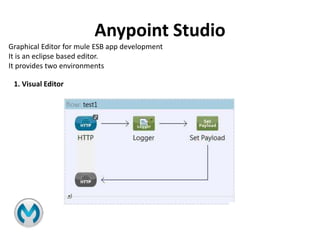
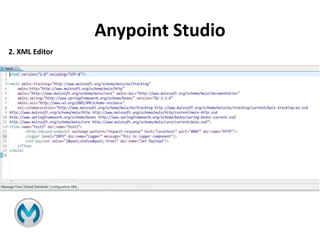
Anypoint Studio
Graphical Editor for mule ESB app development
It is an eclipse based editor.
It provides two environments
1. Visual Editor
Anypoint Studio
2. XML Editor
Mule Introduction

Mule Introduction

  • 1.
  • 2.
    Introduction to Mule •Mule is a lightweight integration platform that enables you to connect anything, anywhere. • Intelligently manage message routing, data mapping, orchestration, reliability, security, and scalability between nodes. • It integrate applications or systems on premise or in the cloud. • Provides out-of-the-box connectors to create SaaS integration applications • It builds and consume API’s
  • 3.
    With Mule youcan • Integrate applications or systems on premises or in the cloud • Use out-of-the-box connectors to create SaaS integration applications • Build and expose APIs • consume APIs • Create Web services which orchestrate calls to other services
  • 4.
    With Mule youcan • Create interfaces to expose applications for mobile consumption • Integrate B2B with solutions that are secure, efficient, and quick to build and deploy • Shift applications onto the cloud • Connect B2B e-commerce activities
  • 5.
    Anypoint Platform forAPIs • A web based tool to help quickly design RESTful APIs • Use the API Notebook to explore the API, test it, and iteratively improve it • Build it with APIkit, open-source tooling included in Anypoint Studio • Deploy your API to the API Gateway • Use Anypoint API Manager management for all your APIs
  • 6.
    Anypoint Platform forSaaS Integration • Design your integrations with Anypoint Studio • Using the intuitive drag-and-drop tool or using XML • Use Anypoint Connectors to connect to a large number of SaaS and on-premises applications, or connect through standard protocols such as web services, HTTP, or FTP • Run your integrations either in the cloud via CloudHub or on-premises via an Mule ESBstandalone instance
  • 7.
    Anypoint Platform forSOA • ESB is a great tool allows you to quickly and easily connect applications to exchange data following the service-oriented architecture (SOA) methodology • ESB provides for a flexible architecture. It enables multiple application communication and provides easy integration with other systems. • There is a lot details that need to be understood first around the integration points, protocols, data formats, IT infrastructure, security etc • Anything that connects MUST send it's information adhering to this data definition.
  • 8.
    When to choseESB? • Are you integrating 3 or more applications/services? • Do you need to use more than one type of communication protocol? • Do you need message routing capabilities? • Do you need to publish services for consumption by other applications?
  • 9.
  • 10.
    Mule ESB DeploymentArchitecture
  • 11.
    Mule ESB –Configuration model
  • 12.
  • 13.
  • 14.
  • 15.
  • 16.
  • 17.
  • 18.
  • 19.
    Begin with theBasics • Flows and Messages • Message Processors • Batch Processing • Mule Expression Language • Running Applications
  • 20.
    Anypoint Studio Graphical Editorfor mule ESB app development It is an eclipse based editor. It provides two environments 1. Visual Editor
  • 21.