MS EXCEL SHORT CUT
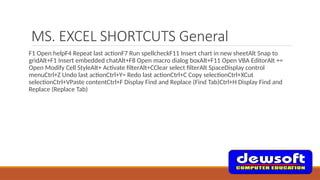
MS. EXCEL SHORTCUTS General
F1 Open helpF4 Repeat last actionF7 Run spellcheckF11 Insert chart in new sheetAlt Snap to
gridAlt+F1 Insert embedded chatAlt+F8 Open macro dialog boxAlt+F11 Open VBA EditorAlt +=
Open Modify Cell StyleAlt+ Activate filterAlt+CClear select filterAlt SpaceDisplay control
menuCtrl+Z Undo last actionCtrl+Y= Redo last actionCtrl+C Copy selectionCtrl+XCut
selectionCtrl+VPaste contentCtrl+F Display Find and Replace (Find Tab)Ctrl+H Display Find and
Replace (Replace Tab)
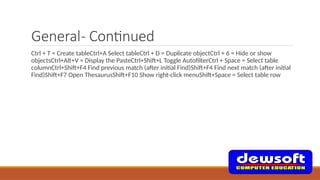
General- Continued
Ctrl + T = Create tableCtrl+A Select tableCtrl + D = Duplicate objectCtrl + 6 = Hide or show
objectsCtrl+Alt+V = Display the PasteCtrl+Shift+L Toggle AutofilterCtrl + Space = Select table
columnCtrl+Shift+F4 Find previous match (after initial Find)Shift+F4 Find next match (after initial
Find)Shift+F7 Open ThesaurusShift+F10 Show right-click menuShift+Space = Select table row
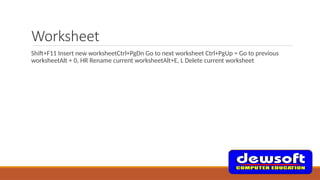
Worksheet
Shift+F11 Insert new worksheetCtrl+PgDn Go to next worksheet Ctrl+PgUp = Go to previous
worksheetAlt + 0, HR Rename current worksheetAlt+E, L Delete current worksheet
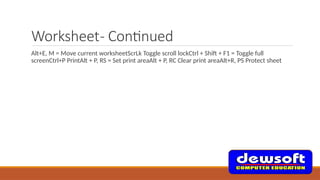
Worksheet- Continued
Alt+E, M = Move current worksheetScrLk Toggle scroll lockCtrl + Shift + F1 = Toggle full
screenCtrl+P PrintAlt + P, RS = Set print areaAlt + P, RC Clear print areaAlt+R, PS Protect sheet
Workbook
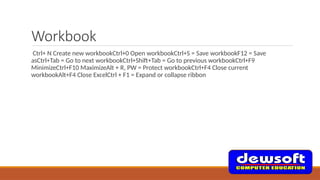
Ctrl+ N Create new workbookCtrl+0 Open workbookCtrl+S = Save workbookF12 = Save
asCtrl+Tab = Go to next workbookCtrl+Shift+Tab = Go to previous workbookCtrl+F9
MinimizeCtrl+F10 MaximizeAlt + R, PW = Protect workbookCtrl+F4 Close current
workbookAlt+F4 Close ExcelCtrl + F1 = Expand or collapse ribbon
Workbook- Continued
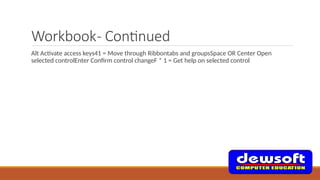
Alt Activate access keys41 = Move through Ribbontabs and groupsSpace OR Center Open
selected controlEnter Confirm control changeF * 1 = Get help on selected control
Drag and Drop
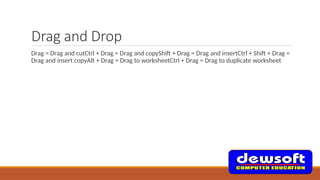
Drag = Drag and cutCtrl + Drag = Drag and copyShift + Drag = Drag and insertCtrl + Shift + Drag =
Drag and insert copyAlt + Drag = Drag to worksheetCtrl + Drag = Drag to duplicate worksheet
Navigation
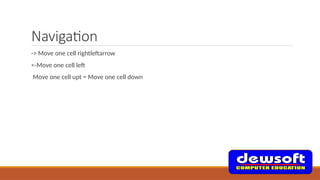
-> Move one cell rightleftarrow
<-Move one cell left
Move one cell upt = Move one cell down
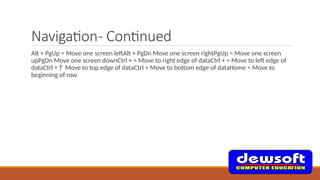
Navigation- Continued
Alt + PgUp = Move one screen leftAlt + PgDn Move one screen rightPgUp = Move one screen
upPgDn Move one screen downCtrl + = Move to right edge of dataCtrl + = Move to left edge of
dataCtrl +↑ Move to top edge of dataCtrl + Move to bottom edge of dataHome = Move to
beginning of row
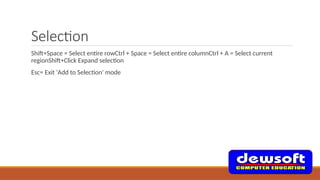
Selection
Shift+Space = Select entire rowCtrl + Space = Select entire columnCtrl + A = Select current
regionShift+Click Expand selection
Esc= Exit 'Add to Selection' mode
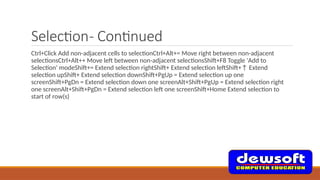
Selection- Continued
Ctrl+Click Add non-adjacent cells to selectionCtrl+Alt+= Move right between non-adjacent
selectionsCtrl+Alt++ Move left between non-adjacent selectionsShift+F8 Toggle 'Add to
Selection' modeShift+= Extend selection rightShift+ Extend selection leftShift+↑ Extend
selection upShift+ Extend selection downShift+PgUp = Extend selection up one
screenShift+PgDn = Extend selection down one screenAlt+Shift+PgUp = Extend selection right
one screenAlt+Shift+PgDn = Extend selection left one screenShift+Home Extend selection to
start of row(s)
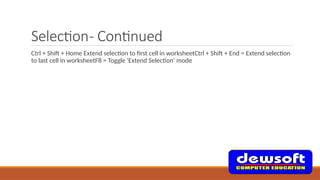
Selection- Continued
Ctrl + Shift + Home Extend selection to first cell in worksheetCtrl + Shift + End = Extend selection
to last cell in worksheetF8 = Toggle 'Extend Selection' mode
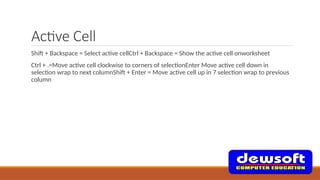
Active Cell
Shift + Backspace = Select active cellCtrl + Backspace = Show the active cell onworksheet
Ctrl + .=Move active cell clockwise to corners of selectionEnter Move active cell down in
selection wrap to next columnShift + Enter = Move active cell up in 7 selection wrap to previous
column
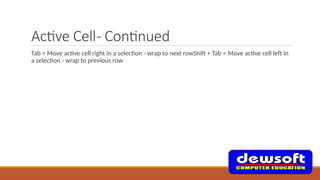
Active Cell- Continued
Tab = Move active cell right in a selection - wrap to next rowShift + Tab = Move active cell left in
a selection - wrap to previous row
Select Special
Ctrl+G OR F5 = Display 'Go To' dialog boxCtrl+Shift+0= Select cells with commentsCtrl + Shift +=
Select current region around active cellCtrl + A = Select current regionCtrl+[Select direct
precedentsCtrl + Shift + { = Select all precedentsCtrl+] = Select direct dependentsCtrl+Shift+} =
Select all dependentsAlt+ Select visible cells only
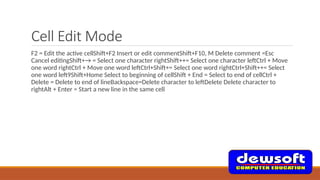
Cell Edit Mode
F2 = Edit the active cellShift+F2 Insert or edit commentShift+F10, M Delete comment =Esc
Cancel editingShift+→ = Select one character rightShift++= Select one character leftCtrl + Move
one word rightCtrl + Move one word leftCtrl+Shift+= Select one word rightCtrl+Shift++= Select
one word left9Shift+Home Select to beginning of cellShift + End = Select to end of cellCtrl +
Delete = Delete to end of lineBackspace=Delete character to leftDelete Delete character to
rightAlt + Enter = Start a new line in the same cell
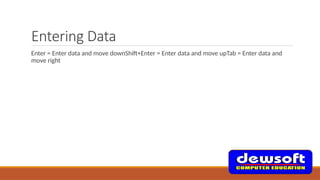
Entering Data
Enter = Enter data and move downShift+Enter = Enter data and move upTab = Enter data and
move right

ms_Excel_short_cut[1]for education only.pptx

  • 1.
  • 2.
    MS. EXCEL SHORTCUTSGeneral F1 Open helpF4 Repeat last actionF7 Run spellcheckF11 Insert chart in new sheetAlt Snap to gridAlt+F1 Insert embedded chatAlt+F8 Open macro dialog boxAlt+F11 Open VBA EditorAlt += Open Modify Cell StyleAlt+ Activate filterAlt+CClear select filterAlt SpaceDisplay control menuCtrl+Z Undo last actionCtrl+Y= Redo last actionCtrl+C Copy selectionCtrl+XCut selectionCtrl+VPaste contentCtrl+F Display Find and Replace (Find Tab)Ctrl+H Display Find and Replace (Replace Tab)
  • 3.
    General- Continued Ctrl +T = Create tableCtrl+A Select tableCtrl + D = Duplicate objectCtrl + 6 = Hide or show objectsCtrl+Alt+V = Display the PasteCtrl+Shift+L Toggle AutofilterCtrl + Space = Select table columnCtrl+Shift+F4 Find previous match (after initial Find)Shift+F4 Find next match (after initial Find)Shift+F7 Open ThesaurusShift+F10 Show right-click menuShift+Space = Select table row
  • 4.
    Worksheet Shift+F11 Insert newworksheetCtrl+PgDn Go to next worksheet Ctrl+PgUp = Go to previous worksheetAlt + 0, HR Rename current worksheetAlt+E, L Delete current worksheet
  • 5.
    Worksheet- Continued Alt+E, M= Move current worksheetScrLk Toggle scroll lockCtrl + Shift + F1 = Toggle full screenCtrl+P PrintAlt + P, RS = Set print areaAlt + P, RC Clear print areaAlt+R, PS Protect sheet
  • 6.
    Workbook Ctrl+ N Createnew workbookCtrl+0 Open workbookCtrl+S = Save workbookF12 = Save asCtrl+Tab = Go to next workbookCtrl+Shift+Tab = Go to previous workbookCtrl+F9 MinimizeCtrl+F10 MaximizeAlt + R, PW = Protect workbookCtrl+F4 Close current workbookAlt+F4 Close ExcelCtrl + F1 = Expand or collapse ribbon
  • 7.
    Workbook- Continued Alt Activateaccess keys41 = Move through Ribbontabs and groupsSpace OR Center Open selected controlEnter Confirm control changeF * 1 = Get help on selected control
  • 8.
    Drag and Drop Drag= Drag and cutCtrl + Drag = Drag and copyShift + Drag = Drag and insertCtrl + Shift + Drag = Drag and insert copyAlt + Drag = Drag to worksheetCtrl + Drag = Drag to duplicate worksheet
  • 9.
    Navigation -> Move onecell rightleftarrow <-Move one cell left Move one cell upt = Move one cell down
  • 10.
    Navigation- Continued Alt +PgUp = Move one screen leftAlt + PgDn Move one screen rightPgUp = Move one screen upPgDn Move one screen downCtrl + = Move to right edge of dataCtrl + = Move to left edge of dataCtrl +↑ Move to top edge of dataCtrl + Move to bottom edge of dataHome = Move to beginning of row
  • 11.
    Selection Shift+Space = Selectentire rowCtrl + Space = Select entire columnCtrl + A = Select current regionShift+Click Expand selection Esc= Exit 'Add to Selection' mode
  • 12.
    Selection- Continued Ctrl+Click Addnon-adjacent cells to selectionCtrl+Alt+= Move right between non-adjacent selectionsCtrl+Alt++ Move left between non-adjacent selectionsShift+F8 Toggle 'Add to Selection' modeShift+= Extend selection rightShift+ Extend selection leftShift+↑ Extend selection upShift+ Extend selection downShift+PgUp = Extend selection up one screenShift+PgDn = Extend selection down one screenAlt+Shift+PgUp = Extend selection right one screenAlt+Shift+PgDn = Extend selection left one screenShift+Home Extend selection to start of row(s)
  • 13.
    Selection- Continued Ctrl +Shift + Home Extend selection to first cell in worksheetCtrl + Shift + End = Extend selection to last cell in worksheetF8 = Toggle 'Extend Selection' mode
  • 14.
    Active Cell Shift +Backspace = Select active cellCtrl + Backspace = Show the active cell onworksheet Ctrl + .=Move active cell clockwise to corners of selectionEnter Move active cell down in selection wrap to next columnShift + Enter = Move active cell up in 7 selection wrap to previous column
  • 15.
    Active Cell- Continued Tab= Move active cell right in a selection - wrap to next rowShift + Tab = Move active cell left in a selection - wrap to previous row
  • 16.
    Select Special Ctrl+G ORF5 = Display 'Go To' dialog boxCtrl+Shift+0= Select cells with commentsCtrl + Shift += Select current region around active cellCtrl + A = Select current regionCtrl+[Select direct precedentsCtrl + Shift + { = Select all precedentsCtrl+] = Select direct dependentsCtrl+Shift+} = Select all dependentsAlt+ Select visible cells only
  • 17.
    Cell Edit Mode F2= Edit the active cellShift+F2 Insert or edit commentShift+F10, M Delete comment =Esc Cancel editingShift+→ = Select one character rightShift++= Select one character leftCtrl + Move one word rightCtrl + Move one word leftCtrl+Shift+= Select one word rightCtrl+Shift++= Select one word left9Shift+Home Select to beginning of cellShift + End = Select to end of cellCtrl + Delete = Delete to end of lineBackspace=Delete character to leftDelete Delete character to rightAlt + Enter = Start a new line in the same cell
  • 18.
    Entering Data Enter =Enter data and move downShift+Enter = Enter data and move upTab = Enter data and move right