Download to read offline
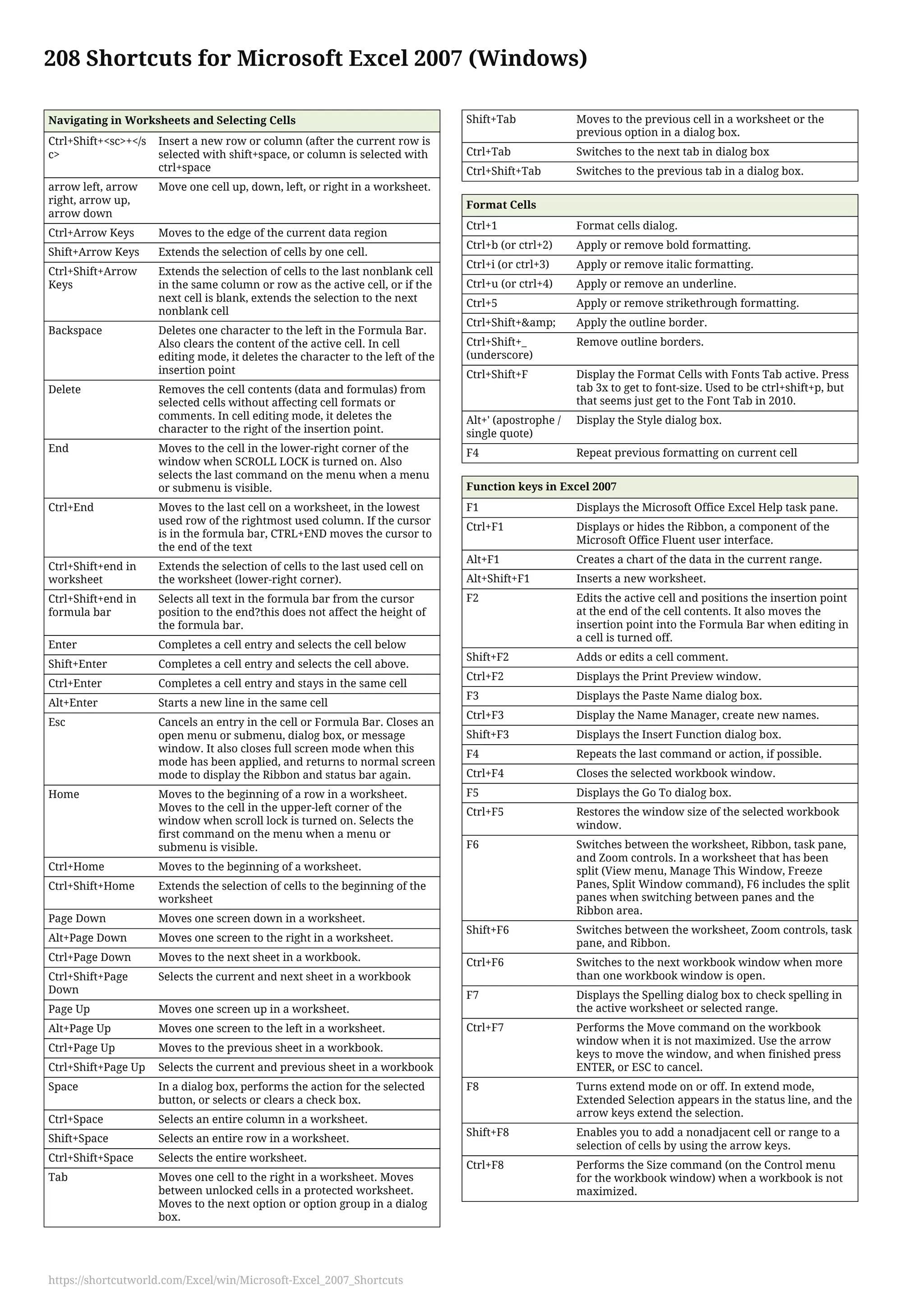
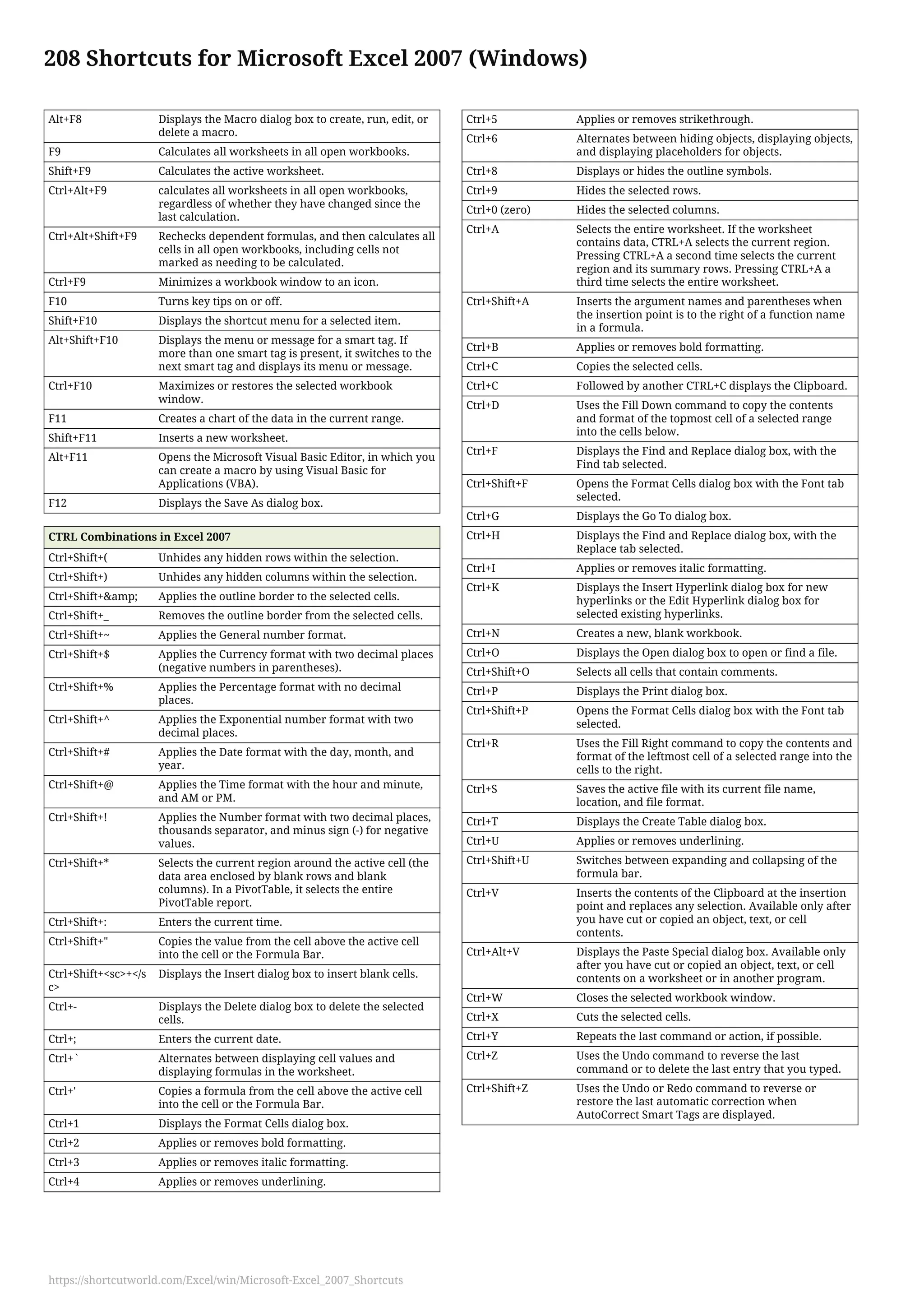
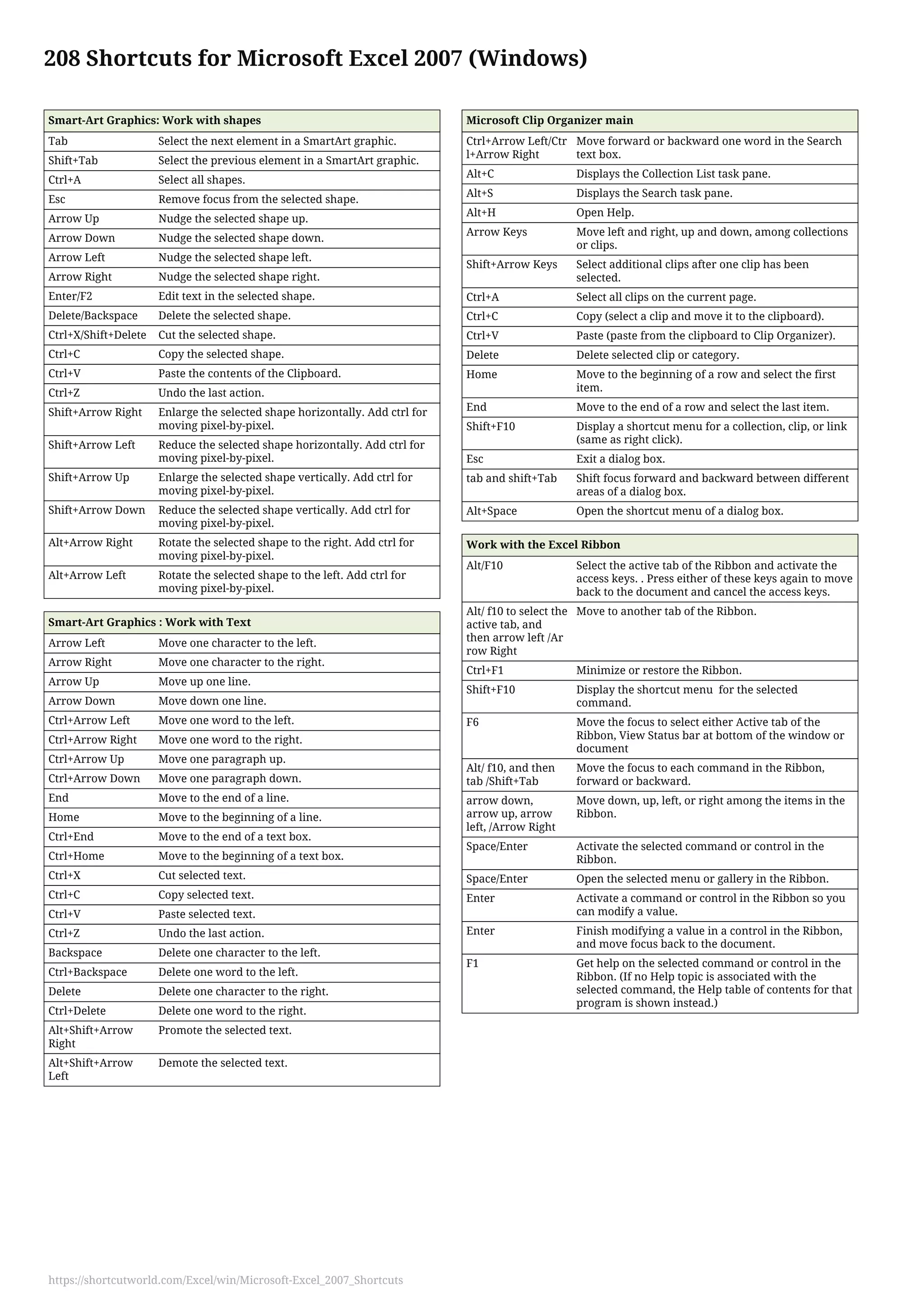

This document lists 208 keyboard shortcuts for navigating, selecting cells, formatting text, using functions and macros, navigating between sheets, and working with the Ribbon in Microsoft Excel 2007. Some key shortcuts include using arrow keys to move between cells, Ctrl+arrow keys to extend cell selections, Ctrl+Shift+arrow keys to select entire rows or columns, and Ctrl+Enter to complete a cell entry and stay in the same cell. Function keys like F2, F4, and F9 perform actions like editing cells, repeating commands, and calculating worksheets. Ctrl combinations apply formatting (Ctrl+B for bold) or perform commands like copying (Ctrl+C).


