Downloaded 413 times
![Excel 2010 Shortcuts
Platform: Windows/English
Navigate Inside Worksheets
Arrow Keys Move one cell up, down, left, or right in a worksheet.
Page Down/Page
Up
Move one screen down / one screen up in a
worksheet.
Alt+Page Down/Alt
+Page Up
Move one screen to the right / to the left in a
worksheet.
Tab/Shift+Tab Move one cell to the right / to the left in a worksheet.
Ctrl+Arrow Keys Move to the edge of next data region (cells that
contains data)
Home Move to the beginning of a row in a worksheet.
Ctrl+Home Move to the beginning of a worksheet.
Ctrl+End Move to the last cell with content on a worksheet.
Ctrl+f Display the Find and Replace dialog box (with Find
selected).
Ctrl+h Display the Find and Replace dialog box (with
Replace selected).
Shift+F4 Repeat last find.
Ctrl+g (or f5) Display the 'Go To' dialog box.
Ctrl+Arrow Left/Ctr
l+Arrow Right
Inside a cell: Move one word to the left / to the right.
Home/End Inside a cell: Move to the beginning / to the end of a
cell entry.
Alt+Arrow Down Display the AutoComplete list e.g. in cell with
dropdowns or autofilter.
End Turn 'End' mode on. In End mode, press arrow keys
to move to the next nonblank cell in the same
column or row as the active cell. From here use
arrow keys to move by blocks of data, home to move
to last cell, or enter to move to the last cell to the
right.
Work with Data Selections
Select Cells
Shift+Space Select the entire row.
Ctrl+Space Select the entire column.
Ctrl+Shift+*
(asterisk)
Select the current region around the active cell.
Ctrl+a (or ctrl+Shift
+spacebar)
Select the entire worksheet or the data-containing
area. Pressing ctrl+a a second time then selects entire
worksheet.
Ctrl+Shift+Page Up Select the current and previous sheet in a workbook.
Ctrl+Shift+o Select all cells with comments.
Shift+Arrow Keys Extend the selection by one cell.
Ctrl+Shift+Arrow
Key
Extend the selection to the last cell with content in
row or column.
Shift+Page Down/S
hift+Page Up
Extend the selection down one screen /up one screen.
Shift+Home Extend the selection to the beginning of the row.
Ctrl+Shift+Home Extend the selection to the beginning of the
worksheet.
Ctrl+Shift+End Extend the selection to the last used cell on the
worksheet (lower-right corner).
Manage Active Selections
F8 Turn on extension of selection with arrow keys
without having to keep pressing shift.
Shift+F8 Add another (adjacent or non-adjacent) range of cells
to the selection. Use arrow keys and shift+arrow keys
to add to selection.
Shift+Backspace Select only the active cell when multiple cells are
selected.
Ctrl+Backspace Show active cell within selection.
Ctrl+. (period) Move clockwise to the next corner of the selection.
Enter/Shift+Enter Move active cell down / up in a selection.
Tab/Shift+Tab Move active cell right / left in a selection.
Ctrl+Alt+Arrow
Right/Ctrl+Alt+Arro
w Left
Move to the right / to the left between non-adjacent
selections (with multiple ranges selected).
Esc Cancel Selection.
Select inside cells
Shift+Arrow Left/S
hift+Arrow Right
Select or unselect one character to the left / to the
right.
Ctrl+Shift+Arrow
Left/Ctrl+Shift+Arr
ow Right
Select or unselect one word to the left / to the right.
Shift+Home/Shift+
End
Select from the insertion point to the beginning / to
the end of the cell.
Insert and Edit Data
Undo / Redo Shortcuts
Ctrl+z Undo last action (multiple levels).
Ctrl+y Redo last action (multiple levels).
Work with Clipboard
Ctrl+c Copy contents of selected cells.
Ctrl+x Cut contents of selected cells.
Ctrl+v Paste content from clipboard into selected cell.
Ctrl+Alt+v If data exists in clipboard: Display the Paste Special
dialog box.
Ctrl+Shift+[[]+[[] If data exists in clipboard: Display the Insert dialog
box to insert blank cells.
Edit Inside Cells
F2 Edit the active cell with cursor at end of the line.
Alt+Enter Start a new line in the same cell.
Enter Complete a cell entry and move down in the
selection. With multiple cells selected: fill cell range
with current cell.
Shift+Enter Complete a cell entry and move up in the selection.
Tab/Shift+Tab Complete a cell entry and move to the right / to the
left in the selection.
Esc Cancel a cell entry.
Backspace Delete the character to the left of the insertion point,
or delete the selection.
Delete Delete the character to the right of the insertion
point, or delete the selection.
Ctrl+Delete Delete text to the end of the line.
Ctrl+; (semicolon) Insert current date.
Ctrl+Shift+: (colon) Insert current time.
Edit Active or Selected Cells
Ctrl+d Fill complete cell down (Copy above cell).
Ctrl+r Fill complete cell to the right (Copy cell from the left).
Ctrl+" Fill cell values down and edit (Copy above cell
values).
Ctrl+' (apostrophe) Fill cell formulas down and edit (Copy above cell
formulas).
Ctrl+l Insert a table (display Create Table dialog box).
Ctrl+- Delete Cell/Row/Column Menu
Ctrl+- with row /
column selected
Delete row / delete column.
Ctrl+Shift++ Insert Cell/Row/Column Menu
Ctrl+Shift++ with
row / column
selected
Insert row/ insert column.
http://www.shortcutworld.com/en/win/Excel_2010.pdf](https://image.slidesharecdn.com/excelshortcutkey-131003011855-phpapp02/85/Excel-shortcut-key-1-320.jpg)
![Excel 2010 Shortcuts
Platform: Windows/English
Navigate Inside Worksheets
Arrow Keys Move one cell up, down, left, or right in a worksheet.
Page Down/Page
Up
Move one screen down / one screen up in a
worksheet.
Alt+Page Down/Alt
+Page Up
Move one screen to the right / to the left in a
worksheet.
Tab/Shift+Tab Move one cell to the right / to the left in a worksheet.
Ctrl+Arrow Keys Move to the edge of next data region (cells that
contains data)
Home Move to the beginning of a row in a worksheet.
Ctrl+Home Move to the beginning of a worksheet.
Ctrl+End Move to the last cell with content on a worksheet.
Ctrl+f Display the Find and Replace dialog box (with Find
selected).
Ctrl+h Display the Find and Replace dialog box (with
Replace selected).
Shift+F4 Repeat last find.
Ctrl+g (or f5) Display the 'Go To' dialog box.
Ctrl+Arrow Left/Ctr
l+Arrow Right
Inside a cell: Move one word to the left / to the right.
Home/End Inside a cell: Move to the beginning / to the end of a
cell entry.
Alt+Arrow Down Display the AutoComplete list e.g. in cell with
dropdowns or autofilter.
End Turn 'End' mode on. In End mode, press arrow keys
to move to the next nonblank cell in the same
column or row as the active cell. From here use
arrow keys to move by blocks of data, home to move
to last cell, or enter to move to the last cell to the
right.
Work with Data Selections
Select Cells
Shift+Space Select the entire row.
Ctrl+Space Select the entire column.
Ctrl+Shift+*
(asterisk)
Select the current region around the active cell.
Ctrl+a (or ctrl+Shift
+spacebar)
Select the entire worksheet or the data-containing
area. Pressing ctrl+a a second time then selects entire
worksheet.
Ctrl+Shift+Page Up Select the current and previous sheet in a workbook.
Ctrl+Shift+o Select all cells with comments.
Shift+Arrow Keys Extend the selection by one cell.
Ctrl+Shift+Arrow
Key
Extend the selection to the last cell with content in
row or column.
Shift+Page Down/S
hift+Page Up
Extend the selection down one screen /up one screen.
Shift+Home Extend the selection to the beginning of the row.
Ctrl+Shift+Home Extend the selection to the beginning of the
worksheet.
Ctrl+Shift+End Extend the selection to the last used cell on the
worksheet (lower-right corner).
Manage Active Selections
F8 Turn on extension of selection with arrow keys
without having to keep pressing shift.
Shift+F8 Add another (adjacent or non-adjacent) range of cells
to the selection. Use arrow keys and shift+arrow keys
to add to selection.
Shift+Backspace Select only the active cell when multiple cells are
selected.
Ctrl+Backspace Show active cell within selection.
Ctrl+. (period) Move clockwise to the next corner of the selection.
Enter/Shift+Enter Move active cell down / up in a selection.
Tab/Shift+Tab Move active cell right / left in a selection.
Ctrl+Alt+Arrow
Right/Ctrl+Alt+Arro
w Left
Move to the right / to the left between non-adjacent
selections (with multiple ranges selected).
Esc Cancel Selection.
Select inside cells
Shift+Arrow Left/S
hift+Arrow Right
Select or unselect one character to the left / to the
right.
Ctrl+Shift+Arrow
Left/Ctrl+Shift+Arr
ow Right
Select or unselect one word to the left / to the right.
Shift+Home/Shift+
End
Select from the insertion point to the beginning / to
the end of the cell.
Insert and Edit Data
Undo / Redo Shortcuts
Ctrl+z Undo last action (multiple levels).
Ctrl+y Redo last action (multiple levels).
Work with Clipboard
Ctrl+c Copy contents of selected cells.
Ctrl+x Cut contents of selected cells.
Ctrl+v Paste content from clipboard into selected cell.
Ctrl+Alt+v If data exists in clipboard: Display the Paste Special
dialog box.
Ctrl+Shift+[[]+[[] If data exists in clipboard: Display the Insert dialog
box to insert blank cells.
Edit Inside Cells
F2 Edit the active cell with cursor at end of the line.
Alt+Enter Start a new line in the same cell.
Enter Complete a cell entry and move down in the
selection. With multiple cells selected: fill cell range
with current cell.
Shift+Enter Complete a cell entry and move up in the selection.
Tab/Shift+Tab Complete a cell entry and move to the right / to the
left in the selection.
Esc Cancel a cell entry.
Backspace Delete the character to the left of the insertion point,
or delete the selection.
Delete Delete the character to the right of the insertion
point, or delete the selection.
Ctrl+Delete Delete text to the end of the line.
Ctrl+; (semicolon) Insert current date.
Ctrl+Shift+: (colon) Insert current time.
Edit Active or Selected Cells
Ctrl+d Fill complete cell down (Copy above cell).
Ctrl+r Fill complete cell to the right (Copy cell from the left).
Ctrl+" Fill cell values down and edit (Copy above cell
values).
Ctrl+' (apostrophe) Fill cell formulas down and edit (Copy above cell
formulas).
Ctrl+l Insert a table (display Create Table dialog box).
Ctrl+- Delete Cell/Row/Column Menu
Ctrl+- with row /
column selected
Delete row / delete column.
Ctrl+Shift++ Insert Cell/Row/Column Menu
Ctrl+Shift++ with
row / column
selected
Insert row/ insert column.
http://www.shortcutworld.com/en/win/Excel_2010.pdf](https://image.slidesharecdn.com/excelshortcutkey-131003011855-phpapp02/75/Excel-shortcut-key-1-2048.jpg)

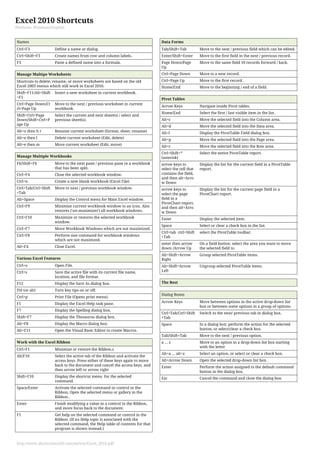
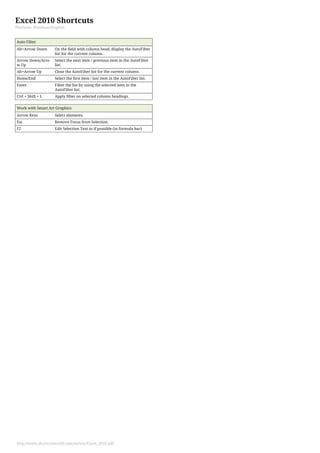

This document provides shortcuts for navigating and performing common tasks in Excel 2010 for Windows. Some key shortcuts include: - Arrow keys to move between cells, Page Up/Down to move between screens of cells - Ctrl+Space to select an entire column, Shift+Space to select a row - Ctrl+c, Ctrl+x, Ctrl+v for copy, cut, paste - F2 to edit the active cell, Enter to complete a cell entry - Ctrl+z, Ctrl+y for undo, redo - Alt+= for autosum, Shift+F3 to insert a function - F9 to calculate all worksheets, Shift+F9 for the active worksheet - Ctrl+


![Computer shortcuts (qt)[1]](https://cdn.slidesharecdn.com/ss_thumbnails/computershortcutsqt1-160814113952-thumbnail.jpg?width=640&height=640&fit=bounds)


![Computer Shortcuts[1]](https://cdn.slidesharecdn.com/ss_thumbnails/computershortcuts1-090823132914-phpapp01-thumbnail.jpg?width=640&height=640&fit=bounds)


