Some of the improvements since Moodle 2.5

Gavin Henrick
Learning Technology Services
Supports
» Google Chrome
» recent Mozilla Firefox,
» Safari 6
» Internet Explorer 9 (IE 10 required for drag and
drop of files from outside the browser into
Moodle)
IE8 and Safari 5 are no longer fully supported
IE6 and IE7 are not recommended for Moodle 2.6
at all
»
»
»
»

Resetting password is simpler
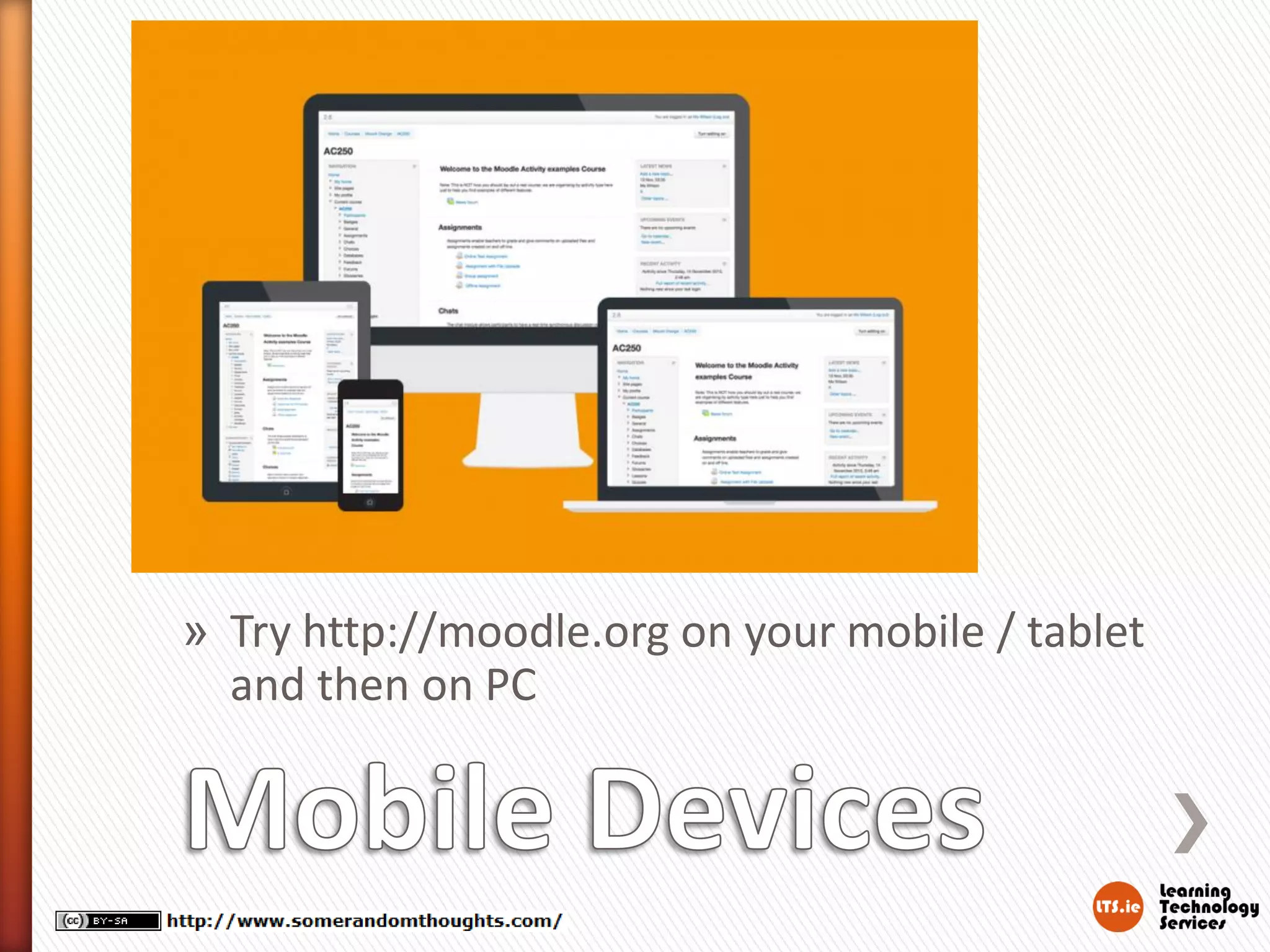
Better Mobile device experience
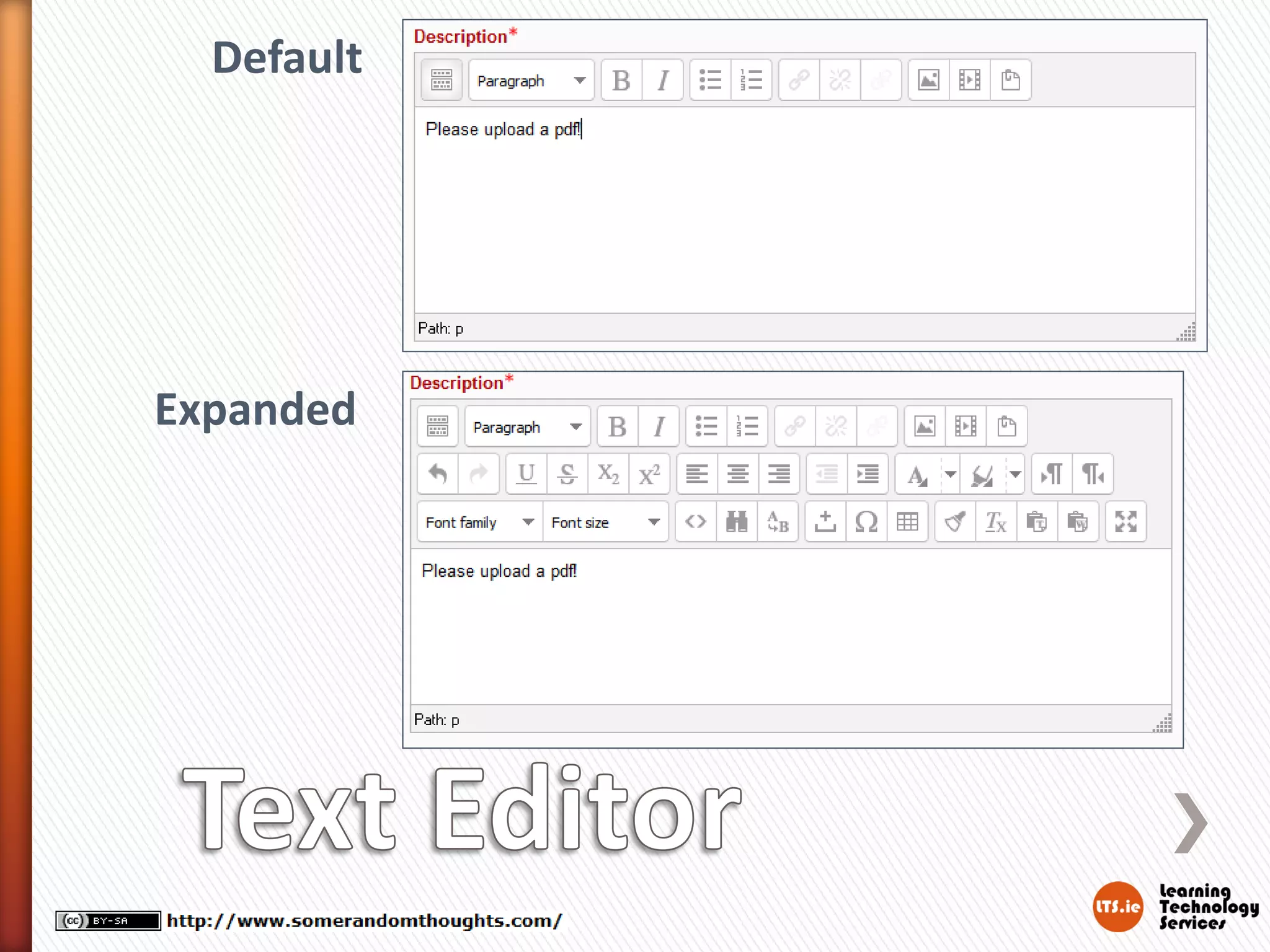
Text Editor improvements
Microsoft Skydrive integration
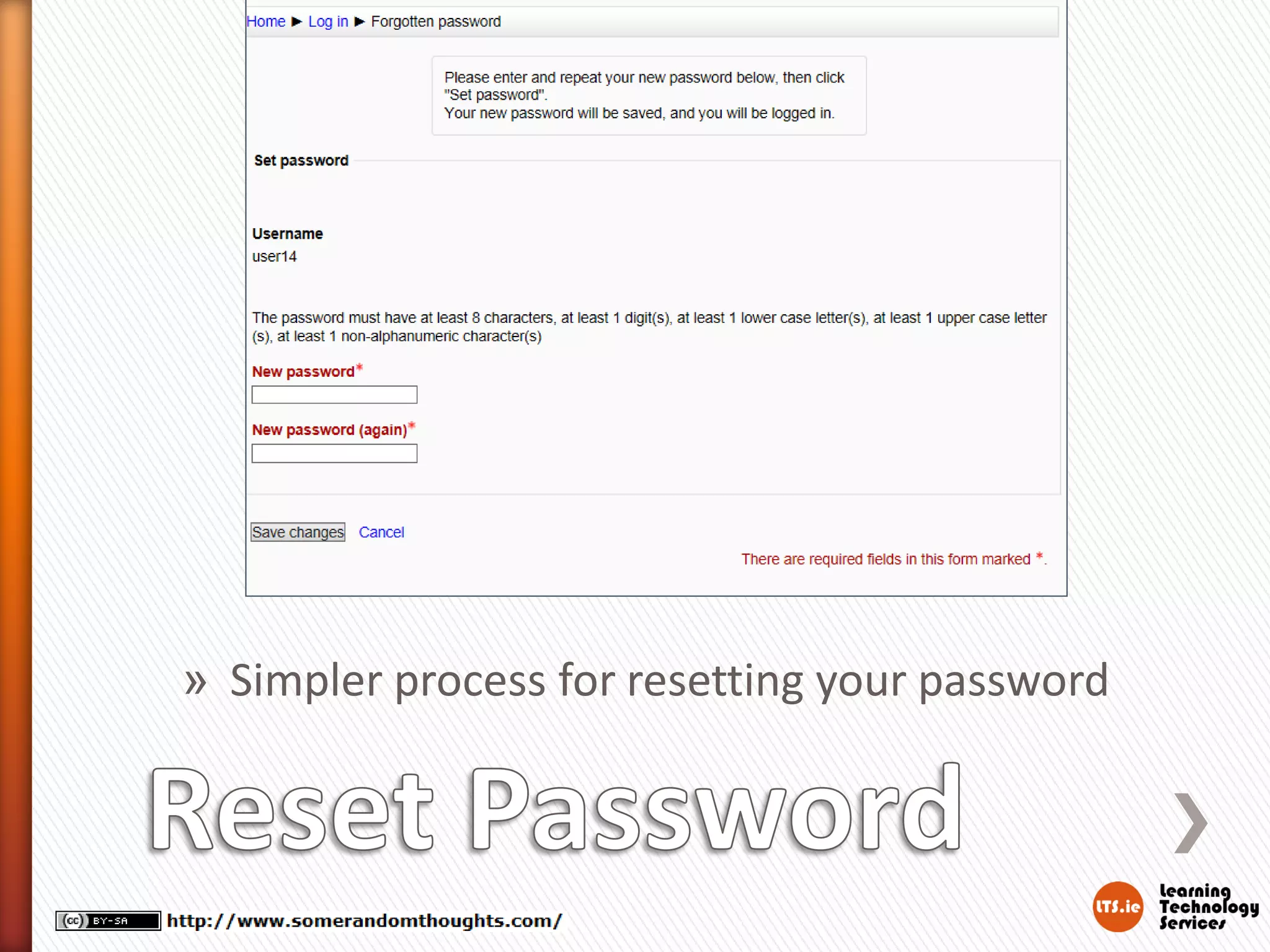
» Simpler process for resetting your password
Default

Expanded
» Try http://moodle.org on your mobile / tablet
and then on PC
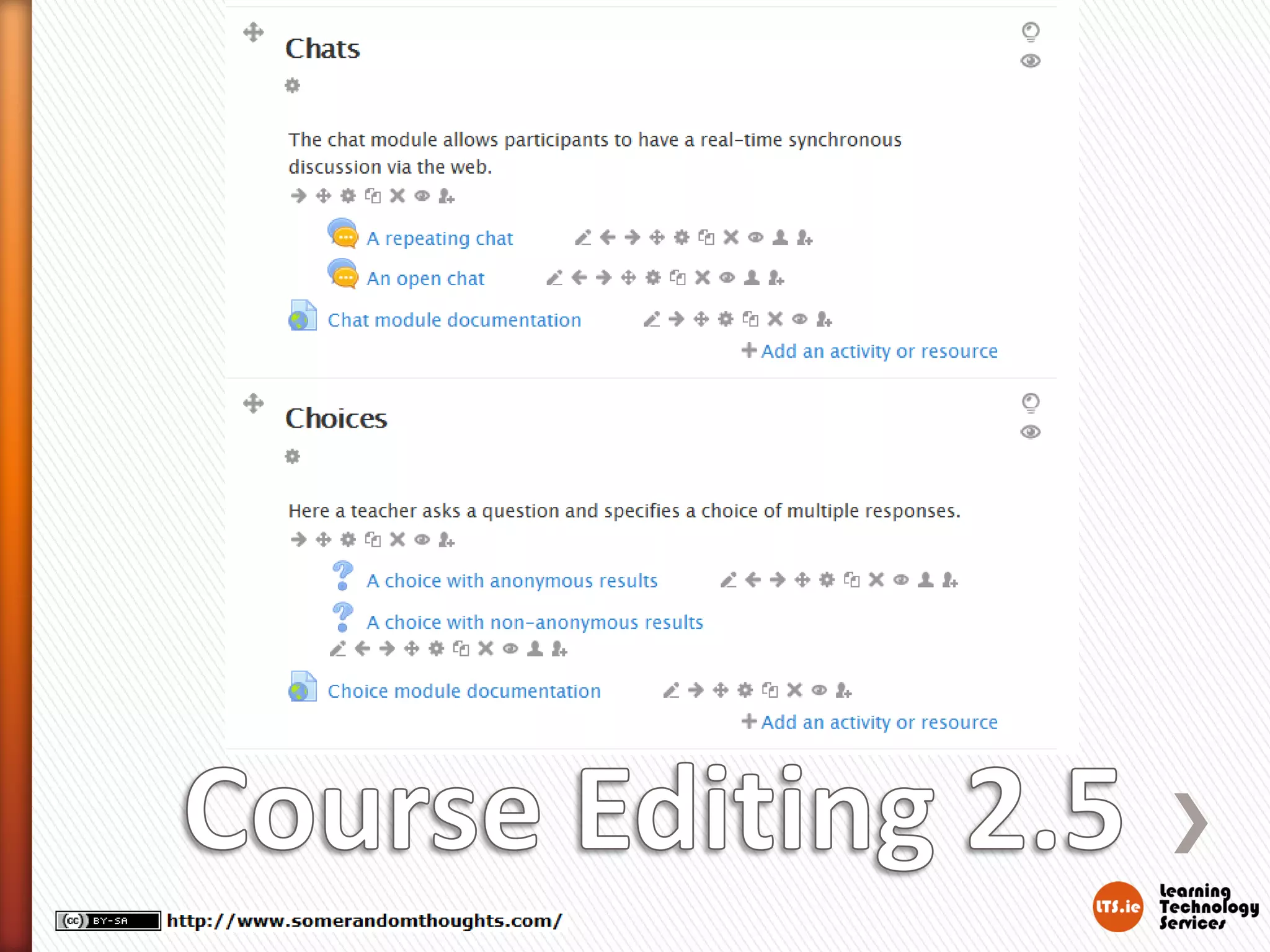
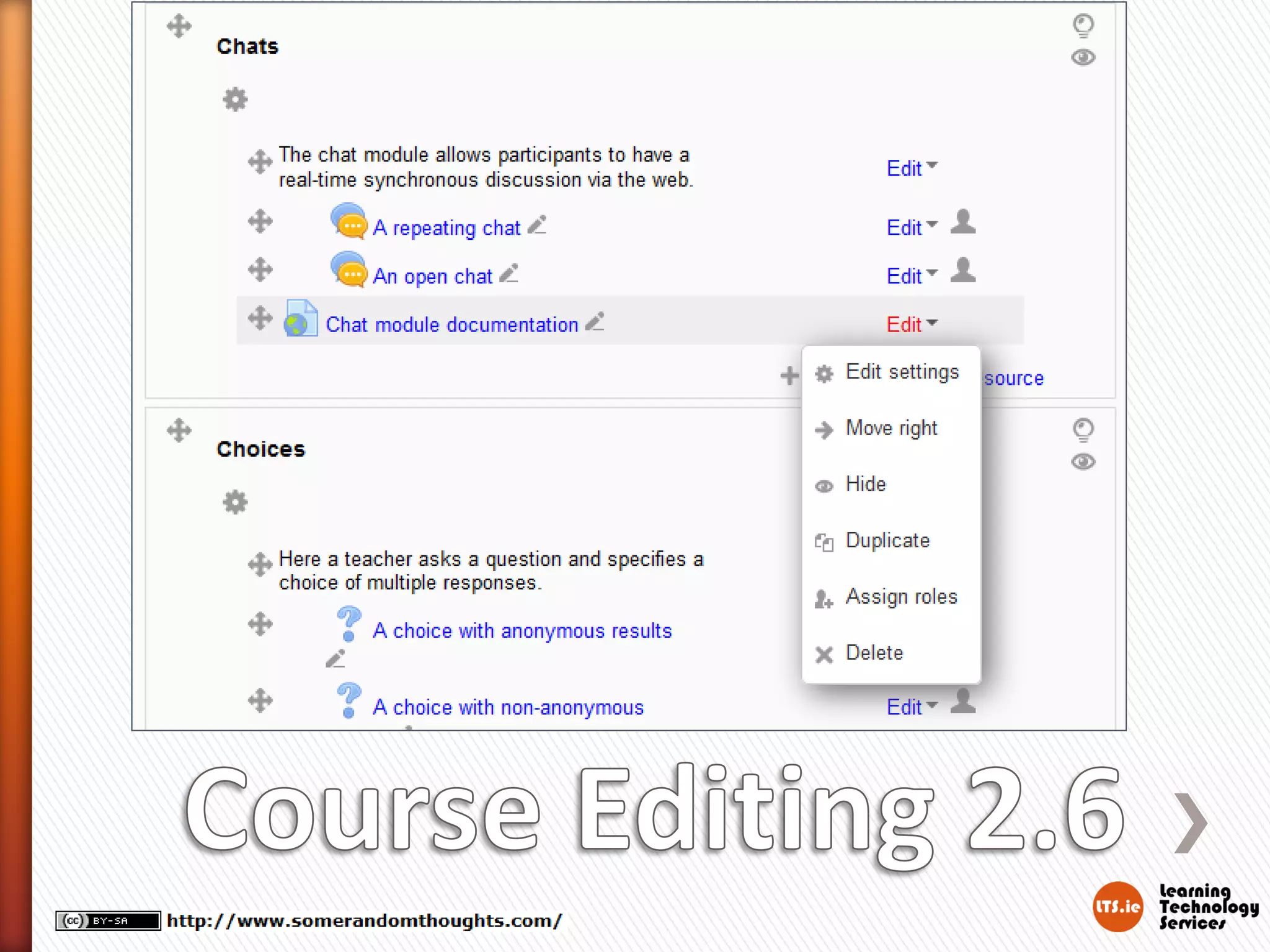
» Course editing is cleaner
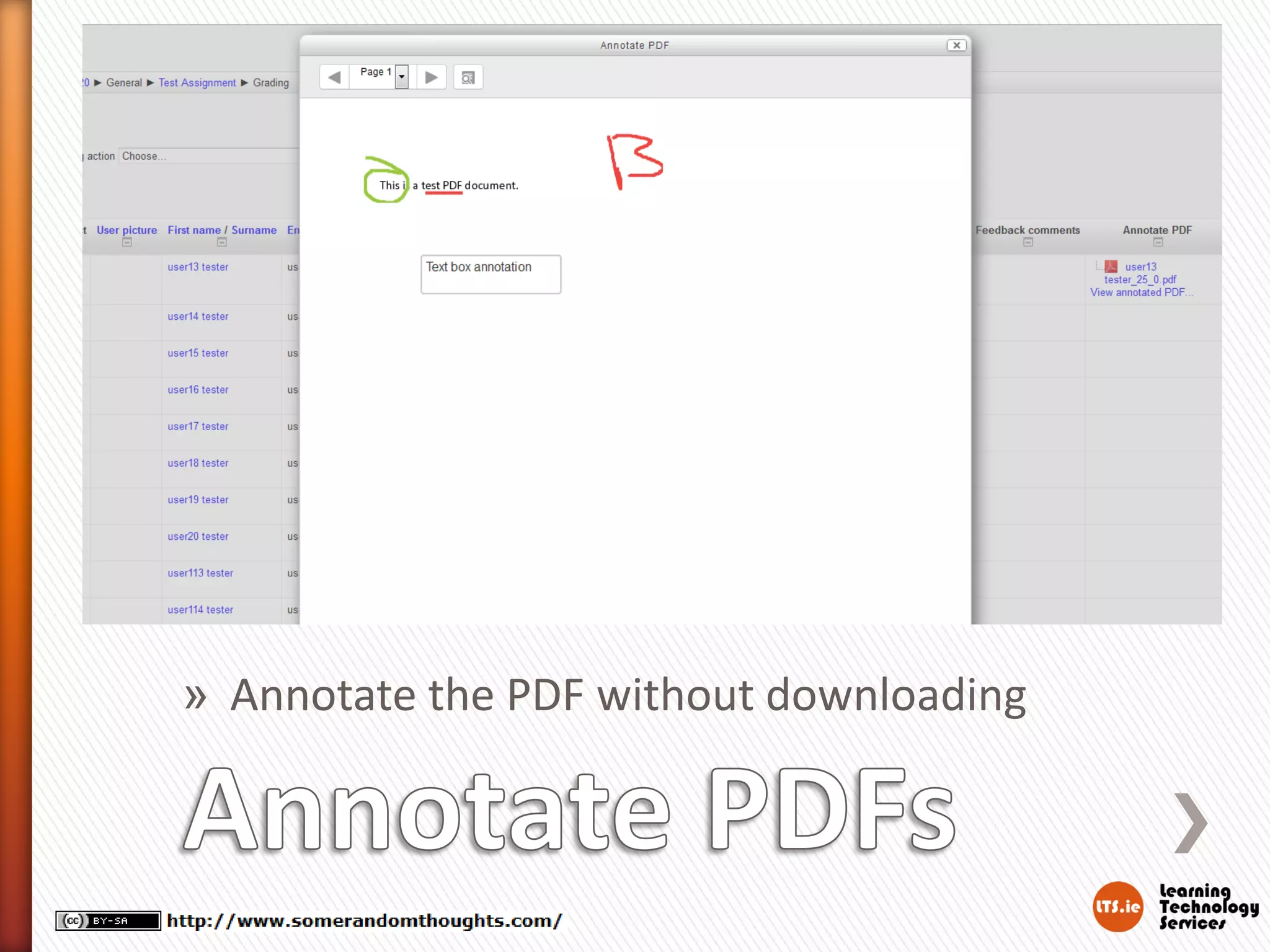
» Annotate assignment PDFs
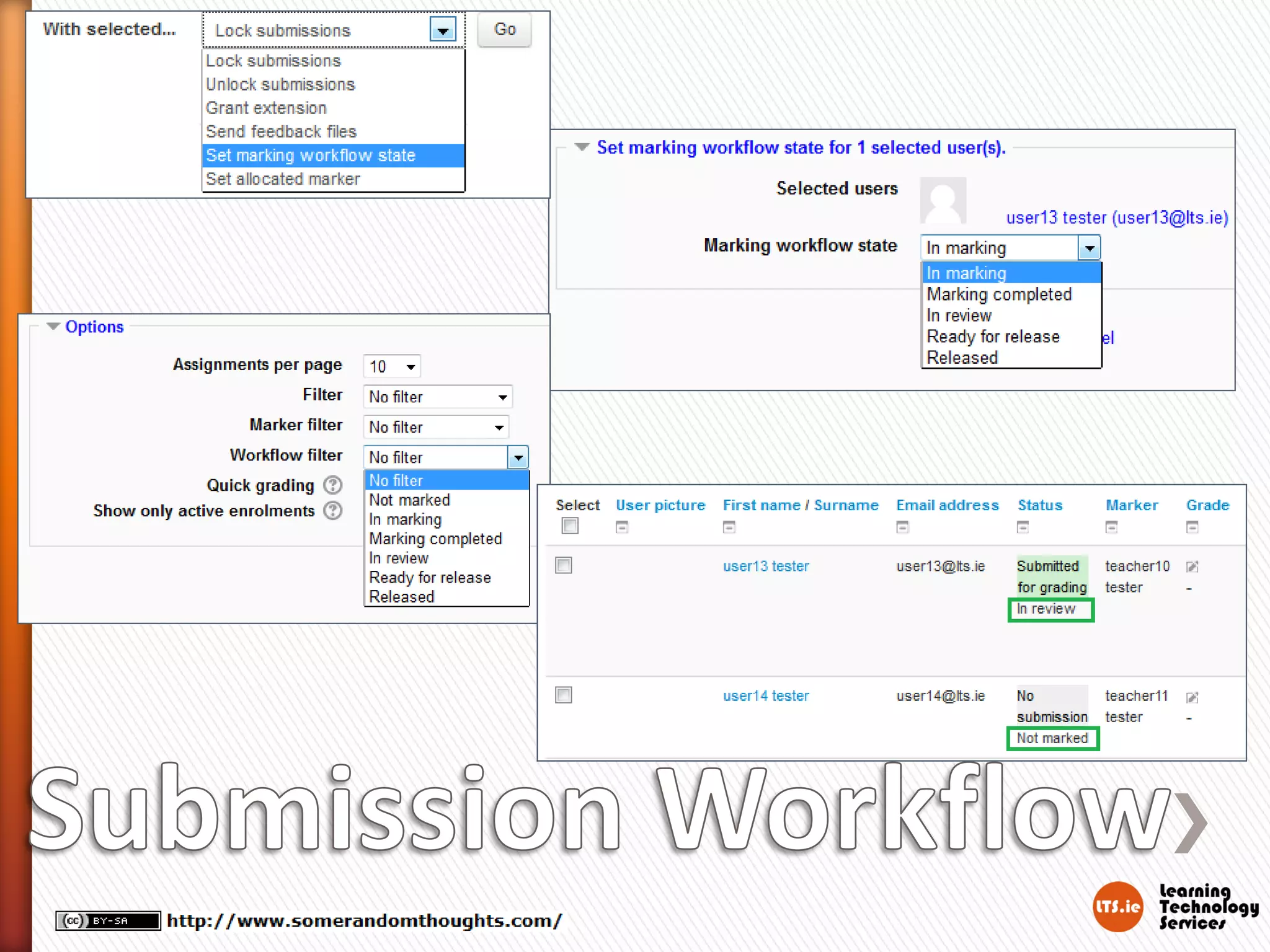
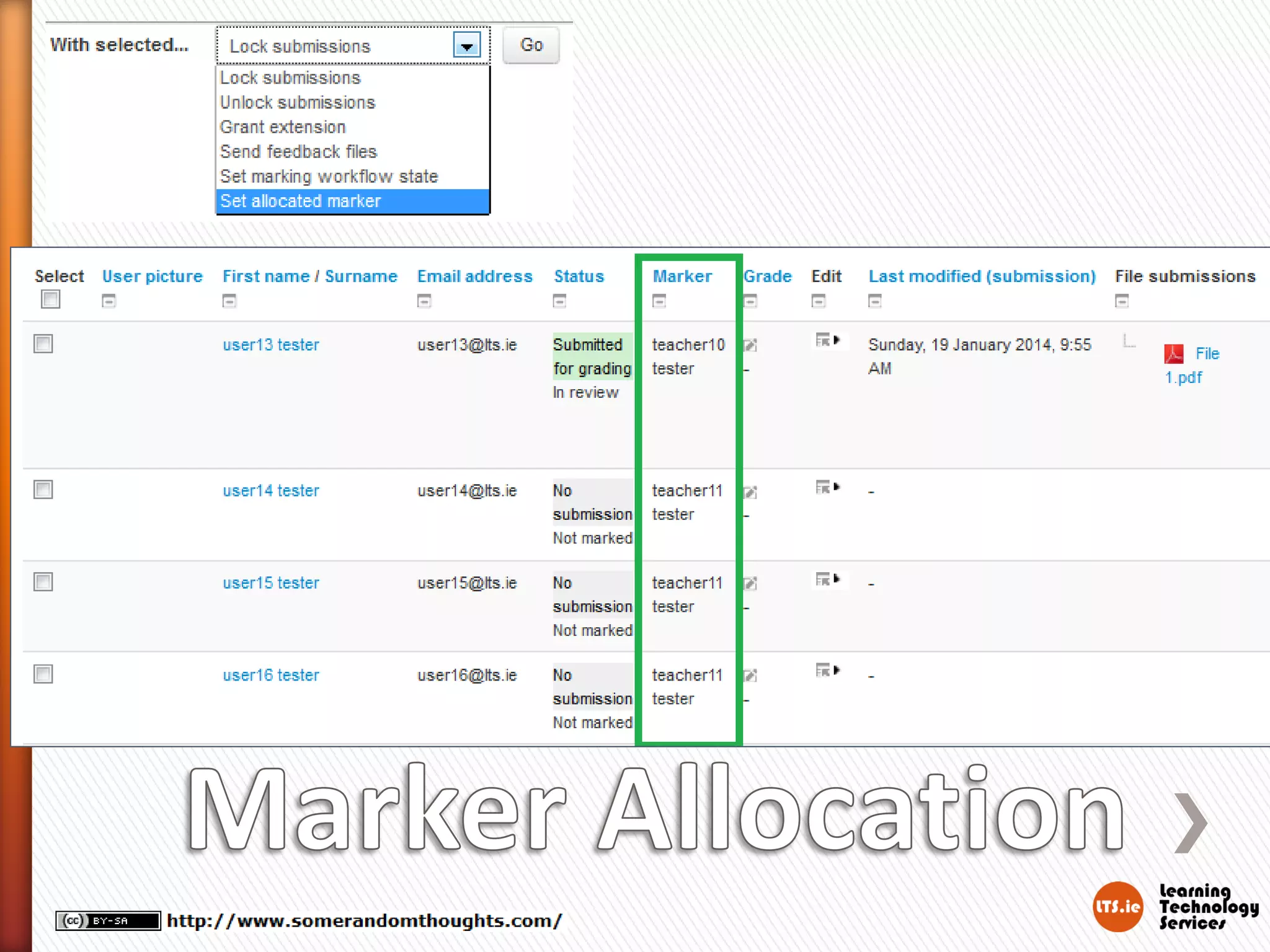
» Assignment marker allocation and grading
workflow
» New Single Activity Course Format
» Forum improvements
» Quiz improvements
» SCORM improvements
» Annotate the PDF without downloading
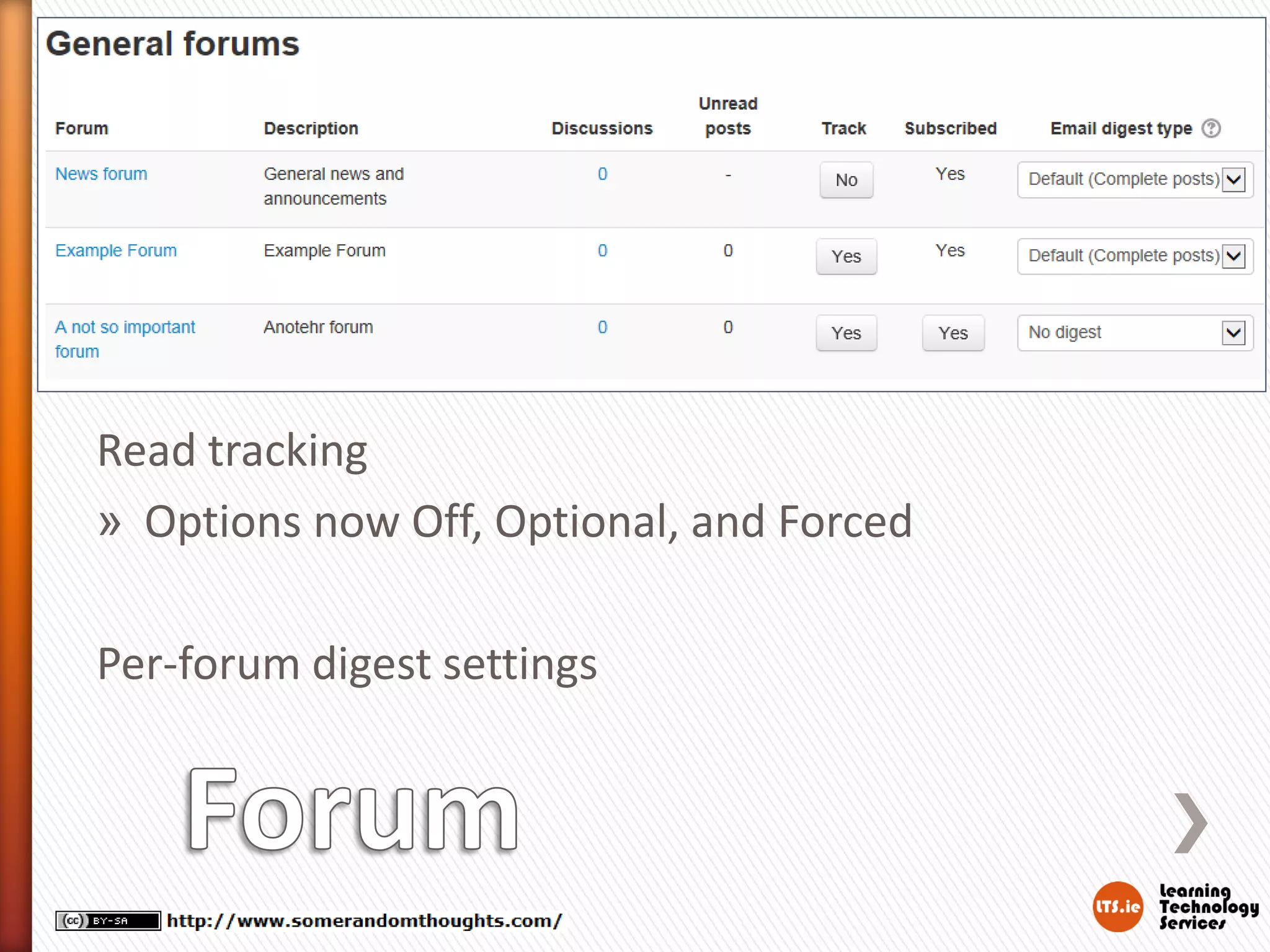
Read tracking
» Options now Off, Optional, and Forced
Per-forum digest settings
» Better feedback for students with CBM
(Confidence Based Marking)
» Option for what size user picture to show
during quiz attempts
» Backups no longer include unnecessary
questions from the Question Bank
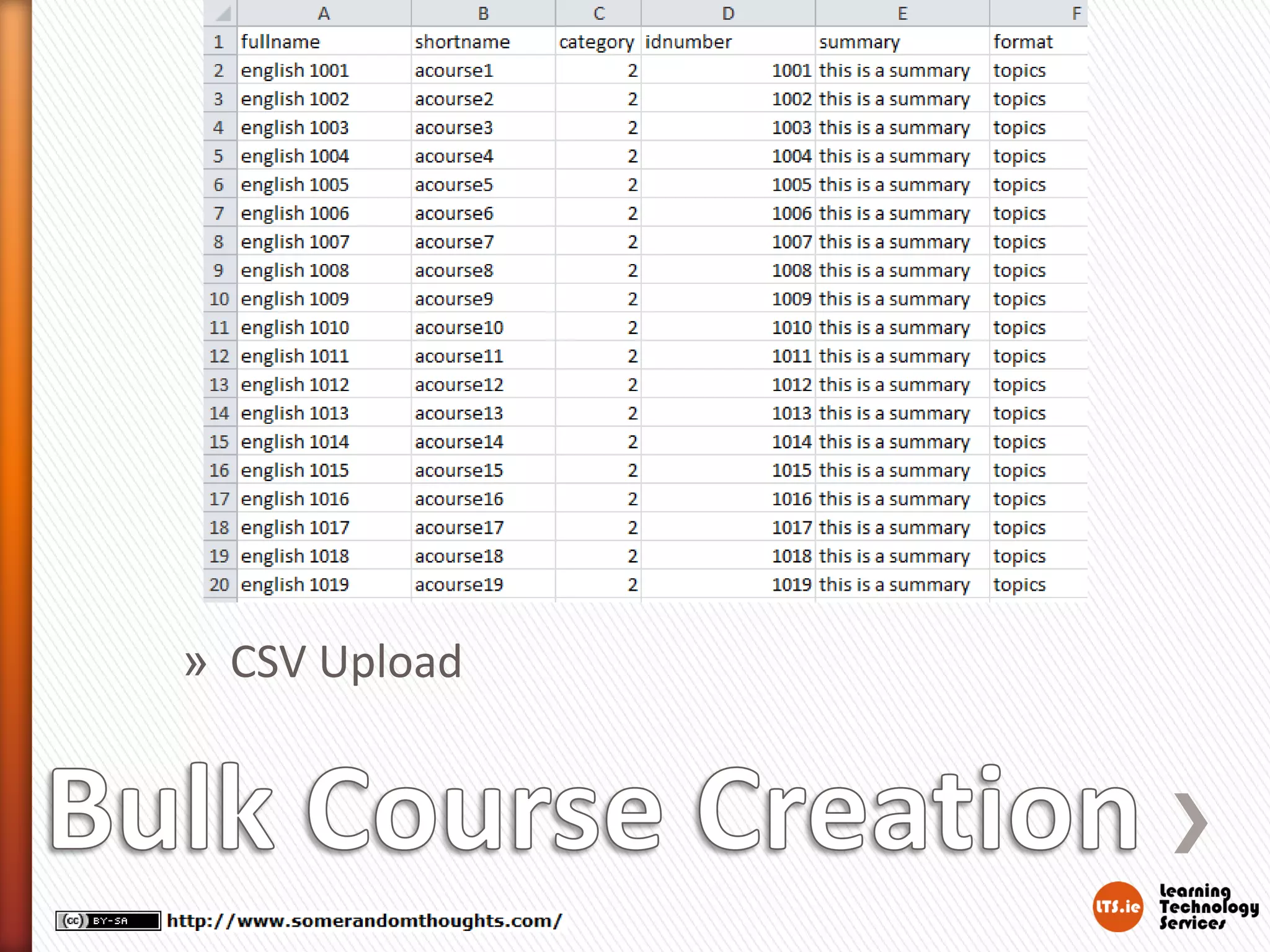
Bulk Course Creation Tool
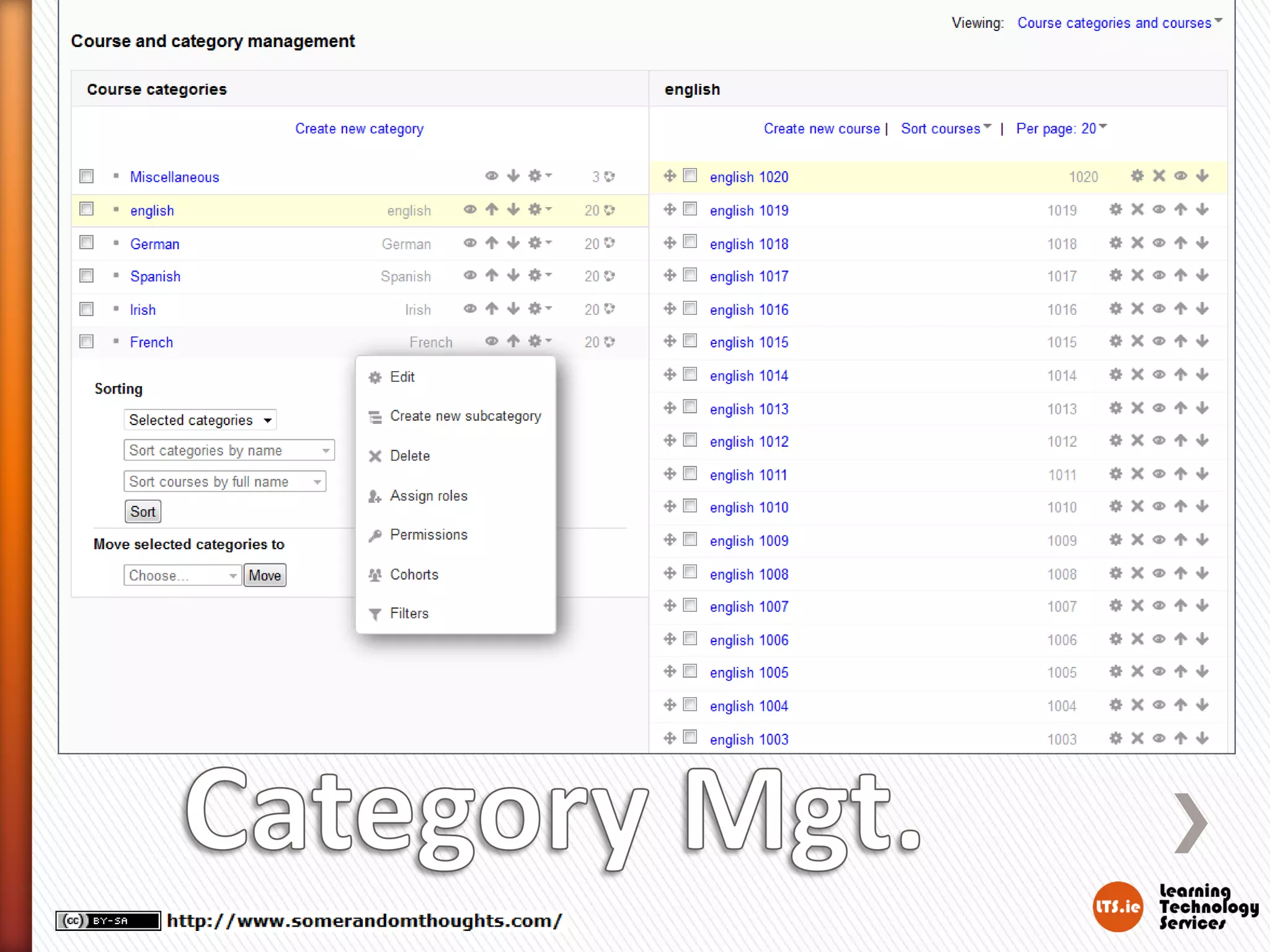
User interface for course management
Backup/Restore better on big courses
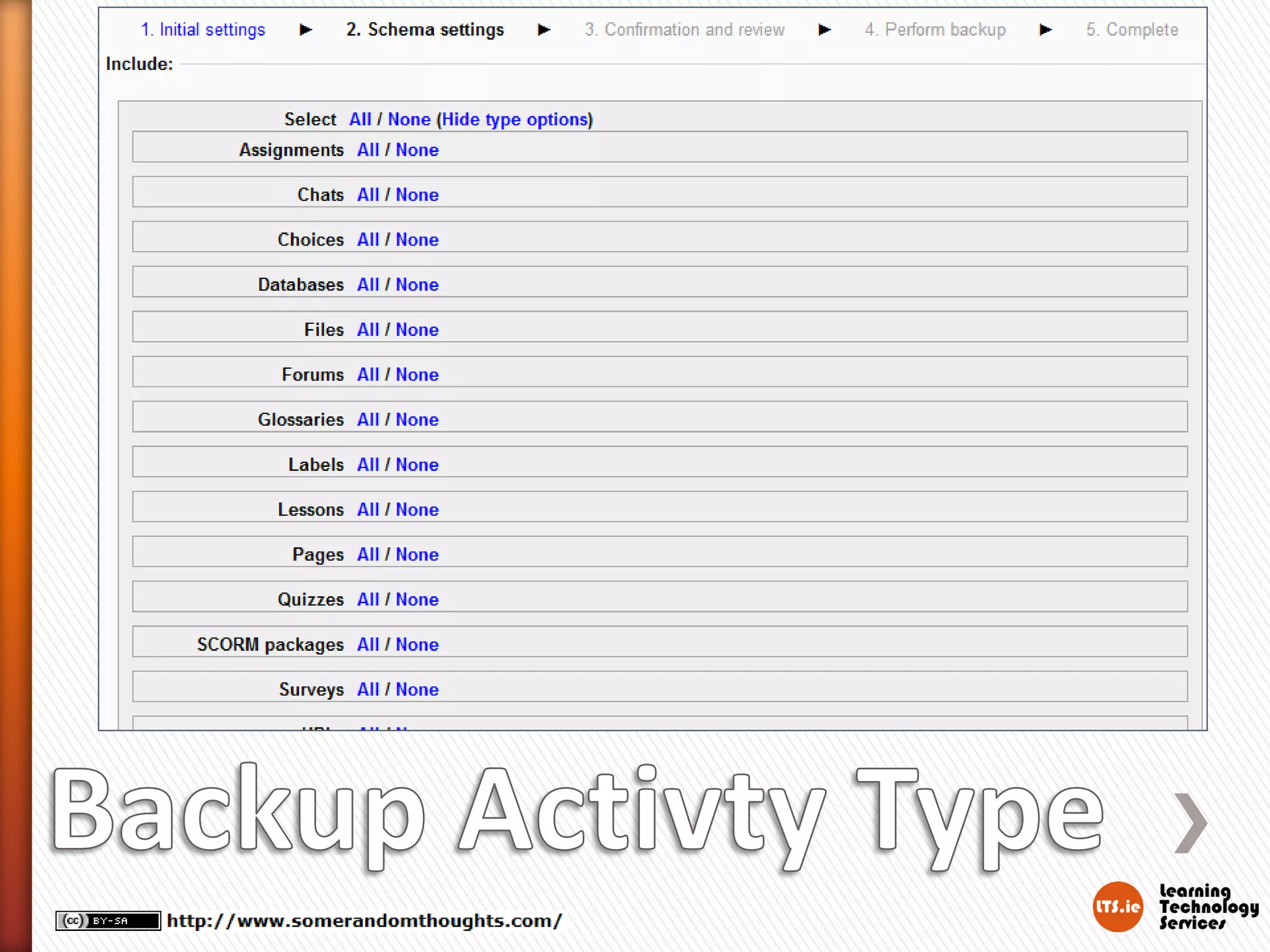
Backup and restore: Allow selection by activity
type
» Performance improvements
»
»
»
»
» CSV Upload
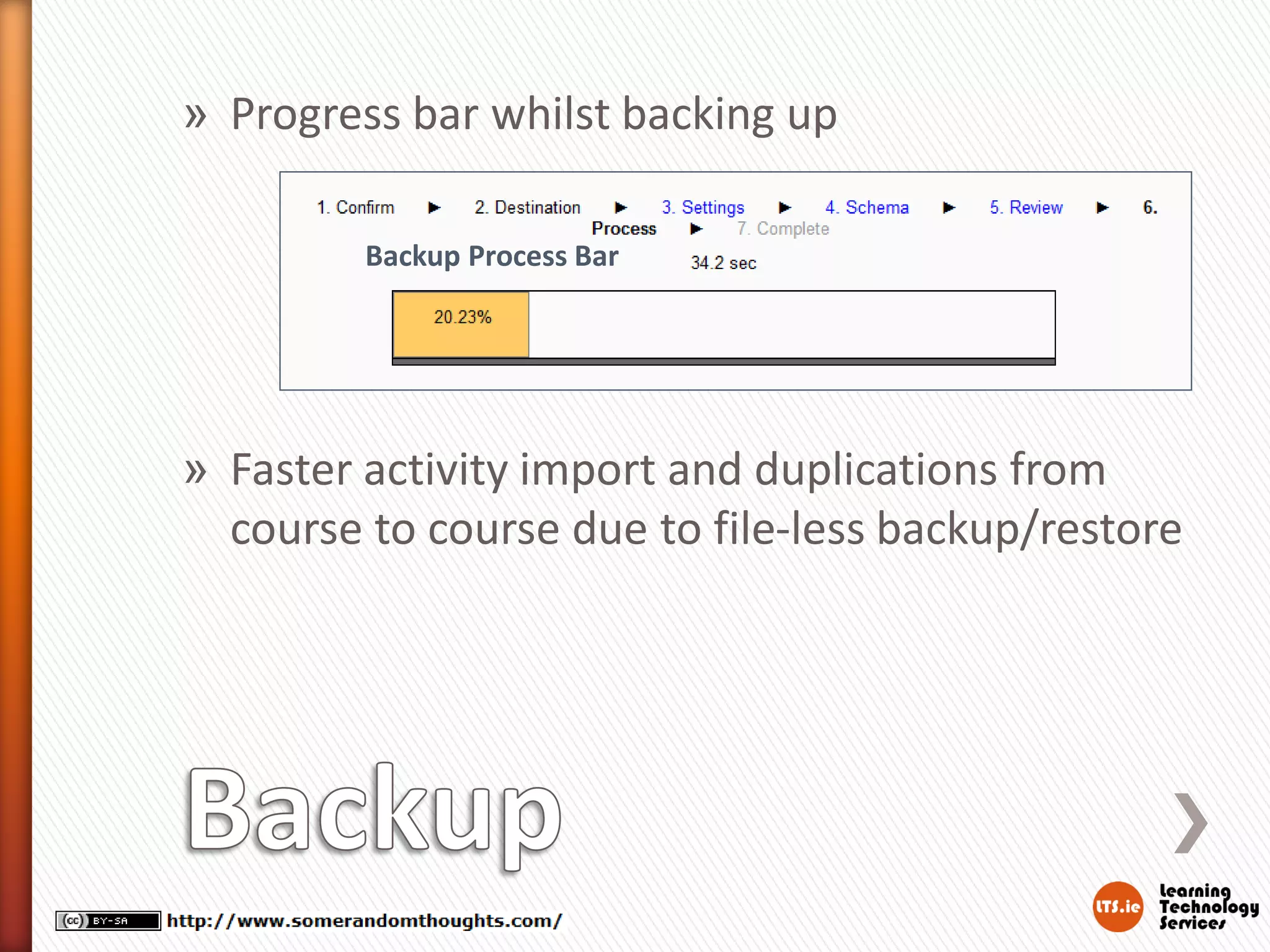
» Progress bar whilst backing up
Backup Process Bar

» Faster activity import and duplications from
course to course due to file-less backup/restore
» Too many improvements to shortlist on one
page see
http://docs.moodle.org/dev/Moodle_2.6_relea
se_notes#Performance for details.
Gavin Henrick
E: gavin@lts.ie
T: @ghenrick
B: http://www.somerandomthoughts.com
S: http://www.slideshare.net/ghenrick/
L: http://ie.linkedin.com/in/gavinhenrick
W: http://www.lts.ie

Moodle 2.6 some of the improvements since moodle 2.5

  • 1.
    Some of theimprovements since Moodle 2.5 Gavin Henrick Learning Technology Services
  • 2.
    Supports » Google Chrome »recent Mozilla Firefox, » Safari 6 » Internet Explorer 9 (IE 10 required for drag and drop of files from outside the browser into Moodle) IE8 and Safari 5 are no longer fully supported IE6 and IE7 are not recommended for Moodle 2.6 at all
  • 3.
    » » » » Resetting password issimpler Better Mobile device experience Text Editor improvements Microsoft Skydrive integration
  • 4.
    » Simpler processfor resetting your password
  • 5.
  • 6.
    » Try http://moodle.orgon your mobile / tablet and then on PC
  • 7.
    » Course editingis cleaner » Annotate assignment PDFs » Assignment marker allocation and grading workflow » New Single Activity Course Format » Forum improvements » Quiz improvements » SCORM improvements
  • 10.
    » Annotate thePDF without downloading
  • 13.
    Read tracking » Optionsnow Off, Optional, and Forced Per-forum digest settings
  • 14.
    » Better feedbackfor students with CBM (Confidence Based Marking) » Option for what size user picture to show during quiz attempts » Backups no longer include unnecessary questions from the Question Bank
  • 15.
    Bulk Course CreationTool User interface for course management Backup/Restore better on big courses Backup and restore: Allow selection by activity type » Performance improvements » » » »
  • 16.
  • 18.
    » Progress barwhilst backing up Backup Process Bar » Faster activity import and duplications from course to course due to file-less backup/restore
  • 20.
    » Too manyimprovements to shortlist on one page see http://docs.moodle.org/dev/Moodle_2.6_relea se_notes#Performance for details.
  • 21.
    Gavin Henrick E: gavin@lts.ie T:@ghenrick B: http://www.somerandomthoughts.com S: http://www.slideshare.net/ghenrick/ L: http://ie.linkedin.com/in/gavinhenrick W: http://www.lts.ie