Mongodb is a document-oriented NoSQL database used for high volume data
storage. In this tutorial you will learn how Mongodb can be accessed and some of
its important features like indexing, regular expression, sharding data, etc.
MongoDB is a database which came into light around the mid-2000s. It falls
under the category of a NoSQL database
 MongoDB is a document database. Each database
contains collections which in turn contains
documents. Each document can be different with
varying number of fields. The size and content of
each document can be different from each other.
 The document structure is more in line with how
developers construct their classes and objects in their
respective programming languages. Developers will
often say that their classes are not rows and columns
but have a clear structure with key-value pairs.
 As seen in the introduction with NoSQL databases,
the rows (or documents as called in MongoDB)
doesn't need to have a schema defined beforehand.
Instead, the fields can be created on the fly.
 The data model available within MongoDB
allows you to represent hierarchical
relationships, to store arrays, and other more
complex structures more easily.
 Scalability – The MongoDB environments are
very scalable. Companies across the world
have defined clusters with some of them
running 100+ nodes with around millions of
documents within the database
 In MongoDB, the first basic step is to have a
database and collection in place. The
database is used to store all of the
collections, and the collection in turn is used
to store all of the documents
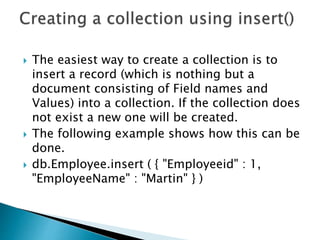
 The easiest way to create a collection is to
insert a record (which is nothing but a
document consisting of Field names and
Values) into a collection. If the collection does
not exist a new one will be created.
 The following example shows how this can be
done.
 db.Employee.insert ( { "Employeeid" : 1,
"EmployeeName" : "Martin" } )
 By default when inserting documents in the
collection, if you don't add a field name with
the _id in the field name, then MongoDB will
automatically add an Object id field.
 Why do we need the ObjectId field? Well,
MongoDB uses this as the primary key for the
collection so that each document can be
uniquely identified in the collection.
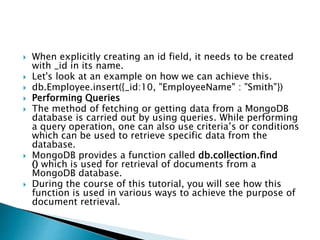
 When explicitly creating an id field, it needs to be created
with _id in its name.
 Let's look at an example on how we can achieve this.
 db.Employee.insert({_id:10, "EmployeeName" : "Smith"})
 Performing Queries
 The method of fetching or getting data from a MongoDB
database is carried out by using queries. While performing
a query operation, one can also use criteria’s or conditions
which can be used to retrieve specific data from the
database.
 MongoDB provides a function called db.collection.find
() which is used for retrieval of documents from a
MongoDB database.
 During the course of this tutorial, you will see how this
function is used in various ways to achieve the purpose of
document retrieval.
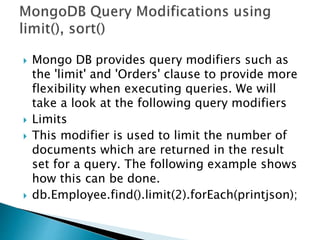
 Mongo DB provides query modifiers such as
the 'limit' and 'Orders' clause to provide more
flexibility when executing queries. We will
take a look at the following query modifiers
 Limits
 This modifier is used to limit the number of
documents which are returned in the result
set for a query. The following example shows
how this can be done.
 db.Employee.find().limit(2).forEach(printjson);
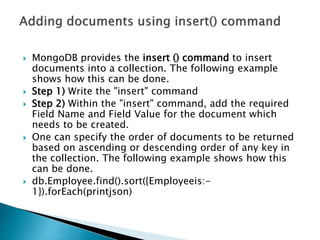
 MongoDB provides the insert () command to insert
documents into a collection. The following example
shows how this can be done.
 Step 1) Write the "insert" command
 Step 2) Within the "insert" command, add the required
Field Name and Field Value for the document which
needs to be created.
 One can specify the order of documents to be returned
based on ascending or descending order of any key in
the collection. The following example shows how this
can be done.
 db.Employee.find().sort({Employeeis:-
1}).forEach(printjson)
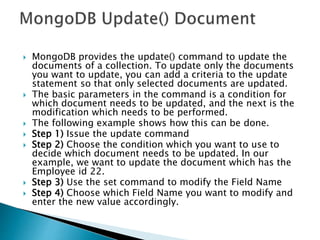
 MongoDB provides the update() command to update the
documents of a collection. To update only the documents
you want to update, you can add a criteria to the update
statement so that only selected documents are updated.
 The basic parameters in the command is a condition for
which document needs to be updated, and the next is the
modification which needs to be performed.
 The following example shows how this can be done.
 Step 1) Issue the update command
 Step 2) Choose the condition which you want to use to
decide which document needs to be updated. In our
example, we want to update the document which has the
Employee id 22.
 Step 3) Use the set command to modify the Field Name
 Step 4) Choose which Field Name you want to modify and
enter the new value accordingly.
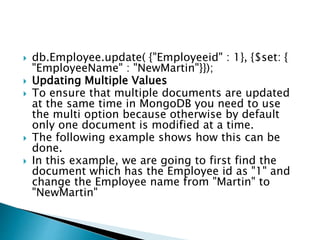
 db.Employee.update( {"Employeeid" : 1}, {$set: {
"EmployeeName" : "NewMartin"}});
 Updating Multiple Values
 To ensure that multiple documents are updated
at the same time in MongoDB you need to use
the multi option because otherwise by default
only one document is modified at a time.
 The following example shows how this can be
done.
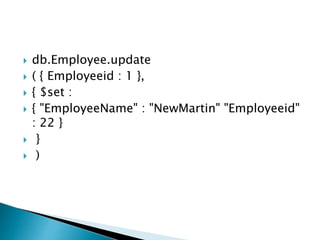
 In this example, we are going to first find the
document which has the Employee id as "1" and
change the Employee name from "Martin" to
"NewMartin"
 db.Employee.update
 ( { Employeeid : 1 },
 { $set :
 { "EmployeeName" : "NewMartin" "Employeeid"
: 22 }
 }
 )

Mongo db

  • 1.
    Mongodb is adocument-oriented NoSQL database used for high volume data storage. In this tutorial you will learn how Mongodb can be accessed and some of its important features like indexing, regular expression, sharding data, etc. MongoDB is a database which came into light around the mid-2000s. It falls under the category of a NoSQL database
  • 2.
     MongoDB isa document database. Each database contains collections which in turn contains documents. Each document can be different with varying number of fields. The size and content of each document can be different from each other.  The document structure is more in line with how developers construct their classes and objects in their respective programming languages. Developers will often say that their classes are not rows and columns but have a clear structure with key-value pairs.  As seen in the introduction with NoSQL databases, the rows (or documents as called in MongoDB) doesn't need to have a schema defined beforehand. Instead, the fields can be created on the fly.
  • 3.
     The datamodel available within MongoDB allows you to represent hierarchical relationships, to store arrays, and other more complex structures more easily.  Scalability – The MongoDB environments are very scalable. Companies across the world have defined clusters with some of them running 100+ nodes with around millions of documents within the database
  • 4.
     In MongoDB,the first basic step is to have a database and collection in place. The database is used to store all of the collections, and the collection in turn is used to store all of the documents
  • 5.
     The easiestway to create a collection is to insert a record (which is nothing but a document consisting of Field names and Values) into a collection. If the collection does not exist a new one will be created.  The following example shows how this can be done.  db.Employee.insert ( { "Employeeid" : 1, "EmployeeName" : "Martin" } )
  • 6.
     By defaultwhen inserting documents in the collection, if you don't add a field name with the _id in the field name, then MongoDB will automatically add an Object id field.  Why do we need the ObjectId field? Well, MongoDB uses this as the primary key for the collection so that each document can be uniquely identified in the collection.
  • 7.
     When explicitlycreating an id field, it needs to be created with _id in its name.  Let's look at an example on how we can achieve this.  db.Employee.insert({_id:10, "EmployeeName" : "Smith"})  Performing Queries  The method of fetching or getting data from a MongoDB database is carried out by using queries. While performing a query operation, one can also use criteria’s or conditions which can be used to retrieve specific data from the database.  MongoDB provides a function called db.collection.find () which is used for retrieval of documents from a MongoDB database.  During the course of this tutorial, you will see how this function is used in various ways to achieve the purpose of document retrieval.
  • 8.
     Mongo DBprovides query modifiers such as the 'limit' and 'Orders' clause to provide more flexibility when executing queries. We will take a look at the following query modifiers  Limits  This modifier is used to limit the number of documents which are returned in the result set for a query. The following example shows how this can be done.  db.Employee.find().limit(2).forEach(printjson);
  • 9.
     MongoDB providesthe insert () command to insert documents into a collection. The following example shows how this can be done.  Step 1) Write the "insert" command  Step 2) Within the "insert" command, add the required Field Name and Field Value for the document which needs to be created.  One can specify the order of documents to be returned based on ascending or descending order of any key in the collection. The following example shows how this can be done.  db.Employee.find().sort({Employeeis:- 1}).forEach(printjson)
  • 10.
     MongoDB providesthe update() command to update the documents of a collection. To update only the documents you want to update, you can add a criteria to the update statement so that only selected documents are updated.  The basic parameters in the command is a condition for which document needs to be updated, and the next is the modification which needs to be performed.  The following example shows how this can be done.  Step 1) Issue the update command  Step 2) Choose the condition which you want to use to decide which document needs to be updated. In our example, we want to update the document which has the Employee id 22.  Step 3) Use the set command to modify the Field Name  Step 4) Choose which Field Name you want to modify and enter the new value accordingly.
  • 11.
     db.Employee.update( {"Employeeid": 1}, {$set: { "EmployeeName" : "NewMartin"}});  Updating Multiple Values  To ensure that multiple documents are updated at the same time in MongoDB you need to use the multi option because otherwise by default only one document is modified at a time.  The following example shows how this can be done.  In this example, we are going to first find the document which has the Employee id as "1" and change the Employee name from "Martin" to "NewMartin"
  • 12.
     db.Employee.update  ({ Employeeid : 1 },  { $set :  { "EmployeeName" : "NewMartin" "Employeeid" : 22 }  }  )