Introduction to MongoDB
 GDG Organizer
 Google DSC Lead
 Web & App Developer
Presented by Elie Hannouch
 What is a database ?
 What is a NoSQL database
 What is MongoDB
 Advantages of MongoDB
 MongoDB server setup
 MongoDB CRUD operations
 Cloud DBaaS via MongoDB Atlas
Agenda
A database is an organized collection of structured information, or data,
typically stored electronically in a computer system. Where these data can then
be easily accessed, managed, modified, updated, controlled, and organized.
For example, a company database may include collections for products,
employees, and financial documents. Each of these collections would have
different documents that are relevant to the information stored in the
Collection.
What is a database ?
What is a NoSQL database, and when should be used ?
● NoSQL databases are non-tabular databases and store data differently than
relational tables. NoSQL databases come in a variety of types based on their
data model like the document-based databases. They provide flexible
schemas and scale easily with large amounts of data and high user loads.
● When deciding which database to use, decision-makers typically find one or
more of the following factors lead them to selecting a NoSQL database:
-- Fast-paced Agile development
-- Huge volumes of data
-- Requirements for scale-out architecture
-- Modern application patterns like microservices
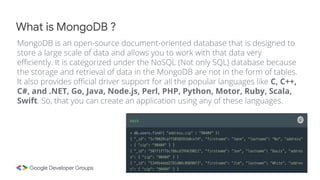
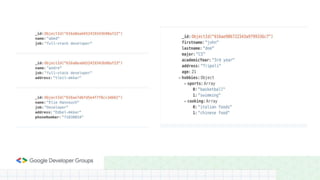
MongoDB is an open-source document-oriented database that is designed to
store a large scale of data and allows you to work with that data very
efficiently. It is categorized under the NoSQL (Not only SQL) database because
the storage and retrieval of data in the MongoDB are not in the form of tables.
It also provides official driver support for all the popular languages like C, C++,
C#, and .NET, Go, Java, Node.js, Perl, PHP, Python, Motor, Ruby, Scala,
Swift. So, that you can create an application using any of these languages.
What is MongoDB ?
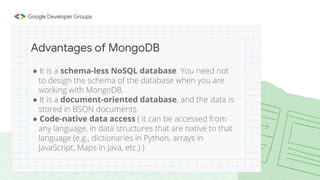
● It is a schema-less NoSQL database. You need not
to design the schema of the database when you are
working with MongoDB.
● It is a document-oriented database, and the data is
stored in BSON documents.
● Code-native data access ( it can be accessed from
any language, in data structures that are native to that
language (e.g., dictionaries in Python, arrays in
JavaScript, Maps in Java, etc.) )
Advantages of MongoDB
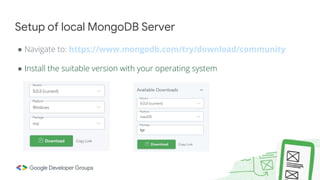
● Navigate to: https://www.mongodb.com/try/download/community
● Install the suitable version with your operating system
Setup of local MongoDB Server
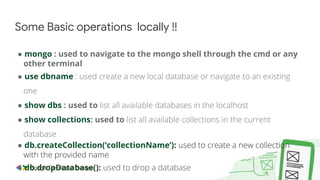
● mongo : used to navigate to the mongo shell through the cmd or any
other terminal
● use dbname : used create a new local database or navigate to an existing
one
● show dbs : used to list all available databases in the localhost
● show collections: used to list all available collections in the current
database
● db.createCollection(‘collectionName’): used to create a new collection
with the provided name
● db.dropDatabase(): used to drop a database
Some Basic operations locally !!
● Create operation is used to create a document. A document is directly inserted
into the collection by using insertOne() and insertMany() methods.
● Syntax:
o db.collection-name.insertOne({field1 : value1, field2 : value2 , ....})
o db.collection-name.insertMany([{field1: value1, field2 : value2},
{field1: value1, field2 : value2, field3 : value3},{...},....])
 The benefit of mongo here is we can add extra fields or less as we insert
documents in the collection
Create Documents
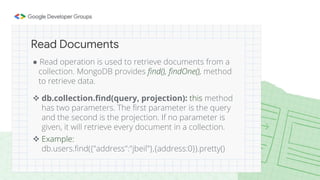
● Read operation is used to retrieve documents from a
collection. MongoDB provides find(), findOne(), method
to retrieve data.
 db.collection.find(query, projection): this method
has two parameters. The first parameter is the query
and the second is the projection. If no parameter is
given, it will retrieve every document in a collection.
 Example:
db.users.find({"address":"jbeil"},{address:0}).pretty()
Read Documents
● db.collection.findOne(query, projection): Returns one document that
satisfies the specified query criteria on the collection. If multiple documents
satisfy the query, this method returns the first document according to
the natural order which reflects the order of documents on the disk
● Example: db.users.findOne({”field":”value"})
● We can also use aggregate in our query in find() like $lt , $lte , $gt , $gte , $eq ,
$or , $and , $in , $nin , $exists.
1. db.instructors.find({age:{$lt:32}})
2. db.instructors.find({age:{$gt:24}})
3. db.instructors.find({age:{$eq:21}})
4. db.instructors.find({$or: [{age:{$gt:20}}, {firstname: ”jenny"}]}, {firstname:1})
Reading & Querying Documents -- cont
● db.instructors.find( { firstname: { $in: [ "steve", "ayla" ] } } )
● db.instructors.find( { age: { $nin: [ 25, 32 ] } } )
● db.students.find( { bloodtype: { $exists: true} } )
Querying Documents - continue
● MongoDB database provides two methods for update
operations, updateOne() and updateMany(). It has three
parameters. The first parameter is the filter(condition), the
second one is the update itself while the third one consists
of few options. The third parameter is optional.
● Syntax:
db.collection.updateOne({“field” : “value”} , {$set : {“field1” : “value”}})
db.collection.updateOne({“field" : "value"}, { $set : { “field1" :"value"}},
{upsert : true})
db.collection.updateMany({”field":”value"},{$set:{”newfield":”value"}})
Updating Documents
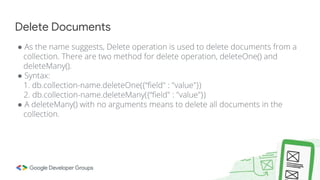
● As the name suggests, Delete operation is used to delete documents from a
collection. There are two method for delete operation, deleteOne() and
deleteMany().
● Syntax:
1. db.collection-name.deleteOne({“field" : "value"})
2. db.collection-name.deleteMany({“field" : "value"})
● A deleteMany() with no arguments means to delete all documents in the
collection.
Delete Documents
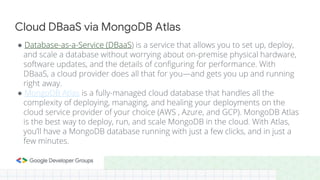
● Database-as-a-Service (DBaaS) is a service that allows you to set up, deploy,
and scale a database without worrying about on-premise physical hardware,
software updates, and the details of configuring for performance. With
DBaaS, a cloud provider does all that for you—and gets you up and running
right away.
● MongoDB Atlas is a fully-managed cloud database that handles all the
complexity of deploying, managing, and healing your deployments on the
cloud service provider of your choice (AWS , Azure, and GCP). MongoDB Atlas
is the best way to deploy, run, and scale MongoDB in the cloud. With Atlas,
you’ll have a MongoDB database running with just a few clicks, and in just a
few minutes.
Cloud DBaaS via MongoDB Atlas
● Create your free atlas account by clicking the following link:
https://www.mongodb.com/cloud/atlas/register
Atlas - continue
THANK YOU !!

Introduction To MongoDB

  • 1.
    Introduction to MongoDB GDG Organizer  Google DSC Lead  Web & App Developer Presented by Elie Hannouch
  • 2.
     What isa database ?  What is a NoSQL database  What is MongoDB  Advantages of MongoDB  MongoDB server setup  MongoDB CRUD operations  Cloud DBaaS via MongoDB Atlas Agenda
  • 3.
    A database isan organized collection of structured information, or data, typically stored electronically in a computer system. Where these data can then be easily accessed, managed, modified, updated, controlled, and organized. For example, a company database may include collections for products, employees, and financial documents. Each of these collections would have different documents that are relevant to the information stored in the Collection. What is a database ?
  • 4.
    What is aNoSQL database, and when should be used ? ● NoSQL databases are non-tabular databases and store data differently than relational tables. NoSQL databases come in a variety of types based on their data model like the document-based databases. They provide flexible schemas and scale easily with large amounts of data and high user loads. ● When deciding which database to use, decision-makers typically find one or more of the following factors lead them to selecting a NoSQL database: -- Fast-paced Agile development -- Huge volumes of data -- Requirements for scale-out architecture -- Modern application patterns like microservices
  • 5.
    MongoDB is anopen-source document-oriented database that is designed to store a large scale of data and allows you to work with that data very efficiently. It is categorized under the NoSQL (Not only SQL) database because the storage and retrieval of data in the MongoDB are not in the form of tables. It also provides official driver support for all the popular languages like C, C++, C#, and .NET, Go, Java, Node.js, Perl, PHP, Python, Motor, Ruby, Scala, Swift. So, that you can create an application using any of these languages. What is MongoDB ?
  • 7.
    ● It isa schema-less NoSQL database. You need not to design the schema of the database when you are working with MongoDB. ● It is a document-oriented database, and the data is stored in BSON documents. ● Code-native data access ( it can be accessed from any language, in data structures that are native to that language (e.g., dictionaries in Python, arrays in JavaScript, Maps in Java, etc.) ) Advantages of MongoDB
  • 8.
    ● Navigate to:https://www.mongodb.com/try/download/community ● Install the suitable version with your operating system Setup of local MongoDB Server
  • 9.
    ● mongo :used to navigate to the mongo shell through the cmd or any other terminal ● use dbname : used create a new local database or navigate to an existing one ● show dbs : used to list all available databases in the localhost ● show collections: used to list all available collections in the current database ● db.createCollection(‘collectionName’): used to create a new collection with the provided name ● db.dropDatabase(): used to drop a database Some Basic operations locally !!
  • 10.
    ● Create operationis used to create a document. A document is directly inserted into the collection by using insertOne() and insertMany() methods. ● Syntax: o db.collection-name.insertOne({field1 : value1, field2 : value2 , ....}) o db.collection-name.insertMany([{field1: value1, field2 : value2}, {field1: value1, field2 : value2, field3 : value3},{...},....])  The benefit of mongo here is we can add extra fields or less as we insert documents in the collection Create Documents
  • 11.
    ● Read operationis used to retrieve documents from a collection. MongoDB provides find(), findOne(), method to retrieve data.  db.collection.find(query, projection): this method has two parameters. The first parameter is the query and the second is the projection. If no parameter is given, it will retrieve every document in a collection.  Example: db.users.find({"address":"jbeil"},{address:0}).pretty() Read Documents
  • 12.
    ● db.collection.findOne(query, projection):Returns one document that satisfies the specified query criteria on the collection. If multiple documents satisfy the query, this method returns the first document according to the natural order which reflects the order of documents on the disk ● Example: db.users.findOne({”field":”value"}) ● We can also use aggregate in our query in find() like $lt , $lte , $gt , $gte , $eq , $or , $and , $in , $nin , $exists. 1. db.instructors.find({age:{$lt:32}}) 2. db.instructors.find({age:{$gt:24}}) 3. db.instructors.find({age:{$eq:21}}) 4. db.instructors.find({$or: [{age:{$gt:20}}, {firstname: ”jenny"}]}, {firstname:1}) Reading & Querying Documents -- cont
  • 13.
    ● db.instructors.find( {firstname: { $in: [ "steve", "ayla" ] } } ) ● db.instructors.find( { age: { $nin: [ 25, 32 ] } } ) ● db.students.find( { bloodtype: { $exists: true} } ) Querying Documents - continue
  • 14.
    ● MongoDB databaseprovides two methods for update operations, updateOne() and updateMany(). It has three parameters. The first parameter is the filter(condition), the second one is the update itself while the third one consists of few options. The third parameter is optional. ● Syntax: db.collection.updateOne({“field” : “value”} , {$set : {“field1” : “value”}}) db.collection.updateOne({“field" : "value"}, { $set : { “field1" :"value"}}, {upsert : true}) db.collection.updateMany({”field":”value"},{$set:{”newfield":”value"}}) Updating Documents
  • 15.
    ● As thename suggests, Delete operation is used to delete documents from a collection. There are two method for delete operation, deleteOne() and deleteMany(). ● Syntax: 1. db.collection-name.deleteOne({“field" : "value"}) 2. db.collection-name.deleteMany({“field" : "value"}) ● A deleteMany() with no arguments means to delete all documents in the collection. Delete Documents
  • 16.
    ● Database-as-a-Service (DBaaS)is a service that allows you to set up, deploy, and scale a database without worrying about on-premise physical hardware, software updates, and the details of configuring for performance. With DBaaS, a cloud provider does all that for you—and gets you up and running right away. ● MongoDB Atlas is a fully-managed cloud database that handles all the complexity of deploying, managing, and healing your deployments on the cloud service provider of your choice (AWS , Azure, and GCP). MongoDB Atlas is the best way to deploy, run, and scale MongoDB in the cloud. With Atlas, you’ll have a MongoDB database running with just a few clicks, and in just a few minutes. Cloud DBaaS via MongoDB Atlas
  • 17.
    ● Create yourfree atlas account by clicking the following link: https://www.mongodb.com/cloud/atlas/register Atlas - continue
  • 18.