ONLINE TOOLS FOR
CONTENT DEVELOPMENT
MODULE 4
The term “platform” refers to a program created by
developers that can be modified or reprogrammed by
outside users.
It is any hardware or software used to host an application or
service.
Online platforms are online Web sites created to aid users in
creating their Web content and cater to different kinds of
information such as texts, images, and videos.
ONLINE PLATFORMS FOR ICT
CONTENT DEVELOPMENT
Social Media Platforms – Websites like Facebook allow you to create not
only personal accounts but also pages and groups where you can share
content. The only downside of this is that you are restricted to Facebook’s
“one-size-fits-all” design.
Blogging Platforms – Websites like WordPress, Tumblr, and Blogger focus
on content and design. It typically looks like a newsletter where you are given
options to change the design to your liking. Though you can manipulate the
design, social media platform’s popularity is still unrivaled. The amount of
customization in blogs is also unrivaled depending on the content
management system implemented by the provider.
FORTRAN
• The first effort of humans to create development platforms and
online platforms can be traced back to the start of programmable
computers.
• The first successful commercial programming language compiler,
helped humans give instructions and interact with computers
without altering the hardware component of the computer.
• This offline feature was broken when Tim-Berners-Lee introduced
the World Wide Web.
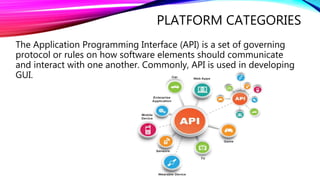
PLATFORM CATEGORIES
The Application Programming Interface (API) is a set of governing
protocol or rules on how software elements should communicate
and interact with one another. Commonly, API is used in developing
GUI.
API
Access API
runs in a remote machine, server, or
computer, and the application is
accessed remotely by a guest user
application to draw data and services.
Creation of application is left to the
host of the said API, as well as the
maintenance, the continuous running
and the standby of the API waiting for
the users to access it.
Plug-in API
This API is used in the user end,
generally different developers create
different applications that can be
integrated or “plugged in” to a core
application and/or the GUI of these
applications.
Typical examples are the plug-in
programs for Web browsers.
API
Runtime Environment
these APIs are platforms for developing different applications, wherein programs
or application codes are evaluated and compiled in the said APIs.
Most of the time, this API is hosted in a remote area and requires the services of
the internet.
COMMON WEB SITES THAT USE PLUG-IN API
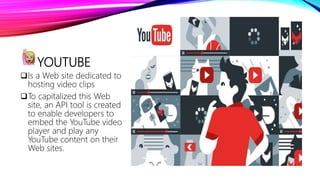
YOUTUBE
Is a Web site dedicated to
hosting video clips
To capitalized this Web
site, an API tool is created
to enable developers to
embed the YouTube video
player and play any
YouTube content on their
Web sites.
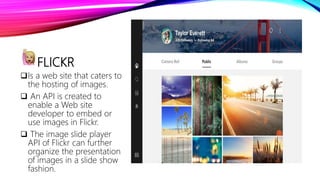
FLICKR
Is a web site that caters to
the hosting of images.
 An API is created to
enable a Web site
developer to embed or
use images in Flickr.
 The image slide player
API of Flickr can further
organize the presentation
of images in a slide show
fashion.
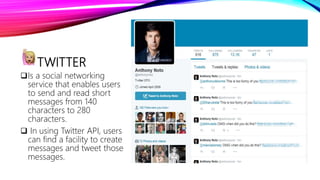
TWITTER
Is a social networking
service that enables users
to send and read short
messages from 140
characters to 280
characters.
 In using Twitter API, users
can find a facility to create
messages and tweet those
messages.
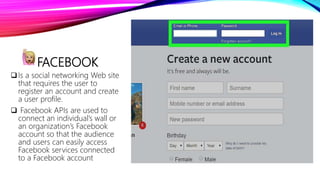
FACEBOOK
Is a social networking Web site
that requires the user to
register an account and create
a user profile.
 Facebook APIs are used to
connect an individual’s wall or
an organization’s Facebook
account so that the audience
and users can easily access
Facebook services connected
to a Facebook account
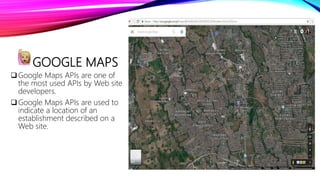
GOOGLE MAPS
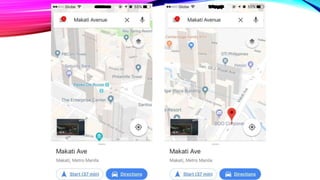
Google Maps APIs are one of
the most used APIs by Web site
developers.
Google Maps APIs are used to
indicate a location of an
establishment described on a
Web site.
WEB DESIGN PRINCIPLES
AND ELEMENTS
In creating a Web page, the designer should define
first the purpose of the Web page to determine the
theme of the site.
This will help the developer create a more organized
and relevant site.
The information or text on a Web site should be concise
and direct to the point.
The arrangement of the text should be organized in a
manner that would entice readers.
Use headings, subheadings, or bullets and outlining will
also avoid long fuzzy sentences.
Typeface deals with text format, text style, and text.
The appearance of texts can greatly contribute to the
perception of the visitors to the Web site.
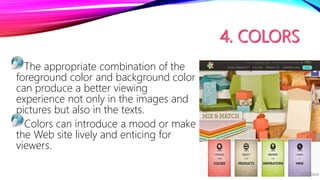
The appropriate combination of the
foreground color and background color
can produce a better viewing
experience not only in the images and
pictures but also in the texts.
Colors can introduce a mood or make
the Web site lively and enticing for
viewers.
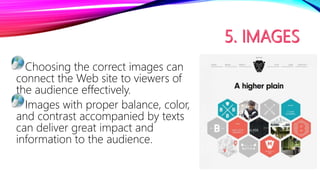
Choosing the correct images can
connect the Web site to viewers of
the audience effectively.
Images with proper balance, color,
and contrast accompanied by texts
can deliver great impact and
information to the audience.
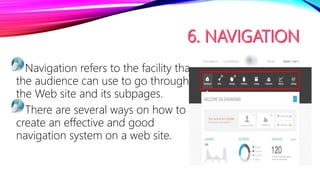
Navigation refers to the facility that
the audience can use to go through
the Web site and its subpages.
There are several ways on how to
create an effective and good
navigation system on a web site.
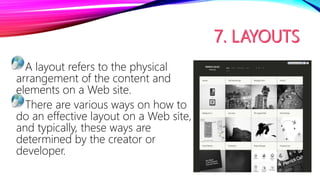
A layout refers to the physical
arrangement of the content and
elements on a Web site.
There are various ways on how to
do an effective layout on a Web site,
and typically, these ways are
determined by the creator or
developer.
Grid – Grid layouts can be useful because they will enable
the user to create sections or groups of related information
F-Pattern – This means that humans tend to look heavily at
the left side of a visual material more than the right side.
Mobile – The popularity of using mobile devices in viewing
Web content is increasing. The developer then should
the layout for mobile and work stations.
POSSIBLE LAYOUTS THAT WILL GUIDE THE
USERS FOR THEIR TARGET AUDIENCE
Another basis for the success of a
Web site is the time that the Web site
will load or appear onto the viewers’
display service.
If the Web site takes some time to
load, most especially if there are too
much content, the user will most
likely search for another source.
WEB DESIGN USING
TEMPLATES AND WYSIWYG
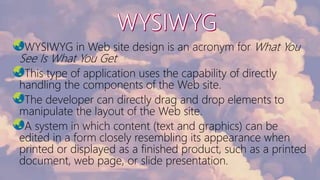
WYSIWYG in Web site design is an acronym for What You
See Is What You Get
This type of application uses the capability of directly
handling the components of the Web site.
The developer can directly drag and drop elements to
manipulate the layout of the Web site.
A system in which content (text and graphics) can be
edited in a form closely resembling its appearance when
printed or displayed as a finished product, such as a printed
document, web page, or slide presentation.
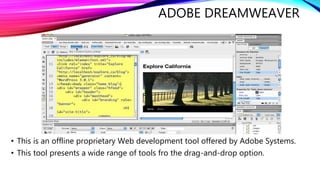
ADOBE DREAMWEAVER
• This is an offline proprietary Web development tool offered by Adobe Systems.
• This tool presents a wide range of tools fro the drag-and-drop option.
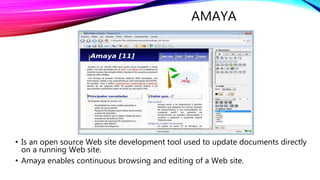
AMAYA
• Is an open source Web site development tool used to update documents directly
on a running Web site.
• Amaya enables continuous browsing and editing of a Web site.
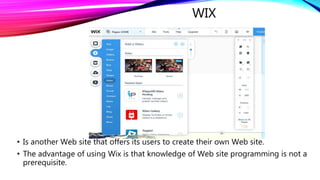
WIX
• Is another Web site that offers its users to create their own Web site.
• The advantage of using Wix is that knowledge of Web site programming is not a
prerequisite.
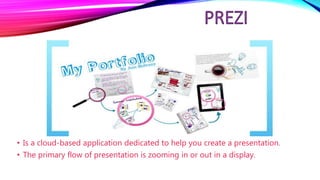
• Is a cloud-based application dedicated to help you create a presentation.
• The primary flow of presentation is zooming in or out in a display.
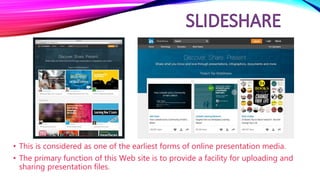
• This is considered as one of the earliest forms of online presentation media.
• The primary function of this Web site is to provide a facility for uploading and
sharing presentation files.
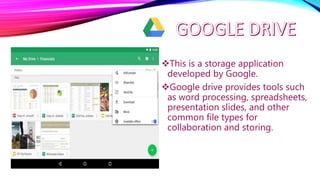
This is a storage application
developed by Google.
Google drive provides tools such
as word processing, spreadsheets,
presentation slides, and other
common file types for
collaboration and storing.
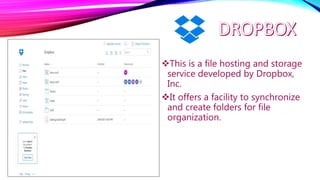
This is a file hosting and storage
service developed by Dropbox,
Inc.
It offers a facility to synchronize
and create folders for file
organization.
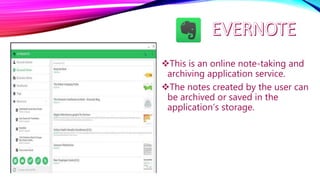
This is an online note-taking and
archiving application service.
The notes created by the user can
be archived or saved in the
application’s storage.
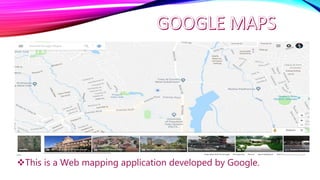
This is a Web mapping application developed by Google.
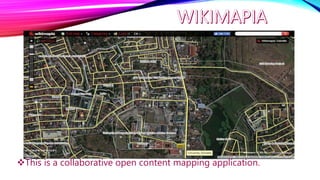
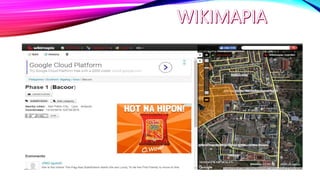
This is a collaborative open content mapping application.
Module 4 EMPOWERMENT TECHNOLOGY

Module 4 EMPOWERMENT TECHNOLOGY

  • 1.
    ONLINE TOOLS FOR CONTENTDEVELOPMENT MODULE 4
  • 2.
    The term “platform”refers to a program created by developers that can be modified or reprogrammed by outside users. It is any hardware or software used to host an application or service. Online platforms are online Web sites created to aid users in creating their Web content and cater to different kinds of information such as texts, images, and videos.
  • 3.
    ONLINE PLATFORMS FORICT CONTENT DEVELOPMENT Social Media Platforms – Websites like Facebook allow you to create not only personal accounts but also pages and groups where you can share content. The only downside of this is that you are restricted to Facebook’s “one-size-fits-all” design. Blogging Platforms – Websites like WordPress, Tumblr, and Blogger focus on content and design. It typically looks like a newsletter where you are given options to change the design to your liking. Though you can manipulate the design, social media platform’s popularity is still unrivaled. The amount of customization in blogs is also unrivaled depending on the content management system implemented by the provider.
  • 4.
    FORTRAN • The firsteffort of humans to create development platforms and online platforms can be traced back to the start of programmable computers. • The first successful commercial programming language compiler, helped humans give instructions and interact with computers without altering the hardware component of the computer. • This offline feature was broken when Tim-Berners-Lee introduced the World Wide Web.
  • 5.
    PLATFORM CATEGORIES The ApplicationProgramming Interface (API) is a set of governing protocol or rules on how software elements should communicate and interact with one another. Commonly, API is used in developing GUI.
  • 6.
    API Access API runs ina remote machine, server, or computer, and the application is accessed remotely by a guest user application to draw data and services. Creation of application is left to the host of the said API, as well as the maintenance, the continuous running and the standby of the API waiting for the users to access it. Plug-in API This API is used in the user end, generally different developers create different applications that can be integrated or “plugged in” to a core application and/or the GUI of these applications. Typical examples are the plug-in programs for Web browsers.
  • 7.
    API Runtime Environment these APIsare platforms for developing different applications, wherein programs or application codes are evaluated and compiled in the said APIs. Most of the time, this API is hosted in a remote area and requires the services of the internet.
  • 8.
    COMMON WEB SITESTHAT USE PLUG-IN API
  • 9.
    YOUTUBE Is a Website dedicated to hosting video clips To capitalized this Web site, an API tool is created to enable developers to embed the YouTube video player and play any YouTube content on their Web sites.
  • 10.
    FLICKR Is a website that caters to the hosting of images.  An API is created to enable a Web site developer to embed or use images in Flickr.  The image slide player API of Flickr can further organize the presentation of images in a slide show fashion.
  • 11.
    TWITTER Is a socialnetworking service that enables users to send and read short messages from 140 characters to 280 characters.  In using Twitter API, users can find a facility to create messages and tweet those messages.
  • 12.
    FACEBOOK Is a socialnetworking Web site that requires the user to register an account and create a user profile.  Facebook APIs are used to connect an individual’s wall or an organization’s Facebook account so that the audience and users can easily access Facebook services connected to a Facebook account
  • 13.
    GOOGLE MAPS Google MapsAPIs are one of the most used APIs by Web site developers. Google Maps APIs are used to indicate a location of an establishment described on a Web site.
  • 14.
  • 15.
    In creating aWeb page, the designer should define first the purpose of the Web page to determine the theme of the site. This will help the developer create a more organized and relevant site.
  • 16.
    The information ortext on a Web site should be concise and direct to the point. The arrangement of the text should be organized in a manner that would entice readers. Use headings, subheadings, or bullets and outlining will also avoid long fuzzy sentences.
  • 17.
    Typeface deals withtext format, text style, and text. The appearance of texts can greatly contribute to the perception of the visitors to the Web site.
  • 18.
    The appropriate combinationof the foreground color and background color can produce a better viewing experience not only in the images and pictures but also in the texts. Colors can introduce a mood or make the Web site lively and enticing for viewers.
  • 19.
    Choosing the correctimages can connect the Web site to viewers of the audience effectively. Images with proper balance, color, and contrast accompanied by texts can deliver great impact and information to the audience.
  • 20.
    Navigation refers tothe facility that the audience can use to go through the Web site and its subpages. There are several ways on how to create an effective and good navigation system on a web site.
  • 21.
    A layout refersto the physical arrangement of the content and elements on a Web site. There are various ways on how to do an effective layout on a Web site, and typically, these ways are determined by the creator or developer.
  • 22.
    Grid – Gridlayouts can be useful because they will enable the user to create sections or groups of related information F-Pattern – This means that humans tend to look heavily at the left side of a visual material more than the right side. Mobile – The popularity of using mobile devices in viewing Web content is increasing. The developer then should the layout for mobile and work stations. POSSIBLE LAYOUTS THAT WILL GUIDE THE USERS FOR THEIR TARGET AUDIENCE
  • 23.
    Another basis forthe success of a Web site is the time that the Web site will load or appear onto the viewers’ display service. If the Web site takes some time to load, most especially if there are too much content, the user will most likely search for another source.
  • 24.
  • 25.
    WYSIWYG in Website design is an acronym for What You See Is What You Get This type of application uses the capability of directly handling the components of the Web site. The developer can directly drag and drop elements to manipulate the layout of the Web site. A system in which content (text and graphics) can be edited in a form closely resembling its appearance when printed or displayed as a finished product, such as a printed document, web page, or slide presentation.
  • 26.
    ADOBE DREAMWEAVER • Thisis an offline proprietary Web development tool offered by Adobe Systems. • This tool presents a wide range of tools fro the drag-and-drop option.
  • 27.
    AMAYA • Is anopen source Web site development tool used to update documents directly on a running Web site. • Amaya enables continuous browsing and editing of a Web site.
  • 28.
    WIX • Is anotherWeb site that offers its users to create their own Web site. • The advantage of using Wix is that knowledge of Web site programming is not a prerequisite.
  • 30.
    • Is acloud-based application dedicated to help you create a presentation. • The primary flow of presentation is zooming in or out in a display.
  • 31.
    • This isconsidered as one of the earliest forms of online presentation media. • The primary function of this Web site is to provide a facility for uploading and sharing presentation files.
  • 33.
    This is astorage application developed by Google. Google drive provides tools such as word processing, spreadsheets, presentation slides, and other common file types for collaboration and storing.
  • 34.
    This is afile hosting and storage service developed by Dropbox, Inc. It offers a facility to synchronize and create folders for file organization.
  • 35.
    This is anonline note-taking and archiving application service. The notes created by the user can be archived or saved in the application’s storage.
  • 37.
    This is aWeb mapping application developed by Google.
  • 39.
    This is acollaborative open content mapping application.