ONLINE TOOLS FOR
CONTENT
DEVELOPMENT
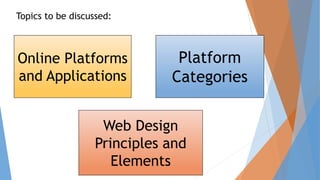
Online Platforms
and Applications
Web Design
Principles and
Elements
Platform
Categories
Topics to be discussed:
 Objectives:
At the end of this module, I can:
1.) Evaluate existing online creation tools, platform, and
applications in developing ICT content for specific professional
tracks.
2.) Apply Web design principles and elements using online
creation tools, platforms, and applications to communicate a
message for a specific purpose in specific professional tracks.
3.) Create an original or derivative ICT content using online
creation tools, platforms, and applications to effectively
communicate messages related to specific professional tracks.
 ONLINE PLATFORMS AND APPLICATIONS
The term “platform” refers to a program created by
develops that can be modified or reprogrammed by the
outside users. It is a facility for programming or
developing an applications tailored to the user’s
specifications. Online platforms are online web sites
created to aid users in creating their web content and
cater to different kinds of information such as texts,
images, and videos. Another unique feature of online
platforms is the ability to program, modify, and access
the application remotely using the internet.
 The demand in computational function and administrative
facilities machines intended to perform different application
gave birth to the field of a platform development and creation.
The first effort of humans to create development platforms and
online platforms can be traced back to the start of
programmable computers. The Formula Translating System
(FORTRAN), the first successful commercial programming
language compiler, helped humans give instructions and interact
with computers without altering the hardware component of the
computer.
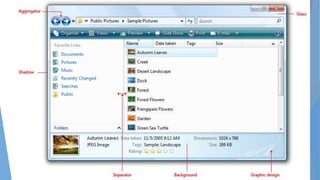
PLATFORM CATEGORIES
The application Programming Interface (API) is a set of
governing protocol or rules on how software elements
should communicate and interact with one another.
Commonly, API is used in developing the GUI. This tool is
incorporated into the developed application to enable
certain functions. API types and their functions are
presented here.
The application Programming Interface (API)
It is a set of governing protocol or rules on how software
elements should communicate and interact with one
another. It is a system of tool and resources in an
operating system enabling developers to create software
application. Basically, an API specifies how software
components should interact.
Access API
It is the process of ensuring that calls with
authenticated logins can enter APIs. An API
gateway is the core of an API management solution.
This type of API runs in a remote machine, server
or computer, and the application is accessed
remotely by a guest user application to draw data
and services… An example of API access is Google
APIs.
Plug in API
An API is a definition of how a
component interact with a large
system… A plug in is a component that
allows notification of what system
can do usually without forcing a
redesign or compile of the system.
Runtime Environment
 These APIs are platform for developing applications, wherein
programs or application codes are evaluated and compiled in the
said APIs. The application codes are uploaded or injected into
the API will test and run the application code. Most of the time,
this API is hosted in a remote area and requires the services of
the internet.
• For Web site developers and bloggers, plug-in APIs are the most
popular because they are simple and easy to integrate. The
convenience of having different API running on a Web site offers
viewers or users of these Web sites the ability to easily access
different online services integrated on one facility. Common Web
sites that use plug-in APIs are presented here.
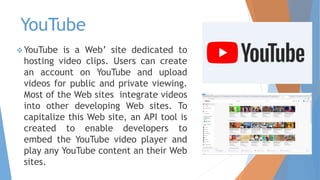
YouTube
YouTube is a Web’ site dedicated to
hosting video clips. Users can create
an account on YouTube and upload
videos for public and private viewing.
Most of the Web sites integrate videos
into other developing Web sites. To
capitalize this Web site, an API tool is
created to enable developers to
embed the YouTube video player and
play any YouTube content an their Web
sites.
Flickr
Flickr is Web site that caters to
the hosting of images. Users of
the site create a private account
wherein they can upload images
categorize the images as to
whether they viewed privately
by the uploader or by the public.
An API is created to enable a Web
site developer to embed or use
images on Flickr. Also, the image
slide player API of Flickr can
further organize the presentation
of images in a slide show fashion.
TWITTER
 Twitter is a social networking services that
enables user to send and read short
message with 140 character. This short
message are called tweets. Twitter APIs
are used by developers to embed Twitter
functions in developing Web sites.
Commonly, in using Twitter API , user can
find a facility to create message and
tweet those message. Furthermore, there
are Web sites using Twitter API to display
information or messages from a certain
user commonly governing those Twitter
accounts.
FACEBOOK
 Facebook is a social networking Web site that
requires the user to register an account and
create a user profile. A profile contains the
information about the owner of the account such
as his or her birthday, location, work, and
education. Different user can then connect with
one another by adding them as “friend”. On this
Web site, user are also capable of posting
information on their “wall” or the page that
contains the user information. Also, user can post
image, videos, and Web site links on their wall.
Facebook APIs are use to connect an individual
wall or an organization’s Facebook account so
that the audience and user can easily access
Facebook service connected to a Facebook
account.
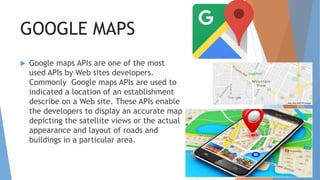
GOOGLE MAPS
 Google maps APIs are one of the most
used APIs by Web sites developers.
Commonly Google maps APIs are used to
indicated a location of an establishment
describe on a Web site. These APIs enable
the developers to display an accurate map
depicting the satellite views or the actual
appearance and layout of roads and
buildings in a particular area.
Web Design Principles
and Elements
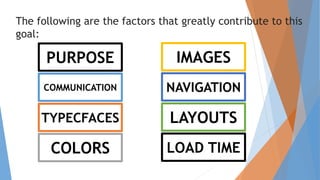
The following are the factors that greatly contribute to this
goal:
PURPOSE
COMMUNICATION
TYPECFACES
COLORS
IMAGES
NAVIGATION
LAYOUTS
LOAD TIME
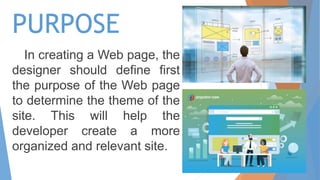
PURPOSE
In creating a Web page, the
designer should define first
the purpose of the Web page
to determine the theme of the
site. This will help the
developer create a more
organized and relevant site.
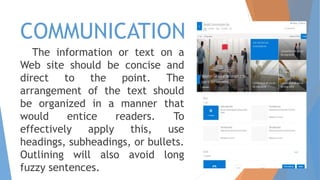
COMMUNICATION
The information or text on a
Web site should be concise and
direct to the point. The
arrangement of the text should
be organized in a manner that
would entice readers. To
effectively apply this, use
headings, subheadings, or bullets.
Outlining will also avoid long
fuzzy sentences.
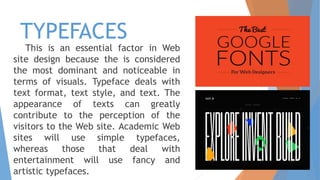
TYPEFACES
This is an essential factor in Web
site design because the is considered
the most dominant and noticeable in
terms of visuals. Typeface deals with
text format, text style, and text. The
appearance of texts can greatly
contribute to the perception of the
visitors to the Web site. Academic Web
sites will use simple typefaces,
whereas those that deal with
entertainment will use fancy and
artistic typefaces.
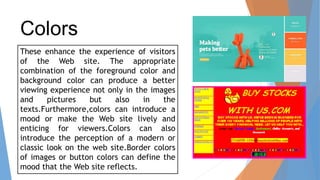
Colors
These enhance the experience of visitors
of the Web site. The appropriate
combination of the foreground color and
background color can produce a better
viewing experience not only in the images
and pictures but also in the
texts.Furthermore,colors can introduce a
mood or make the Web site lively and
enticing for viewers.Colors can also
introduce the perception of a modern or
classic look on the web site.Border colors
of images or button colors can define the
mood that the Web site reflects.
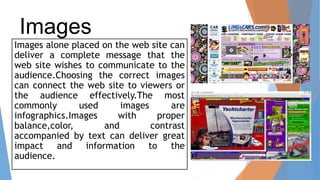
Images
Images alone placed on the web site can
deliver a complete message that the
web site wishes to communicate to the
audience.Choosing the correct images
can connect the web site to viewers or
the audience effectively.The most
commonly used images are
infographics.Images with proper
balance,color, and contrast
accompanied by text can deliver great
impact and information to the
audience.
NavIgation refers to the facility that the audience can
use to go through the web site and webpages. Navigation
is about how easy it is for people to take action and
move around your website.
There are several ways on how to create an effective and
good navigation system on the web site:
One of these include a hierarchinal organization of
information.Another is by placing buttons or links to
direct the audience to a specifc page or location on the
web site.Lastis the use of seach barss to enable the
audience to type key words and phrases.
Navigation
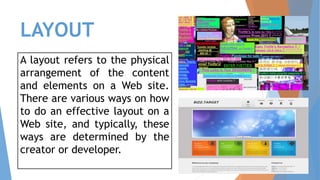
LAYOUT
A layout refers to the physical
arrangement of the content
and elements on a Web site.
There are various ways on how
to do an effective layout on a
Web site, and typically, these
ways are determined by the
creator or developer.
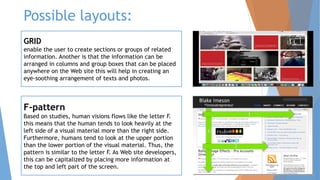
Possible layouts:
GRID
enable the user to create sections or groups of related
information. Another is that the information can be
arranged in columns and group boxes that can be placed
anywhere on the Web site this will help in creating an
eye-soothing arrangement of texts and photos.
F-pattern
Based on studies, human visions flows like the letter F.
this means that the human tends to look heavily at the
left side of a visual material more than the right side.
Furthermore, humans tend to look at the upper portion
than the lower portion of the visual material. Thus, the
pattern is similar to the letter F. As Web site developers,
this can be capitalized by placing more information at
the top and left part of the screen.
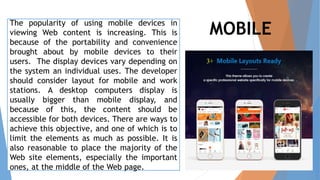
MOBILE
The popularity of using mobile devices in
viewing Web content is increasing. This is
because of the portability and convenience
brought about by mobile devices to their
users. The display devices vary depending on
the system an individual uses. The developer
should consider layout for mobile and work
stations. A desktop computers display is
usually bigger than mobile display, and
because of this, the content should be
accessible for both devices. There are ways to
achieve this objective, and one of which is to
limit the elements as much as possible. It is
also reasonable to place the majority of the
Web site elements, especially the important
ones, at the middle of the Web page.
LOAD TIME
The time that the Web site will load or appear onto
the viewers’ display device. It is best to minimize
the elements in the Web page and remove the
elements that are not important in delivering the
information. Another method is to optimize the size
and resolution of the images.

Online tools for content development

  • 1.
  • 2.
    Online Platforms and Applications WebDesign Principles and Elements Platform Categories Topics to be discussed:
  • 3.
     Objectives: At theend of this module, I can: 1.) Evaluate existing online creation tools, platform, and applications in developing ICT content for specific professional tracks. 2.) Apply Web design principles and elements using online creation tools, platforms, and applications to communicate a message for a specific purpose in specific professional tracks. 3.) Create an original or derivative ICT content using online creation tools, platforms, and applications to effectively communicate messages related to specific professional tracks.
  • 4.
     ONLINE PLATFORMSAND APPLICATIONS The term “platform” refers to a program created by develops that can be modified or reprogrammed by the outside users. It is a facility for programming or developing an applications tailored to the user’s specifications. Online platforms are online web sites created to aid users in creating their web content and cater to different kinds of information such as texts, images, and videos. Another unique feature of online platforms is the ability to program, modify, and access the application remotely using the internet.
  • 5.
     The demandin computational function and administrative facilities machines intended to perform different application gave birth to the field of a platform development and creation. The first effort of humans to create development platforms and online platforms can be traced back to the start of programmable computers. The Formula Translating System (FORTRAN), the first successful commercial programming language compiler, helped humans give instructions and interact with computers without altering the hardware component of the computer.
  • 6.
    PLATFORM CATEGORIES The applicationProgramming Interface (API) is a set of governing protocol or rules on how software elements should communicate and interact with one another. Commonly, API is used in developing the GUI. This tool is incorporated into the developed application to enable certain functions. API types and their functions are presented here.
  • 8.
    The application ProgrammingInterface (API) It is a set of governing protocol or rules on how software elements should communicate and interact with one another. It is a system of tool and resources in an operating system enabling developers to create software application. Basically, an API specifies how software components should interact.
  • 9.
    Access API It isthe process of ensuring that calls with authenticated logins can enter APIs. An API gateway is the core of an API management solution. This type of API runs in a remote machine, server or computer, and the application is accessed remotely by a guest user application to draw data and services… An example of API access is Google APIs.
  • 10.
    Plug in API AnAPI is a definition of how a component interact with a large system… A plug in is a component that allows notification of what system can do usually without forcing a redesign or compile of the system.
  • 11.
    Runtime Environment  TheseAPIs are platform for developing applications, wherein programs or application codes are evaluated and compiled in the said APIs. The application codes are uploaded or injected into the API will test and run the application code. Most of the time, this API is hosted in a remote area and requires the services of the internet. • For Web site developers and bloggers, plug-in APIs are the most popular because they are simple and easy to integrate. The convenience of having different API running on a Web site offers viewers or users of these Web sites the ability to easily access different online services integrated on one facility. Common Web sites that use plug-in APIs are presented here.
  • 12.
    YouTube YouTube is aWeb’ site dedicated to hosting video clips. Users can create an account on YouTube and upload videos for public and private viewing. Most of the Web sites integrate videos into other developing Web sites. To capitalize this Web site, an API tool is created to enable developers to embed the YouTube video player and play any YouTube content an their Web sites.
  • 13.
    Flickr Flickr is Website that caters to the hosting of images. Users of the site create a private account wherein they can upload images categorize the images as to whether they viewed privately by the uploader or by the public. An API is created to enable a Web site developer to embed or use images on Flickr. Also, the image slide player API of Flickr can further organize the presentation of images in a slide show fashion.
  • 14.
    TWITTER  Twitter isa social networking services that enables user to send and read short message with 140 character. This short message are called tweets. Twitter APIs are used by developers to embed Twitter functions in developing Web sites. Commonly, in using Twitter API , user can find a facility to create message and tweet those message. Furthermore, there are Web sites using Twitter API to display information or messages from a certain user commonly governing those Twitter accounts.
  • 15.
    FACEBOOK  Facebook isa social networking Web site that requires the user to register an account and create a user profile. A profile contains the information about the owner of the account such as his or her birthday, location, work, and education. Different user can then connect with one another by adding them as “friend”. On this Web site, user are also capable of posting information on their “wall” or the page that contains the user information. Also, user can post image, videos, and Web site links on their wall. Facebook APIs are use to connect an individual wall or an organization’s Facebook account so that the audience and user can easily access Facebook service connected to a Facebook account.
  • 16.
    GOOGLE MAPS  Googlemaps APIs are one of the most used APIs by Web sites developers. Commonly Google maps APIs are used to indicated a location of an establishment describe on a Web site. These APIs enable the developers to display an accurate map depicting the satellite views or the actual appearance and layout of roads and buildings in a particular area.
  • 17.
  • 18.
    The following arethe factors that greatly contribute to this goal: PURPOSE COMMUNICATION TYPECFACES COLORS IMAGES NAVIGATION LAYOUTS LOAD TIME
  • 19.
    PURPOSE In creating aWeb page, the designer should define first the purpose of the Web page to determine the theme of the site. This will help the developer create a more organized and relevant site.
  • 20.
    COMMUNICATION The information ortext on a Web site should be concise and direct to the point. The arrangement of the text should be organized in a manner that would entice readers. To effectively apply this, use headings, subheadings, or bullets. Outlining will also avoid long fuzzy sentences.
  • 21.
    TYPEFACES This is anessential factor in Web site design because the is considered the most dominant and noticeable in terms of visuals. Typeface deals with text format, text style, and text. The appearance of texts can greatly contribute to the perception of the visitors to the Web site. Academic Web sites will use simple typefaces, whereas those that deal with entertainment will use fancy and artistic typefaces.
  • 22.
    Colors These enhance theexperience of visitors of the Web site. The appropriate combination of the foreground color and background color can produce a better viewing experience not only in the images and pictures but also in the texts.Furthermore,colors can introduce a mood or make the Web site lively and enticing for viewers.Colors can also introduce the perception of a modern or classic look on the web site.Border colors of images or button colors can define the mood that the Web site reflects.
  • 23.
    Images Images alone placedon the web site can deliver a complete message that the web site wishes to communicate to the audience.Choosing the correct images can connect the web site to viewers or the audience effectively.The most commonly used images are infographics.Images with proper balance,color, and contrast accompanied by text can deliver great impact and information to the audience.
  • 24.
    NavIgation refers tothe facility that the audience can use to go through the web site and webpages. Navigation is about how easy it is for people to take action and move around your website. There are several ways on how to create an effective and good navigation system on the web site: One of these include a hierarchinal organization of information.Another is by placing buttons or links to direct the audience to a specifc page or location on the web site.Lastis the use of seach barss to enable the audience to type key words and phrases. Navigation
  • 25.
    LAYOUT A layout refersto the physical arrangement of the content and elements on a Web site. There are various ways on how to do an effective layout on a Web site, and typically, these ways are determined by the creator or developer.
  • 26.
    Possible layouts: GRID enable theuser to create sections or groups of related information. Another is that the information can be arranged in columns and group boxes that can be placed anywhere on the Web site this will help in creating an eye-soothing arrangement of texts and photos. F-pattern Based on studies, human visions flows like the letter F. this means that the human tends to look heavily at the left side of a visual material more than the right side. Furthermore, humans tend to look at the upper portion than the lower portion of the visual material. Thus, the pattern is similar to the letter F. As Web site developers, this can be capitalized by placing more information at the top and left part of the screen.
  • 27.
    MOBILE The popularity ofusing mobile devices in viewing Web content is increasing. This is because of the portability and convenience brought about by mobile devices to their users. The display devices vary depending on the system an individual uses. The developer should consider layout for mobile and work stations. A desktop computers display is usually bigger than mobile display, and because of this, the content should be accessible for both devices. There are ways to achieve this objective, and one of which is to limit the elements as much as possible. It is also reasonable to place the majority of the Web site elements, especially the important ones, at the middle of the Web page.
  • 29.
    LOAD TIME The timethat the Web site will load or appear onto the viewers’ display device. It is best to minimize the elements in the Web page and remove the elements that are not important in delivering the information. Another method is to optimize the size and resolution of the images.