Model for Flexible Delivery The OLAP Online ACE Project LearnScope 2007
Background Project Aim Research online tools for flexible delivery Test tools Reflect Develop a model for flexible delivery
Courses used To develop this model we used Certificate II in Business  BSB20101 Certificate II in Information Technology  ICA20105
This Model contains Setup Processes Resources and Tools Responsibilities
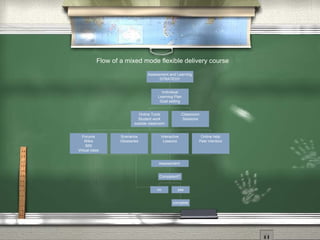
Strategy Setup Develop a Delivery and Assessment Strategy that clearly demonstrates how Each student will be able to work at their own pace Each student can choose order of units to a degree Mixed mode delivery will be used in each unit Assessments will be carried out
Student Setup Develop or modify existing template for individual  student learning plan Develop or modify existing template for student learning contract Develop or modify marketing course information for hard copy and web
Process - mixed mode delivery Decide on what learning modes will be used for each unit Face to face - one on one Face to face - group activities Face to face - learning  (traditional classroom teaching) Face to face - assessments Online - research Online - interactive tasks Online - assessments Hard copy - tasks or resources  (traditional distance education type resources)
Course and unit hours Use Nominal hours as a guideline Breakdown face to face versus online or distance hours Allow hours for assessment tasks Establish methods for tracking student hours Class rolls Moodle student tracking  (gives a guide only) Student blogs  (gives a guide only)
Moodle There are other CMS available but we recommend Moodle as the most cost effective tool for the online classroom All examples in this model will presume use of Moodle but any similar CMS can be substituted
Resource Review Consider each unit being offered Review all content and assessment material you already have Review toolbox resources available toolboxes.flexiblelearning.net.au Review other online resources available  Plan how units can be combined for integrated teaching and assessment
Moodle resources Work on one unit at a time Examine Moodle tools: Lessons Quizzes Forums Wikis Blogs SCORM inclusion
Interaction resources Examine use of other interactivity tools DiscoverE or Adobe Connect Adobe Presenter Audacity Slideshare Podcasting Second Life Can any of these tools enhance learning?
Choosing resources Decide which moodle resources, toolbox resources or other electronic resources will suit each unit Decide how existing text based content or resources could be converted to interactive electronic resources
Developing resources Where possible include as much variety of interactive content as possible Students generally do not appreciate reading large volumes of text How can you accommodate learning styles? Interaction assists to keep students engaged and confirm their absorption of information
Toolbox resources Toolbox elements may be a great way to find interactive resources such as: Animations Videos Audio Interactive lessons Interactive quizzes Scenarios
Other resources Consider using google to find other resources Online tutorials Case studies Video Animation Audio Due to copyright you would probably just provide links to these resources, but remember to check often that they remain at the same web address
Set the Scene Consider how you could integrate learning activities and assessments through the use of scenarios Develop a fictitious company the student will be ‘working for’ to develop scenarios Develop a staff web site for this company with resources for scenarios
Unit learning elements Strive to include in each unit: Clear instructions Student checklist of unit tasks One interactive lesson minimum One scenario activity minimum Ability for students to collaborate Assessment task (though you may combine units for integrated assessments) Full description of unit and elements from NTIS
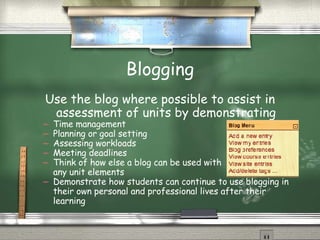
Blogging Use the blog where possible to assist in assessment of units by demonstrating Time management Planning or goal setting Assessing workloads Meeting deadlines Think of how else a blog can be used with  any unit elements Demonstrate how students can continue to use blogging in their own personal and professional lives after their learning
Processes Begin with face to face time to set each student up in the use of their moodle space Ensure sufficient IT skills in each student Explain flexible delivery clearly Develop individual learning plan with the student
Student engagement Use face to face time to ensure each student is focused, engaged and on track Ensure students know how to get help from tutors and other students Encourage students to assist each other - develop mentorship skills Give lots of positive feedback
Time Management Ensure you know your course structure well Set a reasonable amount of time for online support and stick to it Plan face to face classes to maximise their benefit to students Encourage peer support and student mentoring
Time frames Flexible delivery still needs time frames Student momentum can be maintained by deadlines Assist students to set goals and keep to deadlines Use Moodle to track student activity Use positive reinforcement to encourage maintenance of momentum
Tracking progress Set time/s each week to: Check student moodle activities reports Check blogs, forums and wikis Review time averages for students for continual course improvement Use Moodle database for recording competencies  (for your easy reference)
Responsiblities There are two areas of responsibility Students need to take responsibility for their  own learning Tutors have responsibility for providing learning support
Student Responsibilities Set out a learning plan and follow it Use blog to set goals and manage time Student contract signed to ensure responsibilities are understood and accepted Meet deadlines Make prompt contact with tutor if problems arise
Tutor Responsibilities Provide clear instructions Provide many support avenues Check on student progress regularly Be prompt in answering enquiries Use student feedback to improve your course Reflect regularly
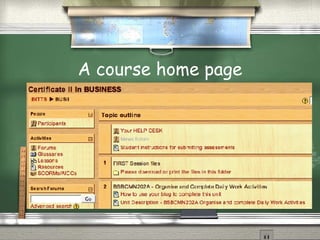
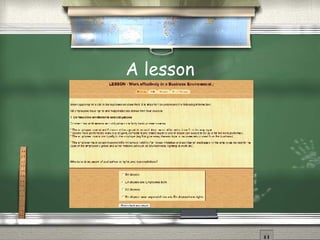
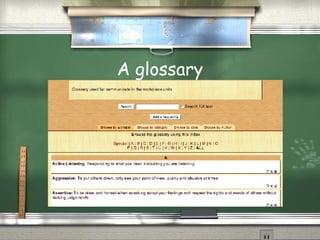
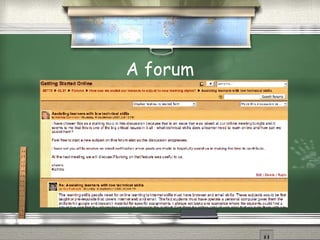
Examples Following are some examples of what your course could ‘look like’ A home page A lesson A glossary A forum
A course home page
A lesson
A glossary
A forum
 
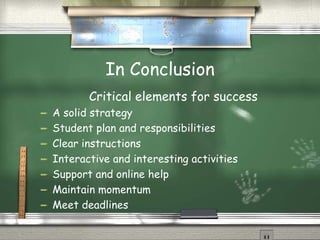
In Conclusion Critical elements for success A solid strategy Student plan and responsibilities Clear instructions Interactive and interesting activities Support and online help Maintain momentum Meet deadlines
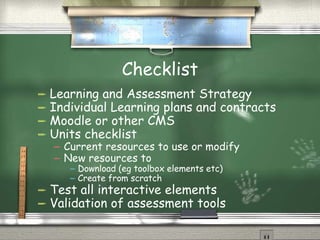
Checklist Learning and Assessment Strategy Individual Learning plans and contracts Moodle or other CMS Units checklist Current resources to use or modify New resources to Download (eg toolbox elements etc) Create from scratch Test all interactive elements Validation of assessment tools
Assistance Help is available for: Developing flexible delivery certificates Partnerships for flexible delivery of Certificates in Business and IT Katrina Sommers [email_address] Les Skennar [email_address]

Model For Flexible Delivery

  • 1.
    Model for FlexibleDelivery The OLAP Online ACE Project LearnScope 2007
  • 2.
    Background Project AimResearch online tools for flexible delivery Test tools Reflect Develop a model for flexible delivery
  • 3.
    Courses used Todevelop this model we used Certificate II in Business BSB20101 Certificate II in Information Technology ICA20105
  • 4.
    This Model containsSetup Processes Resources and Tools Responsibilities
  • 5.
    Strategy Setup Developa Delivery and Assessment Strategy that clearly demonstrates how Each student will be able to work at their own pace Each student can choose order of units to a degree Mixed mode delivery will be used in each unit Assessments will be carried out
  • 6.
    Student Setup Developor modify existing template for individual student learning plan Develop or modify existing template for student learning contract Develop or modify marketing course information for hard copy and web
  • 7.
    Process - mixedmode delivery Decide on what learning modes will be used for each unit Face to face - one on one Face to face - group activities Face to face - learning (traditional classroom teaching) Face to face - assessments Online - research Online - interactive tasks Online - assessments Hard copy - tasks or resources (traditional distance education type resources)
  • 8.
    Course and unithours Use Nominal hours as a guideline Breakdown face to face versus online or distance hours Allow hours for assessment tasks Establish methods for tracking student hours Class rolls Moodle student tracking (gives a guide only) Student blogs (gives a guide only)
  • 9.
    Moodle There areother CMS available but we recommend Moodle as the most cost effective tool for the online classroom All examples in this model will presume use of Moodle but any similar CMS can be substituted
  • 10.
    Resource Review Considereach unit being offered Review all content and assessment material you already have Review toolbox resources available toolboxes.flexiblelearning.net.au Review other online resources available Plan how units can be combined for integrated teaching and assessment
  • 11.
    Moodle resources Workon one unit at a time Examine Moodle tools: Lessons Quizzes Forums Wikis Blogs SCORM inclusion
  • 12.
    Interaction resources Examineuse of other interactivity tools DiscoverE or Adobe Connect Adobe Presenter Audacity Slideshare Podcasting Second Life Can any of these tools enhance learning?
  • 13.
    Choosing resources Decidewhich moodle resources, toolbox resources or other electronic resources will suit each unit Decide how existing text based content or resources could be converted to interactive electronic resources
  • 14.
    Developing resources Wherepossible include as much variety of interactive content as possible Students generally do not appreciate reading large volumes of text How can you accommodate learning styles? Interaction assists to keep students engaged and confirm their absorption of information
  • 15.
    Toolbox resources Toolboxelements may be a great way to find interactive resources such as: Animations Videos Audio Interactive lessons Interactive quizzes Scenarios
  • 16.
    Other resources Considerusing google to find other resources Online tutorials Case studies Video Animation Audio Due to copyright you would probably just provide links to these resources, but remember to check often that they remain at the same web address
  • 17.
    Set the SceneConsider how you could integrate learning activities and assessments through the use of scenarios Develop a fictitious company the student will be ‘working for’ to develop scenarios Develop a staff web site for this company with resources for scenarios
  • 18.
    Unit learning elementsStrive to include in each unit: Clear instructions Student checklist of unit tasks One interactive lesson minimum One scenario activity minimum Ability for students to collaborate Assessment task (though you may combine units for integrated assessments) Full description of unit and elements from NTIS
  • 19.
    Blogging Use theblog where possible to assist in assessment of units by demonstrating Time management Planning or goal setting Assessing workloads Meeting deadlines Think of how else a blog can be used with any unit elements Demonstrate how students can continue to use blogging in their own personal and professional lives after their learning
  • 20.
    Processes Begin withface to face time to set each student up in the use of their moodle space Ensure sufficient IT skills in each student Explain flexible delivery clearly Develop individual learning plan with the student
  • 21.
    Student engagement Useface to face time to ensure each student is focused, engaged and on track Ensure students know how to get help from tutors and other students Encourage students to assist each other - develop mentorship skills Give lots of positive feedback
  • 22.
    Time Management Ensureyou know your course structure well Set a reasonable amount of time for online support and stick to it Plan face to face classes to maximise their benefit to students Encourage peer support and student mentoring
  • 23.
    Time frames Flexibledelivery still needs time frames Student momentum can be maintained by deadlines Assist students to set goals and keep to deadlines Use Moodle to track student activity Use positive reinforcement to encourage maintenance of momentum
  • 24.
    Tracking progress Settime/s each week to: Check student moodle activities reports Check blogs, forums and wikis Review time averages for students for continual course improvement Use Moodle database for recording competencies (for your easy reference)
  • 25.
    Responsiblities There aretwo areas of responsibility Students need to take responsibility for their own learning Tutors have responsibility for providing learning support
  • 26.
    Student Responsibilities Setout a learning plan and follow it Use blog to set goals and manage time Student contract signed to ensure responsibilities are understood and accepted Meet deadlines Make prompt contact with tutor if problems arise
  • 27.
    Tutor Responsibilities Provideclear instructions Provide many support avenues Check on student progress regularly Be prompt in answering enquiries Use student feedback to improve your course Reflect regularly
  • 28.
    Examples Following aresome examples of what your course could ‘look like’ A home page A lesson A glossary A forum
  • 29.
  • 30.
  • 31.
  • 32.
  • 33.
  • 34.
    In Conclusion Criticalelements for success A solid strategy Student plan and responsibilities Clear instructions Interactive and interesting activities Support and online help Maintain momentum Meet deadlines
  • 35.
    Checklist Learning andAssessment Strategy Individual Learning plans and contracts Moodle or other CMS Units checklist Current resources to use or modify New resources to Download (eg toolbox elements etc) Create from scratch Test all interactive elements Validation of assessment tools
  • 36.
    Assistance Help isavailable for: Developing flexible delivery certificates Partnerships for flexible delivery of Certificates in Business and IT Katrina Sommers [email_address] Les Skennar [email_address]