Configuring and testing CCNA Exploration Semester 1  – Chapter 11
Topics The Internetwork Operating System (IOS). Devices that have the  IOS embedded. IOS commands available to a device. IOS modes of operation. Basic IOS commands. Basic show commands. Configuration files
Internetwork Operating System Most Cisco devices use the Cisco IOS.  Details vary with the device and feature set. Normal access through a command line. Stored in flash memory and can be upgraded. Usually copied into RAM when the device is powered on, and run from RAM.
Access to the interface Console port via serial connection Initial configuration Disaster recovery When network access has failed Password recovery As well as general management Console access does not require a password. Configure a password. Lock the door.
Telnet, SSH, Aux Later management can be via Telnet There must be an IP address on the port A password must be configured Secure shell gives better security AUX port can be used locally or via modem but by default does not show error messages
Configuration files Hold the commands that have been configured on the router to customise it. Running configuration in RAM holds commands that are in current use Startup configuration in NVRAM holds saved commands. These are kept when the power is off and usually copied back into RAM when the router is re-started.
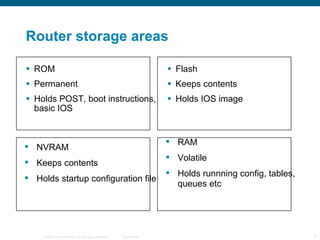
Router storage areas ROM Permanent Holds POST, boot instructions, basic IOS Flash Keeps contents Holds IOS image NVRAM Keeps contents Holds startup configuration file RAM Volatile Holds runnning config, tables, queues etc
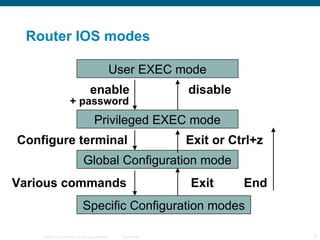
Router IOS modes User EXEC mode Privileged EXEC mode enable disable + password Global Configuration mode Configure terminal Exit or Ctrl+z Specific Configuration modes Exit End Various commands
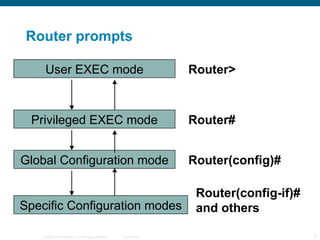
Router prompts User EXEC mode Privileged EXEC mode Global Configuration mode Specific Configuration modes Router> Router# Router(config)# Router(config-if)# and others
EXEC modes You log in to User EXEC mode Router> You can give basic monitoring commands but cannot change the configuration Enter  enable  to go to Privileged EXEC mode Router# Password may be used for security You can give more commands and can go to configuration modes
Configuration modes Start in privileged EXEC mode and enter the  configure terminal  (config t) command Router#  config t Router(config)# The prompt changes This is global configuration mode Additional commands take you to interface configuration, router configuration etc.
Leaving configuration modes From interface configuration mode there are several ways of getting to privileged EXEC  Router(config-if)#  exit  Router(config)#  exit  Router# Router(config-if)#  end Router# Router(config-if)#  Ctrl+z Router#
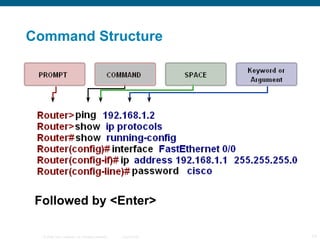
Command Structure Followed by <Enter>
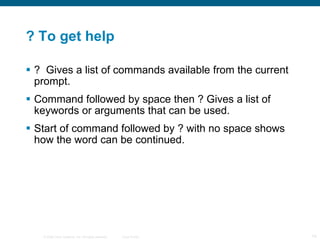
? To get help ?  Gives a list of commands available from the current prompt. Command followed by space then ? Gives a list of keywords or arguments that can be used. Start of command followed by ? with no space shows how the word can be continued.
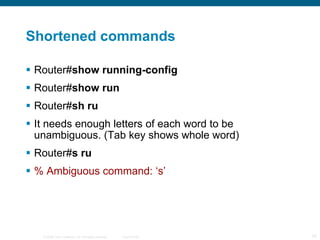
Shortened commands Router# show running-config Router# show run Router# sh ru It needs enough letters of each word to be unambiguous. (Tab key shows whole word) Router# s ru % Ambiguous command: ‘s’
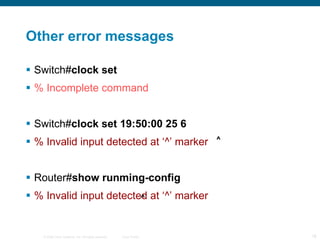
Other error messages Switch# clock set % Incomplete command Switch# clock set 19:50:00 25 6 % Invalid input detected at ‘^’ marker Router# show runming-config % Invalid input detected at ‘^’ marker ^ ^
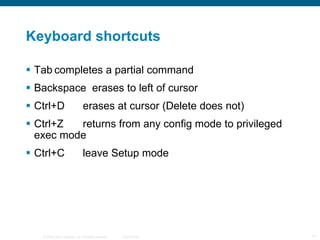
Keyboard shortcuts Tab completes a partial command Backspace  erases to left of cursor Ctrl+D erases at cursor (Delete does not) Ctrl+Z returns from any config mode to privileged exec mode Ctrl+C leave Setup mode
Show commands Show ?  To get a list Many different show commands to give information about every aspect of the router and its operation We use some of the most common.
General show commands Show running-config  shows the configuration file from RAM Show startup-config  shows the saved configuration file from NVRAM Show version  gives information about the IOS and the router itself. It shows the configuration register, which controls how the router starts up.
Show interfaces Gives statistics for all interfaces In particular, says if the interface is up and if the protocol is up – important in troubleshooting. Show interfaces serial 0/0  to show one selected interface You can shorten to  show int s 0/0 Show ip interfaces  gives IP statistics
Save configuration Router# copy running-config startup-config Router# copy run start  (shortened) Router# wr  (Old fashioned, short for write, but it works and is safe.) Beware! A typing error in the copy command can delete the operating system. If you get an odd message about Flash – hands off – call for help.
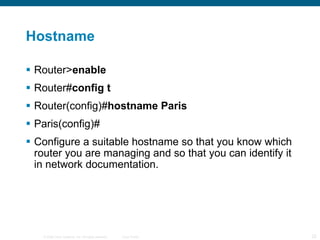
Hostname Router> enable  Router# config t  Router(config)# hostname Paris  Paris(config)# Configure a suitable hostname so that you know which router you are managing and so that you can identify it in network documentation.
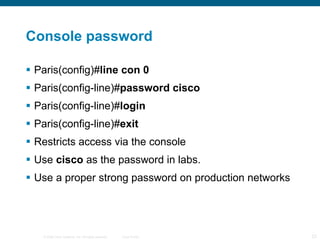
Console password Paris(config)# line con 0  Paris(config-line)# password cisco  Paris(config-line)# login  Paris(config-line)# exit  Restricts access via the console Use  cisco  as the password in labs. Use a proper strong password on production networks
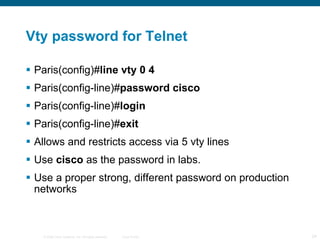
Vty password for Telnet Paris(config)# line vty 0 4 Paris(config-line)# password cisco  Paris(config-line)# login  Paris(config-line)# exit  Allows and restricts access via 5 vty lines Use  cisco  as the password in labs. Use a proper strong, different password on production networks
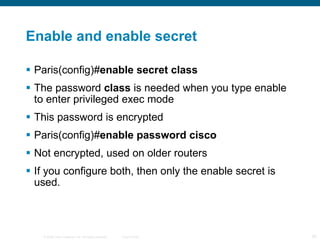
Enable and enable secret Paris(config)# enable secret class  The password  class  is needed when you type enable to enter privileged exec mode This password is encrypted Paris(config)# enable password cisco  Not encrypted, used on older routers If you configure both, then only the enable secret is used.
Message of the day Paris(config)# banner motd  # No unauthorised access #  # is a delimiter to show where the message starts and ends. Any character can be used as long as it does not appear in the message. The message should make it clear that unauthorised access is forbidden.
Reload Shuts down the router and then starts it again. If the configuration has changed then you are prompted to save it. The running configuration in RAM is lost. The startup configuration from NVRAM is (usually) loaded into RAM on startup.
Back up to TFTP server Start TFTP server software on host Paris# copy running-config tftp  Remote host []?  172.16.1.1  Name of configuration file to write [Paris-config]?  Paris12Oct07  Write file Paris12Oct07 to 172.16.1.1? [confirm]  y  Writing Paris12Oct07  ! ! ! ! ! ! [OK]
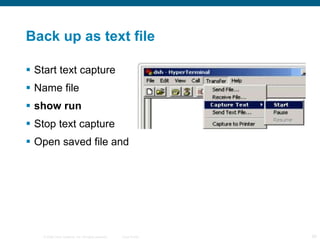
Back up as text file Start text capture Name file show run Stop text capture Open saved file and
TeraTerm text file TeraTerm is an open source Telnet client. It can also act as a SSH client It can capture text and save it as a file.
Erase startup configuration Paris# erase NVRAM:startup-config  Paris# erase startup-config Paris# erase start If you reload, then the router starts up with the default configuration. No passwords, no IP addresses etc. Caution  if you get this command wrong then you could erase something else, e.g. IOS
Restore file from TFTP server Router# copy tftp running-config  You will be prompted for IP address and file name. Configuration is copied into RAM and takes effect at once. Save to NVRAM.
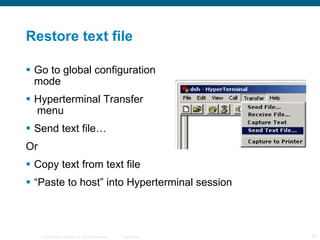
Restore text file Go to global configuration  mode Hyperterminal Transfer  menu Send text file… Or Copy text from text file “ Paste to host” into Hyperterminal session
Configure a router interface Paris(config)# interface FastEthernet 0/0  Paris(config-if)# ip address 172.16.1.1 255.255.0.0 Paris(config-if)# no shutdown Paris(config-if)# exit  Interface names vary, depending on whether the router is modular and on the bandwidth. E.g.  interface Ethernet 0  on an older router
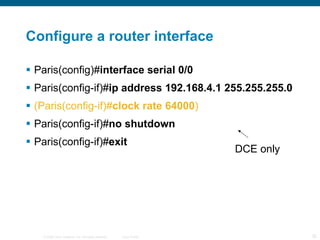
Configure a router interface Paris(config)# interface serial 0/0  Paris(config-if)# ip address 192.168.4.1 255.255.255.0 (Paris(config-if)# clock rate 64000 ) Paris(config-if)# no shutdown Paris(config-if)# exit  DCE only
Description Paris(config)# interface fa0/0  Paris(config-if)# description Connects to Paris central switch  Can include circuit and contact information Not needed for the operation of the router Valuable for documentation as it is included in the configuration listing
Switch interfaces Switch physical interfaces do not have IP addresses They are active by default and do not need the  no shutdown  command. It can be useful to give them a description.
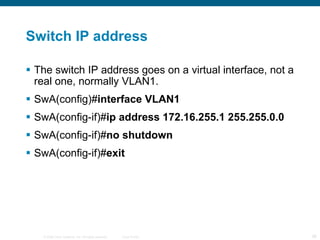
Switch IP address The switch IP address goes on a virtual interface, not a real one, normally VLAN1. SwA(config)# interface VLAN1  SwA(config-if)# ip address 172.16.255.1 255.255.0.0 SwA(config-if)# no shutdown SwA(config-if)# exit
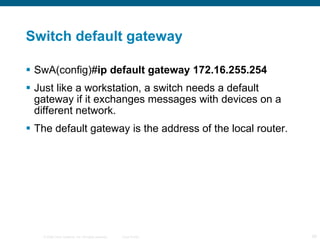
Switch default gateway SwA(config)# ip default gateway 172.16.255.254  Just like a workstation, a switch needs a default gateway if it exchanges messages with devices on a different network. The default gateway is the address of the local router.
Interface – show commands show interfaces  states whether up or down, gives some protocol information and statistics about interface use. show ip interface  gives IP addresses and much more. show ip interface brief  gives summary of IP addresses and whether up/down. Very useful command.
Up or down Interface status: Layer 1 Up Down Administratively down (no shutdown to bring up) Protocol: Layer 2 Up Down (no keepalive signal received)
Ping – step by step Ping 127.0.0.1 (loopback, is TCP/IP OK?) Ping own IP address (are NIC hardware and software all right? Is IP address bound?) Ping local hosts (checks own configuration and that of others) Ping gateway Ping other intermediate routers Ping hosts on remote networks
Network baseline Measure and record performance At different times Under different conditions Repeatedly over a period of time Build up a record of network performance Useful in troubleshooting and optimising the network Helps predict future problems Helps planning for change
Find out about nodes Ping – used from workstation, router or switch – shows if destination can be reached Traceroute – shows hops along the path Arp -a on workstation – shows list of MAC and IP addresses show mac-address-table on switch – shows list of MAC addresses and switch ports
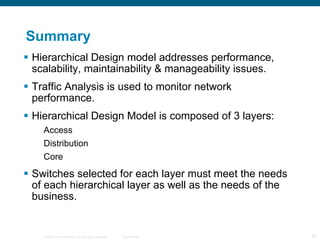
Summary Hierarchical Design model addresses performance, scalability, maintainability & manageability issues. Traffic Analysis is used to monitor network performance. Hierarchical Design Model is composed of 3 layers: Access Distribution Core Switches selected for each layer must meet the needs of each hierarchical layer as well as the needs of the business.
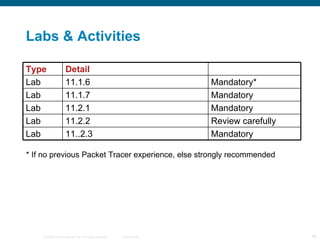
Labs & Activities * If no previous Packet Tracer experience, else strongly recommended Mandatory 11..2.3 Lab Mandatory* 11.1.6 Lab Review carefully 11.2.2 Lab Mandatory 11.2.1 Lab Mandatory 11.1.7 Lab Detail Type
 

Mod11

  • 1.
    Configuring and testingCCNA Exploration Semester 1 – Chapter 11
  • 2.
    Topics The InternetworkOperating System (IOS). Devices that have the IOS embedded. IOS commands available to a device. IOS modes of operation. Basic IOS commands. Basic show commands. Configuration files
  • 3.
    Internetwork Operating SystemMost Cisco devices use the Cisco IOS. Details vary with the device and feature set. Normal access through a command line. Stored in flash memory and can be upgraded. Usually copied into RAM when the device is powered on, and run from RAM.
  • 4.
    Access to theinterface Console port via serial connection Initial configuration Disaster recovery When network access has failed Password recovery As well as general management Console access does not require a password. Configure a password. Lock the door.
  • 5.
    Telnet, SSH, AuxLater management can be via Telnet There must be an IP address on the port A password must be configured Secure shell gives better security AUX port can be used locally or via modem but by default does not show error messages
  • 6.
    Configuration files Holdthe commands that have been configured on the router to customise it. Running configuration in RAM holds commands that are in current use Startup configuration in NVRAM holds saved commands. These are kept when the power is off and usually copied back into RAM when the router is re-started.
  • 7.
    Router storage areasROM Permanent Holds POST, boot instructions, basic IOS Flash Keeps contents Holds IOS image NVRAM Keeps contents Holds startup configuration file RAM Volatile Holds runnning config, tables, queues etc
  • 8.
    Router IOS modesUser EXEC mode Privileged EXEC mode enable disable + password Global Configuration mode Configure terminal Exit or Ctrl+z Specific Configuration modes Exit End Various commands
  • 9.
    Router prompts UserEXEC mode Privileged EXEC mode Global Configuration mode Specific Configuration modes Router> Router# Router(config)# Router(config-if)# and others
  • 10.
    EXEC modes Youlog in to User EXEC mode Router> You can give basic monitoring commands but cannot change the configuration Enter enable to go to Privileged EXEC mode Router# Password may be used for security You can give more commands and can go to configuration modes
  • 11.
    Configuration modes Startin privileged EXEC mode and enter the configure terminal (config t) command Router# config t Router(config)# The prompt changes This is global configuration mode Additional commands take you to interface configuration, router configuration etc.
  • 12.
    Leaving configuration modesFrom interface configuration mode there are several ways of getting to privileged EXEC Router(config-if)# exit Router(config)# exit Router# Router(config-if)# end Router# Router(config-if)# Ctrl+z Router#
  • 13.
  • 14.
    ? To gethelp ? Gives a list of commands available from the current prompt. Command followed by space then ? Gives a list of keywords or arguments that can be used. Start of command followed by ? with no space shows how the word can be continued.
  • 15.
    Shortened commands Router#show running-config Router# show run Router# sh ru It needs enough letters of each word to be unambiguous. (Tab key shows whole word) Router# s ru % Ambiguous command: ‘s’
  • 16.
    Other error messagesSwitch# clock set % Incomplete command Switch# clock set 19:50:00 25 6 % Invalid input detected at ‘^’ marker Router# show runming-config % Invalid input detected at ‘^’ marker ^ ^
  • 17.
    Keyboard shortcuts Tabcompletes a partial command Backspace erases to left of cursor Ctrl+D erases at cursor (Delete does not) Ctrl+Z returns from any config mode to privileged exec mode Ctrl+C leave Setup mode
  • 18.
    Show commands Show? To get a list Many different show commands to give information about every aspect of the router and its operation We use some of the most common.
  • 19.
    General show commandsShow running-config shows the configuration file from RAM Show startup-config shows the saved configuration file from NVRAM Show version gives information about the IOS and the router itself. It shows the configuration register, which controls how the router starts up.
  • 20.
    Show interfaces Givesstatistics for all interfaces In particular, says if the interface is up and if the protocol is up – important in troubleshooting. Show interfaces serial 0/0 to show one selected interface You can shorten to show int s 0/0 Show ip interfaces gives IP statistics
  • 21.
    Save configuration Router#copy running-config startup-config Router# copy run start (shortened) Router# wr (Old fashioned, short for write, but it works and is safe.) Beware! A typing error in the copy command can delete the operating system. If you get an odd message about Flash – hands off – call for help.
  • 22.
    Hostname Router> enable Router# config t Router(config)# hostname Paris Paris(config)# Configure a suitable hostname so that you know which router you are managing and so that you can identify it in network documentation.
  • 23.
    Console password Paris(config)#line con 0 Paris(config-line)# password cisco Paris(config-line)# login Paris(config-line)# exit Restricts access via the console Use cisco as the password in labs. Use a proper strong password on production networks
  • 24.
    Vty password forTelnet Paris(config)# line vty 0 4 Paris(config-line)# password cisco Paris(config-line)# login Paris(config-line)# exit Allows and restricts access via 5 vty lines Use cisco as the password in labs. Use a proper strong, different password on production networks
  • 25.
    Enable and enablesecret Paris(config)# enable secret class The password class is needed when you type enable to enter privileged exec mode This password is encrypted Paris(config)# enable password cisco Not encrypted, used on older routers If you configure both, then only the enable secret is used.
  • 26.
    Message of theday Paris(config)# banner motd # No unauthorised access # # is a delimiter to show where the message starts and ends. Any character can be used as long as it does not appear in the message. The message should make it clear that unauthorised access is forbidden.
  • 27.
    Reload Shuts downthe router and then starts it again. If the configuration has changed then you are prompted to save it. The running configuration in RAM is lost. The startup configuration from NVRAM is (usually) loaded into RAM on startup.
  • 28.
    Back up toTFTP server Start TFTP server software on host Paris# copy running-config tftp Remote host []? 172.16.1.1 Name of configuration file to write [Paris-config]? Paris12Oct07 Write file Paris12Oct07 to 172.16.1.1? [confirm] y Writing Paris12Oct07 ! ! ! ! ! ! [OK]
  • 29.
    Back up astext file Start text capture Name file show run Stop text capture Open saved file and
  • 30.
    TeraTerm text fileTeraTerm is an open source Telnet client. It can also act as a SSH client It can capture text and save it as a file.
  • 31.
    Erase startup configurationParis# erase NVRAM:startup-config Paris# erase startup-config Paris# erase start If you reload, then the router starts up with the default configuration. No passwords, no IP addresses etc. Caution if you get this command wrong then you could erase something else, e.g. IOS
  • 32.
    Restore file fromTFTP server Router# copy tftp running-config You will be prompted for IP address and file name. Configuration is copied into RAM and takes effect at once. Save to NVRAM.
  • 33.
    Restore text fileGo to global configuration mode Hyperterminal Transfer menu Send text file… Or Copy text from text file “ Paste to host” into Hyperterminal session
  • 34.
    Configure a routerinterface Paris(config)# interface FastEthernet 0/0 Paris(config-if)# ip address 172.16.1.1 255.255.0.0 Paris(config-if)# no shutdown Paris(config-if)# exit Interface names vary, depending on whether the router is modular and on the bandwidth. E.g. interface Ethernet 0 on an older router
  • 35.
    Configure a routerinterface Paris(config)# interface serial 0/0 Paris(config-if)# ip address 192.168.4.1 255.255.255.0 (Paris(config-if)# clock rate 64000 ) Paris(config-if)# no shutdown Paris(config-if)# exit DCE only
  • 36.
    Description Paris(config)# interfacefa0/0 Paris(config-if)# description Connects to Paris central switch Can include circuit and contact information Not needed for the operation of the router Valuable for documentation as it is included in the configuration listing
  • 37.
    Switch interfaces Switchphysical interfaces do not have IP addresses They are active by default and do not need the no shutdown command. It can be useful to give them a description.
  • 38.
    Switch IP addressThe switch IP address goes on a virtual interface, not a real one, normally VLAN1. SwA(config)# interface VLAN1 SwA(config-if)# ip address 172.16.255.1 255.255.0.0 SwA(config-if)# no shutdown SwA(config-if)# exit
  • 39.
    Switch default gatewaySwA(config)# ip default gateway 172.16.255.254 Just like a workstation, a switch needs a default gateway if it exchanges messages with devices on a different network. The default gateway is the address of the local router.
  • 40.
    Interface – showcommands show interfaces states whether up or down, gives some protocol information and statistics about interface use. show ip interface gives IP addresses and much more. show ip interface brief gives summary of IP addresses and whether up/down. Very useful command.
  • 41.
    Up or downInterface status: Layer 1 Up Down Administratively down (no shutdown to bring up) Protocol: Layer 2 Up Down (no keepalive signal received)
  • 42.
    Ping – stepby step Ping 127.0.0.1 (loopback, is TCP/IP OK?) Ping own IP address (are NIC hardware and software all right? Is IP address bound?) Ping local hosts (checks own configuration and that of others) Ping gateway Ping other intermediate routers Ping hosts on remote networks
  • 43.
    Network baseline Measureand record performance At different times Under different conditions Repeatedly over a period of time Build up a record of network performance Useful in troubleshooting and optimising the network Helps predict future problems Helps planning for change
  • 44.
    Find out aboutnodes Ping – used from workstation, router or switch – shows if destination can be reached Traceroute – shows hops along the path Arp -a on workstation – shows list of MAC and IP addresses show mac-address-table on switch – shows list of MAC addresses and switch ports
  • 45.
    Summary Hierarchical Designmodel addresses performance, scalability, maintainability & manageability issues. Traffic Analysis is used to monitor network performance. Hierarchical Design Model is composed of 3 layers: Access Distribution Core Switches selected for each layer must meet the needs of each hierarchical layer as well as the needs of the business.
  • 46.
    Labs & Activities* If no previous Packet Tracer experience, else strongly recommended Mandatory 11..2.3 Lab Mandatory* 11.1.6 Lab Review carefully 11.2.2 Lab Mandatory 11.2.1 Lab Mandatory 11.1.7 Lab Detail Type
  • 47.