Mobile Best Practices
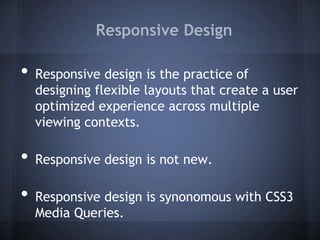
Responsive Design

•   Responsive design is the practice of
    designing flexible layouts that create a user
    optimized experience across multiple
    viewing contexts.

•   Responsive design is not new.

•   Responsive design is synonomous with CSS3
    Media Queries.
CSS3 Media Queries


•   CSS Media Queries give us a way to control the
    application of styles based on the presence or absence
    of specific media features
•   Not exactly new (media="print/screen/handheld"), but now we
    can apply logic:
     o <link rel="stylesheet" href="awesome.css"
        media="screen and (min-width:500px)" />
    o   @media only screen and (min-width:480px) and (max-
        width:767px) and (orientation : landscape) { /*
        Insert Awesome Style Here */ }
•   Media queries can be either inline or linked
What's so cool about responsive
         design and what's not?

           The Good                              The Ugly
•   Reduced development time.          •   Media query support isn't great
•   Fewer files to maintain.           •   Unnecessary resource loading
•   Looks impressive when viewed       •   Often results in
    on a desktop.                          symmetrical, uninspired
•   Fun to design and develop.
                                           layouts.

•   Earns you instant street cred in
                                       •   Assumes that individuals browse
                                           the same way across devices.
    the web dev community since
    it's been a buzzword for several   •   Can make too many
    years and running.                     compromises resulting in both
•   Endorsed by unicorns.
                                           mediocre or bad desktop and
                                           mobile sites.
Gratuitious LOL Cat
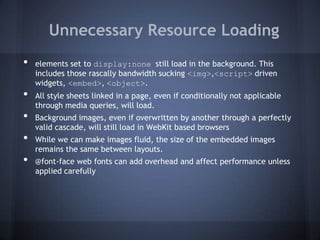
Unnecessary Resource Loading
•   elements set to display:none still load in the background. This
    includes those rascally bandwidth sucking <img>,<script> driven
    widgets, <embed>, <object>.
•   All style sheets linked in a page, even if conditionally not applicable
    through media queries, will load.
•   Background images, even if overwritten by another through a perfectly
    valid cascade, will still load in WebKit based browsers
•   While we can make images fluid, the size of the embedded images
    remains the same between layouts.
•   @font-face web fonts can add overhead and affect performance unless
    applied carefully
Symmetrical, Uninspired layouts
What we can do minimize the
        problems of responsive design

                        A Bit of Good News
•   While WebKit browsers download every stylesheet attached to a page as
    well as fetch every image/element set to display:none, they will only
    display background-image and other assets like @font-face if they
    apply to an applicable @media context (screen-width/max-
    width, portrait/landscape)
•   What does this mean?
•   If we set the mobile layout first (the absence of the capability to read
    media queries is the first media query), then we can progressively layer
    on images and styles that DO NOT apply to mobile and thus WILL NOT be
    loaded at all in that context.
•   For this, CSS sprites and JavaScript based polyfills will be your best friend
CSS Sprites
•   Using CSS sprites will decrease loading time for any site you
    build, especially for mobile.
•   Drag and drop tools like Stitches (http://draeton.github.com/stitches/) and
    Spritecow (http://www.spritecow.com/) take the pain out of creating
    sprites and are FOSS.
•   Creating sprites for specific @media contexts will allow you load only the
    assets necessary for that specific view and will only take a single HTTP
    request.
CSS3 Media query polyfills

•    Using the mobile first approach saves bandwidth for mobile users but will
     make your desktop layout invisible to users without advanced
     browsers(like those who still use IE 8 or less and Windows Phone 7). This
     leaves two choices: an IE conditional stylesheet or a JavaScript to hack in
     support for this missing feature(a polyfill).
•    While there are dozens out there, I recommend
     Respond.js(https://github.com/scottjehl/Respond) because of the excellent support
     for inline media queries.
•   So what happens if someone who needs Respond.js turns off JS?
•   They're presented with the simplified mobile site, but all of the primary
    content is still visible and available. Progressive enhancement and
    graceful degredation-- yay!
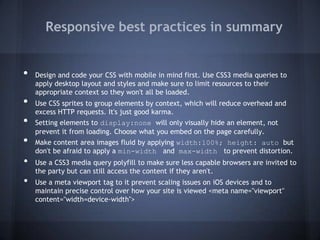
Responsive best practices in summary


•   Design and code your CSS with mobile in mind first. Use CSS3 media queries to
    apply desktop layout and styles and make sure to limit resources to their
    appropriate context so they won't all be loaded.
•   Use CSS sprites to group elements by context, which will reduce overhead and
    excess HTTP requests. It's just good karma.
•   Setting elements to display:none will only visually hide an element, not
    prevent it from loading. Choose what you embed on the page carefully.
•   Make content area images fluid by applying width:100%; height: auto but
    don't be afraid to apply a min-width and max-width to prevent distortion.
•   Use a CSS3 media query polyfill to make sure less capable browsers are invited to
    the party but can still access the content if they aren't.
•   Use a meta viewport tag to it prevent scaling issues on iOS devices and to
    maintain precise control over how your site is viewed <meta name="viewport"
    content="width=device-width">
Dedicated Mobile Site/Theme


              The Good                                       The Ugly
•   Can be more useful when implementing a     •   Rely on UA sniffing to redirect users to
    mobile optimized version of a more             the correct domain or serve up the
    complex and varied site.                       correct theme, which is an inexact
•   Can serve scaled versions images and           science. Those who fall through the
    completely remove sections and scripts         cracks can always find a link at the
    not present or needed in the mobile            bottom to go to the mobile site, so this
    version, thereby reducing overhead by as       isn't necessarily a bad thing.
    much as 80% compared to responsive         •   Provides a second site/theme to
    counterparts.                                  maintain.
•   Are ultimately easier to create content
    for because there is no concern of
    mucking up the layout for both the
    desktop and mobile site.
•   Allows for different use cases than the
    desktop site/theme.
Which is Which?

•   Ultimately it is good to have both tricks up your sleeve
    as MO state government sites tend to be complex and
    varied. Sometimes a simple responsive site will work
    wonderfully, sometimes it won't.

•   Luck favors the prepared.
Questions?

sam.minter@oa.mo.gov

Mobile Best Practices

  • 1.
  • 2.
    Responsive Design • Responsive design is the practice of designing flexible layouts that create a user optimized experience across multiple viewing contexts. • Responsive design is not new. • Responsive design is synonomous with CSS3 Media Queries.
  • 3.
    CSS3 Media Queries • CSS Media Queries give us a way to control the application of styles based on the presence or absence of specific media features • Not exactly new (media="print/screen/handheld"), but now we can apply logic: o <link rel="stylesheet" href="awesome.css" media="screen and (min-width:500px)" /> o @media only screen and (min-width:480px) and (max- width:767px) and (orientation : landscape) { /* Insert Awesome Style Here */ } • Media queries can be either inline or linked
  • 4.
    What's so coolabout responsive design and what's not? The Good The Ugly • Reduced development time. • Media query support isn't great • Fewer files to maintain. • Unnecessary resource loading • Looks impressive when viewed • Often results in on a desktop. symmetrical, uninspired • Fun to design and develop. layouts. • Earns you instant street cred in • Assumes that individuals browse the same way across devices. the web dev community since it's been a buzzword for several • Can make too many years and running. compromises resulting in both • Endorsed by unicorns. mediocre or bad desktop and mobile sites.
  • 5.
  • 6.
    Unnecessary Resource Loading • elements set to display:none still load in the background. This includes those rascally bandwidth sucking <img>,<script> driven widgets, <embed>, <object>. • All style sheets linked in a page, even if conditionally not applicable through media queries, will load. • Background images, even if overwritten by another through a perfectly valid cascade, will still load in WebKit based browsers • While we can make images fluid, the size of the embedded images remains the same between layouts. • @font-face web fonts can add overhead and affect performance unless applied carefully
  • 7.
  • 8.
    What we cando minimize the problems of responsive design A Bit of Good News • While WebKit browsers download every stylesheet attached to a page as well as fetch every image/element set to display:none, they will only display background-image and other assets like @font-face if they apply to an applicable @media context (screen-width/max- width, portrait/landscape) • What does this mean? • If we set the mobile layout first (the absence of the capability to read media queries is the first media query), then we can progressively layer on images and styles that DO NOT apply to mobile and thus WILL NOT be loaded at all in that context. • For this, CSS sprites and JavaScript based polyfills will be your best friend
  • 9.
    CSS Sprites • Using CSS sprites will decrease loading time for any site you build, especially for mobile. • Drag and drop tools like Stitches (http://draeton.github.com/stitches/) and Spritecow (http://www.spritecow.com/) take the pain out of creating sprites and are FOSS. • Creating sprites for specific @media contexts will allow you load only the assets necessary for that specific view and will only take a single HTTP request.
  • 10.
    CSS3 Media querypolyfills • Using the mobile first approach saves bandwidth for mobile users but will make your desktop layout invisible to users without advanced browsers(like those who still use IE 8 or less and Windows Phone 7). This leaves two choices: an IE conditional stylesheet or a JavaScript to hack in support for this missing feature(a polyfill). • While there are dozens out there, I recommend Respond.js(https://github.com/scottjehl/Respond) because of the excellent support for inline media queries. • So what happens if someone who needs Respond.js turns off JS? • They're presented with the simplified mobile site, but all of the primary content is still visible and available. Progressive enhancement and graceful degredation-- yay!
  • 11.
    Responsive best practicesin summary • Design and code your CSS with mobile in mind first. Use CSS3 media queries to apply desktop layout and styles and make sure to limit resources to their appropriate context so they won't all be loaded. • Use CSS sprites to group elements by context, which will reduce overhead and excess HTTP requests. It's just good karma. • Setting elements to display:none will only visually hide an element, not prevent it from loading. Choose what you embed on the page carefully. • Make content area images fluid by applying width:100%; height: auto but don't be afraid to apply a min-width and max-width to prevent distortion. • Use a CSS3 media query polyfill to make sure less capable browsers are invited to the party but can still access the content if they aren't. • Use a meta viewport tag to it prevent scaling issues on iOS devices and to maintain precise control over how your site is viewed <meta name="viewport" content="width=device-width">
  • 12.
    Dedicated Mobile Site/Theme The Good The Ugly • Can be more useful when implementing a • Rely on UA sniffing to redirect users to mobile optimized version of a more the correct domain or serve up the complex and varied site. correct theme, which is an inexact • Can serve scaled versions images and science. Those who fall through the completely remove sections and scripts cracks can always find a link at the not present or needed in the mobile bottom to go to the mobile site, so this version, thereby reducing overhead by as isn't necessarily a bad thing. much as 80% compared to responsive • Provides a second site/theme to counterparts. maintain. • Are ultimately easier to create content for because there is no concern of mucking up the layout for both the desktop and mobile site. • Allows for different use cases than the desktop site/theme.
  • 13.
    Which is Which? • Ultimately it is good to have both tricks up your sleeve as MO state government sites tend to be complex and varied. Sometimes a simple responsive site will work wonderfully, sometimes it won't. • Luck favors the prepared.
  • 14.