

1
Adobe Flash Platform
for Mobile
Development
Hemanth Sharma
Adobe Systems
Platform Evangelist
2
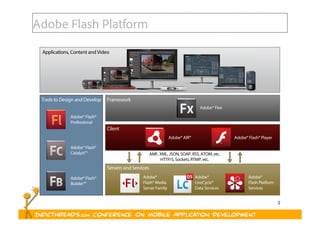
Adobe Flash Platform
3
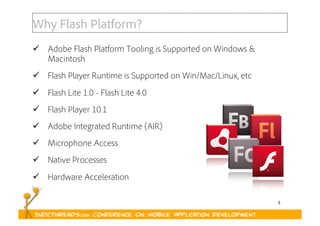
Why Flash Platform?
  Adobe Flash Platform Tooling is Supported on Windows &
Macintosh
  Flash Player Runtime is Supported on Win/Mac/Linux, etc
  Flash Lite 1.0 - Flash Lite 4.0
  Flash Player 10.1
  Adobe Integrated Runtime (AIR)
  Microphone Access
  Native Processes
  Hardware Acceleration
4
LAYOUT / USER INTERFACE
Screen Sizes, Resolution & Orientation
DEVICE INPUT CAPABILITIES
Keyboard / Mouse / Keypad / Multitouch / Accelerometer
HARDWARE CONSTRAINTS
Processor, Memory, Optimization
TESTING & SIMULATION
Browsers & Devices
PACKAGING
Web / Standalone / Mobile
Challenges
5
FIXED VS FLEXIBLE
Designing a Mobile Layout
6
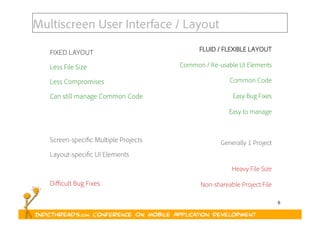
Multiscreen User Interface / Layout
FLUID / FLEXIBLE LAYOUT
Common / Re-usable UI Elements
Common Code
Easy Bug Fixes
Easy to manage
Generally 1 Project
Heavy File Size
Non-shareable Project File
FIXED LAYOUT
Less File Size
Less Compromises
Can still manage Common Code
Screen-specific Multiple Projects
Layout-specific UI Elements
Difficult Bug Fixes
7
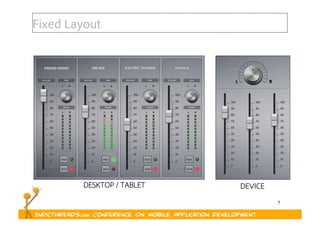
Fixed Layout
DESKTOP / TABLET DEVICE
8
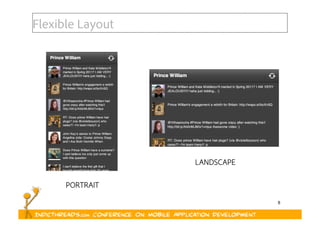
Flexible Layout
PORTRAIT
LANDSCAPE
9
WEIGH
Weigh your “Requirements”
10
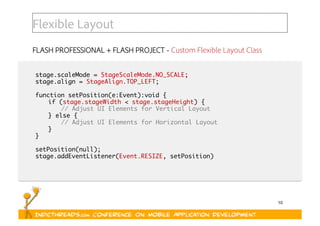
Flexible Layout
FLASH PROFESSIONAL + FLASH PROJECT - Custom Flexible Layout Class
stage.scaleMode = StageScaleMode.NO_SCALE;	
stage.align = StageAlign.TOP_LEFT;	
function setPosition(e:Event):void {	
	if (stage.stageWidth < stage.stageHeight) {	
	 	// Adjust UI Elements for Vertical Layout	
	} else {	
	 	// Adjust UI Elements for Horizontal Layout	
	}	
}	
setPosition(null);	
stage.addEventListener(Event.RESIZE, setPosition)
11
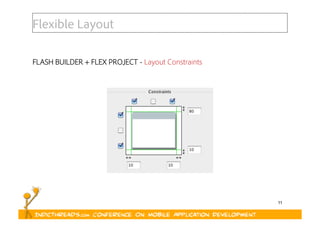
Flexible Layout
FLASH BUILDER + FLEX PROJECT - Layout Constraints
12
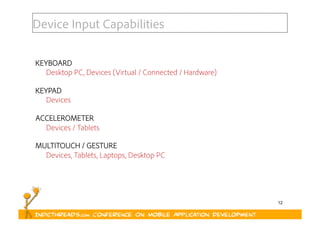
Device Input Capabilities
KEYBOARD
Desktop PC, Devices (Virtual / Connected / Hardware)
KEYPAD
Devices
ACCELEROMETER
Devices / Tablets
MULTITOUCH / GESTURE
Devices, Tablets, Laptops, Desktop PC
13
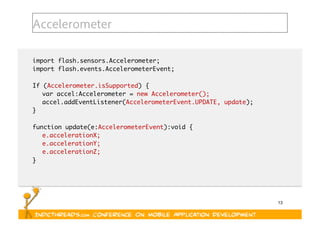
Accelerometer
import flash.sensors.Accelerometer;	
import flash.events.AccelerometerEvent;	
If (Accelerometer.isSupported) {	
	var accel:Accelerometer = new Accelerometer();	
	accel.addEventListener(AccelerometerEvent.UPDATE, update);	
}	
function update(e:AccelerometerEvent):void {	
	e.accelerationX;	
	e.accelerationY;	
	e.accelerationZ;	
}
14
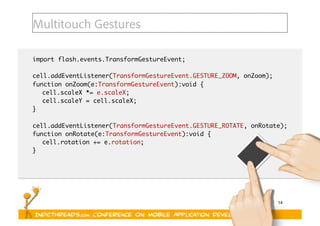
Multitouch Gestures
import flash.events.TransformGestureEvent;	
cell.addEventListener(TransformGestureEvent.GESTURE_ZOOM, onZoom);	
function onZoom(e:TransformGestureEvent):void {	
	cell.scaleX *= e.scaleX;	
	cell.scaleY = cell.scaleX;	
}	
cell.addEventListener(TransformGestureEvent.GESTURE_ROTATE, onRotate);	
function onRotate(e:TransformGestureEvent):void {	
	cell.rotation += e.rotation;	
}
15
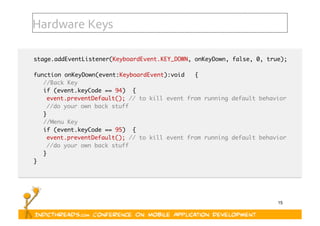
Hardware Keys
stage.addEventListener(KeyboardEvent.KEY_DOWN, onKeyDown, false, 0, true); 	
function onKeyDown(event:KeyboardEvent):void   {	
	//Back Key 	
	if (event.keyCode == 94)  { 	
		event.preventDefault(); // to kill event from running default behavior  	
		//do your own back stuff 	
	}	
	//Menu Key	
	if (event.keyCode == 95)  { 	
		event.preventDefault(); // to kill event from running default behavior  	
		//do your own back stuff 	
	} 	
}
16
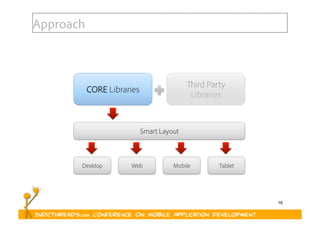
Approach
CORE Libraries
Desktop
Smart Layout
Web
Third Party
Libraries
Mobile Tablet
17
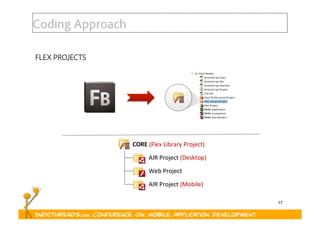
Coding Approach
FLEX PROJECTS
18
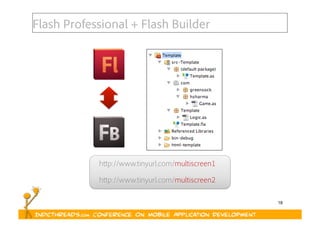
Flash Professional + Flash Builder
http://www.tinyurl.com/multiscreen1
http://www.tinyurl.com/multiscreen2
19
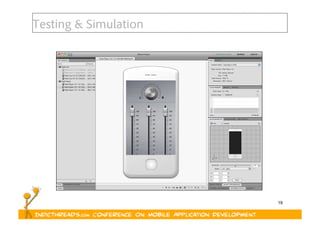
Testing & Simulation
20
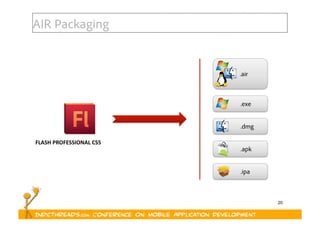
AIR Packaging
FLASH	
  PROFESSIONAL	
  CS5	
  
.air
.exe
.dmg
.apk
.ipa
21
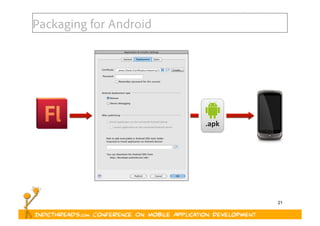
Packaging for Android
.apk	
  
22
What’s new in Flash Builder (Burrito) & Adobe Flex?
  New Flex SDK “Hero”
  Multiscreen Flex development
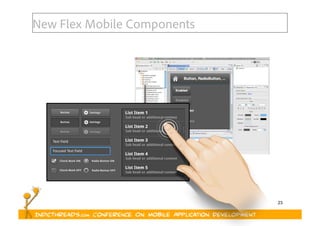
  Optimized Mobile Flex components based on Spark
  More Spark components
23
New Flex Mobile Components
24
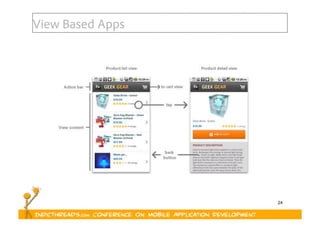
View Based Apps
25
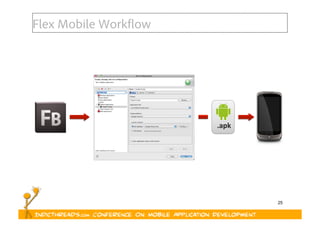
Flex Mobile Workflow
.apk	
  
26
DEMO &
DEVELOPMENT WALKTHROUGH
27
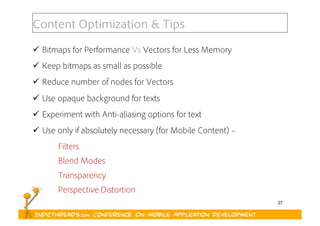
Content Optimization & Tips
  Bitmaps for Performance Vs Vectors for Less Memory
  Keep bitmaps as small as possible
  Reduce number of nodes for Vectors
  Use opaque background for texts
  Experiment with Anti-aliasing options for text
  Use only if absolutely necessary (for Mobile Content) –
Filters
Blend Modes
Transparency
Perspective Distortion
28
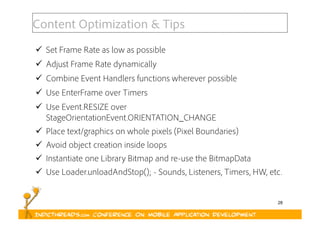
Content Optimization & Tips
  Set Frame Rate as low as possible
  Adjust Frame Rate dynamically
  Combine Event Handlers functions wherever possible
  Use EnterFrame over Timers
  Use Event.RESIZE over
StageOrientationEvent.ORIENTATION_CHANGE
  Place text/graphics on whole pixels (Pixel Boundaries)
  Avoid object creation inside loops
  Instantiate one Library Bitmap and re-use the BitmapData
  Use Loader.unloadAndStop(); - Sounds, Listeners, Timers, HW, etc.
29
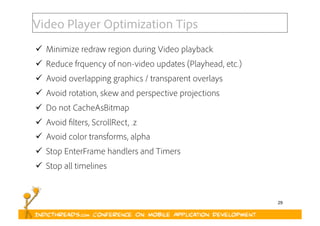
Video Player Optimization Tips
  Minimize redraw region during Video playback
  Reduce frquency of non-video updates (Playhead, etc.)
  Avoid overlapping graphics / transparent overlays
  Avoid rotation, skew and perspective projections
  Do not CacheAsBitmap
  Avoid filters, ScrollRect, .z
  Avoid color transforms, alpha
  Stop EnterFrame handlers and Timers
  Stop all timelines
30
Resources
  http://flex.org/tourmobile
  http://labs.adobe.com/technologies/flex/mobile/
  http://www.tinyurl.com/multiscreen1
  http://www.tinyurl.com/multiscreen2
  http://groups.adobe.com
  http://flashproindia.groups.adobe.com
  http://labs.adobe.com
  http://tv.adobe.com
31
Web:
Twitter:
Facebook
http://www.hsharma.com/tech
Questions?
@hemanthsharma
http://www.facebook.com/hemanthsharma

Adobe Flash Platform for Mobile Development