Hemanth SharmaPlatform Evangelist, Adobe SystemsDesign & DevelopMultiscreen ExperienceswithAdobe Flash Platform
?MultiscreenWhat ?Why ?
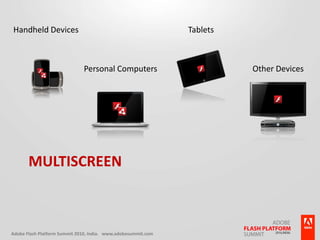
Handheld DevicesPersonal ComputersTabletsOther DevicesMultiscreen
ChallengesLayout / User InterfaceScreen Sizes, Resolution  & OrientationDevice Input CapabilitiesKeyboard / Mouse / Keypad / Multitouch / AccelerometerHardware ConstraintsProcessor, Memory, OptimizationTesting & SimulationBrowsers & DevicesPackaging & DistributionWeb / Standalone / Mobile
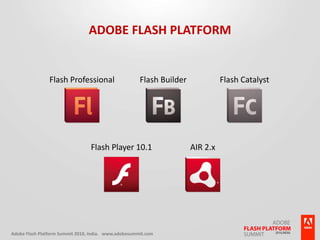
Adobe Flash PlatformFlash ProfessionalFlash BuilderFlash CatalystFlash Player 10.1AIR 2.x
What’s New?Flash ProfessionalFlash Player 10.1
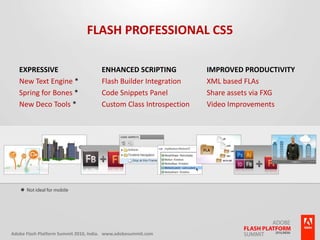
Flash Professional CS5Enhanced ScriptingFlash Builder IntegrationCode Snippets PanelCustom Class IntrospectionImproved ProductivityXML based FLAsShare assets via FXGVideo ImprovementsExpressiveNew Text Engine *Spring for Bones *New Deco Tools **Not ideal for mobile
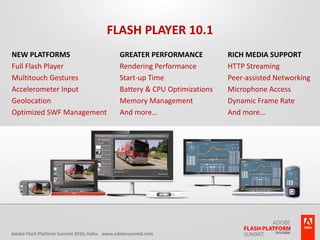
Flash Player 10.1New PlatformsFull Flash PlayerMultitouch GesturesAccelerometer InputGeolocationOptimized SWF ManagementGreater PerformanceRendering PerformanceStart-up TimeBattery & CPU OptimizationsMemory ManagementAnd more…Rich Media SupportHTTP StreamingPeer-assisted NetworkingMicrophone AccessDynamic Frame RateAnd more…
Fixed Vs FlexibleDesigning a Multiscreen Layout
Multiscreen User Interface / LayoutFluid / Flexible LayoutCommon / Re-usable UI ElementsCommon CodeEasy Bug FixesEasy to manageGenerally 1 ProjectHeavy File SizeNon-shareable Project FileFixed LayoutLess File SizeLess CompromisesCan still manage Common CodeThus making it Easy to fix BugsScreen-specific Multiple ProjectsLayout-specific UI ElementsDifficult Bug Fixes
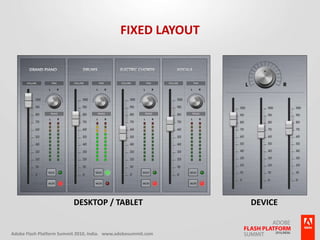
Fixed LayoutDesktop / TabletDevice
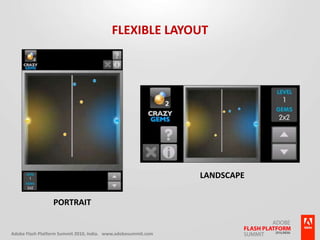
Flexible LayoutLandscapePortrait
WeighWeigh your “Requirements”
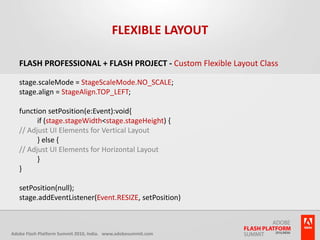
Flexible LayoutFlash Professional + Flash Project - Custom Flexible Layout Classstage.scaleMode = StageScaleMode.NO_SCALE;stage.align = StageAlign.TOP_LEFT;function setPosition(e:Event):void{	if (stage.stageWidth < stage.stageHeight) {// Adjust UI Elements for Vertical Layout	} else {// Adjust UI Elements for Horizontal Layout	}}setPosition(null);stage.addEventListener(Event.RESIZE, setPosition)
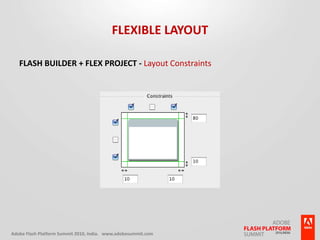
Flexible LayoutFlash Builder + Flex Project - Layout Constraints
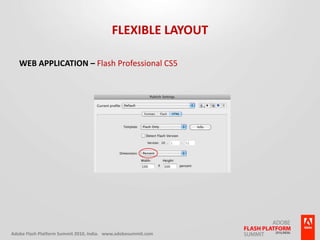
Flexible LayoutWeb Application – Flash Professional CS5
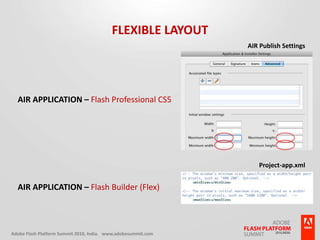
Flexible LayoutAIR Publish SettingsAIR Application – Flash Professional CS5Project-app.xmlAIR Application – Flash Builder (Flex)
Device Input CapabilitiesKeyboardDesktop PC, Devices (Virtual / Connected / Hardware)KeypadDevicesAccelerometerDevices / TabletsMultitouch / GestureDevices, Tablets, Laptops, Desktop PC
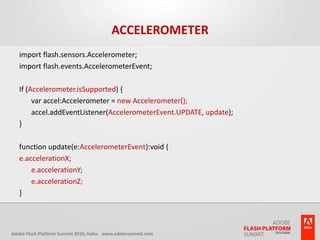
Accelerometerimport flash.sensors.Accelerometer;import flash.events.AccelerometerEvent;If (Accelerometer.isSupported) {	var accel:Accelerometer = new Accelerometer();	accel.addEventListener(AccelerometerEvent.UPDATE, update);}function update(e:AccelerometerEvent):void {e.accelerationX;	e.accelerationY;	e.accelerationZ;}
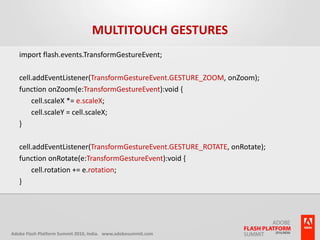
Multitouch Gesturesimport flash.events.TransformGestureEvent;cell.addEventListener(TransformGestureEvent.GESTURE_ZOOM, onZoom);function onZoom(e:TransformGestureEvent):void {	cell.scaleX *= e.scaleX;	cell.scaleY = cell.scaleX;}cell.addEventListener(TransformGestureEvent.GESTURE_ROTATE, onRotate);function onRotate(e:TransformGestureEvent):void {	cell.rotation += e.rotation;}
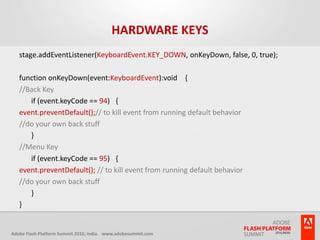
Hardware Keysstage.addEventListener(KeyboardEvent.KEY_DOWN, onKeyDown, false, 0, true); function onKeyDown(event:KeyboardEvent):void   {//Back Key 	if (event.keyCode == 94)  { event.preventDefault();// to kill event from running default behavior  //do your own back stuff 	}//Menu Key	if (event.keyCode == 95)  { event.preventDefault(); // to kill event from running default behavior  //do your own back stuff 	} }
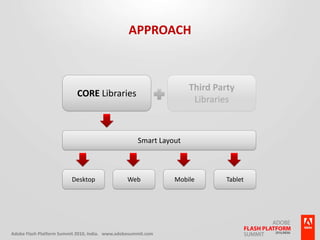
ApproachCORE LibrariesThird PartyLibrariesSmart LayoutDesktopWebMobileTablet
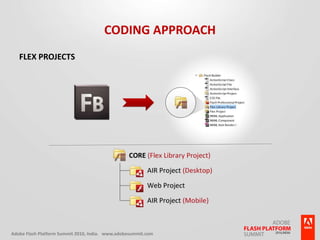
Coding ApproachFlex Projects
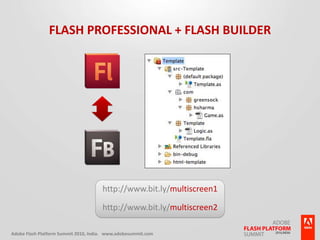
Flash Professional + Flash Builderhttp://www.bit.ly/multiscreen1http://www.bit.ly/multiscreen2
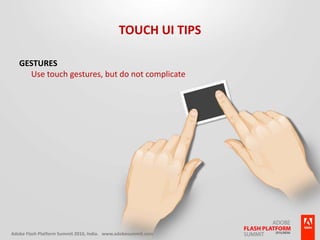
Touch UI TipsGesturesUse touch gestures, but do not complicate
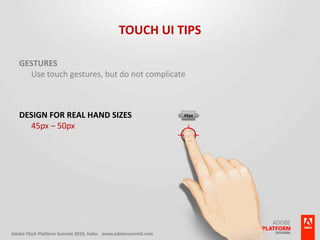
Touch UI TipsGesturesUse touch gestures, but do not complicateDesign for real hand sizes45px – 50px45px
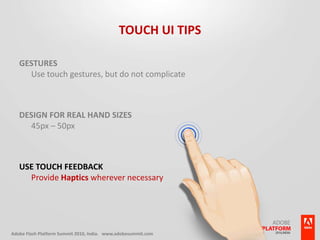
Touch UI TipsGesturesUse touch gestures, but do not complicateDesign for real hand sizes45px – 50pxUse Touch FeedbackProvide Haptics wherever necessary
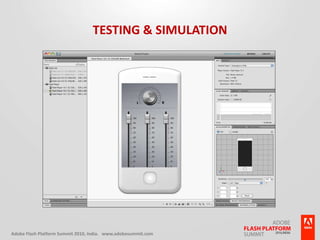
Testing & Simulation
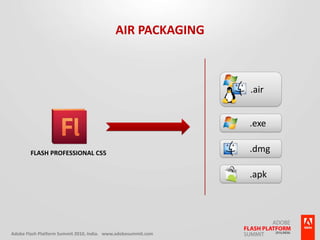
AIR Packaging.air.exe.dmgFlash Professional CS5.apk
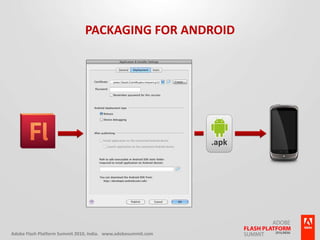
Packaging for Android.apk
Demo
Content Optimization & TipsBitmaps for Performance Vs Vectors for Less Memory
Keep bitmaps as small as possible
Reduce number of nodes for Vectors
Use opaque background for texts
Experiment with Anti-aliasing options for text
Use only if absolutely necessary (for Mobile Content) –FiltersBlend ModesTransparencyPerspective Distortion

Multiscreen with Flash Platform