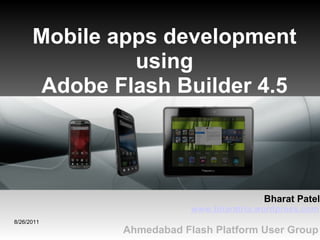
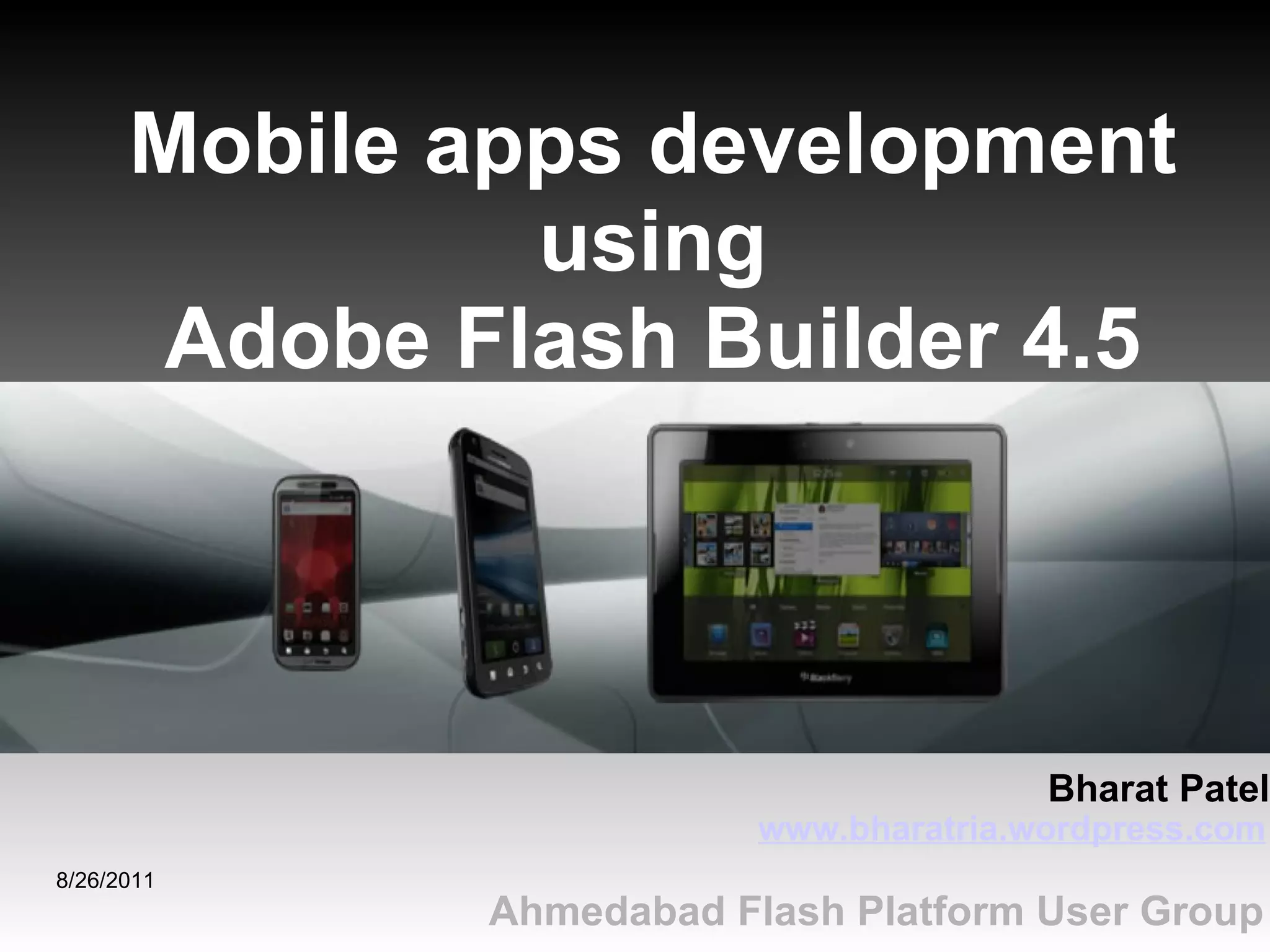

8/26/2011 Ahmedabad Flash Platform User Group Mobile apps development using Adobe Flash Builder 4.5 www.bharatria.wordpress.com Bharat Patel
Objective - Overview of Flash Builder 4.5 - Create Hello World mobile application 8/26/2011
Overview of Flash Builder 4.5 8/26/2011 - FB 4.5 provides easy way to build mobile apps - You can build apps for Apple iOS, Google Android and BlackBerry Tablet OS platform
Overview of Flash Builder 4.5 8/26/2011 - Developing mobile and multiscreen apps - Accelerated coding for apps - Improved performance Key features of Flash Builder 4.5:
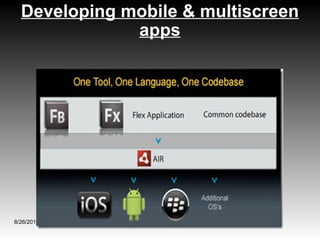
Developing mobile & multiscreen apps 8/26/2011 - Adds comprehensive support for developing, testing, deploying mobile AIR apps - Encapsulate common design patterns (templates) for mobile apps
Developing mobile & multiscreen apps 8/26/2011
Accelerated coding for apps 8/26/2011 - Generating getter/setters - Enhanced CSS content assists, navigations & refactoring - Content assists for event handlers
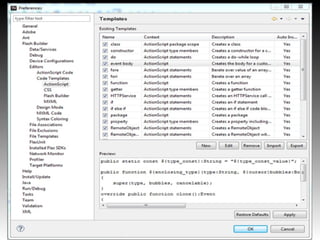
Code templates - Speed-up to reduce your coding efforts by auto-insert frequently used coding patterns - Flash Builder > Editors > Code Templates - Type the name of the template in the code editor, and press Control+Space 8/26/2011
8/26/2011
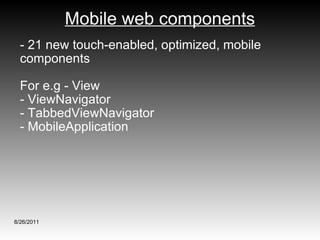
Mobile web components - 21 new touch-enabled, optimized, mobile components  For e.g - View - ViewNavigator - TabbedViewNavigator - MobileApplication 8/26/2011
8/26/2011 Creating a new mobile project
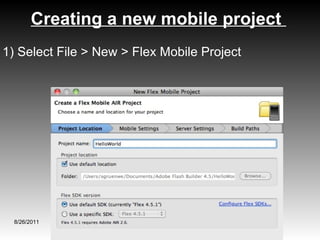
Creating a new mobile project  8/26/2011 1) Select File > New > Flex Mobile Project
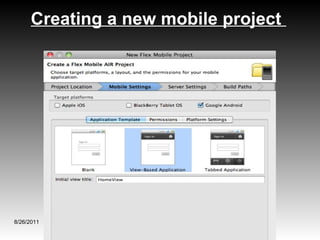
Creating a new mobile project  8/26/2011
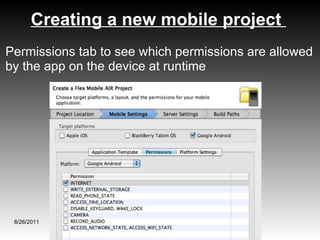
Creating a new mobile project  8/26/2011 Permissions tab to see which permissions are allowed by the app on the device at runtime
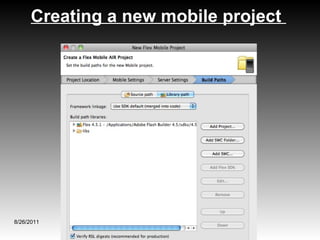
Creating a new mobile project  8/26/2011 - Click Next to advance to the Server Settings screen of the wizard. Leave the settings as-is and then click Next - In Next step, you can add libraries or source paths that required in application then Click Finish
Creating a new mobile project  8/26/2011
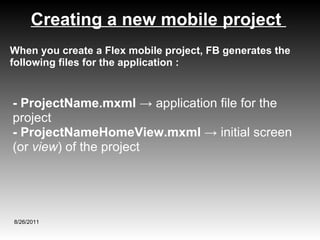
Creating a new mobile project  8/26/2011 - ProjectName.mxml  -> application file for the project  - ProjectNameHomeView.mxml ->  initial screen (or  view ) of the project When you create a Flex mobile project, FB generates the following files for the application :
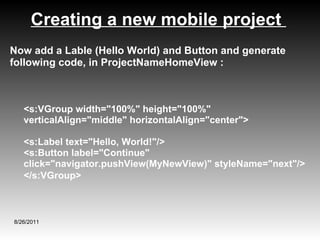
Creating a new mobile project  8/26/2011 Now add a Lable (Hello World) and Button and generate following code, in ProjectNameHomeView : <s:VGroup width=&quot;100%&quot; height=&quot;100%&quot; verticalAlign=&quot;middle&quot; horizontalAlign=&quot;center&quot;>  <s:Label text=&quot;Hello, World!&quot;/> <s:Button label=&quot;Continue&quot; click=&quot;navigator.pushView(MyNewView)&quot; styleName=&quot;next&quot;/>  </s:VGroup>
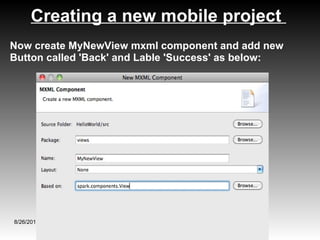
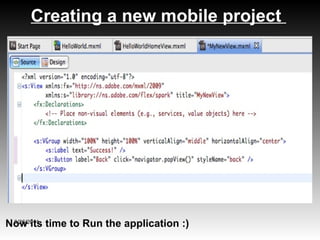
Creating a new mobile project  8/26/2011 Now create MyNewView mxml component and add new Button called 'Back' and Lable 'Success' as below:
Creating a new mobile project  8/26/2011 Now its time to Run the application :)
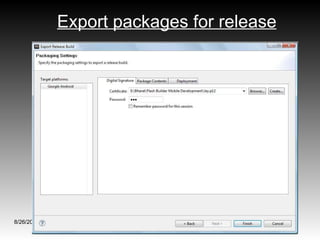
Export packages for release 1) Select Project > Export Release Build 2) Target platforms and the location to export 3) Sign a platform-specific application package - Digital Signature - Package Contents - Deployment 8/26/2011
Export packages for release 8/26/2011
Deploy apps on mobile device 1) Connect device to development computer 2) In FB, select Run -> Run Configurations -> select the mobile you want to deploy 3) Select the launch configuration method as 'On Device'  4) Click Apply 8/26/2011
1)  Getting Started with Flash Builder 2)  Flex Test Drive for Mobile 3)  Start Mobile Application Development 8/26/2011 Resources
8/26/2011 Thank You

Mobile apps development using flash builder 4.5

  • 1.
    8/26/2011 Ahmedabad FlashPlatform User Group Mobile apps development using Adobe Flash Builder 4.5 www.bharatria.wordpress.com Bharat Patel
  • 2.
    Objective - Overviewof Flash Builder 4.5 - Create Hello World mobile application 8/26/2011
  • 3.
    Overview of FlashBuilder 4.5 8/26/2011 - FB 4.5 provides easy way to build mobile apps - You can build apps for Apple iOS, Google Android and BlackBerry Tablet OS platform
  • 4.
    Overview of FlashBuilder 4.5 8/26/2011 - Developing mobile and multiscreen apps - Accelerated coding for apps - Improved performance Key features of Flash Builder 4.5:
  • 5.
    Developing mobile &multiscreen apps 8/26/2011 - Adds comprehensive support for developing, testing, deploying mobile AIR apps - Encapsulate common design patterns (templates) for mobile apps
  • 6.
    Developing mobile &multiscreen apps 8/26/2011
  • 7.
    Accelerated coding forapps 8/26/2011 - Generating getter/setters - Enhanced CSS content assists, navigations & refactoring - Content assists for event handlers
  • 8.
    Code templates -Speed-up to reduce your coding efforts by auto-insert frequently used coding patterns - Flash Builder > Editors > Code Templates - Type the name of the template in the code editor, and press Control+Space 8/26/2011
  • 9.
  • 10.
    Mobile web components- 21 new touch-enabled, optimized, mobile components For e.g - View - ViewNavigator - TabbedViewNavigator - MobileApplication 8/26/2011
  • 11.
    8/26/2011 Creating anew mobile project
  • 12.
    Creating a newmobile project 8/26/2011 1) Select File > New > Flex Mobile Project
  • 13.
    Creating a newmobile project 8/26/2011
  • 14.
    Creating a newmobile project 8/26/2011 Permissions tab to see which permissions are allowed by the app on the device at runtime
  • 15.
    Creating a newmobile project 8/26/2011 - Click Next to advance to the Server Settings screen of the wizard. Leave the settings as-is and then click Next - In Next step, you can add libraries or source paths that required in application then Click Finish
  • 16.
    Creating a newmobile project 8/26/2011
  • 17.
    Creating a newmobile project 8/26/2011 - ProjectName.mxml -> application file for the project - ProjectNameHomeView.mxml -> initial screen (or view ) of the project When you create a Flex mobile project, FB generates the following files for the application :
  • 18.
    Creating a newmobile project 8/26/2011 Now add a Lable (Hello World) and Button and generate following code, in ProjectNameHomeView : <s:VGroup width=&quot;100%&quot; height=&quot;100%&quot; verticalAlign=&quot;middle&quot; horizontalAlign=&quot;center&quot;> <s:Label text=&quot;Hello, World!&quot;/> <s:Button label=&quot;Continue&quot; click=&quot;navigator.pushView(MyNewView)&quot; styleName=&quot;next&quot;/> </s:VGroup>
  • 19.
    Creating a newmobile project 8/26/2011 Now create MyNewView mxml component and add new Button called 'Back' and Lable 'Success' as below:
  • 20.
    Creating a newmobile project 8/26/2011 Now its time to Run the application :)
  • 21.
    Export packages forrelease 1) Select Project > Export Release Build 2) Target platforms and the location to export 3) Sign a platform-specific application package - Digital Signature - Package Contents - Deployment 8/26/2011
  • 22.
    Export packages forrelease 8/26/2011
  • 23.
    Deploy apps onmobile device 1) Connect device to development computer 2) In FB, select Run -> Run Configurations -> select the mobile you want to deploy 3) Select the launch configuration method as 'On Device' 4) Click Apply 8/26/2011
  • 24.
    1) GettingStarted with Flash Builder 2) Flex Test Drive for Mobile 3) Start Mobile Application Development 8/26/2011 Resources
  • 25.