Multiscreen Apps using AIRSujit Reddy G & Prashant SinghTechnical EvangelistsAdobe Systems
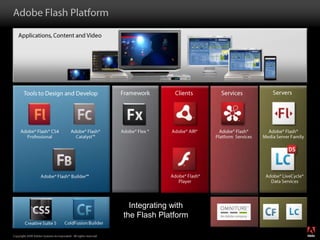
Adobe Flash PlatformApplications, Content and VideoTools to Design and DevelopServersClientsFrameworkServicesAdobe® Flash® Media Server FamilyAdobe® Flash® CS4  ProfessionalAdobe® Flash® Catalyst™Adobe® Flash® Platform  ServicesAdobe® Flex ®Adobe® AIR® Adobe® Flash® PlayerAdobe® LiveCycle®Data ServicesAdobe® Flash® Builder™Integrating withthe Flash PlatformColdFusion BuilderCreative Suite 5
Adobe AIR enables web developers to use JavaScript, HTML, Flash, and Flex to build web applications that run outside the browser
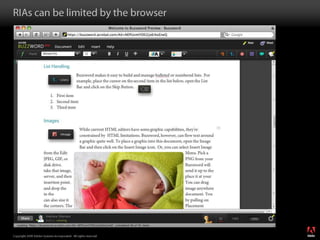
RIAs can be limited by the browser
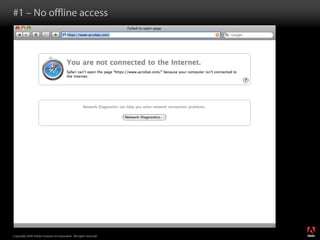
#1 – No offline access
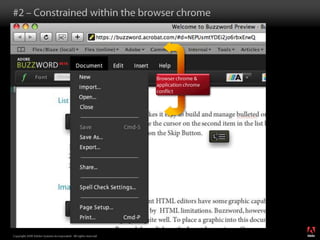
#2 – Constrained within the browser chromeBrowser chrome & application chrome conflict
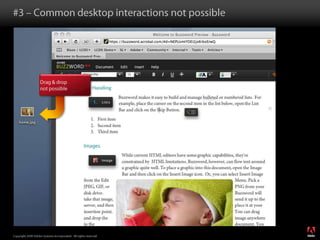
#3 – Common desktop interactions not possibleDrag & drop not possible
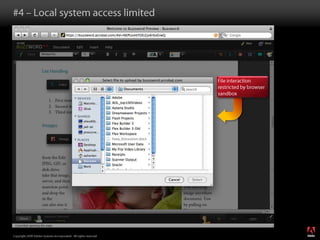
#4 – Local system access limitedFile interaction restricted by browser sandbox
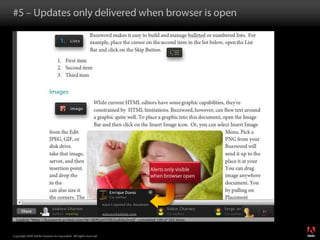
#5 – Updates only delivered when browser is openAlerts only visible when browser open
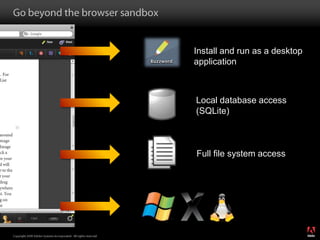
Go beyond the browser sandboxInstall and run as a desktop applicationLocal database access (SQLite)Full file system access
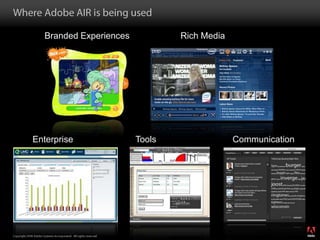
Where Adobe AIR is being usedRich MediaBranded ExperiencesEnterpriseCommunicationTools
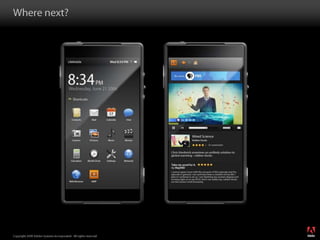
Where next?
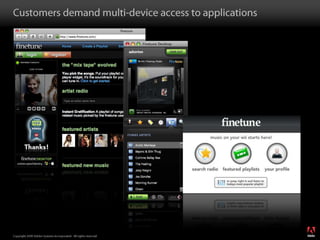
Customers demand multi-device access to applications
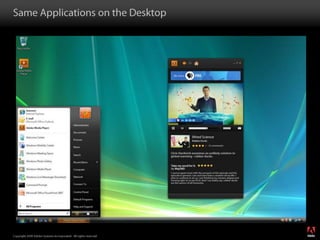
Same Applications on the Desktop
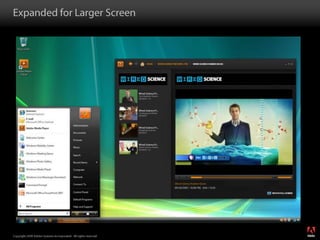
Expanded for Larger Screen
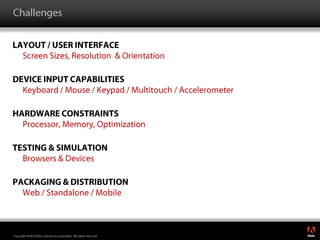
ChallengesLayout / User InterfaceScreen Sizes, Resolution  & OrientationDevice Input CapabilitiesKeyboard / Mouse / Keypad / Multitouch / AccelerometerHardware ConstraintsProcessor, Memory, OptimizationTesting & SimulationBrowsers & DevicesPackaging & DistributionWeb / Standalone / Mobile
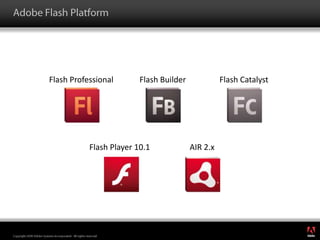
Adobe Flash PlatformFlash ProfessionalFlash BuilderFlash CatalystFlash Player 10.1AIR 2.x
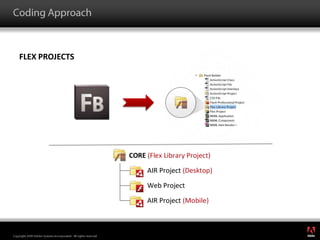
Coding ApproachFlex Projects
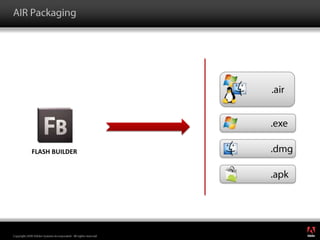
AIR Packaging.air.exe.dmgFlash builder.apk
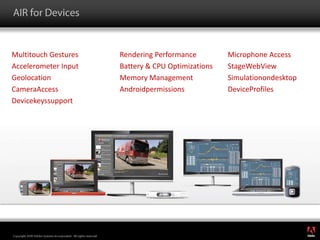
AIR for DevicesMultitouch GesturesAccelerometer InputGeolocationCameraAccessDevicekeyssupportRendering PerformanceBattery & CPU OptimizationsMemory ManagementAndroidpermissionsMicrophone AccessStageWebViewSimulationondesktopDeviceProfiles
ResourcesAdobe Flex Developer Center - http://www.adobe.com/devnet/flex.htmlFlex in a Week Video Training - http://www.adobe.com/devnet/flex/videotraining.htmlFlex Test Drive for Mobile - Build a mobile application in an hour - http://www.adobe.com/devnet/flex/testdrivemobile.htmlTour de Flex: Explore what Flex can do - http://www.adobe.com/devnet/flex/tourdeflex.html
Thank You!Sujit Reddy GTechnical Evangelisthttp://sujitreddyg.wordpress.comOn twitter @sujitgPrashant SinghTechnical Evangelisthttp://prashants.wordpress.comOn twitter @prksingh
Developing multi-screen applications using Adobe Integrated Runtime (AIR)

Developing multi-screen applications using Adobe Integrated Runtime (AIR)

  • 1.
    Multiscreen Apps usingAIRSujit Reddy G & Prashant SinghTechnical EvangelistsAdobe Systems
  • 2.
    Adobe Flash PlatformApplications,Content and VideoTools to Design and DevelopServersClientsFrameworkServicesAdobe® Flash® Media Server FamilyAdobe® Flash® CS4 ProfessionalAdobe® Flash® Catalyst™Adobe® Flash® Platform ServicesAdobe® Flex ®Adobe® AIR® Adobe® Flash® PlayerAdobe® LiveCycle®Data ServicesAdobe® Flash® Builder™Integrating withthe Flash PlatformColdFusion BuilderCreative Suite 5
  • 3.
    Adobe AIR enablesweb developers to use JavaScript, HTML, Flash, and Flex to build web applications that run outside the browser
  • 4.
    RIAs can belimited by the browser
  • 5.
    #1 – Nooffline access
  • 6.
    #2 – Constrainedwithin the browser chromeBrowser chrome & application chrome conflict
  • 7.
    #3 – Commondesktop interactions not possibleDrag & drop not possible
  • 8.
    #4 – Localsystem access limitedFile interaction restricted by browser sandbox
  • 9.
    #5 – Updatesonly delivered when browser is openAlerts only visible when browser open
  • 10.
    Go beyond thebrowser sandboxInstall and run as a desktop applicationLocal database access (SQLite)Full file system access
  • 11.
    Where Adobe AIRis being usedRich MediaBranded ExperiencesEnterpriseCommunicationTools
  • 12.
  • 13.
    Customers demand multi-deviceaccess to applications
  • 14.
  • 15.
  • 16.
    ChallengesLayout / UserInterfaceScreen Sizes, Resolution & OrientationDevice Input CapabilitiesKeyboard / Mouse / Keypad / Multitouch / AccelerometerHardware ConstraintsProcessor, Memory, OptimizationTesting & SimulationBrowsers & DevicesPackaging & DistributionWeb / Standalone / Mobile
  • 17.
    Adobe Flash PlatformFlashProfessionalFlash BuilderFlash CatalystFlash Player 10.1AIR 2.x
  • 18.
  • 19.
  • 20.
    AIR for DevicesMultitouchGesturesAccelerometer InputGeolocationCameraAccessDevicekeyssupportRendering PerformanceBattery & CPU OptimizationsMemory ManagementAndroidpermissionsMicrophone AccessStageWebViewSimulationondesktopDeviceProfiles
  • 21.
    ResourcesAdobe Flex DeveloperCenter - http://www.adobe.com/devnet/flex.htmlFlex in a Week Video Training - http://www.adobe.com/devnet/flex/videotraining.htmlFlex Test Drive for Mobile - Build a mobile application in an hour - http://www.adobe.com/devnet/flex/testdrivemobile.htmlTour de Flex: Explore what Flex can do - http://www.adobe.com/devnet/flex/tourdeflex.html
  • 22.
    Thank You!Sujit ReddyGTechnical Evangelisthttp://sujitreddyg.wordpress.comOn twitter @sujitgPrashant SinghTechnical Evangelisthttp://prashants.wordpress.comOn twitter @prksingh