Game Design & Development
    Adobe Flash Platform


                                            Hemanth Sharma
                                                Platform Evangelist
                                               Adobe Systems Inc.
     Twi er: www.twi er.com/hemanthsharma
Facebook: www.facebook.com/hemanth.sharma
?
?                      rent?
How?        is it diffe

    ?
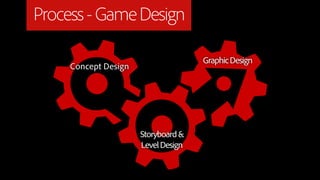
Process - Game Design

                                     Graphic Design
     Concept Design


                      Storyboard &
                      Level Design
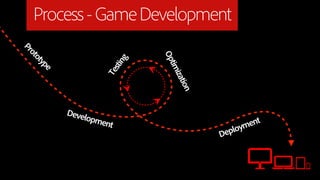
Process - Game Development
Pr
  ot
    ot


                               Op
      yp


                           g
                       stin
        e


                                 tim
                     Te


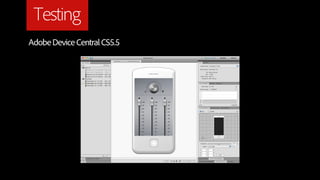
                                    izat
                                        ion
            Deve
                lopm
                    ent                              ent
                                               eploym
                                              D
The Difference

β€’   Graphic Intensive

β€’   Lot of attention towards Performance

β€’   Full of Life!

β€’   Social
Intelligent Learning

β€’   Analytics

    β˜…   What features are used most?

    β˜…   Demography - Gender, Regional, etc.
Intelligent Hype

β€’   Promotion and Hype

    β˜…   Seasonal / Themed Content

    β˜…   Virtual Goods and Currencies

    β˜…   In-game Ads
Multiple Platforms
      Android

      BlackBerry

      iOS

      Windows

      Macintosh

      Linux
Why Multiple Platforms?

β€’   Portability

β€’   Rich Experience - Touch, Gestures, Accelerometer, etc.

β€’   Richer Experience - Interconnect devices for better gameplay
Why Multiple Platforms?

β€’   More customers

β€’   Visibility across market places

β€’   Money hai to....?
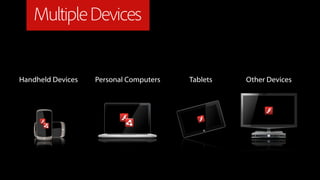
Multiple Devices


Handheld Devices   Personal Computers   Tablets   Other Devices
Multiple Languages/Tools
β€’   Android - Java

β€’   iOS - Objective C

β€’   Desktop - Objective C, Java, Multiple

β€’   Testing Environment

β€’   The way you deploy/package
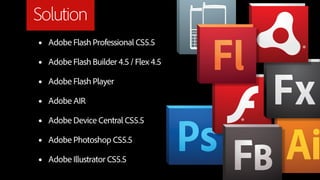
Solution
β€’   Adobe Flash Professional CS5.5

β€’   Adobe Flash Builder 4.5 / Flex 4.5

β€’   Adobe Flash Player

β€’   Adobe AIR

β€’   Adobe Device Central CS5.5

β€’   Adobe Photoshop CS5.5

β€’   Adobe Illustrator CS5.5
Input Types
β€’   Keyboard + Mouse

β€’   Touch Interface - Multitouch and Gestures

β€’   Accelerometer

β€’   Joystick

β€’   Augmented Reality / Gesture Recognition
Input Types
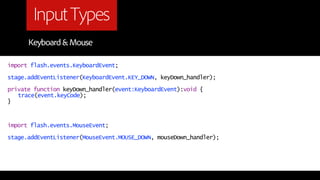
      Keyboard & Mouse

import flash.events.KeyboardEvent;

stage.addEventListener(KeyboardEvent.KEY_DOWN, keyDown_handler);

private function keyDown_handler(event:KeyboardEvent):void {
   trace(event.keyCode);
}


import flash.events.MouseEvent;

stage.addEventListener(MouseEvent.MOUSE_DOWN, mouseDown_handler);
Input Types
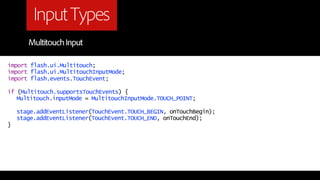
       Multitouch Input

import flash.ui.Multitouch;
import flash.ui.MultitouchInputMode;
import flash.events.TouchEvent;

if (Multitouch.supportsTouchEvents) {
   Multitouch.inputMode = MultitouchInputMode.TOUCH_POINT;

    stage.addEventListener(TouchEvent.TOUCH_BEGIN, onTouchBegin);
    stage.addEventListener(TouchEvent.TOUCH_END, onTouchEnd);
}
Input Types
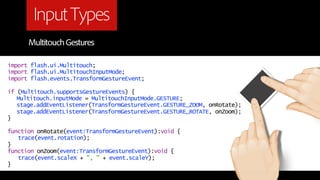
      Multitouch Gestures

import flash.ui.Multitouch;
import flash.ui.MultitouchInputMode;
import flash.events.TransformGestureEvent;

if (Multitouch.supportsGestureEvents) {
   Multitouch.inputMode = MultitouchInputMode.GESTURE;
   stage.addEventListener(TransformGestureEvent.GESTURE_ZOOM, onRotate);
   stage.addEventListener(TransformGestureEvent.GESTURE_ROTATE, onZoom);
}

function onRotate(event:TransformGestureEvent):void {
   trace(event.rotation);
}
function onZoom(event:TransformGestureEvent):void {
   trace(event.scaleX + ", " + event.scaleY);
}
Input Types
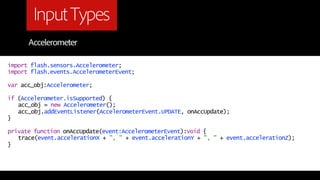
      Accelerometer

import flash.sensors.Accelerometer;
import flash.events.AccelerometerEvent;

var acc_obj:Accelerometer;

if (Accelerometer.isSupported) {
   acc_obj = new Accelerometer();
   acc_obj.addEventListener(AccelerometerEvent.UPDATE, onAccUpdate);
}

private function onAccUpdate(event:AccelerometerEvent):void {
   trace(event.accelerationX + ", " + event.accelerationY + ", " + event.accelerationZ);
}
Augmented Reality

β€’   FlAR Toolkit for ActionScript 3.0
    http://www.libspark.org/wiki/saqoosha/FLARToolKit/en

    DEMO!
Other Challenges


β€’   Layout - UI, Graphics, Front-end logic

β€’   Performance - Optimization for Memory, Processor, etc.
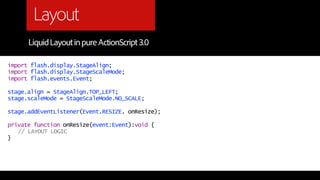
Layout
      Liquid Layout in pure ActionScript 3.0

import flash.display.StageAlign;
import flash.display.StageScaleMode;
import flash.events.Event;

stage.align = StageAlign.TOP_LEFT;
stage.scaleMode = StageScaleMode.NO_SCALE;

stage.addEventListener(Event.RESIZE. onResize);

private function onResize(event:Event):void {
   // LAYOUT LOGIC
}
Content Scaling for Games
β€’   Not as easy as you think

β€’   For any technology for that matter!

β€’   Define different bitmaps for different screen densities
β€’   flash.system.Capabilities.screenDPI is your KEY!
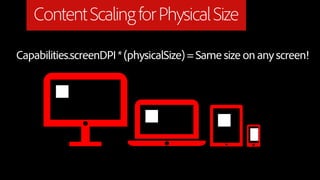
Content Scaling for Physical Size

Capabilities.screenDPI * (physicalSize) = Same size on any screen!
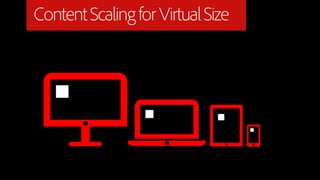
Content Scaling for Virtual Size
Content Scaling for Games


β€’   Load bitmap sprites based on Screen DPI

β€’   Scaling is not everything!
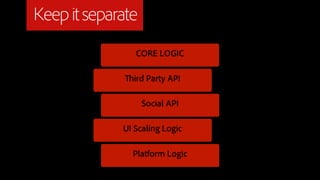
Keep it separate
                CORE LOGIC

               ird Party API

                   Social API

             UI Scaling Logic

               Platform Logic
Testing

β€’   Accelerometer

β€’   Multitouch

β€’   Multiple Devices, Screen layouts and sizes
Testing
Adobe Device Central CS5.5
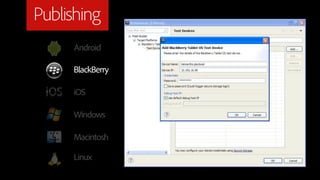
Publishing
     Android

     BlackBerry

     iOS

     Windows

     Macintosh

     Linux
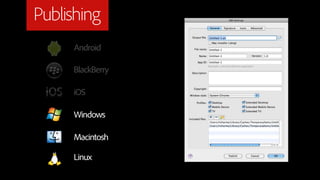
Publishing
     Android

     BlackBerry

     iOS

     Windows

     Macintosh

     Linux
Publishing
     Android

     BlackBerry

     iOS

     Windows

     Macintosh

     Linux
Publishing
     Android

     BlackBerry

     iOS

     Windows

     Macintosh

     Linux
Publishing
     Android

     BlackBerry

     iOS

     Windows

     Macintosh

     Linux
Vectors & Bitmaps
β€’   Bitmaps are costly on file size and loading

β€’   Optimize Bitmaps as necessary

β€’   Intelligently use PNG / JPG

β€’   Vectors are costly on rendering

β€’   Cache (static) vector images as bitmaps when necessary
3 Dimentional - Demo


β€’   Stereoscopic Games

β€’   Realtime 3D Rendering (Hardware Accelerated)
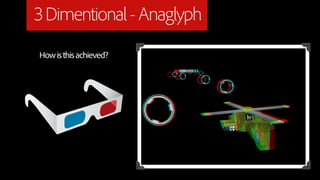
3 Dimentional - Anaglyph
How is this achieved?
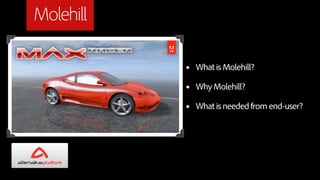
Molehill

           β€’   What is Molehill?

           β€’   Why Molehill?

           β€’   What is needed from end-user?
Molehill

http://labs.adobe.com/technologies/flashplatformruntimes/incubator/

Molehill 2D
https://github.com/egreenfield/M2D
Multiplayer


β€’   Socket Server - AIR 2 SocketServer Class

β€’   Peer to Peer - AIR 2.5 P2P
Optimization Tips
β€’   Bitmaps for Performance Vs Vectors for Less Memory

β€’   Keep bitmaps as small as possible

β€’   Reduce number of nodes for Vectors

β€’   Use opaque background for texts

β€’   Experiment with Anti-aliasing options for text
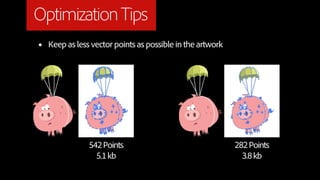
Optimization Tips
β€’   Keep as less vector points as possible in the artwork


                542 Points                                  282 Points
                  5.1 kb                                      3.8 kb
Optimization Tips
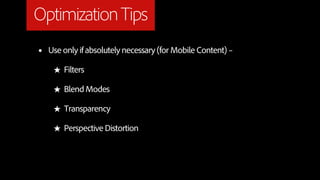
β€’   Use only if absolutely necessary (for Mobile Content) –

     β˜… Filters

     β˜… Blend Modes

     β˜… Transparency

     β˜… Perspective Distortion
Optimization Tips
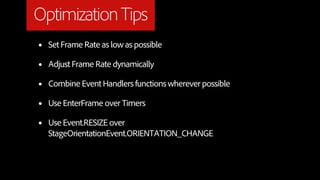
β€’   Set Frame Rate as low as possible

β€’   Adjust Frame Rate dynamically

β€’   Combine Event Handlers functions wherever possible

β€’   Use EnterFrame over Timers

β€’   Use Event.RESIZE over
    StageOrientationEvent.ORIENTATION_CHANGE
Optimization Tips

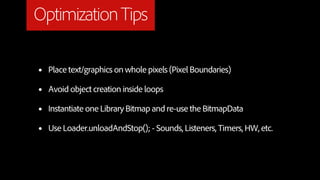
β€’   Place text/graphics on whole pixels (Pixel Boundaries)

β€’   Avoid object creation inside loops

β€’   Instantiate one Library Bitmap and re-use the BitmapData

β€’   Use Loader.unloadAndStop(); - Sounds, Listeners, Timers, HW, etc.
Publishing


β€’   Publishing to different/multiple Market places

     β˜… Adobe InMarket

     β˜… Intel AppUp
Social Games


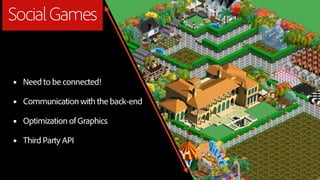
β€’   Need to be connected!

β€’   Communication with the back-end

β€’   Optimization of Graphics

β€’   Third Party API
?
?                    sh?
  y
 h?           obe Fla
W           Ad
    ?
Flash Professional CS5.5
β€’   A designer’s paradise

β€’   Canvas to design characters, backdrops, artwork

β€’   Library - reusability

β€’   Integrated Coding environment

β€’   Publishing capability for Multi-platform (Android, iOS, etc.)
Flash Builder 4.5

β€’   25+ Coding Enhancement Features

β€’   On-Device Debugging for Mobile Content

β€’   Easy testing/deployment on Devices
ActionScript 3.0 API

β€’   Device Capabilities - Accelerometer, Geolocation, Multitouch Input,
    Gestures

β€’   Smart Layout / Liquid Graphics

β€’   Multi-density Authoring
Thirdparty Engines - 3D
β€’   Alternativa 3D (http://alternativaplatform.com/en/)

β€’   Away3D (http://www.away3d.com/)

β€’   Papervision3D (http://blog.papervision3d.org/)

β€’   Flare3D (http://flare3d.com/)

β€’   Sophie3D (http://sophie3d.com/)

β€’   Yoghurt3D (http://www.yogurt3d.com/)

β€’   Minko (http://aerys.in/minko)
Thirdparty Engines - 2D

β€’   Flixel (http://flixel.org/)

β€’   FlashPunk (http://flashpunk.net/)

β€’   PushButton (http://pushbuttonengine.com/)
Thirdparty Engines - Isometric


β€’   AS3 ISO Lib (http://code.google.com/p/as3isolib/)

β€’   TheoWorlds (http://www.theoworlds.com/)
Thirdparty Engines - Physics

β€’   JigLib (http://www.jiglibflash.com/blog/)

β€’   Box2D (http://box2dflash.sourceforge.net/)

β€’   APE (http://www.cove.org/ape/)

β€’   WOW (http://code.google.com/p/wow-engine/)
Questions?
        β€’ http://www.hsharma.com/tech
        β€’ http://www.twitter.com/hemanthsharma
        β€’ http://www.facebook.com/hemanth.sharma

        β€’ http://www.adobe.com/devnet
        β€’ http://tv.adobe.com
Thank you

Game design & development

  • 1.
    Game Design &Development Adobe Flash Platform Hemanth Sharma Platform Evangelist Adobe Systems Inc. Twi er: www.twi er.com/hemanthsharma Facebook: www.facebook.com/hemanth.sharma
  • 2.
    ? ? rent? How? is it diffe ?
  • 3.
    Process - GameDesign Graphic Design Concept Design Storyboard & Level Design
  • 4.
    Process - GameDevelopment Pr ot ot Op yp g stin e tim Te izat ion Deve lopm ent ent eploym D
  • 5.
    The Difference β€’ Graphic Intensive β€’ Lot of attention towards Performance β€’ Full of Life! β€’ Social
  • 6.
    Intelligent Learning β€’ Analytics β˜… What features are used most? β˜… Demography - Gender, Regional, etc.
  • 7.
    Intelligent Hype β€’ Promotion and Hype β˜… Seasonal / Themed Content β˜… Virtual Goods and Currencies β˜… In-game Ads
  • 8.
    Multiple Platforms Android BlackBerry iOS Windows Macintosh Linux
  • 9.
    Why Multiple Platforms? β€’ Portability β€’ Rich Experience - Touch, Gestures, Accelerometer, etc. β€’ Richer Experience - Interconnect devices for better gameplay
  • 10.
    Why Multiple Platforms? β€’ More customers β€’ Visibility across market places β€’ Money hai to....?
  • 11.
    Multiple Devices Handheld Devices Personal Computers Tablets Other Devices
  • 12.
    Multiple Languages/Tools β€’ Android - Java β€’ iOS - Objective C β€’ Desktop - Objective C, Java, Multiple β€’ Testing Environment β€’ The way you deploy/package
  • 13.
    Solution β€’ Adobe Flash Professional CS5.5 β€’ Adobe Flash Builder 4.5 / Flex 4.5 β€’ Adobe Flash Player β€’ Adobe AIR β€’ Adobe Device Central CS5.5 β€’ Adobe Photoshop CS5.5 β€’ Adobe Illustrator CS5.5
  • 14.
    Input Types β€’ Keyboard + Mouse β€’ Touch Interface - Multitouch and Gestures β€’ Accelerometer β€’ Joystick β€’ Augmented Reality / Gesture Recognition
  • 15.
    Input Types Keyboard & Mouse import flash.events.KeyboardEvent; stage.addEventListener(KeyboardEvent.KEY_DOWN, keyDown_handler); private function keyDown_handler(event:KeyboardEvent):void { trace(event.keyCode); } import flash.events.MouseEvent; stage.addEventListener(MouseEvent.MOUSE_DOWN, mouseDown_handler);
  • 16.
    Input Types Multitouch Input import flash.ui.Multitouch; import flash.ui.MultitouchInputMode; import flash.events.TouchEvent; if (Multitouch.supportsTouchEvents) { Multitouch.inputMode = MultitouchInputMode.TOUCH_POINT; stage.addEventListener(TouchEvent.TOUCH_BEGIN, onTouchBegin); stage.addEventListener(TouchEvent.TOUCH_END, onTouchEnd); }
  • 17.
    Input Types Multitouch Gestures import flash.ui.Multitouch; import flash.ui.MultitouchInputMode; import flash.events.TransformGestureEvent; if (Multitouch.supportsGestureEvents) { Multitouch.inputMode = MultitouchInputMode.GESTURE; stage.addEventListener(TransformGestureEvent.GESTURE_ZOOM, onRotate); stage.addEventListener(TransformGestureEvent.GESTURE_ROTATE, onZoom); } function onRotate(event:TransformGestureEvent):void { trace(event.rotation); } function onZoom(event:TransformGestureEvent):void { trace(event.scaleX + ", " + event.scaleY); }
  • 18.
    Input Types Accelerometer import flash.sensors.Accelerometer; import flash.events.AccelerometerEvent; var acc_obj:Accelerometer; if (Accelerometer.isSupported) { acc_obj = new Accelerometer(); acc_obj.addEventListener(AccelerometerEvent.UPDATE, onAccUpdate); } private function onAccUpdate(event:AccelerometerEvent):void { trace(event.accelerationX + ", " + event.accelerationY + ", " + event.accelerationZ); }
  • 19.
    Augmented Reality β€’ FlAR Toolkit for ActionScript 3.0 http://www.libspark.org/wiki/saqoosha/FLARToolKit/en DEMO!
  • 20.
    Other Challenges β€’ Layout - UI, Graphics, Front-end logic β€’ Performance - Optimization for Memory, Processor, etc.
  • 21.
    Layout Liquid Layout in pure ActionScript 3.0 import flash.display.StageAlign; import flash.display.StageScaleMode; import flash.events.Event; stage.align = StageAlign.TOP_LEFT; stage.scaleMode = StageScaleMode.NO_SCALE; stage.addEventListener(Event.RESIZE. onResize); private function onResize(event:Event):void { // LAYOUT LOGIC }
  • 22.
    Content Scaling forGames β€’ Not as easy as you think β€’ For any technology for that matter! β€’ Define different bitmaps for different screen densities β€’ flash.system.Capabilities.screenDPI is your KEY!
  • 23.
    Content Scaling forPhysical Size Capabilities.screenDPI * (physicalSize) = Same size on any screen!
  • 24.
    Content Scaling forVirtual Size
  • 25.
    Content Scaling forGames β€’ Load bitmap sprites based on Screen DPI β€’ Scaling is not everything!
  • 26.
    Keep it separate CORE LOGIC ird Party API Social API UI Scaling Logic Platform Logic
  • 27.
    Testing β€’ Accelerometer β€’ Multitouch β€’ Multiple Devices, Screen layouts and sizes
  • 28.
  • 29.
    Publishing Android BlackBerry iOS Windows Macintosh Linux
  • 30.
    Publishing Android BlackBerry iOS Windows Macintosh Linux
  • 31.
    Publishing Android BlackBerry iOS Windows Macintosh Linux
  • 32.
    Publishing Android BlackBerry iOS Windows Macintosh Linux
  • 33.
    Publishing Android BlackBerry iOS Windows Macintosh Linux
  • 34.
    Vectors & Bitmaps β€’ Bitmaps are costly on file size and loading β€’ Optimize Bitmaps as necessary β€’ Intelligently use PNG / JPG β€’ Vectors are costly on rendering β€’ Cache (static) vector images as bitmaps when necessary
  • 35.
    3 Dimentional -Demo β€’ Stereoscopic Games β€’ Realtime 3D Rendering (Hardware Accelerated)
  • 36.
    3 Dimentional -Anaglyph How is this achieved?
  • 37.
    Molehill β€’ What is Molehill? β€’ Why Molehill? β€’ What is needed from end-user?
  • 38.
  • 39.
    Multiplayer β€’ Socket Server - AIR 2 SocketServer Class β€’ Peer to Peer - AIR 2.5 P2P
  • 40.
    Optimization Tips β€’ Bitmaps for Performance Vs Vectors for Less Memory β€’ Keep bitmaps as small as possible β€’ Reduce number of nodes for Vectors β€’ Use opaque background for texts β€’ Experiment with Anti-aliasing options for text
  • 41.
    Optimization Tips β€’ Keep as less vector points as possible in the artwork 542 Points 282 Points 5.1 kb 3.8 kb
  • 42.
    Optimization Tips β€’ Use only if absolutely necessary (for Mobile Content) – β˜… Filters β˜… Blend Modes β˜… Transparency β˜… Perspective Distortion
  • 43.
    Optimization Tips β€’ Set Frame Rate as low as possible β€’ Adjust Frame Rate dynamically β€’ Combine Event Handlers functions wherever possible β€’ Use EnterFrame over Timers β€’ Use Event.RESIZE over StageOrientationEvent.ORIENTATION_CHANGE
  • 44.
    Optimization Tips β€’ Place text/graphics on whole pixels (Pixel Boundaries) β€’ Avoid object creation inside loops β€’ Instantiate one Library Bitmap and re-use the BitmapData β€’ Use Loader.unloadAndStop(); - Sounds, Listeners, Timers, HW, etc.
  • 45.
    Publishing β€’ Publishing to different/multiple Market places β˜… Adobe InMarket β˜… Intel AppUp
  • 46.
    Social Games β€’ Need to be connected! β€’ Communication with the back-end β€’ Optimization of Graphics β€’ Third Party API
  • 47.
    ? ? sh? y h? obe Fla W Ad ?
  • 48.
    Flash Professional CS5.5 β€’ A designer’s paradise β€’ Canvas to design characters, backdrops, artwork β€’ Library - reusability β€’ Integrated Coding environment β€’ Publishing capability for Multi-platform (Android, iOS, etc.)
  • 49.
    Flash Builder 4.5 β€’ 25+ Coding Enhancement Features β€’ On-Device Debugging for Mobile Content β€’ Easy testing/deployment on Devices
  • 50.
    ActionScript 3.0 API β€’ Device Capabilities - Accelerometer, Geolocation, Multitouch Input, Gestures β€’ Smart Layout / Liquid Graphics β€’ Multi-density Authoring
  • 51.
    Thirdparty Engines -3D β€’ Alternativa 3D (http://alternativaplatform.com/en/) β€’ Away3D (http://www.away3d.com/) β€’ Papervision3D (http://blog.papervision3d.org/) β€’ Flare3D (http://flare3d.com/) β€’ Sophie3D (http://sophie3d.com/) β€’ Yoghurt3D (http://www.yogurt3d.com/) β€’ Minko (http://aerys.in/minko)
  • 52.
    Thirdparty Engines -2D β€’ Flixel (http://flixel.org/) β€’ FlashPunk (http://flashpunk.net/) β€’ PushButton (http://pushbuttonengine.com/)
  • 53.
    Thirdparty Engines -Isometric β€’ AS3 ISO Lib (http://code.google.com/p/as3isolib/) β€’ TheoWorlds (http://www.theoworlds.com/)
  • 54.
    Thirdparty Engines -Physics β€’ JigLib (http://www.jiglibflash.com/blog/) β€’ Box2D (http://box2dflash.sourceforge.net/) β€’ APE (http://www.cove.org/ape/) β€’ WOW (http://code.google.com/p/wow-engine/)
  • 55.
    Questions? β€’ http://www.hsharma.com/tech β€’ http://www.twitter.com/hemanthsharma β€’ http://www.facebook.com/hemanth.sharma β€’ http://www.adobe.com/devnet β€’ http://tv.adobe.com
  • 56.