What Can an App do for
                         Carl Brown, PDAgent, LLC
         my Business?
What we're going to cover today

• How do Apps help existing businesses?

• What functions do business Apps perform?

• What elements go into Apps, and what effect does that
  have?

• What device or devices should I target?

• What are the steps in building and publishing an App?

• What can an App end up costing?
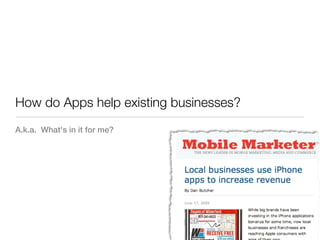
How do Apps help existing businesses?
A.k.a. What's in it for me?
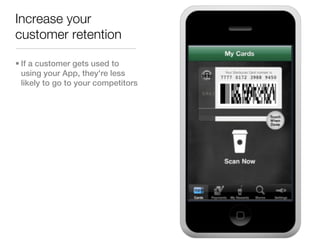
Increase your
customer retention

• If a customer gets used to
  using your App, they're less
  likely to go to your competitors
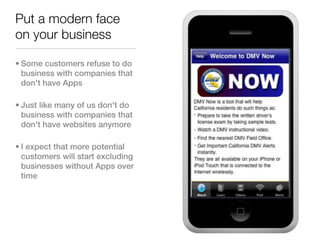
Put a modern face
on your business

• Some customers refuse to do
  business with companies that
  don't have Apps

• Just like many of us don't do
  business with companies that
  don't have websites anymore

• I expect that more potential
  customers will start excluding
  businesses without Apps over
  time
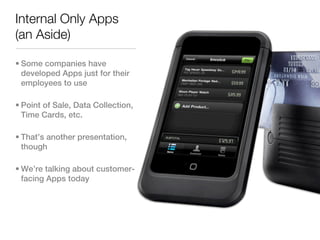
Internal Only Apps
(an Aside)

• Some companies have
  developed Apps just for their
  employees to use

• Point of Sale, Data Collection,
  Time Cards, etc.

• That’s another presentation,
  though

• We’re talking about customer-
  facing Apps today
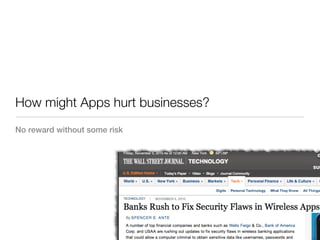
How might Apps hurt businesses?
No reward without some risk
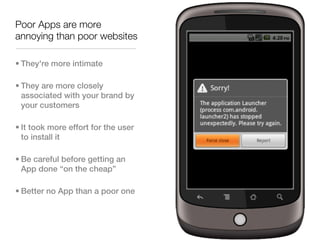
Poor Apps are more
annoying than poor websites

• They're more intimate

• They are more closely
  associated with your brand by
  your customers

• It took more effort for the user
  to install it

• Be careful before getting an
  App done “on the cheap”

• Better no App than a poor one
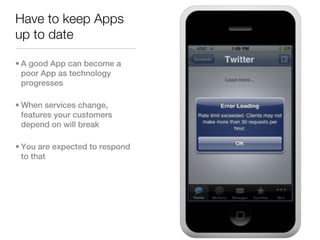
Have to keep Apps
up to date

• A good App can become a
  poor App as technology
  progresses

• When services change,
  features your customers
  depend on will break

• You are expected to respond
  to that
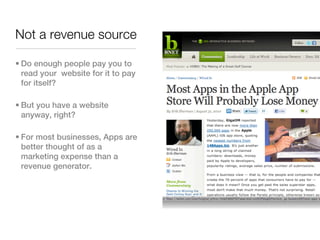
Not a revenue source

• Do enough people pay you to
  read your website for it to pay
  for itself?

• But you have a website
  anyway, right?

• For most businesses, Apps are
  better thought of as a
  marketing expense than a
  revenue generator.
What functions do business Apps perform?
What kind of App might be right for my business?
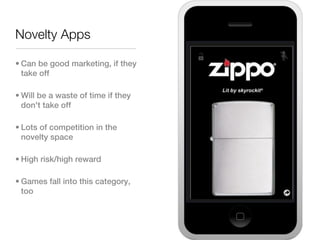
Novelty Apps

• Can be good marketing, if they
  take off

• Will be a waste of time if they
  don't take off

• Lots of competition in the
  novelty space

• High risk/high reward

• Games fall into this category,
  too
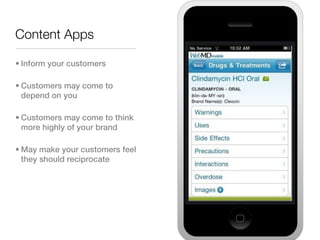
Content Apps

• Inform your customers

• Customers may come to
  depend on you

• Customers may come to think
  more highly of your brand

• May make your customers feel
  they should reciprocate
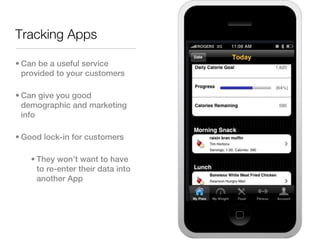
Tracking Apps

• Can be a useful service
  provided to your customers

• Can give you good
  demographic and marketing
  info

• Good lock-in for customers

    • They won’t want to have
      to re-enter their data into
      another App
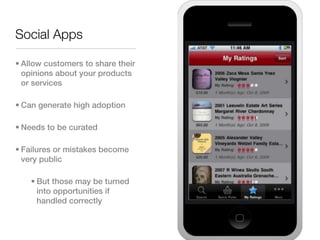
Social Apps

• Allow customers to share their
  opinions about your products
  or services

• Can generate high adoption

• Needs to be curated

• Failures or mistakes become
  very public

    • But those may be turned
      into opportunities if
      handled correctly
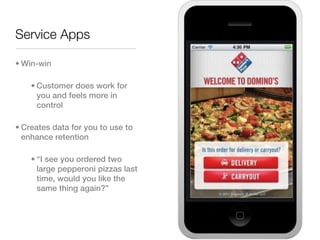
Service Apps

• Win-win

    • Customer does work for
      you and feels more in
      control

• Creates data for you to use to
  enhance retention

    • “I see you ordered two
      large pepperoni pizzas last
      time, would you like the
      same thing again?”
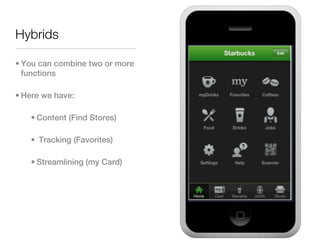
Hybrids

• You can combine two or more
  functions

• Here we have:

   • Content (Find Stores)

   • Tracking (Favorites)

   • Streamlining (my Card)
What elements go into Apps, and what effect does
that have?
Should I use build-in User Interface elements, or build custom ones?
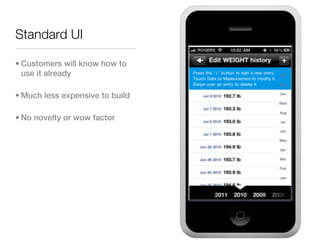
Standard UI

• Customers will know how to
  use it already

• Much less expensive to build

• No novelty or wow factor
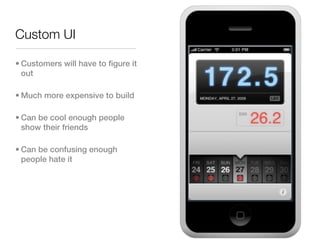
Custom UI

• Customers will have to figure it
  out

• Much more expensive to build

• Can be cool enough people
  show their friends

• Can be confusing enough
  people hate it
What device or devices should I target?
Aren’t there a lot of them? Doesn’t that get expensive?
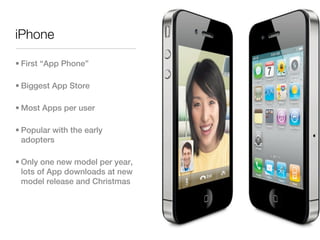
iPhone

• First “App Phone”

• Biggest App Store

• Most Apps per user

• Popular with the early
  adopters

• Only one new model per year,
  lots of App downloads at new
  model release and Christmas
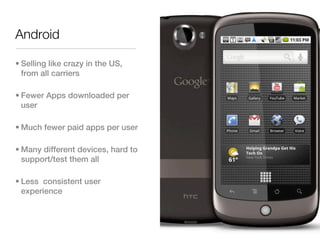
Android

• Selling like crazy in the US,
  from all carriers

• Fewer Apps downloaded per
  user

• Much fewer paid apps per user

• Many different devices, hard to
  support/test them all

• Less consistent user
  experience
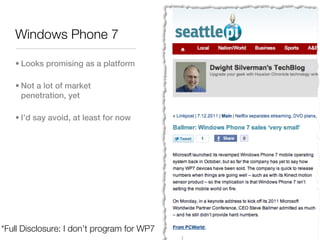
Windows Phone 7

   • Looks promising as a platform

   • Not a lot of market
     penetration, yet

   • I’d say avoid, at least for now


*Full Disclosure: I don’t program for WP7
Blackberry

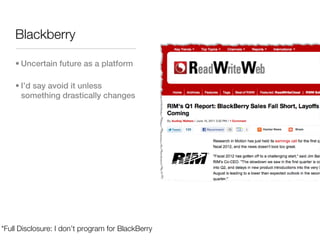
    • Uncertain future as a platform

    • I’d say avoid it unless
      something drastically changes


*Full Disclosure: I don’t program for BlackBerry
iPad

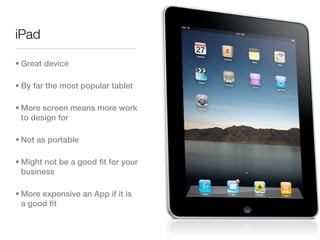
• Great device

• By far the most popular tablet

• More screen means more work
  to design for

• Not as portable

• Might not be a good fit for your
  business

• More expensive an App if it is
  a good fit
Android Tablets

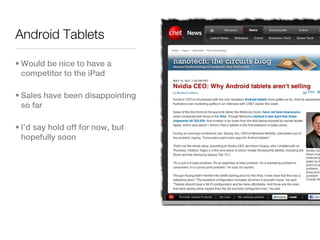
• Would be nice to have a
  competitor to the iPad

• Sales have been disappointing
  so far

• I’d say hold off for now, but
  hopefully soon
What are the steps in building and publishing an
App?
Just how much work is this, anyway?
Step Zero: Register with App Stores

• You have to have accounts on the various App Stores
  that you want to submit your App to.

• Or you have to ask your developer to publish it for you

   • Either in your name or theirs

• This step can take a while, so Don’t Leave it Until the
  Last Minute
Step One: Purpose

• Pick your audience

• Pick your functionality

• Pick your goals

• Pick your target platform(s)
Step Two: Sketch

• Sketch out our screens

• Sketch out how they transition between them

• Sketch out what data needs to be saved

• Sketch out other functionality (media, server access)
Step Three: Development

• Developer breaks App up into tasks

• Checks off the tasks

• Hopefully gives you feedback as they go

• Developer declares “Code Complete”
Step Four: Testing

• The more people (especially customers) you can get involved in
  testing, the better your App will be

• Test the wrong things, not just the right ones

    • What happens if the user types nothing but punctuation in the
      email address field?

    • What happens if the customer gets a phone call in the middle of
      this step?

• Fix the bugs you found in test

    • If none were found, testing was probably inadequate
Step Five: Submit

• You or your developer submits the App to the Store

• Some Stores this is quick, some have a review cycle that
  can take multiple weeks

• Some Apps get rejected and have to be re-worked. Your
  contract with the developer should specify any costs
  associated with this.
Step Six: Marketing

• Technically, this should start earlier that after Submission

• This is a topic that several books have been written about
What can an App end up costing?
How can I make decisions without hard numbers?
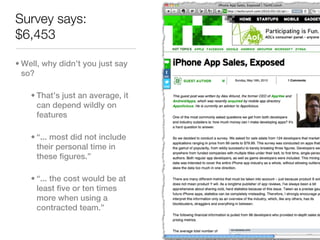
Survey says:
$6,453

• Well, why didn’t you just say
  so?

    • That’s just an average, it
      can depend wildly on
      features

    • “... most did not include
      their personal time in
      these figures.”

    • “... the cost would be at
      least five or ten times
      more when using a
      contracted team.”
Realistically, though

• Simple Utility App (2 screens, like iPhone built-in Weather)
  with your Artwork - $2000 (iPhone only, you submit)

• Simple Navigation App (like iPhone Contacts) with your
  artwork and built-in UI - $4000 (iPhone Only, you submit)

• It goes up from there.

• Multi-platform (iPad, Android) can add much more.
Open-ended costs don’t help me plan

• You should do a two (or more) phase approach

• First, a discovery phase

   • Deliverable is a design document

• Once design is locked, only then get a cost estimate

• A reputable mobile vendor (in my opinion) should already
  work this way
Any Questions?
Contact me at CarlB@PDAgent.com

Mobile Apps for Businesses

  • 1.
    What Can anApp do for Carl Brown, PDAgent, LLC my Business?
  • 2.
    What we're goingto cover today • How do Apps help existing businesses? • What functions do business Apps perform? • What elements go into Apps, and what effect does that have? • What device or devices should I target? • What are the steps in building and publishing an App? • What can an App end up costing?
  • 3.
    How do Appshelp existing businesses? A.k.a. What's in it for me?
  • 4.
    Increase your customer retention •If a customer gets used to using your App, they're less likely to go to your competitors
  • 5.
    Put a modernface on your business • Some customers refuse to do business with companies that don't have Apps • Just like many of us don't do business with companies that don't have websites anymore • I expect that more potential customers will start excluding businesses without Apps over time
  • 6.
    Internal Only Apps (anAside) • Some companies have developed Apps just for their employees to use • Point of Sale, Data Collection, Time Cards, etc. • That’s another presentation, though • We’re talking about customer- facing Apps today
  • 7.
    How might Appshurt businesses? No reward without some risk
  • 8.
    Poor Apps aremore annoying than poor websites • They're more intimate • They are more closely associated with your brand by your customers • It took more effort for the user to install it • Be careful before getting an App done “on the cheap” • Better no App than a poor one
  • 9.
    Have to keepApps up to date • A good App can become a poor App as technology progresses • When services change, features your customers depend on will break • You are expected to respond to that
  • 10.
    Not a revenuesource • Do enough people pay you to read your website for it to pay for itself? • But you have a website anyway, right? • For most businesses, Apps are better thought of as a marketing expense than a revenue generator.
  • 11.
    What functions dobusiness Apps perform? What kind of App might be right for my business?
  • 12.
    Novelty Apps • Canbe good marketing, if they take off • Will be a waste of time if they don't take off • Lots of competition in the novelty space • High risk/high reward • Games fall into this category, too
  • 13.
    Content Apps • Informyour customers • Customers may come to depend on you • Customers may come to think more highly of your brand • May make your customers feel they should reciprocate
  • 14.
    Tracking Apps • Canbe a useful service provided to your customers • Can give you good demographic and marketing info • Good lock-in for customers • They won’t want to have to re-enter their data into another App
  • 15.
    Social Apps • Allowcustomers to share their opinions about your products or services • Can generate high adoption • Needs to be curated • Failures or mistakes become very public • But those may be turned into opportunities if handled correctly
  • 16.
    Service Apps • Win-win • Customer does work for you and feels more in control • Creates data for you to use to enhance retention • “I see you ordered two large pepperoni pizzas last time, would you like the same thing again?”
  • 17.
    Hybrids • You cancombine two or more functions • Here we have: • Content (Find Stores) • Tracking (Favorites) • Streamlining (my Card)
  • 18.
    What elements gointo Apps, and what effect does that have? Should I use build-in User Interface elements, or build custom ones?
  • 19.
    Standard UI • Customerswill know how to use it already • Much less expensive to build • No novelty or wow factor
  • 20.
    Custom UI • Customerswill have to figure it out • Much more expensive to build • Can be cool enough people show their friends • Can be confusing enough people hate it
  • 21.
    What device ordevices should I target? Aren’t there a lot of them? Doesn’t that get expensive?
  • 22.
    iPhone • First “AppPhone” • Biggest App Store • Most Apps per user • Popular with the early adopters • Only one new model per year, lots of App downloads at new model release and Christmas
  • 23.
    Android • Selling likecrazy in the US, from all carriers • Fewer Apps downloaded per user • Much fewer paid apps per user • Many different devices, hard to support/test them all • Less consistent user experience
  • 24.
    Windows Phone 7 • Looks promising as a platform • Not a lot of market penetration, yet • I’d say avoid, at least for now *Full Disclosure: I don’t program for WP7
  • 25.
    Blackberry • Uncertain future as a platform • I’d say avoid it unless something drastically changes *Full Disclosure: I don’t program for BlackBerry
  • 26.
    iPad • Great device •By far the most popular tablet • More screen means more work to design for • Not as portable • Might not be a good fit for your business • More expensive an App if it is a good fit
  • 27.
    Android Tablets • Wouldbe nice to have a competitor to the iPad • Sales have been disappointing so far • I’d say hold off for now, but hopefully soon
  • 28.
    What are thesteps in building and publishing an App? Just how much work is this, anyway?
  • 29.
    Step Zero: Registerwith App Stores • You have to have accounts on the various App Stores that you want to submit your App to. • Or you have to ask your developer to publish it for you • Either in your name or theirs • This step can take a while, so Don’t Leave it Until the Last Minute
  • 30.
    Step One: Purpose •Pick your audience • Pick your functionality • Pick your goals • Pick your target platform(s)
  • 31.
    Step Two: Sketch •Sketch out our screens • Sketch out how they transition between them • Sketch out what data needs to be saved • Sketch out other functionality (media, server access)
  • 32.
    Step Three: Development •Developer breaks App up into tasks • Checks off the tasks • Hopefully gives you feedback as they go • Developer declares “Code Complete”
  • 33.
    Step Four: Testing •The more people (especially customers) you can get involved in testing, the better your App will be • Test the wrong things, not just the right ones • What happens if the user types nothing but punctuation in the email address field? • What happens if the customer gets a phone call in the middle of this step? • Fix the bugs you found in test • If none were found, testing was probably inadequate
  • 34.
    Step Five: Submit •You or your developer submits the App to the Store • Some Stores this is quick, some have a review cycle that can take multiple weeks • Some Apps get rejected and have to be re-worked. Your contract with the developer should specify any costs associated with this.
  • 35.
    Step Six: Marketing •Technically, this should start earlier that after Submission • This is a topic that several books have been written about
  • 36.
    What can anApp end up costing? How can I make decisions without hard numbers?
  • 37.
    Survey says: $6,453 • Well,why didn’t you just say so? • That’s just an average, it can depend wildly on features • “... most did not include their personal time in these figures.” • “... the cost would be at least five or ten times more when using a contracted team.”
  • 38.
    Realistically, though • SimpleUtility App (2 screens, like iPhone built-in Weather) with your Artwork - $2000 (iPhone only, you submit) • Simple Navigation App (like iPhone Contacts) with your artwork and built-in UI - $4000 (iPhone Only, you submit) • It goes up from there. • Multi-platform (iPad, Android) can add much more.
  • 39.
    Open-ended costs don’thelp me plan • You should do a two (or more) phase approach • First, a discovery phase • Deliverable is a design document • Once design is locked, only then get a cost estimate • A reputable mobile vendor (in my opinion) should already work this way
  • 40.
    Any Questions? Contact meat CarlB@PDAgent.com

Editor's Notes

  • #2 From: http://www.apple.com/au/itunes/billion-app-countdown/\n
  • #3 \n
  • #4 From: http://www.mobilemarketer.com/cms/news/content/3489.html\n
  • #5 http://www.starbucks.com/coffeehouse/mobile-apps/starbucks-card-mobile\n
  • #6 http://itunes.apple.com/us/app/dmv-now/id349576787?mt=8\n
  • #7 http://www.demonstech.com/2010/09/xsilva-lightspeed-mobile-brings-apple.html\n
  • #8 From: http://online.wsj.com/article/SB10001424052748703805704575594581203248658.html\n
  • #9 \n
  • #10 \n
  • #11 From: http://www.bnet.com/blog/technology-business/most-apps-in-the-apple-app-store-will-probably-lose-money/5187\n
  • #12 \n
  • #13 Zippo\n
  • #14 WebMD Mobile\n
  • #15 LIVESTRONG.com calorie Tracker\n
  • #16 Wine Ratings Guide\nBy Nirvino\n
  • #17 \n
  • #18 \n
  • #19 \n
  • #20 TargetWeight for Adults http://itunes.apple.com/us/app/target-weight-for-adults-personal/id338889966?mt=8\n
  • #21 Tapbots Weightbot http://itunes.apple.com/us/app/id293642937?mt=8\n
  • #22 \n
  • #23 \n
  • #24 \n
  • #25 http://blog.seattlepi.com/techblog/2011/07/12/ballmer-windows-phone-7-sales-‘very-small’/\n
  • #26 http://www.readwriteweb.com/archives/rims_q1_report_blackberry_sales_fall_short_layoffs.php\n
  • #27 \n
  • #28 http://news.cnet.com/8301-13924_3-20062940-64.html\n
  • #29 \n
  • #30 \n
  • #31 \n
  • #32 \n
  • #33 \n
  • #34 \n
  • #35 \n
  • #36 \n
  • #37 \n
  • #38 From: http://techcrunch.com/2010/05/16/iphone-app-sales-exposed/\n
  • #39 \n
  • #40 \n
  • #41 \n