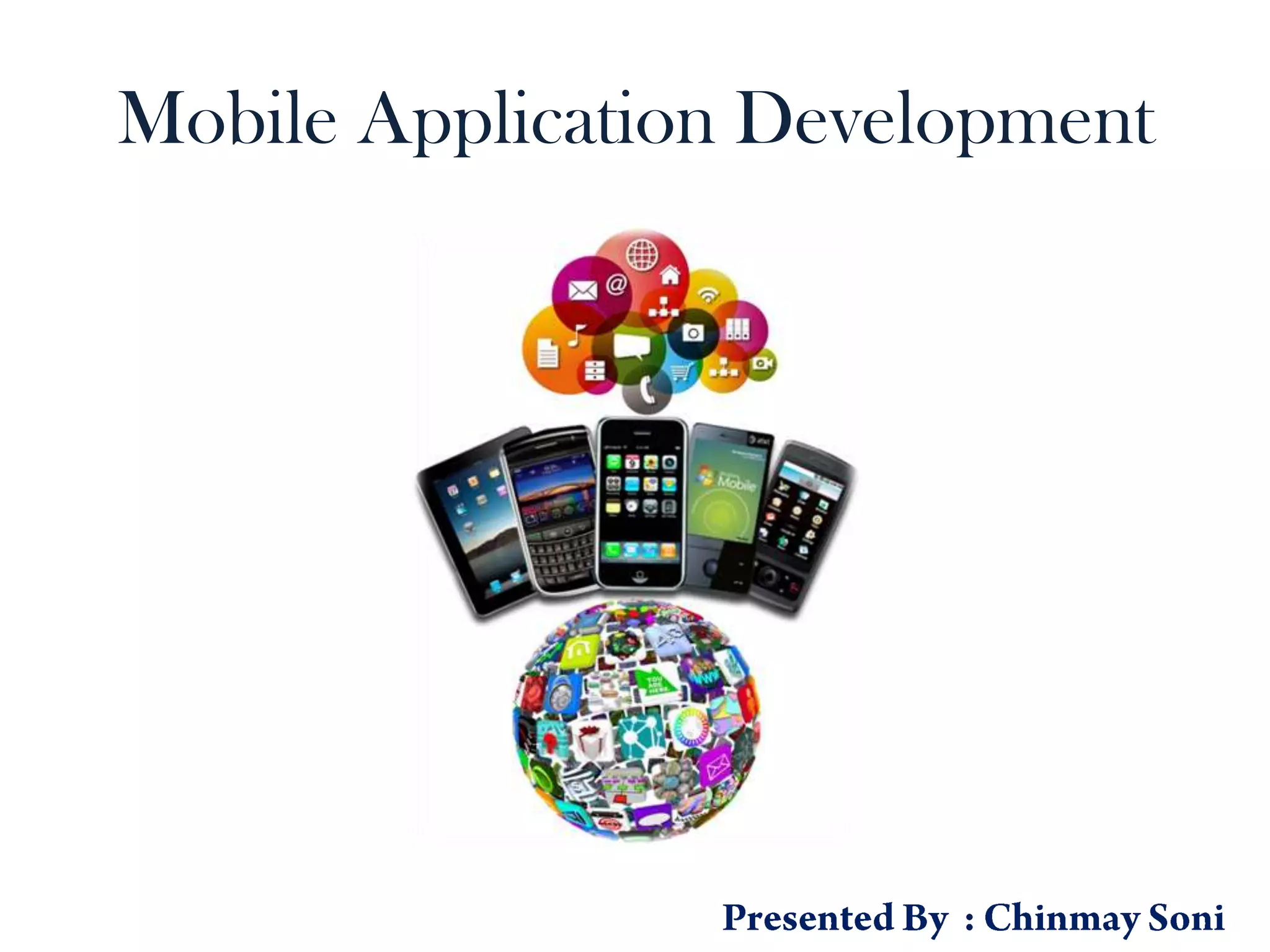
Mobile Application Development
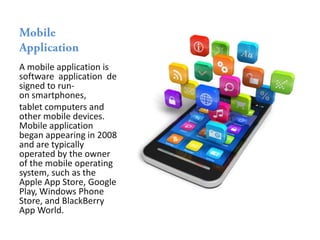
A mobile application is
software application de
signed to run-
on smartphones,
tablet computers and
other mobile devices.
Mobile application
began appearing in 2008
and are typically
operated by the owner
of the mobile operating
system, such as the
Apple App Store, Google
Play, Windows Phone
Store, and BlackBerry
App World.
1. Browser Access :- The applications which
we are accessing through native browser.
Ex : www.yahoo.com, www.google.com,
m.redbus.in, etc
2. Hybrid Apps - Web :- We are installing the
application in our device and for the
functioning of that particular application
internet is required. Ex : Social Networking
Apps(Facebook, Twitter), Instant
Messengers(Skype), E-Commerce(Flipkart),
Internet Speed Testing(Speedtest.net), etc.
3. Hybrid Apps – Mixed :-
We are installing the
application in our device
and if required we are
connecting it to internet
also. Ex : Few games in
which we can play alone
and we go online too for
playing with different
players(multi player).
4. Native Apps :- The
applications which we are
installing in our device. Ex
: Reminders, Few Games,
etc.
Native Apps- Which can be installed
in the devices and the app does not
need any data transfer to the server.
With out network these apps work in
the device. The data about the app
will be stored in the device itself.
Example Gaming applications.
Client Server apps- They can be
called Semi native apps. Here the
app can be installed in the device.
But the with out a network it cannot
be launched. Because It gets the
data from the server. With out the
data the app will not proceed
further. Example Commercial apps
like Banking app.
Mobile Web applications.- They
can be called as Mobile browser
apps as these are not installed in
the device. these can be accessed
using the mobile browser by hitting
the url of the web. Here the device
memory size is not all important as
neither of the from or the app data
is stored in the device. It is
completely dependent on the
quality of the browser. Every thing
comes from the server and
rendered in the browser when you
hit the url.
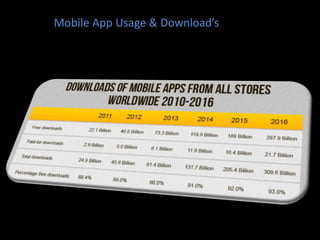
Mobile App Usage & Download’s
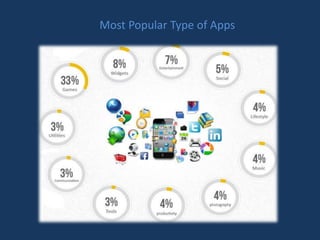
Most Popular Type of Apps
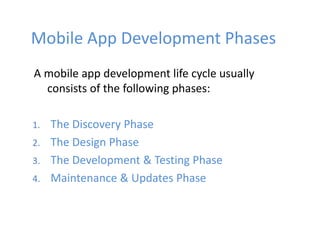
Mobile App Development Phases
A mobile app development life cycle usually
consists of the following phases:
1. The Discovery Phase
2. The Design Phase
3. The Development & Testing Phase
4. Maintenance & Updates Phase
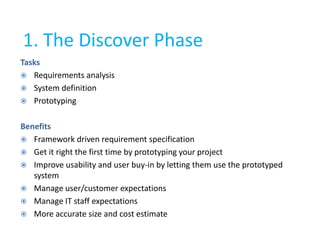
1. The Discover Phase
Tasks
 Requirements analysis
 System definition
 Prototyping
Benefits
 Framework driven requirement specification
 Get it right the first time by prototyping your project
 Improve usability and user buy-in by letting them use the prototyped
system
 Manage user/customer expectations
 Manage IT staff expectations
 More accurate size and cost estimate
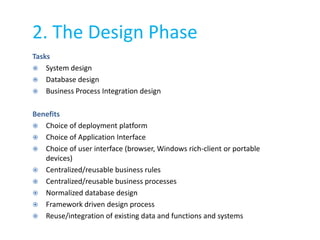
2. The Design Phase
Tasks
 System design
 Database design
 Business Process Integration design
Benefits
 Choice of deployment platform
 Choice of Application Interface
 Choice of user interface (browser, Windows rich-client or portable
devices)
 Centralized/reusable business rules
 Centralized/reusable business processes
 Normalized database design
 Framework driven design process
 Reuse/integration of existing data and functions and systems
3. The Development & Testing
Phase
Tasks
 Develop system
 Business Process Integration
 User acceptance testing
 System and performance testing
 Implementation/deployment
Benefit
 One integrated suite of development tools
 Lower skill requirements
 Multi skilling
 Downplay/hide technology focus
 Easy-to-learn and master
 Task and change control tracking
4. Maintenance & Updates Phase
Tasks
 Ongoing system maintenance
 Extend and enhance functionality
Benefits
 Centralized/reusable business rules
 Centralized/reusable business processes
 Repository based impact analysis
Software’s Used to Develop
Mobile Application’s
• Appery.io
• Phonegap
• Mobile Roadie
• TheAppBuilder
• Good Barber
• Appy Pie
• AppMachine
• GameSalad
• BiznessApps
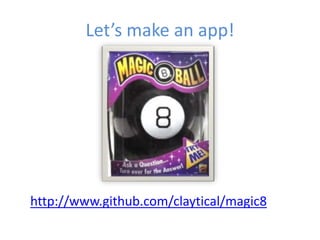
Let’s make an app!
http://www.github.com/claytical/magic8
Getting Started
• You need whatever IDE and SDK you would
normally need.
– iOS requires Xcode and the iOS SDK
(https://developer.apple.com/)
– Android requires Eclipse and the Android SDK
(http://developer.android.com/sdk)
Look and Feel
• jQuery Mobile
– http://jquerymobile.com
• Dojo
– http://dojotoolkit.org
• Sencha Touch
– http://www.sencha.com/products/touch
• iUI
– http://www.iui-js.org/
Getting Started
• Download the latest build
– http://cordova.apache.org/#download
• Extract the zip file to wherever you want it
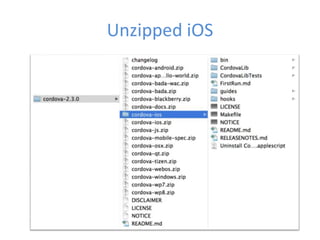
• Extract the zip file inside the zip file
corresponding to the device you’re targeting
Unzipped iOS
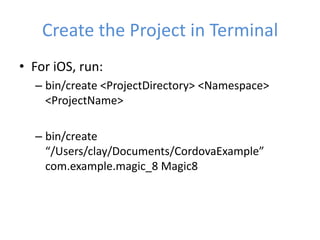
Create the Project in Terminal
• For iOS, run:
– bin/create <ProjectDirectory> <Namespace>
<ProjectName>
– bin/create
“/Users/clay/Documents/CordovaExample”
com.example.magic_8 Magic8
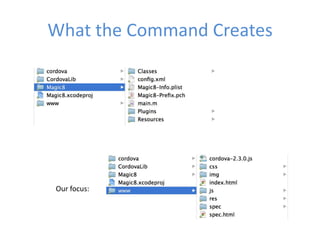
What the Command Creates
Our focus:
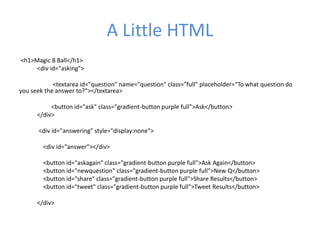
A Little HTML
<h1>Magic 8 Ball</h1>
<div id="asking">
<textarea id="question" name="question" class="full" placeholder="To what question do
you seek the answer to?"></textarea>
<button id="ask" class="gradient-button purple full">Ask</button>
</div>
<div id="answering" style="display:none">
<div id="answer"></div>
<button id="askagain" class="gradient-button purple full">Ask Again</button>
<button id="newquestion" class="gradient-button purple full">New Q</button>
<button id="share" class="gradient-button purple full">Share Results</button>
<button id="tweet" class="gradient-button purple full">Tweet Results</button>
</div>
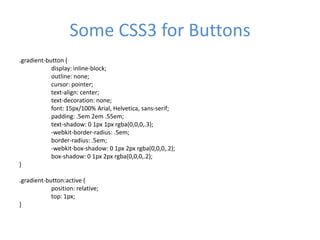
Some CSS3 for Buttons
.gradient-button {
display: inline-block;
outline: none;
cursor: pointer;
text-align: center;
text-decoration: none;
font: 15px/100% Arial, Helvetica, sans-serif;
padding: .5em 2em .55em;
text-shadow: 0 1px 1px rgba(0,0,0,.3);
-webkit-border-radius: .5em;
border-radius: .5em;
-webkit-box-shadow: 0 1px 2px rgba(0,0,0,.2);
box-shadow: 0 1px 2px rgba(0,0,0,.2);
}
.gradient-button:active {
position: relative;
top: 1px;
}
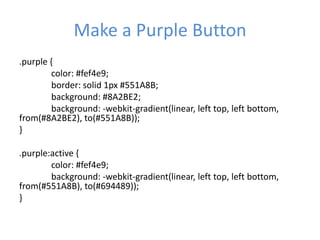
Make a Purple Button
.purple {
color: #fef4e9;
border: solid 1px #551A8B;
background: #8A2BE2;
background: -webkit-gradient(linear, left top, left bottom,
from(#8A2BE2), to(#551A8B));
}
.purple:active {
color: #fef4e9;
background: -webkit-gradient(linear, left top, left bottom,
from(#551A8B), to(#694489));
}
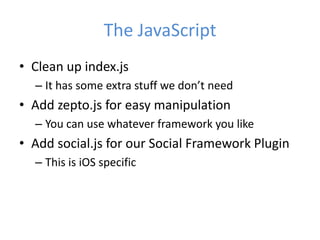
The JavaScript
• Clean up index.js
– It has some extra stuff we don’t need
• Add zepto.js for easy manipulation
– You can use whatever framework you like
• Add social.js for our Social Framework Plugin
– This is iOS specific
Some More JavaScript
var answers = ['It is certain', 'It is decidedly so', 'Without a doubt', 'Yes – definitely',
'You may rely on it', 'As I see it, yes', 'Most likely’];
function getAnswer() {
$('#asking').hide();
$('#answering').show();
var selectedResponse = Math.floor((Math.random()*20));
$('#answer').text(answers[selectedResponse]);
}
function newQuestion() {
$('#question').val("");
$('#asking').show();
$('#answering').hide();
}
Use the Plugin with JavaScript
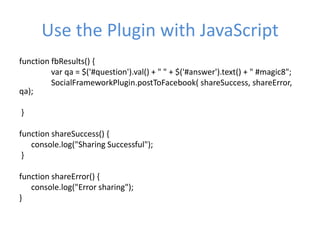
function fbResults() {
var qa = $('#question').val() + " " + $('#answer').text() + " #magic8";
SocialFrameworkPlugin.postToFacebook( shareSuccess, shareError,
qa);
}
function shareSuccess() {
console.log("Sharing Successful");
}
function shareError() {
console.log("Error sharing");
}
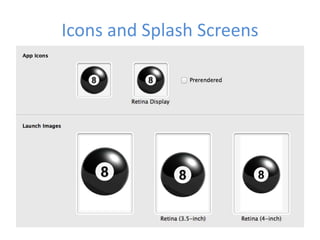
Icons and Splash Screens
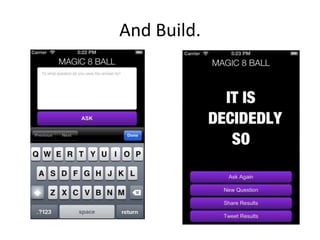
And Build.
Mobile Application Development

Mobile Application Development

  • 1.
  • 3.
    A mobile applicationis software application de signed to run- on smartphones, tablet computers and other mobile devices. Mobile application began appearing in 2008 and are typically operated by the owner of the mobile operating system, such as the Apple App Store, Google Play, Windows Phone Store, and BlackBerry App World.
  • 4.
    1. Browser Access:- The applications which we are accessing through native browser. Ex : www.yahoo.com, www.google.com, m.redbus.in, etc 2. Hybrid Apps - Web :- We are installing the application in our device and for the functioning of that particular application internet is required. Ex : Social Networking Apps(Facebook, Twitter), Instant Messengers(Skype), E-Commerce(Flipkart), Internet Speed Testing(Speedtest.net), etc.
  • 5.
    3. Hybrid Apps– Mixed :- We are installing the application in our device and if required we are connecting it to internet also. Ex : Few games in which we can play alone and we go online too for playing with different players(multi player). 4. Native Apps :- The applications which we are installing in our device. Ex : Reminders, Few Games, etc.
  • 6.
    Native Apps- Whichcan be installed in the devices and the app does not need any data transfer to the server. With out network these apps work in the device. The data about the app will be stored in the device itself. Example Gaming applications. Client Server apps- They can be called Semi native apps. Here the app can be installed in the device. But the with out a network it cannot be launched. Because It gets the data from the server. With out the data the app will not proceed further. Example Commercial apps like Banking app.
  • 7.
    Mobile Web applications.-They can be called as Mobile browser apps as these are not installed in the device. these can be accessed using the mobile browser by hitting the url of the web. Here the device memory size is not all important as neither of the from or the app data is stored in the device. It is completely dependent on the quality of the browser. Every thing comes from the server and rendered in the browser when you hit the url.
  • 8.
    Mobile App Usage& Download’s
  • 9.
  • 10.
    Mobile App DevelopmentPhases A mobile app development life cycle usually consists of the following phases: 1. The Discovery Phase 2. The Design Phase 3. The Development & Testing Phase 4. Maintenance & Updates Phase
  • 11.
    1. The DiscoverPhase Tasks  Requirements analysis  System definition  Prototyping Benefits  Framework driven requirement specification  Get it right the first time by prototyping your project  Improve usability and user buy-in by letting them use the prototyped system  Manage user/customer expectations  Manage IT staff expectations  More accurate size and cost estimate
  • 12.
    2. The DesignPhase Tasks  System design  Database design  Business Process Integration design Benefits  Choice of deployment platform  Choice of Application Interface  Choice of user interface (browser, Windows rich-client or portable devices)  Centralized/reusable business rules  Centralized/reusable business processes  Normalized database design  Framework driven design process  Reuse/integration of existing data and functions and systems
  • 13.
    3. The Development& Testing Phase Tasks  Develop system  Business Process Integration  User acceptance testing  System and performance testing  Implementation/deployment Benefit  One integrated suite of development tools  Lower skill requirements  Multi skilling  Downplay/hide technology focus  Easy-to-learn and master  Task and change control tracking
  • 14.
    4. Maintenance &Updates Phase Tasks  Ongoing system maintenance  Extend and enhance functionality Benefits  Centralized/reusable business rules  Centralized/reusable business processes  Repository based impact analysis
  • 15.
    Software’s Used toDevelop Mobile Application’s • Appery.io • Phonegap • Mobile Roadie • TheAppBuilder • Good Barber • Appy Pie • AppMachine • GameSalad • BiznessApps
  • 16.
    Let’s make anapp! http://www.github.com/claytical/magic8
  • 17.
    Getting Started • Youneed whatever IDE and SDK you would normally need. – iOS requires Xcode and the iOS SDK (https://developer.apple.com/) – Android requires Eclipse and the Android SDK (http://developer.android.com/sdk)
  • 18.
    Look and Feel •jQuery Mobile – http://jquerymobile.com • Dojo – http://dojotoolkit.org • Sencha Touch – http://www.sencha.com/products/touch • iUI – http://www.iui-js.org/
  • 19.
    Getting Started • Downloadthe latest build – http://cordova.apache.org/#download • Extract the zip file to wherever you want it • Extract the zip file inside the zip file corresponding to the device you’re targeting
  • 20.
  • 21.
    Create the Projectin Terminal • For iOS, run: – bin/create <ProjectDirectory> <Namespace> <ProjectName> – bin/create “/Users/clay/Documents/CordovaExample” com.example.magic_8 Magic8
  • 22.
    What the CommandCreates Our focus:
  • 23.
    A Little HTML <h1>Magic8 Ball</h1> <div id="asking"> <textarea id="question" name="question" class="full" placeholder="To what question do you seek the answer to?"></textarea> <button id="ask" class="gradient-button purple full">Ask</button> </div> <div id="answering" style="display:none"> <div id="answer"></div> <button id="askagain" class="gradient-button purple full">Ask Again</button> <button id="newquestion" class="gradient-button purple full">New Q</button> <button id="share" class="gradient-button purple full">Share Results</button> <button id="tweet" class="gradient-button purple full">Tweet Results</button> </div>
  • 24.
    Some CSS3 forButtons .gradient-button { display: inline-block; outline: none; cursor: pointer; text-align: center; text-decoration: none; font: 15px/100% Arial, Helvetica, sans-serif; padding: .5em 2em .55em; text-shadow: 0 1px 1px rgba(0,0,0,.3); -webkit-border-radius: .5em; border-radius: .5em; -webkit-box-shadow: 0 1px 2px rgba(0,0,0,.2); box-shadow: 0 1px 2px rgba(0,0,0,.2); } .gradient-button:active { position: relative; top: 1px; }
  • 25.
    Make a PurpleButton .purple { color: #fef4e9; border: solid 1px #551A8B; background: #8A2BE2; background: -webkit-gradient(linear, left top, left bottom, from(#8A2BE2), to(#551A8B)); } .purple:active { color: #fef4e9; background: -webkit-gradient(linear, left top, left bottom, from(#551A8B), to(#694489)); }
  • 26.
    The JavaScript • Cleanup index.js – It has some extra stuff we don’t need • Add zepto.js for easy manipulation – You can use whatever framework you like • Add social.js for our Social Framework Plugin – This is iOS specific
  • 27.
    Some More JavaScript varanswers = ['It is certain', 'It is decidedly so', 'Without a doubt', 'Yes – definitely', 'You may rely on it', 'As I see it, yes', 'Most likely’]; function getAnswer() { $('#asking').hide(); $('#answering').show(); var selectedResponse = Math.floor((Math.random()*20)); $('#answer').text(answers[selectedResponse]); } function newQuestion() { $('#question').val(""); $('#asking').show(); $('#answering').hide(); }
  • 28.
    Use the Pluginwith JavaScript function fbResults() { var qa = $('#question').val() + " " + $('#answer').text() + " #magic8"; SocialFrameworkPlugin.postToFacebook( shareSuccess, shareError, qa); } function shareSuccess() { console.log("Sharing Successful"); } function shareError() { console.log("Error sharing"); }
  • 29.
  • 30.

Editor's Notes

  • #18 IdE- An integrated development environment (IDE) or interactive development environment is a software application that provides comprehensive facilities to computer programmers for software development. An IDE normally consists of a source code editor, build automation tools and a debugger. Most modern IDEs offer Intelligent code completion features.SDk- A software development kit (SDK or &quot;devkit&quot;) is typically a set of software development tools that allows for the creation of applications for a certain software package, software framework, hardware platform, computer system, video game console, operating system, or similar development platform.