Downloaded 25 times
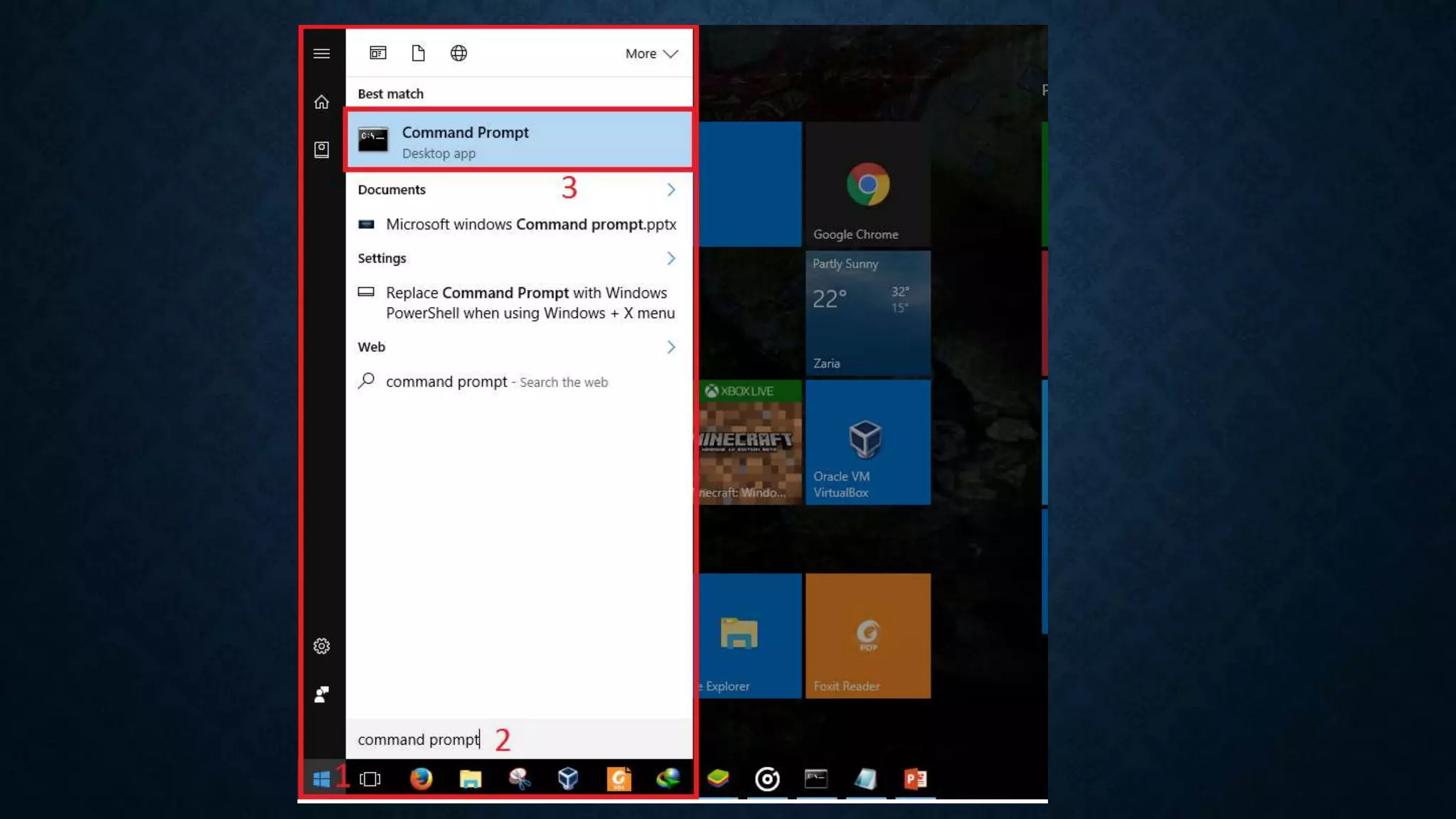
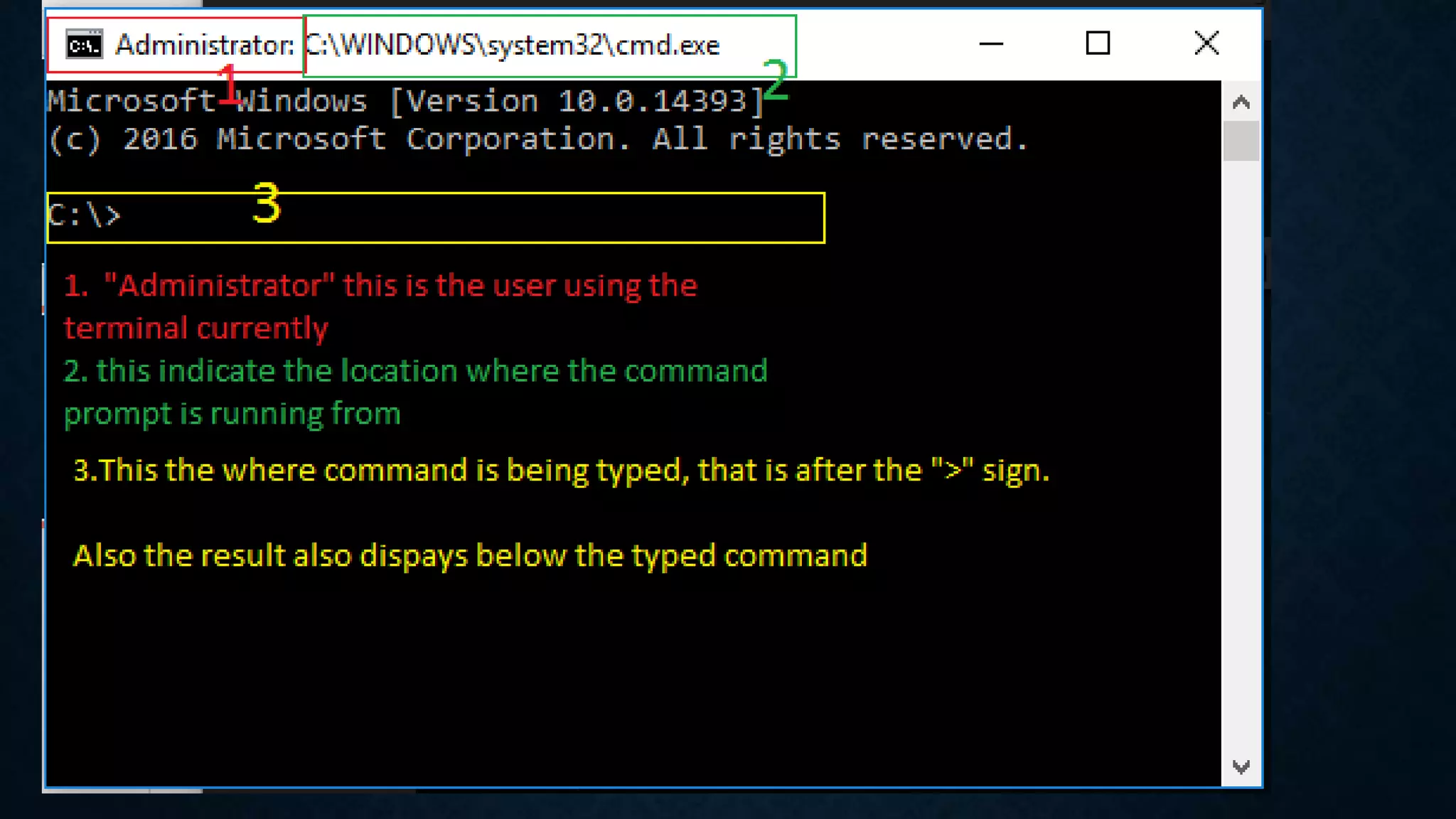
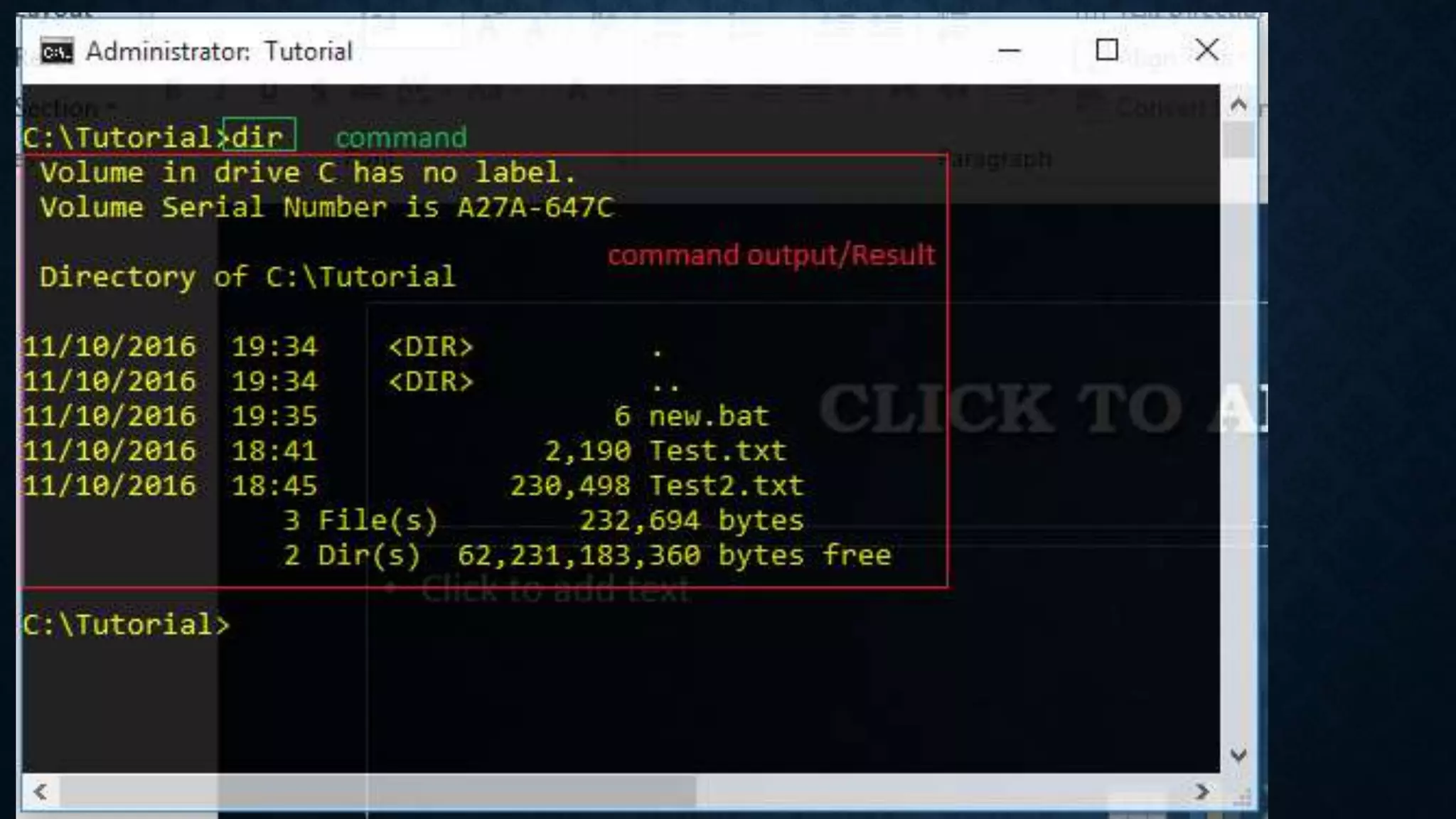
The document introduces the Microsoft Windows Command Prompt, which is an entry point for typing computer commands without using the graphical interface. The Command Prompt window allows users to perform tasks on their computer through command line commands. It is located by clicking the Start icon, searching for "command prompt" or "cmd", and can be run as an administrator by right clicking the application and selecting "Run as administrator".
An introductory slide presenting the topic of Microsoft Windows Command Prompt by Babagana Abdulqadir Musa.
Definition of Command Prompt as an entry point for typing commands, allowing tasks without GUI. It is also known as Windows Command Processor or cmd.exe.
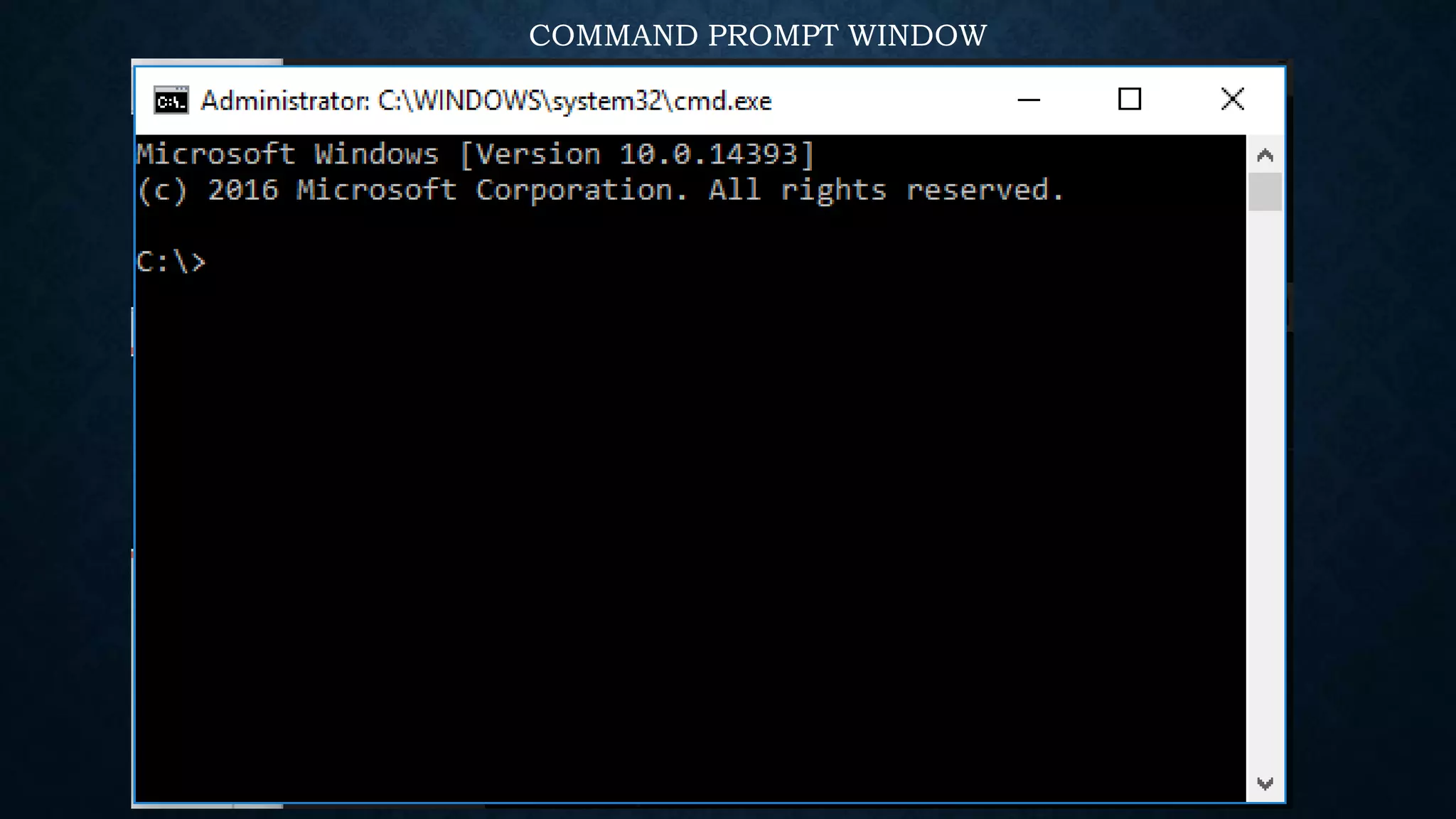
A slide dedicated to displaying the Command Prompt window.
Instructions on locating and opening Command Prompt, including admin access using the start icon and search.
Provided links for further information about opening and using Command Prompt on Windows.


