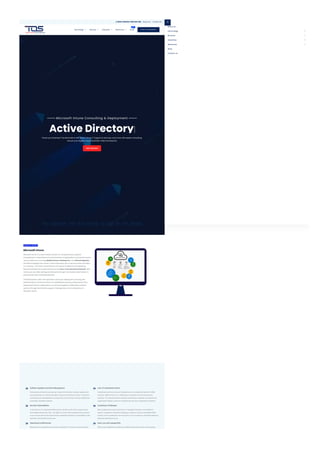
Microsoft Intune Consulting & Deployment
Active Directory
Power your Business Transformation with Azure, Cloud, IT Support & Services, and more with expert consulting.
Secure your Digital Future, Australia-wide and beyond.
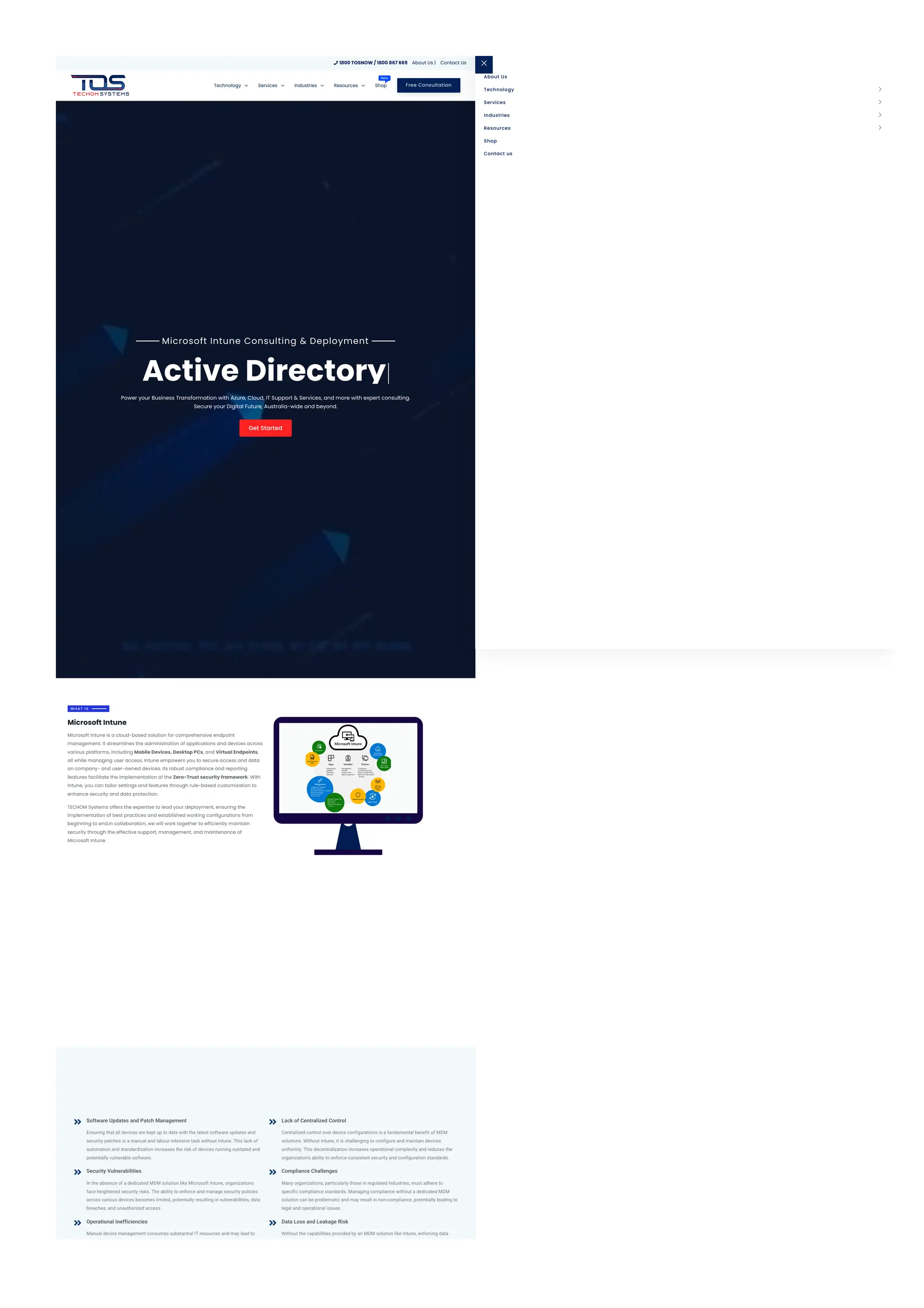
Microsoft Intune is a cloud-based solution for comprehensive endpoint
management. It streamlines the administration of applications and devices across
various platforms, including Mobile Devices, Desktop PCs, and Virtual Endpoints,
all while managing user access. Intune empowers you to secure access and data
on company- and user-owned devices. Its robust compliance and reporting
features facilitate the implementation of the Zero-Trust security framework. With
Intune, you can tailor settings and features through rule-based customization to
enhance security and data protection.
TECHOM Systems offers the expertise to lead your deployment, ensuring the
implementation of best practices and established working configurations from
beginning to end.In collaboration, we will work together to efficiently maintain
security through the effective support, management, and maintenance of
Microsoft Intune.
W H A T I S
Microsoft Intune
Software Updates and Patch Management
Ensuring that all devices are kept up to date with the latest software updates and
security patches is a manual and labour-intensive task without Intune. This lack of
automation and standardization increases the risk of devices running outdated and
potentially vulnerable software.

Security Vulnerabilities
In the absence of a dedicated MDM solution like Microsoft Intune, organizations
face heightened security risks. The ability to enforce and manage security policies
across various devices becomes limited, potentially resulting in vulnerabilities, data
breaches, and unauthorized access.

Operational Inefficiencies
Manual device management consumes substantial IT resources and may lead to

Lack of Centralized Control
Centralized control over device configurations is a fundamental benefit of MDM
solutions. Without Intune, it is challenging to configure and maintain devices
uniformly. This decentralization increases operational complexity and reduces the
organization's ability to enforce consistent security and configuration standards.

Compliance Challenges
Many organizations, particularly those in regulated industries, must adhere to
specific compliance standards. Managing compliance without a dedicated MDM
solution can be problematic and may result in non-compliance, potentially leading to
legal and operational issues.

Data Loss and Leakage Risk
Without the capabilities provided by an MDM solution like Intune, enforcing data

Get Started
1800 TOSNOW / 1800 867 669
 About Us | Contact Us
Free Consultation
Technology  Services  Industries  Resources  Shop
New About Us
Shop
Contact us
Technology 
Services 
Industries 
Resources 
inefficiencies. IT staff spends more time on routine maintenance tasks, which
reduces their capacity to focus on strategic projects that can bring greater benefits
to the organization.
Remote Management Difficulties
Managing devices remotely is especially challenging in larger or geographically
dispersed organizations without the capabilities of an MDM solution.
Troubleshooting and resolving issues may necessitate physical access to devices,
leading to operational delays and increased costs.

Monitoring and Reporting Complexity
The ability to monitor and report on device usage, compliance, and security without
an MDM solution can be cumbersome. This hampers the organization's capacity to
proactively identify and address issues in a timely manner.

loss prevention policies and protecting sensitive data on mobile devices becomes a
significant challenge. This elevates the risk of data loss, leakage, or unauthorized
access to critical information.
User Experience Disparity
Users of devices not managed by Intune may experience inconsistencies in settings
and configurations, leading to frustration and decreased productivity. A lack of
standardization can result in varying user experiences across the organization.

Cost Implications
While MDM solutions like Intune come with licensing costs, the absence of such a
solution can lead to hidden costs in terms of increased IT staff time, support costs,
and the potential financial repercussions of security breaches and non-compliance.

Device Management Simplified
Effortlessly oversee all your organization's devices, ensuring their security and
performance across various platforms, including iOS, Android, Windows, MacOS,
Chromebooks, and Linux.

Cloud-Powered Control
Take command from the cloud, eliminating the need for maintaining an on-premises
mobile device management (MDM) infrastructure.

Enhanced Management Capabilities
Amplify your management capabilities by integrating your existing investment in
Configuration Manager and extending them with the power of Microsoft Intune.

Staying Ahead of Threats
Stay vigilant against threats. Intune continuously evolves to bolster your security so
that you can stay one step ahead.

Data Access Control
Exercise precise control over data access, permitting only devices that align with
your policies to interact with, share, or manage your valuable data.

Flexible Remote Work
Empower your team to work remotely with ease. Intune provides the tools to set up
and secure devices, enabling work from anywhere and giving your team the freedom
they need.

Windows Autopilot
Intune simplifies the onboarding process for new Windows devices, enabling
efficient, remote deployment without the need for manual setup.

Compliance Monitoring
Amplify your management capabilities by integrating your existing investment in
Configuration Manager and extending them with the power of Microsoft Intune.

Balancing Privacy and Productivity
Intune separates work and personal data on devices, respecting privacy while
ensuring productivity.

Device Security, Your Way
Rest easy knowing Intune offers robust mobile device management options,
including remote locking and wiping, to protect your data.

RBAC Model
Intune offers RBAC (roles-based access controls) for user and group permissions
based on roles. It aligns with Azure AD, enabling customized role creation and
assignment to specific users and groups. Customize roles within Intune and link
them exclusively to Azure AD groups for streamlined access.

Console Complexity
The Intune console can overwhelm new administrators with its extensive features,
some of which may need to be used. Careful planning, training, and role
management are advised to streamline the console. RBAC roles should be tailored
to grant users precise access, simplifying the console's appearance.

Complexity of Operations
Intune's rich feature set can swiftly become complex. Managing device
configurations, policies, and updates across numerous devices demands careful
planning and may consume time. Automation is vital; harness Intune's unified
console for simplified device management and operational efficiency.

Conflicting Assignments
Intune serves a multitude of purposes, potentially leading to assignment conflicts in
larger environments. To prevent this, organize access through well-structured,
identifiable Azure AD Groups. This approach facilitates the identification of applied
settings, reducing the likelihood of conflicts.

App Deployment/Endpoint Troubleshooting
Our Intune consulting service is here to assist you in resolving issues related to
problematic apps, ineffective policies, or unauthorized devices. If you're not
handling your own application packaging, we can provide this service and deliver the
apps to you or take care of their deployment on your behalf.

Integration with complimentary services
Whether you opt for the exclusive use of Microsoft Intune products or decide to
allocate workloads to third-party partner security and identification services, we'll
ensure everything functions as intended. Our goal is to maintain the security of your
apps, users, and endpoints, making sure everything runs smoothly.

Installations, MDM and Configuration Manager migrations
We can prepare and set up a new Microsoft Intune instance, ensuring it's correctly
configured, and then smoothly transition it to your in-house team. Whether you're
migrating endpoints from MCM or other MDM solutions, we'll ensure all the
necessary components are in place for a seamless transition to Microsoft's cloud-
based endpoint management.

Completely Managed services
TECHOM Systems can eliminate the complexity of setting up, securing, and
overseeing Intune-managed endpoints. Routine health checks, trend reports, and
personalised alerts ensure that you're constantly informed and maintain control
over your systems.

For Existing Deployments
Full Configuration Audit
 Feature-Based Update Assist
 Unlimited Tier Service Support
 Future Change Roadmap
 Documentation on Update

Microsoft Intune Offering
 Secure Download
What is your role in Intune Solutions?
What is Microsoft Intune, and how does it enhance TECHOM Systems' services?
How can TECHOM Systems provide helps with Microsoft Intune Autopilot Deployment?
What types of devices can TECHOM Systems set up and pre-configure with Windows Autopilot?
What services does TECHOM Systems offer Intune enhance that?
What advantages does the Intune Company Portal offer for administrators and users?
How does device management with Intune help organisations protect their data and devices?
How does security and compliance management with Intune help organisations ensure regulatory
compliance?
How does application management with Intune help organisations manage their applications more
effectively?
Do you offer any other services?
IT Support Melbourne IT Support Brisbane IT Support Sydney IT Support Perth IT Support Adelaide IT Support Canberra IT Support Tasmania











©2025 TECHOM Systems. All Rights Reserved! Developed & Designed by Tech Rank Australia.

Microsoft Intune Pricing and Licensing Options

  • 1.
    Microsoft Intune Consulting& Deployment Active Directory Power your Business Transformation with Azure, Cloud, IT Support & Services, and more with expert consulting. Secure your Digital Future, Australia-wide and beyond. Microsoft Intune is a cloud-based solution for comprehensive endpoint management. It streamlines the administration of applications and devices across various platforms, including Mobile Devices, Desktop PCs, and Virtual Endpoints, all while managing user access. Intune empowers you to secure access and data on company- and user-owned devices. Its robust compliance and reporting features facilitate the implementation of the Zero-Trust security framework. With Intune, you can tailor settings and features through rule-based customization to enhance security and data protection. TECHOM Systems offers the expertise to lead your deployment, ensuring the implementation of best practices and established working configurations from beginning to end.In collaboration, we will work together to efficiently maintain security through the effective support, management, and maintenance of Microsoft Intune. W H A T I S Microsoft Intune Software Updates and Patch Management Ensuring that all devices are kept up to date with the latest software updates and security patches is a manual and labour-intensive task without Intune. This lack of automation and standardization increases the risk of devices running outdated and potentially vulnerable software.  Security Vulnerabilities In the absence of a dedicated MDM solution like Microsoft Intune, organizations face heightened security risks. The ability to enforce and manage security policies across various devices becomes limited, potentially resulting in vulnerabilities, data breaches, and unauthorized access.  Operational Inefficiencies Manual device management consumes substantial IT resources and may lead to  Lack of Centralized Control Centralized control over device configurations is a fundamental benefit of MDM solutions. Without Intune, it is challenging to configure and maintain devices uniformly. This decentralization increases operational complexity and reduces the organization's ability to enforce consistent security and configuration standards.  Compliance Challenges Many organizations, particularly those in regulated industries, must adhere to specific compliance standards. Managing compliance without a dedicated MDM solution can be problematic and may result in non-compliance, potentially leading to legal and operational issues.  Data Loss and Leakage Risk Without the capabilities provided by an MDM solution like Intune, enforcing data  Get Started 1800 TOSNOW / 1800 867 669  About Us | Contact Us Free Consultation Technology  Services  Industries  Resources  Shop New About Us Shop Contact us Technology  Services  Industries  Resources 
  • 2.
    inefficiencies. IT staffspends more time on routine maintenance tasks, which reduces their capacity to focus on strategic projects that can bring greater benefits to the organization. Remote Management Difficulties Managing devices remotely is especially challenging in larger or geographically dispersed organizations without the capabilities of an MDM solution. Troubleshooting and resolving issues may necessitate physical access to devices, leading to operational delays and increased costs.  Monitoring and Reporting Complexity The ability to monitor and report on device usage, compliance, and security without an MDM solution can be cumbersome. This hampers the organization's capacity to proactively identify and address issues in a timely manner.  loss prevention policies and protecting sensitive data on mobile devices becomes a significant challenge. This elevates the risk of data loss, leakage, or unauthorized access to critical information. User Experience Disparity Users of devices not managed by Intune may experience inconsistencies in settings and configurations, leading to frustration and decreased productivity. A lack of standardization can result in varying user experiences across the organization.  Cost Implications While MDM solutions like Intune come with licensing costs, the absence of such a solution can lead to hidden costs in terms of increased IT staff time, support costs, and the potential financial repercussions of security breaches and non-compliance.  Device Management Simplified Effortlessly oversee all your organization's devices, ensuring their security and performance across various platforms, including iOS, Android, Windows, MacOS, Chromebooks, and Linux.  Cloud-Powered Control Take command from the cloud, eliminating the need for maintaining an on-premises mobile device management (MDM) infrastructure.  Enhanced Management Capabilities Amplify your management capabilities by integrating your existing investment in Configuration Manager and extending them with the power of Microsoft Intune.  Staying Ahead of Threats Stay vigilant against threats. Intune continuously evolves to bolster your security so that you can stay one step ahead.  Data Access Control Exercise precise control over data access, permitting only devices that align with your policies to interact with, share, or manage your valuable data.  Flexible Remote Work Empower your team to work remotely with ease. Intune provides the tools to set up and secure devices, enabling work from anywhere and giving your team the freedom they need.  Windows Autopilot Intune simplifies the onboarding process for new Windows devices, enabling efficient, remote deployment without the need for manual setup.  Compliance Monitoring Amplify your management capabilities by integrating your existing investment in Configuration Manager and extending them with the power of Microsoft Intune.  Balancing Privacy and Productivity Intune separates work and personal data on devices, respecting privacy while ensuring productivity.  Device Security, Your Way Rest easy knowing Intune offers robust mobile device management options, including remote locking and wiping, to protect your data. 
  • 3.
    RBAC Model Intune offersRBAC (roles-based access controls) for user and group permissions based on roles. It aligns with Azure AD, enabling customized role creation and assignment to specific users and groups. Customize roles within Intune and link them exclusively to Azure AD groups for streamlined access.  Console Complexity The Intune console can overwhelm new administrators with its extensive features, some of which may need to be used. Careful planning, training, and role management are advised to streamline the console. RBAC roles should be tailored to grant users precise access, simplifying the console's appearance.  Complexity of Operations Intune's rich feature set can swiftly become complex. Managing device configurations, policies, and updates across numerous devices demands careful planning and may consume time. Automation is vital; harness Intune's unified console for simplified device management and operational efficiency.  Conflicting Assignments Intune serves a multitude of purposes, potentially leading to assignment conflicts in larger environments. To prevent this, organize access through well-structured, identifiable Azure AD Groups. This approach facilitates the identification of applied settings, reducing the likelihood of conflicts.  App Deployment/Endpoint Troubleshooting Our Intune consulting service is here to assist you in resolving issues related to problematic apps, ineffective policies, or unauthorized devices. If you're not handling your own application packaging, we can provide this service and deliver the apps to you or take care of their deployment on your behalf.  Integration with complimentary services Whether you opt for the exclusive use of Microsoft Intune products or decide to allocate workloads to third-party partner security and identification services, we'll ensure everything functions as intended. Our goal is to maintain the security of your apps, users, and endpoints, making sure everything runs smoothly.  Installations, MDM and Configuration Manager migrations We can prepare and set up a new Microsoft Intune instance, ensuring it's correctly configured, and then smoothly transition it to your in-house team. Whether you're migrating endpoints from MCM or other MDM solutions, we'll ensure all the necessary components are in place for a seamless transition to Microsoft's cloud- based endpoint management.  Completely Managed services TECHOM Systems can eliminate the complexity of setting up, securing, and overseeing Intune-managed endpoints. Routine health checks, trend reports, and personalised alerts ensure that you're constantly informed and maintain control over your systems. 
  • 4.
    For Existing Deployments FullConfiguration Audit  Feature-Based Update Assist  Unlimited Tier Service Support  Future Change Roadmap  Documentation on Update  Microsoft Intune Offering  Secure Download What is your role in Intune Solutions? What is Microsoft Intune, and how does it enhance TECHOM Systems' services? How can TECHOM Systems provide helps with Microsoft Intune Autopilot Deployment? What types of devices can TECHOM Systems set up and pre-configure with Windows Autopilot? What services does TECHOM Systems offer Intune enhance that? What advantages does the Intune Company Portal offer for administrators and users? How does device management with Intune help organisations protect their data and devices? How does security and compliance management with Intune help organisations ensure regulatory compliance? How does application management with Intune help organisations manage their applications more effectively? Do you offer any other services? IT Support Melbourne IT Support Brisbane IT Support Sydney IT Support Perth IT Support Adelaide IT Support Canberra IT Support Tasmania           
  • 5.
    ©2025 TECHOM Systems.All Rights Reserved! Developed & Designed by Tech Rank Australia.