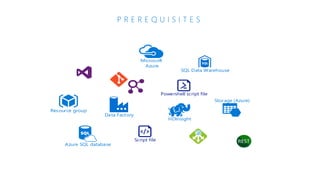
P R E R E Q U I S I T E S
HDInsight
Resource group
Azure SQL database
SQL Data Warehouse
Storage (Azure)
Microsoft
Azure
Data Factory
Script file
Powershell script file
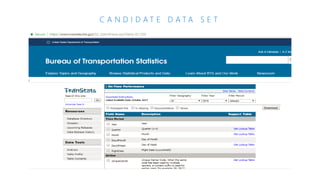
C A N D I D A T E D A T A S E T
Deploy and configure all the resources needed for
upcoming labs.
• Configure and deploy PowerShell script for Azure Services
• Configure Office365 API Connection for sending email notifications
• Create Azure Data Factory
• Deployment files for this Lab downloaded to a local folder
• Azure Subscription with rights to use/deploy Azure services
• Azure PowerShell
• SQL Server Management Studio
• Microsoft Azure Storage Explorer (Optional)
• Web browser (Edge/Chrome recommended)
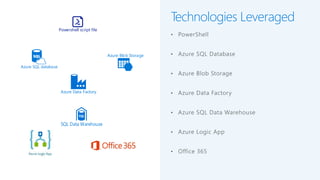
Technologies Leveraged
• PowerShell
• Azure SQL Database
• Azure Blob Storage
• Azure Data Factory
• Azure SQL Data Warehouse
• Azure Logic App
• Office 365
Azure SQL database
SQL Data Warehouse
Powershell script file
Azure Blob Storage
Azure Data Factory
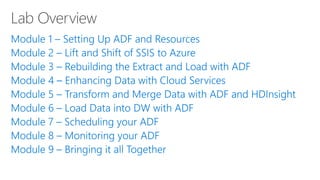
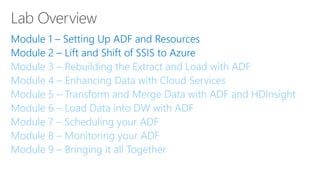
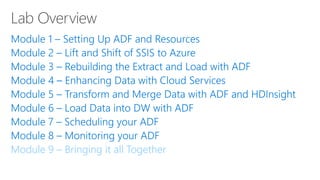
Module 2 – Lift and Shift of SSIS to Azure
Module 3 – Rebuilding the Extract and Load with ADF
Module 4 – Enhancing Data with Cloud Services
Module 5 – Transform and Merge Data with ADF and HDInsight
Module 6 – Load Data into DW with ADF
Module 7 – Scheduling your ADF
Module 8 – Monitoring your ADF
Module 9 – Bringing it all Together
Module 2 – Lift and Shift of
SSIS to Azure
Use Azure Data Factory Integration Runtime to
schedule then execute a SSIS Package to simulate a
typical Data Warehouse Extract, Transform,
and Load cycle.
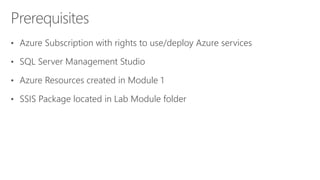
• Azure Subscription with rights to use/deploy Azure services
• SQL Server Management Studio
• Azure Resources created in Module 1
• SSIS Package located in Lab Module folder
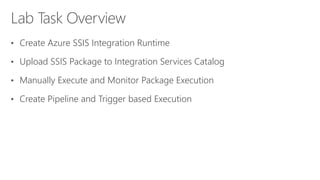
• Create Azure SSIS Integration Runtime
• Upload SSIS Package to Integration Services Catalog
• Manually Execute and Monitor Package Execution
• Create Pipeline and Trigger based Execution
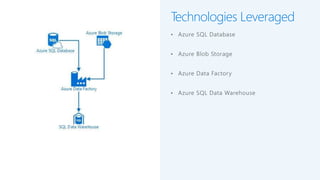
Technologies Leveraged
• Azure SQL Database
• Azure Blob Storage
• Azure Data Factory
• Azure SQL Data Warehouse
Module 3 – Rebuilding the Extract and Load with ADF
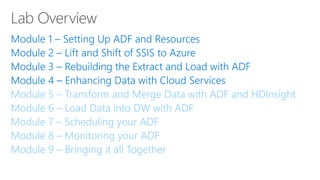
Module 4 – Enhancing Data with Cloud Services
Module 5 – Transform and Merge Data with ADF and HDInsight
Module 6 – Load Data into DW with ADF
Module 7 – Scheduling your ADF
Module 8 – Monitoring your ADF
Module 9 – Bringing it all Together
Module 3 – Rebuilding the
Extract and Load with ADF
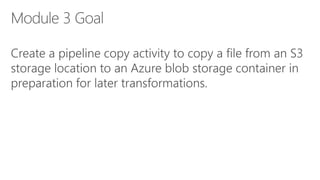
Create a pipeline copy activity to copy a file from an S3
storage location to an Azure blob storage container in
preparation for later transformations.
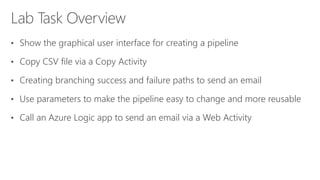
• Show the graphical user interface for creating a pipeline
• Copy CSV file via a Copy Activity
• Creating branching success and failure paths to send an email
• Use parameters to make the pipeline easy to change and more reusable
• Call an Azure Logic app to send an email via a Web Activity
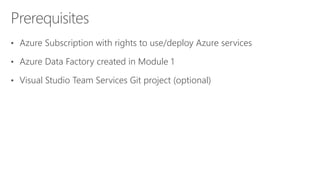
• Azure Subscription with rights to use/deploy Azure services
• Azure Data Factory created in Module 1
• Visual Studio Team Services Git project (optional)
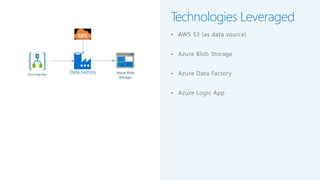
Technologies Leveraged
• AWS S3 (as data source)
• Azure Blob Storage
• Azure Data Factory
• Azure Logic App
Module 4 – Enhancing Data with Cloud Services
Module 5 – Transform and Merge Data with ADF and HDInsight
Module 6 – Load Data into DW with ADF
Module 7 – Scheduling your ADF
Module 8 – Monitoring your ADF
Module 9 – Bringing it all Together
Create a pipeline copy activity to copy web REST API
weather data to a local file in Azure blob storage for
later transformations.
• Azure Subscription with rights to use/deploy Azure services
• Azure Data Factory created in Module 1
• Azure Blob storage container from Module 3
• Restful API configured for GET access with key
• Show the Copy Data wizard to configure the pipeline
• Configure the HTTP Source
• Chain one pipeline to another using the Execute Pipeline activity
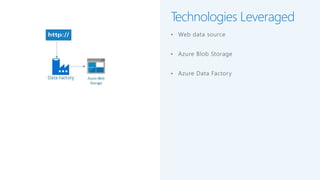
Technologies Leveraged
• Web data source
• Azure Blob Storage
• Azure Data Factory
Module 5 – Transform and Merge Data with ADF and HDInsight
Module 6 – Load Data into DW with ADF
Module 7 – Scheduling your ADF
Module 8 – Monitoring your ADF
Module 9 – Bringing it all Together
Module 5 – Transform and
Merge Data with ADF and
HDInsight
Create a pipeline Hive activity to merge the FAAmaster
and FAAaircraft data together into one file, leveraging
Hive for transformation activities.
• Azure Subscription with rights to use/deploy Azure services
• Azure Data Factory created in Module 1
• FAA Master and FAA Aircraft Hive Script files in Azure Storage from
Module 1
• Azure Blob storage container from Module 3
• Show the Hive activity to run Hive scripts against an HDInsight cluster
• Configure the Hive activity
• Chain one pipeline to another using the Execute Pipeline activity
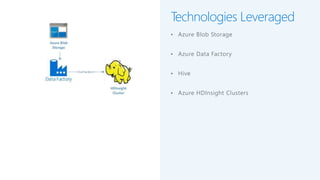
Technologies Leveraged
• Azure Blob Storage
• Azure Data Factory
• Hive
• Azure HDInsight Clusters
Module 6 – Load Data into DW with ADF
Module 7 – Scheduling your ADF
Module 8 – Monitoring your ADF
Module 9 – Bringing it all Together
Module 6 – Load Data into DW
with ADF
Create a pipeline to load the Azure SQL Data
Warehouse dimension and fact tables from Azure SQL
Database tables and flat files.
• Azure Subscription with rights to use/deploy Azure services
• Azure Data Factory created in Module 1
• Azure Linked Service created in Module 3
• Create a Stored Procedure activity to truncate our staging tables
• Create Copy activities to copy Azure DB and Azure Blob files to the
staging schema
• Create Stored Procedure activities to call a load dimensions and load fact
stored procedure on the Azure DW database
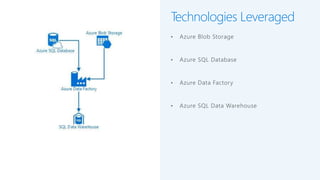
Technologies Leveraged
• Azure Blob Storage
• Azure SQL Database
• Azure Data Factory
• Azure SQL Data Warehouse
Module 7 – Scheduling your ADF
Module 8 – Monitoring your ADF
Module 9 – Bringing it all Together
Module 7 – Scheduling your
ADF
Schedule a pipeline run from the Azure Data Factory
GUI with the Schedule trigger for Time
• Azure Subscription with rights to use/deploy Azure services
• Azure Data Factory created in Module 1
• Rename the Pipeline
• Schedule the Pipeline
Technologies Leveraged
• Azure Data Factory
• Azure Data Factory Pipeline
• Azure Data Factory Pipeline Trigger
Module 7 – Scheduling your ADF
Module 8 – Monitoring your ADF
Module 9 – Bringing it all Together
Module 8 – Monitoring your
ADF
Use Azure Data Factory monitoring tools to view
information about your triggers, pipelines, and
integration runtimes.
• Azure Subscription with rights to use/deploy Azure services
• Azure Data Factory created in Module 1
• Azure Data Factory Pipeline with a fired trigger from Module 7
• Monitor Pipeline execution including drilling down to actvities executed
• Monitor the status of our trigger event
• View the status of the integration runtimes
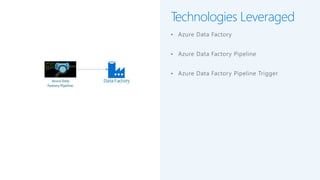
Technologies Leveraged
• Azure Data Factory
• Azure Data Factory Pipeline
• Azure Data Factory Pipeline Trigger
Module 9 – Bringing it all Together
Module 9 – Bringing it all
Together
Verify and explore the results of our loaded data warehouse using SQL queries.
• Azure Subscription with rights to use/deploy Azure services
• Azure Data Factory created in Module 1
• Complete previous lab modules 3 - 7 to ensure data is loaded in Azure SQL Data Warehouse
• SQL Server Management Studio
• Run queries via SQL Server Management Studio
• Explore Data
Get started with Azure Data Factory
https://azure.microsoft.com/en-us/services/data-factory/
View pricing
https://azure.microsoft.com/en-us/pricing/details/data-factory/
Documentation
https://docs.microsoft.com/en-us/azure/data-factory/

Microsoft Azure Data Factory Hands-On Lab Overview Slides

  • 2.
    P R ER E Q U I S I T E S HDInsight Resource group Azure SQL database SQL Data Warehouse Storage (Azure) Microsoft Azure Data Factory Script file Powershell script file
  • 3.
    C A ND I D A T E D A T A S E T
  • 6.
    Deploy and configureall the resources needed for upcoming labs.
  • 7.
    • Configure anddeploy PowerShell script for Azure Services • Configure Office365 API Connection for sending email notifications • Create Azure Data Factory
  • 8.
    • Deployment filesfor this Lab downloaded to a local folder • Azure Subscription with rights to use/deploy Azure services • Azure PowerShell • SQL Server Management Studio • Microsoft Azure Storage Explorer (Optional) • Web browser (Edge/Chrome recommended)
  • 9.
    Technologies Leveraged • PowerShell •Azure SQL Database • Azure Blob Storage • Azure Data Factory • Azure SQL Data Warehouse • Azure Logic App • Office 365 Azure SQL database SQL Data Warehouse Powershell script file Azure Blob Storage Azure Data Factory
  • 10.
    Module 2 –Lift and Shift of SSIS to Azure Module 3 – Rebuilding the Extract and Load with ADF Module 4 – Enhancing Data with Cloud Services Module 5 – Transform and Merge Data with ADF and HDInsight Module 6 – Load Data into DW with ADF Module 7 – Scheduling your ADF Module 8 – Monitoring your ADF Module 9 – Bringing it all Together
  • 11.
    Module 2 –Lift and Shift of SSIS to Azure
  • 12.
    Use Azure DataFactory Integration Runtime to schedule then execute a SSIS Package to simulate a typical Data Warehouse Extract, Transform, and Load cycle.
  • 13.
    • Azure Subscriptionwith rights to use/deploy Azure services • SQL Server Management Studio • Azure Resources created in Module 1 • SSIS Package located in Lab Module folder
  • 14.
    • Create AzureSSIS Integration Runtime • Upload SSIS Package to Integration Services Catalog • Manually Execute and Monitor Package Execution • Create Pipeline and Trigger based Execution
  • 15.
    Technologies Leveraged • AzureSQL Database • Azure Blob Storage • Azure Data Factory • Azure SQL Data Warehouse
  • 16.
    Module 3 –Rebuilding the Extract and Load with ADF Module 4 – Enhancing Data with Cloud Services Module 5 – Transform and Merge Data with ADF and HDInsight Module 6 – Load Data into DW with ADF Module 7 – Scheduling your ADF Module 8 – Monitoring your ADF Module 9 – Bringing it all Together
  • 17.
    Module 3 –Rebuilding the Extract and Load with ADF
  • 18.
    Create a pipelinecopy activity to copy a file from an S3 storage location to an Azure blob storage container in preparation for later transformations.
  • 19.
    • Show thegraphical user interface for creating a pipeline • Copy CSV file via a Copy Activity • Creating branching success and failure paths to send an email • Use parameters to make the pipeline easy to change and more reusable • Call an Azure Logic app to send an email via a Web Activity
  • 20.
    • Azure Subscriptionwith rights to use/deploy Azure services • Azure Data Factory created in Module 1 • Visual Studio Team Services Git project (optional)
  • 21.
    Technologies Leveraged • AWSS3 (as data source) • Azure Blob Storage • Azure Data Factory • Azure Logic App
  • 22.
    Module 4 –Enhancing Data with Cloud Services Module 5 – Transform and Merge Data with ADF and HDInsight Module 6 – Load Data into DW with ADF Module 7 – Scheduling your ADF Module 8 – Monitoring your ADF Module 9 – Bringing it all Together
  • 24.
    Create a pipelinecopy activity to copy web REST API weather data to a local file in Azure blob storage for later transformations.
  • 25.
    • Azure Subscriptionwith rights to use/deploy Azure services • Azure Data Factory created in Module 1 • Azure Blob storage container from Module 3 • Restful API configured for GET access with key
  • 26.
    • Show theCopy Data wizard to configure the pipeline • Configure the HTTP Source • Chain one pipeline to another using the Execute Pipeline activity
  • 27.
    Technologies Leveraged • Webdata source • Azure Blob Storage • Azure Data Factory
  • 28.
    Module 5 –Transform and Merge Data with ADF and HDInsight Module 6 – Load Data into DW with ADF Module 7 – Scheduling your ADF Module 8 – Monitoring your ADF Module 9 – Bringing it all Together
  • 29.
    Module 5 –Transform and Merge Data with ADF and HDInsight
  • 30.
    Create a pipelineHive activity to merge the FAAmaster and FAAaircraft data together into one file, leveraging Hive for transformation activities.
  • 31.
    • Azure Subscriptionwith rights to use/deploy Azure services • Azure Data Factory created in Module 1 • FAA Master and FAA Aircraft Hive Script files in Azure Storage from Module 1 • Azure Blob storage container from Module 3
  • 32.
    • Show theHive activity to run Hive scripts against an HDInsight cluster • Configure the Hive activity • Chain one pipeline to another using the Execute Pipeline activity
  • 33.
    Technologies Leveraged • AzureBlob Storage • Azure Data Factory • Hive • Azure HDInsight Clusters
  • 34.
    Module 6 –Load Data into DW with ADF Module 7 – Scheduling your ADF Module 8 – Monitoring your ADF Module 9 – Bringing it all Together
  • 35.
    Module 6 –Load Data into DW with ADF
  • 36.
    Create a pipelineto load the Azure SQL Data Warehouse dimension and fact tables from Azure SQL Database tables and flat files.
  • 37.
    • Azure Subscriptionwith rights to use/deploy Azure services • Azure Data Factory created in Module 1 • Azure Linked Service created in Module 3
  • 38.
    • Create aStored Procedure activity to truncate our staging tables • Create Copy activities to copy Azure DB and Azure Blob files to the staging schema • Create Stored Procedure activities to call a load dimensions and load fact stored procedure on the Azure DW database
  • 39.
    Technologies Leveraged • AzureBlob Storage • Azure SQL Database • Azure Data Factory • Azure SQL Data Warehouse
  • 40.
    Module 7 –Scheduling your ADF Module 8 – Monitoring your ADF Module 9 – Bringing it all Together
  • 41.
    Module 7 –Scheduling your ADF
  • 42.
    Schedule a pipelinerun from the Azure Data Factory GUI with the Schedule trigger for Time
  • 43.
    • Azure Subscriptionwith rights to use/deploy Azure services • Azure Data Factory created in Module 1
  • 44.
    • Rename thePipeline • Schedule the Pipeline
  • 45.
    Technologies Leveraged • AzureData Factory • Azure Data Factory Pipeline • Azure Data Factory Pipeline Trigger
  • 46.
    Module 7 –Scheduling your ADF Module 8 – Monitoring your ADF Module 9 – Bringing it all Together
  • 47.
    Module 8 –Monitoring your ADF
  • 48.
    Use Azure DataFactory monitoring tools to view information about your triggers, pipelines, and integration runtimes.
  • 49.
    • Azure Subscriptionwith rights to use/deploy Azure services • Azure Data Factory created in Module 1 • Azure Data Factory Pipeline with a fired trigger from Module 7
  • 50.
    • Monitor Pipelineexecution including drilling down to actvities executed • Monitor the status of our trigger event • View the status of the integration runtimes
  • 51.
    Technologies Leveraged • AzureData Factory • Azure Data Factory Pipeline • Azure Data Factory Pipeline Trigger
  • 52.
    Module 9 –Bringing it all Together
  • 53.
    Module 9 –Bringing it all Together
  • 54.
    Verify and explorethe results of our loaded data warehouse using SQL queries.
  • 55.
    • Azure Subscriptionwith rights to use/deploy Azure services • Azure Data Factory created in Module 1 • Complete previous lab modules 3 - 7 to ensure data is loaded in Azure SQL Data Warehouse • SQL Server Management Studio
  • 56.
    • Run queriesvia SQL Server Management Studio • Explore Data
  • 58.
    Get started withAzure Data Factory https://azure.microsoft.com/en-us/services/data-factory/ View pricing https://azure.microsoft.com/en-us/pricing/details/data-factory/ Documentation https://docs.microsoft.com/en-us/azure/data-factory/