MEMORY BITS AND
BYTES
BY MIHIT AND KRISHNA
COMPUTER MEMORY
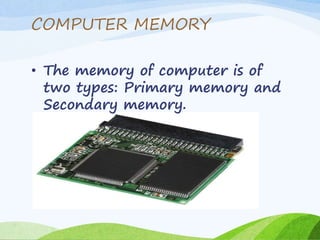
• The memory of computer is of
two types: Primary memory and
Secondary memory.
PRIMARY MEMORY
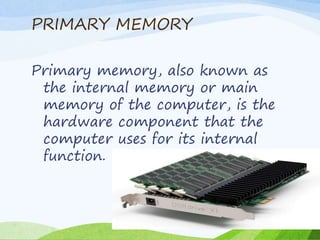
Primary memory, also known as
the internal memory or main
memory of the computer, is the
hardware component that the
computer uses for its internal
function.
RAM
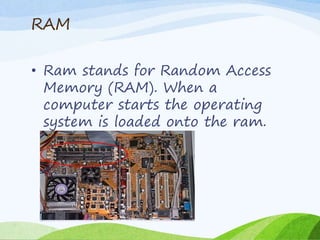
• Ram stands for Random Access
Memory (RAM). When a
computer starts the operating
system is loaded onto the ram.
ROM
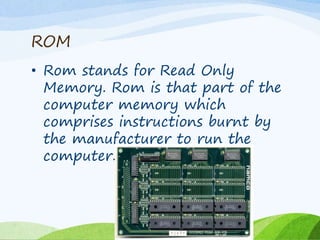
• Rom stands for Read Only
Memory. Rom is that part of the
computer memory which
comprises instructions burnt by
the manufacturer to run the
computer.
TYPES OF ROM
(PROM EPROM)
• ROM can be of two different
types:
PROM
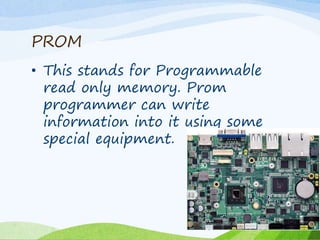
• This stands for Programmable
read only memory. Prom
programmer can write
information into it using some
special equipment.
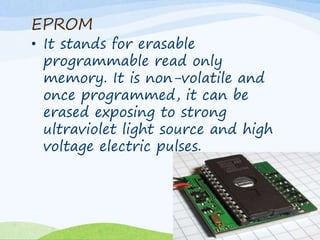
EPROM
• It stands for erasable
programmable read only
memory. It is non-volatile and
once programmed, it can be
erased exposing to strong
ultraviolet light source and high
voltage electric pulses.
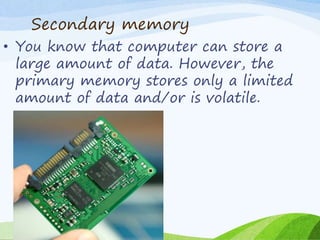
Secondary memory
• You know that computer can store a
large amount of data. However, the
primary memory stores only a limited
amount of data and/or is volatile.
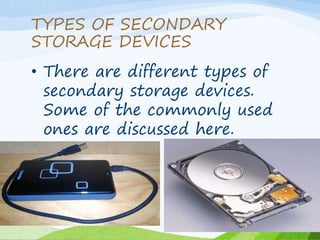
TYPES OF SECONDARY
STORAGE DEVICES
• There are different types of
secondary storage devices.
Some of the commonly used
ones are discussed here.
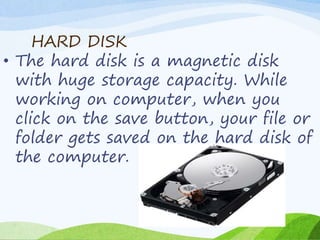
HARD DISK
• The hard disk is a magnetic disk
with huge storage capacity. While
working on computer, when you
click on the save button, your file or
folder gets saved on the hard disk of
the computer.
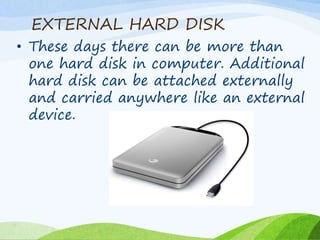
EXTERNAL HARD DISK
• These days there can be more than
one hard disk in computer. Additional
hard disk can be attached externally
and carried anywhere like an external
device.
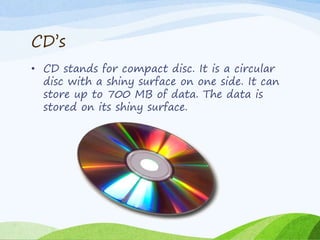
CD’s
• CD stands for compact disc. It is a circular
disc with a shiny surface on one side. It can
store up to 700 MB of data. The data is
stored on its shiny surface.
Memory bits and bytes

Memory bits and bytes

  • 1.
    MEMORY BITS AND BYTES BYMIHIT AND KRISHNA
  • 2.
    COMPUTER MEMORY • Thememory of computer is of two types: Primary memory and Secondary memory.
  • 3.
    PRIMARY MEMORY Primary memory,also known as the internal memory or main memory of the computer, is the hardware component that the computer uses for its internal function.
  • 4.
    RAM • Ram standsfor Random Access Memory (RAM). When a computer starts the operating system is loaded onto the ram.
  • 5.
    ROM • Rom standsfor Read Only Memory. Rom is that part of the computer memory which comprises instructions burnt by the manufacturer to run the computer.
  • 6.
    TYPES OF ROM (PROMEPROM) • ROM can be of two different types:
  • 7.
    PROM • This standsfor Programmable read only memory. Prom programmer can write information into it using some special equipment.
  • 8.
    EPROM • It standsfor erasable programmable read only memory. It is non-volatile and once programmed, it can be erased exposing to strong ultraviolet light source and high voltage electric pulses.
  • 9.
    Secondary memory • Youknow that computer can store a large amount of data. However, the primary memory stores only a limited amount of data and/or is volatile.
  • 10.
    TYPES OF SECONDARY STORAGEDEVICES • There are different types of secondary storage devices. Some of the commonly used ones are discussed here.
  • 11.
    HARD DISK • Thehard disk is a magnetic disk with huge storage capacity. While working on computer, when you click on the save button, your file or folder gets saved on the hard disk of the computer.
  • 12.
    EXTERNAL HARD DISK •These days there can be more than one hard disk in computer. Additional hard disk can be attached externally and carried anywhere like an external device.
  • 13.
    CD’s • CD standsfor compact disc. It is a circular disc with a shiny surface on one side. It can store up to 700 MB of data. The data is stored on its shiny surface.