UKWIMI TRADES TRAINING
INSTITUTE
COMPUTER APPLICATION
TERM 2 – SESSION 9
TOPIC COVERED TODAY:
• MEMORY OF THE COMPUTER
• Units of memory
• The different units of measurement
• Conversion
• Types of Memory
• Primary Memory
• RAM
• ROM
• Secondary memory
MEMORY OF THE COMPUTER
• Memory or storage capacity is one of the important components of a
computer.
• Any storage unit of a computer system is classified on the basis of the
following criteria:
• 1. Access time: This is the time required to locate and retrieve stored
data from the storage unit in response to program instructions.
• 2. Storage capacity: It is the amount of data that can be stored in the
storage unit.
• 3. Cost per bit of storage.
Units of memory
• The computer stores a character in the storage cells with binary (0,1)
mechanism.
• Thus the basic unit of memory is a bit (binary digit – 0,1).
• To store a character, a computer requires 8 bits or 1 byte.
• This is called the ― word length of the storage unit.
• Hence the storage capacity of the computer is measured in the
number of words it can store and is expressed in terms of bytes.
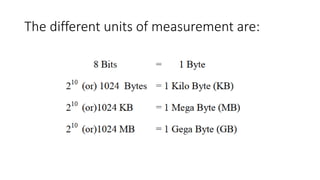
The different units of measurement are:
Conversion
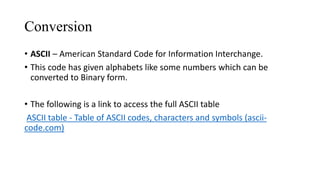
• ASCII – American Standard Code for Information Interchange.
• This code has given alphabets like some numbers which can be
converted to Binary form.
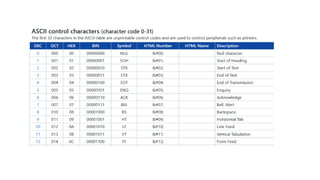
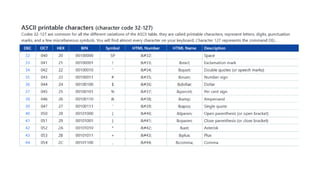
• The following is a link to access the full ASCII table
ASCII table - Table of ASCII codes, characters and symbols (ascii-
code.com)
Types of Memory
A computer memory is of two types
• 1. Primary Memory ( Internal storage)
• 2. Secondary Memory ( External storage)
Primary Memory
• Primary memory is also called internal memory and is an important
part of a computer.
• It is the main area in a computer where the data is stored.
• The stored data can be recalled instantly and correctly whenever
desired.
• This memory can be quickly accessed by the CPU for reading
or storing information.
• Primary memory is further classified into two types:
• Random Access Memory (RAM)
• and Read- Only Memory (ROM )
RAM:
• RAM is also known as read/write memory as information can be read
from and written onto it.
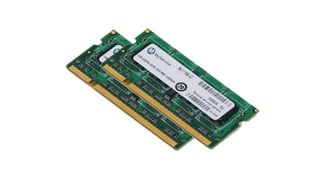
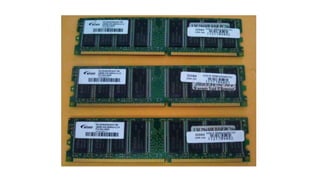
• RAM is a place in a computer that holds instructions for the computer,
its programs and the data.
• The CPU can directly access the data from RAM almost immediately.
• However, the storage of data and instructions in RAM is temporary, till
the time the computer is running.
• It disappears from RAM as soon as the power to the computer is
switched off. i.e it is volatile memory.
ROM
• It is called Read-only memory as information can only be read from
and not written or changed onto ROM.
• ROM is the ‘built-in‘ memory of a computer. It stores some basic
input – output instructions put by the manufacturer to operate the
computer.
• The storage of data and instructions in ROM is permanent.
• It does not depend on the power supply. i.e it is non-volatile memory.
Secondary memory
• The primary memory which is faster (and hence expensive) is generally not
sufficient for large storage of data.
• As a result, additional memory, called the ‘axiliary’ or ‘secondary memory’
is used.
• It is also referred as ‘backup storage’ as it is used to store large volume of
data on a permanent basis which can be transferred to the primary
memory whenever required for processing.
• Data are stored in secondary storage in the same binary codes as in the
main (primary memory) storage.
• Some of the devices of secondary storages are Floppy Disk, Hard Disk, CD-
ROM, DVD and Flash drive.