LinkedIn Top 10 Tips
Un-Agenda Top 10 Tips
Do and Don’t
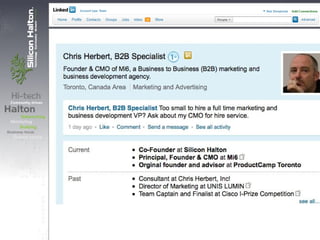
1. Have a rich full profile:
• Add a photo
• Write a summary
• Use lots of keywords regarding your expertise to allow you
to be found
• Enable "full view" to increase your Google page rank
• Emphasize you, not your company – your site, not your
company’s
• Give and get recommendations (Just a single one looks
silly)
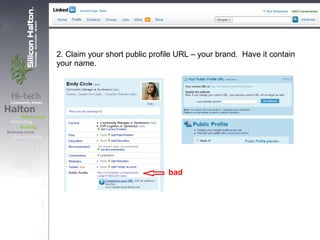
2. Claim your short public profile URL – your brand. Have it contain
your name.
bad
3. Insert your email address and/or phone no. in your Summary section of
profile (or part of your "Name"). You want to be easily reachable. e.g. John
[at] Doe.com
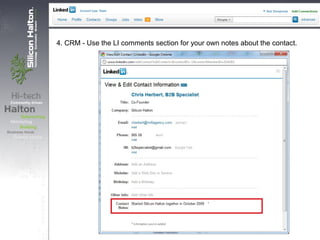
4. CRM - Use the LI comments section for your own notes about the contact.
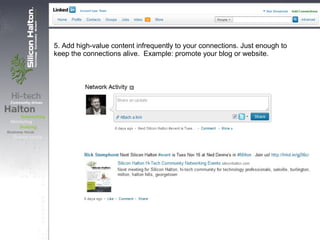
5. Add high-value content infrequently to your connections. Just enough to
keep the connections alive. Example: promote your blog or website.
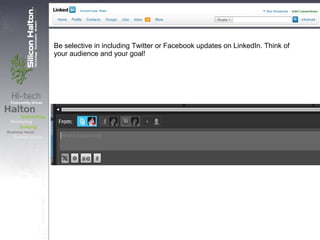
Be selective in including Twitter or Facebook updates on LinkedIn. Think of
your audience and your goal!
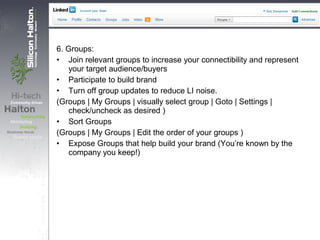
6. Groups:
• Join relevant groups to increase your connectibility and represent
your target audience/buyers
• Participate to build brand
• Turn off group updates to reduce LI noise.
(Groups | My Groups | visually select group | Goto | Settings |
check/uncheck as desired )
• Sort Groups
(Groups | My Groups | Edit the order of your groups )
• Expose Groups that help build your brand (You’re known by the
company you keep!)
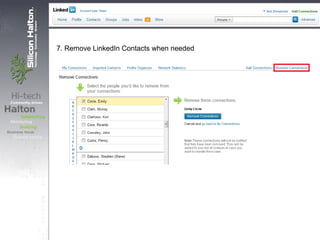
7. Remove LinkedIn Contacts when needed
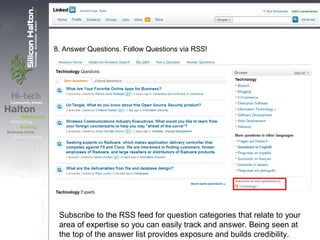
8. Answer Questions. Follow Questions via RSS!
Subscribe to the RSS feed for question categories that relate to your
area of expertise so you can easily track and answer. Being seen at
the top of the answer list provides exposure and builds credibility.
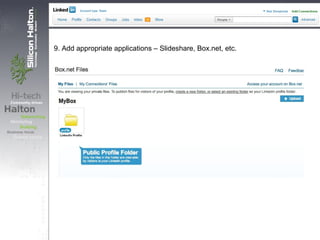
9. Add appropriate applications – Slideshare, Box.net, etc.
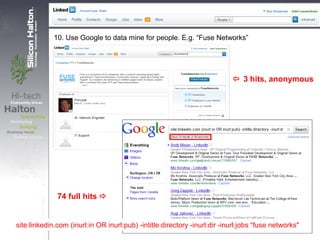
10. Use Google to data mine for people. E.g. “Fuse Networks”
 3 hits, anonymous
74 full hits 
site:linkedin.com (inurl:in OR inurl:pub) -intitle:directory -inurl:dir -inurl:jobs “fuse networks"
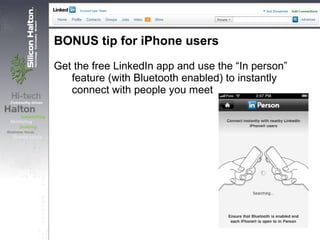
BONUS tip for iPhone users
Get the free LinkedIn app and use the “In person”
feature (with Bluetooth enabled) to instantly
connect with people you meet
• Review event lists – see who’s going
• Personalize your invites
• Engage with your groups
• Use LI to keep in touch as
connections move to new
organizations
• Never spam
• Do not send generic invites
• Don’t dominate your LI updates with
tweets
• Remember to make your email
address visible
• Configure LI with at least two email
addresses. You don't want to get
locked out.
• Engage in discussion boards to do
market research.
• Use for recruiting; it’s a great way to
find passive candidates. Post jobs
on Group job boards that target your
candidate market – at no cost.
• Networking - post jobs in Activity
Updates to expand your candidate-
search reach.
• Your tips?

Meetup 13: LinkedIn Top 10 Tips

  • 2.
  • 3.
    Un-Agenda Top 10Tips Do and Don’t
  • 4.
    1. Have arich full profile: • Add a photo • Write a summary • Use lots of keywords regarding your expertise to allow you to be found • Enable "full view" to increase your Google page rank • Emphasize you, not your company – your site, not your company’s • Give and get recommendations (Just a single one looks silly)
  • 6.
    2. Claim yourshort public profile URL – your brand. Have it contain your name. bad
  • 7.
    3. Insert youremail address and/or phone no. in your Summary section of profile (or part of your "Name"). You want to be easily reachable. e.g. John [at] Doe.com
  • 8.
    4. CRM -Use the LI comments section for your own notes about the contact.
  • 9.
    5. Add high-valuecontent infrequently to your connections. Just enough to keep the connections alive. Example: promote your blog or website.
  • 10.
    Be selective inincluding Twitter or Facebook updates on LinkedIn. Think of your audience and your goal!
  • 11.
    6. Groups: • Joinrelevant groups to increase your connectibility and represent your target audience/buyers • Participate to build brand • Turn off group updates to reduce LI noise. (Groups | My Groups | visually select group | Goto | Settings | check/uncheck as desired ) • Sort Groups (Groups | My Groups | Edit the order of your groups ) • Expose Groups that help build your brand (You’re known by the company you keep!)
  • 12.
    7. Remove LinkedInContacts when needed
  • 13.
    8. Answer Questions.Follow Questions via RSS! Subscribe to the RSS feed for question categories that relate to your area of expertise so you can easily track and answer. Being seen at the top of the answer list provides exposure and builds credibility.
  • 14.
    9. Add appropriateapplications – Slideshare, Box.net, etc.
  • 15.
    10. Use Googleto data mine for people. E.g. “Fuse Networks”  3 hits, anonymous 74 full hits  site:linkedin.com (inurl:in OR inurl:pub) -intitle:directory -inurl:dir -inurl:jobs “fuse networks"
  • 16.
    BONUS tip foriPhone users Get the free LinkedIn app and use the “In person” feature (with Bluetooth enabled) to instantly connect with people you meet
  • 17.
    • Review eventlists – see who’s going • Personalize your invites • Engage with your groups • Use LI to keep in touch as connections move to new organizations
  • 18.
    • Never spam •Do not send generic invites • Don’t dominate your LI updates with tweets • Remember to make your email address visible
  • 19.
    • Configure LIwith at least two email addresses. You don't want to get locked out. • Engage in discussion boards to do market research.
  • 20.
    • Use forrecruiting; it’s a great way to find passive candidates. Post jobs on Group job boards that target your candidate market – at no cost. • Networking - post jobs in Activity Updates to expand your candidate- search reach.
  • 21.