Medlink Revision Course in a
box
A FREE guide to doing research
www.medlink-uk.net
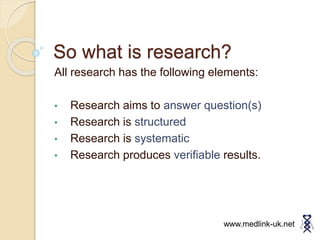
So what is research?
All research has the following elements:
• Research aims to answer question(s)
• Research is structured
• Research is systematic
• Research produces verifiable results.
www.medlink-uk.net
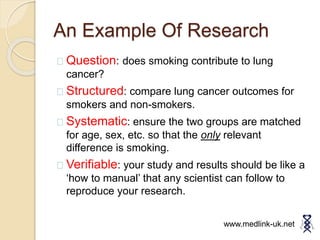
An Example Of Research
Question: does smoking contribute to lung
cancer?
Structured: compare lung cancer outcomes for
smokers and non-smokers.
Systematic: ensure the two groups are matched
for age, sex, etc. so that the only relevant
difference is smoking.
Verifiable: your study and results should be like a
‘how to manual’ that any scientist can follow to
reproduce your research.
www.medlink-uk.net
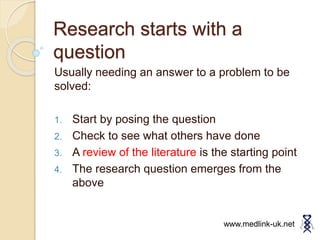
Research starts with a
question
Usually needing an answer to a problem to be
solved:
1. Start by posing the question
2. Check to see what others have done
3. A review of the literature is the starting point
4. The research question emerges from the
above
www.medlink-uk.net
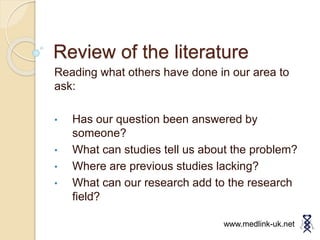
Review of the literature
Reading what others have done in our area to
ask:
• Has our question been answered by
someone?
• What can studies tell us about the problem?
• Where are previous studies lacking?
• What can our research add to the research
field?
www.medlink-uk.net
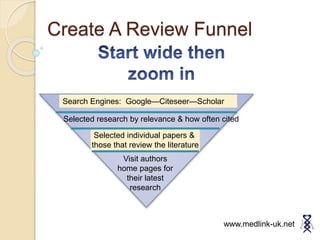
Create A Review Funnel
Selected individual papers &
those that review the literature
Search Engines: Google—Citeseer—Scholar
Selected research by relevance & how often cited
Visit authors
home pages for
their latest
research
www.medlink-uk.net
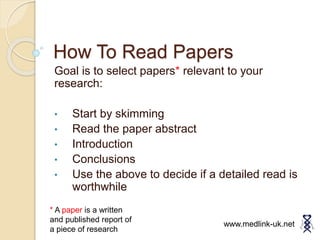
How To Read Papers
Goal is to select papers* relevant to your
research:
• Start by skimming
• Read the paper abstract
• Introduction
• Conclusions
• Use the above to decide if a detailed read is
worthwhile
www.medlink-uk.net
* A paper is a written
and published report of
a piece of research
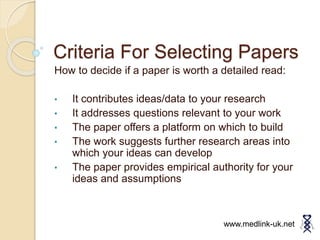
Criteria For Selecting Papers
How to decide if a paper is worth a detailed read:
• It contributes ideas/data to your research
• It addresses questions relevant to your work
• The paper offers a platform on which to build
• The work suggests further research areas into
which your ideas can develop
• The paper provides empirical authority for your
ideas and assumptions
www.medlink-uk.net
Tools To Help You Focus &
Organize
www.medlink-uk.net
A small but vital detour to list essential online tools
• Be organised
• Able to share
• Capture resources
• Arrange work flow
Research Tools 1
www.medlink-uk.net
Dropbox is a great tool that’s free online. It’s
deceptively simple but extremely useful.
Essentially you can think of it as a folder, just
like any other folder that you’d have on you’re
computer. Except there’s a couple of important
differences.
First of all that folder is constantly syncing
with the cloud, backing up your work and
keeping it safe. A wonderful feature.
Secondly, it means you can access your work
from any computer with an internet connection
just by signing onto the website.
Finally, the most important feature for any
sort of collaborative project, shared folders.
With any folder within dropbox you can invite
other people to that folder. They can then
have exactly the same folder as you on their
www.dropbox.com
Research Tools 2
www.medlink-uk.net
www.trello.com
Trello is a fantastic free online tool designed
to make project management easier. In
Trello there are boards, cards and columns.
Boards Each project is assigned to it’s own
board, this is the space where everything for
that project goes. A board can be thought of
as a set of columns and cards.
Cards Cards are individual tasks in the
project and may be things like “Read up on
a new Medical Device” or “Write the intro
paragraph to your paper”
Columns The columns may be things like
“TO DO” , “DOING” and “DONE” and
correspond to the state of the cards in them.
The aim with any project on Trello is to
constantly be moving cards from the
columns on the left, To Do and Doing, to the
columns on the right, Done.
Research Tools 3
www.medlink-uk.net
www.microsoft.com
Another great tool for organising work and
information is OneNote, one of programs in
the Microsoft Office Suite. One Note
functions a lot like a folder with file dividers
and so on.
It is a great way to break down a project
and structure it, as well as a way to organise
all the information you have properly.
If you are using it in conjunction with
Dropbox it can also be a good way to
coordinate with a group as you can create to
do lists by adding checklists and so on
(though with this you have to be careful not
to edit the file at the same time as someone
else or you risk creating orphaned copies).
The video below is a great introduction to
OneNote and it’s various features
http://www.youtube.com/watch?v=f_pB12Aw6fQ
Research Tools 4
www.medlink-uk.net
www.evernote.com
Evernote is another free resource you can
find online and has a number of very useful
features.
First of all you have notes and note books.
Notes are like basic word processing
files and also have the ability to have things
like check lists and to insert other files into
them. Notebooks are where you put your
notes and how you organise them.
So far so good.
Then we get to the best features of
Evernote. The first is the ability to tag your
notes, which is incredible for organising
notes and lets you very easily search
through everything for exactly what you
want. There is the web clipper, which allows
you to take an article or web page from the
net and turn it into a note in one of your
notebooks at the press of a button
http://www.youtube.com/watch?v=SeWhAGHj8g
Create Your Hypothesis
A hypothesis emerges as follows :
• You have read the research literature in your field
• You have identified an area of study
• You frame a question that you will explore
• E.g. are smokers more likely to develop lung
cancer?
• Your hypothesis is a question to be answered, it
is your starting point that directs your research.
www.medlink-uk.net
Structure Of Your Research
Paper
There is not a set of rules, but this is a good guide:
• Title: Chose one that is descriptive
• Abstract: Very short summary of the paper
• Introduction: Background to the research
• Methodology: How you organised your survey/experiments ,
controlled variables
• Results: What you found presented clearly
• Discussion/Conclusion: The results are interpreted, they
hypothesis is answered and future work may be suggested
• References: Ensure that you mention all sources that you have
used.
www.medlink-uk.net
What Next
This has been a basic introduction you should
next:
• Take a look at some research papers
• Read more detailed text on doing research
• Apply the above to producing your own
research
• Best of luck!
www.medlink-uk.net

Medlink revision course in a box

  • 1.
    Medlink Revision Coursein a box A FREE guide to doing research www.medlink-uk.net
  • 2.
    So what isresearch? All research has the following elements: • Research aims to answer question(s) • Research is structured • Research is systematic • Research produces verifiable results. www.medlink-uk.net
  • 3.
    An Example OfResearch Question: does smoking contribute to lung cancer? Structured: compare lung cancer outcomes for smokers and non-smokers. Systematic: ensure the two groups are matched for age, sex, etc. so that the only relevant difference is smoking. Verifiable: your study and results should be like a ‘how to manual’ that any scientist can follow to reproduce your research. www.medlink-uk.net
  • 4.
    Research starts witha question Usually needing an answer to a problem to be solved: 1. Start by posing the question 2. Check to see what others have done 3. A review of the literature is the starting point 4. The research question emerges from the above www.medlink-uk.net
  • 5.
    Review of theliterature Reading what others have done in our area to ask: • Has our question been answered by someone? • What can studies tell us about the problem? • Where are previous studies lacking? • What can our research add to the research field? www.medlink-uk.net
  • 6.
    Create A ReviewFunnel Selected individual papers & those that review the literature Search Engines: Google—Citeseer—Scholar Selected research by relevance & how often cited Visit authors home pages for their latest research www.medlink-uk.net
  • 7.
    How To ReadPapers Goal is to select papers* relevant to your research: • Start by skimming • Read the paper abstract • Introduction • Conclusions • Use the above to decide if a detailed read is worthwhile www.medlink-uk.net * A paper is a written and published report of a piece of research
  • 8.
    Criteria For SelectingPapers How to decide if a paper is worth a detailed read: • It contributes ideas/data to your research • It addresses questions relevant to your work • The paper offers a platform on which to build • The work suggests further research areas into which your ideas can develop • The paper provides empirical authority for your ideas and assumptions www.medlink-uk.net
  • 9.
    Tools To HelpYou Focus & Organize www.medlink-uk.net A small but vital detour to list essential online tools • Be organised • Able to share • Capture resources • Arrange work flow
  • 10.
    Research Tools 1 www.medlink-uk.net Dropboxis a great tool that’s free online. It’s deceptively simple but extremely useful. Essentially you can think of it as a folder, just like any other folder that you’d have on you’re computer. Except there’s a couple of important differences. First of all that folder is constantly syncing with the cloud, backing up your work and keeping it safe. A wonderful feature. Secondly, it means you can access your work from any computer with an internet connection just by signing onto the website. Finally, the most important feature for any sort of collaborative project, shared folders. With any folder within dropbox you can invite other people to that folder. They can then have exactly the same folder as you on their www.dropbox.com
  • 11.
    Research Tools 2 www.medlink-uk.net www.trello.com Trellois a fantastic free online tool designed to make project management easier. In Trello there are boards, cards and columns. Boards Each project is assigned to it’s own board, this is the space where everything for that project goes. A board can be thought of as a set of columns and cards. Cards Cards are individual tasks in the project and may be things like “Read up on a new Medical Device” or “Write the intro paragraph to your paper” Columns The columns may be things like “TO DO” , “DOING” and “DONE” and correspond to the state of the cards in them. The aim with any project on Trello is to constantly be moving cards from the columns on the left, To Do and Doing, to the columns on the right, Done.
  • 12.
    Research Tools 3 www.medlink-uk.net www.microsoft.com Anothergreat tool for organising work and information is OneNote, one of programs in the Microsoft Office Suite. One Note functions a lot like a folder with file dividers and so on. It is a great way to break down a project and structure it, as well as a way to organise all the information you have properly. If you are using it in conjunction with Dropbox it can also be a good way to coordinate with a group as you can create to do lists by adding checklists and so on (though with this you have to be careful not to edit the file at the same time as someone else or you risk creating orphaned copies). The video below is a great introduction to OneNote and it’s various features http://www.youtube.com/watch?v=f_pB12Aw6fQ
  • 13.
    Research Tools 4 www.medlink-uk.net www.evernote.com Evernoteis another free resource you can find online and has a number of very useful features. First of all you have notes and note books. Notes are like basic word processing files and also have the ability to have things like check lists and to insert other files into them. Notebooks are where you put your notes and how you organise them. So far so good. Then we get to the best features of Evernote. The first is the ability to tag your notes, which is incredible for organising notes and lets you very easily search through everything for exactly what you want. There is the web clipper, which allows you to take an article or web page from the net and turn it into a note in one of your notebooks at the press of a button http://www.youtube.com/watch?v=SeWhAGHj8g
  • 14.
    Create Your Hypothesis Ahypothesis emerges as follows : • You have read the research literature in your field • You have identified an area of study • You frame a question that you will explore • E.g. are smokers more likely to develop lung cancer? • Your hypothesis is a question to be answered, it is your starting point that directs your research. www.medlink-uk.net
  • 15.
    Structure Of YourResearch Paper There is not a set of rules, but this is a good guide: • Title: Chose one that is descriptive • Abstract: Very short summary of the paper • Introduction: Background to the research • Methodology: How you organised your survey/experiments , controlled variables • Results: What you found presented clearly • Discussion/Conclusion: The results are interpreted, they hypothesis is answered and future work may be suggested • References: Ensure that you mention all sources that you have used. www.medlink-uk.net
  • 16.
    What Next This hasbeen a basic introduction you should next: • Take a look at some research papers • Read more detailed text on doing research • Apply the above to producing your own research • Best of luck! www.medlink-uk.net