Writing Skills for
#AcWriteFest15
Image CC BY 2.0 © Sean MacEntee http://bit.ly/1N3ymqR
Andy Tattersall
a.tattersall@sheffield.ac.uk
@andy_tattersall
Orchid: 0000-0002-2842-9576
Objectives of the workshop
• Practical tips on how to get more from your
writing
• How to manage your writing and research
(reference management)
• Tools to help you take better notes
• Tools to help you manage your tasks
• Tools to help with digital distraction
*Not every solution will work for everyone
60 second challenge
Think about something you have got to write
What are the barriers to writing?
Image CC BY-NC 2.0 © hjl http://bit.ly/1Lvlzwi
Writing barriers
General procrastination
Writing environment
Other demands on your time
Other’s demands on your time
Lack of confidence on the topic you are writing
about
Image CC BY 2.0 © cheetah100 http://bit.ly/1h5JZ4w
“Eat a live frog first thing in the morning
and nothing worse will happen to you
the rest of the day.”
Mark Twain
Writing Bootcamp
(How to write 10,000 words in one day)
1) Know what you are going to write before
you write it
2) Set aside a protected time to write
3) Feel enthusiastic about what you are writing
Thesis Bootcamp formula was developed by Liam Connell and Peta Freestone of the University of Melbourne.
Know what you are going to write before
you write it
Make a map of what you are going to write -
have all your subheadings ready
Make a mess - then clean it up
Use a matrix
Inger Mewburn http://bit.ly/1Xm17oG [Last Accessed 18/11/2015]
Set aside a protected time
to write
Block out time in your diary - and stick to it
Find colleagues or fellow students who struggle
to write and form a peer writing group
Find a location where you will not be disturbed
and where temptation to slack is minimal
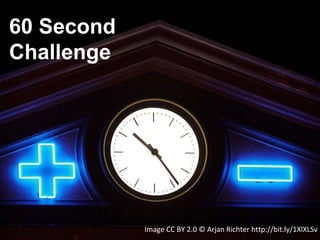
Image CC BY 2.0 © Arjan Richter http://bit.ly/1XlXLSv
60 Second
Challenge
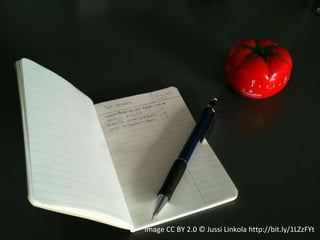
Image CC BY 2.0 © Jussi Linkola http://bit.ly/1LZzFYt
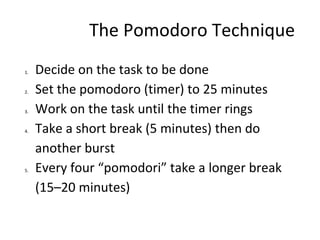
The Pomodoro Technique
1. Decide on the task to be done
2. Set the pomodoro (timer) to 25 minutes
3. Work on the task until the timer rings
4. Take a short break (5 minutes) then do
another burst
5. Every four “pomodori” take a longer break
(15–20 minutes)
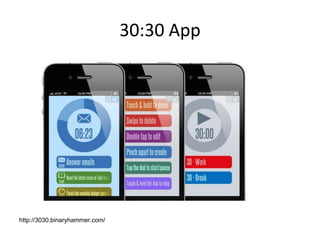
30:30 App
http://3030.binaryhammer.com/
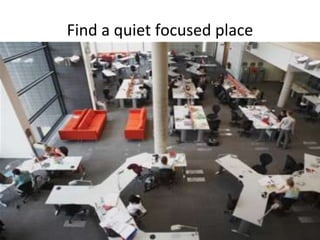
Find a quiet focused place
Great places to go and write
Western Bank Library
The IC
The Diamond
Cafes
The garden (weather permitting)
Public libraries
Give yourself permission to write away from your desk
Reward yourself
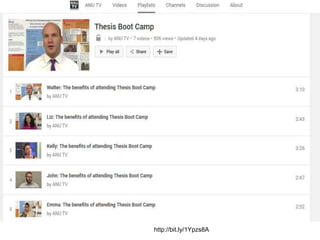
http://bit.ly/1Ypzs8A
The rules of Write Club
Turn up with a piece of work (does not have to
be writing)
Set your goals
Work in silence
No email/distraction
Take a break
Assess your performance
Repeat as often as necessary
Anyone can attend
Image CC BY 2.0 © Veronica Aguilar http://bit.ly/1PcDCz8
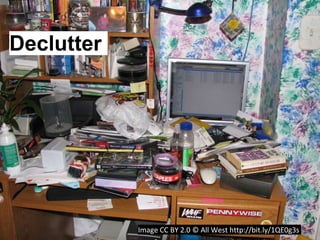
Image CC BY 2.0 © All West http://bit.ly/1QE0g3s
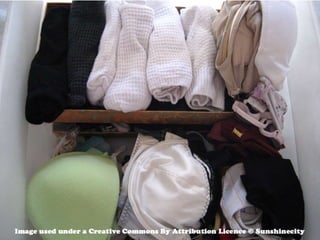
Declutter
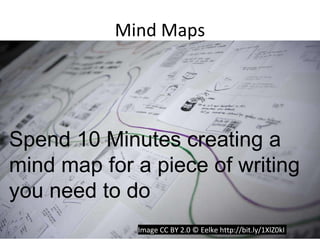
Mind Maps
Spend 10 Minutes creating a
mind map for a piece of writing
you need to do
Image CC BY 2.0 © Eelke http://bit.ly/1XlZ0kI
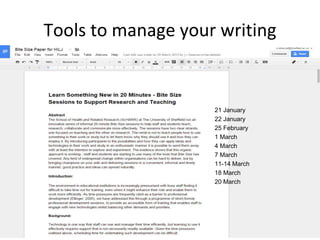
Tools to manage your writing
21 January
22 January
25 February
1 March
4 March
7 March
11-14 March
18 March
20 March
24/06/2013 © The University of Sheffield
31
Mendeley
Image copyright – Mendeley.com
Mendeley is a free reference manager and academic
social network that can help you organize your
research, collaborate with others online, and discover
the latest research.
Automatically generate bibliographies
Collaborate easily with other researchers online
Easily import papers from other research software
Find relevant papers based on what you’re reading
Access your papers from anywhere online
Read papers on the go, with their iPhone app or the
unofficial Android apps
•A web-based reference management system
•Allows you to store references to books, book chapters,
journal articles, websites, etc
•Importing a reference can be as simple as a single click
of your mouse
•You can ‘tag’ references with keywords that will help
you to retrieve them later
•Allows you to both import to, and export from,
traditional electronic reference management systems
including Reference Manager and EndNote
•Allows you to generate bibliographies in formats such
as Harvard, Chicago, MLA and Vancouver
•Better still, Mendeley is a discovery tool and allows
you to locate references that other users have found
•You can keep your own references private or make
them public for other users to access
•Can be helpful in drawing attention to your own
publications and any that are generated by your research
project
What are the benefits?
Primarily, Mendeley is a SHARED resource - all
members of a research team can access it
Secondly, it is COLLABORATIVE - all the members of
the research team can contribute their own knowledge
and be involved in the information-gathering process
Thirdly, it is MOBILE - you can access your references
from any place that has a computer and internet
connection
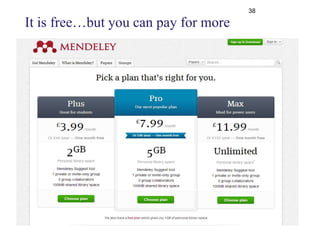
Mendeley comes in three flavours
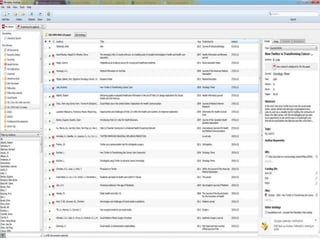
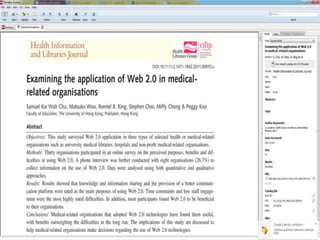
Off-line – downloadable software version
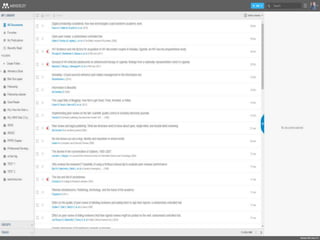
On-line Web based, social network, searchable database
version
Mobile via Kindle, Android and IOS version
It is free…but you can pay for more
38
39
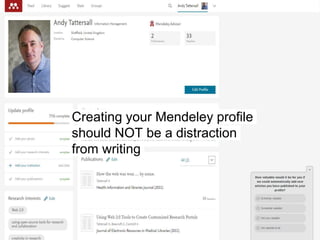
Creating your Mendeley profile
should NOT be a distraction
from writing
43
24/06/2013 © The University of Sheffield
44
Remember
Download the Mendeley Guide
http://www.mendeley.com/downloads/Getting_Started_
Guide.pdf
Download Mendeley onto your PC
Install the Web Importer
Add the Citation button to Word
To sync your library!!!!!
Also.
Try looking for peers/contacts/potential collaborators
and them and their references!
49
50
http://www.staffs.ac.uk/ask/ [Last Accessed 28/1/0/2015]
Stay FocusdAvailable on Chrome Web Store
Image CC BY 2.0 © Artondra Hall http://bit.ly/20cAhna
http://link.springer.com/chapter/10.1007/978-3-319-20609-7_68 [Last Accessed 28/10/2015]
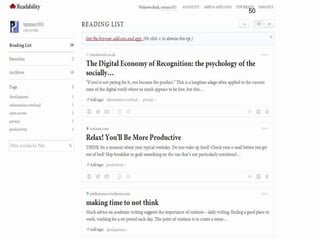
Relax! You’ll Be More Productive
http://www.nytimes.com/2013/02/10/opinion/sunday/relax-youll-be-more-productive.html?smid=tw-share&_r=1&
http://www.nytimes.com/2013/02/10/opinion/sunday/relax-youll-be-more-productive.html?_r=0 [Last Accessed 26/10/2015]
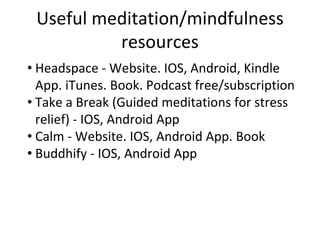
Useful meditation/mindfulness
resources
• Headspace - Website. IOS, Android, Kindle
App. iTunes. Book. Podcast free/subscription
• Take a Break (Guided meditations for stress
relief) - IOS, Android App
• Calm - Website. IOS, Android App. Book
• Buddhify - IOS, Android App
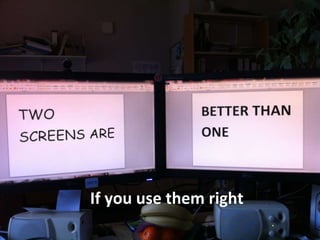
If you use them right
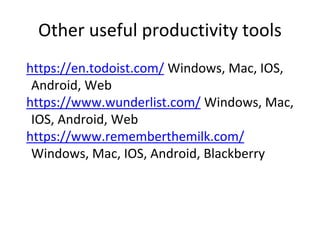
Other useful productivity tools
https://en.todoist.com/ Windows, Mac, IOS,
Android, Web
https://www.wunderlist.com/ Windows, Mac,
IOS, Android, Web
https://www.rememberthemilk.com/
Windows, Mac, IOS, Android, Blackberry
• The effect of music listening on work performance
http://graphics8.nytimes.com/packages/pdf/business/LESIUKarticle2005.pdf
• The Effect of Student Music Choice on Writing Productivity.
http://eric.ed.gov/?id=ED448472
Music to work to – ScoopIt! Page
http://www.scoop.it/t/background-music

Writing productivity for Real Life

  • 1.
    Writing Skills for #AcWriteFest15 ImageCC BY 2.0 © Sean MacEntee http://bit.ly/1N3ymqR Andy Tattersall a.tattersall@sheffield.ac.uk @andy_tattersall Orchid: 0000-0002-2842-9576
  • 2.
    Objectives of theworkshop • Practical tips on how to get more from your writing • How to manage your writing and research (reference management) • Tools to help you take better notes • Tools to help you manage your tasks • Tools to help with digital distraction *Not every solution will work for everyone
  • 3.
    60 second challenge Thinkabout something you have got to write
  • 4.
    What are thebarriers to writing? Image CC BY-NC 2.0 © hjl http://bit.ly/1Lvlzwi
  • 5.
    Writing barriers General procrastination Writingenvironment Other demands on your time Other’s demands on your time Lack of confidence on the topic you are writing about
  • 7.
    Image CC BY2.0 © cheetah100 http://bit.ly/1h5JZ4w
  • 8.
    “Eat a livefrog first thing in the morning and nothing worse will happen to you the rest of the day.” Mark Twain
  • 10.
    Writing Bootcamp (How towrite 10,000 words in one day) 1) Know what you are going to write before you write it 2) Set aside a protected time to write 3) Feel enthusiastic about what you are writing Thesis Bootcamp formula was developed by Liam Connell and Peta Freestone of the University of Melbourne.
  • 11.
    Know what youare going to write before you write it Make a map of what you are going to write - have all your subheadings ready Make a mess - then clean it up
  • 12.
    Use a matrix IngerMewburn http://bit.ly/1Xm17oG [Last Accessed 18/11/2015]
  • 13.
    Set aside aprotected time to write Block out time in your diary - and stick to it Find colleagues or fellow students who struggle to write and form a peer writing group Find a location where you will not be disturbed and where temptation to slack is minimal
  • 14.
    Image CC BY2.0 © Arjan Richter http://bit.ly/1XlXLSv 60 Second Challenge
  • 15.
    Image CC BY2.0 © Jussi Linkola http://bit.ly/1LZzFYt
  • 16.
    The Pomodoro Technique 1.Decide on the task to be done 2. Set the pomodoro (timer) to 25 minutes 3. Work on the task until the timer rings 4. Take a short break (5 minutes) then do another burst 5. Every four “pomodori” take a longer break (15–20 minutes)
  • 17.
  • 18.
    Find a quietfocused place
  • 19.
    Great places togo and write Western Bank Library The IC The Diamond Cafes The garden (weather permitting) Public libraries Give yourself permission to write away from your desk
  • 20.
  • 21.
  • 23.
    The rules ofWrite Club Turn up with a piece of work (does not have to be writing) Set your goals Work in silence No email/distraction Take a break Assess your performance Repeat as often as necessary Anyone can attend
  • 24.
    Image CC BY2.0 © Veronica Aguilar http://bit.ly/1PcDCz8
  • 25.
    Image CC BY2.0 © All West http://bit.ly/1QE0g3s Declutter
  • 26.
    Mind Maps Spend 10Minutes creating a mind map for a piece of writing you need to do Image CC BY 2.0 © Eelke http://bit.ly/1XlZ0kI
  • 27.
    Tools to manageyour writing 21 January 22 January 25 February 1 March 4 March 7 March 11-14 March 18 March 20 March
  • 31.
    24/06/2013 © TheUniversity of Sheffield 31
  • 32.
  • 33.
    Mendeley is afree reference manager and academic social network that can help you organize your research, collaborate with others online, and discover the latest research. Automatically generate bibliographies Collaborate easily with other researchers online Easily import papers from other research software Find relevant papers based on what you’re reading Access your papers from anywhere online Read papers on the go, with their iPhone app or the unofficial Android apps
  • 34.
    •A web-based referencemanagement system •Allows you to store references to books, book chapters, journal articles, websites, etc •Importing a reference can be as simple as a single click of your mouse •You can ‘tag’ references with keywords that will help you to retrieve them later •Allows you to both import to, and export from, traditional electronic reference management systems including Reference Manager and EndNote •Allows you to generate bibliographies in formats such as Harvard, Chicago, MLA and Vancouver
  • 35.
    •Better still, Mendeleyis a discovery tool and allows you to locate references that other users have found •You can keep your own references private or make them public for other users to access •Can be helpful in drawing attention to your own publications and any that are generated by your research project
  • 36.
    What are thebenefits? Primarily, Mendeley is a SHARED resource - all members of a research team can access it Secondly, it is COLLABORATIVE - all the members of the research team can contribute their own knowledge and be involved in the information-gathering process Thirdly, it is MOBILE - you can access your references from any place that has a computer and internet connection
  • 37.
    Mendeley comes inthree flavours Off-line – downloadable software version On-line Web based, social network, searchable database version Mobile via Kindle, Android and IOS version
  • 38.
    It is free…butyou can pay for more 38
  • 39.
  • 42.
    Creating your Mendeleyprofile should NOT be a distraction from writing
  • 43.
  • 44.
    24/06/2013 © TheUniversity of Sheffield 44
  • 45.
    Remember Download the MendeleyGuide http://www.mendeley.com/downloads/Getting_Started_ Guide.pdf Download Mendeley onto your PC Install the Web Importer Add the Citation button to Word To sync your library!!!!! Also. Try looking for peers/contacts/potential collaborators and them and their references!
  • 49.
  • 50.
  • 51.
  • 52.
    Stay FocusdAvailable onChrome Web Store Image CC BY 2.0 © Artondra Hall http://bit.ly/20cAhna
  • 54.
  • 55.
    Relax! You’ll BeMore Productive http://www.nytimes.com/2013/02/10/opinion/sunday/relax-youll-be-more-productive.html?smid=tw-share&_r=1&
  • 56.
  • 58.
    Useful meditation/mindfulness resources • Headspace- Website. IOS, Android, Kindle App. iTunes. Book. Podcast free/subscription • Take a Break (Guided meditations for stress relief) - IOS, Android App • Calm - Website. IOS, Android App. Book • Buddhify - IOS, Android App
  • 59.
    If you usethem right
  • 60.
    Other useful productivitytools https://en.todoist.com/ Windows, Mac, IOS, Android, Web https://www.wunderlist.com/ Windows, Mac, IOS, Android, Web https://www.rememberthemilk.com/ Windows, Mac, IOS, Android, Blackberry
  • 61.
    • The effectof music listening on work performance http://graphics8.nytimes.com/packages/pdf/business/LESIUKarticle2005.pdf • The Effect of Student Music Choice on Writing Productivity. http://eric.ed.gov/?id=ED448472 Music to work to – ScoopIt! Page http://www.scoop.it/t/background-music