what’s MathCAD ?!
FINDING SOLUTIONS,
SAVING TIME & EASY TO USE
PREPARED BY
ENG . KARAM ALBARODY
•INTRODUCTION .
•ADVANTAGES .
•MATHCAD VS EXCEL
•DISADVANTAGES .
INTRODUCTION . 
INTRODUCTION #1
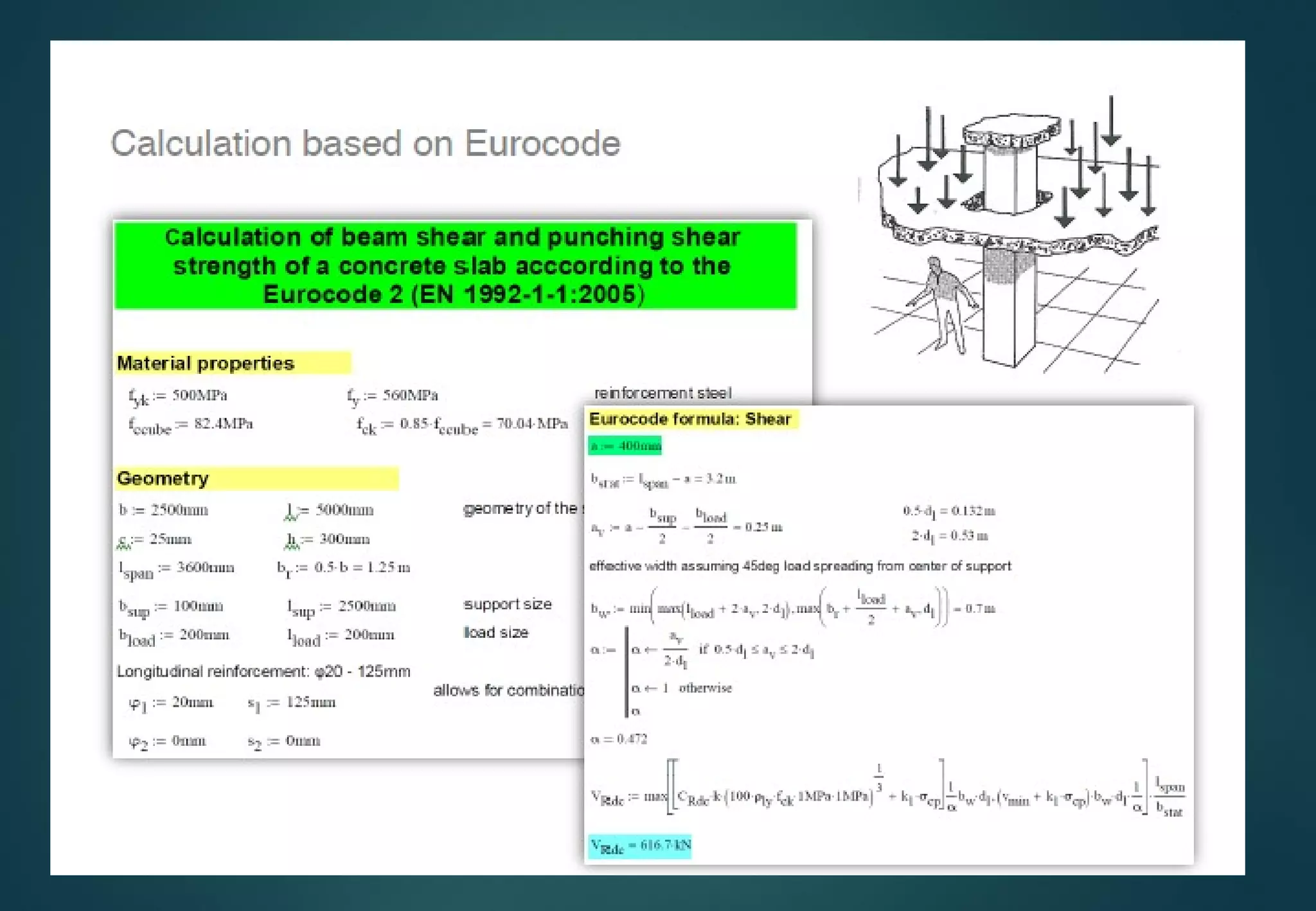
Mathcad  is computer software primarily
used to combine a variety of different
elements (variables, descriptive text, and
supporting imagery) into the form of a
worksheet, which is easy readable. This
allows for simple manipulation of input
variables, assumptions, and expressions,
which in turn update in real-time. 
Mathcad provides hundreds of
operators and built-in functions for
solving technical problems from the
simple to the very complex. It can be
used to perform numerical calculations
or to find more general symbolic
solutions. In short time.
INTRODUCTION #2
First introduced in 1986
on DOS, it was the first to
introduce live editing of
typeset mathematical
notation, combined with its
automatic computations.
INTRODUCTION #3
ADVANTAGES . 
Advantages #1
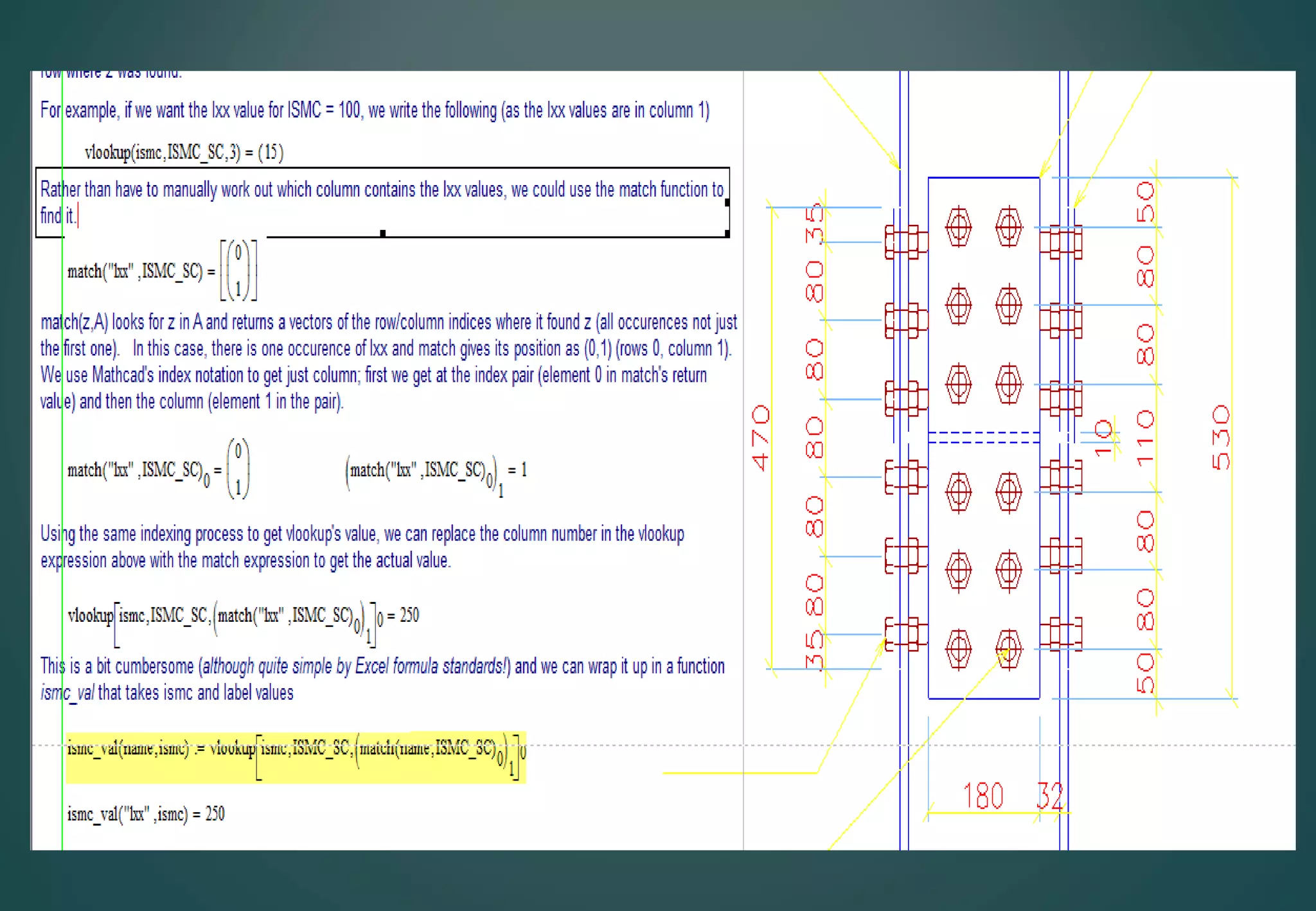
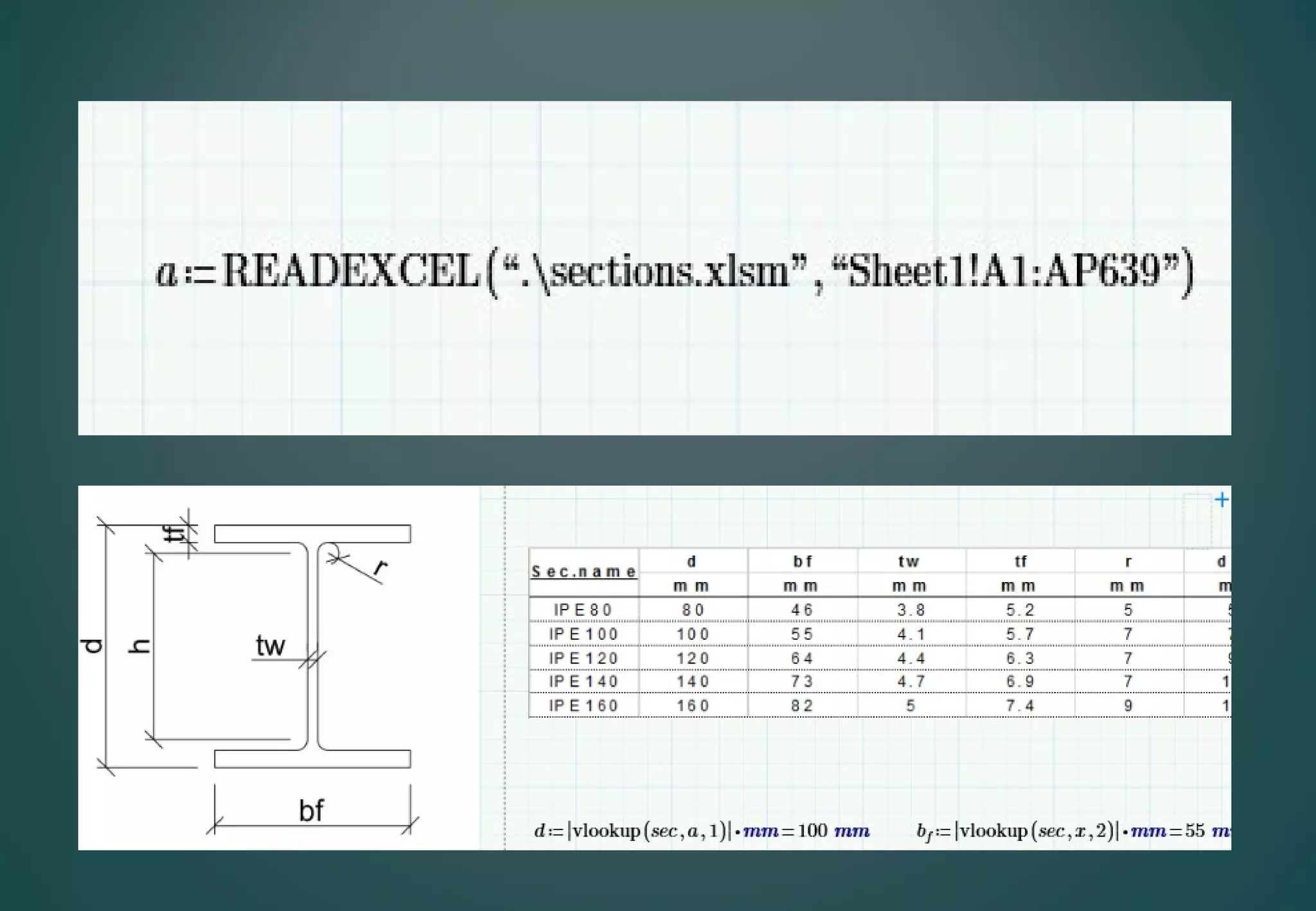
Easy to link with cad ,
excel , pdf.. and other Files
Advantages #2
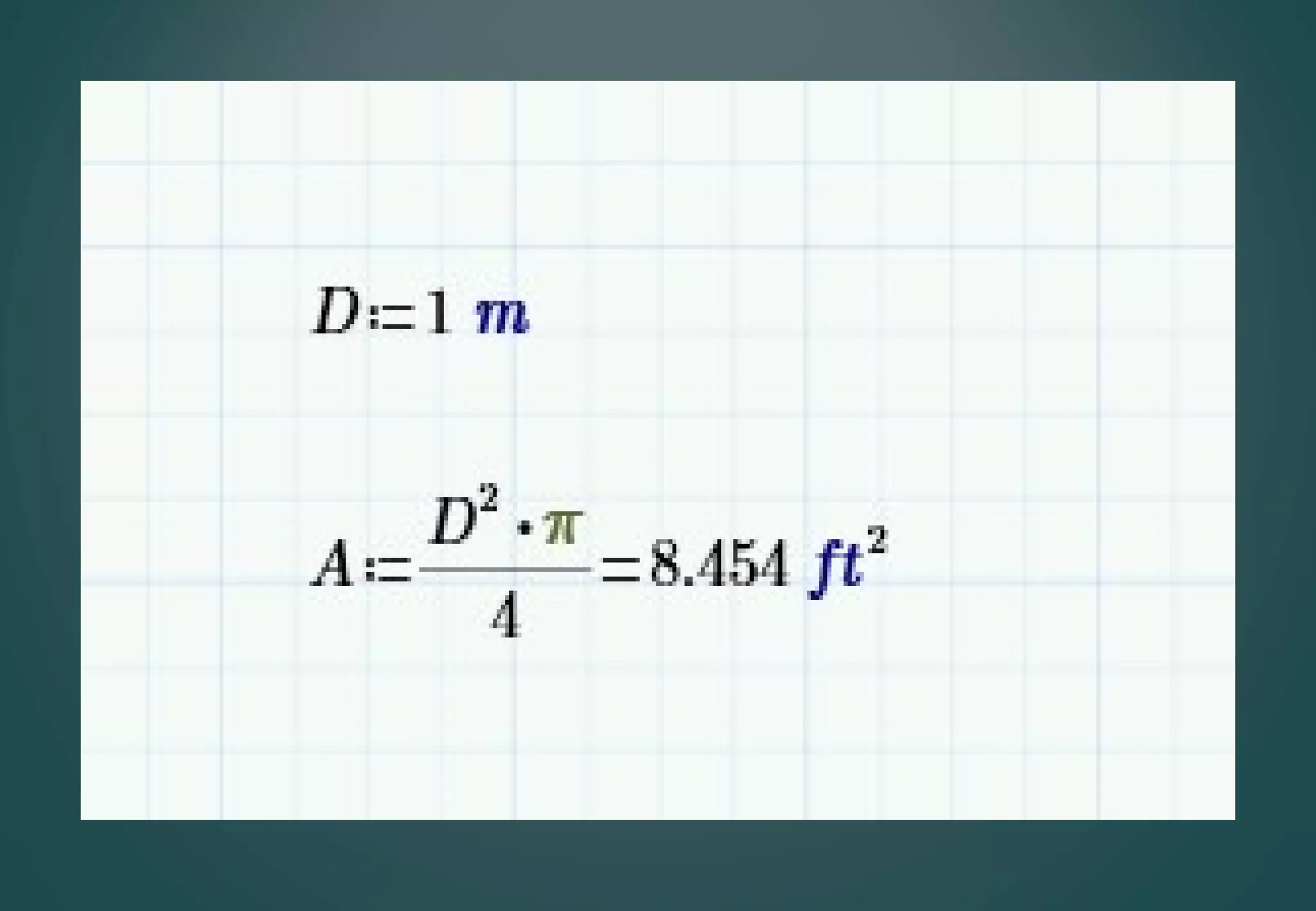
Using a smart Units,
easy convert to any
unit system.
You can attach units to every number or
variable used in Mathcad. Once a unit is
attached to a number or variable, Mathcad
remembers the unit. You can then display
this variable in any unit system.You do not
need to convert it. Mathcad does it for you
You can even mix unit systems .
Advantages #3
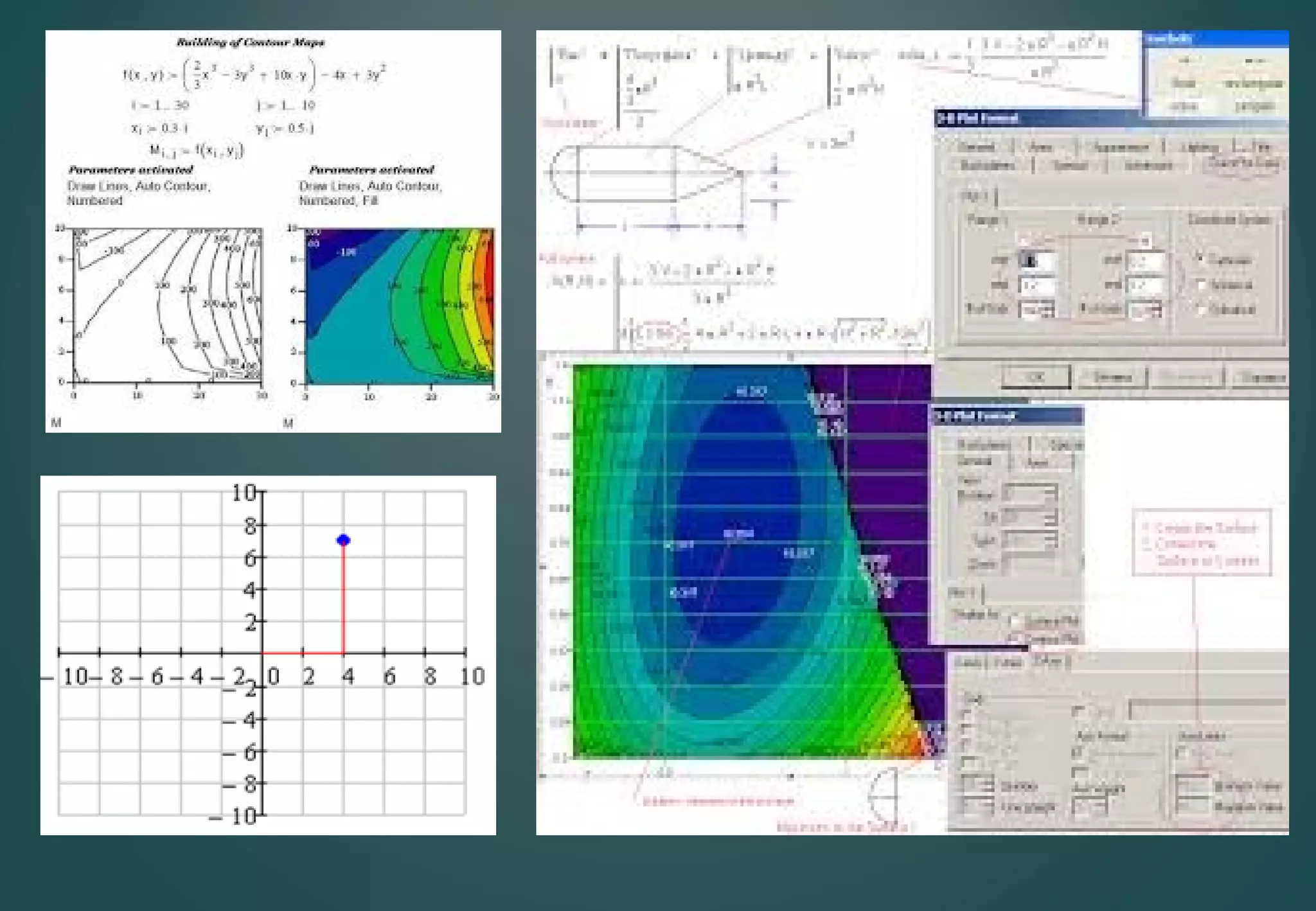
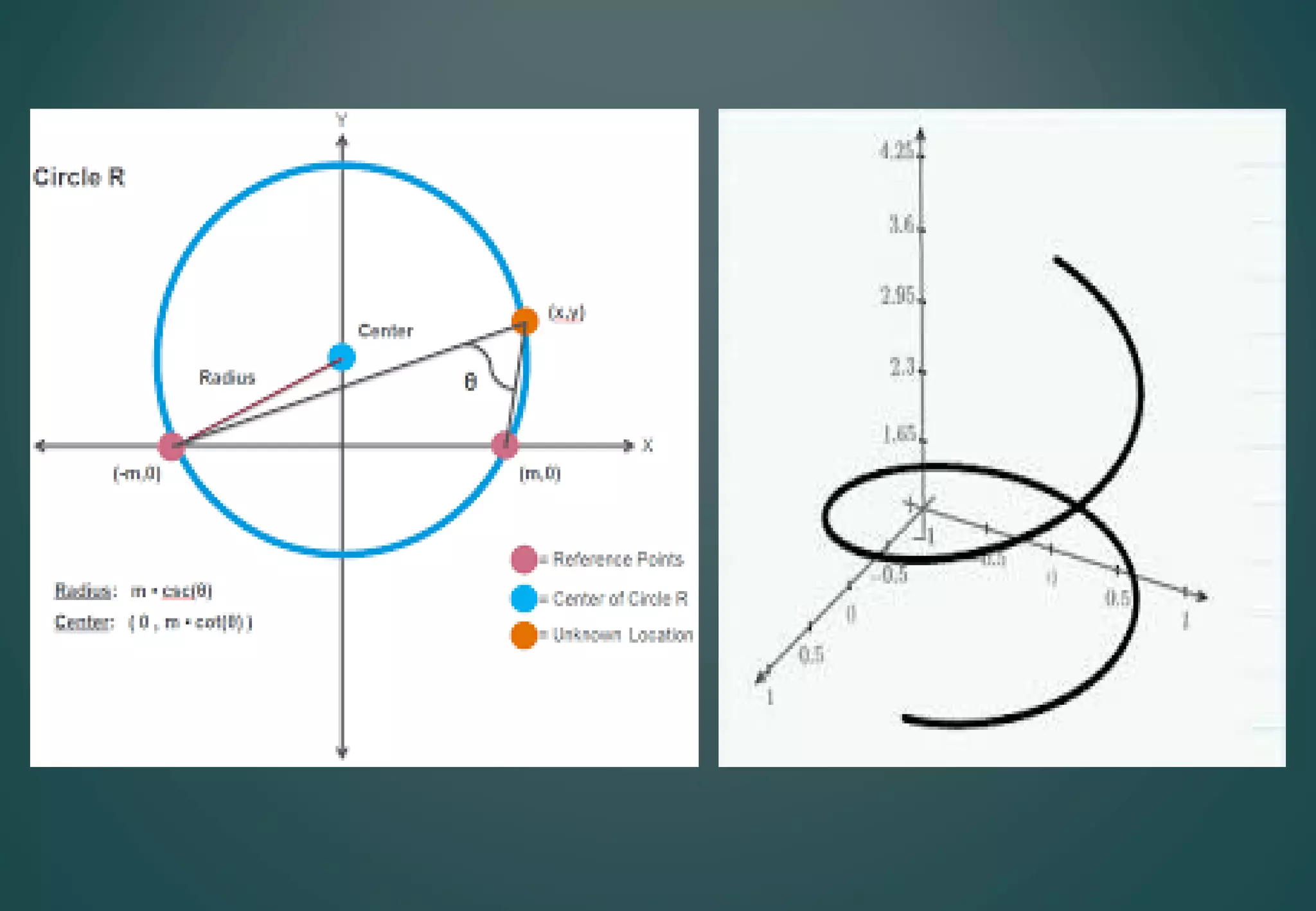
Easy plotting
2D&3D&polar curves,
graph fitting , contours
graph … ,
Advantages #4
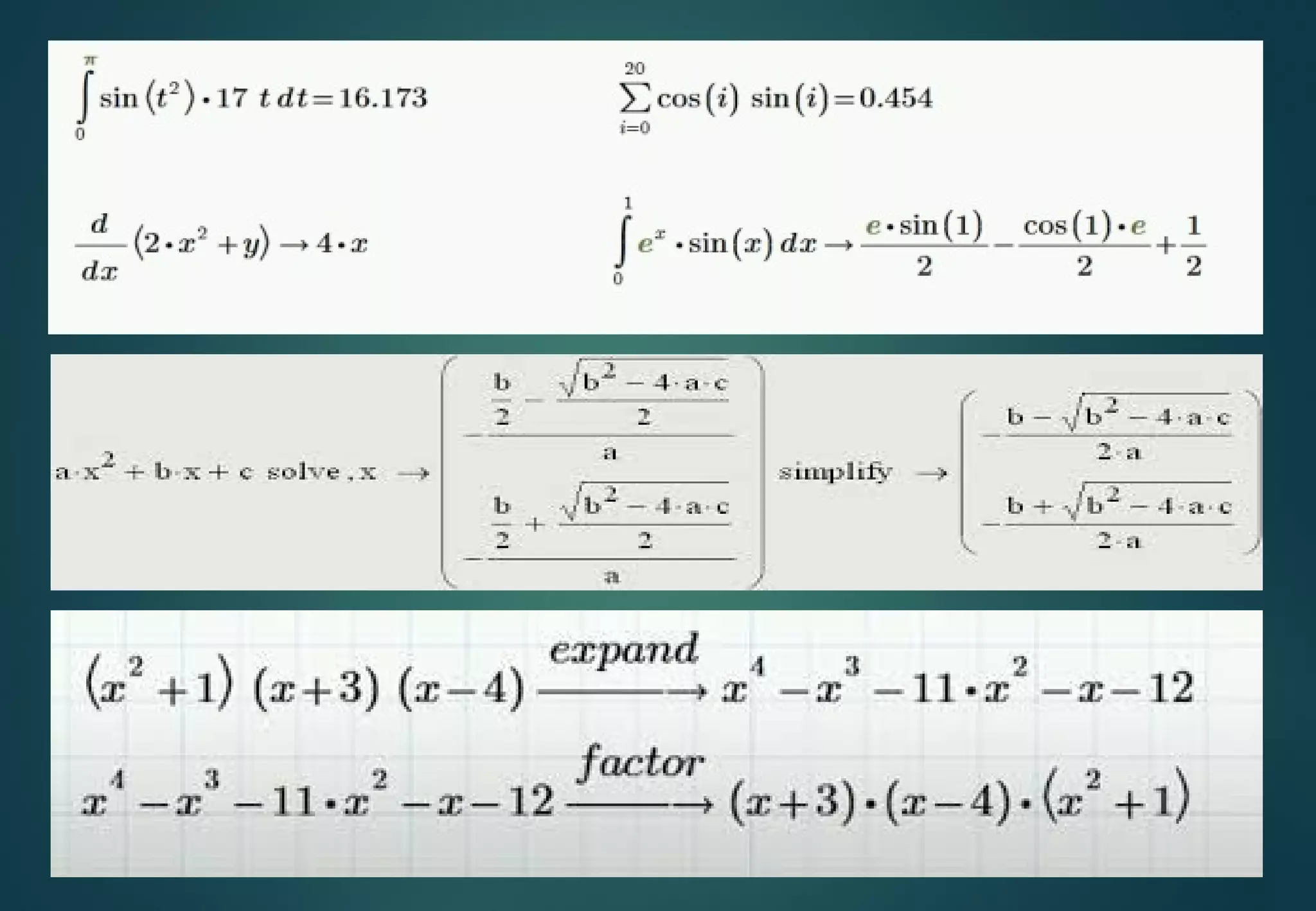
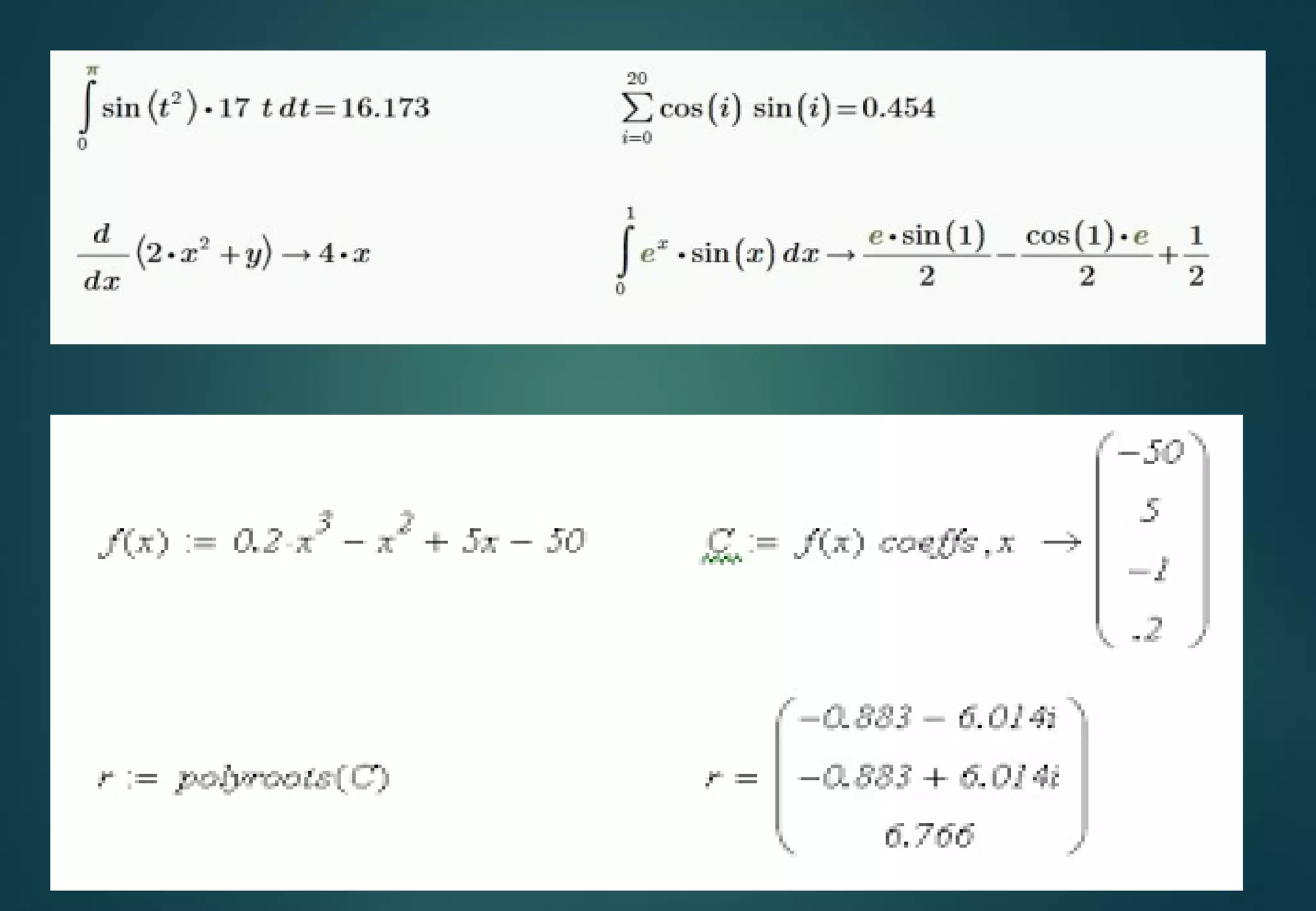
Simplifying expressions can
make a differentiation
,integration , expand.., ) .
Advantages #5
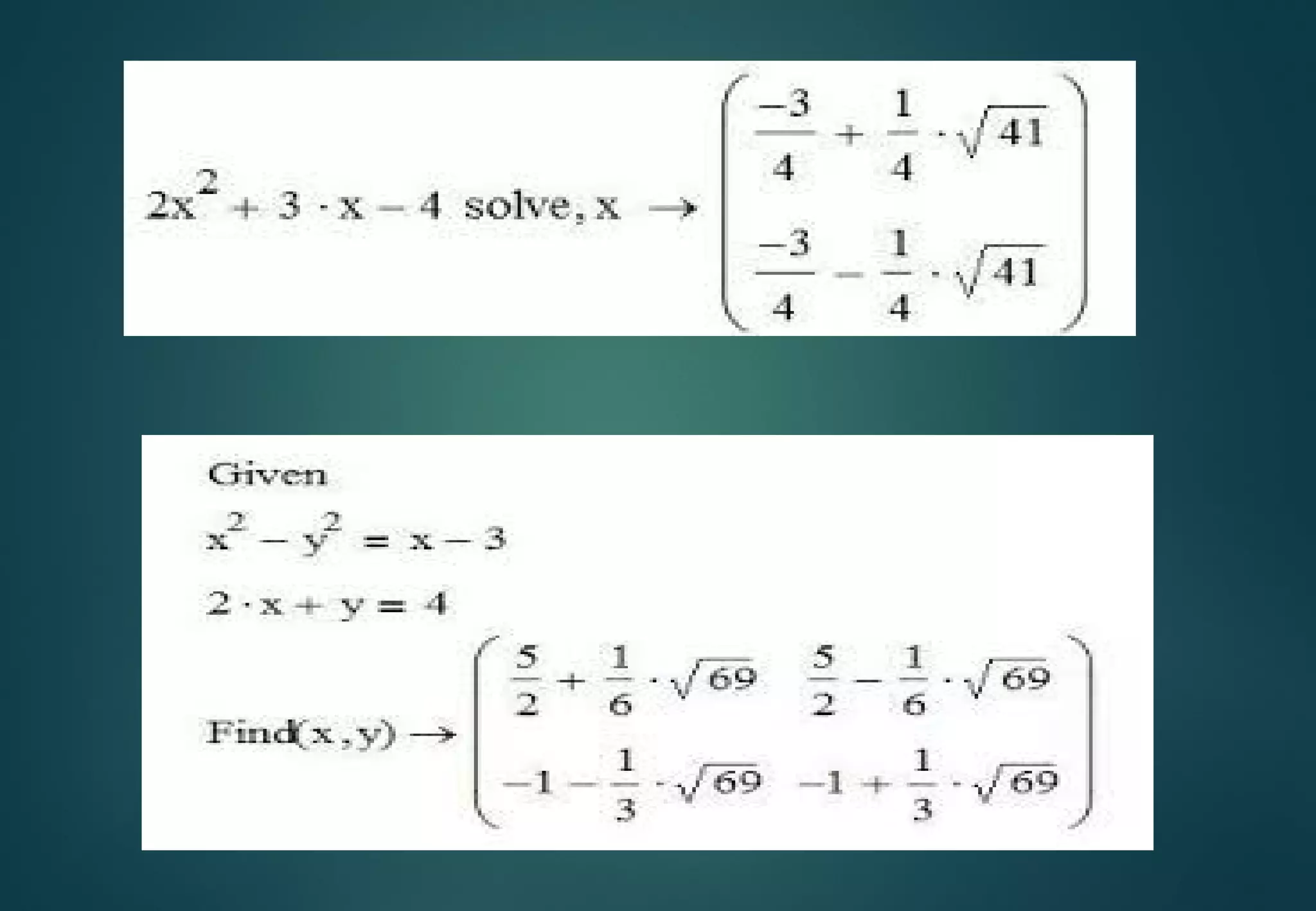
Solving logical functions
and systems of equations
up to 50 equation and
unknowns .
Solve up to 50 simultaneous
equations in 50 unknowns .
Equations not restricted to
linear equations
Allows equations and
inequalities
Advantages #6
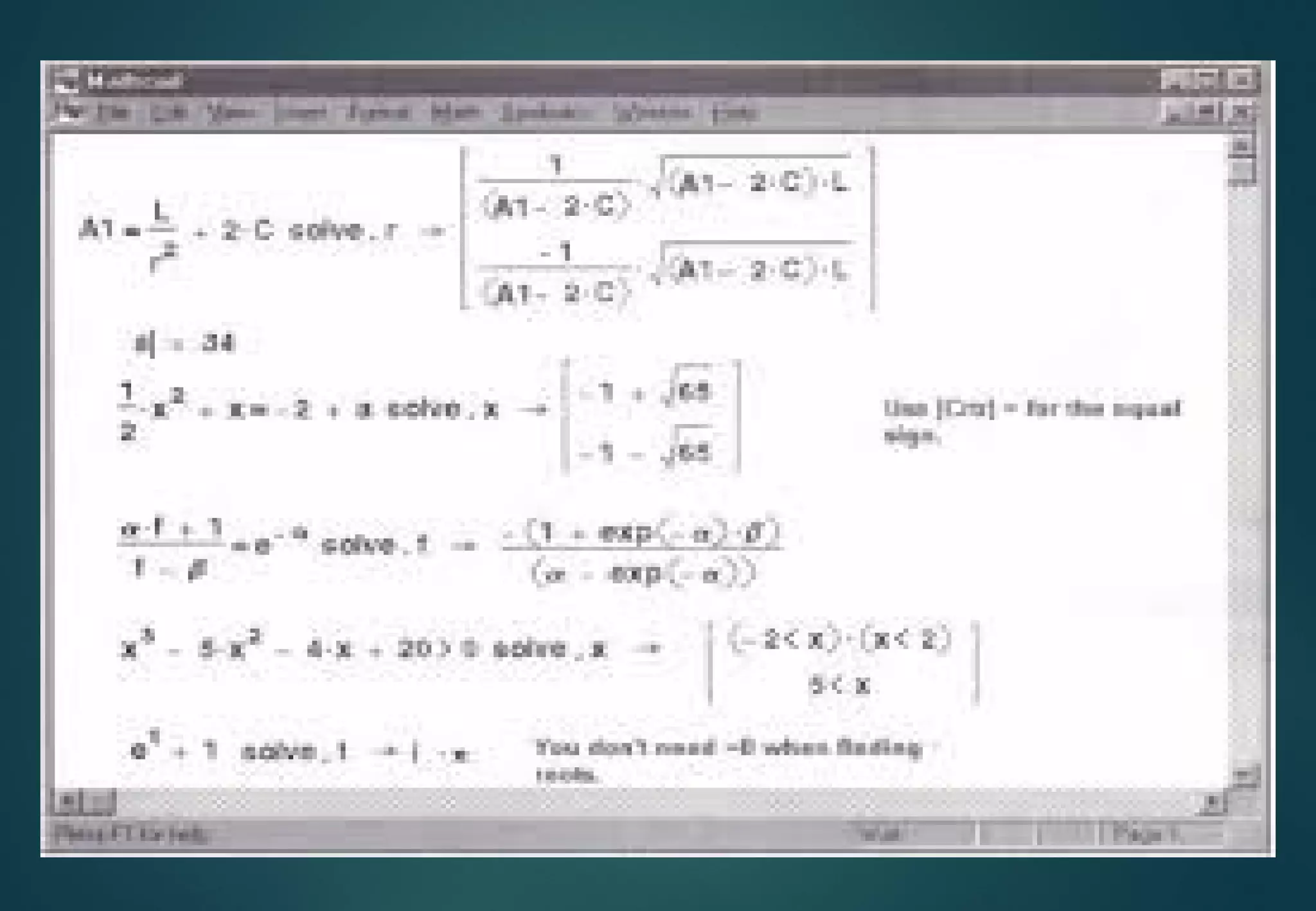
Finding roots of
quadratic and
polynomial equations
MATHCAD VS EXCEL . 
MATHACD VS EXCEL
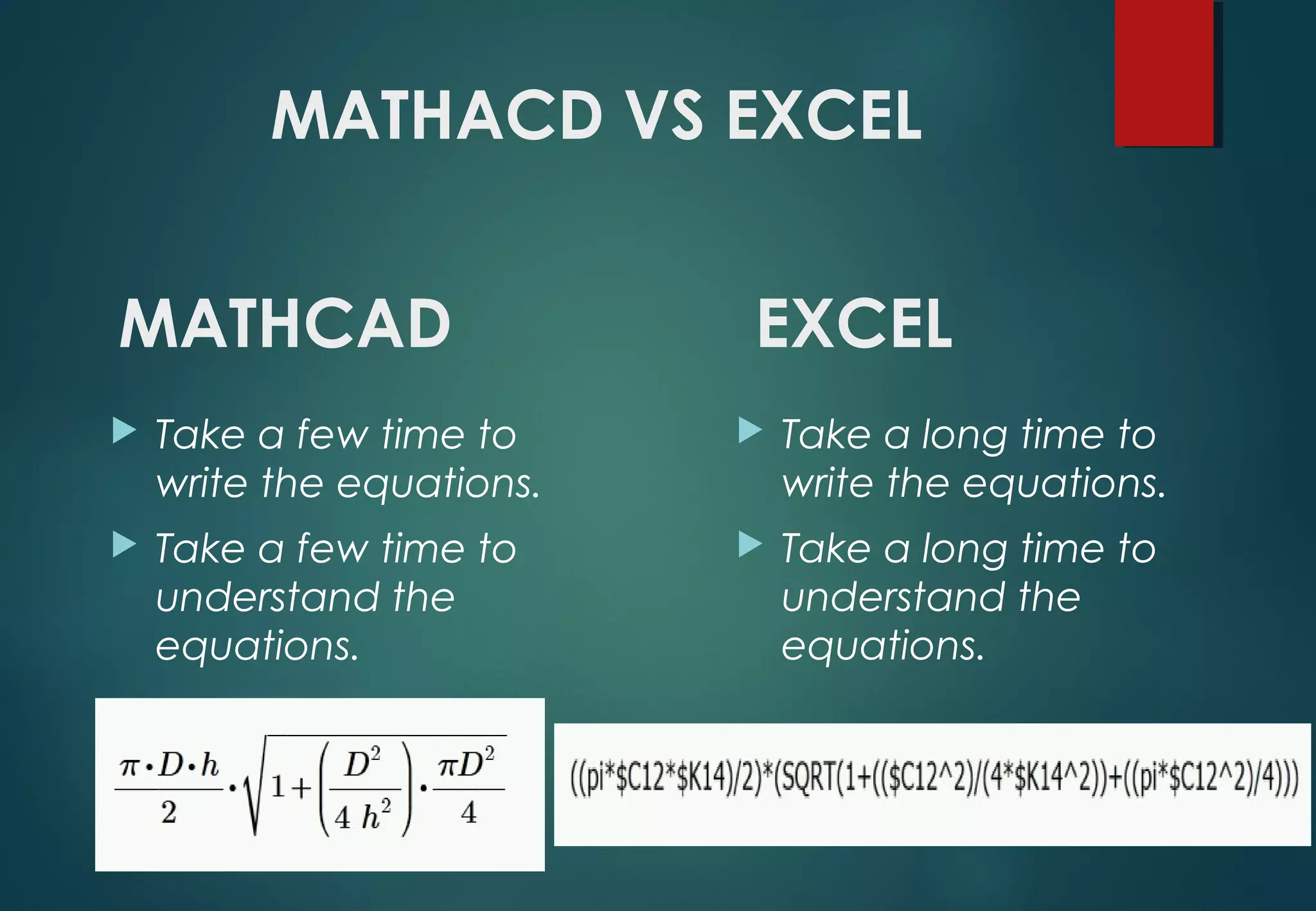
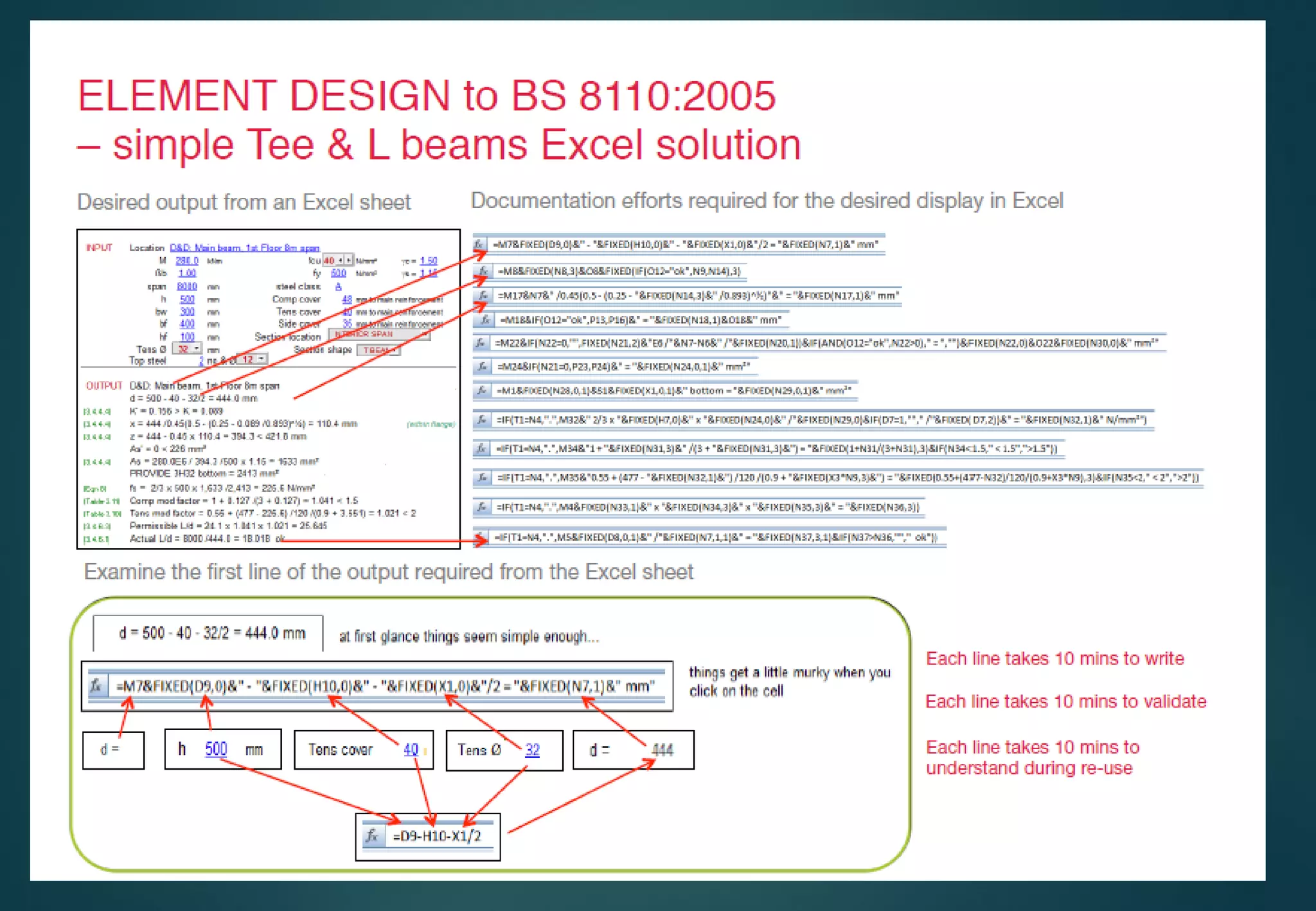
 Take a long time to
write the equations.
 Take a long time to
understand the
equations.
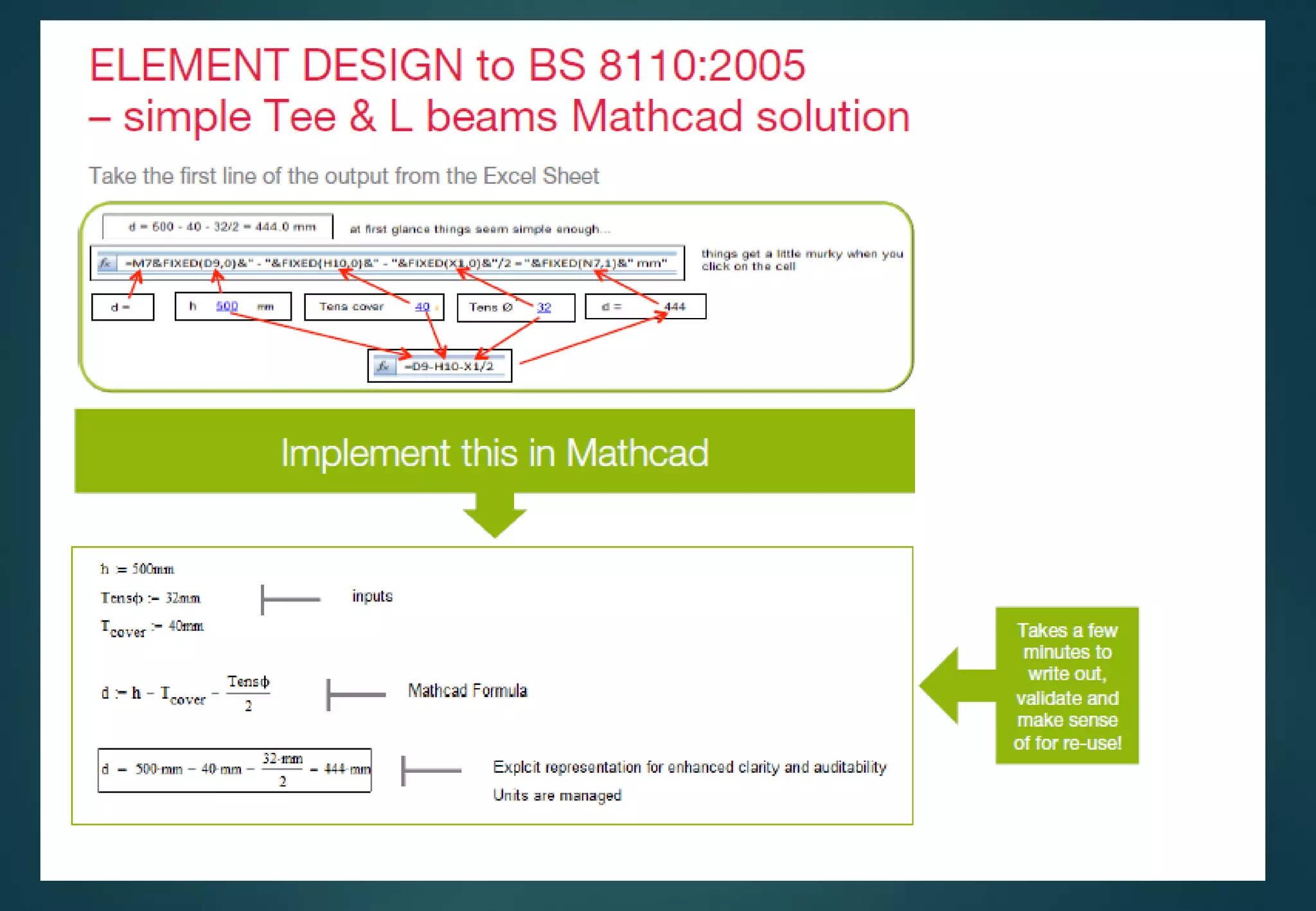
MATHCAD EXCEL
 Take a few time to
write the equations.
 Take a few time to
understand the
equations.
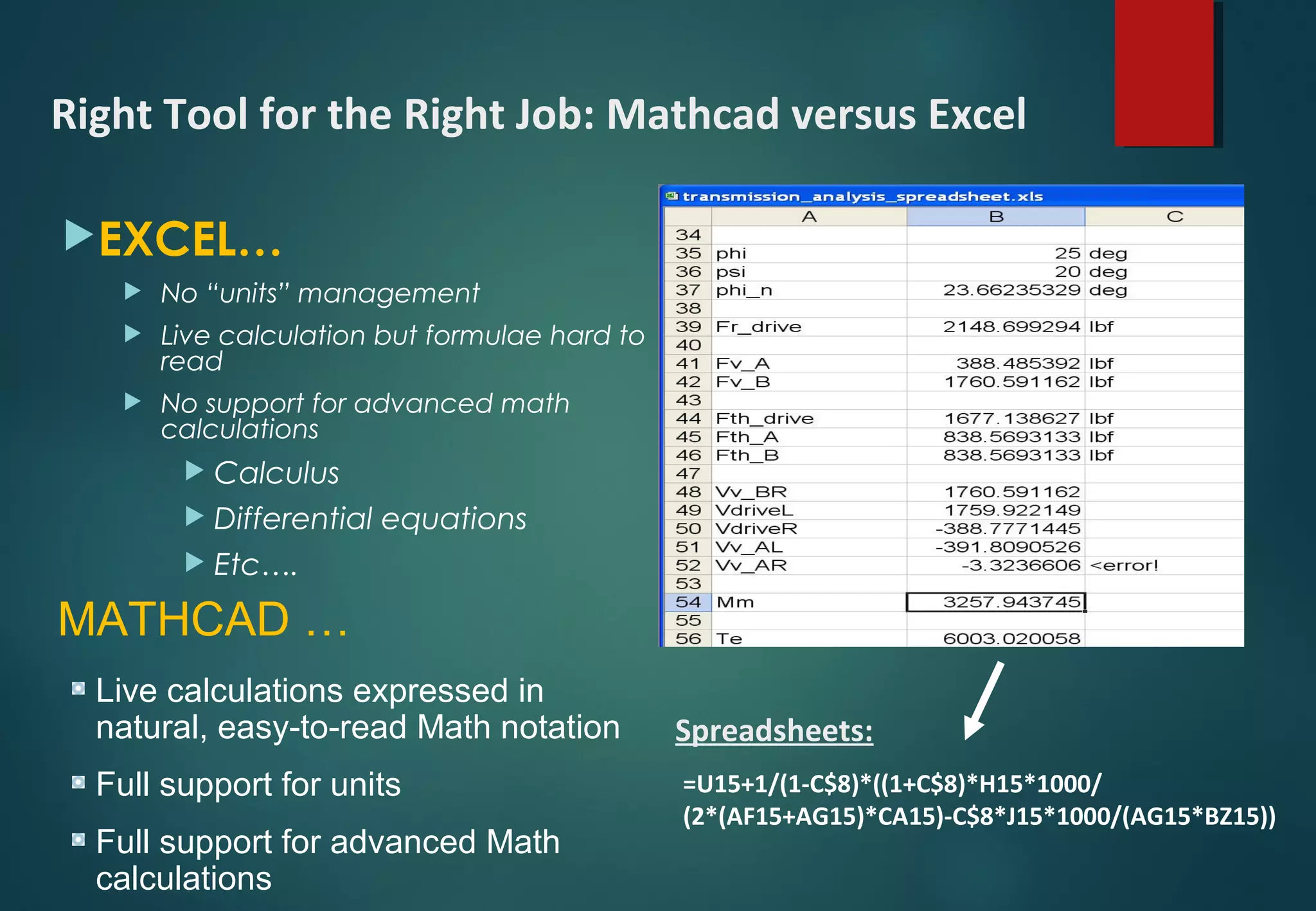
EXCEL…
 No “units” management
 Live calculation but formulae hard to
read
 No support for advanced math
calculations
 Calculus
 Differential equations
 Etc….
=U15+1/(1-C$8)*((1+C$8)*H15*1000/
(2*(AF15+AG15)*CA15)-C$8*J15*1000/(AG15*BZ15))
Spreadsheets:
Right Tool for the Right Job: Mathcad versus Excel
MATHCAD …
Live calculations expressed in
natural, easy-to-read Math notation
Full support for units
Full support for advanced Math
calculations
DISADVANTAGES .
Disadvantages
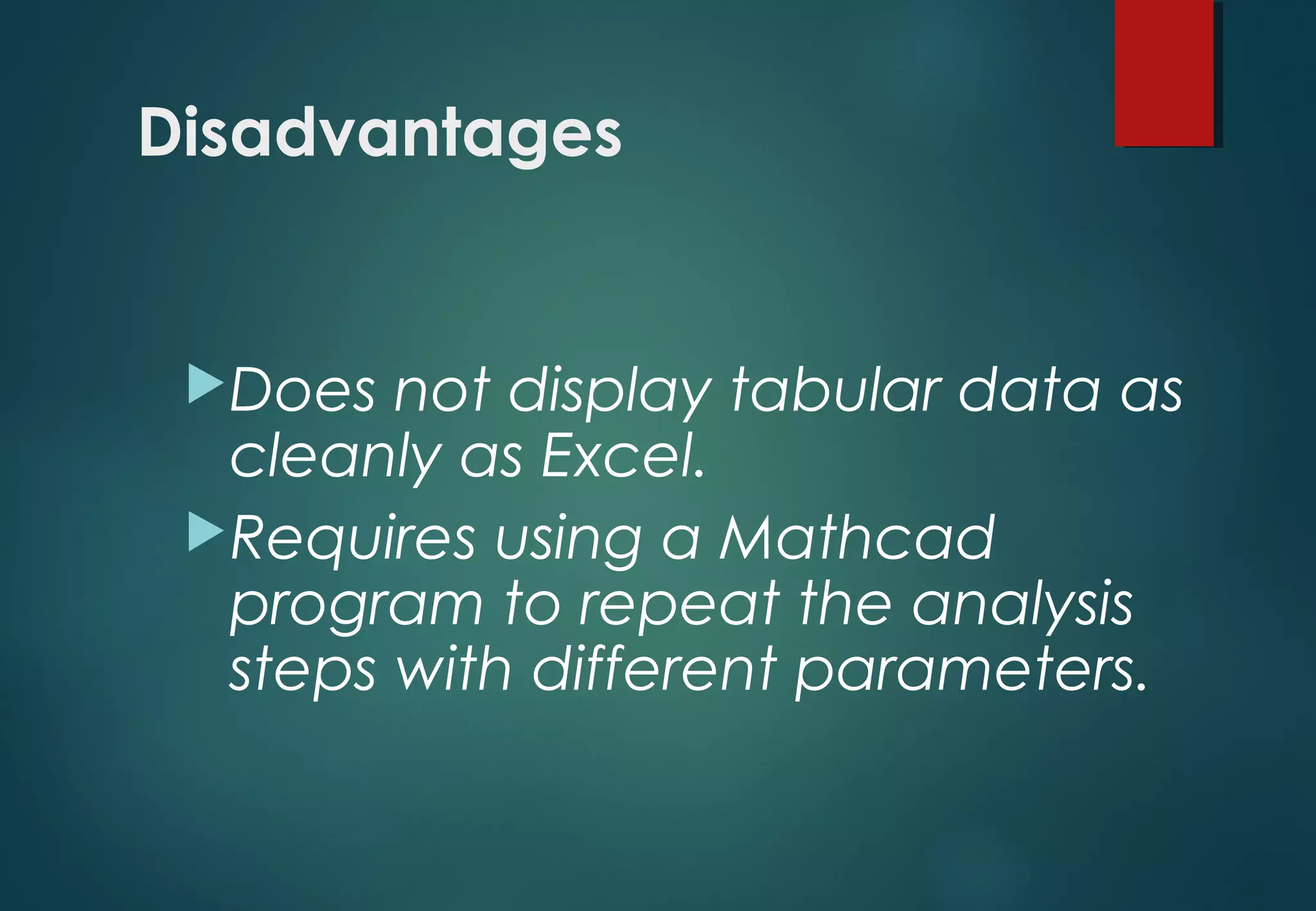
Does not display tabular data as
cleanly as Excel.
Requires using a Mathcad
program to repeat the analysis
steps with different parameters.
Mathcad presentation

  • 1.
    what’s MathCAD ?! FINDINGSOLUTIONS, SAVING TIME & EASY TO USE PREPARED BY ENG . KARAM ALBARODY
  • 2.
  • 3.
  • 4.
    INTRODUCTION #1 Mathcad  iscomputer software primarily used to combine a variety of different elements (variables, descriptive text, and supporting imagery) into the form of a worksheet, which is easy readable. This allows for simple manipulation of input variables, assumptions, and expressions, which in turn update in real-time. 
  • 5.
    Mathcad provides hundredsof operators and built-in functions for solving technical problems from the simple to the very complex. It can be used to perform numerical calculations or to find more general symbolic solutions. In short time. INTRODUCTION #2
  • 6.
    First introduced in1986 on DOS, it was the first to introduce live editing of typeset mathematical notation, combined with its automatic computations. INTRODUCTION #3
  • 7.
  • 8.
    Advantages #1 Easy tolink with cad , excel , pdf.. and other Files
  • 11.
    Advantages #2 Using asmart Units, easy convert to any unit system.
  • 12.
    You can attachunits to every number or variable used in Mathcad. Once a unit is attached to a number or variable, Mathcad remembers the unit. You can then display this variable in any unit system.You do not need to convert it. Mathcad does it for you You can even mix unit systems .
  • 14.
    Advantages #3 Easy plotting 2D&3D&polarcurves, graph fitting , contours graph … ,
  • 17.
    Advantages #4 Simplifying expressionscan make a differentiation ,integration , expand.., ) .
  • 19.
    Advantages #5 Solving logicalfunctions and systems of equations up to 50 equation and unknowns .
  • 20.
    Solve up to50 simultaneous equations in 50 unknowns . Equations not restricted to linear equations Allows equations and inequalities
  • 23.
    Advantages #6 Finding rootsof quadratic and polynomial equations
  • 26.
  • 27.
    MATHACD VS EXCEL Take a long time to write the equations.  Take a long time to understand the equations. MATHCAD EXCEL  Take a few time to write the equations.  Take a few time to understand the equations.
  • 28.
    EXCEL…  No “units”management  Live calculation but formulae hard to read  No support for advanced math calculations  Calculus  Differential equations  Etc…. =U15+1/(1-C$8)*((1+C$8)*H15*1000/ (2*(AF15+AG15)*CA15)-C$8*J15*1000/(AG15*BZ15)) Spreadsheets: Right Tool for the Right Job: Mathcad versus Excel MATHCAD … Live calculations expressed in natural, easy-to-read Math notation Full support for units Full support for advanced Math calculations
  • 31.
  • 32.
    Disadvantages Does not displaytabular data as cleanly as Excel. Requires using a Mathcad program to repeat the analysis steps with different parameters.