Marker Detection Algorithm
(of aruco)
pknam
Aruco Video
• https://www.youtube.com/watch?v=IU7SoMvWNeA
• https://www.youtube.com/watch?v=6F86znm-EMk
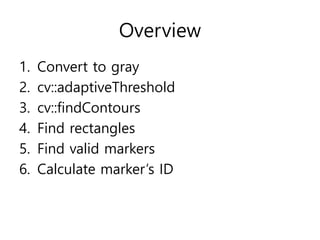
Overview
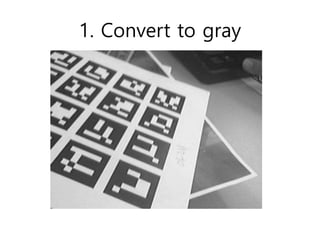
1. Convert to gray
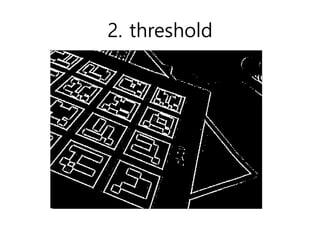
2. cv::adaptiveThreshold
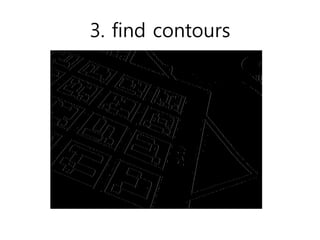
3. cv::findContours
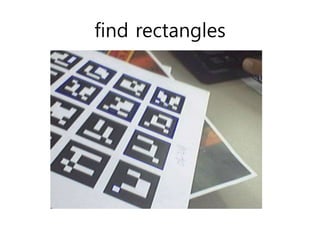
4. Find rectangles
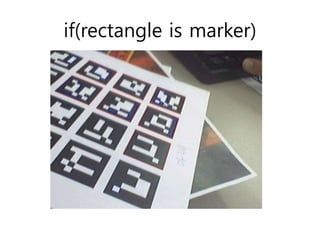
5. Find valid markers
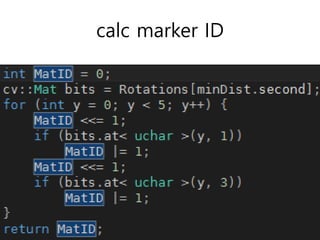
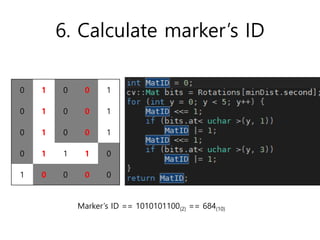
6. Calculate marker’s ID
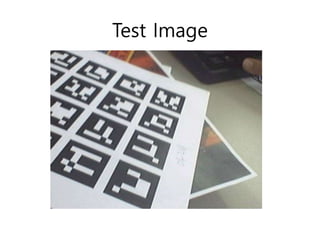
Test Image
1. Convert to gray
2. threshold
3. find contours
find rectangles
if(rectangle is marker)
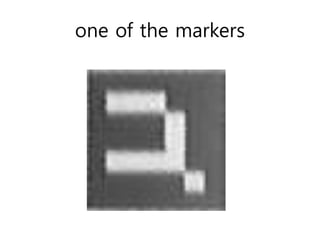
one of the markers
calc marker ID
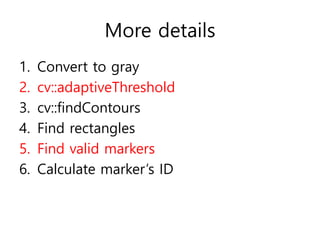
More details
1. Convert to gray
2. cv::adaptiveThreshold
3. cv::findContours
4. Find rectangles
5. Find valid markers
6. Calculate marker’s ID
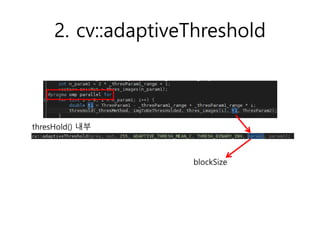
2. cv::adaptiveThreshold
thresHold() 내부
blockSize
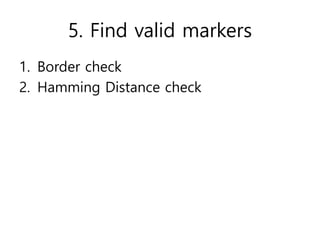
5. Find valid markers
1. Border check
2. Hamming Distance check
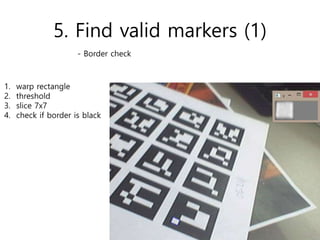
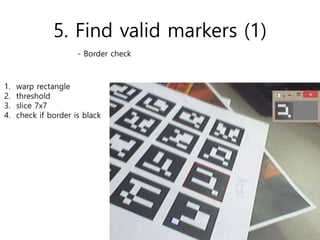
5. Find valid markers (1)
1. warp rectangle
2. threshold
3. slice 7x7
4. check if border is black
- Border check
5. Find valid markers (1)
1. warp rectangle
2. threshold
3. slice 7x7
4. check if border is black
- Border check
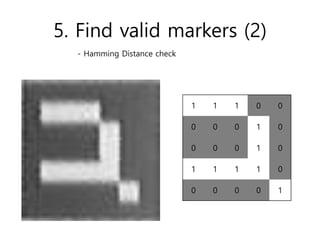
5. Find valid markers (2)
1 1 1 0 0
0 0 0 1 0
0 0 0 1 0
1 1 1 1 0
0 0 0 0 1
- Hamming Distance check
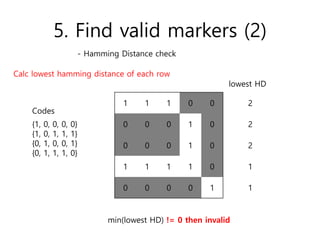
5. Find valid markers (2)
- Hamming Distance check
{1, 0, 0, 0, 0}
{1, 0, 1, 1, 1}
{0, 1, 0, 0, 1}
{0, 1, 1, 1, 0}
1 1 1 0 0
0 0 0 1 0
0 0 0 1 0
1 1 1 1 0
0 0 0 0 1
Calc lowest hamming distance of each row
Codes
lowest HD
2
2
2
1
1
min(lowest HD) != 0 then invalid
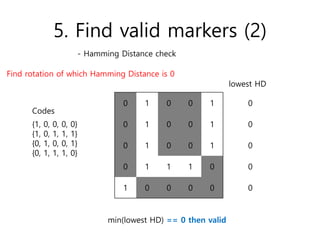
5. Find valid markers (2)
- Hamming Distance check
{1, 0, 0, 0, 0}
{1, 0, 1, 1, 1}
{0, 1, 0, 0, 1}
{0, 1, 1, 1, 0}
0 1 0 0 1
0 1 0 0 1
0 1 0 0 1
0 1 1 1 0
1 0 0 0 0
Codes
Find rotation of which Hamming Distance is 0
lowest HD
0
0
0
0
0
min(lowest HD) == 0 then valid
6. Calculate marker’s ID
0 1 0 0 1
0 1 0 0 1
0 1 0 0 1
0 1 1 1 0
1 0 0 0 0
Marker’s ID == 1010101100(2) == 684(10)
Board Detection Algorithm
(of Aruco)
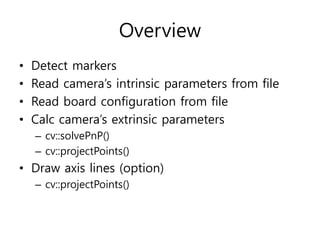
Overview
• Detect markers
• Read camera’s intrinsic parameters from file
• Read board configuration from file
• Calc camera’s extrinsic parameters
– cv::solvePnP()
– cv::projectPoints()
• Draw axis lines (option)
– cv::projectPoints()
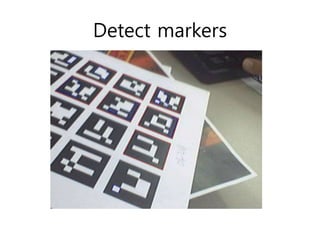
Detect markers
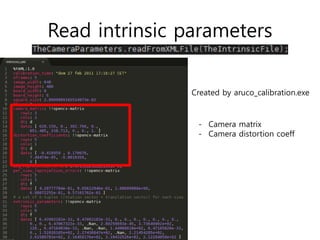
Read intrinsic parameters
Created by aruco_calibration.exe
- Camera matrix
- Camera distortion coeff
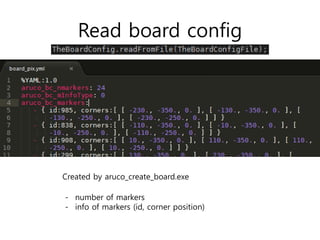
Read board config
- number of markers
- info of markers (id, corner position)
Created by aruco_create_board.exe
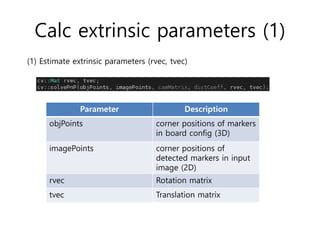
Calc extrinsic parameters (1)
Parameter Description
objPoints corner positions of markers
in board config (3D)
imagePoints corner positions of
detected markers in input
image (2D)
rvec Rotation matrix
tvec Translation matrix
(1) Estimate extrinsic parameters (rvec, tvec)
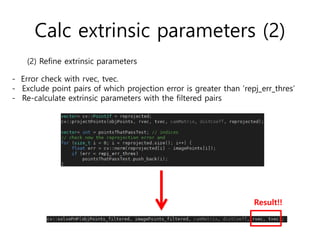
Calc extrinsic parameters (2)
(2) Refine extrinsic parameters
- Error check with rvec, tvec.
- Exclude point pairs of which projection error is greater than ‘repj_err_thres’
- Re-calculate extrinsic parameters with the filtered pairs
Result!!
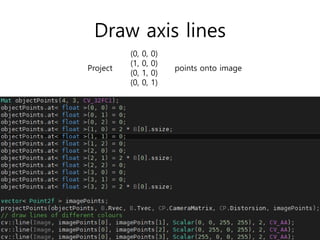
Draw axis lines
(0, 0, 0)
(1, 0, 0)
(0, 1, 0)
(0, 0, 1)
Project points onto image
Camera Calibration Algorithm
(of Aruco)
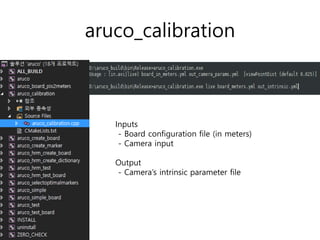
aruco_calibration
Inputs
- Board configuration file (in meters)
- Camera input
Output
- Camera’s intrinsic parameter file
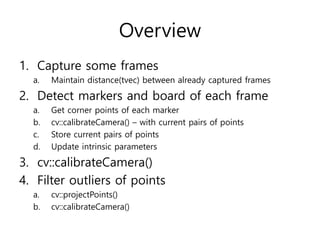
Overview
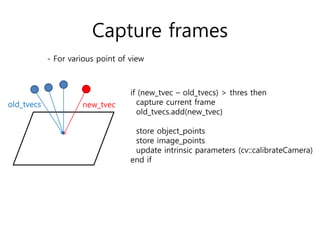
1. Capture some frames
a. Maintain distance(tvec) between already captured frames
2. Detect markers and board of each frame
a. Get corner points of each marker
b. cv::calibrateCamera() – with current pairs of points
c. Store current pairs of points
d. Update intrinsic parameters
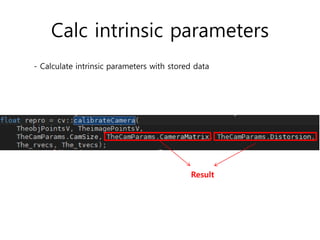
3. cv::calibrateCamera()
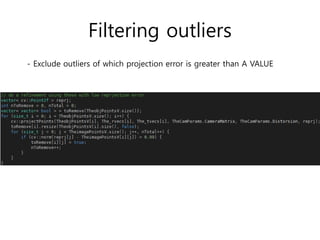
4. Filter outliers of points
a. cv::projectPoints()
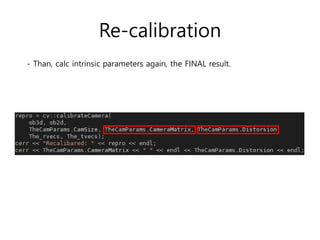
b. cv::calibrateCamera()
Capture frames
new_tvec
if (new_tvec – old_tvecs) > thres then
capture current frame
old_tvecs.add(new_tvec)
store object_points
store image_points
update intrinsic parameters (cv::calibrateCamera)
end if
old_tvecs
- For various point of view
Calc intrinsic parameters
- Calculate intrinsic parameters with stored data
Result
Filtering outliers
- Exclude outliers of which projection error is greater than A VALUE
Re-calibration
- Than, calc intrinsic parameters again, the FINAL result.

Marker detection algorithm