Managing Workload
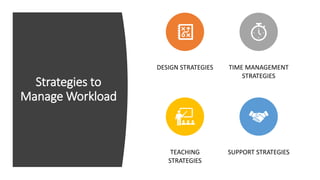
Strategies to
Manage Workload
DESIGN STRATEGIES TIME MANAGEMENT
STRATEGIES
TEACHING
STRATEGIES
SUPPORT STRATEGIES
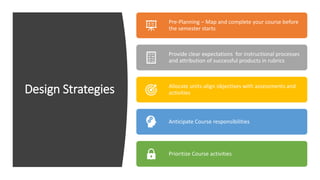
Design Strategies
Pre-Planning – Map and complete your course before
the semester starts
Provide clear expectations for instructional processes
and attribution of successful products in rubrics
Allocate units-align objectives with assessments and
activities
Anticipate Course responsibilities
Prioritize Course activities
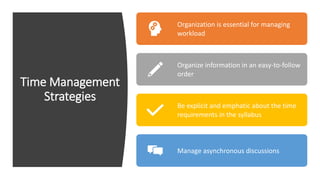
Time Management
Strategies
Organization is essential for managing
workload
Organize information in an easy-to-follow
order
Be explicit and emphatic about the time
requirements in the syllabus
Manage asynchronous discussions
Teaching Strategies
Identify your weekly teaching
activities.
At the beginning of the semester, put
time on your personal calendar for
time to be present in the class.
Create presence by inserting yourself
regularly in your class. Pre-set the
emails and messages to be send at the
beginning of the week.
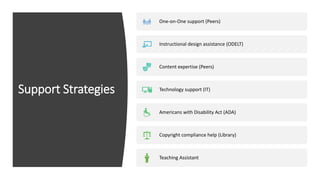
Support Strategies
One-on-One support (Peers)
Instructional design assistance (ODELT)
Content expertise (Peers)
Technology support (IT)
Americans with Disability Act (ADA)
Copyright compliance help (Library)
Teaching Assistant
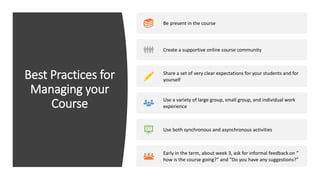
Best Practices for
Managing your
Course
Be present in the course
Create a supportive online course community
Share a set of very clear expectations for your students and for
yourself
Use a variety of large group, small group, and individual work
experience
Use both synchronous and asynchronous activities
Early in the term, about week 3, ask for informal feedback on “
how is the course going?” and “Do you have any suggestions?”
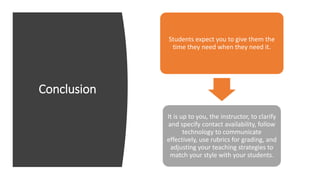
Conclusion
Students expect you to give them the
time they need when they need it.
It is up to you, the instructor, to clarify
and specify contact availability, follow
technology to communicate
effectively, use rubrics for grading, and
adjusting your teaching strategies to
match your style with your students.

Managing workload

  • 1.
  • 2.
    Strategies to Manage Workload DESIGNSTRATEGIES TIME MANAGEMENT STRATEGIES TEACHING STRATEGIES SUPPORT STRATEGIES
  • 3.
    Design Strategies Pre-Planning –Map and complete your course before the semester starts Provide clear expectations for instructional processes and attribution of successful products in rubrics Allocate units-align objectives with assessments and activities Anticipate Course responsibilities Prioritize Course activities
  • 4.
    Time Management Strategies Organization isessential for managing workload Organize information in an easy-to-follow order Be explicit and emphatic about the time requirements in the syllabus Manage asynchronous discussions
  • 5.
    Teaching Strategies Identify yourweekly teaching activities. At the beginning of the semester, put time on your personal calendar for time to be present in the class. Create presence by inserting yourself regularly in your class. Pre-set the emails and messages to be send at the beginning of the week.
  • 6.
    Support Strategies One-on-One support(Peers) Instructional design assistance (ODELT) Content expertise (Peers) Technology support (IT) Americans with Disability Act (ADA) Copyright compliance help (Library) Teaching Assistant
  • 7.
    Best Practices for Managingyour Course Be present in the course Create a supportive online course community Share a set of very clear expectations for your students and for yourself Use a variety of large group, small group, and individual work experience Use both synchronous and asynchronous activities Early in the term, about week 3, ask for informal feedback on “ how is the course going?” and “Do you have any suggestions?”
  • 8.
    Conclusion Students expect youto give them the time they need when they need it. It is up to you, the instructor, to clarify and specify contact availability, follow technology to communicate effectively, use rubrics for grading, and adjusting your teaching strategies to match your style with your students.