LibraryLibraryServices
How to manage those references
Leanne Workman, Information Consultant for ISG
http://libguides.rhul.ac.uk/InformationSecurity/Referencing
LibraryDepartment
So before I start… a couple of quick questions for you…
https://www.flickr.com/photos/56218409@N03/15371262455/
LibraryDepartment
My aim today is to answer these questions…
• What is referencing? And why should I do it?
• How do I reference?
• What reference management tools are there out
there to help me?
4
What is
referencing?!
What is referencing and why do I need
to do it?
• Acknowledge when using
someone’s work
• To make clear to the reader that
this idea is not your own
• Demonstrate the breadth of
reading, viewing and individual
research
• Support your argument
• To allow you, your tutor and other
readers to retrieve items that you
have mentioned
• To avoid accusations of plagiarism
Styles of referencing
There are many many MANY different styles of referencing e.g.
• Harvard
• Vancouver, also known as the “numbered” () [] style
The Information Security Department is happy for you to use any
style as long as you are CONSISTENT.
Support is available for all styles, further guidance can be found
here http://libguides.rhul.ac.uk/InformationSecurity/Referencing
7
What is
plagiarism?
What is plagiarism?
• Passing off as your own a piece of work
that is partly or wholly the work of
another student
• Citing and referencing sources that you
have not used
• Quoting, summarising or paraphrasing
material in your assignment without
citing the original source
• 'Recycling' a piece of your own work that
you have previously submitted for
another module or course (i.e. self-
plagiarism).
(Palgrave Study SkillsOnline, 2018)
10
How do I
reference?!
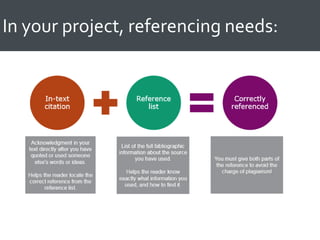
In your project, referencing needs:
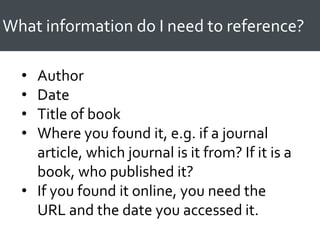
What information do I need to reference?
• Author
• Date
• Title of book
• Where you found it, e.g. if a journal
article, which journal is it from? If it is a
book, who published it?
• If you found it online, you need the
URL and the date you accessed it.
13
Harvard
Referencing
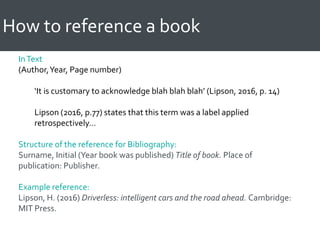
How to reference a book
InText
(Author,Year, Page number)
‘It is customary to acknowledge blah blah blah’ (Lipson, 2016, p. 14)
Lipson (2016, p.77) states that this term was a label applied
retrospectively…
Structure of the reference for Bibliography:
Surname, Initial (Year book was published) Title of book. Place of
publication: Publisher.
Example reference:
Lipson, H. (2016) Driverless: intelligent cars and the road ahead. Cambridge:
MIT Press.
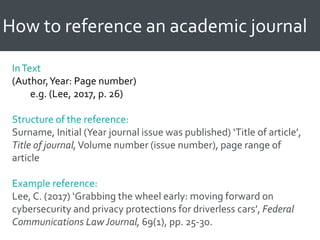
How to reference an academic journal
InText
(Author,Year: Page number)
e.g. (Lee, 2017, p. 26)
Structure of the reference:
Surname, Initial (Year journal issue was published) ‘Title of article’,
Title of journal,Volume number (issue number), page range of
article
Example reference:
Lee, C. (2017) ‘Grabbing the wheel early: moving forward on
cybersecurity and privacy protections for driverless cars’, Federal
Communications LawJournal, 69(1), pp. 25-30.
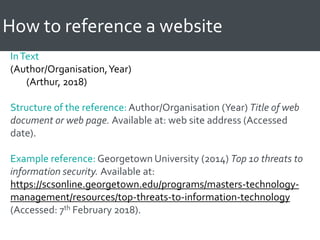
How to reference a website
InText
(Author/Organisation,Year)
(Arthur, 2018)
Structure of the reference: Author/Organisation (Year) Title of web
document or web page. Available at: web site address (Accessed
date).
Example reference: Georgetown University (2014) Top 10 threats to
information security. Available at:
https://scsonline.georgetown.edu/programs/masters-technology-
management/resources/top-threats-to-information-technology
(Accessed: 7th February 2018).
LibraryDepartment
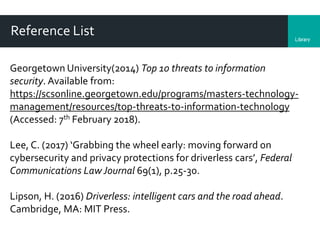
Reference List
Georgetown University(2014) Top 10 threats to information
security. Available from:
https://scsonline.georgetown.edu/programs/masters-technology-
management/resources/top-threats-to-information-technology
(Accessed: 7th February 2018).
Lee, C. (2017) ‘Grabbing the wheel early: moving forward on
cybersecurity and privacy protections for driverless cars’, Federal
Communications LawJournal 69(1), p.25-30.
Lipson, H. (2016) Driverless: intelligent cars and the road ahead.
Cambridge, MA: MIT Press.
ACTIVITYTIME:
Let’s put these references into
order!
19
Referencing in
the ‘Vancouver’
style
i.e. the number
in brackets
style [1]
LibraryDepartment
Vancouver style referencing
In-text references should be numbered (1) or [1] – it doesn’t
matter which, as long as you do it consistently.
The full references should appear at the end of the
assignment listed numerically in the same order they were
cited in the text.The reference should contain:
• Author surname followed by initials
• Title of article
• Title of the journal
• Publication Date
• Volume number (Issue number in brackets if there is one)
• Page numbers…
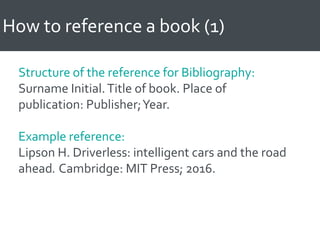
How to reference a book (1)
Structure of the reference for Bibliography:
Surname Initial.Title of book. Place of
publication: Publisher;Year.
Example reference:
Lipson H. Driverless: intelligent cars and the road
ahead. Cambridge: MIT Press; 2016.
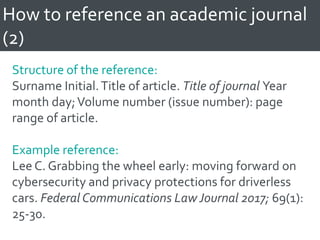
How to reference an academic journal
(2)
Structure of the reference:
Surname Initial.Title of article. Title of journal Year
month day;Volume number (issue number): page
range of article.
Example reference:
Lee C. Grabbing the wheel early: moving forward on
cybersecurity and privacy protections for driverless
cars. Federal Communications Law Journal 2017; 69(1):
25-30.
How to reference a website (3)
Structure of the reference:Author/Organisation.Title
of web document or web page. [Internet].Year. [Cited
Year Month Day]. Available from: web site address
Example reference: Georgetown University.Top 10
threats to information security. [Internet]. 2014 [cited
2018 Feb 7]. Available from:
https://scsonline.georgetown.edu/programs/masters-
technology-management/resources/top-threats-to-
information-technology
LibraryDepartment
Reference List
(1) Lipson H. Driverless: intelligent cars and the road ahead.
Cambridge: MIT Press; 2016.
(2) Lee C. Grabbing the wheel early: moving forward on
cybersecurity and privacy protections for driverless cars. Federal
Communications LawJournal 2017 Mar; 69(1): 25-30.
(3) Georgetown University. Top 10 threats to information security.
[Internet]. 2014 [cited 2018 Feb 7]; [2 screens]. Available from:
https://scsonline.georgetown.edu/programs/masters-technology-
management/resources/top-threats-to-information-technology
LibraryDepartment
The weird and wacky!
Standards
• Publishing organisation
• Standard number
• Title
• Place of publication
• Publisher
• Year
Blog Posts
Just like a webpage but in the square brackets say [Blog] rather
than [Webpage]. If your style of referencing isn’t using the square
brackets, you would still follow the same format for websites
LibraryDepartment
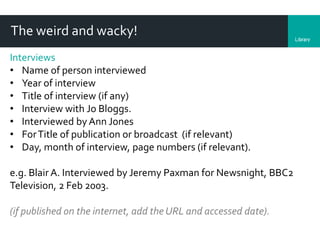
The weird and wacky!
Interviews
• Name of person interviewed
• Year of interview
• Title of interview (if any)
• Interview with Jo Bloggs.
• Interviewed by Ann Jones
• ForTitle of publication or broadcast (if relevant)
• Day, month of interview, page numbers (if relevant).
e.g. Blair A. Interviewed by Jeremy Paxman for Newsnight, BBC2
Television, 2 Feb 2003.
(if published on the internet, add the URL and accessed date).
ACTIVITYTIME:
Spot the missing information in the
reference list!
2
Top tips to
remember
when it comes
to
referencing…
LibraryDepartment
REMEMBER…
BE
CONSISTENT!!
LibraryDepartment
REMEMBER…
Even the weird and wacky references
need the same bits of information:
 Author
 Title
 Where you found it from!
LibraryDepartment
REMEMBER…
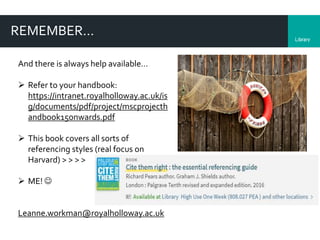
And there is always help available…
 Refer to your handbook:
https://intranet.royalholloway.ac.uk/is
g/documents/pdf/project/mscprojecth
andbook15onwards.pdf
 This book covers all sorts of
referencing styles (real focus on
Harvard) > > > >
 ME! 
Leanne.workman@royalholloway.ac.uk
33
What reference
management
tools are there
to help me?
LibraryDepartment
Reference ManagementTools – what do they do?
• Capture, save and organise references
• Generate bibliographies and in-text citations (with plug-ins
into Word and Google Docs, etc) in many different types of
citation styles
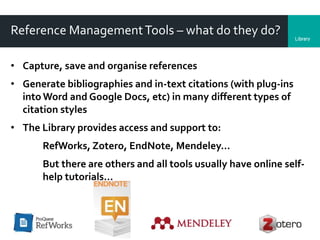
• The Library provides access and support to:
RefWorks, Zotero, EndNote, Mendeley…
But there are others and all tools usually have online self-
help tutorials…
LibraryDepartment
36
Before I scoot off, my last few
questions…
CC-BY-NC-SA: Image courtesy of Clement127 via Flickr.
Any
questions?
38
Want further help?
Leanne.Workman@rhul.ac.uk
http://libguides.rhul.ac.uk/Inform
ationSecurity/Referencing
1-2-1 Sessions (or you can simply
email me! )

Managing those references: referencing help for your MSc project

  • 1.
    LibraryLibraryServices How to managethose references Leanne Workman, Information Consultant for ISG http://libguides.rhul.ac.uk/InformationSecurity/Referencing
  • 2.
    LibraryDepartment So before Istart… a couple of quick questions for you… https://www.flickr.com/photos/56218409@N03/15371262455/
  • 3.
    LibraryDepartment My aim todayis to answer these questions… • What is referencing? And why should I do it? • How do I reference? • What reference management tools are there out there to help me?
  • 4.
  • 5.
    What is referencingand why do I need to do it? • Acknowledge when using someone’s work • To make clear to the reader that this idea is not your own • Demonstrate the breadth of reading, viewing and individual research • Support your argument • To allow you, your tutor and other readers to retrieve items that you have mentioned • To avoid accusations of plagiarism
  • 6.
    Styles of referencing Thereare many many MANY different styles of referencing e.g. • Harvard • Vancouver, also known as the “numbered” () [] style The Information Security Department is happy for you to use any style as long as you are CONSISTENT. Support is available for all styles, further guidance can be found here http://libguides.rhul.ac.uk/InformationSecurity/Referencing
  • 7.
  • 8.
    What is plagiarism? •Passing off as your own a piece of work that is partly or wholly the work of another student • Citing and referencing sources that you have not used • Quoting, summarising or paraphrasing material in your assignment without citing the original source • 'Recycling' a piece of your own work that you have previously submitted for another module or course (i.e. self- plagiarism). (Palgrave Study SkillsOnline, 2018)
  • 9.
  • 10.
    In your project,referencing needs:
  • 11.
    What information doI need to reference? • Author • Date • Title of book • Where you found it, e.g. if a journal article, which journal is it from? If it is a book, who published it? • If you found it online, you need the URL and the date you accessed it.
  • 12.
  • 13.
    How to referencea book InText (Author,Year, Page number) ‘It is customary to acknowledge blah blah blah’ (Lipson, 2016, p. 14) Lipson (2016, p.77) states that this term was a label applied retrospectively… Structure of the reference for Bibliography: Surname, Initial (Year book was published) Title of book. Place of publication: Publisher. Example reference: Lipson, H. (2016) Driverless: intelligent cars and the road ahead. Cambridge: MIT Press.
  • 14.
    How to referencean academic journal InText (Author,Year: Page number) e.g. (Lee, 2017, p. 26) Structure of the reference: Surname, Initial (Year journal issue was published) ‘Title of article’, Title of journal,Volume number (issue number), page range of article Example reference: Lee, C. (2017) ‘Grabbing the wheel early: moving forward on cybersecurity and privacy protections for driverless cars’, Federal Communications LawJournal, 69(1), pp. 25-30.
  • 15.
    How to referencea website InText (Author/Organisation,Year) (Arthur, 2018) Structure of the reference: Author/Organisation (Year) Title of web document or web page. Available at: web site address (Accessed date). Example reference: Georgetown University (2014) Top 10 threats to information security. Available at: https://scsonline.georgetown.edu/programs/masters-technology- management/resources/top-threats-to-information-technology (Accessed: 7th February 2018).
  • 16.
    LibraryDepartment Reference List Georgetown University(2014)Top 10 threats to information security. Available from: https://scsonline.georgetown.edu/programs/masters-technology- management/resources/top-threats-to-information-technology (Accessed: 7th February 2018). Lee, C. (2017) ‘Grabbing the wheel early: moving forward on cybersecurity and privacy protections for driverless cars’, Federal Communications LawJournal 69(1), p.25-30. Lipson, H. (2016) Driverless: intelligent cars and the road ahead. Cambridge, MA: MIT Press.
  • 17.
    ACTIVITYTIME: Let’s put thesereferences into order!
  • 18.
    19 Referencing in the ‘Vancouver’ style i.e.the number in brackets style [1]
  • 19.
    LibraryDepartment Vancouver style referencing In-textreferences should be numbered (1) or [1] – it doesn’t matter which, as long as you do it consistently. The full references should appear at the end of the assignment listed numerically in the same order they were cited in the text.The reference should contain: • Author surname followed by initials • Title of article • Title of the journal • Publication Date • Volume number (Issue number in brackets if there is one) • Page numbers…
  • 20.
    How to referencea book (1) Structure of the reference for Bibliography: Surname Initial.Title of book. Place of publication: Publisher;Year. Example reference: Lipson H. Driverless: intelligent cars and the road ahead. Cambridge: MIT Press; 2016.
  • 21.
    How to referencean academic journal (2) Structure of the reference: Surname Initial.Title of article. Title of journal Year month day;Volume number (issue number): page range of article. Example reference: Lee C. Grabbing the wheel early: moving forward on cybersecurity and privacy protections for driverless cars. Federal Communications Law Journal 2017; 69(1): 25-30.
  • 22.
    How to referencea website (3) Structure of the reference:Author/Organisation.Title of web document or web page. [Internet].Year. [Cited Year Month Day]. Available from: web site address Example reference: Georgetown University.Top 10 threats to information security. [Internet]. 2014 [cited 2018 Feb 7]. Available from: https://scsonline.georgetown.edu/programs/masters- technology-management/resources/top-threats-to- information-technology
  • 23.
    LibraryDepartment Reference List (1) LipsonH. Driverless: intelligent cars and the road ahead. Cambridge: MIT Press; 2016. (2) Lee C. Grabbing the wheel early: moving forward on cybersecurity and privacy protections for driverless cars. Federal Communications LawJournal 2017 Mar; 69(1): 25-30. (3) Georgetown University. Top 10 threats to information security. [Internet]. 2014 [cited 2018 Feb 7]; [2 screens]. Available from: https://scsonline.georgetown.edu/programs/masters-technology- management/resources/top-threats-to-information-technology
  • 24.
    LibraryDepartment The weird andwacky! Standards • Publishing organisation • Standard number • Title • Place of publication • Publisher • Year Blog Posts Just like a webpage but in the square brackets say [Blog] rather than [Webpage]. If your style of referencing isn’t using the square brackets, you would still follow the same format for websites
  • 25.
    LibraryDepartment The weird andwacky! Interviews • Name of person interviewed • Year of interview • Title of interview (if any) • Interview with Jo Bloggs. • Interviewed by Ann Jones • ForTitle of publication or broadcast (if relevant) • Day, month of interview, page numbers (if relevant). e.g. Blair A. Interviewed by Jeremy Paxman for Newsnight, BBC2 Television, 2 Feb 2003. (if published on the internet, add the URL and accessed date).
  • 26.
    ACTIVITYTIME: Spot the missinginformation in the reference list!
  • 27.
    2 Top tips to remember whenit comes to referencing…
  • 28.
  • 29.
    LibraryDepartment REMEMBER… Even the weirdand wacky references need the same bits of information:  Author  Title  Where you found it from!
  • 30.
    LibraryDepartment REMEMBER… And there isalways help available…  Refer to your handbook: https://intranet.royalholloway.ac.uk/is g/documents/pdf/project/mscprojecth andbook15onwards.pdf  This book covers all sorts of referencing styles (real focus on Harvard) > > > >  ME!  Leanne.workman@royalholloway.ac.uk
  • 31.
  • 32.
    LibraryDepartment Reference ManagementTools –what do they do? • Capture, save and organise references • Generate bibliographies and in-text citations (with plug-ins into Word and Google Docs, etc) in many different types of citation styles • The Library provides access and support to: RefWorks, Zotero, EndNote, Mendeley… But there are others and all tools usually have online self- help tutorials…
  • 33.
    LibraryDepartment 36 Before I scootoff, my last few questions… CC-BY-NC-SA: Image courtesy of Clement127 via Flickr.
  • 34.
  • 35.