
SOLARWINDS CONFIDENTIAL Geek Speak:  Network Management  Fundamentals  Geek Speak Webcasts are created and sponsored by SolarWinds.  If you are not a SolarWinds customer, we recommend downloading & installing a 30-Day Trial evaluation Virtual and Server Profiler. This will allow users to follow along & understand the material being presented better. This webcast will cover the fundamentals of network management by demonstrating tips & best practices. SolarWinds Trials to Download Virtual and Server Profiler :  Download Now >> (LINK:
A big  “ Howdy ”  from SolarWinds based in Austin, Texas Brian Radovich – Senior Product Manager, Storage Profiler Bob Quillin – Senior Director, Product Marketing Today ’ s Topic  Managing Storage in Virtualized Environments Fighting Bottlenecks, Hotspots, and the I/O Blender Effect
Can you hear me now? If not, use the GoToWebinar chat or Q&A panel to let us know.  How do you ask questions? Will this thing be recorded? Ask lots of questions
The virtualization journey Pinpointing and resolving new storage performance hotspots Managing the VM I/O blender effect  Forecasting shared storage capacity issues Optimizing and reclaiming space
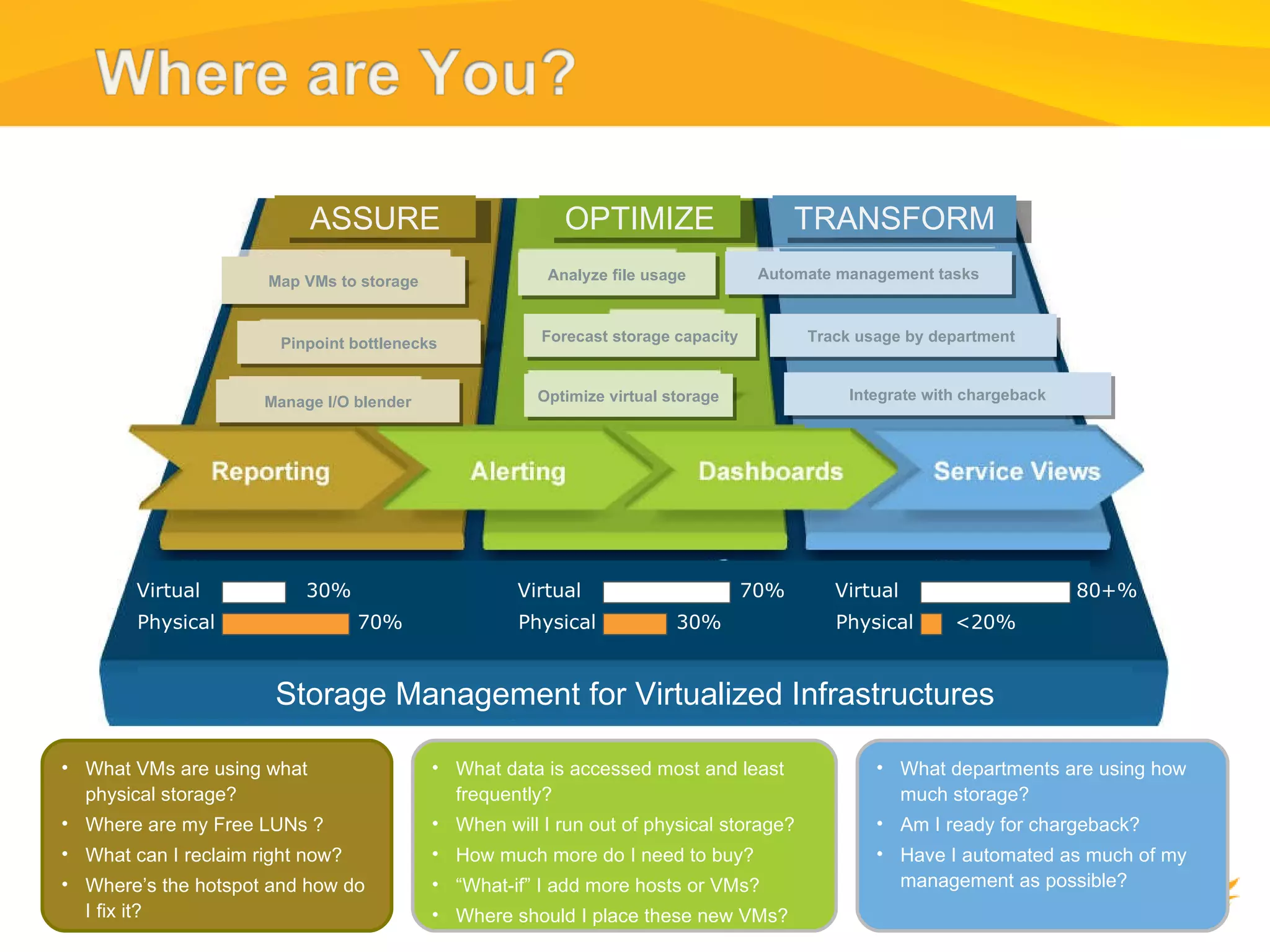
ASSURE OPTIMIZE TRANSFORM Map VMs to storage Pinpoint bottlenecks Manage I/O blender Analyze file usage Forecast storage capacity Optimize virtual storage Automate management tasks Track usage by department  Integrate with chargeback Phase I Phase II Phase III Storage Management for Virtualized Infrastructures Physical Virtual 30% 70% Physical Virtual 30% 70% What VMs are using what physical storage? Where are my Free LUNs ? What can I reclaim right now? Where’s the hotspot and how do I fix it? What data is accessed most and least frequently? When will I run out of physical storage? How much more do I need to buy? “ What-if” I add more hosts or VMs? Where should I place these new VMs? What departments are using how much storage? Am I ready for chargeback? Have I automated as much of my management as possible? Physical Virtual <20% 80+%
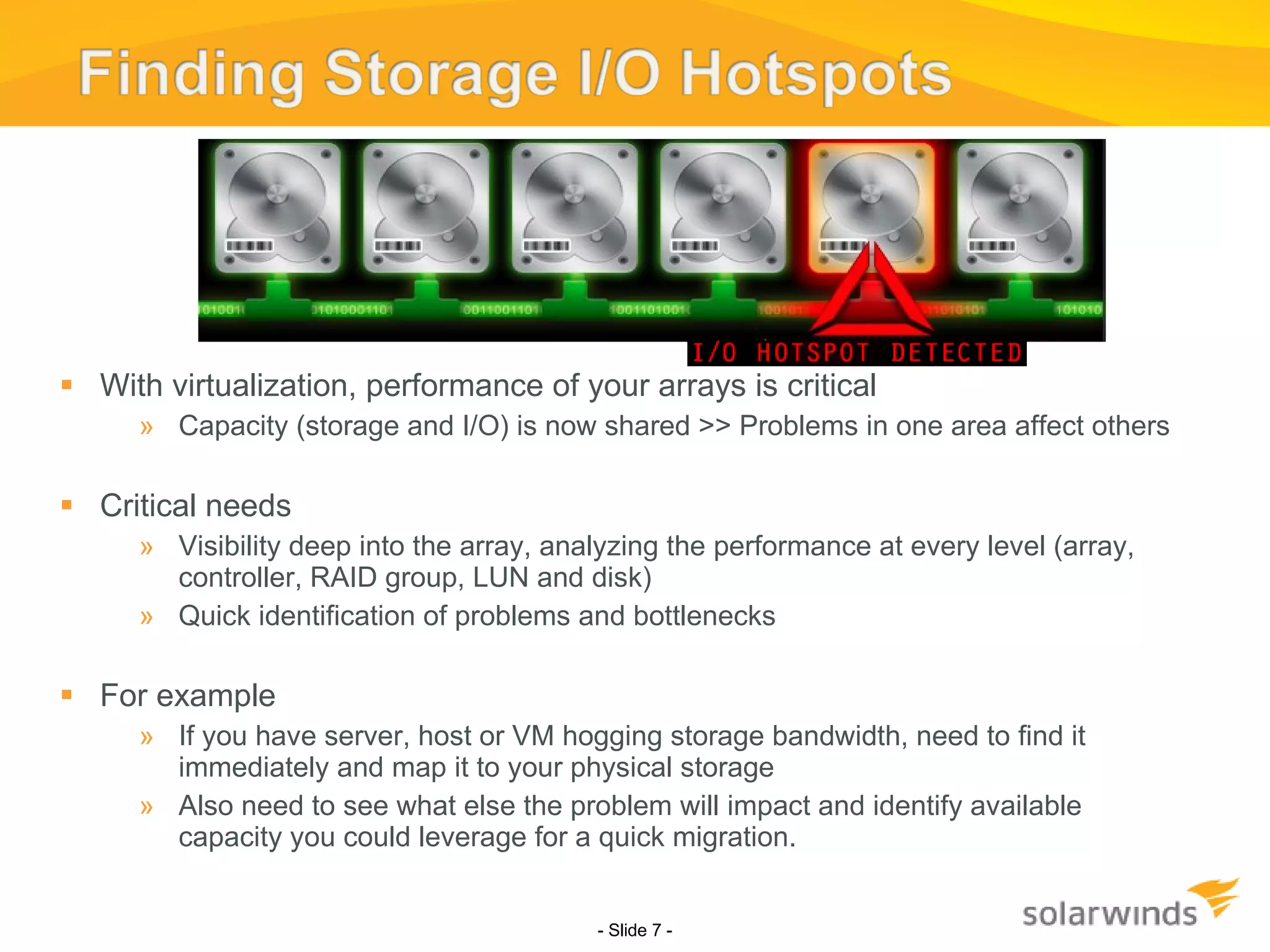
With virtualization, performance of your arrays is critical Capacity (storage and I/O) is now shared >> Problems in one area affect others  Critical needs Visibility deep into the array, analyzing the performance at every level (array, controller, RAID group, LUN and disk) Quick identification of problems and bottlenecks  For example If you have server, host or VM hogging storage bandwidth, need to find it immediately and map it to your physical storage Also need to see what else the problem will impact and identify available capacity you could leverage for a quick migration.  - Slide   -
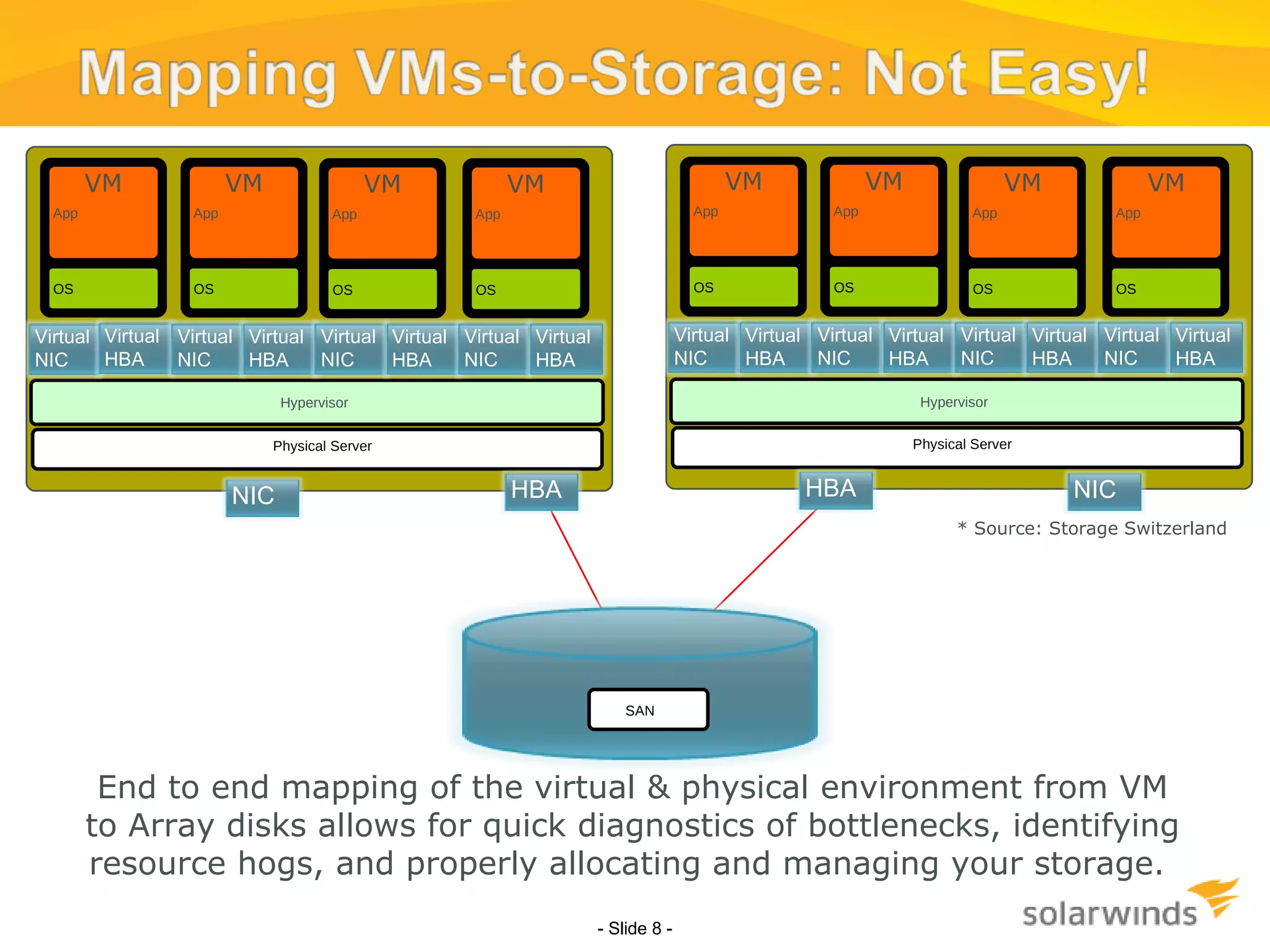
- Slide   - End to end mapping of the virtual & physical environment from VM to Array disks allows for quick diagnostics of bottlenecks, identifying resource hogs, and properly allocating and managing your storage.  * Source: Storage Switzerland SAN OS VM App OS VM App OS VM App OS VM App Hypervisor Physical Server Virtual NIC Virtual HBA Virtual NIC Virtual HBA Virtual NIC Virtual HBA Virtual NIC Virtual HBA HBA NIC OS VM App OS VM App OS VM App OS VM App Hypervisor Physical Server Virtual NIC Virtual HBA Virtual NIC Virtual HBA Virtual NIC Virtual HBA Virtual NIC Virtual HBA HBA NIC
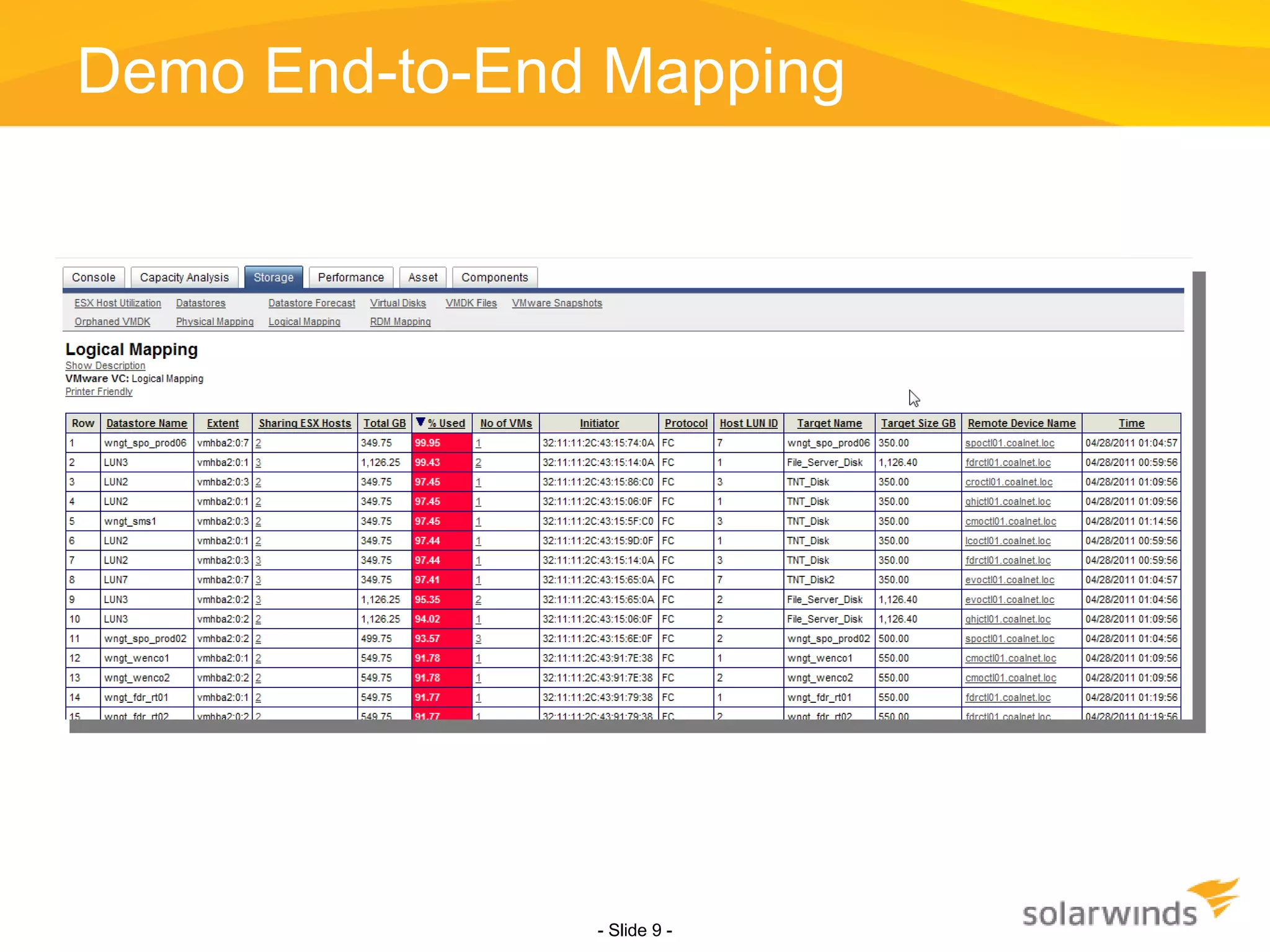
Demo End-to-End Mapping - Slide   -
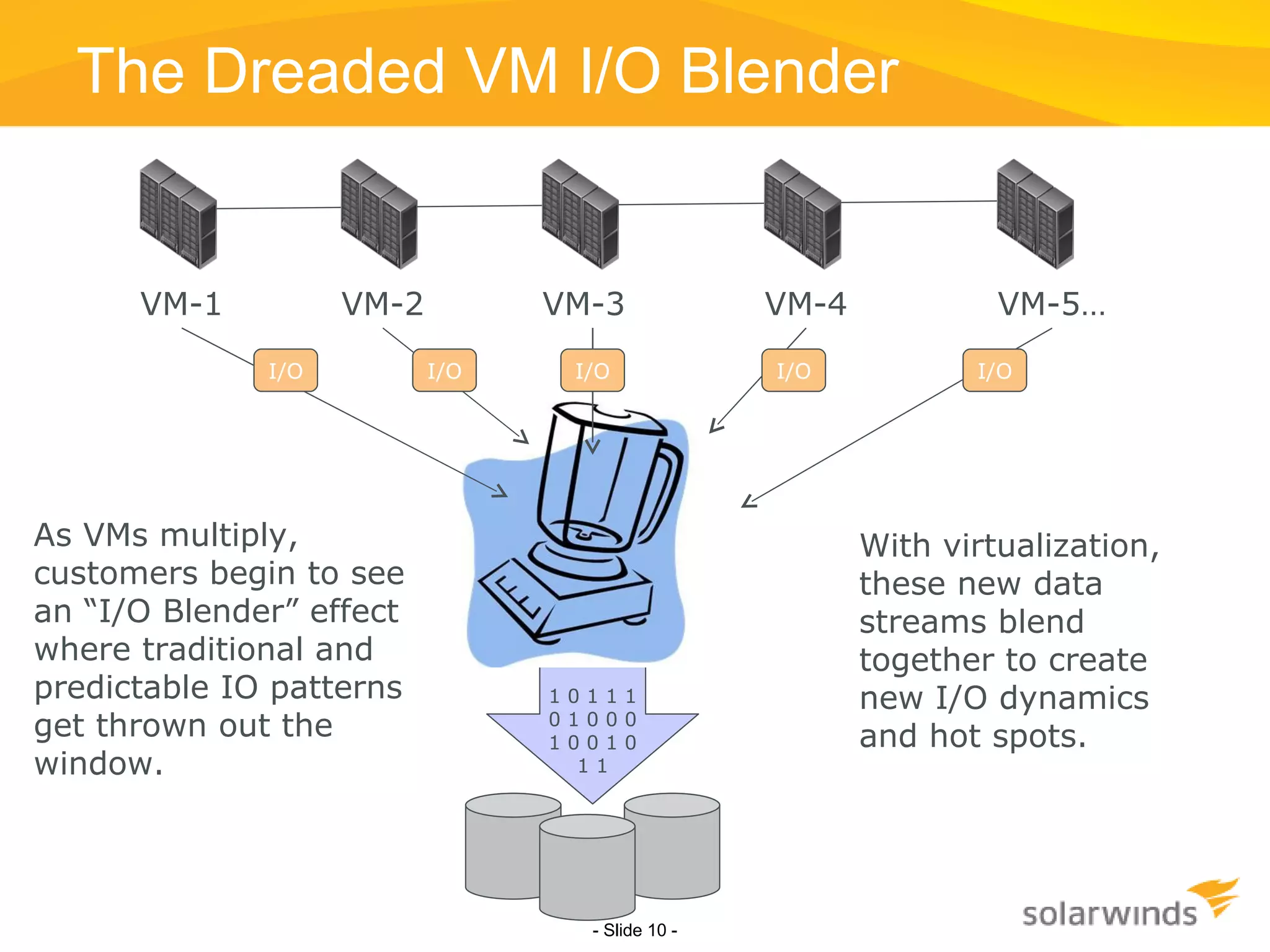
The Dreaded VM I/O Blender - Slide   - As VMs multiply, customers begin to see an “I/O Blender” effect where traditional and predictable IO patterns get thrown out the window.  With virtualization, these new data streams blend together to create new I/O dynamics and hot spots.  1 0 1 1 1 0 1 0 0 0 1 0 0 1 0 1 1 I/O I/O I/O I/O I/O VM-1 VM-2 VM-3 VM-4 VM-5…
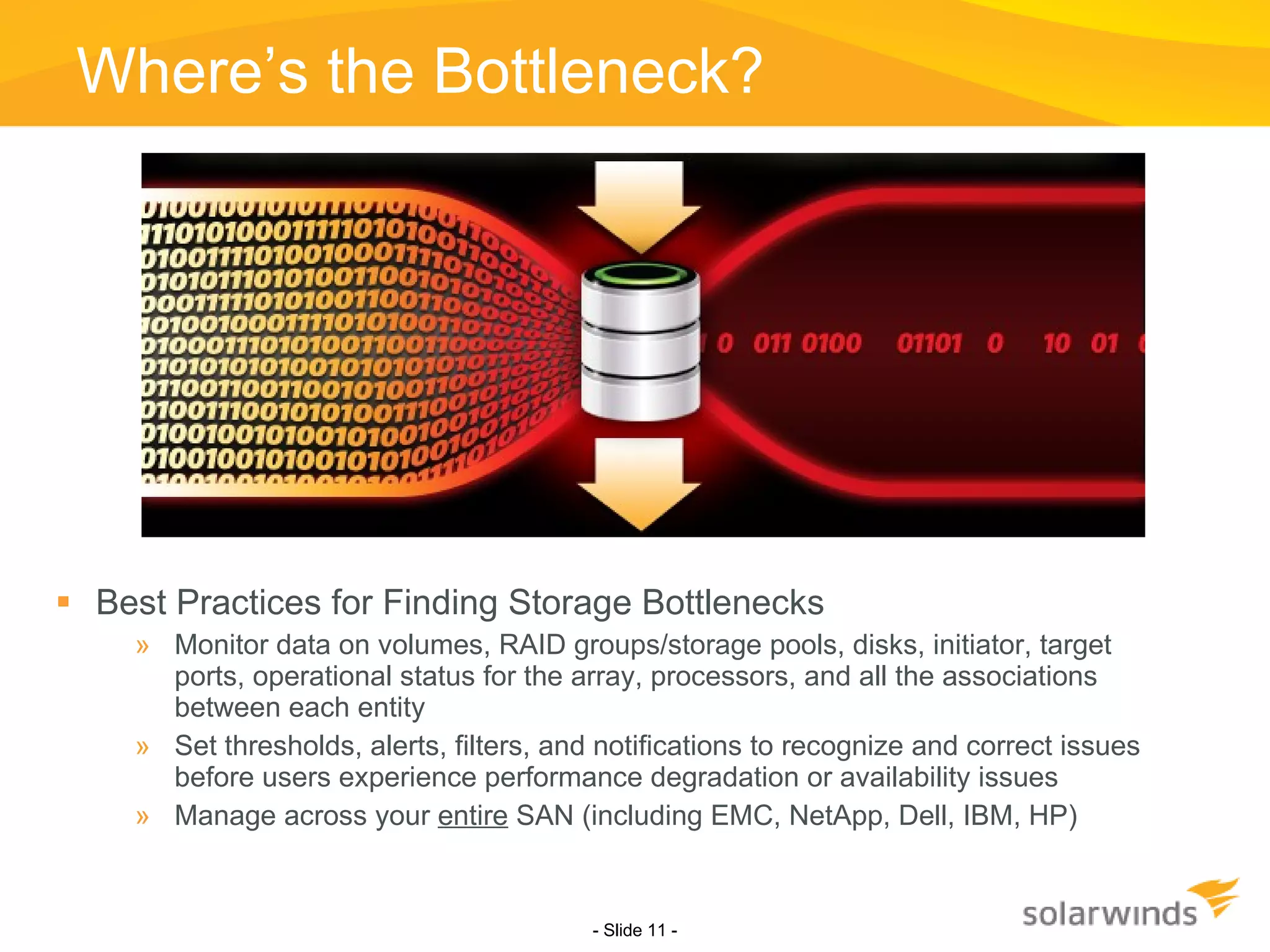
Where’s the Bottleneck? Best Practices for Finding Storage Bottlenecks Monitor data on volumes, RAID groups/storage pools, disks, initiator, target ports, operational status for the array, processors, and all the associations between each entity Set thresholds, alerts, filters, and notifications to recognize and correct issues before users experience performance degradation or availability issues Manage across your  entire  SAN (including EMC, NetApp, Dell, IBM, HP) - Slide   -
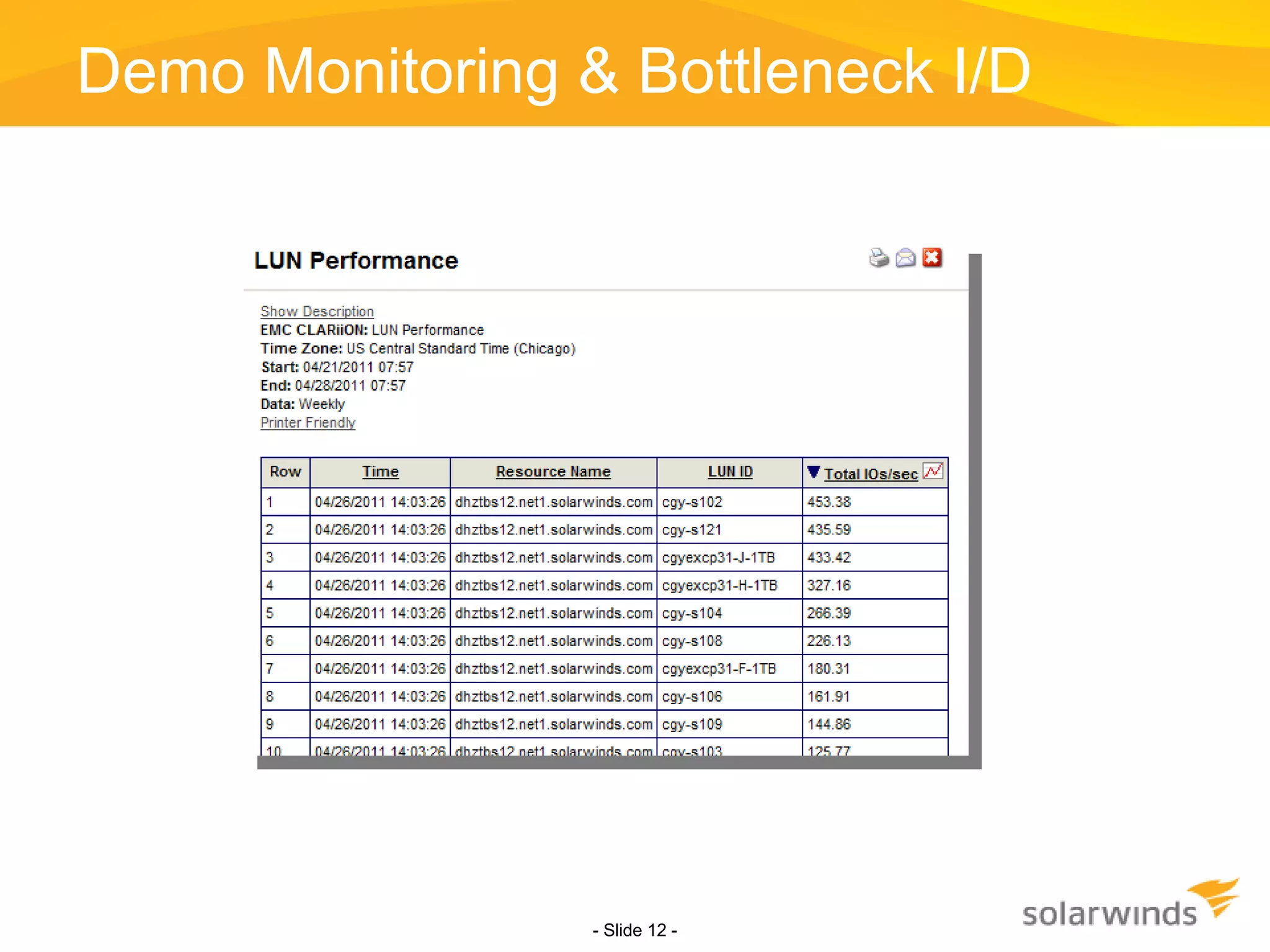
Demo Monitoring & Bottleneck I/D - Slide   -
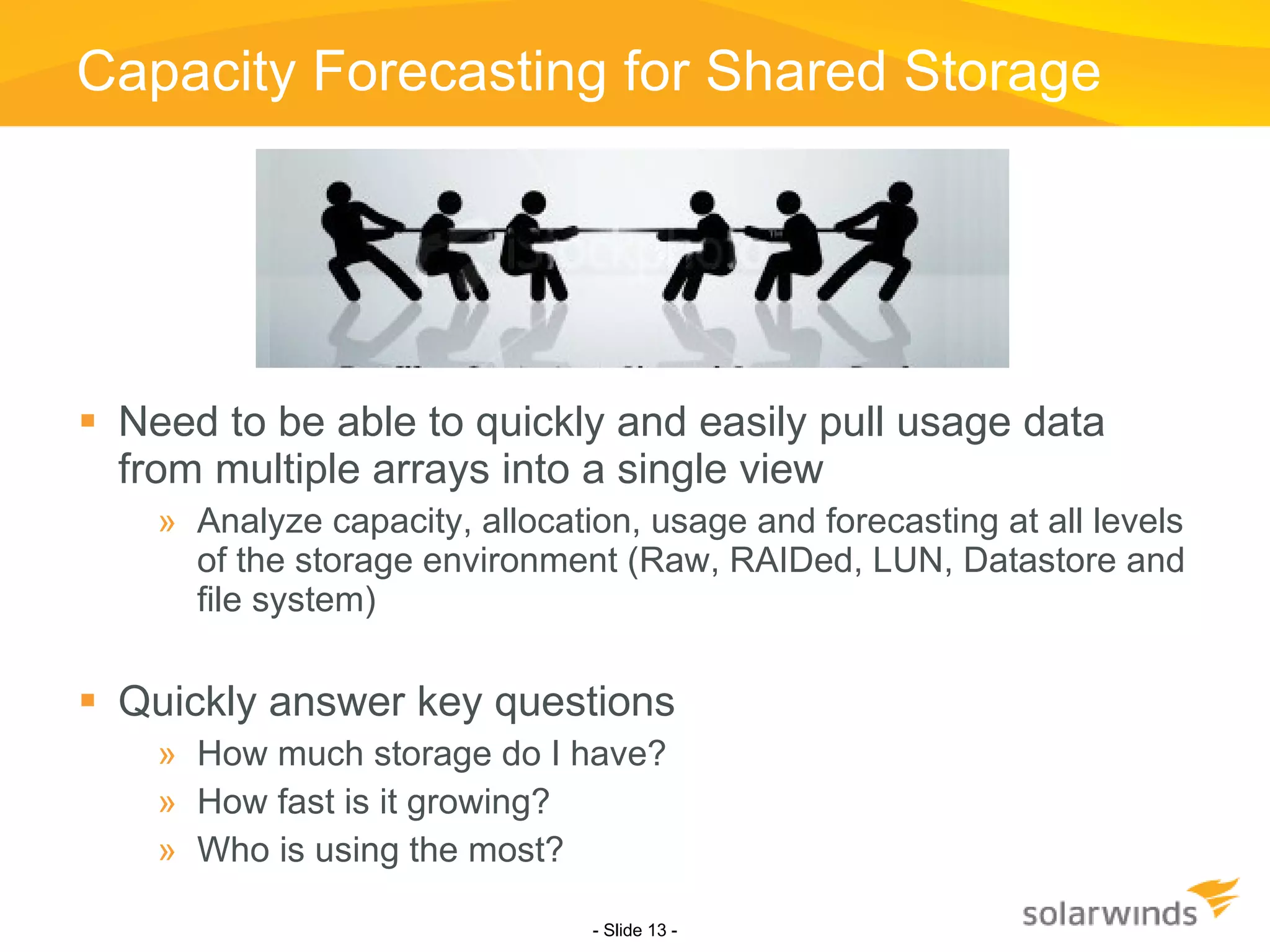
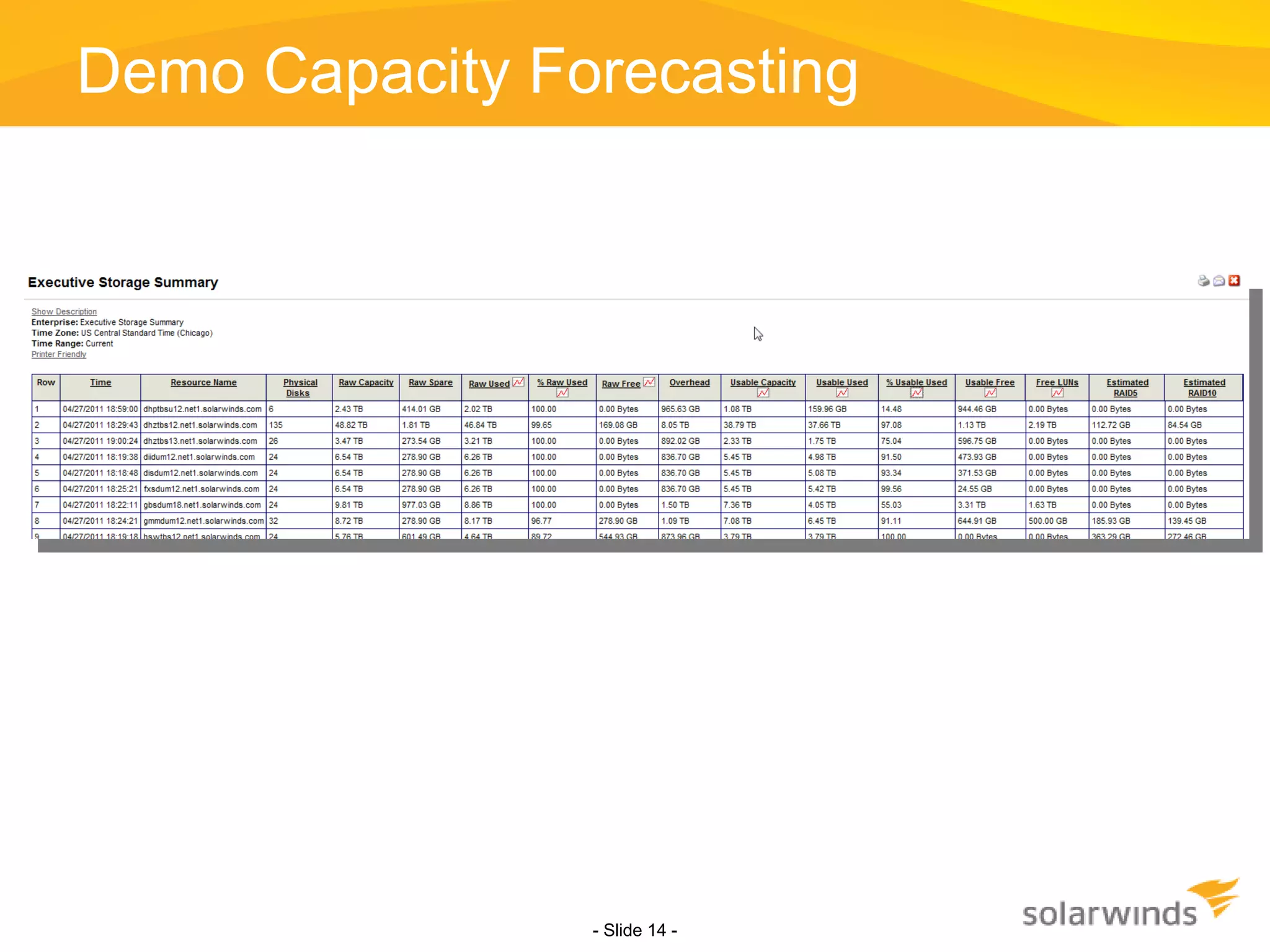
Capacity Forecasting for Shared Storage Need to be able to quickly and easily pull usage data from multiple arrays into a single view Analyze capacity, allocation, usage and forecasting at all levels of the storage environment (Raw, RAIDed, LUN, Datastore and file system) Quickly answer key questions How much storage do I have? How fast is it growing? Who is using the most? - Slide   -
Demo Capacity Forecasting - Slide   -
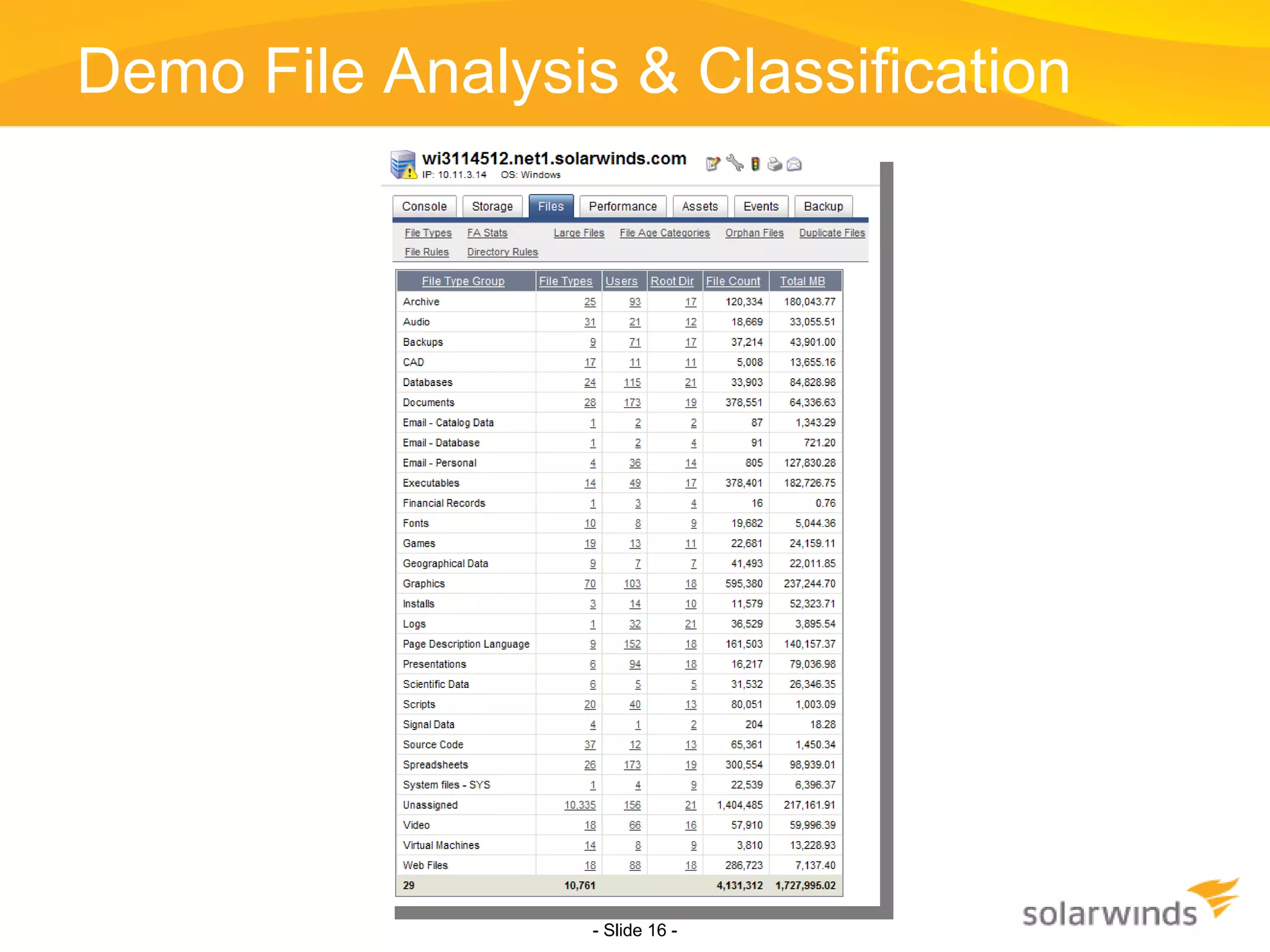
Optimizing Storage Usage With virtualization you will always need more storage But how do you optimize what you already have? Summarize all formatted storage (local, SAN and NAS) by user, age and file type Understand how you are using your unstructured storage What data is accessed most and least frequently? Can I move least accessed data to lower tiered storage devices? For example, delve deeper by using file analysis & classification Identify specific files that you are interested in, e.g., All MP3 files All the files that are at 1MB that have not been accessed in a year. - Slide   -
Demo File Analysis & Classification - Slide   -
www.SolarWinds.com Q & A
SOLARWINDS CONFIDENTIAL Geek Speak:  Network Management  Fundamentals  Geek Speak Webcasts are created and sponsored by SolarWinds.  If you are not a SolarWinds customer, we recommend downloading & installing a 30-Day Trial evaluation Virtual and Server Profiler. This will allow users to follow along & understand the material being presented better. This webcast will cover the fundamentals of network management by demonstrating tips & best practices. SolarWinds Trials to Download Virtual and Server Profiler :  Download Now >> (LINK:
Thank you for attending! To learn more or to download free 30-day trials of SolarWinds products visit:  www.SolarWinds.com Contact information Josh Stephens, Head Geek [email_address] twitter:  sw_headgeek Blog:  http://thwack.com/blogs/geekspeak/ Summary and Q&A

Managing Storage in Virtualized Environments: Fighting Bottlenecks Hotspots and the I/O Blender Effect

  • 1.
  • 2.
    SOLARWINDS CONFIDENTIAL GeekSpeak: Network Management Fundamentals Geek Speak Webcasts are created and sponsored by SolarWinds. If you are not a SolarWinds customer, we recommend downloading & installing a 30-Day Trial evaluation Virtual and Server Profiler. This will allow users to follow along & understand the material being presented better. This webcast will cover the fundamentals of network management by demonstrating tips & best practices. SolarWinds Trials to Download Virtual and Server Profiler : Download Now >> (LINK:
  • 3.
    A big “ Howdy ” from SolarWinds based in Austin, Texas Brian Radovich – Senior Product Manager, Storage Profiler Bob Quillin – Senior Director, Product Marketing Today ’ s Topic Managing Storage in Virtualized Environments Fighting Bottlenecks, Hotspots, and the I/O Blender Effect
  • 4.
    Can you hearme now? If not, use the GoToWebinar chat or Q&A panel to let us know. How do you ask questions? Will this thing be recorded? Ask lots of questions
  • 5.
    The virtualization journeyPinpointing and resolving new storage performance hotspots Managing the VM I/O blender effect Forecasting shared storage capacity issues Optimizing and reclaiming space
  • 6.
    ASSURE OPTIMIZE TRANSFORMMap VMs to storage Pinpoint bottlenecks Manage I/O blender Analyze file usage Forecast storage capacity Optimize virtual storage Automate management tasks Track usage by department Integrate with chargeback Phase I Phase II Phase III Storage Management for Virtualized Infrastructures Physical Virtual 30% 70% Physical Virtual 30% 70% What VMs are using what physical storage? Where are my Free LUNs ? What can I reclaim right now? Where’s the hotspot and how do I fix it? What data is accessed most and least frequently? When will I run out of physical storage? How much more do I need to buy? “ What-if” I add more hosts or VMs? Where should I place these new VMs? What departments are using how much storage? Am I ready for chargeback? Have I automated as much of my management as possible? Physical Virtual <20% 80+%
  • 7.
    With virtualization, performanceof your arrays is critical Capacity (storage and I/O) is now shared >> Problems in one area affect others Critical needs Visibility deep into the array, analyzing the performance at every level (array, controller, RAID group, LUN and disk) Quick identification of problems and bottlenecks For example If you have server, host or VM hogging storage bandwidth, need to find it immediately and map it to your physical storage Also need to see what else the problem will impact and identify available capacity you could leverage for a quick migration. - Slide -
  • 8.
    - Slide - End to end mapping of the virtual & physical environment from VM to Array disks allows for quick diagnostics of bottlenecks, identifying resource hogs, and properly allocating and managing your storage. * Source: Storage Switzerland SAN OS VM App OS VM App OS VM App OS VM App Hypervisor Physical Server Virtual NIC Virtual HBA Virtual NIC Virtual HBA Virtual NIC Virtual HBA Virtual NIC Virtual HBA HBA NIC OS VM App OS VM App OS VM App OS VM App Hypervisor Physical Server Virtual NIC Virtual HBA Virtual NIC Virtual HBA Virtual NIC Virtual HBA Virtual NIC Virtual HBA HBA NIC
  • 9.
  • 10.
    The Dreaded VMI/O Blender - Slide - As VMs multiply, customers begin to see an “I/O Blender” effect where traditional and predictable IO patterns get thrown out the window. With virtualization, these new data streams blend together to create new I/O dynamics and hot spots. 1 0 1 1 1 0 1 0 0 0 1 0 0 1 0 1 1 I/O I/O I/O I/O I/O VM-1 VM-2 VM-3 VM-4 VM-5…
  • 11.
    Where’s the Bottleneck?Best Practices for Finding Storage Bottlenecks Monitor data on volumes, RAID groups/storage pools, disks, initiator, target ports, operational status for the array, processors, and all the associations between each entity Set thresholds, alerts, filters, and notifications to recognize and correct issues before users experience performance degradation or availability issues Manage across your entire SAN (including EMC, NetApp, Dell, IBM, HP) - Slide -
  • 12.
    Demo Monitoring &Bottleneck I/D - Slide -
  • 13.
    Capacity Forecasting forShared Storage Need to be able to quickly and easily pull usage data from multiple arrays into a single view Analyze capacity, allocation, usage and forecasting at all levels of the storage environment (Raw, RAIDed, LUN, Datastore and file system) Quickly answer key questions How much storage do I have? How fast is it growing? Who is using the most? - Slide -
  • 14.
  • 15.
    Optimizing Storage UsageWith virtualization you will always need more storage But how do you optimize what you already have? Summarize all formatted storage (local, SAN and NAS) by user, age and file type Understand how you are using your unstructured storage What data is accessed most and least frequently? Can I move least accessed data to lower tiered storage devices? For example, delve deeper by using file analysis & classification Identify specific files that you are interested in, e.g., All MP3 files All the files that are at 1MB that have not been accessed in a year. - Slide -
  • 16.
    Demo File Analysis& Classification - Slide -
  • 17.
  • 18.
    SOLARWINDS CONFIDENTIAL GeekSpeak: Network Management Fundamentals Geek Speak Webcasts are created and sponsored by SolarWinds. If you are not a SolarWinds customer, we recommend downloading & installing a 30-Day Trial evaluation Virtual and Server Profiler. This will allow users to follow along & understand the material being presented better. This webcast will cover the fundamentals of network management by demonstrating tips & best practices. SolarWinds Trials to Download Virtual and Server Profiler : Download Now >> (LINK:
  • 19.
    Thank you forattending! To learn more or to download free 30-day trials of SolarWinds products visit: www.SolarWinds.com Contact information Josh Stephens, Head Geek [email_address] twitter: sw_headgeek Blog: http://thwack.com/blogs/geekspeak/ Summary and Q&A

Editor's Notes

  • #4 Intro Next: Housekeeping
  • #5 Housekeeping Next: Agenda