
Making the switch from
Wimba to Collaborate.
Charles Rigdon
Educational Technology Specialist
University of Missouri - Columbia
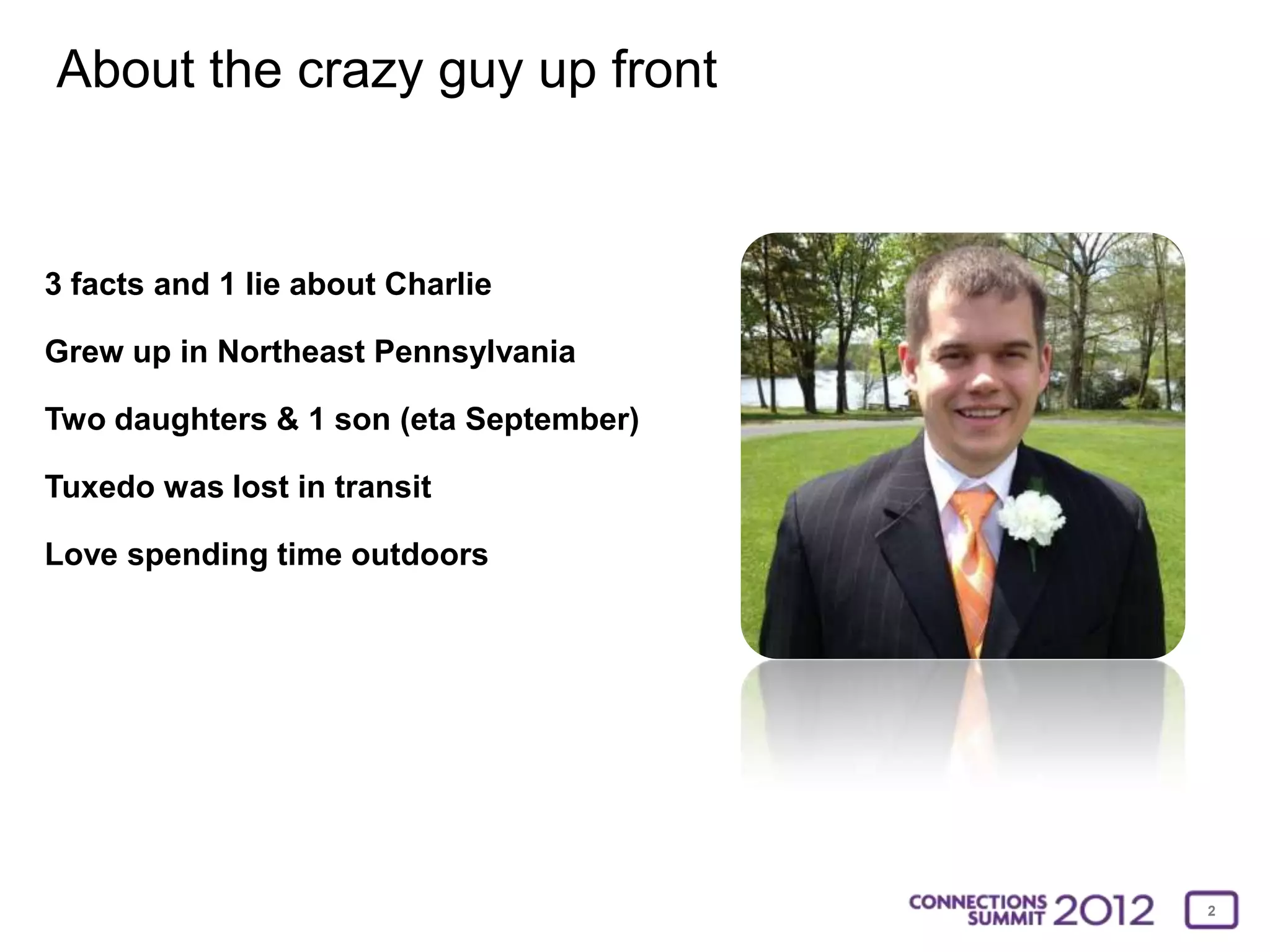
About the crazy guy up front


3 facts and 1 lie about Charlie

Grew up in Northeast Pennsylvania

Two daughters & 1 son (eta September)

Tuxedo was lost in transit

Love spending time outdoors


                                        2
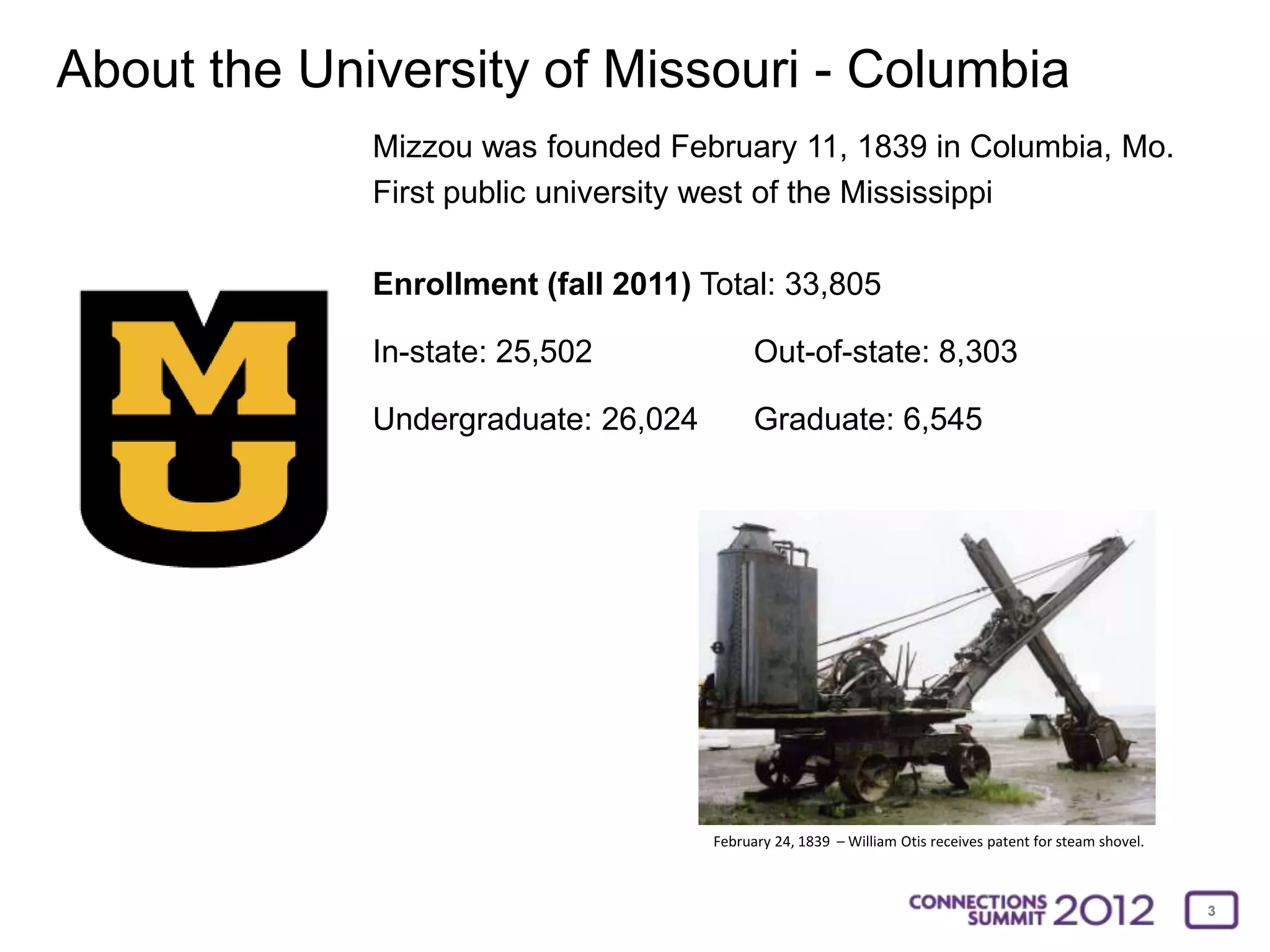
About the University of Missouri - Columbia
             Mizzou was founded February 11, 1839 in Columbia, Mo.
             First public university west of the Mississippi

             Enrollment (fall 2011) Total: 33,805

             In-state: 25,502              Out-of-state: 8,303

             Undergraduate: 26,024         Graduate: 6,545


                                     February 24, 1839 – William Otis receives patent for steam shovel.


                                                                                                          3
About the audience….yes, that means you!

Which of these fits best?

a) Using Wimba and do not have
   plans to switch

b) Using Wimba but hope to switch to
   Collaborate soon

c) Already using Collaborate

d) Using Elluminate

e) Other?
                                       I hope this is not a one-sided discussion!


                                                                                    4
The Implementation Timeline
• January 2010 - Adoption of Wimba Classroom as the campus wide web conferencing tool

• July 2011 - Product launch at Blackboard World, Cohort Kickoff

• August 8, 2011 - Access to product, Installed on Blackboard Learn QA server

• August 15, 2011 - Installed on Blackboard Learn production server

   • Access was limited to pilot courses only

• August 16-18, 2011 - Train the trainers, train the instructors

• August 22, 2011 - Semester begins & pilot is launched

• January 2012 – Full Production –

   • All NEW users on Collaborate, existing Wimba users had choice

• January – May, 2012 – Migration of Wimba archives

• May 14, 2012 – Disabled Wimba Classroom for all users

• June 4, 2012 – Start of Summer semester – ALL users on Collaborate
                                                                                        5
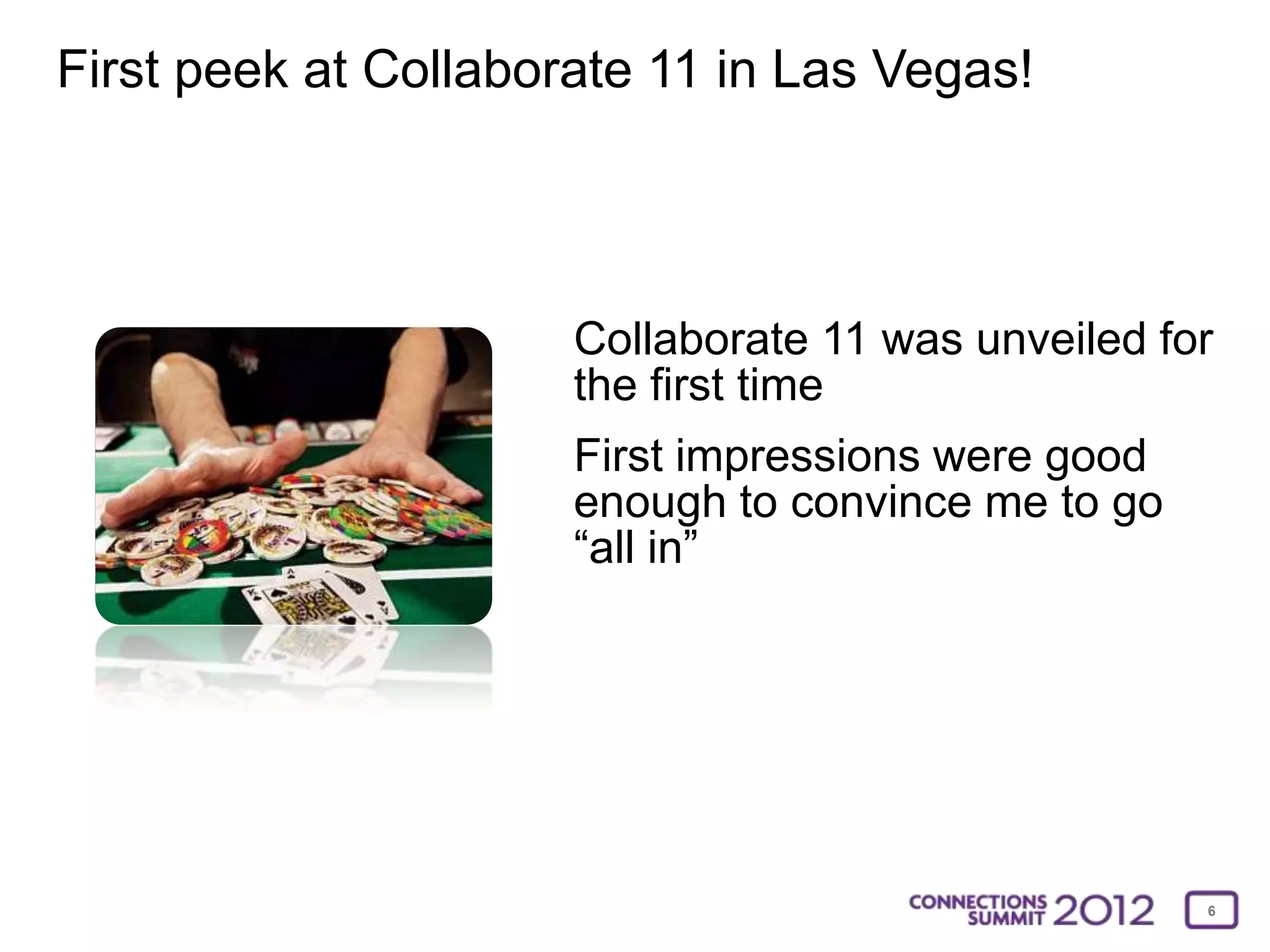
First peek at Collaborate 11 in Las Vegas!


                      Collaborate 11 was unveiled for
                      the first time
                      First impressions were good
                      enough to convince me to go
                      “all in”


                                                    6
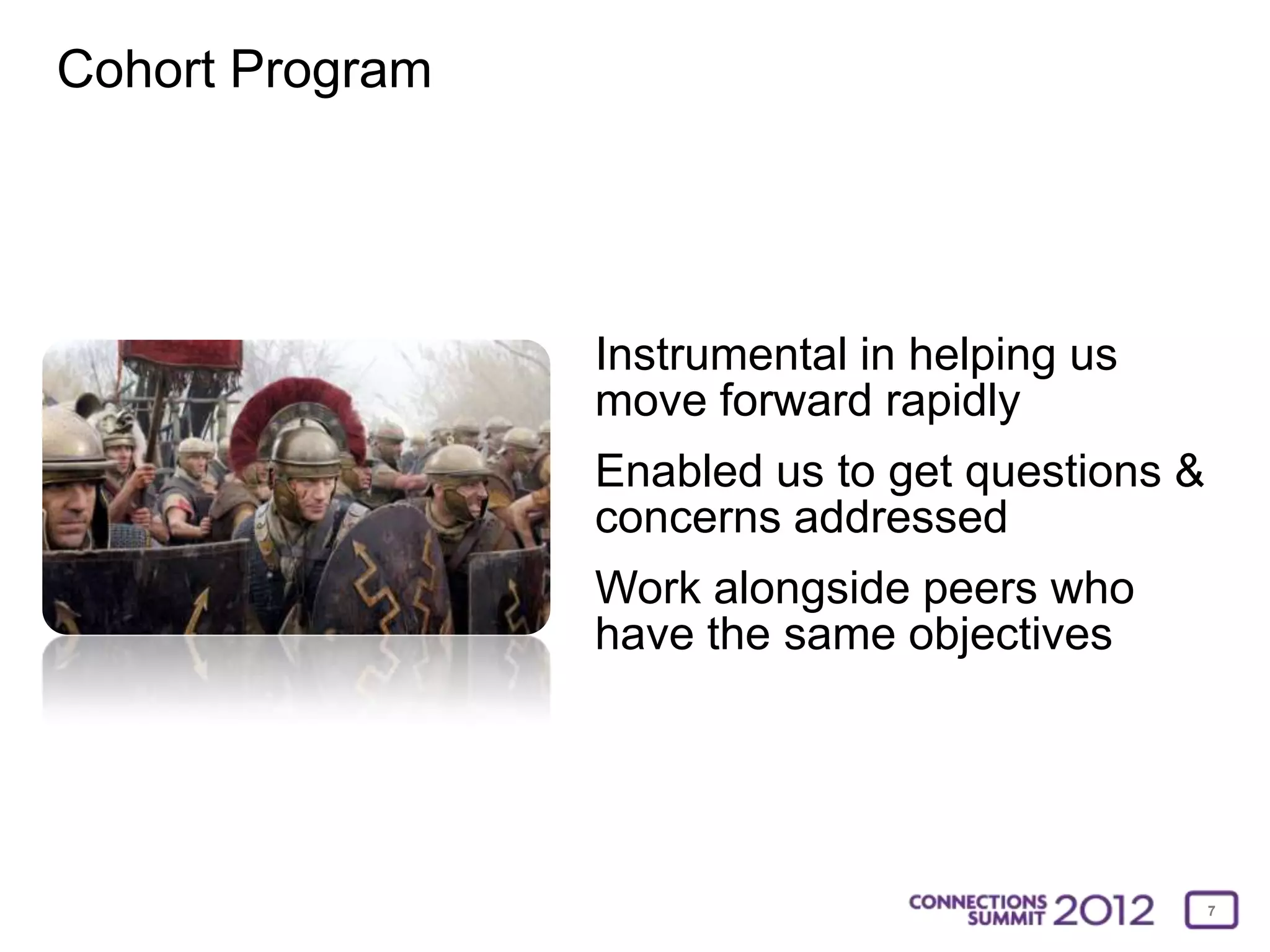
Cohort Program


                 Instrumental in helping us
                 move forward rapidly
                 Enabled us to get questions &
                 concerns addressed
                 Work alongside peers who
                 have the same objectives


                                                 7
Our flight into Collaborate land


• Installed Collaborate on our staging instance
• Dived into every aspect of Collaborate and learned the
  product inside out
Initial Observations:
This product cannot be mastered overnight but the
basics can
The differences between Wimba and Collaborate are
significant
This will be a substantial change but the benefits are
many

                                                           8
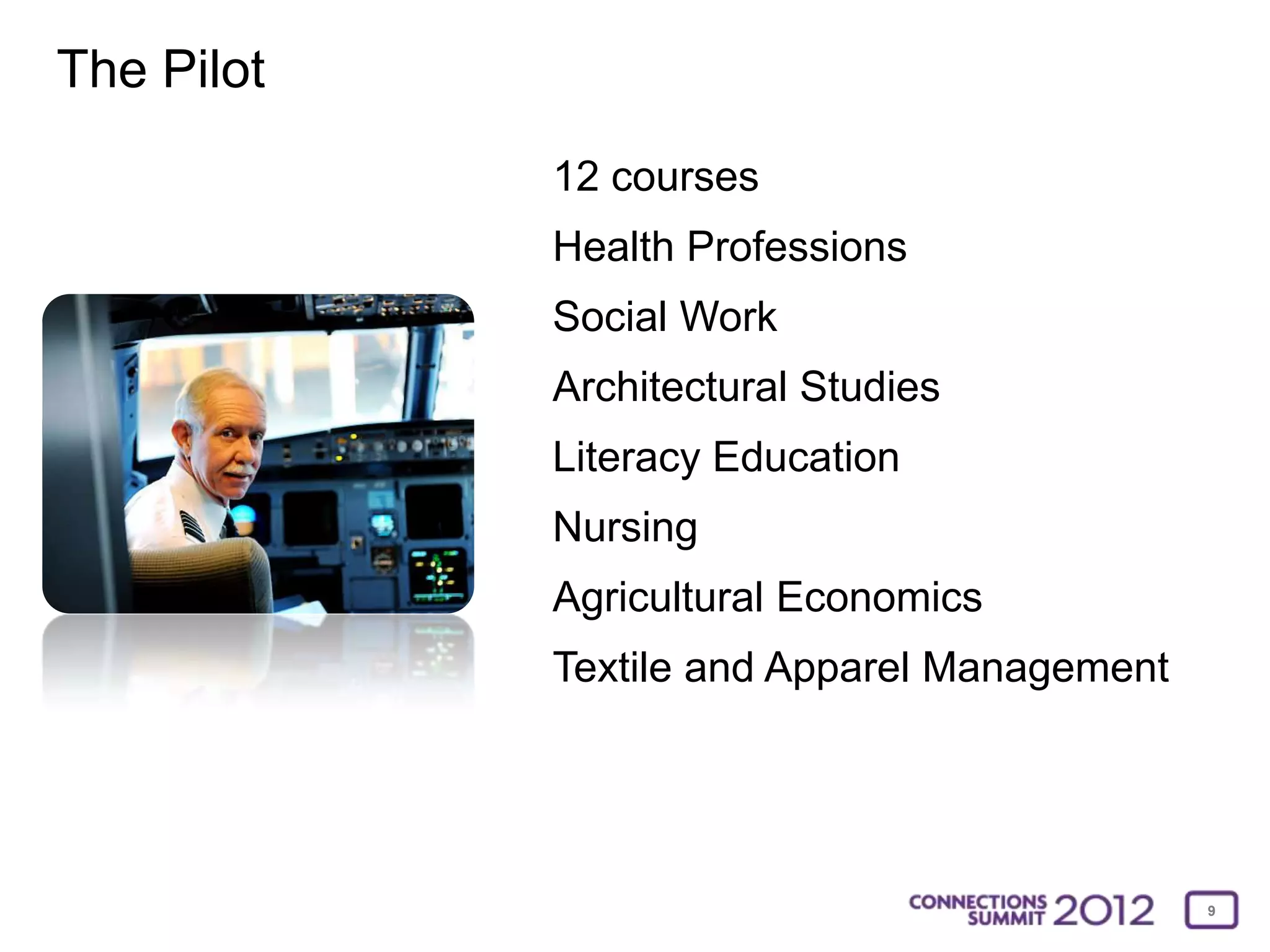
The Pilot
            12 courses
            Health Professions
            Social Work
            Architectural Studies
            Literacy Education
            Nursing
            Agricultural Economics
            Textile and Apparel Management


                                             9
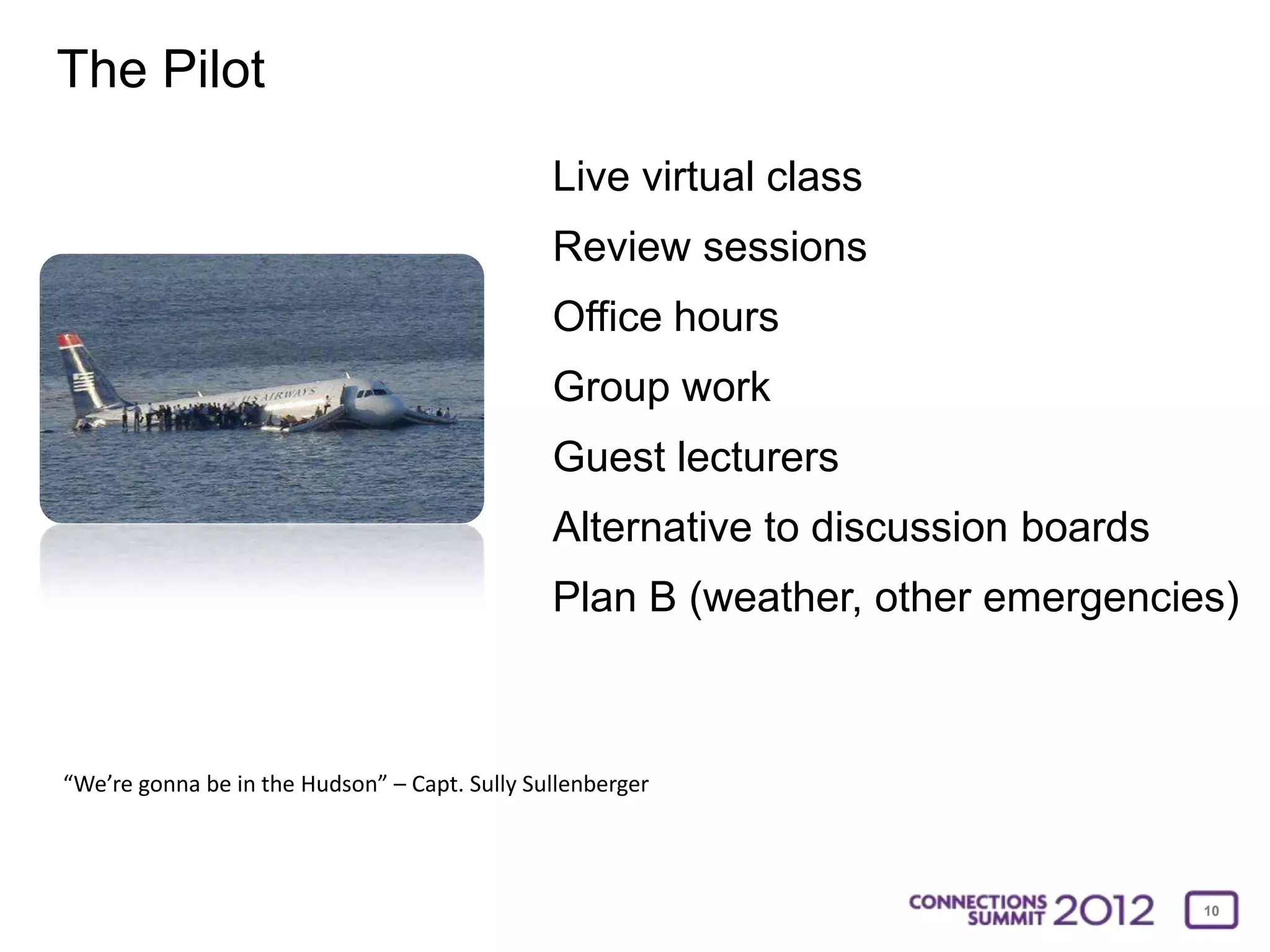
The Pilot
                                               Live virtual class
                                               Review sessions
                                               Office hours
                                               Group work
                                               Guest lecturers
                                               Alternative to discussion boards
                                               Plan B (weather, other emergencies)


“We’re gonna be in the Hudson” – Capt. Sully Sullenberger


                                                                                  10
Training Strategy


• As close to a real world experience as possible
 • All training is done through Collaborate from a distance
• Introductory session (showcase the basic features)
 • Best if limited to about 10 people
• Advanced session (non-structured sandbox)
 • Best if limited to about 5-6 people
• One-one-one discussions and experimentation


                                                              11
Lessons Learned (some the hard way)


• Encourage instructors NOT to just “3-stooge” it


                                                    12
Lessons Learned (some the hard way)


• Prepare in advance
• Both the instructor and student’s need time to practice
• Audio wizard, audio wizard, audio wizard
• Choose an assistant (at least for the first session)
• Have a backup plan
 • What happens if servers go down?
 • How do you notify the students?


                                                            13
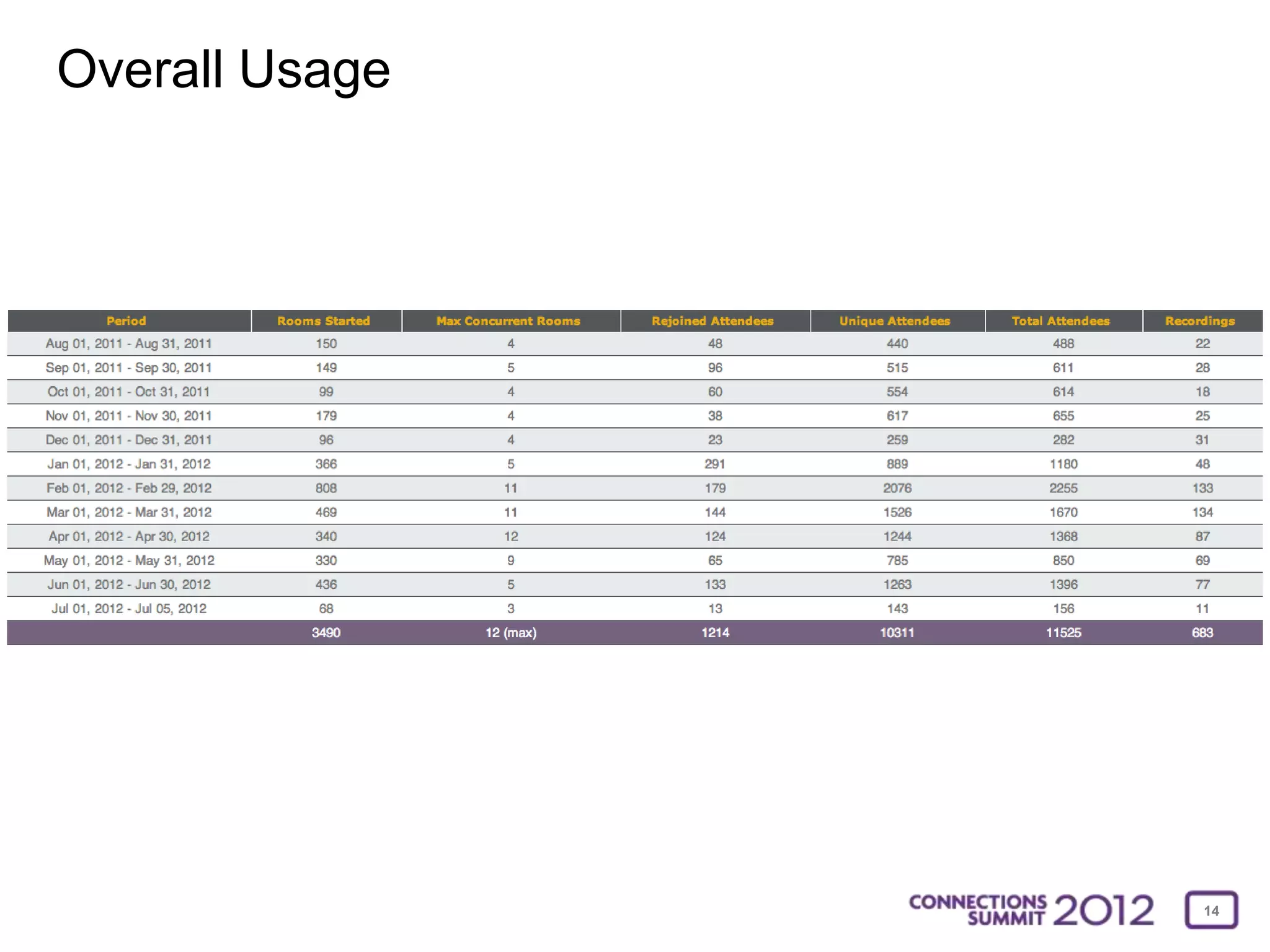
Overall Usage


                14
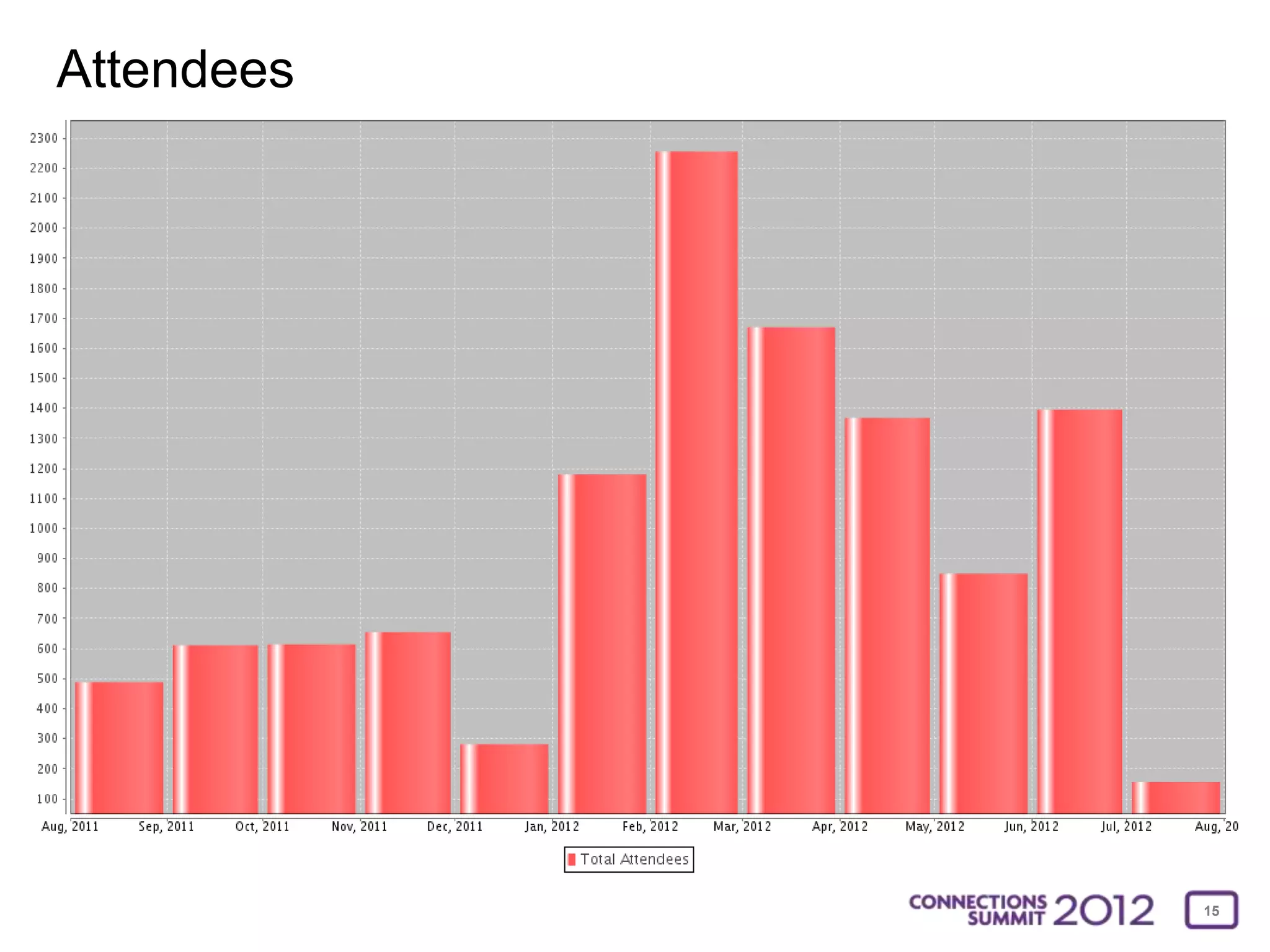
Attendees


            15
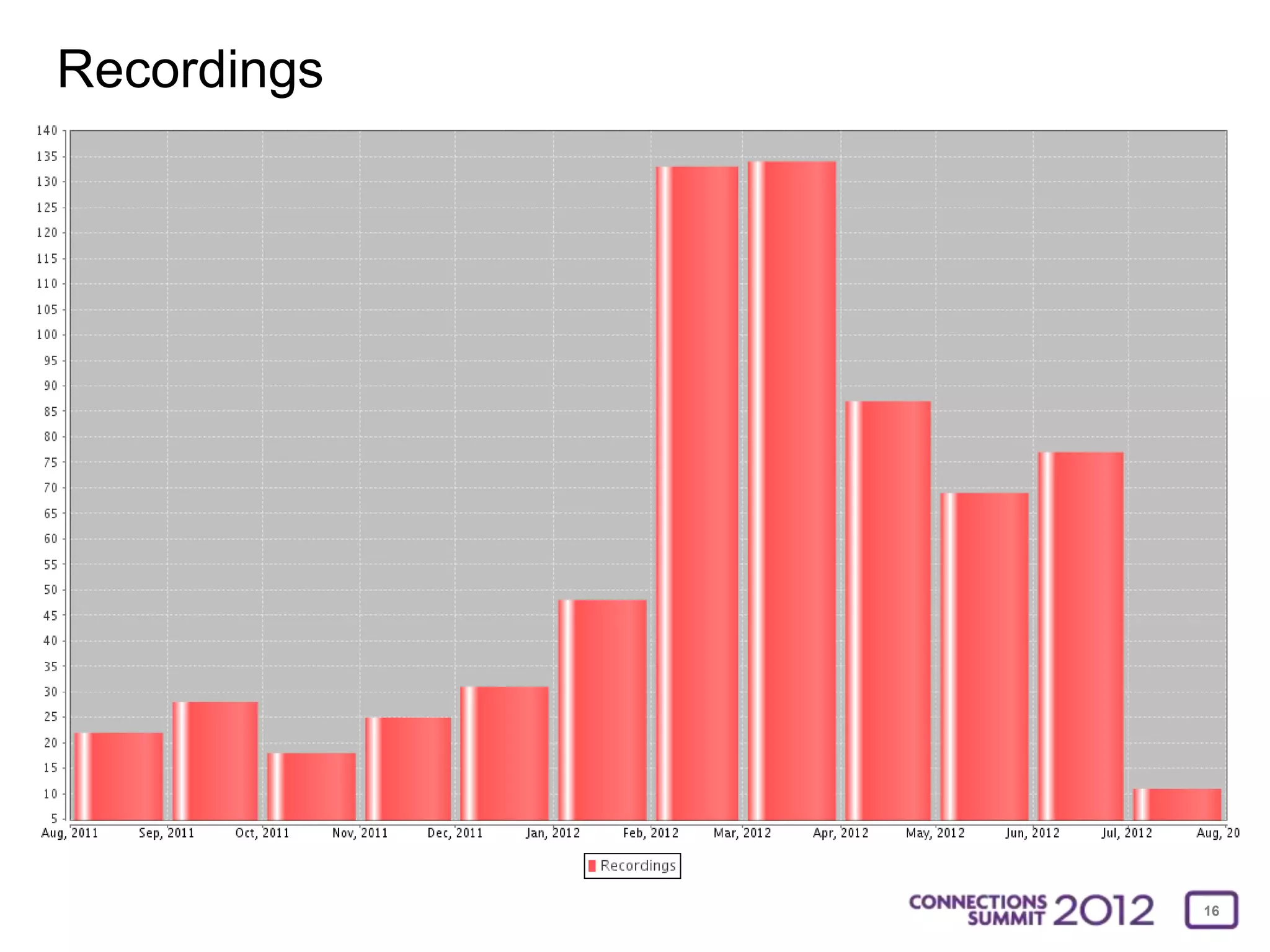
Recordings


             16
Why was the rollout a success?


• It was a team effort
 • Support staff
 • Willing faculty
 • Blackboard Collaborate support
 • Patient students
• Cohort Participation


                                    17
Faculty Comments
Sure. First the switch was made much more smoothly secondary to your support.

I have found that Collaborate creates a much more user-friendly online environment for students and
instructors. There are more tools readily available for those serving as the “presenter”. From an instructor
standpoint our program has expanded the use of online instruction with the integration of Collaborate into the
curriculum. In years past we used Wimba as a tool for students to record presentations and archive that
performance for instructor viewing at a later date. Now, the program’s instructors not only use Collaborate in that
capacity but meet regularly in synchronous Collaborate sessions to review portfolios/projects and provide real time
feedback while being able to view written material.

From our perspective the move has been positive 

- Lea C. Brandt, School of Health Professions


                                                                                                                  18
Faculty Comments
I have found Collaborate to be useful whether it be in the classroom or online. Regarding the former, Collaborate
allows students to share their work with the rest of the class in real time. This has been especially helpful in larger
classes and precludes the need for trudging back and forth to the blackboard and for the sharing of longer
documents, different types of formats, etc. Regarding the latter, I teach several online classes and Collaborate
provides a sense of presence and inclusiveness with the university setting that our part-time, online students do
not always feel otherwise.

– Dale Fitch, Social Work


                                                                                                                          19
Faculty Comments
Collaborate is the better of the two for me. I am no expert and probably miss functionality that is there in both
systems, but here are my impressions. And some of the improvements may be MU improvements rather than
Collaborate. But my impressions: First the system seems more stable.

I like being able to load PPT on the fly, practically, and have had to do that. It seems easier in Collaborate.
It’s very easy to invite virtual guests, no establishing passwords and permissions ahead of time. I make a lot of use
of this. Showing web sites and navigating through websites is much easier. I do a lot of that.

There are many settings for Collaborate once you’re inside it, and my eyes don’t always distinguish when a setting
is on or off, but I find that in both systems. More color distinction would be helpful if the vendor could do that.
My students don’t seem to crash as much with it or experience problems in the middle of the class, so my classes
are running more smoothly.

- Chris LeBeau, Librarian III and Assistant Teaching Professor


                                                                                                                        20
Faculty Comments
Due to the long-distance learning aspect of our program, Collaborate has greatly enhanced our ability to meet with
students in smaller groups in order to better meet the needs of our program. Of course, the most obvious for our
students (as well as instructors) is the cost-saving benefits of not having to drive to a campus with ITV capabilities
in order to meet for a short period of time. As a program, instructors as well as students, love it!

Stephanie Allen, Clinical Instructor, Missouri Health Professions Consortium


                                                                                                                     21
Staff Comments
For various reasons, our faculty were resistant to use Wimba, though were in need of a web conferencing option.
When Collaborate came, many of our faculty jumped on the opportunity to try it in hopes of it being more dynamic
than Skype and easier to use than Wimba. So far, the response has been very positive. Most of our Collaborate
users love how easy it is to install, the ability for users with low bandwidth to connect and the "digital classroom"
tools, like the follow me web app and PowerPoint sharing. The fact is, we had very little interest in Wimba, but
great interest in a better conferencing tool.

For support, I usually give interested parties a demo, then send them to one of Charlie's workshops so they can
practice and be exposed to all the tools and techniques. I will often sit in on their first sessions and be there in the
classroom to set up the camera and microphone and help students configure their tools as well. I have found that
both students and instructors only need this support for the first few sessions and we have never had a student
miss the content due to technical problems, thanks to archiving and the multiple communication tools
(chat, audio, video).

While our users generally like Collaborate, they also have some criticisms. They would love for it to show more than
six videos. Lack of echo cancellation is a huge factor for our instructors who are using Collaborate to bring in
distance students or guest speakers to a live class (which is the most common use of Collaborate in our college).
Also, every user asks about mobile features for Collaborate--they would love for students to be able to log in with
their phones and miss the ease of the phone bridge that Wimba had. Even though our instructors explore other
conferencing tools, almost all of them choose Collaborate.

Jenna Kammer
Academic Technology Liaison, College of Human Environmental Sciences


                                                                                                                           22
Thank you for your time!

Questions, Comments and
Discussions are welcome!


                            23
We value your feedback!
Please fill out a session evaluation.


                                        24
Photo Credits:

The pilot:

http://articles.nydailynews.com/2009-10-01/news/17937145_1_hero-pilot-chesley-sully-sullenberger-flight

Bored Audience

http://www.badhaven.com/film/film-features/badhaven-vs-week-batman-vs-batman-vs-batman-vs-batman-vs-batman-the-
ultimate-showdown/attachment/bored-audience/

Roman Cohort

http://nwhistoricalwargames.wordpress.com/2012/01/03/the-light-roman-cohort/

Poker all In

http://techmediatainment.blogspot.com/2010/08/business-execs-politicians-go-all-in-on.html

Calendar

http://www.sd35.bc.ca/Pages/news.aspx?IID=268

In the Hudson

http://blogs.reuters.com/global/2009/01/15/hudson-river-plane-crash-breaking-news-from-the-office-window/


                                                                                                                  25

Making the Switch From Wimba to Blackboard Collaborate

  • 1.
    Making the switchfrom Wimba to Collaborate. Charles Rigdon Educational Technology Specialist University of Missouri - Columbia
  • 2.
    About the crazyguy up front 3 facts and 1 lie about Charlie Grew up in Northeast Pennsylvania Two daughters & 1 son (eta September) Tuxedo was lost in transit Love spending time outdoors 2
  • 3.
    About the Universityof Missouri - Columbia Mizzou was founded February 11, 1839 in Columbia, Mo. First public university west of the Mississippi Enrollment (fall 2011) Total: 33,805 In-state: 25,502 Out-of-state: 8,303 Undergraduate: 26,024 Graduate: 6,545 February 24, 1839 – William Otis receives patent for steam shovel. 3
  • 4.
    About the audience….yes,that means you! Which of these fits best? a) Using Wimba and do not have plans to switch b) Using Wimba but hope to switch to Collaborate soon c) Already using Collaborate d) Using Elluminate e) Other? I hope this is not a one-sided discussion! 4
  • 5.
    The Implementation Timeline •January 2010 - Adoption of Wimba Classroom as the campus wide web conferencing tool • July 2011 - Product launch at Blackboard World, Cohort Kickoff • August 8, 2011 - Access to product, Installed on Blackboard Learn QA server • August 15, 2011 - Installed on Blackboard Learn production server • Access was limited to pilot courses only • August 16-18, 2011 - Train the trainers, train the instructors • August 22, 2011 - Semester begins & pilot is launched • January 2012 – Full Production – • All NEW users on Collaborate, existing Wimba users had choice • January – May, 2012 – Migration of Wimba archives • May 14, 2012 – Disabled Wimba Classroom for all users • June 4, 2012 – Start of Summer semester – ALL users on Collaborate 5
  • 6.
    First peek atCollaborate 11 in Las Vegas! Collaborate 11 was unveiled for the first time First impressions were good enough to convince me to go “all in” 6
  • 7.
    Cohort Program Instrumental in helping us move forward rapidly Enabled us to get questions & concerns addressed Work alongside peers who have the same objectives 7
  • 8.
    Our flight intoCollaborate land • Installed Collaborate on our staging instance • Dived into every aspect of Collaborate and learned the product inside out Initial Observations: This product cannot be mastered overnight but the basics can The differences between Wimba and Collaborate are significant This will be a substantial change but the benefits are many 8
  • 9.
    The Pilot 12 courses Health Professions Social Work Architectural Studies Literacy Education Nursing Agricultural Economics Textile and Apparel Management 9
  • 10.
    The Pilot Live virtual class Review sessions Office hours Group work Guest lecturers Alternative to discussion boards Plan B (weather, other emergencies) “We’re gonna be in the Hudson” – Capt. Sully Sullenberger 10
  • 11.
    Training Strategy • Asclose to a real world experience as possible • All training is done through Collaborate from a distance • Introductory session (showcase the basic features) • Best if limited to about 10 people • Advanced session (non-structured sandbox) • Best if limited to about 5-6 people • One-one-one discussions and experimentation 11
  • 12.
    Lessons Learned (somethe hard way) • Encourage instructors NOT to just “3-stooge” it 12
  • 13.
    Lessons Learned (somethe hard way) • Prepare in advance • Both the instructor and student’s need time to practice • Audio wizard, audio wizard, audio wizard • Choose an assistant (at least for the first session) • Have a backup plan • What happens if servers go down? • How do you notify the students? 13
  • 14.
  • 15.
  • 16.
  • 17.
    Why was therollout a success? • It was a team effort • Support staff • Willing faculty • Blackboard Collaborate support • Patient students • Cohort Participation 17
  • 18.
    Faculty Comments Sure. Firstthe switch was made much more smoothly secondary to your support. I have found that Collaborate creates a much more user-friendly online environment for students and instructors. There are more tools readily available for those serving as the “presenter”. From an instructor standpoint our program has expanded the use of online instruction with the integration of Collaborate into the curriculum. In years past we used Wimba as a tool for students to record presentations and archive that performance for instructor viewing at a later date. Now, the program’s instructors not only use Collaborate in that capacity but meet regularly in synchronous Collaborate sessions to review portfolios/projects and provide real time feedback while being able to view written material. From our perspective the move has been positive  - Lea C. Brandt, School of Health Professions 18
  • 19.
    Faculty Comments I havefound Collaborate to be useful whether it be in the classroom or online. Regarding the former, Collaborate allows students to share their work with the rest of the class in real time. This has been especially helpful in larger classes and precludes the need for trudging back and forth to the blackboard and for the sharing of longer documents, different types of formats, etc. Regarding the latter, I teach several online classes and Collaborate provides a sense of presence and inclusiveness with the university setting that our part-time, online students do not always feel otherwise. – Dale Fitch, Social Work 19
  • 20.
    Faculty Comments Collaborate isthe better of the two for me. I am no expert and probably miss functionality that is there in both systems, but here are my impressions. And some of the improvements may be MU improvements rather than Collaborate. But my impressions: First the system seems more stable. I like being able to load PPT on the fly, practically, and have had to do that. It seems easier in Collaborate. It’s very easy to invite virtual guests, no establishing passwords and permissions ahead of time. I make a lot of use of this. Showing web sites and navigating through websites is much easier. I do a lot of that. There are many settings for Collaborate once you’re inside it, and my eyes don’t always distinguish when a setting is on or off, but I find that in both systems. More color distinction would be helpful if the vendor could do that. My students don’t seem to crash as much with it or experience problems in the middle of the class, so my classes are running more smoothly. - Chris LeBeau, Librarian III and Assistant Teaching Professor 20
  • 21.
    Faculty Comments Due tothe long-distance learning aspect of our program, Collaborate has greatly enhanced our ability to meet with students in smaller groups in order to better meet the needs of our program. Of course, the most obvious for our students (as well as instructors) is the cost-saving benefits of not having to drive to a campus with ITV capabilities in order to meet for a short period of time. As a program, instructors as well as students, love it! Stephanie Allen, Clinical Instructor, Missouri Health Professions Consortium 21
  • 22.
    Staff Comments For variousreasons, our faculty were resistant to use Wimba, though were in need of a web conferencing option. When Collaborate came, many of our faculty jumped on the opportunity to try it in hopes of it being more dynamic than Skype and easier to use than Wimba. So far, the response has been very positive. Most of our Collaborate users love how easy it is to install, the ability for users with low bandwidth to connect and the "digital classroom" tools, like the follow me web app and PowerPoint sharing. The fact is, we had very little interest in Wimba, but great interest in a better conferencing tool. For support, I usually give interested parties a demo, then send them to one of Charlie's workshops so they can practice and be exposed to all the tools and techniques. I will often sit in on their first sessions and be there in the classroom to set up the camera and microphone and help students configure their tools as well. I have found that both students and instructors only need this support for the first few sessions and we have never had a student miss the content due to technical problems, thanks to archiving and the multiple communication tools (chat, audio, video). While our users generally like Collaborate, they also have some criticisms. They would love for it to show more than six videos. Lack of echo cancellation is a huge factor for our instructors who are using Collaborate to bring in distance students or guest speakers to a live class (which is the most common use of Collaborate in our college). Also, every user asks about mobile features for Collaborate--they would love for students to be able to log in with their phones and miss the ease of the phone bridge that Wimba had. Even though our instructors explore other conferencing tools, almost all of them choose Collaborate. Jenna Kammer Academic Technology Liaison, College of Human Environmental Sciences 22
  • 23.
    Thank you foryour time! Questions, Comments and Discussions are welcome! 23
  • 24.
    We value yourfeedback! Please fill out a session evaluation. 24
  • 25.
    Photo Credits: The pilot: http://articles.nydailynews.com/2009-10-01/news/17937145_1_hero-pilot-chesley-sully-sullenberger-flight BoredAudience http://www.badhaven.com/film/film-features/badhaven-vs-week-batman-vs-batman-vs-batman-vs-batman-vs-batman-the- ultimate-showdown/attachment/bored-audience/ Roman Cohort http://nwhistoricalwargames.wordpress.com/2012/01/03/the-light-roman-cohort/ Poker all In http://techmediatainment.blogspot.com/2010/08/business-execs-politicians-go-all-in-on.html Calendar http://www.sd35.bc.ca/Pages/news.aspx?IID=268 In the Hudson http://blogs.reuters.com/global/2009/01/15/hudson-river-plane-crash-breaking-news-from-the-office-window/ 25