Campaigns to Cash Elizabeth Smyth, salesforce.com Kirk Crenshaw, RevCatalyst Marketing I: Building the Funnel
Safe Harbor Statement “ Safe harbor” statement under the Private Securities Litigation Reform Act of 1995: This presentation may contain forward-looking statements including but not limited to statements concerning the potential market for our existing service offerings and future offerings. All of our forward looking statements involve risks, uncertainties and assumptions. If any such risks or uncertainties materialize or if any of the assumptions proves incorrect, our results could differ materially from the results expressed or implied by the forward-looking statements we make. The risks and uncertainties referred to above include - but are not limited to - risks associated with possible fluctuations in our operating results and cash flows, rate of growth and anticipated revenue run rate, errors, interruptions or delays in our service or our Web hosting, our new business model, our history of operating losses, the possibility that we will not remain profitable, breach of our security measures, the emerging market in which we operate, our relatively limited operating history, our ability to hire, retain and motivate our employees and manage our growth, competition, our ability to continue to release and gain customer acceptance of new and improved versions of our service, customer and partner acceptance of the AppExchange, successful customer deployment and utilization of our services, unanticipated changes in our effective tax rate, fluctuations in the number of shares outstanding, the price of such shares, foreign currency exchange rates and interest rates.  Further information on these and other factors that could affect our financial results is included in the reports on Forms 10-K, 10-Q and 8-K and in other filings we make with the Securities and Exchange Commission from time to time. These documents are available on the SEC Filings section of the Investor Information section of our website at  www.salesforce.com/investor . Salesforce.com, inc. assumes no obligation and does not intend to update these forward-looking statements, except as required by law.
What Are We Going To Cover? Why you would want to track your marketing programs with campaigns  How to use campaigns  Benefits of campaign management – Dashboards Best Practices
cam·paign man’age·ment  [kam-peyn man-ij-muh’nt]  noun.  Managing a series of marketing tactics that are all designed to achieve a specific business goal (increased revenue, leads, customer adoption, etc). Why track your marketing programs using campaigns?  What is campaign management?
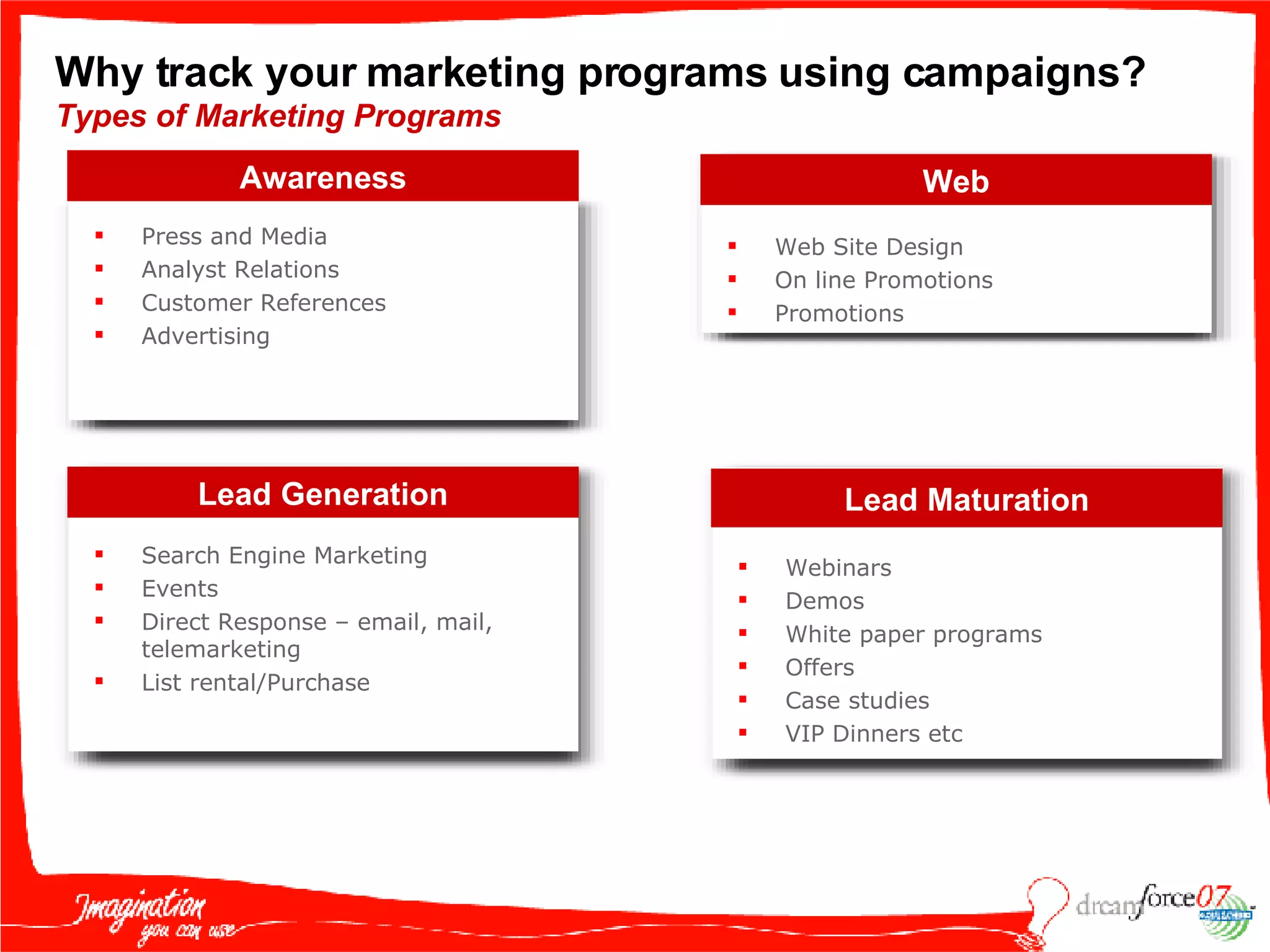
Why track your marketing programs using campaigns?  Types of Marketing Programs Awareness Press and Media Analyst Relations Customer References Advertising Lead Maturation Webinars Demos White paper programs Offers Case studies VIP Dinners etc  Web Web Site Design  On line Promotions Promotions Lead Generation Search Engine Marketing Events Direct Response – email, mail, telemarketing List rental/Purchase
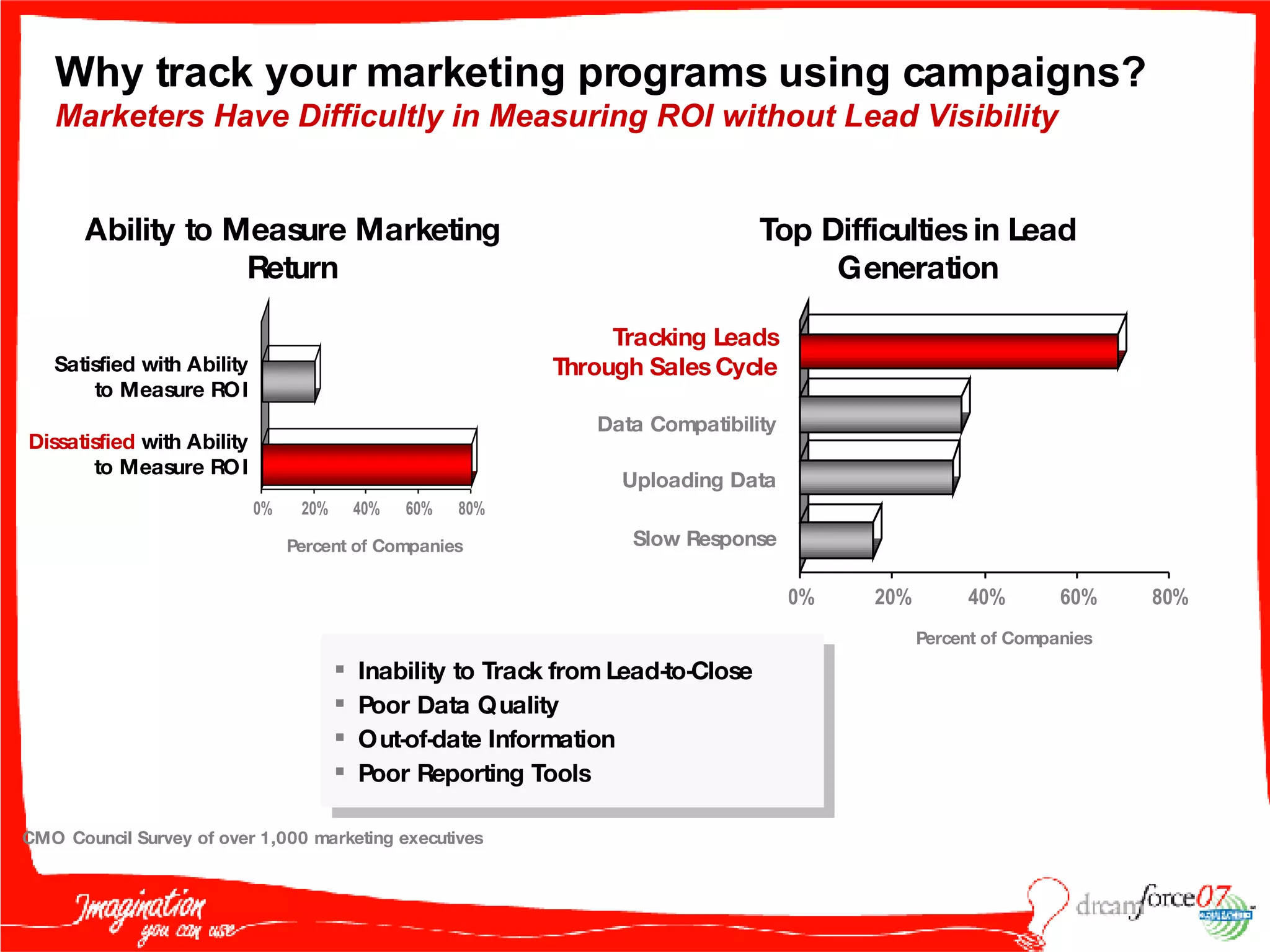
Why track your marketing programs using campaigns?  Marketers Have Difficultly in Measuring ROI without Lead Visibility Ability to Measure Marketing Return Satisfied  with Ability to Measure ROI Dissatisfied  with Ability to Measure ROI Percent of Companies CMO Council Survey of over 1,000 marketing executives Tracking Leads Through Sales Cycle Data Compatibility Uploading Data Slow Response Top Difficulties in Lead Generation Percent of Companies Inability to Track from Lead-to-Close Poor Data Quality Out-of-date Information Poor Reporting Tools
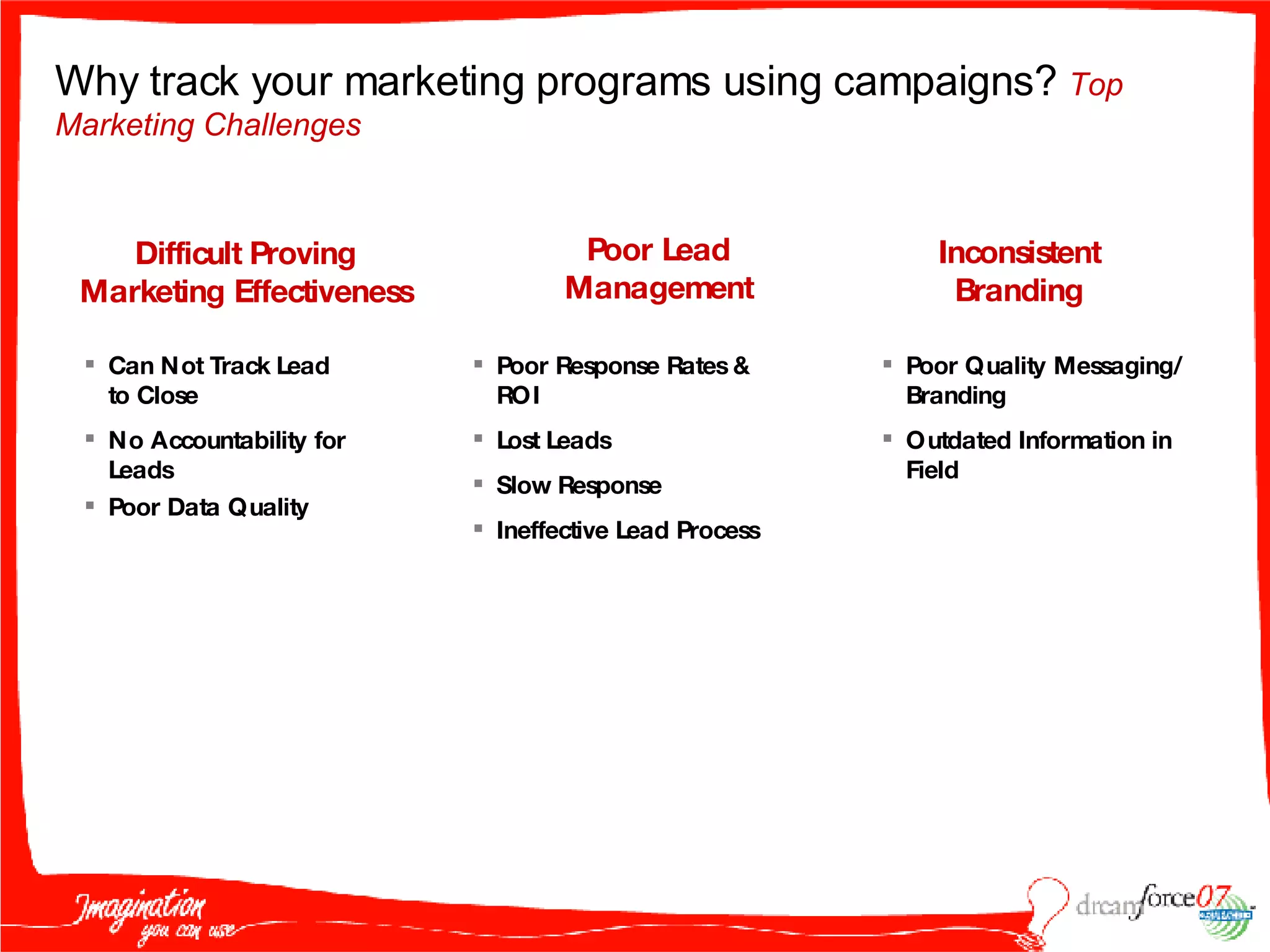
Poor Lead Management Inconsistent Branding Poor Response Rates & ROI Lost Leads Slow Response Ineffective Lead Process Poor Quality Messaging/ Branding Outdated Information in Field Difficult Proving Marketing Effectiveness Can Not Track Lead to Close No Accountability for Leads Poor Data Quality Why track your marketing programs using campaigns?  Top Marketing Challenges
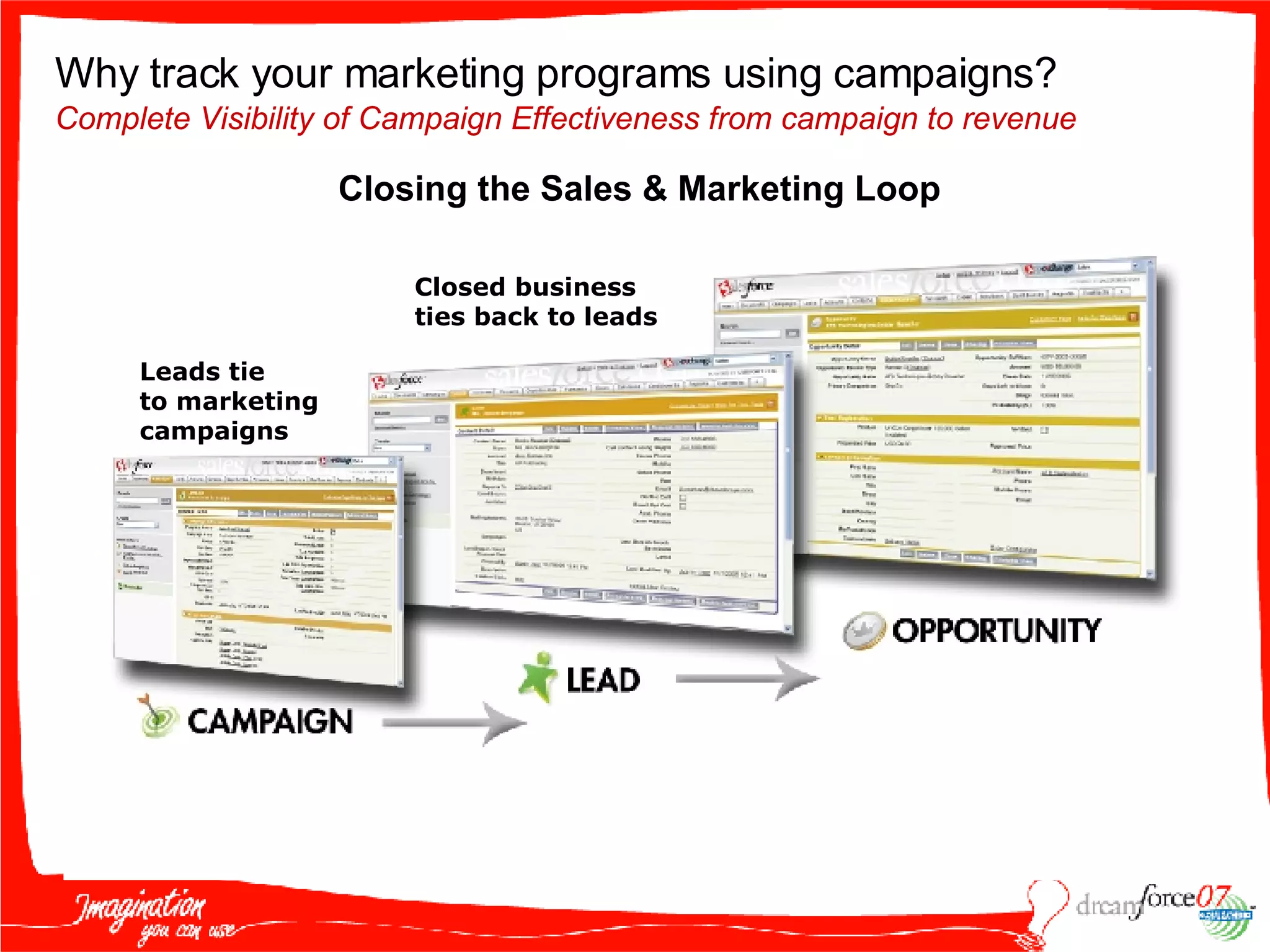
Automated & Optimized Lead Management Closed business  ties back to leads Leads tie to marketing campaigns Why track your marketing programs using campaigns?   Complete Visibility of Campaign Effectiveness from campaign to revenue Closing the Sales & Marketing Loop
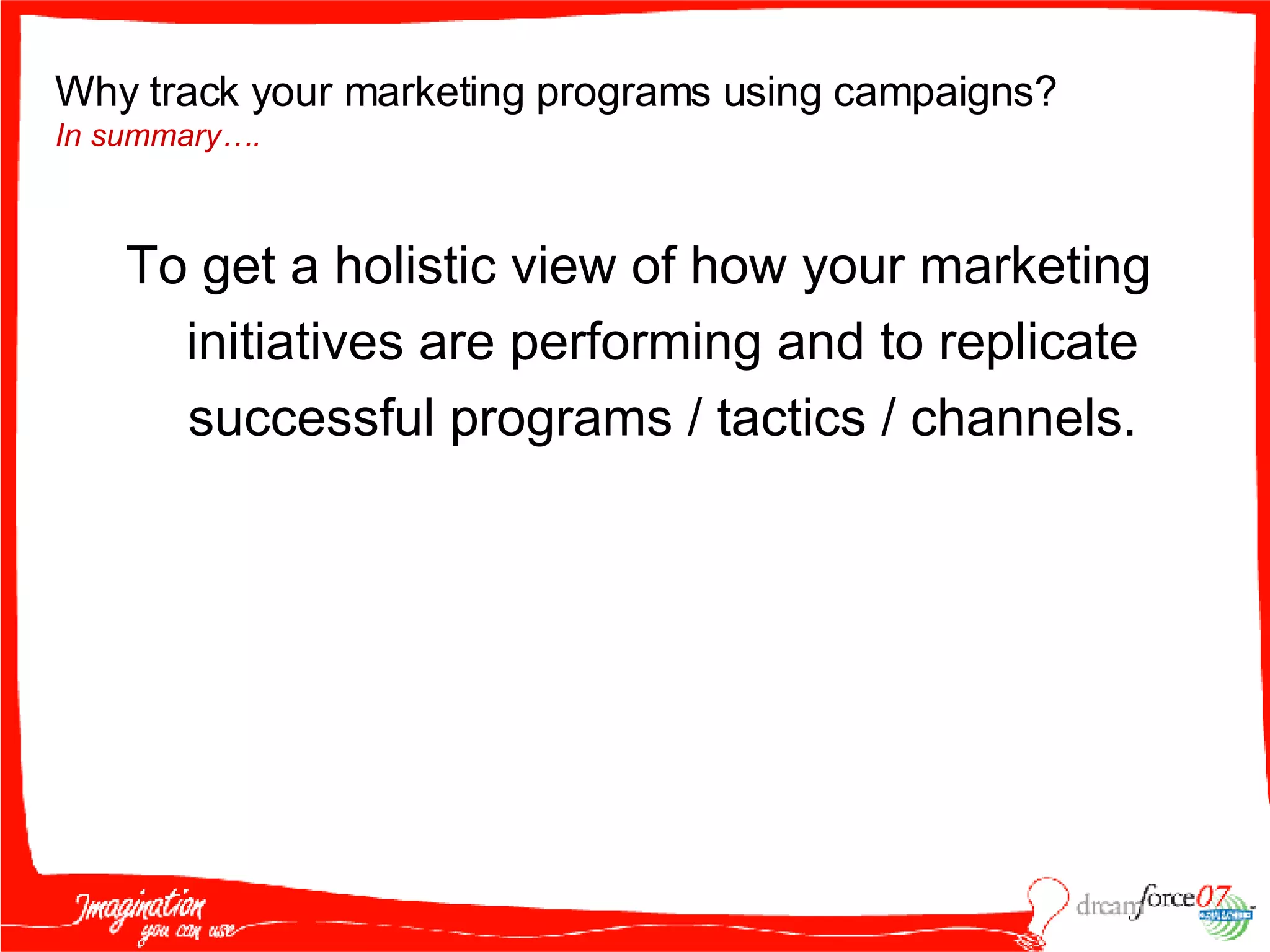
To get a holistic view of how your marketing initiatives are performing and to replicate successful programs / tactics / channels. Why track your marketing programs using campaigns?  In summary….
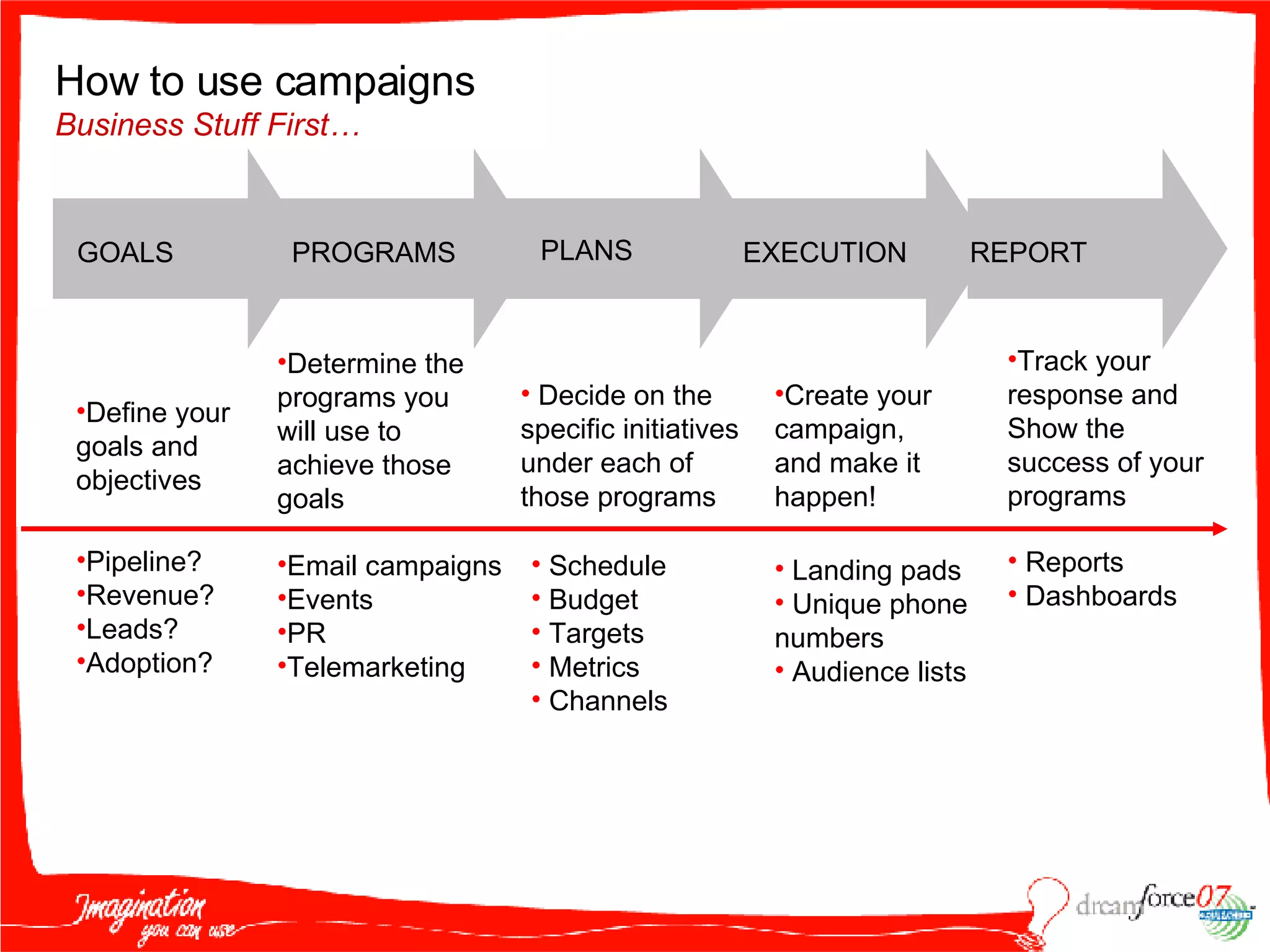
How to use campaigns  Business Stuff First… GOALS PROGRAMS PLANS EXECUTION REPORT Define your goals and objectives Pipeline? Revenue? Leads? Adoption? Decide on the specific initiatives under each of those programs Schedule Budget Targets Metrics Channels Create your  campaign,  and make it happen! Landing pads Unique phone numbers Audience lists Track your response and Show the success of your programs Reports Dashboards Email campaigns Events PR Telemarketing Determine the programs you will use to achieve those goals
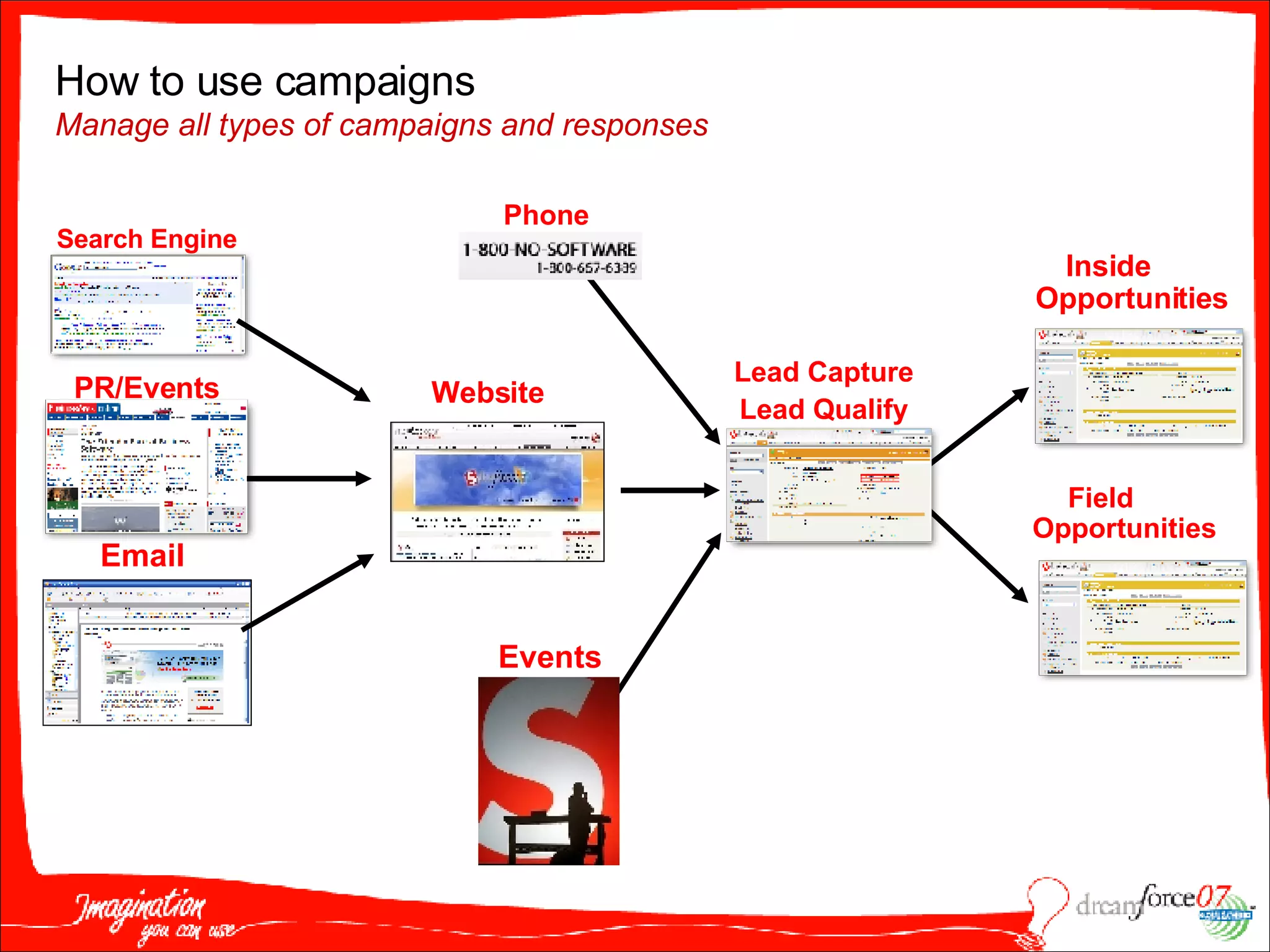
Inside Opportunities Field Opportunities Lead Capture Lead Qualify Website Events How to use campaigns  Manage all types of campaigns and responses Phone Search Engine PR/Events Email
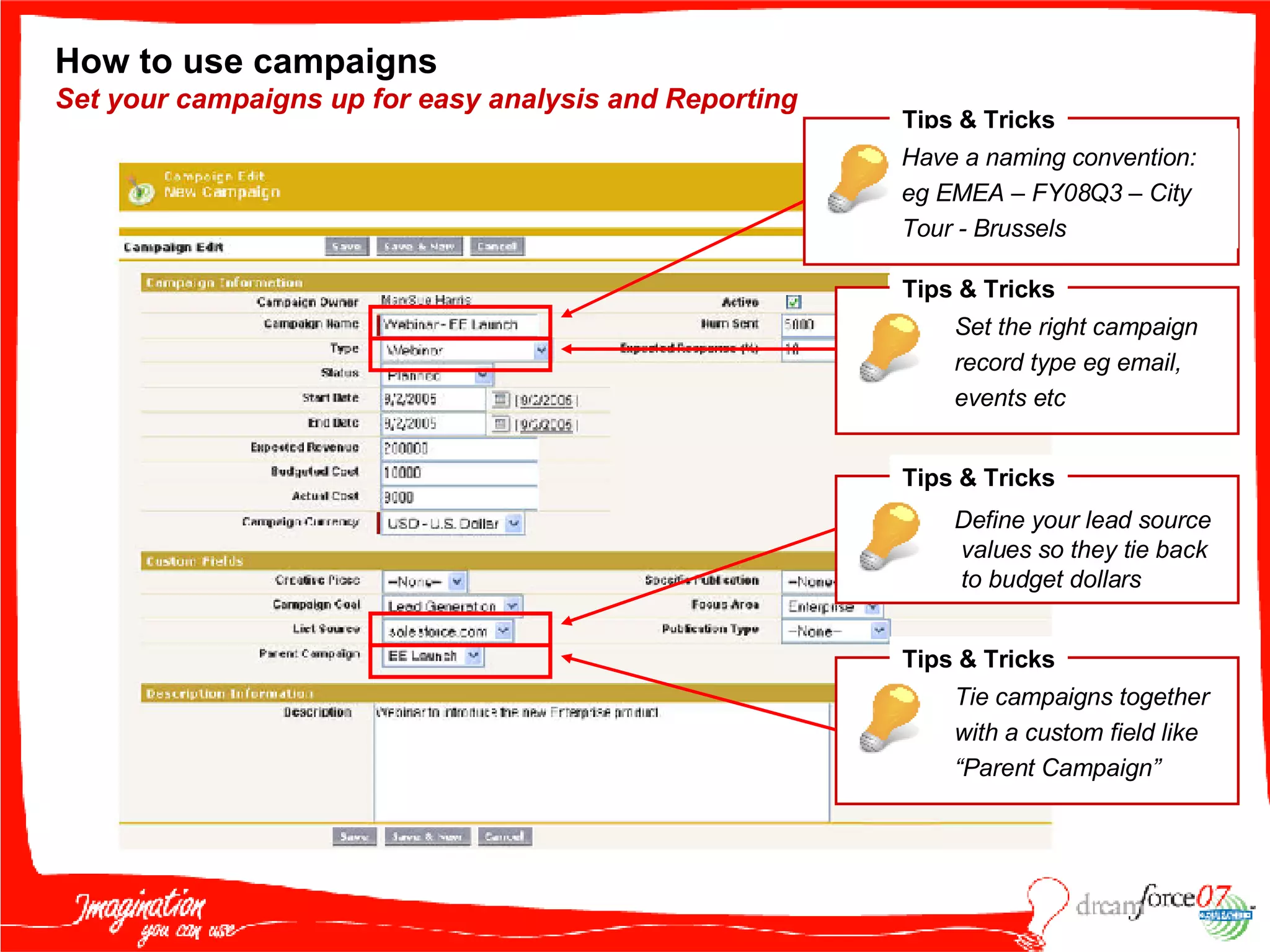
How to use campaigns  Set your campaigns up for easy analysis and Reporting Tips & Tricks Have a naming convention: eg EMEA – FY08Q3 – City Tour - Brussels Tips & Tricks Set the right campaign record type eg email, events etc Tips & Tricks Define your lead source values so they tie back  to budget dollars Tips & Tricks Tie campaigns together with a custom field like “Parent Campaign”
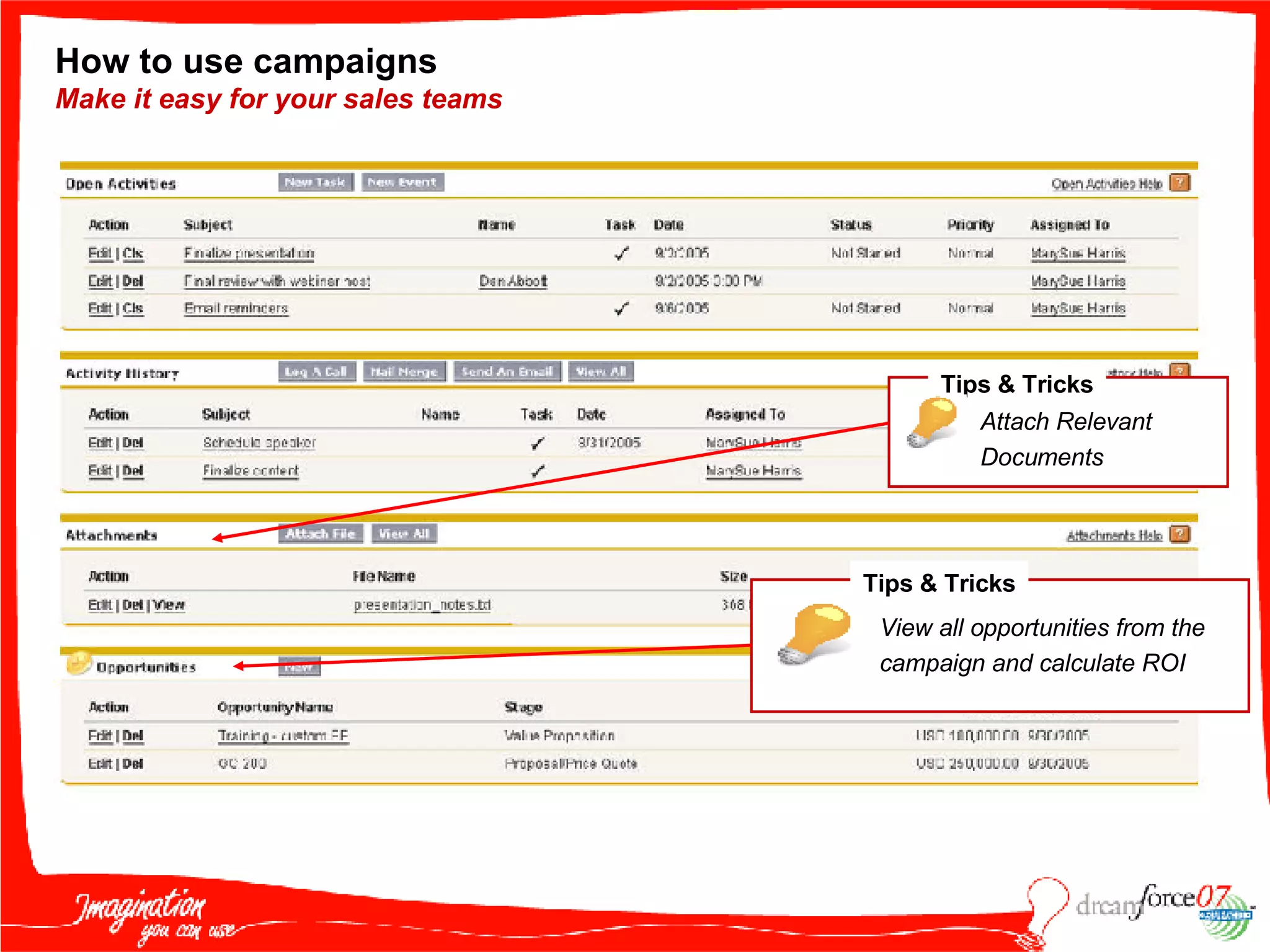
How to use campaigns  Make it easy for your sales teams Tips & Tricks Attach Relevant Documents Tips & Tricks View all opportunities from the campaign and calculate ROI
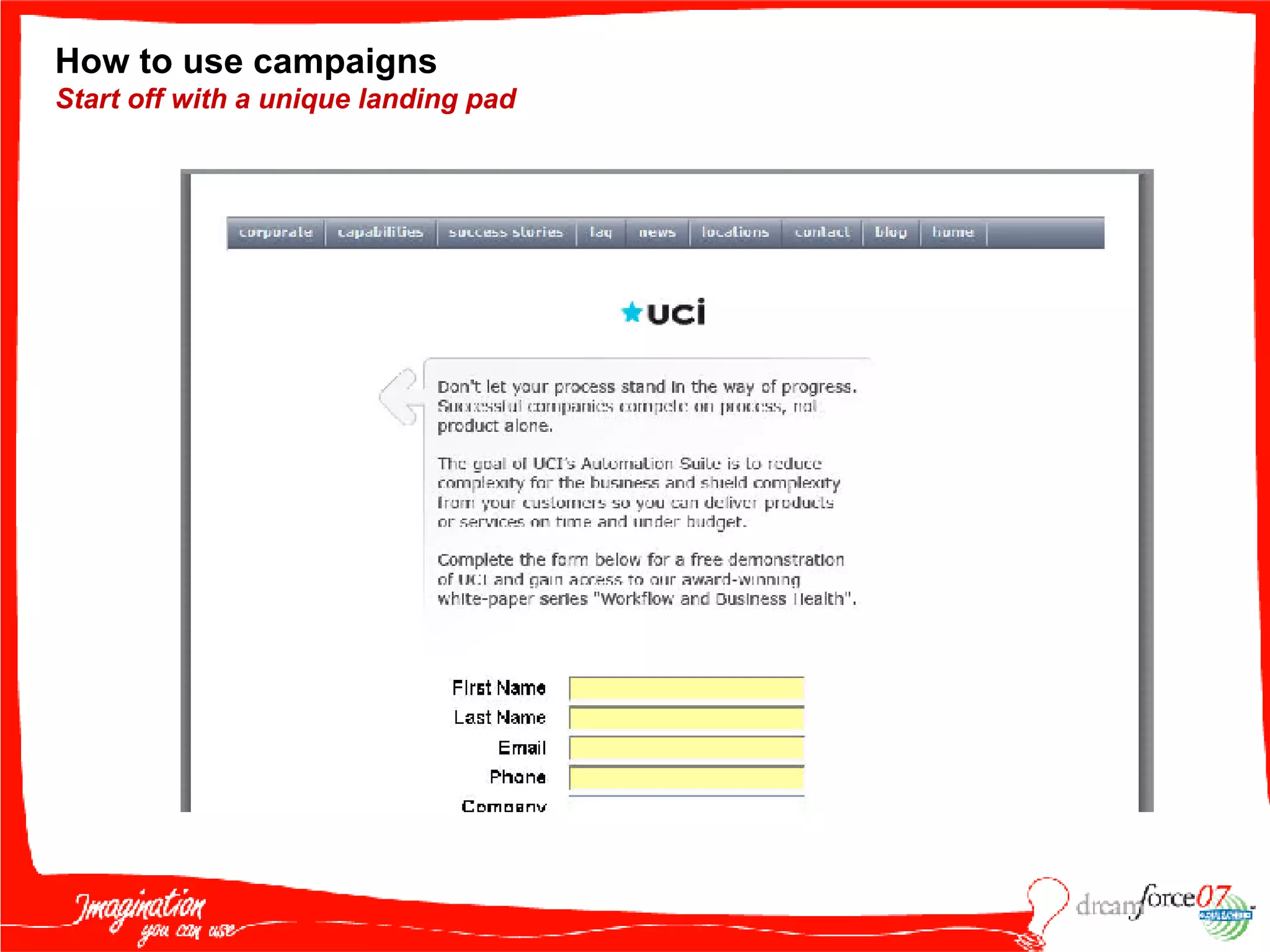
How to use campaigns Start off with a unique landing pad
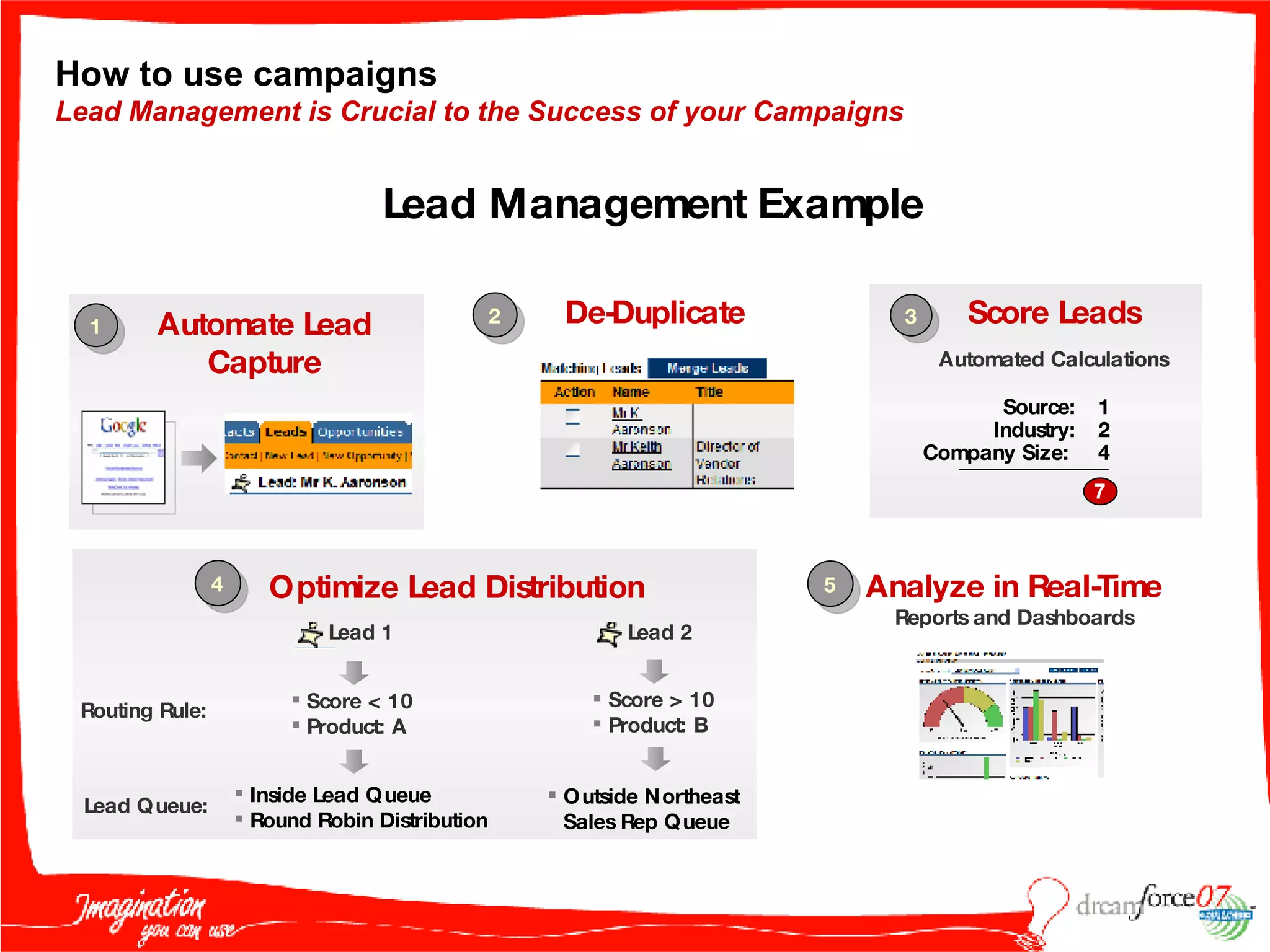
How to use campaigns Lead Management is Crucial to the Success of your Campaigns Score Leads Automated Calculations 1 2 3 4 Lead Management Example Optimize Lead Distribution Automate Lead Capture De-Duplicate 5 Analyze in Real-Time Reports and Dashboards Source: Industry: Company Size:  1 2 4 7 Score < 10 Product: A Inside Lead Queue Round Robin Distribution Score > 10 Product: B Outside Northeast Sales Rep Queue Routing Rule: Lead Queue: Lead 1 Lead 2
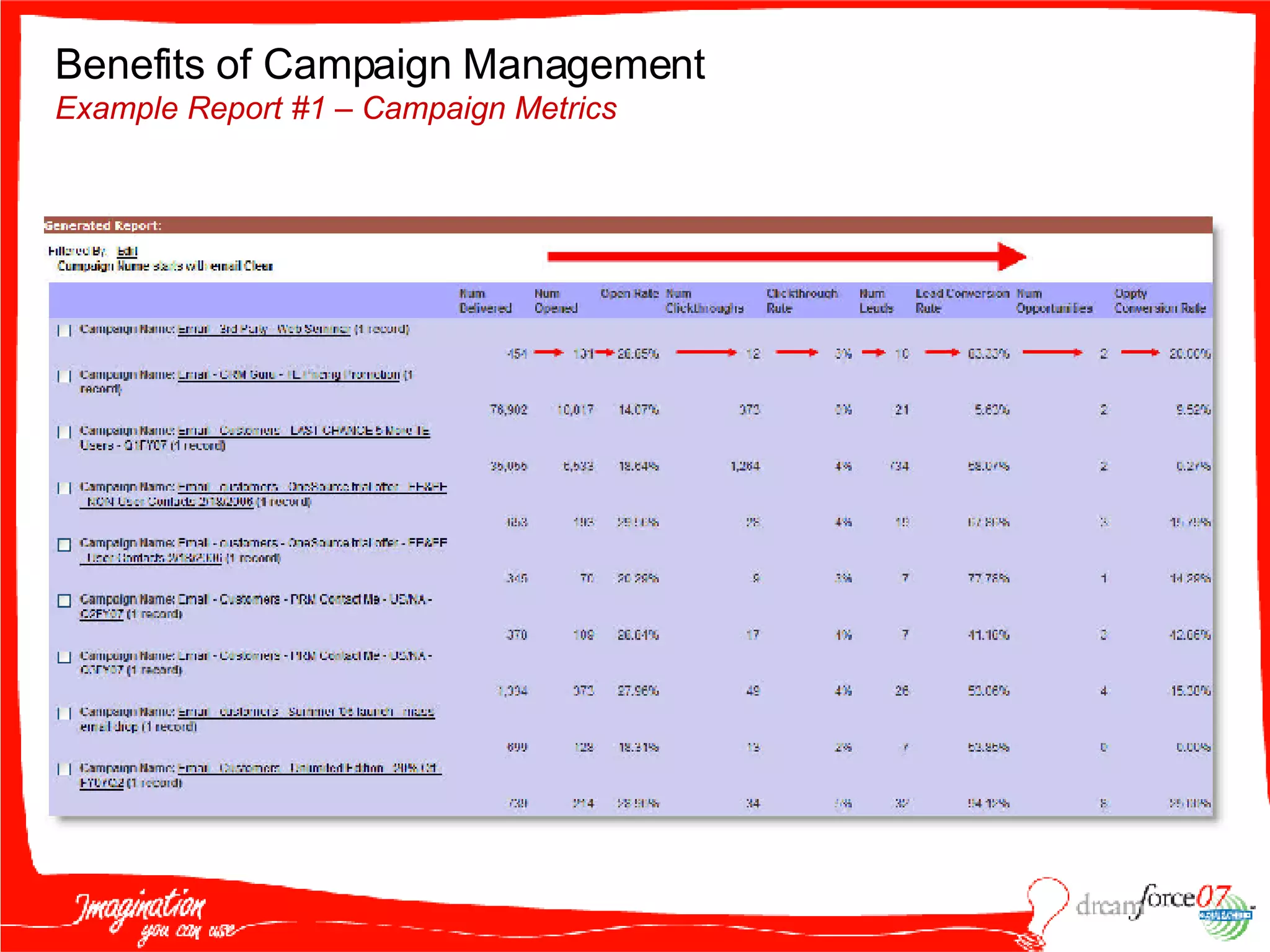
Benefits of Campaign Management Example Report #1 – Campaign Metrics
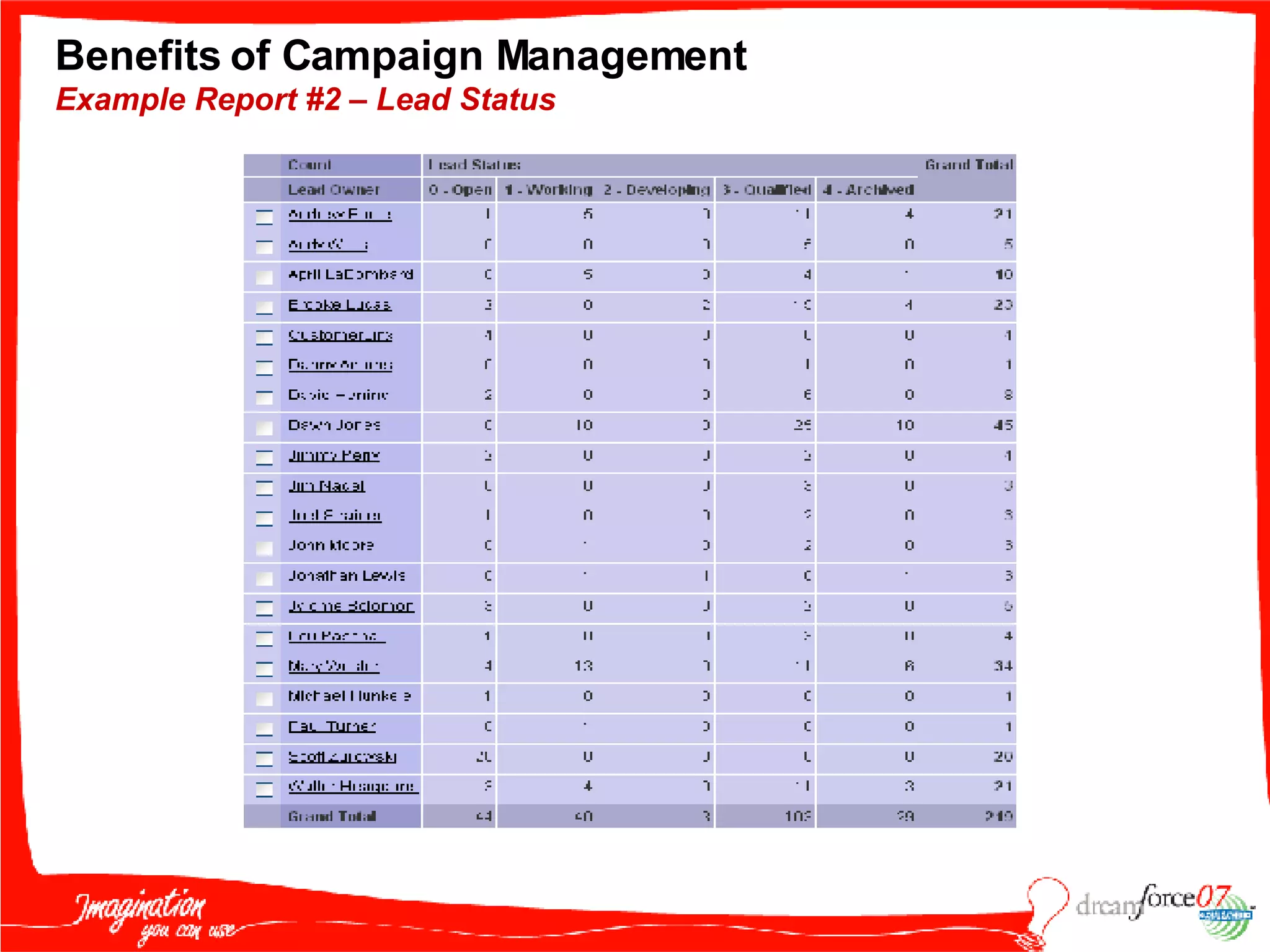
Benefits of Campaign Management Example Report #2 – Lead Status
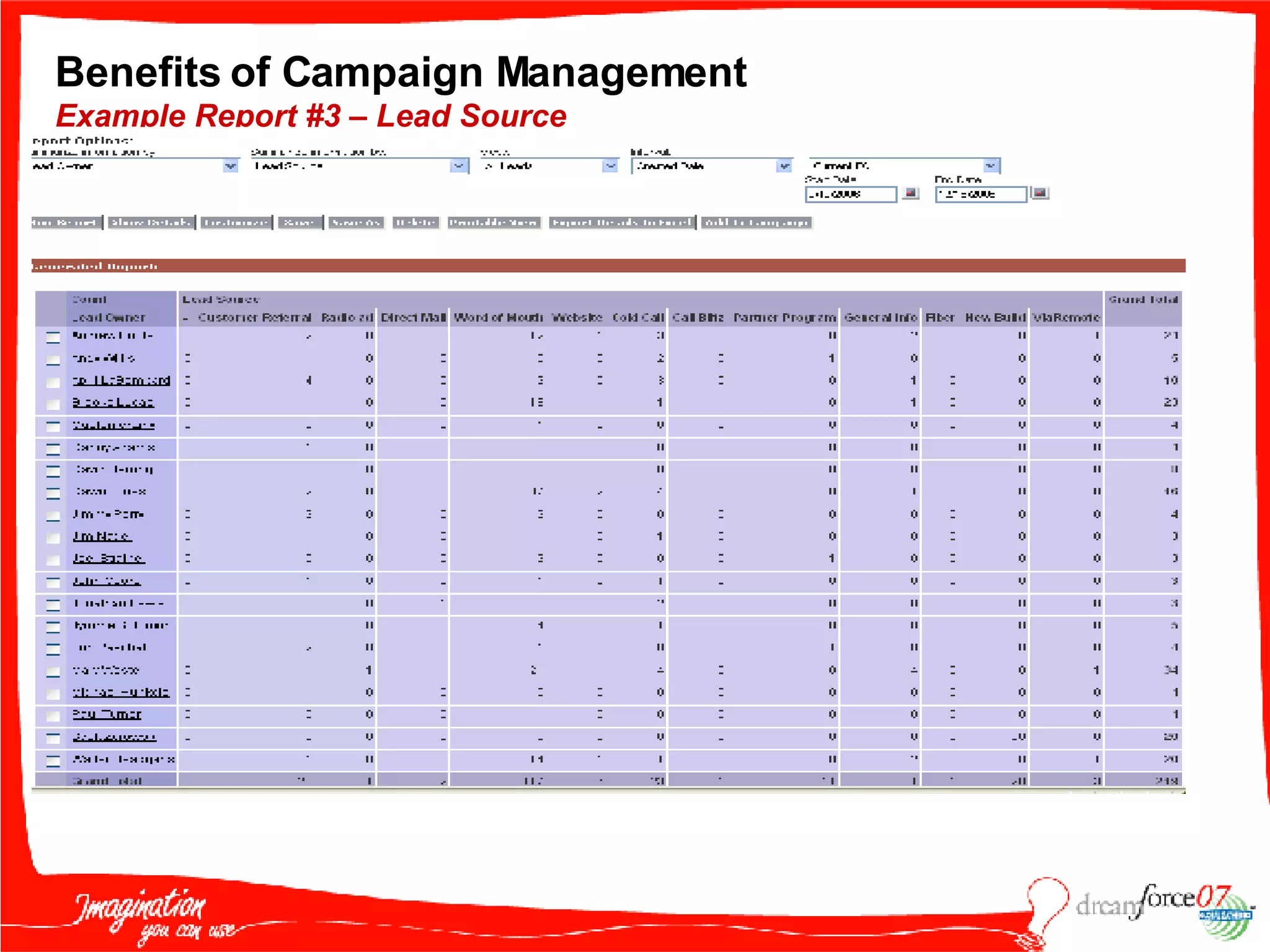
Benefits of Campaign Management Example Report #3 – Lead Source
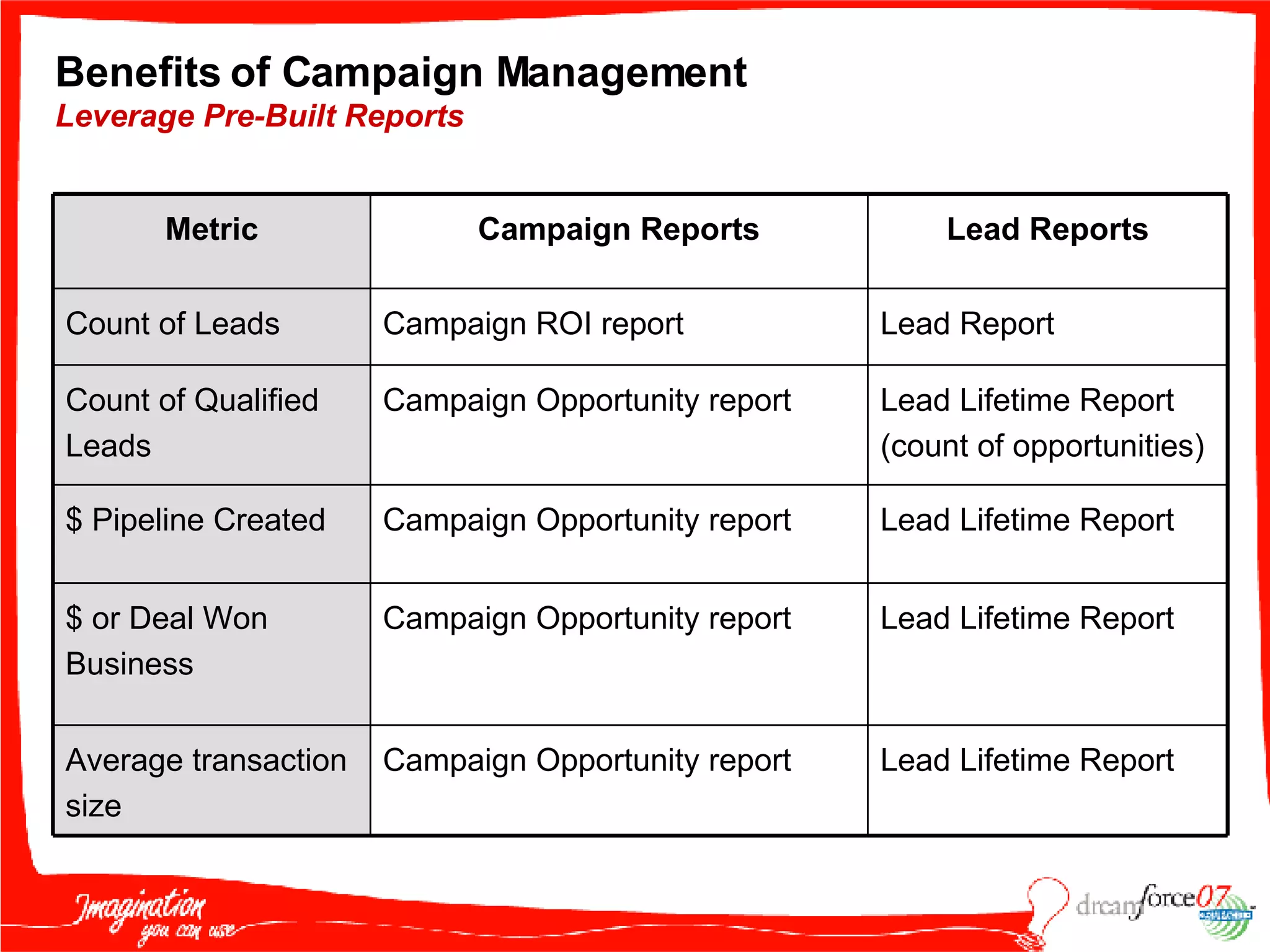
Benefits of Campaign Management Leverage Pre-Built Reports Lead Lifetime Report Campaign Opportunity report Average transaction size Lead Lifetime Report Campaign Opportunity report $ or Deal Won Business Lead Lifetime Report Campaign Opportunity report $ Pipeline Created Lead Lifetime Report (count of opportunities) Campaign Opportunity report Count of Qualified Leads Lead Report Campaign ROI report Count of Leads Lead Reports Campaign Reports Metric
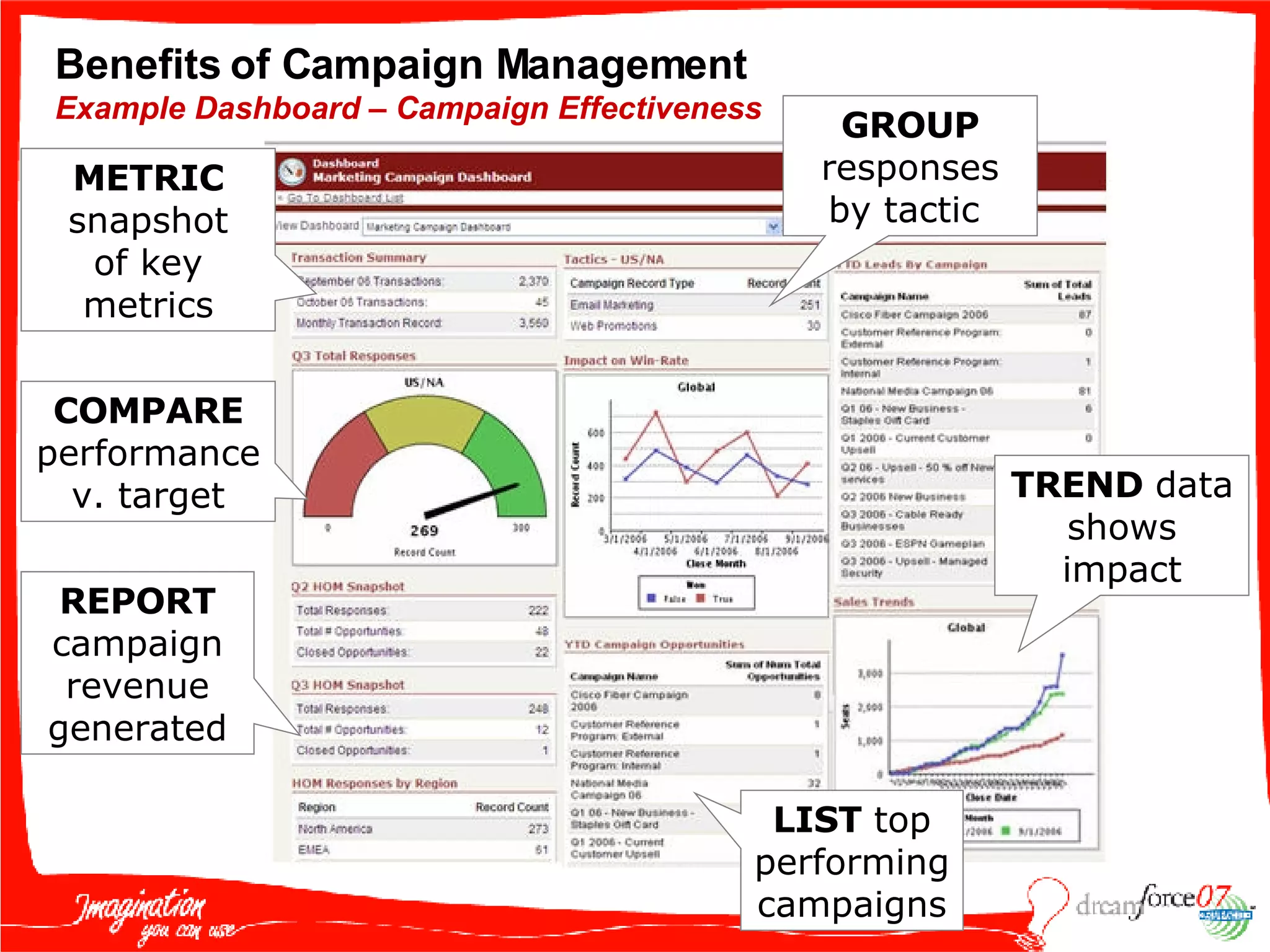
Benefits of Campaign Management Example Dashboard – Campaign Effectiveness METRIC snapshot of key metrics COMPARE  performance v. target REPORT  campaign revenue generated GROUP  responses by tactic  TREND  data shows impact LIST  top performing campaigns
What are we going to cover? Why you would want to track your marketing programs with campaigns  How to use campaigns  Benefits of campaign management – Dashboards Best Practices
KIRK CRENSHAW CEO REVCATALYST [email_address]
All About Company RevCatalyst INDUSTRY : Marketing Consulting EMPLOYEES : 2+ GEOGRAPHY : United States #   USERS : 2+ PRODUCT(S) USED : SFA, SFGA, Marketing, 5 downloaded AppExchange applications RevCatalyst delivers revenue focused demand generation services to help growing B2B companies develop, plan, and implement a high quality lead generation operation.
Why Do I Use Campaigns? Closes the loop Measure ROI/ROM Measure of success or failure Adjust resources/$ Supports the sales process Context Nurturing Centralizes reporting Center of my universe Proves my value! Budgets
Getting Started
Step 1: Evaluate Your Sales/Marketing Process How to you generate, track and measure demand? Program Mix/Tactics Audience/Segmentation Offers/Assets Nurturing What happens to the responses? (Closing the Loop) Response/Data Capture Inquiry/Lead Routing Follow-up/Emails Tracking Scoring
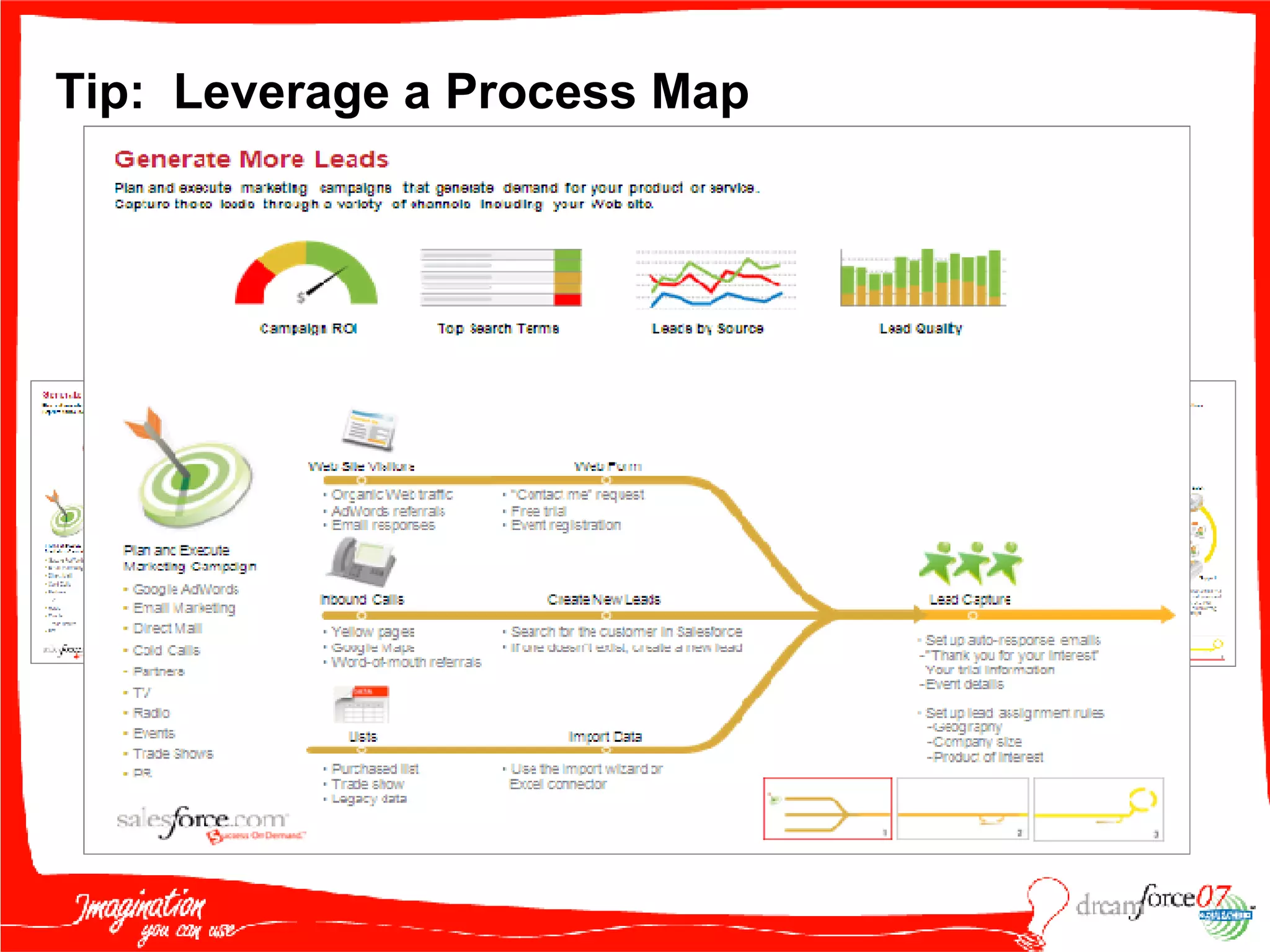
Tip:  Leverage a Process Map Updated – SFGA Blog http://blogs.salesforce.com/adwords/2007/06/process_maps_ge.html
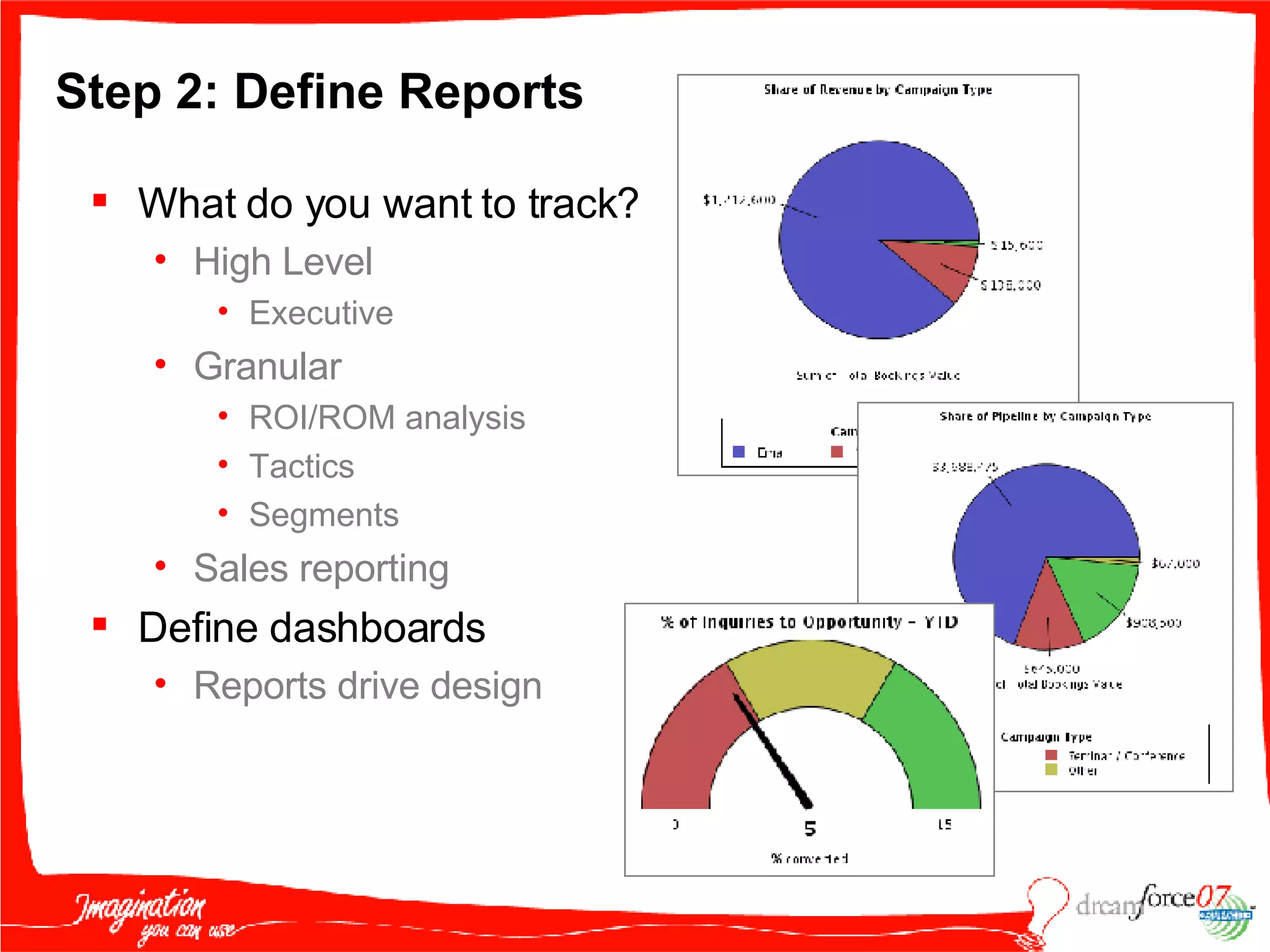
Step 2: Define Reports What do you want to track? High Level Executive Granular ROI/ROM analysis Tactics Segments Sales reporting Define dashboards  Reports drive design
Tip:  Draw Up Plans or Mock Up in Excel
Step 3: Define Necessary Fields  What fields do you need? Remember: Can’t report on what you don’t capture What information is needed to fulfill reports? Lead vs. Campaign Marketing vs. Sales What will create “context”?  Assignment or Auto Response triggers? How will they be organized? Define page layout Logical grouping
Step 4: Create Personalized Auto Reponses Leverage Auto Response/Assignment Triggers Responds with a relevant auto reply email Can personalize with merge fields
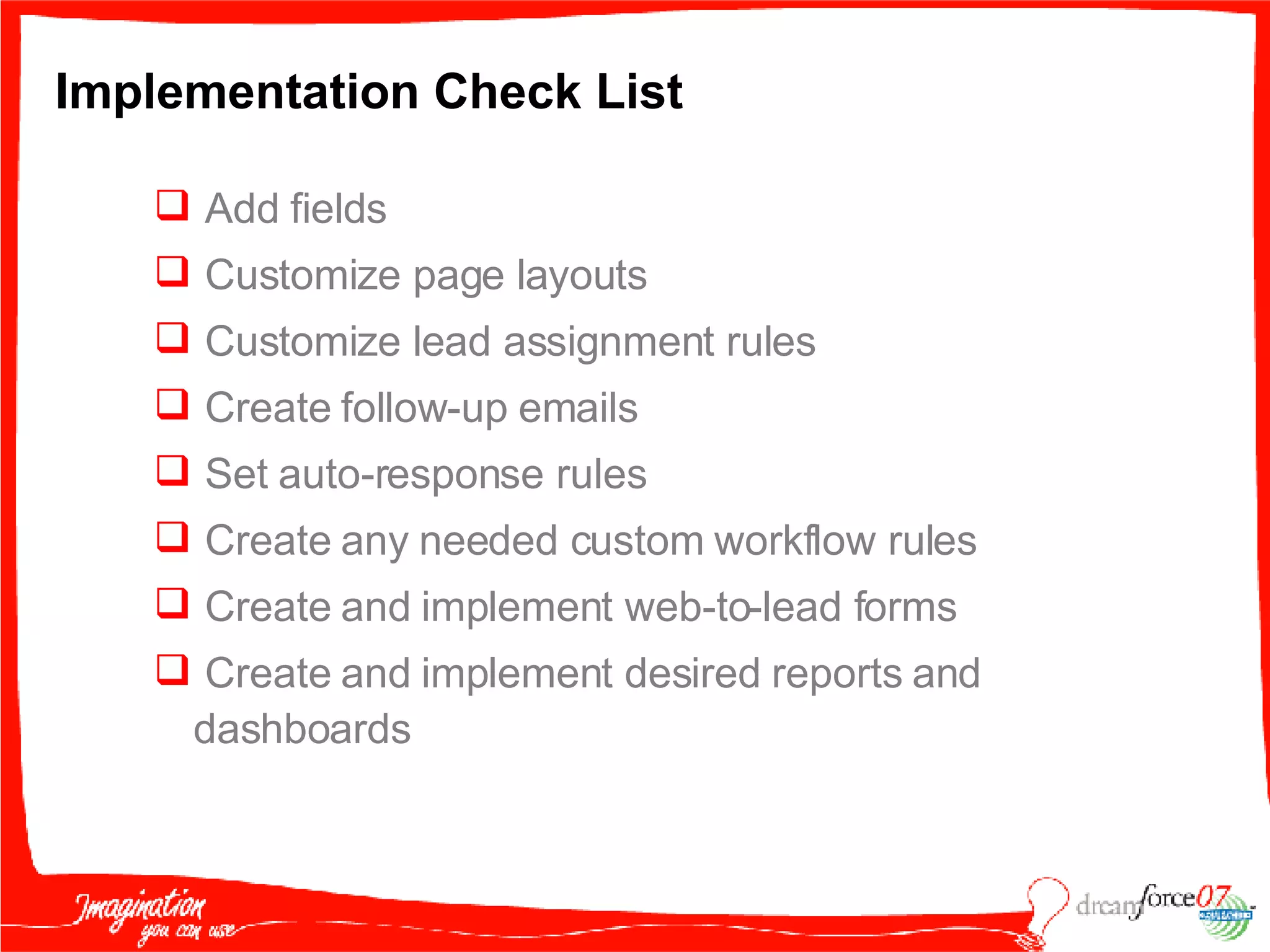
Implementation Check List Add fields  Customize page layouts Customize lead assignment rules Create follow-up emails Set auto-response rules Create any needed custom workflow rules Create and implement web-to-lead forms Create and implement desired reports and dashboards
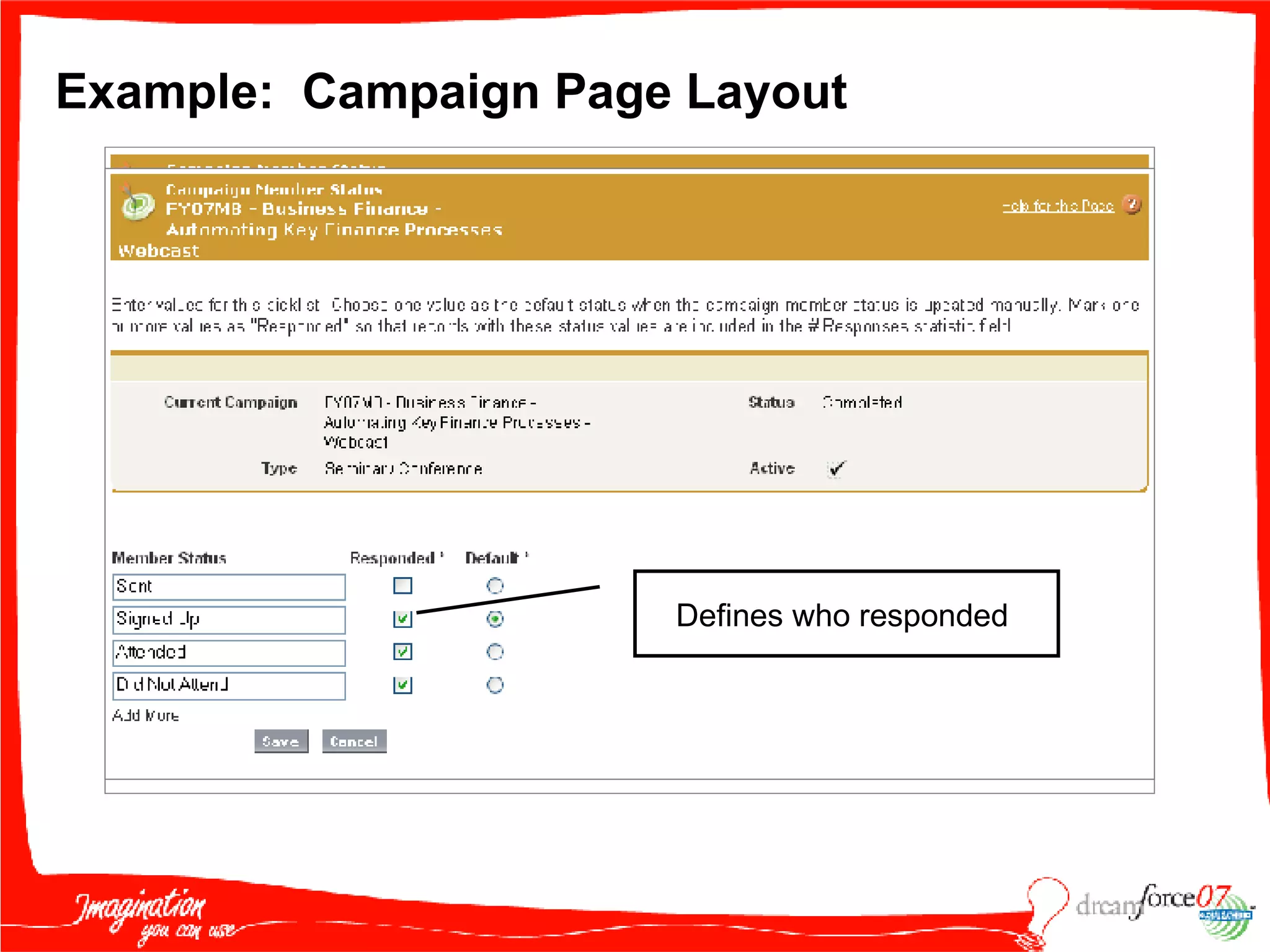
Example:  Campaign Page Layout Defines who responded
Take It to the Next Level
Campaign Page Layout Performance Context
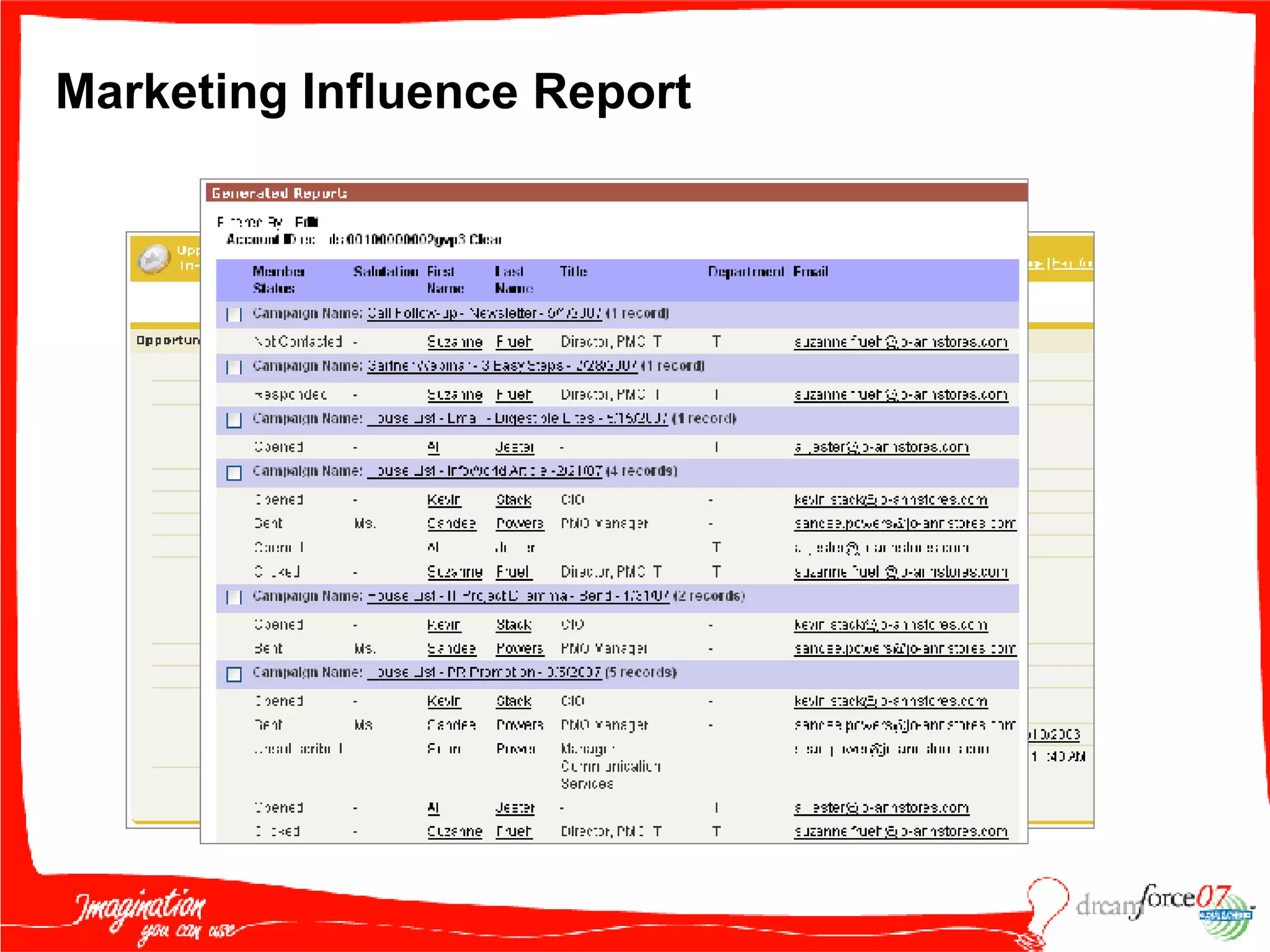
Marketing Influence Report
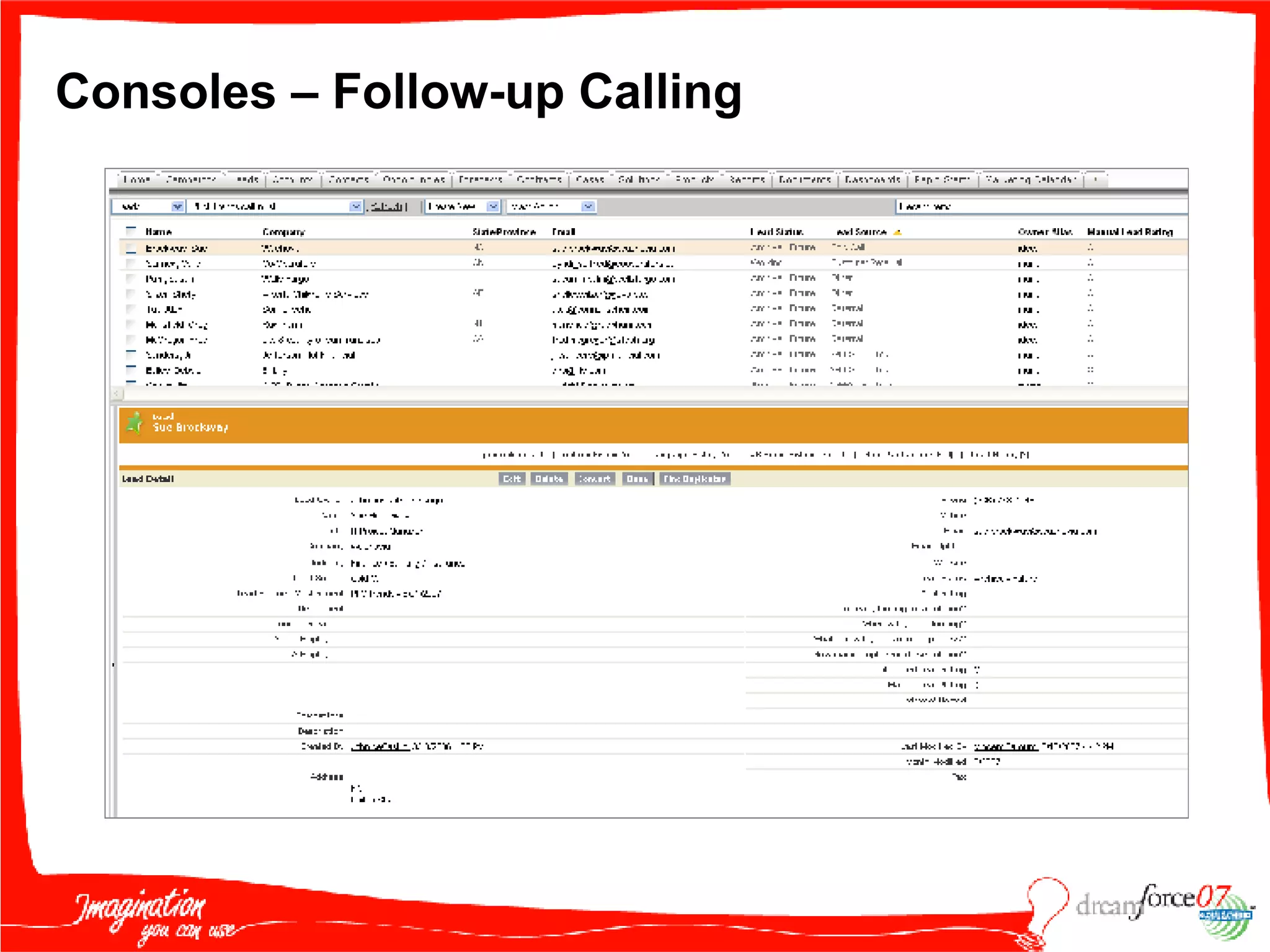
Consoles – Follow-up Calling
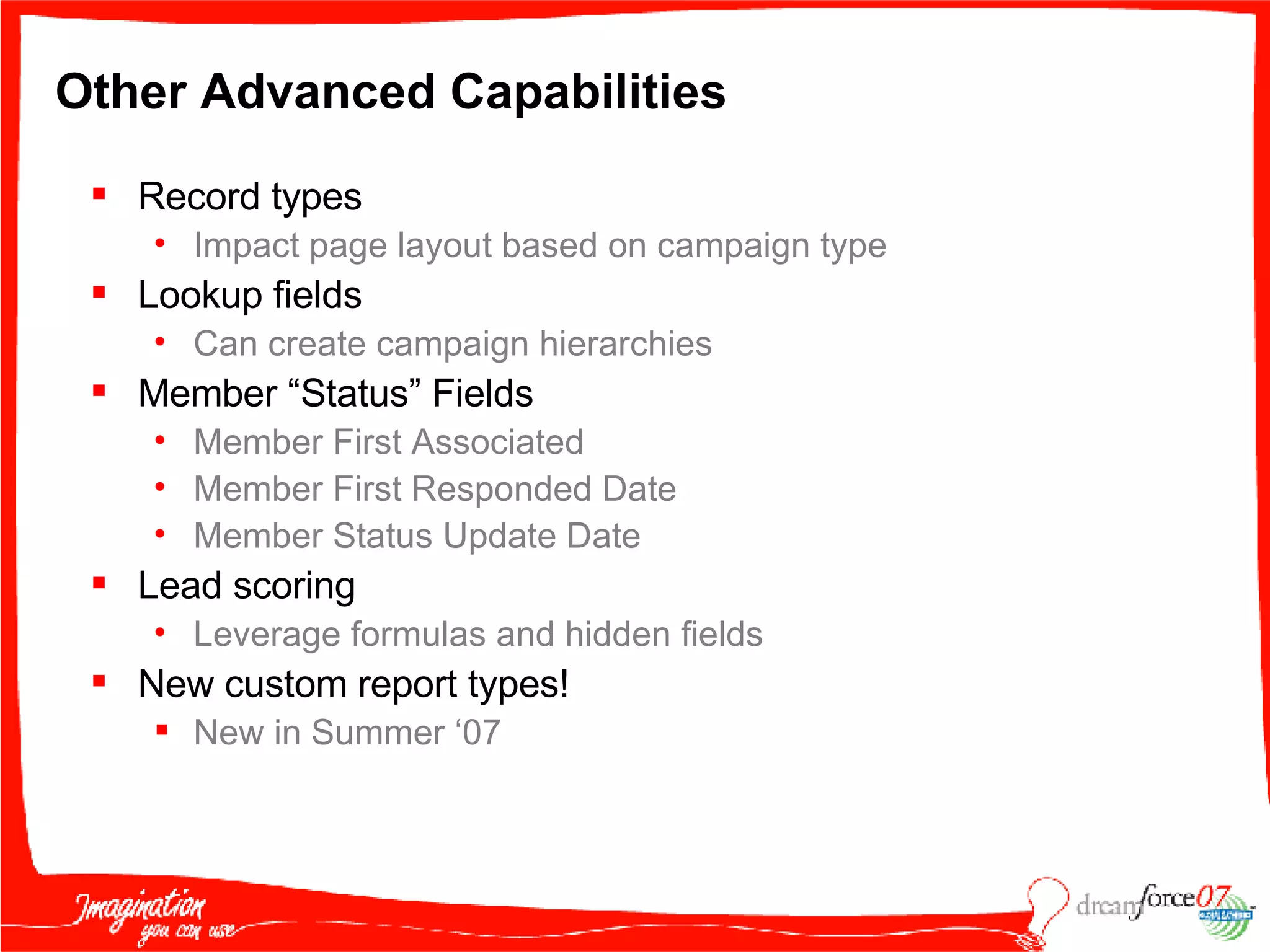
Other Advanced Capabilities  Record types Impact page layout based on campaign type Lookup fields Can create campaign hierarchies Member “Status” Fields Member First Associated Member First Responded Date Member Status Update Date Lead scoring Leverage formulas and hidden fields New custom report types! New in Summer ‘07
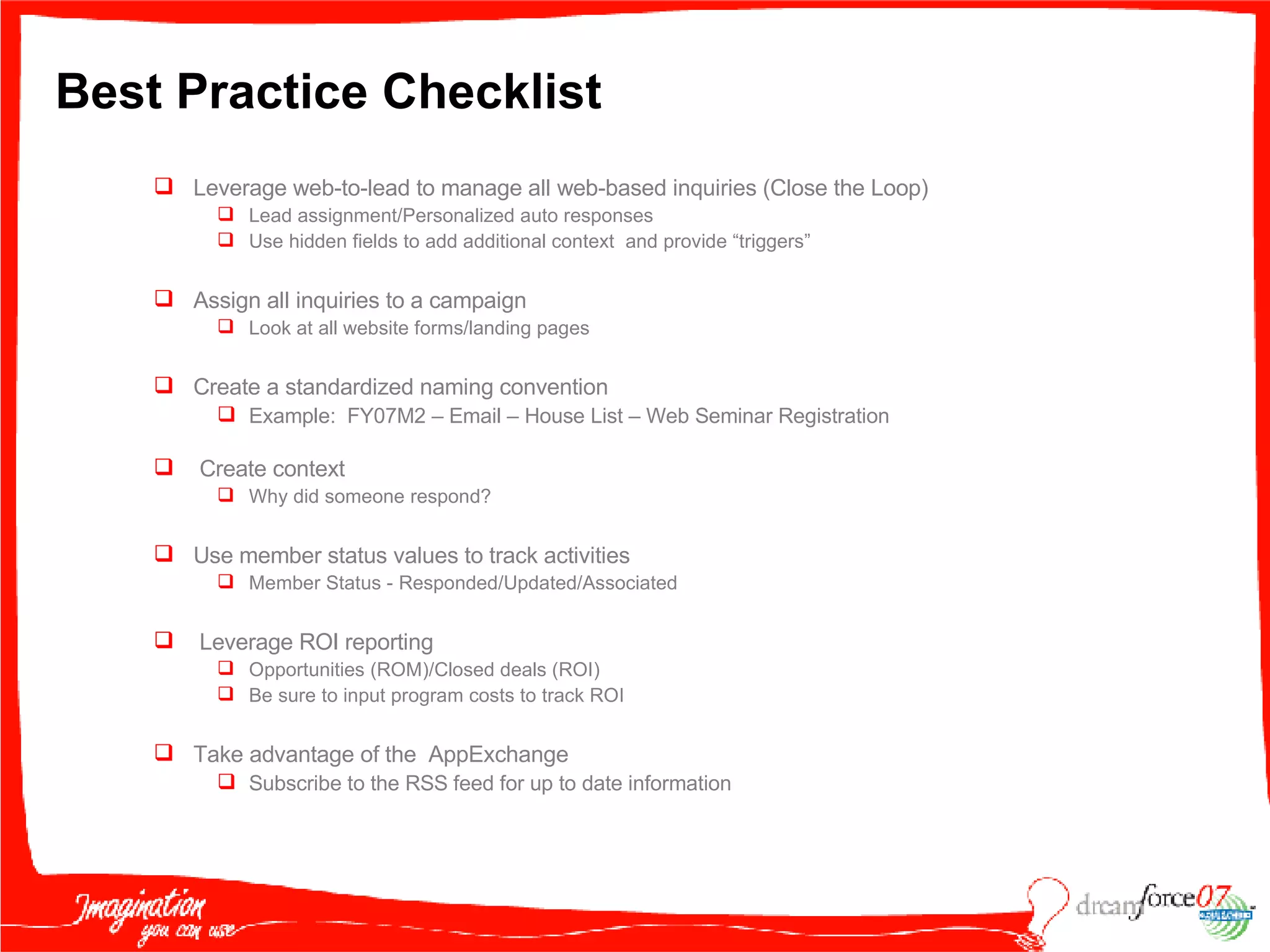
Best Practice Checklist Leverage web-to-lead to manage all web-based inquiries (Close the Loop) Lead assignment/Personalized auto responses Use hidden fields to add additional context  and provide “triggers” Assign all inquiries to a campaign Look at all website forms/landing pages Create a standardized naming convention Example:  FY07M2 – Email – House List – Web Seminar Registration Create context  Why did someone respond? Use member status values to track activities Member Status - Responded/Updated/Associated Leverage ROI reporting Opportunities (ROM)/Closed deals (ROI) Be sure to input program costs to track ROI Take advantage of the  AppExchange Subscribe to the RSS feed for up to date information
Session Feedback Let us know how we’re doing! Please score the session from 5 to 1 (5=excellent,1=needs improvement) in the following categories: Overall rating of the session Quality of content Strength of presentation delivery Relevance of the session to your organization We strive to improve, t hank you for filling out our survey. Additionally, please score each individual speaker on: Overall delivery of session
Thank you!
Campaigns to Cash Elizabeth Smyth, Salesforce.com Kirk Crenshaw, RevCatalyst Marketing I

M B F004 Smyth 091707

  • 1.
    Campaigns to CashElizabeth Smyth, salesforce.com Kirk Crenshaw, RevCatalyst Marketing I: Building the Funnel
  • 2.
    Safe Harbor Statement“ Safe harbor” statement under the Private Securities Litigation Reform Act of 1995: This presentation may contain forward-looking statements including but not limited to statements concerning the potential market for our existing service offerings and future offerings. All of our forward looking statements involve risks, uncertainties and assumptions. If any such risks or uncertainties materialize or if any of the assumptions proves incorrect, our results could differ materially from the results expressed or implied by the forward-looking statements we make. The risks and uncertainties referred to above include - but are not limited to - risks associated with possible fluctuations in our operating results and cash flows, rate of growth and anticipated revenue run rate, errors, interruptions or delays in our service or our Web hosting, our new business model, our history of operating losses, the possibility that we will not remain profitable, breach of our security measures, the emerging market in which we operate, our relatively limited operating history, our ability to hire, retain and motivate our employees and manage our growth, competition, our ability to continue to release and gain customer acceptance of new and improved versions of our service, customer and partner acceptance of the AppExchange, successful customer deployment and utilization of our services, unanticipated changes in our effective tax rate, fluctuations in the number of shares outstanding, the price of such shares, foreign currency exchange rates and interest rates. Further information on these and other factors that could affect our financial results is included in the reports on Forms 10-K, 10-Q and 8-K and in other filings we make with the Securities and Exchange Commission from time to time. These documents are available on the SEC Filings section of the Investor Information section of our website at www.salesforce.com/investor . Salesforce.com, inc. assumes no obligation and does not intend to update these forward-looking statements, except as required by law.
  • 3.
    What Are WeGoing To Cover? Why you would want to track your marketing programs with campaigns How to use campaigns Benefits of campaign management – Dashboards Best Practices
  • 4.
    cam·paign man’age·ment [kam-peyn man-ij-muh’nt] noun. Managing a series of marketing tactics that are all designed to achieve a specific business goal (increased revenue, leads, customer adoption, etc). Why track your marketing programs using campaigns? What is campaign management?
  • 5.
    Why track yourmarketing programs using campaigns? Types of Marketing Programs Awareness Press and Media Analyst Relations Customer References Advertising Lead Maturation Webinars Demos White paper programs Offers Case studies VIP Dinners etc Web Web Site Design On line Promotions Promotions Lead Generation Search Engine Marketing Events Direct Response – email, mail, telemarketing List rental/Purchase
  • 6.
    Why track yourmarketing programs using campaigns? Marketers Have Difficultly in Measuring ROI without Lead Visibility Ability to Measure Marketing Return Satisfied with Ability to Measure ROI Dissatisfied with Ability to Measure ROI Percent of Companies CMO Council Survey of over 1,000 marketing executives Tracking Leads Through Sales Cycle Data Compatibility Uploading Data Slow Response Top Difficulties in Lead Generation Percent of Companies Inability to Track from Lead-to-Close Poor Data Quality Out-of-date Information Poor Reporting Tools
  • 7.
    Poor Lead ManagementInconsistent Branding Poor Response Rates & ROI Lost Leads Slow Response Ineffective Lead Process Poor Quality Messaging/ Branding Outdated Information in Field Difficult Proving Marketing Effectiveness Can Not Track Lead to Close No Accountability for Leads Poor Data Quality Why track your marketing programs using campaigns? Top Marketing Challenges
  • 8.
    Automated & OptimizedLead Management Closed business ties back to leads Leads tie to marketing campaigns Why track your marketing programs using campaigns? Complete Visibility of Campaign Effectiveness from campaign to revenue Closing the Sales & Marketing Loop
  • 9.
    To get aholistic view of how your marketing initiatives are performing and to replicate successful programs / tactics / channels. Why track your marketing programs using campaigns? In summary….
  • 10.
    How to usecampaigns Business Stuff First… GOALS PROGRAMS PLANS EXECUTION REPORT Define your goals and objectives Pipeline? Revenue? Leads? Adoption? Decide on the specific initiatives under each of those programs Schedule Budget Targets Metrics Channels Create your campaign, and make it happen! Landing pads Unique phone numbers Audience lists Track your response and Show the success of your programs Reports Dashboards Email campaigns Events PR Telemarketing Determine the programs you will use to achieve those goals
  • 11.
    Inside Opportunities FieldOpportunities Lead Capture Lead Qualify Website Events How to use campaigns Manage all types of campaigns and responses Phone Search Engine PR/Events Email
  • 12.
    How to usecampaigns Set your campaigns up for easy analysis and Reporting Tips & Tricks Have a naming convention: eg EMEA – FY08Q3 – City Tour - Brussels Tips & Tricks Set the right campaign record type eg email, events etc Tips & Tricks Define your lead source values so they tie back to budget dollars Tips & Tricks Tie campaigns together with a custom field like “Parent Campaign”
  • 13.
    How to usecampaigns Make it easy for your sales teams Tips & Tricks Attach Relevant Documents Tips & Tricks View all opportunities from the campaign and calculate ROI
  • 14.
    How to usecampaigns Start off with a unique landing pad
  • 15.
    How to usecampaigns Lead Management is Crucial to the Success of your Campaigns Score Leads Automated Calculations 1 2 3 4 Lead Management Example Optimize Lead Distribution Automate Lead Capture De-Duplicate 5 Analyze in Real-Time Reports and Dashboards Source: Industry: Company Size: 1 2 4 7 Score < 10 Product: A Inside Lead Queue Round Robin Distribution Score > 10 Product: B Outside Northeast Sales Rep Queue Routing Rule: Lead Queue: Lead 1 Lead 2
  • 16.
    Benefits of CampaignManagement Example Report #1 – Campaign Metrics
  • 17.
    Benefits of CampaignManagement Example Report #2 – Lead Status
  • 18.
    Benefits of CampaignManagement Example Report #3 – Lead Source
  • 19.
    Benefits of CampaignManagement Leverage Pre-Built Reports Lead Lifetime Report Campaign Opportunity report Average transaction size Lead Lifetime Report Campaign Opportunity report $ or Deal Won Business Lead Lifetime Report Campaign Opportunity report $ Pipeline Created Lead Lifetime Report (count of opportunities) Campaign Opportunity report Count of Qualified Leads Lead Report Campaign ROI report Count of Leads Lead Reports Campaign Reports Metric
  • 20.
    Benefits of CampaignManagement Example Dashboard – Campaign Effectiveness METRIC snapshot of key metrics COMPARE performance v. target REPORT campaign revenue generated GROUP responses by tactic TREND data shows impact LIST top performing campaigns
  • 21.
    What are wegoing to cover? Why you would want to track your marketing programs with campaigns How to use campaigns Benefits of campaign management – Dashboards Best Practices
  • 22.
    KIRK CRENSHAW CEOREVCATALYST [email_address]
  • 23.
    All About CompanyRevCatalyst INDUSTRY : Marketing Consulting EMPLOYEES : 2+ GEOGRAPHY : United States # USERS : 2+ PRODUCT(S) USED : SFA, SFGA, Marketing, 5 downloaded AppExchange applications RevCatalyst delivers revenue focused demand generation services to help growing B2B companies develop, plan, and implement a high quality lead generation operation.
  • 24.
    Why Do IUse Campaigns? Closes the loop Measure ROI/ROM Measure of success or failure Adjust resources/$ Supports the sales process Context Nurturing Centralizes reporting Center of my universe Proves my value! Budgets
  • 25.
  • 26.
    Step 1: EvaluateYour Sales/Marketing Process How to you generate, track and measure demand? Program Mix/Tactics Audience/Segmentation Offers/Assets Nurturing What happens to the responses? (Closing the Loop) Response/Data Capture Inquiry/Lead Routing Follow-up/Emails Tracking Scoring
  • 27.
    Tip: Leveragea Process Map Updated – SFGA Blog http://blogs.salesforce.com/adwords/2007/06/process_maps_ge.html
  • 28.
    Step 2: DefineReports What do you want to track? High Level Executive Granular ROI/ROM analysis Tactics Segments Sales reporting Define dashboards Reports drive design
  • 29.
    Tip: DrawUp Plans or Mock Up in Excel
  • 30.
    Step 3: DefineNecessary Fields What fields do you need? Remember: Can’t report on what you don’t capture What information is needed to fulfill reports? Lead vs. Campaign Marketing vs. Sales What will create “context”? Assignment or Auto Response triggers? How will they be organized? Define page layout Logical grouping
  • 31.
    Step 4: CreatePersonalized Auto Reponses Leverage Auto Response/Assignment Triggers Responds with a relevant auto reply email Can personalize with merge fields
  • 32.
    Implementation Check ListAdd fields Customize page layouts Customize lead assignment rules Create follow-up emails Set auto-response rules Create any needed custom workflow rules Create and implement web-to-lead forms Create and implement desired reports and dashboards
  • 33.
    Example: CampaignPage Layout Defines who responded
  • 34.
    Take It tothe Next Level
  • 35.
    Campaign Page LayoutPerformance Context
  • 36.
  • 37.
  • 38.
    Other Advanced Capabilities Record types Impact page layout based on campaign type Lookup fields Can create campaign hierarchies Member “Status” Fields Member First Associated Member First Responded Date Member Status Update Date Lead scoring Leverage formulas and hidden fields New custom report types! New in Summer ‘07
  • 39.
    Best Practice ChecklistLeverage web-to-lead to manage all web-based inquiries (Close the Loop) Lead assignment/Personalized auto responses Use hidden fields to add additional context and provide “triggers” Assign all inquiries to a campaign Look at all website forms/landing pages Create a standardized naming convention Example: FY07M2 – Email – House List – Web Seminar Registration Create context Why did someone respond? Use member status values to track activities Member Status - Responded/Updated/Associated Leverage ROI reporting Opportunities (ROM)/Closed deals (ROI) Be sure to input program costs to track ROI Take advantage of the AppExchange Subscribe to the RSS feed for up to date information
  • 40.
    Session Feedback Letus know how we’re doing! Please score the session from 5 to 1 (5=excellent,1=needs improvement) in the following categories: Overall rating of the session Quality of content Strength of presentation delivery Relevance of the session to your organization We strive to improve, t hank you for filling out our survey. Additionally, please score each individual speaker on: Overall delivery of session
  • 41.
  • 42.
    Campaigns to CashElizabeth Smyth, Salesforce.com Kirk Crenshaw, RevCatalyst Marketing I