Introduction to Linux Containers & Docker
Jozi Linux User Group – Jan 2014
Introduction to Linux Containers
●

Makes use of:
–

Namespaces:
●
●
●
●
●

User
Network
Hostname
Filesystem
Process table

–

Cgroups for resource limits

–

Seccomp – filtering of system calls

–

AppArmour/SELinux

–

Like chroot environment, only more secure and more full featured
Introduction to Linux Containers
●

Benefits
–
–

Near native performance,

–

●

Application isolation,
Dynamic control of resource allocation, change
during run time and resources only allocated as
used

Limitations
–

All use hosts kernel,
Introduction to Linux Containers
●

apt-get install lxc

●

lxc-create -t ubuntu -n <name>
–
–

Templates available - /usr/share/lxc/templates/

–
●

Default user/password: ubuntu/ubuntu
Backing store - /var/lib/lxc

Start a container
–

lxc-start -n <name>
●

–

Lxc-start -n <name> -d
●
●

●

To shutdown issue “shutdown -h now”
Attach lxc-console
Detach via “ctrl-a q”
Introduction to Linux Containers
●

lxc-ps – List processes running in container

●

lxc-ls – List container running on host

●

lxc-netstat – List routing table of container

●

lxc-freeze – Pause a container

●

lxc-unfreeze - Unpause a container

●

lxc-shutdown – Shutdown a container

●

lxc-destory – Hard stop a container

●

lxc-monitor – monitor the state of a container

●

lxc-cgroup – change resources allocated to a container

●

lxc-clone/lxc-backup/lxc-restore ….
Introduction to Linux Containers
●

Light-weight virtualisation
–

●

No need for additional kernel nor
hypervisor/translation layer

Network setup similar to virtualisaiton
–

Bridged or

–

Routed (Natted)
Introduction to Linux Containers
●

Libvirt integration

●

Can connect via
–
–

VNC,

–

VT: tty

–
●

Console (ssh,lxc-console)

VT: x

Autostart on startup /etc/lxc/auto
What is Docker
●

Docker is an application deployment tool that
uses containers,

●

Runtime manager for containers,

●

Allows for image repository,

●

Pushing of incremental changes from
dev,test,production
What is docker?
●

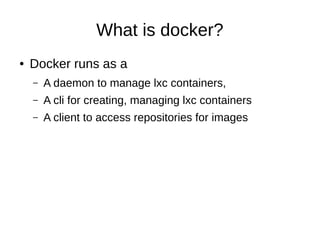
Docker runs as a
–

A daemon to manage lxc containers,

–

A cli for creating, managing lxc containers

–

A client to access repositories for images
What is docker?
●

docker search

●

docker pull

●

docker run

●

docker ps

●

docker inspect

●

docker images

●

docker push
What is docker?
●

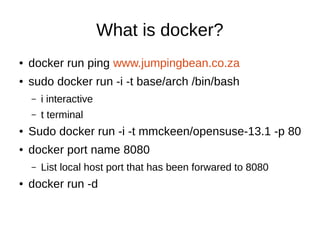
docker run ping www.jumpingbean.co.za

●

sudo docker run -i -t base/arch /bin/bash
–

i interactive

–

t terminal

●

Sudo docker run -i -t mmckeen/opensuse-13.1 -p 80

●

docker port name 8080
–

●

List local host port that has been forwared to 8080

docker run -d
What is docker
●

Create an account on the repo server
–

●

Create a image on the repo server
–

●

sudo docker login
sudo docker commit $CONTAINER_ID
username/container-name

Update your image on the repo server
–

sudo docker push username/container-name

Linux Containers & Docker

  • 1.
    Introduction to LinuxContainers & Docker Jozi Linux User Group – Jan 2014
  • 2.
    Introduction to LinuxContainers ● Makes use of: – Namespaces: ● ● ● ● ● User Network Hostname Filesystem Process table – Cgroups for resource limits – Seccomp – filtering of system calls – AppArmour/SELinux – Like chroot environment, only more secure and more full featured
  • 3.
    Introduction to LinuxContainers ● Benefits – – Near native performance, – ● Application isolation, Dynamic control of resource allocation, change during run time and resources only allocated as used Limitations – All use hosts kernel,
  • 4.
    Introduction to LinuxContainers ● apt-get install lxc ● lxc-create -t ubuntu -n <name> – – Templates available - /usr/share/lxc/templates/ – ● Default user/password: ubuntu/ubuntu Backing store - /var/lib/lxc Start a container – lxc-start -n <name> ● – Lxc-start -n <name> -d ● ● ● To shutdown issue “shutdown -h now” Attach lxc-console Detach via “ctrl-a q”
  • 5.
    Introduction to LinuxContainers ● lxc-ps – List processes running in container ● lxc-ls – List container running on host ● lxc-netstat – List routing table of container ● lxc-freeze – Pause a container ● lxc-unfreeze - Unpause a container ● lxc-shutdown – Shutdown a container ● lxc-destory – Hard stop a container ● lxc-monitor – monitor the state of a container ● lxc-cgroup – change resources allocated to a container ● lxc-clone/lxc-backup/lxc-restore ….
  • 6.
    Introduction to LinuxContainers ● Light-weight virtualisation – ● No need for additional kernel nor hypervisor/translation layer Network setup similar to virtualisaiton – Bridged or – Routed (Natted)
  • 7.
    Introduction to LinuxContainers ● Libvirt integration ● Can connect via – – VNC, – VT: tty – ● Console (ssh,lxc-console) VT: x Autostart on startup /etc/lxc/auto
  • 8.
    What is Docker ● Dockeris an application deployment tool that uses containers, ● Runtime manager for containers, ● Allows for image repository, ● Pushing of incremental changes from dev,test,production
  • 9.
    What is docker? ● Dockerruns as a – A daemon to manage lxc containers, – A cli for creating, managing lxc containers – A client to access repositories for images
  • 10.
    What is docker? ● dockersearch ● docker pull ● docker run ● docker ps ● docker inspect ● docker images ● docker push
  • 11.
    What is docker? ● dockerrun ping www.jumpingbean.co.za ● sudo docker run -i -t base/arch /bin/bash – i interactive – t terminal ● Sudo docker run -i -t mmckeen/opensuse-13.1 -p 80 ● docker port name 8080 – ● List local host port that has been forwared to 8080 docker run -d
  • 12.
    What is docker ● Createan account on the repo server – ● Create a image on the repo server – ● sudo docker login sudo docker commit $CONTAINER_ID username/container-name Update your image on the repo server – sudo docker push username/container-name