Download as PDF, PPTX

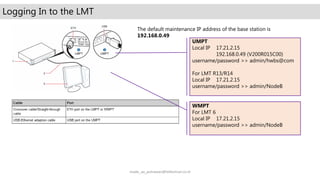
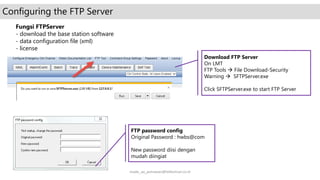
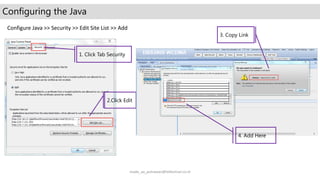
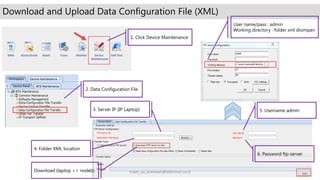

This document provides instructions for logging into an LMT base station, configuring the FTP server and Java settings, and downloading and uploading the data configuration file (XML) to and from the base station. It lists the default IP address and login credentials for accessing the base station interface, provides guidance on changing the FTP password, downloading the FTP server software, and configuring the allowed Java sites. It also outlines the steps to select the server IP, folder location, username, and FTP password when downloading or uploading the XML file between the laptop and base station.


![13 gsm bss network kpi (network interference) optimization manual[1].doc](https://cdn.slidesharecdn.com/ss_thumbnails/13gsmbssnetworkkpinetworkinterferenceoptimizationmanual1-140618022430-phpapp01-thumbnail.jpg?width=640&height=640&fit=bounds)


