Lists in Python
Md. Shafiuzzaman
Lecturer, Dept. of CSE, JUST
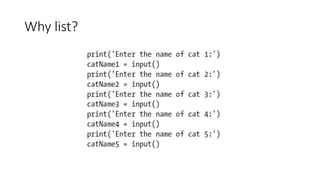
Why list?
The List Data Type
• A list is a value that contains multiple values in an ordered sequence
• A list value looks like this: ['cat', 'bat', 'rat', 'elephant']
• Values inside the list are also called items
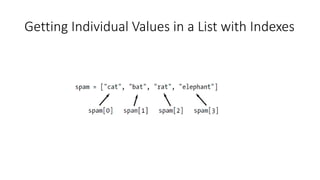
Getting Individual Values in a List with Indexes
• Python will give you an IndexError error message if you use an index
that exceeds the number of values in your list value
• Indexes can be only integer values, not floats
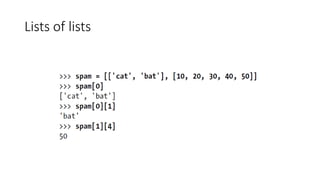
Lists of lists
Negative Indexes
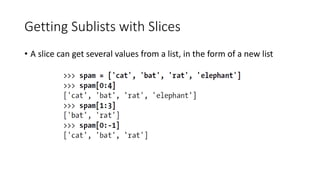
Getting Sublists with Slices
• A slice can get several values from a list, in the form of a new list
Getting Sublists with Slices
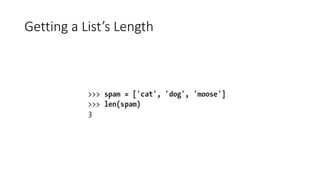
Getting a List’s Length
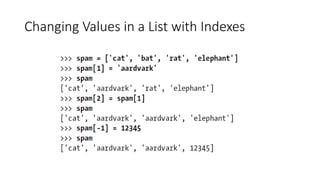
Changing Values in a List with Indexes
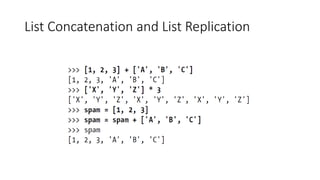
List Concatenation and List Replication
Removing Values from Lists
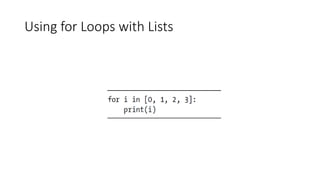
Using for Loops with Lists
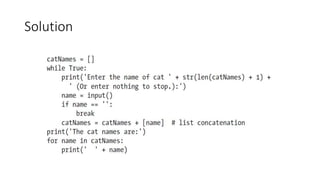
Exercise
Solution
The in and not in Operators
• You can determine whether a value is or isn’t in a list with the in and
not in operators.
The in and not in Operators
Multiple Assignment
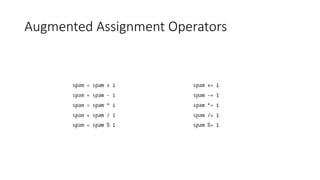
Augmented Assignment Operators
Methods
• A method is the same thing as a function, except it is “called on” a
value
• Example: spam.index('hello')
• Each data type has its own set of methods
• List data type has several methods for finding, adding, removing, and
otherwise manipulating values in a list
Finding a Value in a List with the index()
Method
Finding a Value in a List with the index()
Method
• When there are duplicates of the value in the list, the index of its first
appearance is returned
Adding Values to Lists: append()
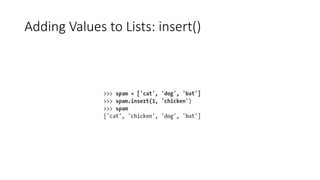
Adding Values to Lists: insert()
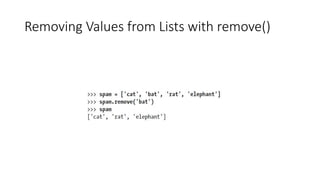
Removing Values from Lists with remove()
del statement vs remove()
• del statement is good to use when you know the index of the value
you want to remove from the list
• remove() method is good when you know the value you want to
remove from the list
Practice Projects: Comma Code
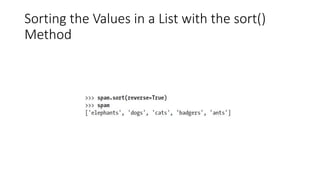
Sorting the Values in a List with the sort()
Method
Sorting the Values in a List with the sort()
Method
Sorting the Values in a List with the sort()
Method
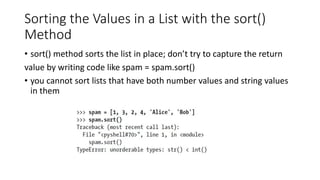
• sort() method sorts the list in place; don’t try to capture the return
value by writing code like spam = spam.sort()
• you cannot sort lists that have both number values and string values
in them
Sorting the Values in a List with the sort()
Method
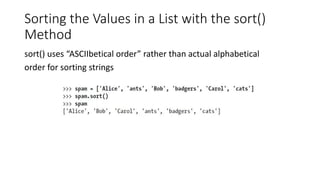
sort() uses “ASCIIbetical order” rather than actual alphabetical
order for sorting strings
Sort the values in regular alphabetical order
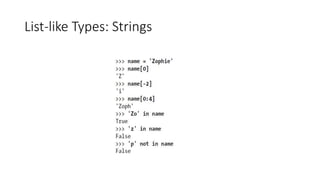
List-like Types: Strings
• Store your name in name variable and type the following code
Lists vs String
• List -> mutable: It can have values added, removed, or changed
• String -> immutable: It cannot be changed
“mutate” a string: slicing and concatenation
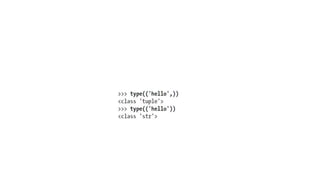
The Tuple Data Type
• Tuples are immutable
• Tuples cannot have their values modified, appended, or removed
Converting Types with the list() and tuple()
Functions
References
References
Passing References
Copy Module’s copy() and deepcopy()
Functions

Lists in Python