Arrays
Prepared by:
Kashif Nawab
St. of IT
UOG Narowal
What is Array?
An array is a group of consecutive memory locations
with same name and type. Simple variable is a single
memory location with unique name and type. But an
array is a collection of different adjacent memory
locations.
 These memory locations in the array are called
elements of array.
 The total number of elements in the array is called its
length.
Advantages of array:
o Arrays can store a large number of values with
single name.
o Arrays are used to process many values
quickly and easily.
o The values stored in an array can be sorted
easily.
o A search process can be applied on arrays
easily.
Declaring One dimensional
Array:
The syntax of declaring one-dimensional array is:
Data_type Identifier[length];
Data_type Indicates data type of values.
Identifier Indicates the name of array.
Length Indicates total number of elements in
array.
For Example:
int marks[5];
Index of each element 0 1 2 3 4
Name of array marks
Array initialization
The syntax of array initialization is :
Data_type Identifier[length]={list of values};
List of values It indicates the values to initialize the array. These
values must b constant.
Example:
int marks[5]={70,75,90,60,85};
Index of each element 0 1 2 3 4
Name of array marks 70 75 90 60 85
Accessing individual elements in an
array:
The syntax for accessing element is as follows :
Array_Name[index];
Array_Name Indicates the name of array.
Index Indicates the index element
to be accessed.
Example:
int marks[5];
int marks[0]=70;
int marks[1]=75;
int marks[2]=90;
int marks[3]=60;
int marks[4]=85;
A simple program:
Write a program that inputs five integers
from user and stores them in an array. It
then displays all values in array without
using loop.
#include<iostream>
Int main( )
{
int array[3];
cout<<“enter five integers: “<<endl;
cin>>array[0];
cin>>array[1];
cin>>array[2];
cin>>array[3];
cin>>array[5];
Cout<<“the values in array are : “<<endl;
cout<<array[0]<<endl;
cout<<array[1]<<endl;
cout<<array[2]<<endl;
cout<<array[3]<<endl;
cout<<array[4]<<endl;
return 0;
}
Write a program that inputs five integers
from user and stores them in an array. It
then displays all values in array using
loop.
#include<iostream>
Int main( )
{
int arr[5],i;
for(i=0 ; i<5 ; i++)
{
cout<<“Enter an integer : “;
cin>>arr[i];
}
cout<<“The values in array are : n
for(i=0 ; i<5 ; i++)
cout<<arr[i]<<endl;
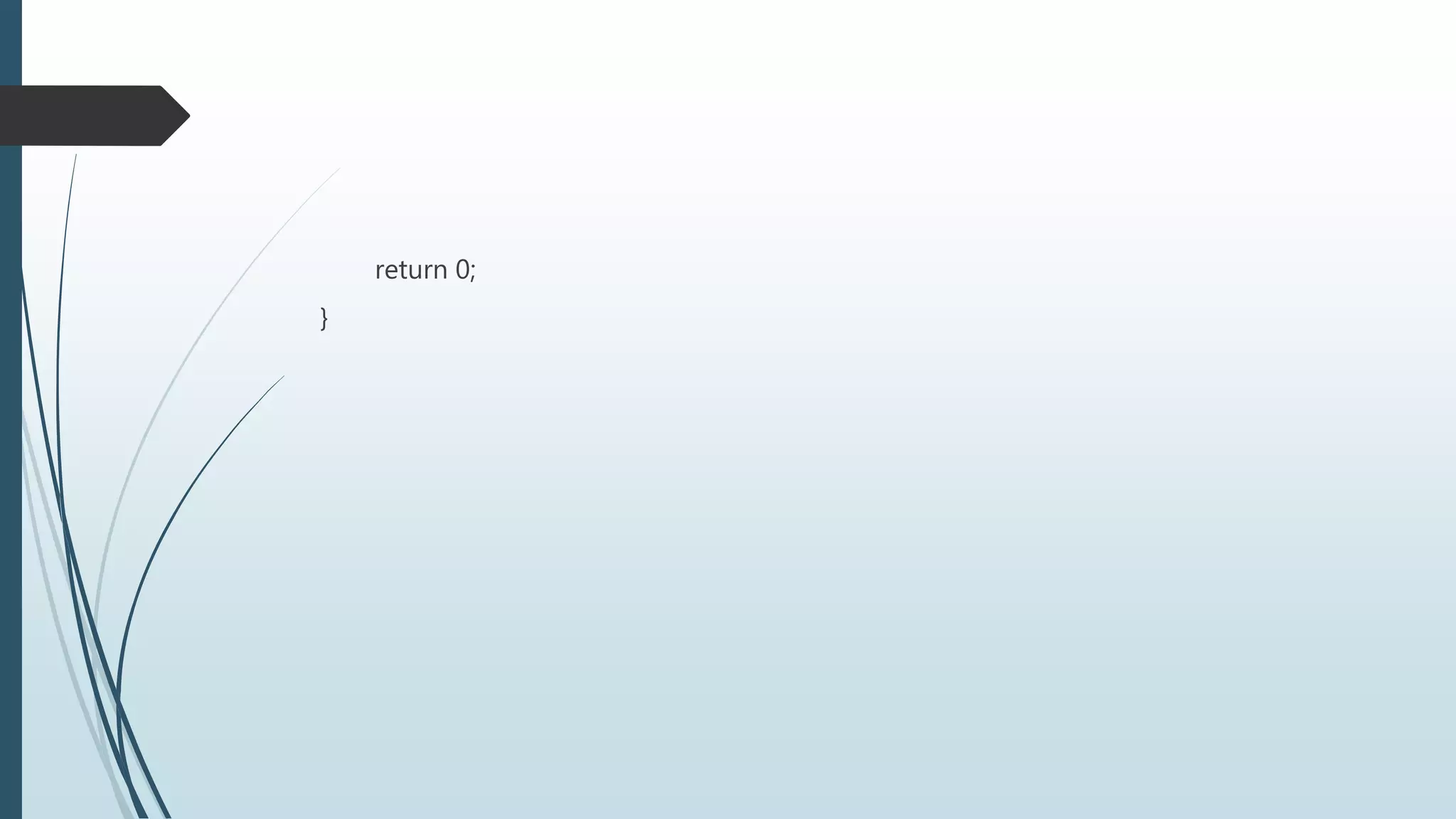
return 0;
}
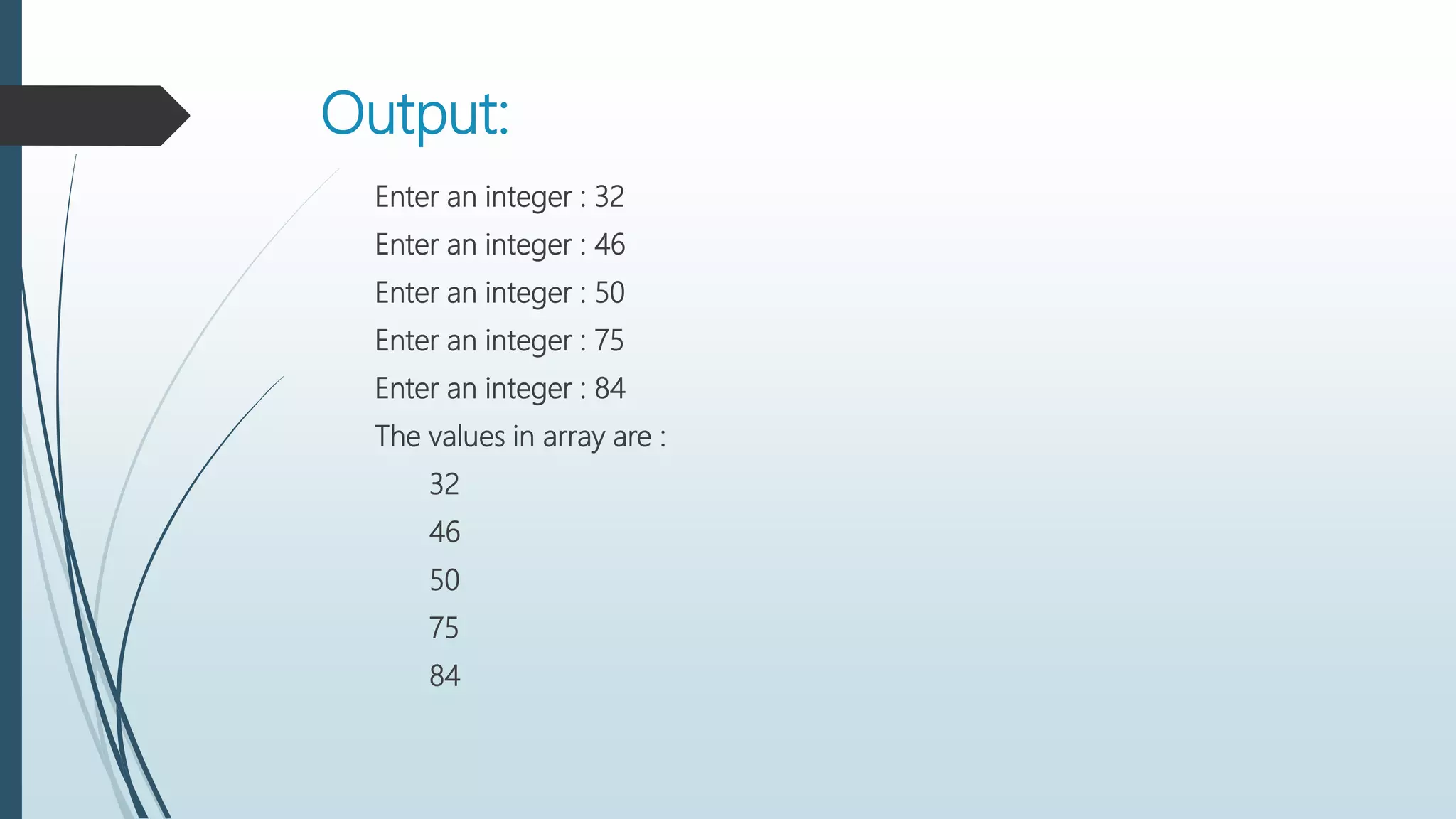
Output:
Enter an integer : 32
Enter an integer : 46
Enter an integer : 50
Enter an integer : 75
Enter an integer : 84
The values in array are :
32
46
50
75
84
Write a program that input five number
from user in array and display maximum
number.
#include<iostream>
using namespace std;
main()
{
int a[5],i,max;
for(i=0;i<5;i++)
{
cout<<"Enter number : ";
cin>>a[i];
}
max=a[0];
for(i=0;i<5;i++)
if(max<a[i])
max=a[i];
cout<<"Maximum Number is : "<<a[i];
return 0;
}
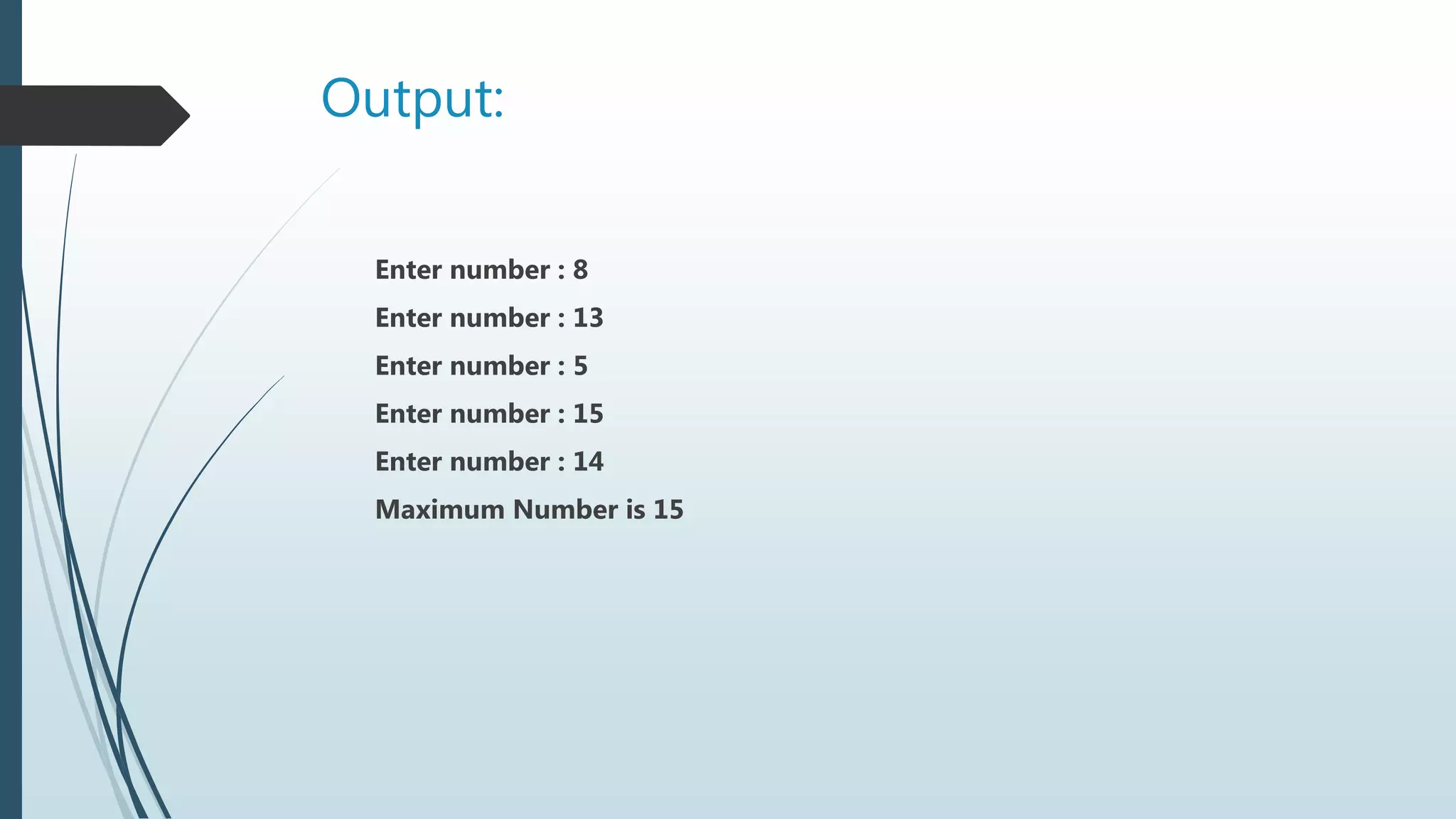
Output:
Enter number : 8
Enter number : 13
Enter number : 5
Enter number : 15
Enter number : 14
Maximum Number is 15
Two-Dimensional Arrays
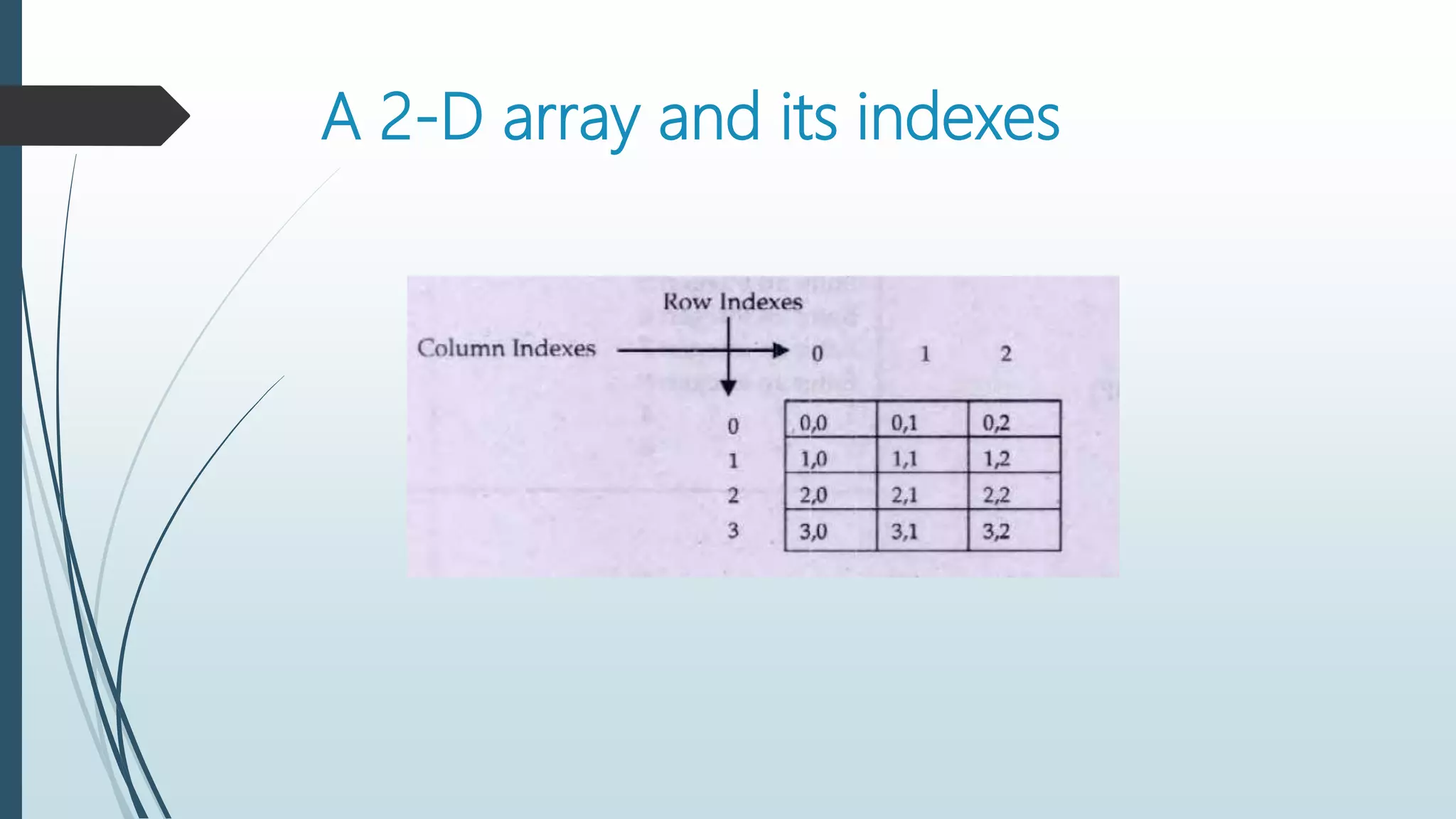
Two-dimensional array can be considered as a table that
consists of rows and column. Each element in 2-D array is
referred with the help of two indexes. One index is used to
indicate the row and the second index indicates the column of
the element.
Syntax:
Data_type identifier[Rows][Cols];
For Example:
The following statement declares a 2-D array with four rows and three
columns.
Int Arr[4][3];
A 2-D array and its indexes
Accessing elements of 2-D array
The array name and indexes of row and column are used to access
individual element of a 2-D array. For example, the following statement will
store 20 in the second column of first row.
Int Arr[0][1]=100;
OR
By assigning variables to indexes:
R=0;
C=1;
Arr[R][C]=100;
Entering Data in 2-D array
You can enter data in any element of array using array name and index of
element. For example:
 Nested loops are frequently used to enter data in 2-D arrays.
 The outer loop are used to refer to the rows in array.
 Inner loop are used to refer to the columns in array.
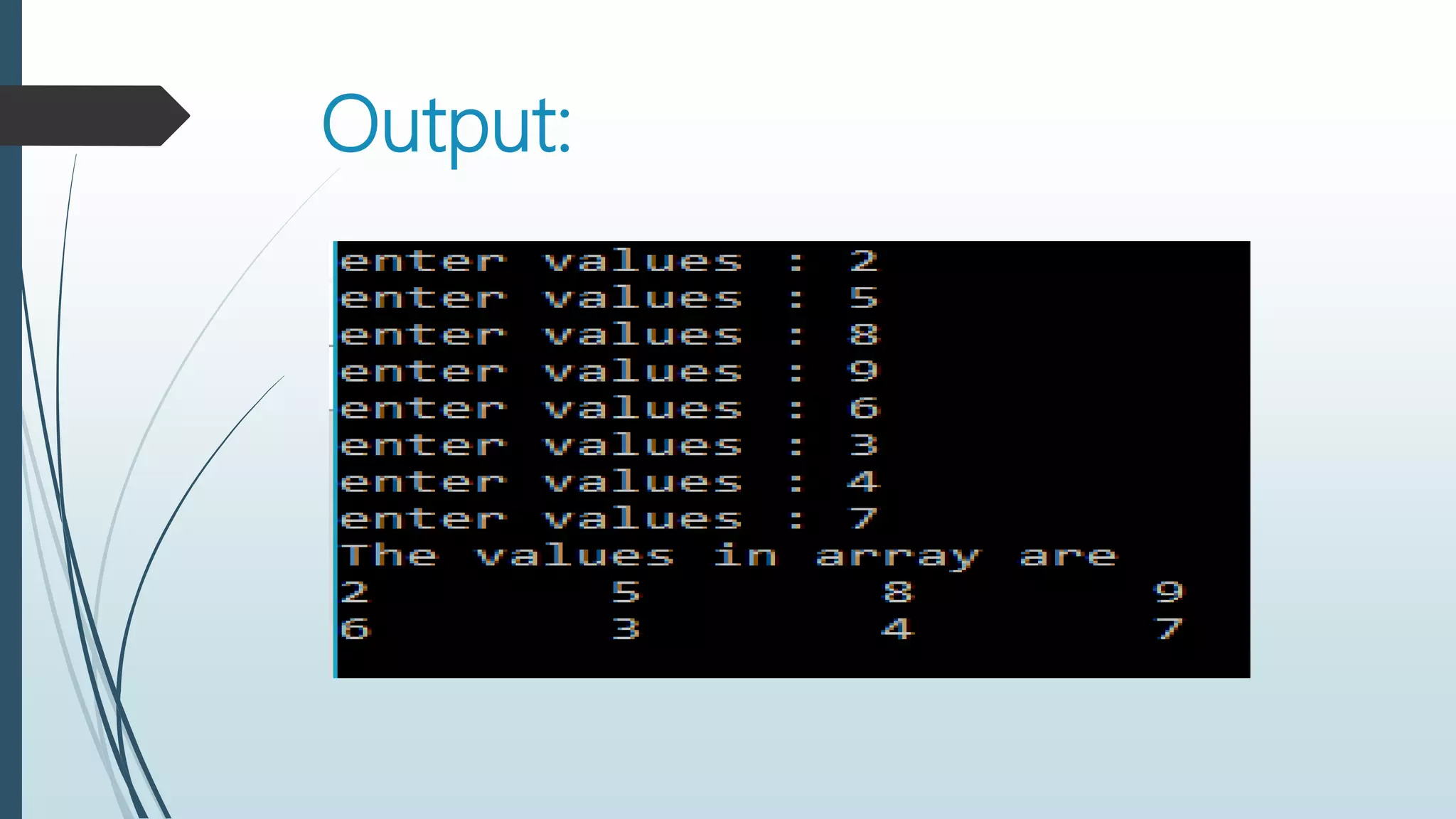
Write a program that stores integer values
in an array of 2 rows and 4 columns.
#include<iostream>
using namespace std;
main()
{
int Array[2][4],i,j;
for(i=0;i<2;i++)
for(j=0;j<4;j++)
{
cout<<"enter values : ";
cin>>Array[i][ j];
}
cout<<"The values in array aren";
for(i=0;i<2;i++)
{
for(j=0;j<4;j++)
cout<<Array[i][ j]<<"t";
cout<<endl;
}
return 0; }
Output:
Initialization 2-D Arrays
The process of initialization is performed by assigning the initial values in
braces separated by commas at the time of declaration.
For example:
Int array[3][4]={ {12,5,22,84},
{95,3,41,59},
{77,6,53,62} };
OR
Int array[3][4]={ {12,5,22,84}, {95,3,41,59}, {77,6,53,62} };
Initialization can also be performed without using inner braces.
Int array[3][4]={ 12,5,22,84,
95,3,41,59,
77,6,53,62 }
OR
Int array[3][4]= { 12,5,22,84,95,3,41,59,77,6,53,62 }
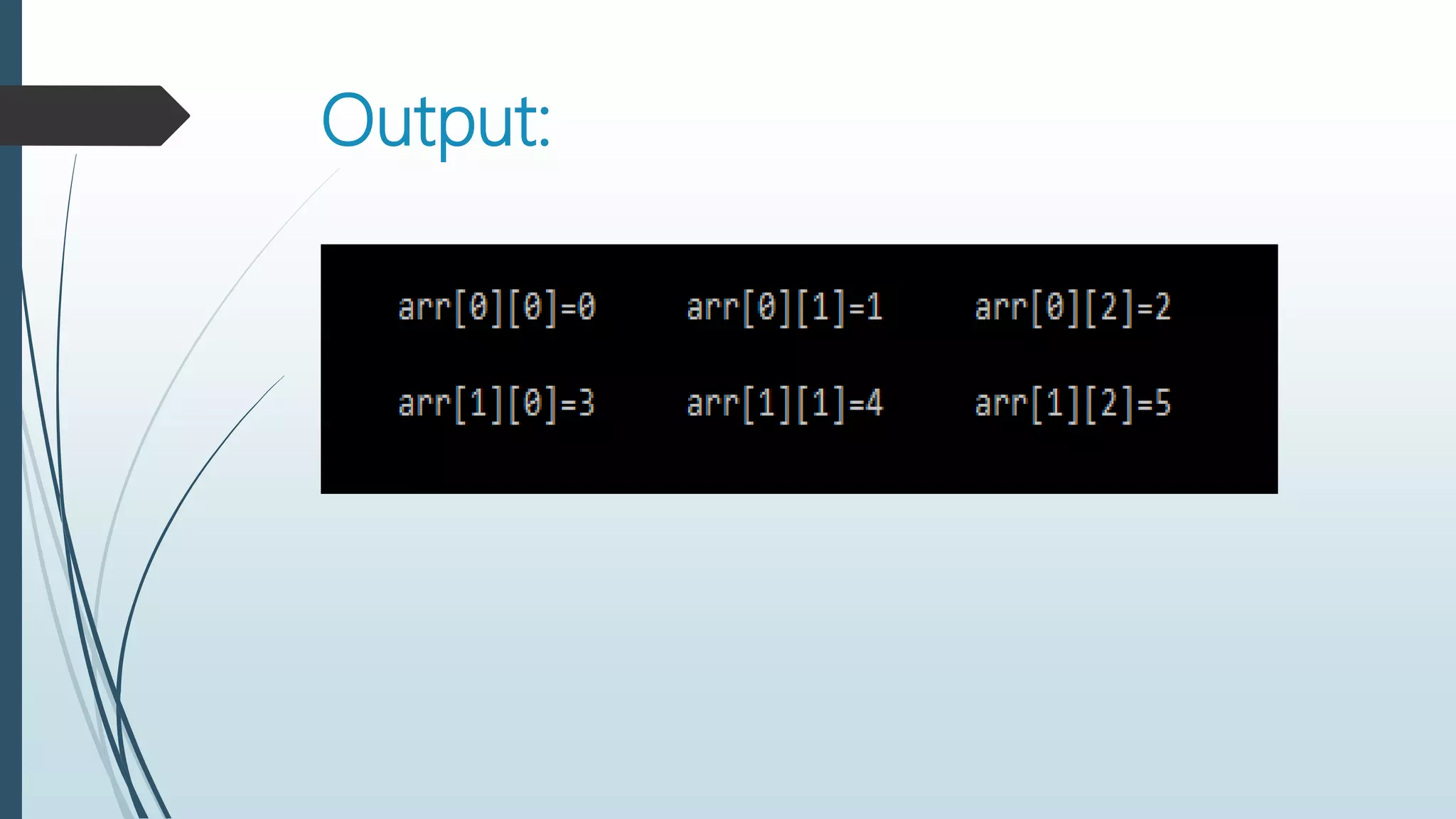
Write a program that initializes a 2-D
array of 2 rows and 3 columns and then
display its values.
#include<iostream>
using namespace std;
main()
{
int i,j,a[2][3]={0,1,2,3,4,5};
for(i=0;i<2;i++)
{
for(j=0;j<3;j++)
cout<<"arr["<<i<<"]["<<j<<"] "<<a[i][ j]<<"t";
cout<<"n";
}
return 0;
}
Output:
Write a program that initializes a two-dimensional
array of 2 rows and 4 columns and then displays the
maximum and minimum number in the array.
#include<iostream>
using namespace std;
main()
{
int max,min,i,j;
int A[2][4]={15,21,9,84,33,72,18,47};
max=min=A[0][0];
for(i=0;i<2;i++)
for(j=0;j<4;j++)
Program continues
if(A[i][j]>max)
max=A[i][j];
if(A[i][j]<min)
min=A[i][j];
}
cout<<"Maximum number is : "<<max<<endl;
cout<<"Minimum Number is : "<<min<<endl;
return 0;
}
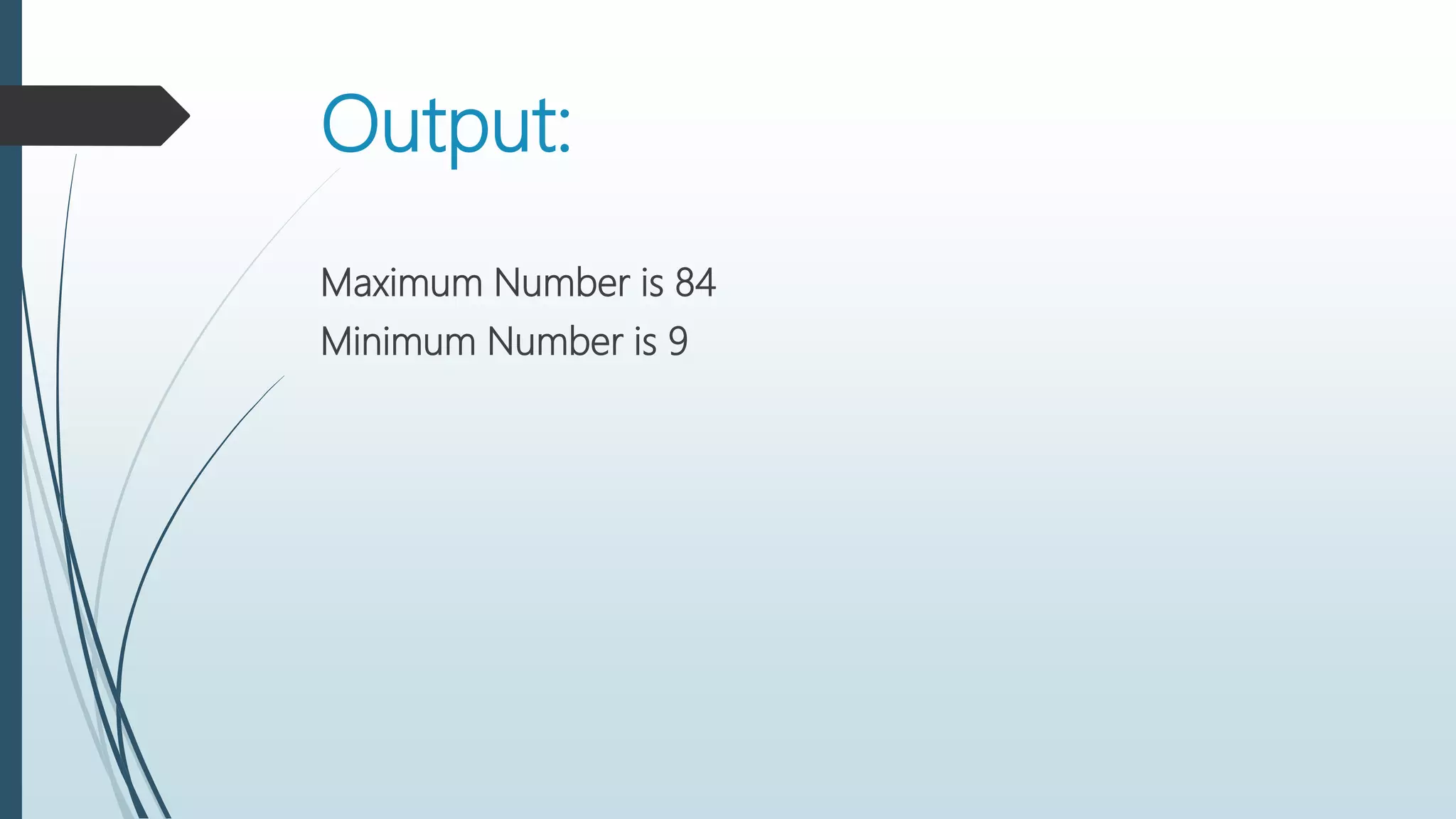
Output:
Maximum Number is 84
Minimum Number is 9

Arrays in C++

  • 1.
  • 2.
  • 3.
    What is Array? Anarray is a group of consecutive memory locations with same name and type. Simple variable is a single memory location with unique name and type. But an array is a collection of different adjacent memory locations.  These memory locations in the array are called elements of array.  The total number of elements in the array is called its length.
  • 4.
    Advantages of array: oArrays can store a large number of values with single name. o Arrays are used to process many values quickly and easily. o The values stored in an array can be sorted easily. o A search process can be applied on arrays easily.
  • 5.
    Declaring One dimensional Array: Thesyntax of declaring one-dimensional array is: Data_type Identifier[length]; Data_type Indicates data type of values. Identifier Indicates the name of array. Length Indicates total number of elements in array.
  • 6.
    For Example: int marks[5]; Indexof each element 0 1 2 3 4 Name of array marks
  • 7.
    Array initialization The syntaxof array initialization is : Data_type Identifier[length]={list of values}; List of values It indicates the values to initialize the array. These values must b constant.
  • 8.
    Example: int marks[5]={70,75,90,60,85}; Index ofeach element 0 1 2 3 4 Name of array marks 70 75 90 60 85
  • 9.
    Accessing individual elementsin an array: The syntax for accessing element is as follows : Array_Name[index]; Array_Name Indicates the name of array. Index Indicates the index element to be accessed.
  • 10.
    Example: int marks[5]; int marks[0]=70; intmarks[1]=75; int marks[2]=90; int marks[3]=60; int marks[4]=85;
  • 11.
    A simple program: Writea program that inputs five integers from user and stores them in an array. It then displays all values in array without using loop.
  • 12.
    #include<iostream> Int main( ) { intarray[3]; cout<<“enter five integers: “<<endl; cin>>array[0]; cin>>array[1]; cin>>array[2];
  • 13.
    cin>>array[3]; cin>>array[5]; Cout<<“the values inarray are : “<<endl; cout<<array[0]<<endl; cout<<array[1]<<endl; cout<<array[2]<<endl; cout<<array[3]<<endl; cout<<array[4]<<endl;
  • 14.
  • 15.
    Write a programthat inputs five integers from user and stores them in an array. It then displays all values in array using loop.
  • 16.
    #include<iostream> Int main( ) { intarr[5],i; for(i=0 ; i<5 ; i++) { cout<<“Enter an integer : “; cin>>arr[i]; }
  • 17.
    cout<<“The values inarray are : n for(i=0 ; i<5 ; i++) cout<<arr[i]<<endl; return 0; }
  • 18.
    Output: Enter an integer: 32 Enter an integer : 46 Enter an integer : 50 Enter an integer : 75 Enter an integer : 84 The values in array are : 32 46 50 75 84
  • 19.
    Write a programthat input five number from user in array and display maximum number.
  • 20.
    #include<iostream> using namespace std; main() { inta[5],i,max; for(i=0;i<5;i++) { cout<<"Enter number : "; cin>>a[i]; } max=a[0]; for(i=0;i<5;i++) if(max<a[i]) max=a[i]; cout<<"Maximum Number is : "<<a[i]; return 0; }
  • 21.
    Output: Enter number :8 Enter number : 13 Enter number : 5 Enter number : 15 Enter number : 14 Maximum Number is 15
  • 22.
    Two-Dimensional Arrays Two-dimensional arraycan be considered as a table that consists of rows and column. Each element in 2-D array is referred with the help of two indexes. One index is used to indicate the row and the second index indicates the column of the element.
  • 23.
    Syntax: Data_type identifier[Rows][Cols]; For Example: Thefollowing statement declares a 2-D array with four rows and three columns. Int Arr[4][3];
  • 24.
    A 2-D arrayand its indexes
  • 25.
    Accessing elements of2-D array The array name and indexes of row and column are used to access individual element of a 2-D array. For example, the following statement will store 20 in the second column of first row. Int Arr[0][1]=100; OR By assigning variables to indexes: R=0; C=1; Arr[R][C]=100;
  • 26.
    Entering Data in2-D array You can enter data in any element of array using array name and index of element. For example:
  • 27.
     Nested loopsare frequently used to enter data in 2-D arrays.  The outer loop are used to refer to the rows in array.  Inner loop are used to refer to the columns in array.
  • 28.
    Write a programthat stores integer values in an array of 2 rows and 4 columns.
  • 29.
    #include<iostream> using namespace std; main() { intArray[2][4],i,j; for(i=0;i<2;i++) for(j=0;j<4;j++) { cout<<"enter values : "; cin>>Array[i][ j]; } cout<<"The values in array aren"; for(i=0;i<2;i++) { for(j=0;j<4;j++) cout<<Array[i][ j]<<"t"; cout<<endl; } return 0; }
  • 30.
  • 31.
    Initialization 2-D Arrays Theprocess of initialization is performed by assigning the initial values in braces separated by commas at the time of declaration. For example: Int array[3][4]={ {12,5,22,84}, {95,3,41,59}, {77,6,53,62} }; OR Int array[3][4]={ {12,5,22,84}, {95,3,41,59}, {77,6,53,62} };
  • 32.
    Initialization can alsobe performed without using inner braces. Int array[3][4]={ 12,5,22,84, 95,3,41,59, 77,6,53,62 } OR Int array[3][4]= { 12,5,22,84,95,3,41,59,77,6,53,62 }
  • 33.
    Write a programthat initializes a 2-D array of 2 rows and 3 columns and then display its values.
  • 34.
    #include<iostream> using namespace std; main() { inti,j,a[2][3]={0,1,2,3,4,5}; for(i=0;i<2;i++) { for(j=0;j<3;j++) cout<<"arr["<<i<<"]["<<j<<"] "<<a[i][ j]<<"t"; cout<<"n"; } return 0; }
  • 35.
  • 36.
    Write a programthat initializes a two-dimensional array of 2 rows and 4 columns and then displays the maximum and minimum number in the array.
  • 37.
    #include<iostream> using namespace std; main() { intmax,min,i,j; int A[2][4]={15,21,9,84,33,72,18,47}; max=min=A[0][0]; for(i=0;i<2;i++) for(j=0;j<4;j++)
  • 38.
    Program continues if(A[i][j]>max) max=A[i][j]; if(A[i][j]<min) min=A[i][j]; } cout<<"Maximum numberis : "<<max<<endl; cout<<"Minimum Number is : "<<min<<endl; return 0; }
  • 39.
    Output: Maximum Number is84 Minimum Number is 9