AS-STATS
GET THE MOST OUT OF LINX
Thomas Mangin
Exa Networks Limited
LINX 69
Joining LINX, an easy process ?
● Fill the paperwork
● Plug in the router
● Connect to the route servers
● Some members stop here !
● …
● PROFIT :D
Joining LINX, not an easy process ?
● Emailing the linx members
● 356 NOCs to contact
● with many different peering policies
● with many unresponsive peering coordinators
● No one wants to send 300+ peering requests
● No automation (roll your own)
● Benefits are unclear
● Is it worth the effort ?
Who will peer with you ?
?
Who will peer with you ?
Free beer for you tonight if you answered
"Patrick W. Gilmore"
But it is not the right answer
Who will peer with you ?
● Guess work !
● You are the new kid on the switch
● You are kind of expected to make the first move
Who will peer with you ?
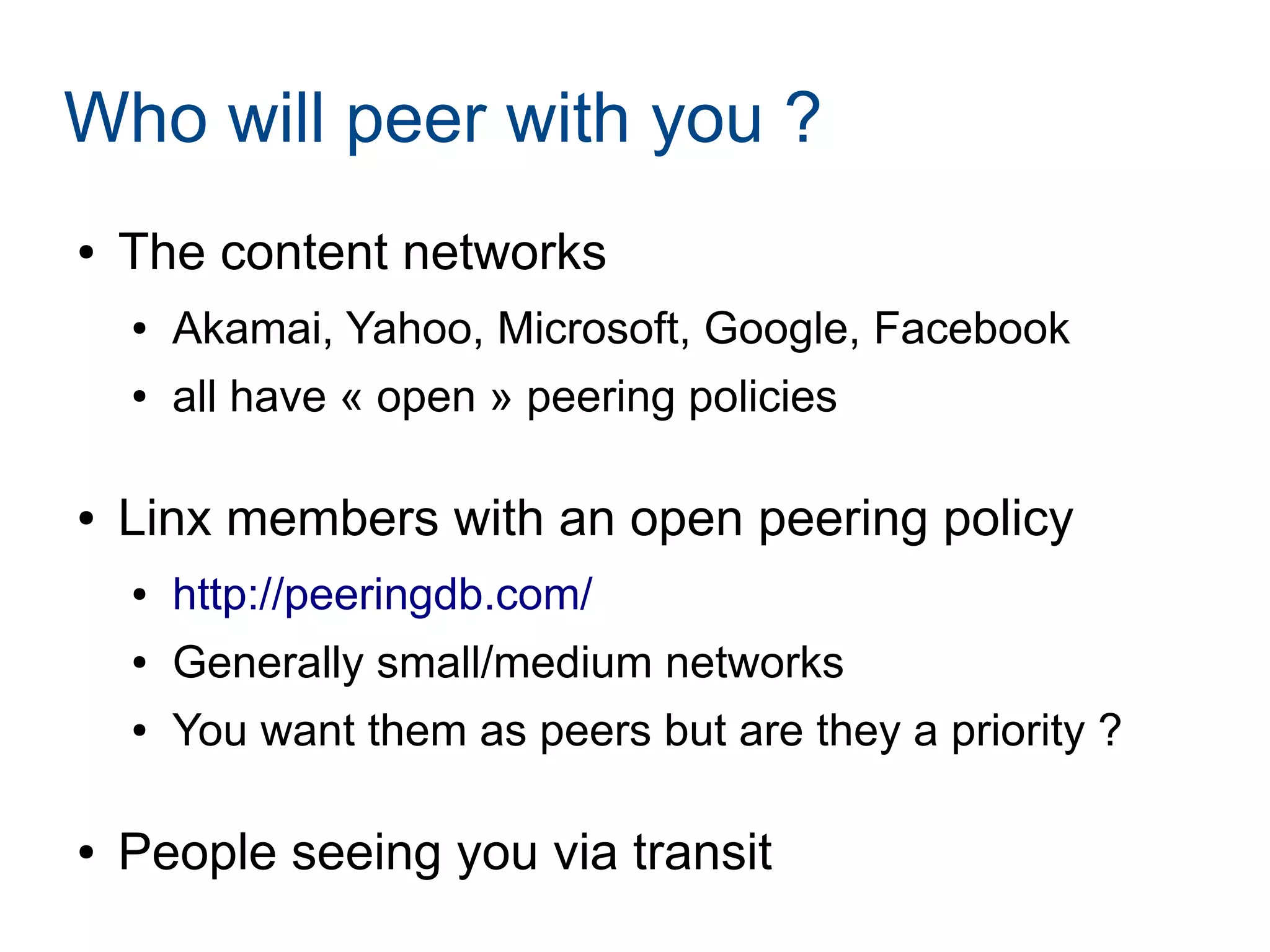
● The content networks
● Akamai, Yahoo, Microsoft, Google, Facebook
● all have « open » peering policies
● Linx members with an open peering policy
● http://peeringdb.com/
● Generally small/medium networks
● You want them as peers but are they a priority ?
● People seeing you via transit
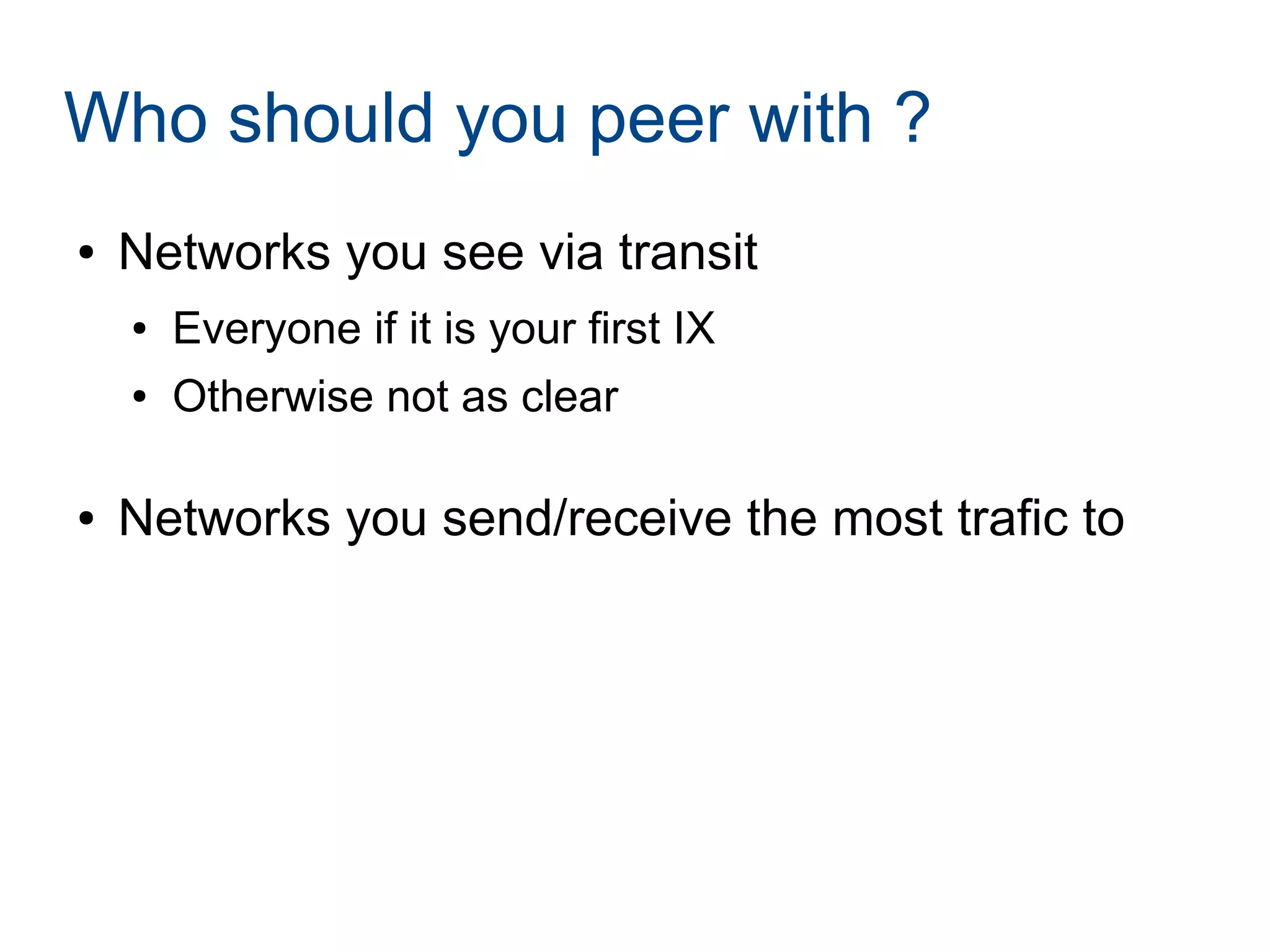
Who should you peer with ?
● Networks you see via transit
● Everyone if it is your first IX
● Otherwise not as clear
● Networks you send/receive the most trafic to
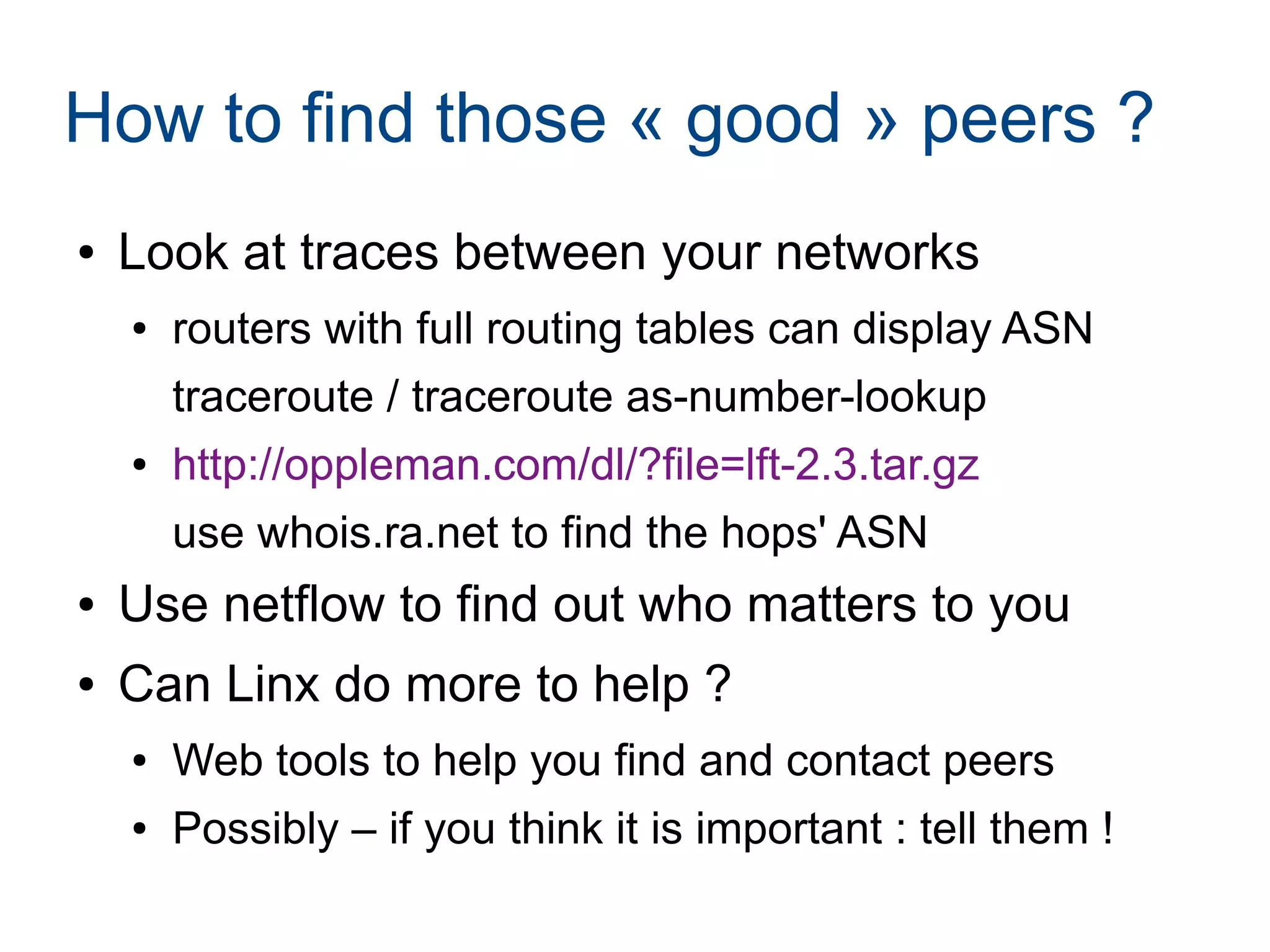
How to find those « good » peers ?
● Look at traces between your networks
● routers with full routing tables can display ASN
traceroute / traceroute as-number-lookup
● http://oppleman.com/dl/?file=lft-2.3.tar.gz
use whois.ra.net to find the hops' ASN
● Use netflow to find out who matters to you
● Can Linx do more to help ?
● Web tools to help you find and contact peers
● Possibly – if you think it is important : tell them !
What is NetFlow ?
● A protocol defined by RFC 3954
What is NetFlow ?
● A protocol defined by RFC 3954
● Not helpful !
● A way to know what trafic your router is forwarding
● generating UDP packets
● can include SRC/DST ASN of the packet
Where to use NetFlow ?
● Configure it on your EBGP peers
● transit AND peering
● with a full routing table
● Do not need an high sampling rate
● you care about your TOP speakers
● save yourself some router CPU cycles
NetFlow collectors
● Many exist
● http://www.networkuptime.com/tools/netflow/
● Missing my favorite : as-stats
● https://neon1.net/as-stats/
● Last changelog shows two LINX members :D
● accept sflow as well (foundry users rejoice !)
● Install it in one hour if you can use linux/*BSD
● … or two during the meeting today
● someone else to do a demo later on ?
AS-STATS
● A netflow/sflow collector
● Storing data in RRD files
● A cron program
● order the ASNs by level of trafic exchanged
● A web interface to :
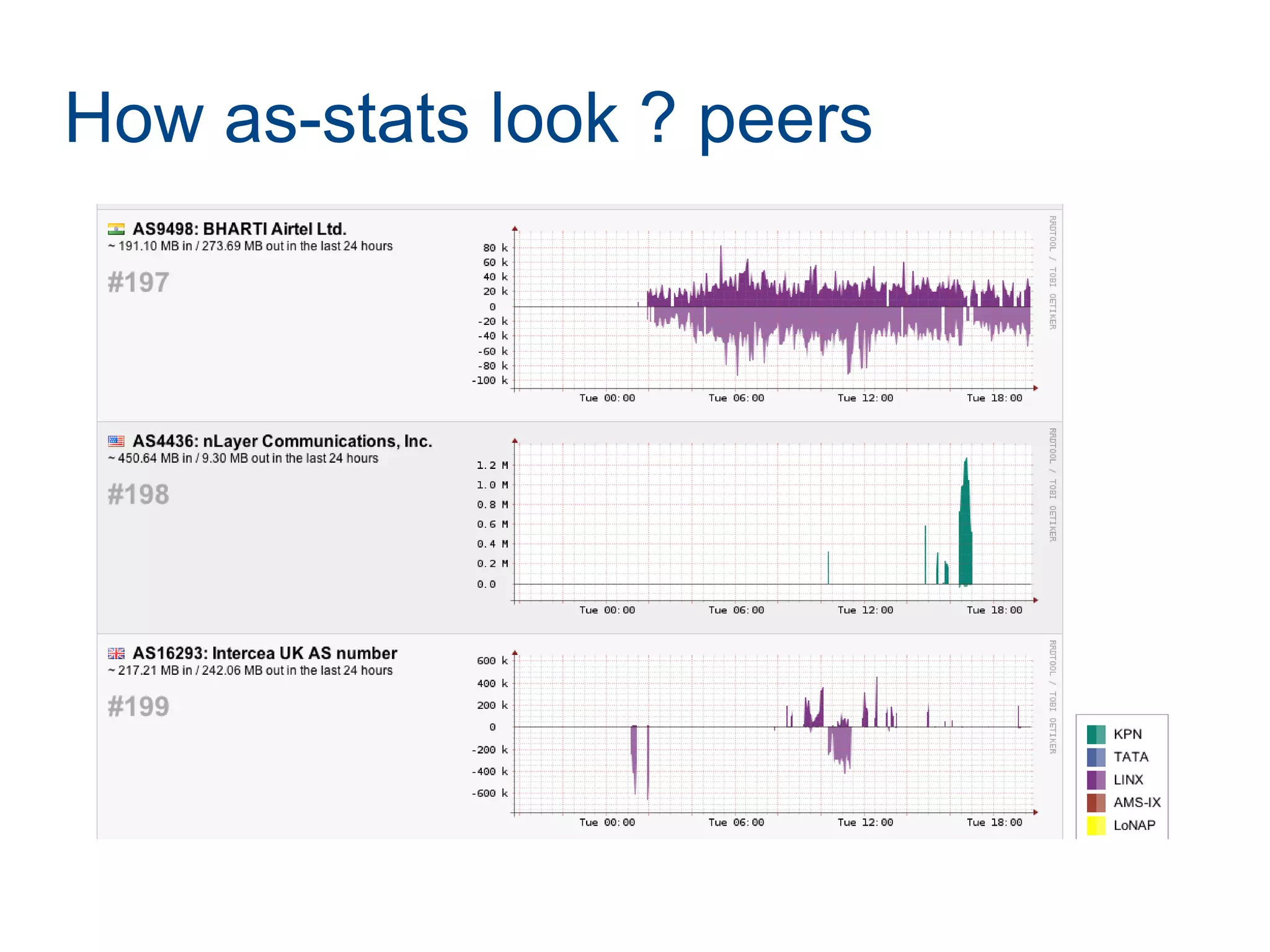
● See your trafic per ASN
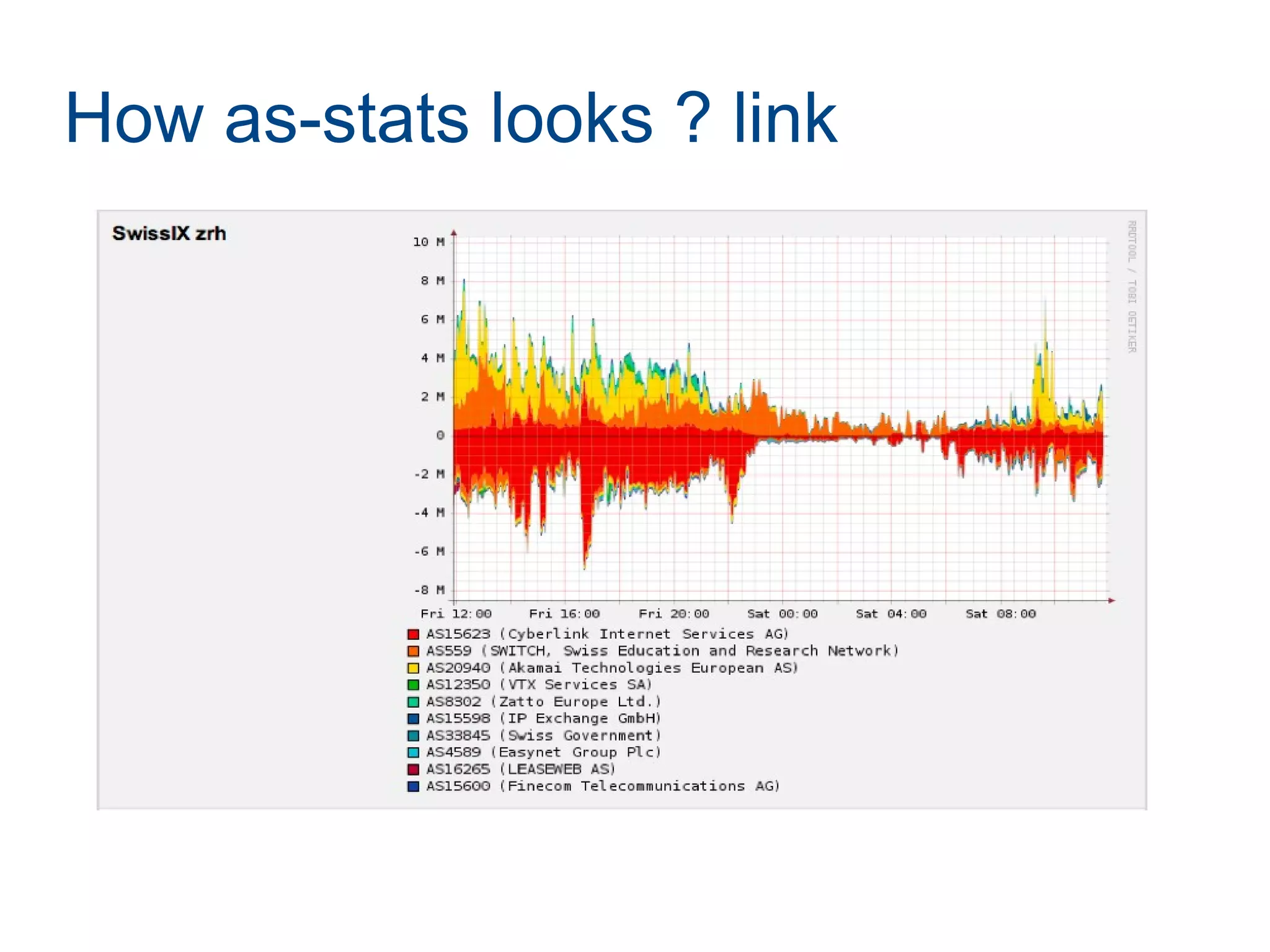
● See your trafic per LINK
How as-stats look ? peers
How as-stats looks ? link
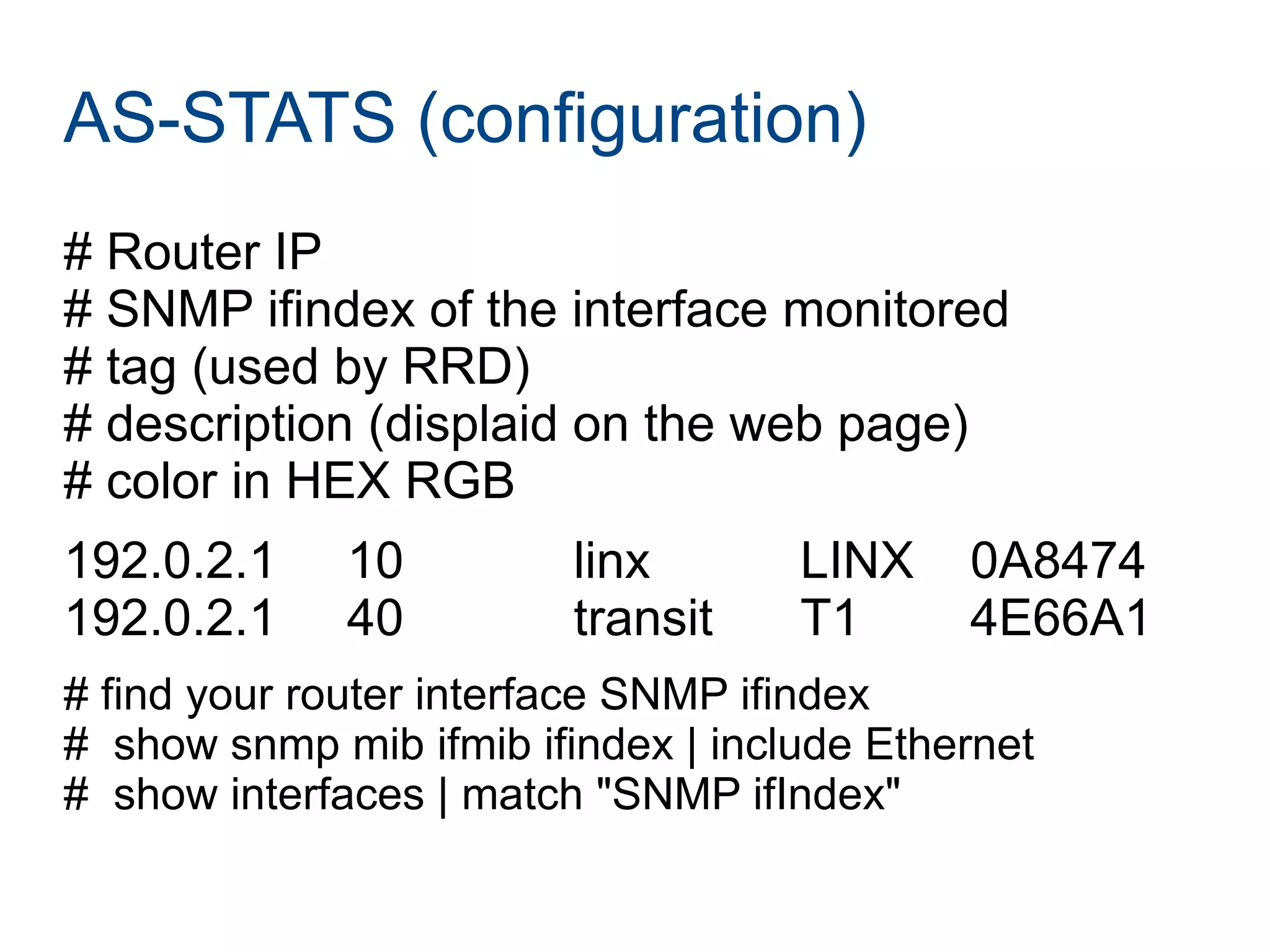
AS-STATS (configuration)
# Router IP
# SNMP ifindex of the interface monitored
# tag (used by RRD)
# description (displaid on the web page)
# color in HEX RGB
192.0.2.1 10 linx LINX 0A8474
192.0.2.1 40 transit T1 4E66A1
# find your router interface SNMP ifindex
# show snmp mib ifmib ifindex | include Ethernet
# show interfaces | match "SNMP ifIndex"
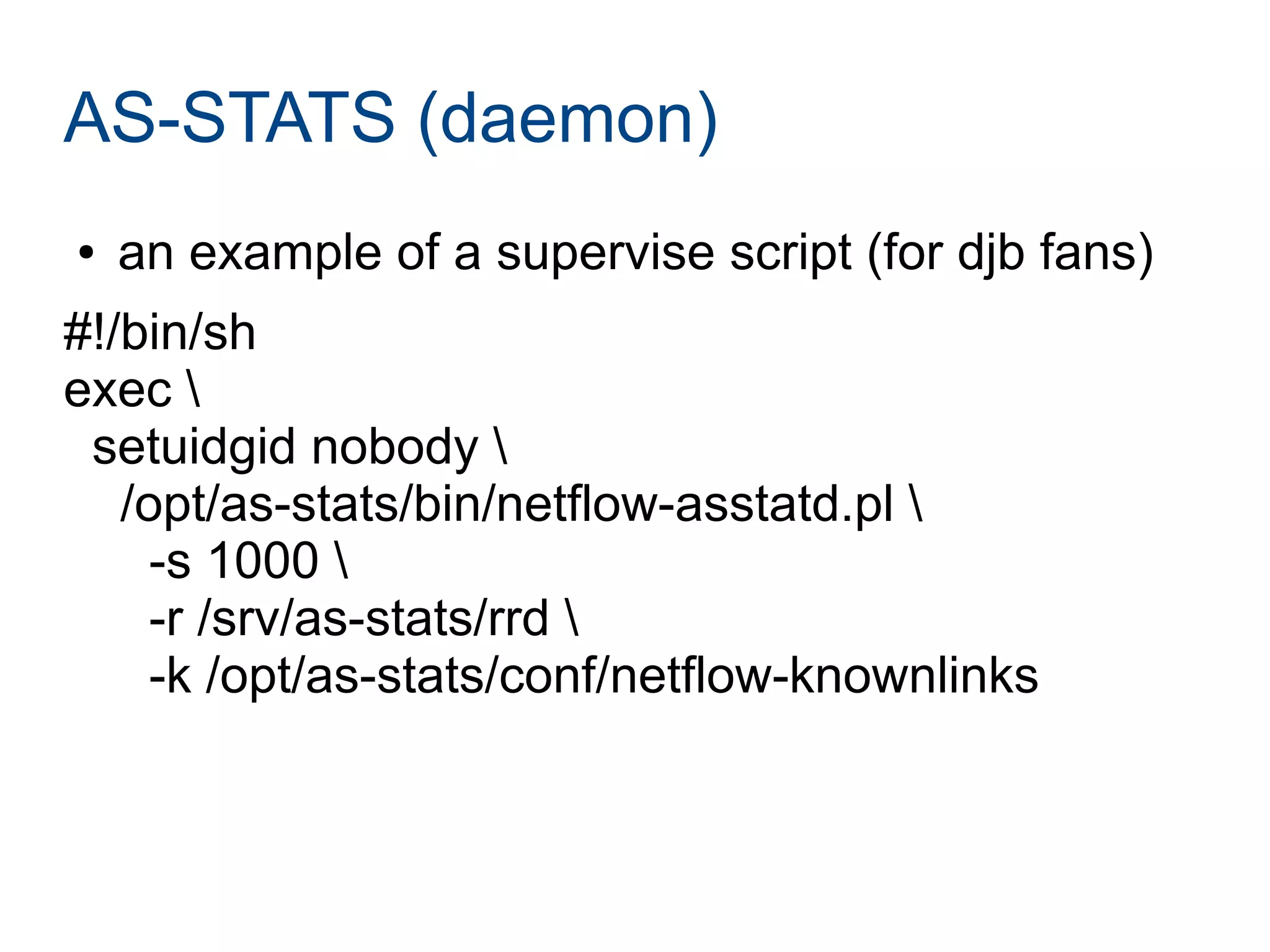
AS-STATS (daemon)
● an example of a supervise script (for djb fans)
#!/bin/sh
exec 
setuidgid nobody 
/opt/as-stats/bin/netflow-asstatd.pl 
-s 1000 
-r /srv/as-stats/rrd 
-k /opt/as-stats/conf/netflow-knownlinks
AS-STATS (daemon)
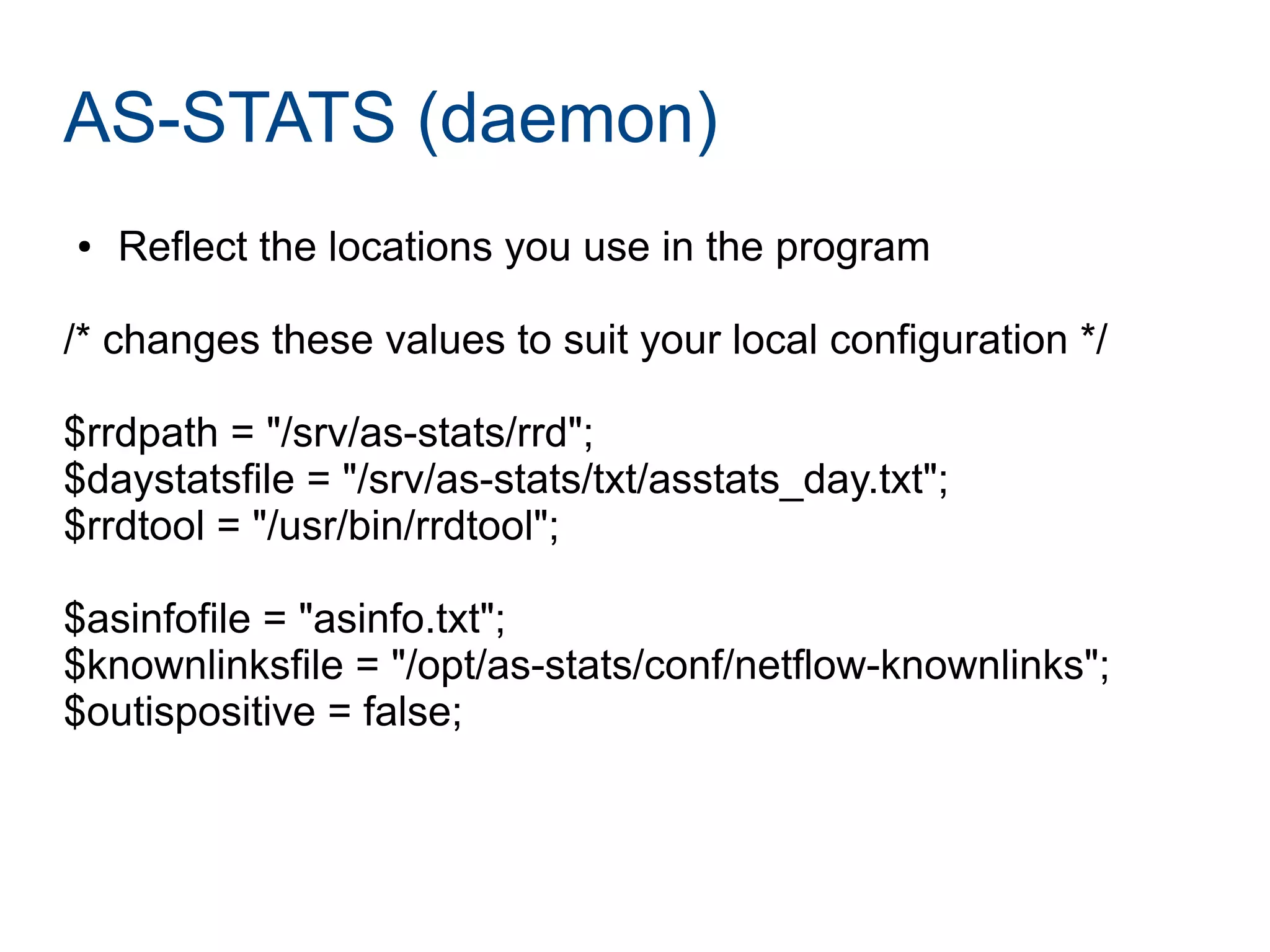
● Reflect the locations you use in the program
/* changes these values to suit your local configuration */
$rrdpath = "/srv/as-stats/rrd";
$daystatsfile = "/srv/as-stats/txt/asstats_day.txt";
$rrdtool = "/usr/bin/rrdtool";
$asinfofile = "asinfo.txt";
$knownlinksfile = "/opt/as-stats/conf/netflow-knownlinks";
$outispositive = false;
AS-STATS (cron)
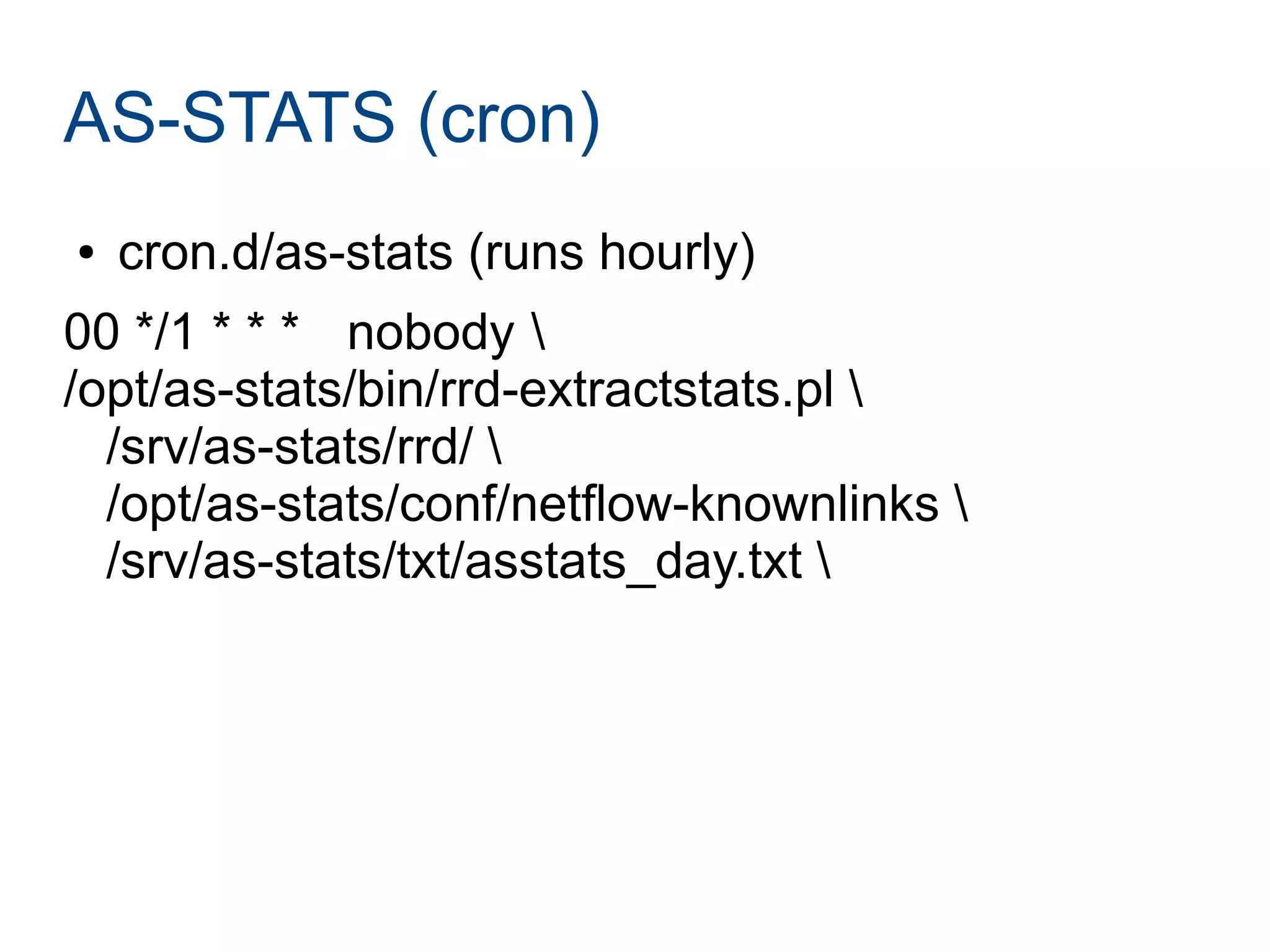
● cron.d/as-stats (runs hourly)
00 */1 * * * nobody 
/opt/as-stats/bin/rrd-extractstats.pl 
/srv/as-stats/rrd/ 
/opt/as-stats/conf/netflow-knownlinks 
/srv/as-stats/txt/asstats_day.txt
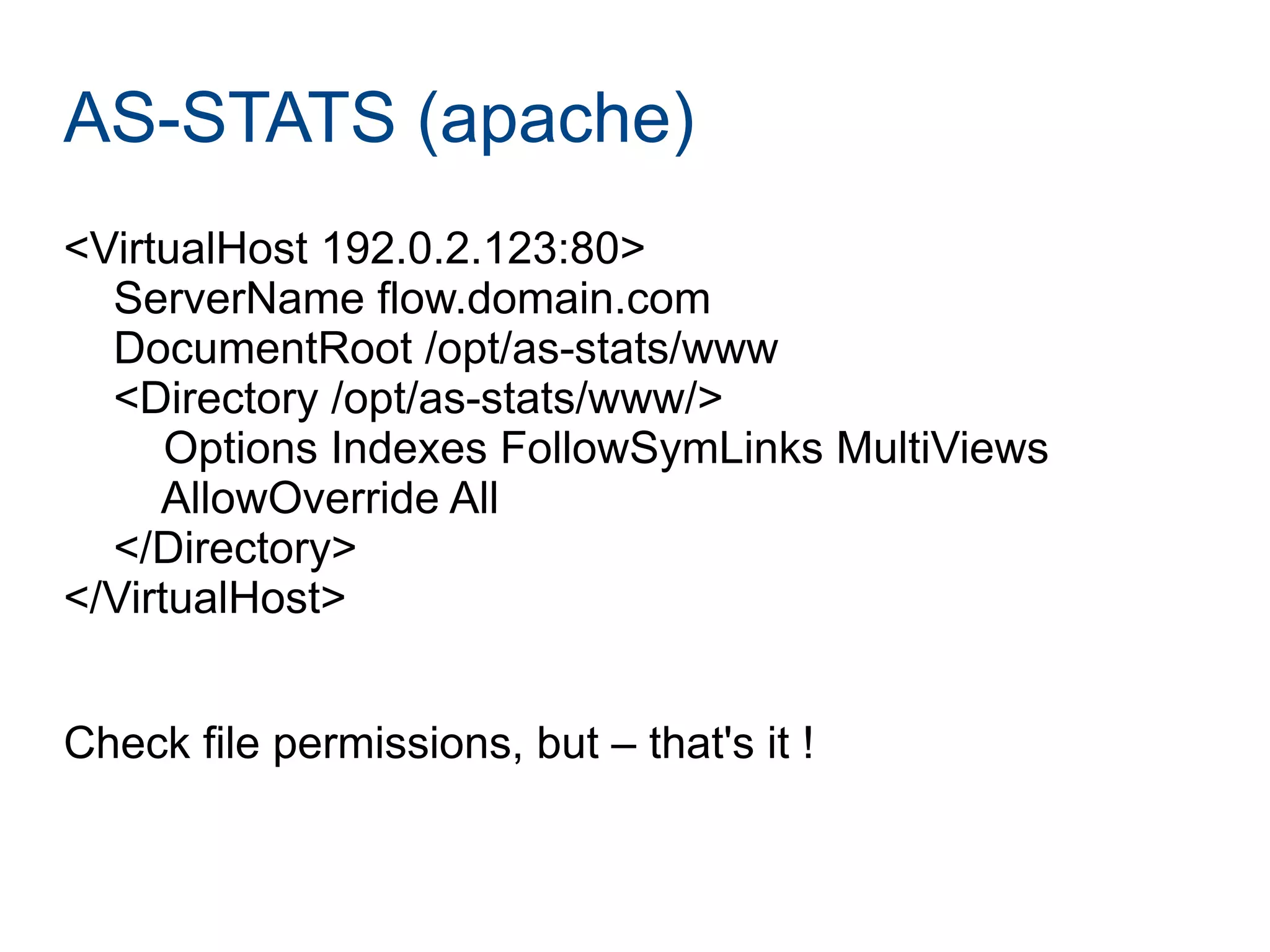
AS-STATS (apache)
<VirtualHost 192.0.2.123:80>
ServerName flow.domain.com
DocumentRoot /opt/as-stats/www
<Directory /opt/as-stats/www/>
Options Indexes FollowSymLinks MultiViews
AllowOverride All
</Directory>
</VirtualHost>
Check file permissions, but – that's it !
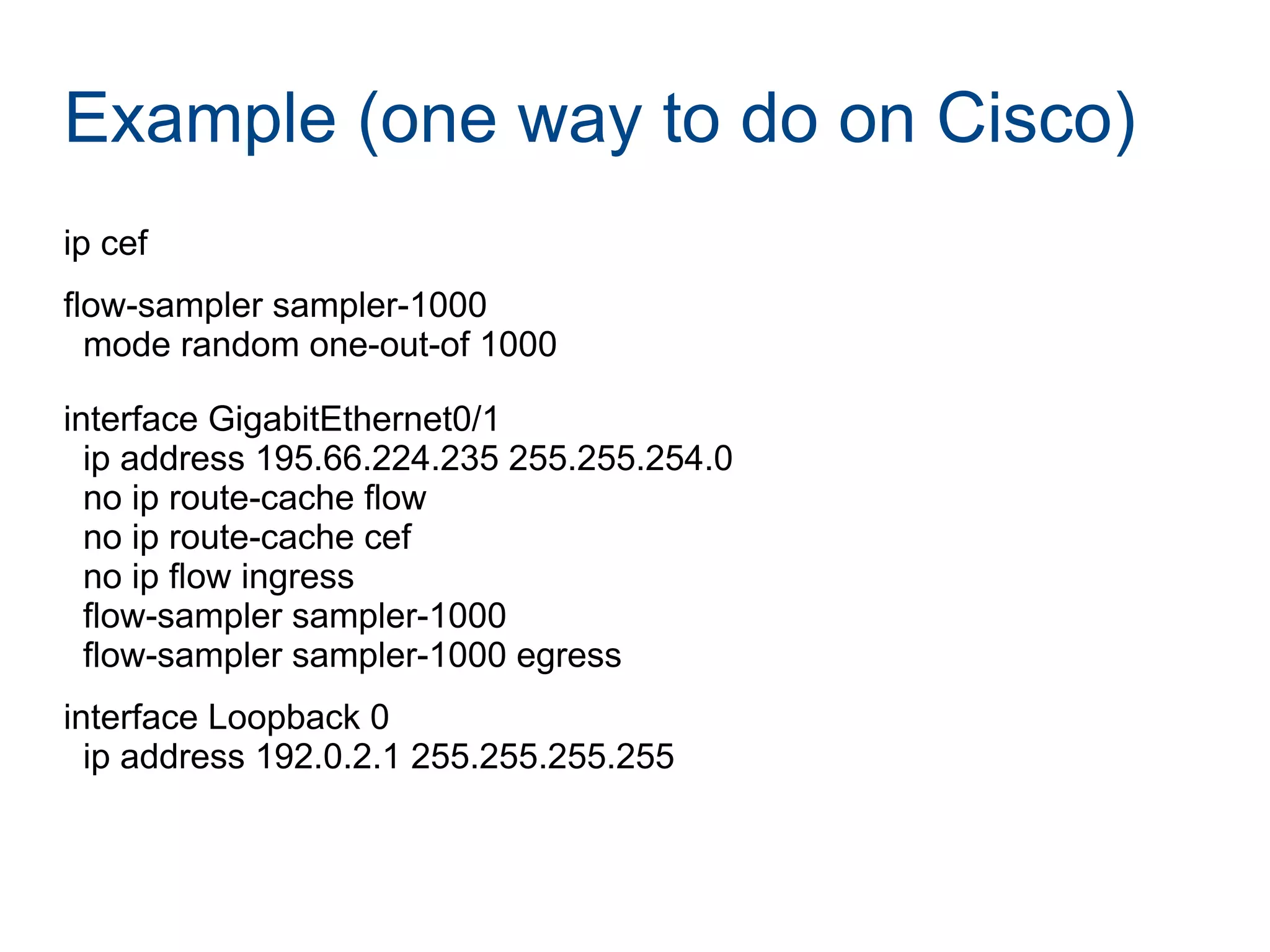
Example (one way to do on Cisco)
ip cef
flow-sampler sampler-1000
mode random one-out-of 1000
interface GigabitEthernet0/1
ip address 195.66.224.235 255.255.254.0
no ip route-cache flow
no ip route-cache cef
no ip flow ingress
flow-sampler sampler-1000
flow-sampler sampler-1000 egress
interface Loopback 0
ip address 192.0.2.1 255.255.255.255
Example (Cisco cont.)
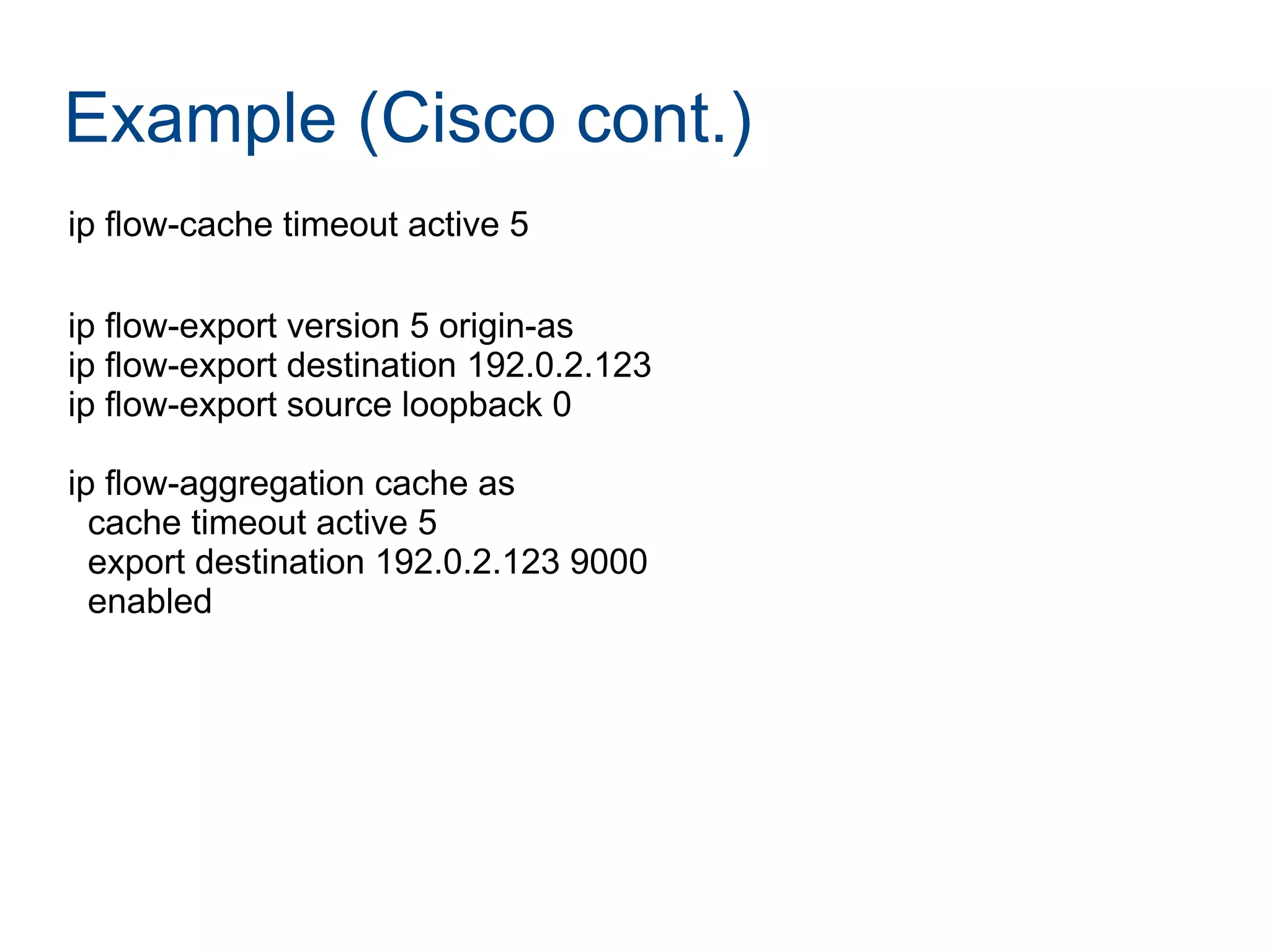
ip flow-cache timeout active 5
ip flow-export version 5 origin-as
ip flow-export destination 192.0.2.123
ip flow-export source loopback 0
ip flow-aggregation cache as
cache timeout active 5
export destination 192.0.2.123 9000
enabled
Example (Juniper)
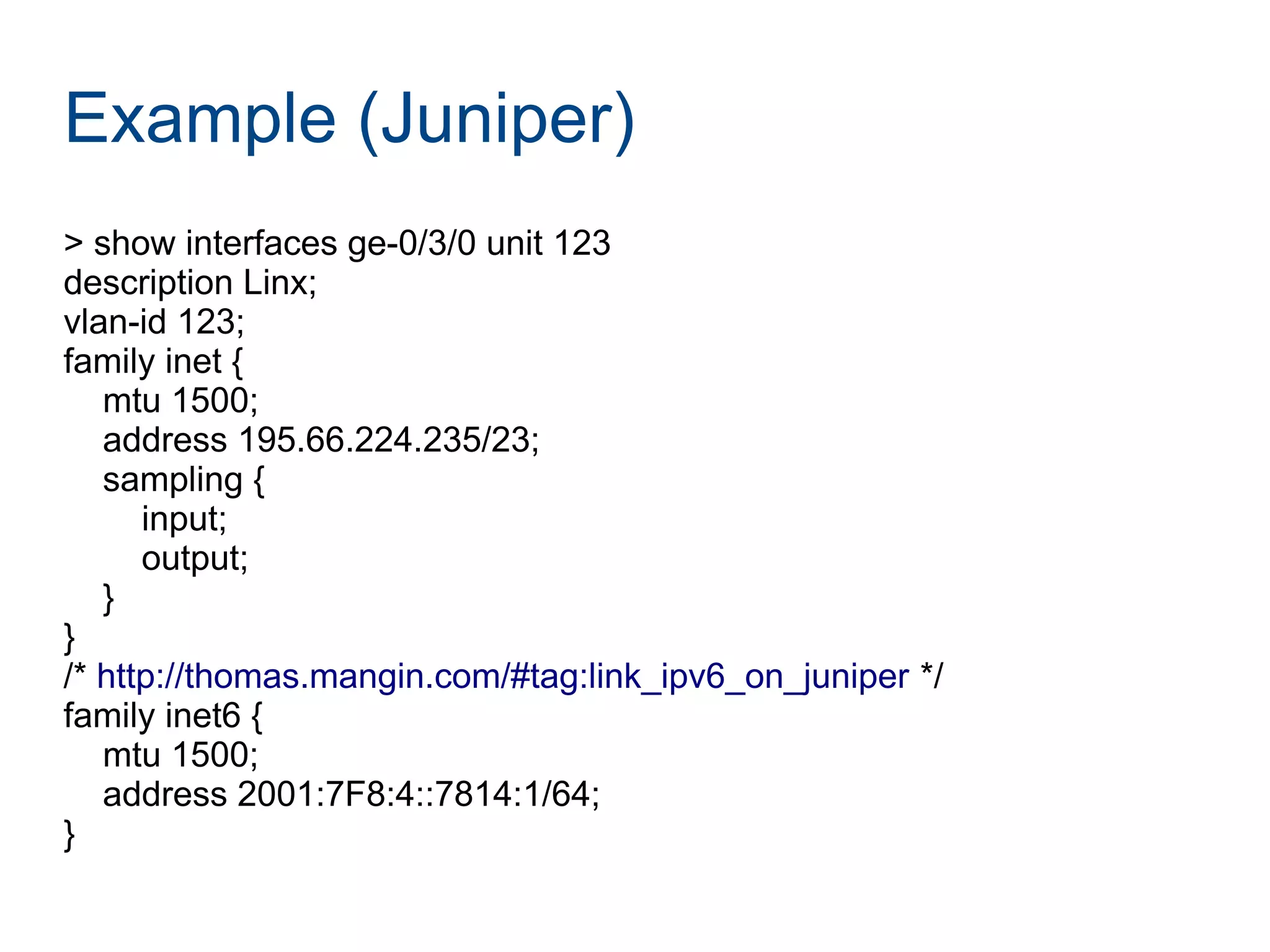
> show interfaces ge-0/3/0 unit 123
description Linx;
vlan-id 123;
family inet {
mtu 1500;
address 195.66.224.235/23;
sampling {
input;
output;
}
}
/* http://thomas.mangin.com/#tag:link_ipv6_on_juniper */
family inet6 {
mtu 1500;
address 2001:7F8:4::7814:1/64;
}
Example (Juniper cont.)
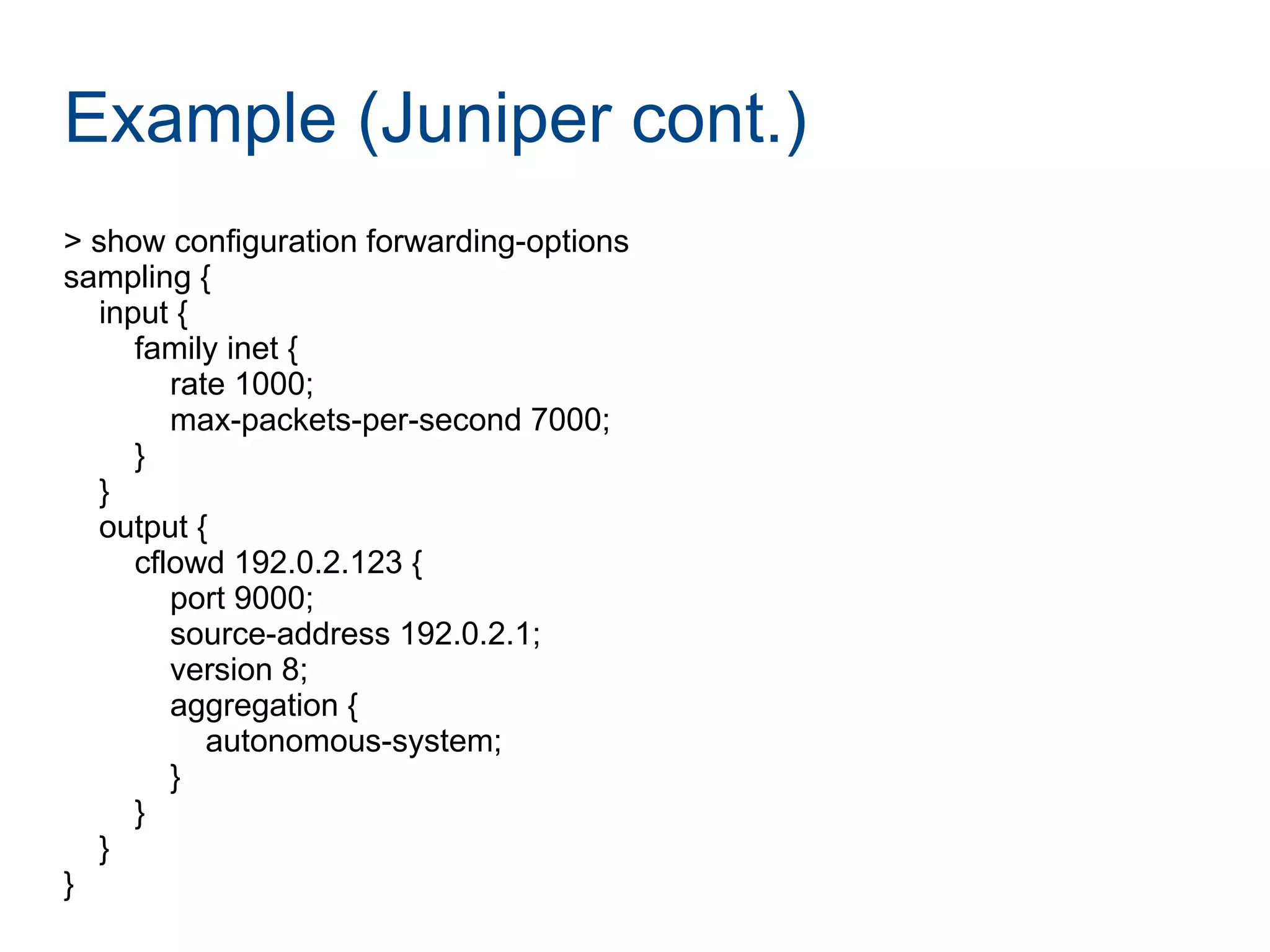
> show configuration forwarding-options
sampling {
input {
family inet {
rate 1000;
max-packets-per-second 7000;
}
}
output {
cflowd 192.0.2.123 {
port 9000;
source-address 192.0.2.1;
version 8;
aggregation {
autonomous-system;
}
}
}
}
More information
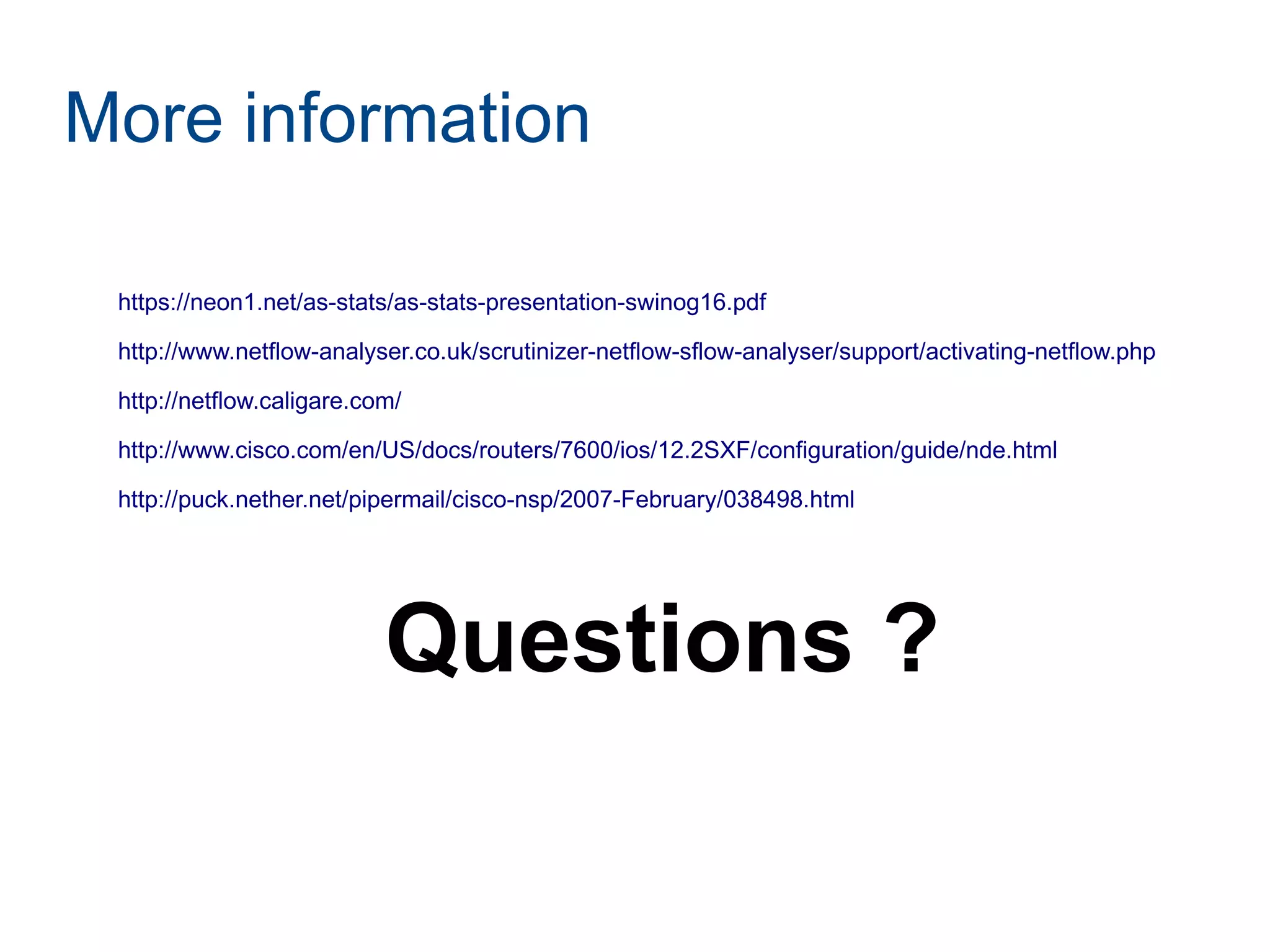
https://neon1.net/as-stats/as-stats-presentation-swinog16.pdf
http://www.netflow-analyser.co.uk/scrutinizer-netflow-sflow-analyser/support/activating-netflow.php
http://netflow.caligare.com/
http://www.cisco.com/en/US/docs/routers/7600/ios/12.2SXF/configuration/guide/nde.html
http://puck.nether.net/pipermail/cisco-nsp/2007-February/038498.html
Questions ?

AS-STATS

  • 1.
    AS-STATS GET THE MOSTOUT OF LINX Thomas Mangin Exa Networks Limited LINX 69
  • 2.
    Joining LINX, aneasy process ? ● Fill the paperwork ● Plug in the router ● Connect to the route servers ● Some members stop here ! ● … ● PROFIT :D
  • 3.
    Joining LINX, notan easy process ? ● Emailing the linx members ● 356 NOCs to contact ● with many different peering policies ● with many unresponsive peering coordinators ● No one wants to send 300+ peering requests ● No automation (roll your own) ● Benefits are unclear ● Is it worth the effort ?
  • 4.
    Who will peerwith you ? ?
  • 5.
    Who will peerwith you ? Free beer for you tonight if you answered "Patrick W. Gilmore" But it is not the right answer
  • 6.
    Who will peerwith you ? ● Guess work ! ● You are the new kid on the switch ● You are kind of expected to make the first move
  • 7.
    Who will peerwith you ? ● The content networks ● Akamai, Yahoo, Microsoft, Google, Facebook ● all have « open » peering policies ● Linx members with an open peering policy ● http://peeringdb.com/ ● Generally small/medium networks ● You want them as peers but are they a priority ? ● People seeing you via transit
  • 8.
    Who should youpeer with ? ● Networks you see via transit ● Everyone if it is your first IX ● Otherwise not as clear ● Networks you send/receive the most trafic to
  • 9.
    How to findthose « good » peers ? ● Look at traces between your networks ● routers with full routing tables can display ASN traceroute / traceroute as-number-lookup ● http://oppleman.com/dl/?file=lft-2.3.tar.gz use whois.ra.net to find the hops' ASN ● Use netflow to find out who matters to you ● Can Linx do more to help ? ● Web tools to help you find and contact peers ● Possibly – if you think it is important : tell them !
  • 10.
    What is NetFlow? ● A protocol defined by RFC 3954
  • 11.
    What is NetFlow? ● A protocol defined by RFC 3954 ● Not helpful ! ● A way to know what trafic your router is forwarding ● generating UDP packets ● can include SRC/DST ASN of the packet
  • 12.
    Where to useNetFlow ? ● Configure it on your EBGP peers ● transit AND peering ● with a full routing table ● Do not need an high sampling rate ● you care about your TOP speakers ● save yourself some router CPU cycles
  • 13.
    NetFlow collectors ● Manyexist ● http://www.networkuptime.com/tools/netflow/ ● Missing my favorite : as-stats ● https://neon1.net/as-stats/ ● Last changelog shows two LINX members :D ● accept sflow as well (foundry users rejoice !) ● Install it in one hour if you can use linux/*BSD ● … or two during the meeting today ● someone else to do a demo later on ?
  • 14.
    AS-STATS ● A netflow/sflowcollector ● Storing data in RRD files ● A cron program ● order the ASNs by level of trafic exchanged ● A web interface to : ● See your trafic per ASN ● See your trafic per LINK
  • 15.
  • 16.
  • 17.
    AS-STATS (configuration) # RouterIP # SNMP ifindex of the interface monitored # tag (used by RRD) # description (displaid on the web page) # color in HEX RGB 192.0.2.1 10 linx LINX 0A8474 192.0.2.1 40 transit T1 4E66A1 # find your router interface SNMP ifindex # show snmp mib ifmib ifindex | include Ethernet # show interfaces | match "SNMP ifIndex"
  • 18.
    AS-STATS (daemon) ● anexample of a supervise script (for djb fans) #!/bin/sh exec setuidgid nobody /opt/as-stats/bin/netflow-asstatd.pl -s 1000 -r /srv/as-stats/rrd -k /opt/as-stats/conf/netflow-knownlinks
  • 19.
    AS-STATS (daemon) ● Reflectthe locations you use in the program /* changes these values to suit your local configuration */ $rrdpath = "/srv/as-stats/rrd"; $daystatsfile = "/srv/as-stats/txt/asstats_day.txt"; $rrdtool = "/usr/bin/rrdtool"; $asinfofile = "asinfo.txt"; $knownlinksfile = "/opt/as-stats/conf/netflow-knownlinks"; $outispositive = false;
  • 20.
    AS-STATS (cron) ● cron.d/as-stats(runs hourly) 00 */1 * * * nobody /opt/as-stats/bin/rrd-extractstats.pl /srv/as-stats/rrd/ /opt/as-stats/conf/netflow-knownlinks /srv/as-stats/txt/asstats_day.txt
  • 21.
    AS-STATS (apache) <VirtualHost 192.0.2.123:80> ServerNameflow.domain.com DocumentRoot /opt/as-stats/www <Directory /opt/as-stats/www/> Options Indexes FollowSymLinks MultiViews AllowOverride All </Directory> </VirtualHost> Check file permissions, but – that's it !
  • 22.
    Example (one wayto do on Cisco) ip cef flow-sampler sampler-1000 mode random one-out-of 1000 interface GigabitEthernet0/1 ip address 195.66.224.235 255.255.254.0 no ip route-cache flow no ip route-cache cef no ip flow ingress flow-sampler sampler-1000 flow-sampler sampler-1000 egress interface Loopback 0 ip address 192.0.2.1 255.255.255.255
  • 23.
    Example (Cisco cont.) ipflow-cache timeout active 5 ip flow-export version 5 origin-as ip flow-export destination 192.0.2.123 ip flow-export source loopback 0 ip flow-aggregation cache as cache timeout active 5 export destination 192.0.2.123 9000 enabled
  • 24.
    Example (Juniper) > showinterfaces ge-0/3/0 unit 123 description Linx; vlan-id 123; family inet { mtu 1500; address 195.66.224.235/23; sampling { input; output; } } /* http://thomas.mangin.com/#tag:link_ipv6_on_juniper */ family inet6 { mtu 1500; address 2001:7F8:4::7814:1/64; }
  • 25.
    Example (Juniper cont.) >show configuration forwarding-options sampling { input { family inet { rate 1000; max-packets-per-second 7000; } } output { cflowd 192.0.2.123 { port 9000; source-address 192.0.2.1; version 8; aggregation { autonomous-system; } } } }
  • 26.