







Docker 101 and
Kubernetes 101 workshop
@sathishvj
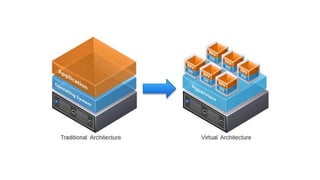
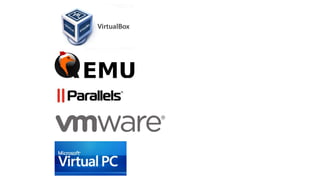
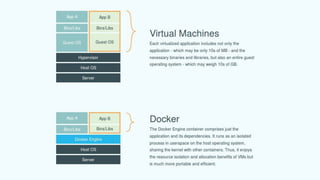
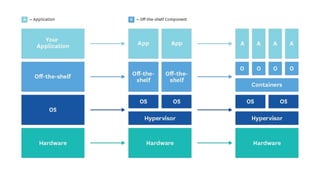
Virtual Machines and Containers
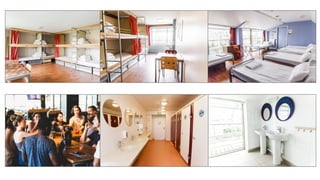
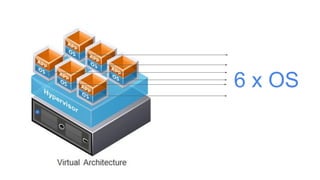
6 x OS
Workshop: creating and running a docker container
FROM ubuntu:latest
MAINTAINER me@email.com v0.1
RUN apt-get update 
&& apt-get install -y nginx
COPY nginx.conf /etc/nginx/nginx.conf
EXPOSE 80
CMD ["nginx", "-g", "daemon off;"]
filename: Dockerfile
Use the latest version of ubuntu as the base image.
You could add this note on who created/maintains the image.
Add this local file(s)/dir to the image. E.g. data, config files.
Run these commands in the image. E.g. software installs.
Allow port 80 to be accessed when the image is run.
Execute this command.
Navigate to:
https://katacoda.com/courses/docker/playground
Trying out Docker
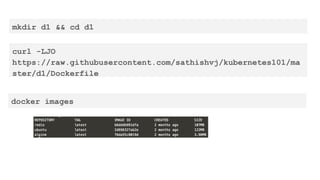
mkdir d1 && cd d1
curl -LJO
https://raw.githubusercontent.com/sathishvj/kubernetes101/ma
ster/d1/Dockerfile
docker images
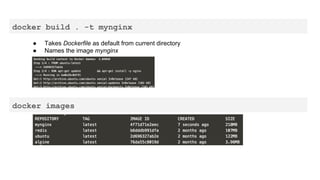
docker build . -t mynginx
● Takes Dockerfile as default from current directory
● Names the image mynginx
docker images
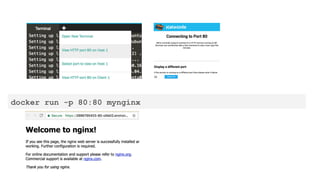
docker run -p 80:80 mynginx
kubernetes
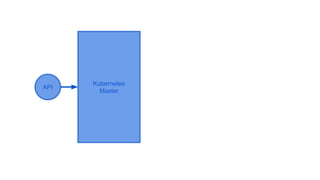
Kubernetes
Master
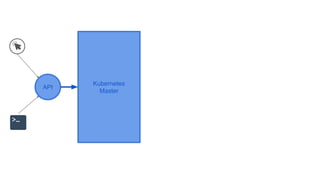
Kubernetes
Master
API
Kubernetes
Master
API
Kubernetes
Master
API
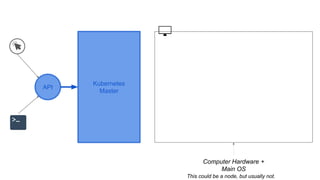
Computer Hardware +
Main OS
This could be a node, but usually not.
Kubernetes
Master
API
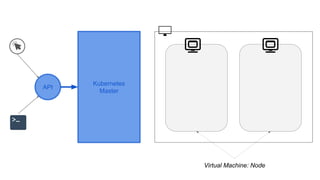
Virtual Machine: Node
Kubernetes
Master
API
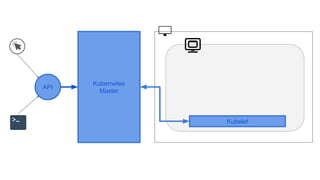
Kubelet
Kubernetes
Master
API
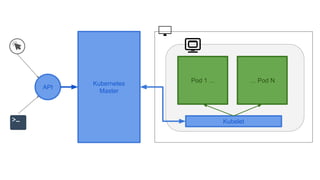
Kubelet
Pod 1 ... … Pod N
Kubernetes
Master
API
Kubelet
Kubernetes
Master
.
.
.
Kubernetes
Master
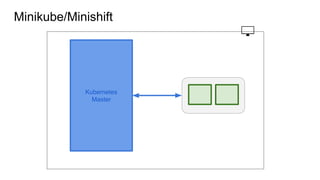
Minikube/Minishift
Kubernetes Master
.
.
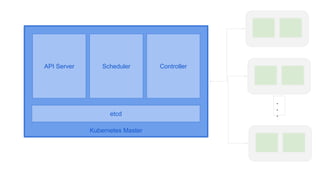
.etcd
API Server Scheduler Controller
Imperative: “the how”
do this, then do this, then do this
Declarative: “the what”
I want this.
Kubernetes
Master
API
1
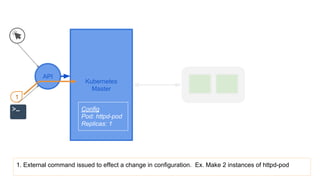
1. External command issued to effect a change in configuration. Ex. Make 2 instances of httpd-pod
Config
Pod: httpd-pod
Replicas: 1
Kubernetes
Master
API
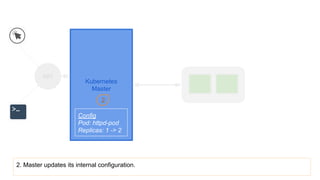
2. Master updates its internal configuration.
2
Config
Pod: httpd-pod
Replicas: 1 -> 2
Kubernetes
Master
API
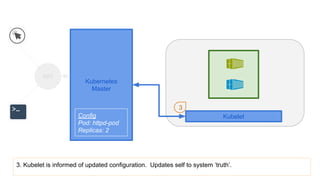
3. Kubelet is informed of updated configuration. Updates self to system ‘truth’.
Kubelet
3
Config
Pod: httpd-pod
Replicas: 2
Kubernetes
Master
API
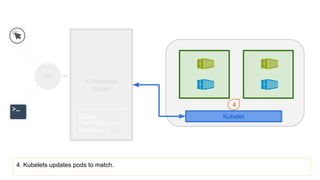
4. Kubelets updates pods to match.
Kubelet
4
Config
Pod: httpd-pod
Replicas: 2
Kubernetes
Master
API
Kubelet
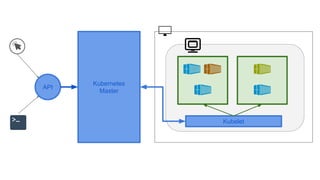
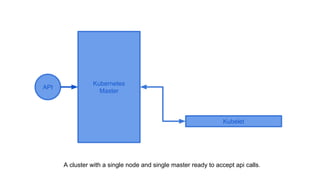
A cluster with a single node and single master ready to accept api calls.
Workshop: kubernetes
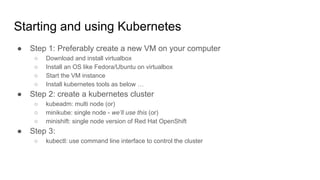
Starting and using Kubernetes
● Step 1: Preferably create a new VM on your computer
○ Download and install virtualbox
○ Install an OS like Fedora/Ubuntu on virtualbox
○ Start the VM instance
○ Install kubernetes tools as below …
● Step 2: create a kubernetes cluster
○ kubeadm: multi node (or)
○ minikube: single node - we’ll use this (or)
○ minishift: single node version of Red Hat OpenShift
● Step 3:
○ kubectl: use command line interface to control the cluster
Navigate to:
https://katacoda.com/courses/kubernetes/launch-single-node-cluster
Also referencing: http://kubernetesbyexample.com/
Trying out Kubernetes
Start a Cluster
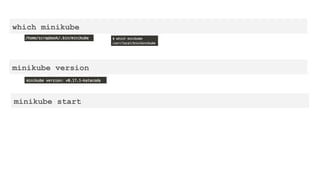
which minikube
minikube version
minikube start
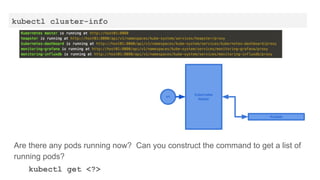
kubectl cluster-info
Kubernetes
Master
API
Kubelet
Are there any pods running now? Can you construct the command to get a list of
running pods?
kubectl get <?>
Run Deployment + Pods
* from image
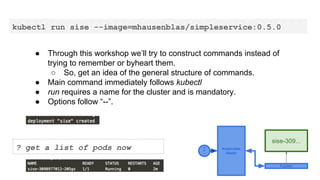
kubectl run sise --image=mhausenblas/simpleservice:0.5.0
● Through this workshop we’ll try to construct commands instead of
trying to remember or byheart them.
○ So, get an idea of the general structure of commands.
● Main command immediately follows kubectl
● run requires a name for the cluster and is mandatory.
● Options follow “--”.
? get a list of pods now Kubernetes
Master
A
P
I
Kubelet
sise-309...
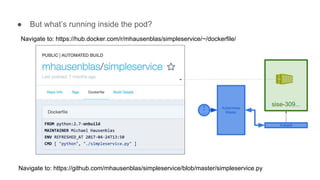
● But what’s running inside the pod?
Navigate to: https://hub.docker.com/r/mhausenblas/simpleservice/~/dockerfile/
Navigate to: https://github.com/mhausenblas/simpleservice/blob/master/simpleservice.py
Kubernetes
Master
A
P
I
Kubelet
sise-309...
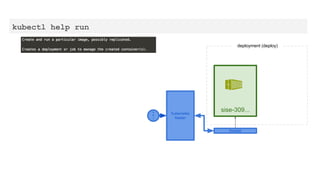
kubectl help run
Kubernetes
Master
A
P
I
Kubelet
sise-309...
deployment (deploy)
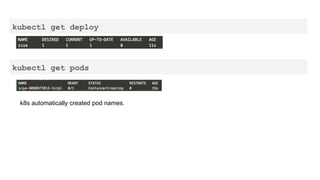
kubectl get deploy
kubectl get pods
k8s automatically created pod names.
Delete Deployments and Pods
Can you construct the command to delete the deployment (a.k.a. deploy) ‘sise’?
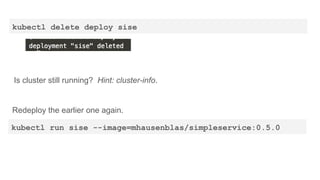
kubectl delete deploy sise
Is cluster still running? Hint: cluster-info.
Redeploy the earlier one again.
kubectl run sise --image=mhausenblas/simpleservice:0.5.0
Can you construct the command to delete the pod?
Once you delete the pod, check pods again. What do you see?
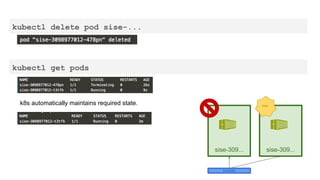
kubectl delete pod sise-...
kubectl get pods
k8s automatically maintains required state.
Kubelet
sise-309... sise-309...
new
What is a Pod?
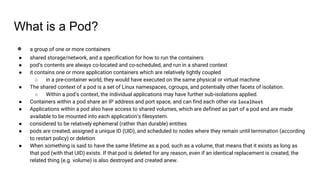
● a group of one or more containers
● shared storage/network, and a specification for how to run the containers
● pod’s contents are always co-located and co-scheduled, and run in a shared context
● it contains one or more application containers which are relatively tightly coupled
○ in a pre-container world, they would have executed on the same physical or virtual machine
● The shared context of a pod is a set of Linux namespaces, cgroups, and potentially other facets of isolation.
○ Within a pod’s context, the individual applications may have further sub-isolations applied.
● Containers within a pod share an IP address and port space, and can find each other via localhost
● Applications within a pod also have access to shared volumes, which are defined as part of a pod and are made
available to be mounted into each application’s filesystem.
● considered to be relatively ephemeral (rather than durable) entities
● pods are created, assigned a unique ID (UID), and scheduled to nodes where they remain until termination (according
to restart policy) or deletion
● When something is said to have the same lifetime as a pod, such as a volume, that means that it exists as long as
that pod (with that UID) exists. If that pod is deleted for any reason, even if an identical replacement is created, the
related thing (e.g. volume) is also destroyed and created anew.
Pod Management
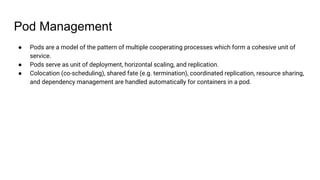
● Pods are a model of the pattern of multiple cooperating processes which form a cohesive unit of
service.
● Pods serve as unit of deployment, horizontal scaling, and replication.
● Colocation (co-scheduling), shared fate (e.g. termination), coordinated replication, resource sharing,
and dependency management are handled automatically for containers in a pod.
Create Pods from Config Files
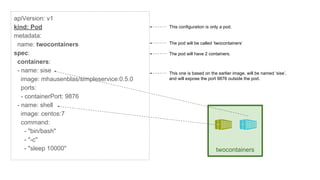
apiVersion: v1
kind: Pod
metadata:
name: twocontainers
spec:
containers:
- name: sise
image: mhausenblas/simpleservice:0.5.0
ports:
- containerPort: 9876
- name: shell
image: centos:7
command:
- "bin/bash"
- "-c"
- "sleep 10000"
This configuration is only a pod.
The pod will have 2 containers.
This one is based on the earlier image, will be named ‘sise’,
and will expose the port 9876 outside the pod.
The pod will be called ‘twocontainers’
twocontainers
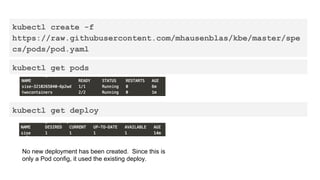
kubectl create -f
https://raw.githubusercontent.com/mhausenblas/kbe/master/spe
cs/pods/pod.yaml
kubectl get pods
No new deployment has been created. Since this is
only a Pod config, it used the existing deploy.
kubectl get deploy
Can you construct the command to see logs of a pod?
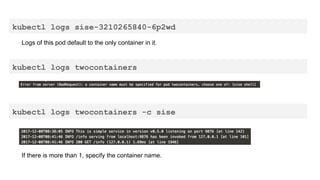
kubectl logs sise-3210265840-6p2wd
Logs of this pod default to the only container in it.
kubectl logs twocontainers
kubectl logs twocontainers -c sise
If there is more than 1, specify the container name.
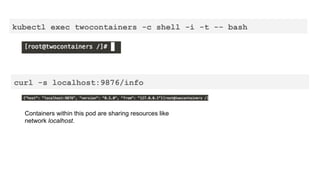
Can you construct the command to exec into the terminal in container ‘shell’?
Hint: -i -t -- bash
kubectl exec twocontainers -c shell -i -t -- bash
curl -s localhost:9876/info
Containers within this pod are sharing resources like
network localhost.
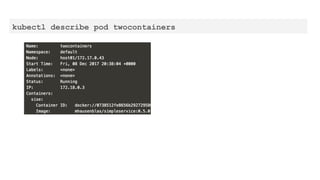
Can you construct the command to get the description of a pod?
kubectl describe pod twocontainers
Can you combine them to …
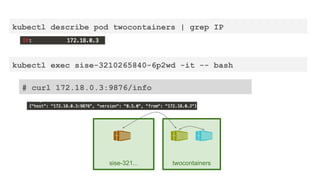
1. exec into the sise-... shell?
2. curl the ip:9876/info of twocontainers’ sise container?
kubectl describe pod twocontainers | grep IP
kubectl exec sise-3210265840-6p2wd -it -- bash
# curl 172.18.0.3:9876/info
sise-321... twocontainers
Create Pods with Resource Constraints
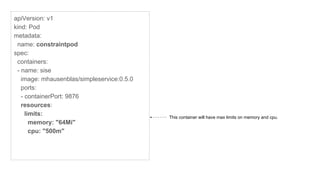
apiVersion: v1
kind: Pod
metadata:
name: constraintpod
spec:
containers:
- name: sise
image: mhausenblas/simpleservice:0.5.0
ports:
- containerPort: 9876
resources:
limits:
memory: "64Mi"
cpu: "500m"
This container will have max limits on memory and cpu.
Use create -f to add constraint pod.
Then describe it to check.
Create Deployment from a Config file.
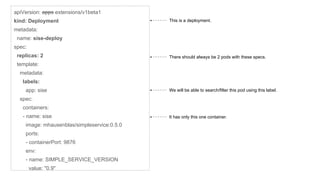
apiVersion: apps extensions/v1beta1
kind: Deployment
metadata:
name: sise-deploy
spec:
replicas: 2
template:
metadata:
labels:
app: sise
spec:
containers:
- name: sise
image: mhausenblas/simpleservice:0.5.0
ports:
- containerPort: 9876
env:
- name: SIMPLE_SERVICE_VERSION
value: "0.9"
This is a deployment.
There should always be 2 pods with these specs.
It has only this one container.
We will be able to search/filter this pod using this label.
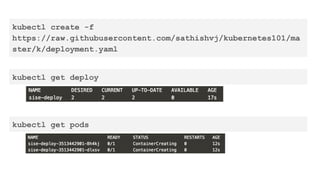
kubectl create -f
https://raw.githubusercontent.com/sathishvj/kubernetes101/ma
ster/k/deployment.yaml
kubectl get deploy
kubectl get pods
thank you
@sathishvj

Docker and Kubernetes 101 workshop