Linux booting process
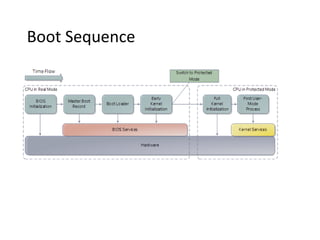
Boot Sequence
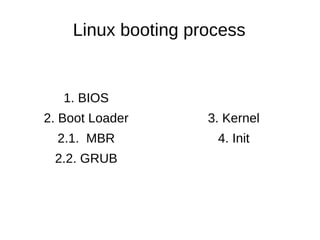
Linux booting process
1. BIOS
2. Boot Loader
2.1. MBR
2.2. GRUB
3. Kernel
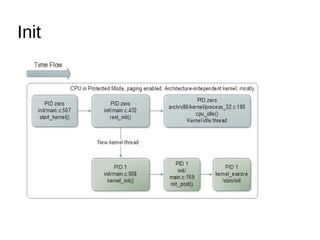
4. Init
BIOS
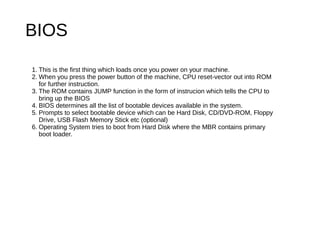
1. This is the first thing which loads once you power on your machine.
2. When you press the power button of the machine, CPU reset-vector out into ROM
for further instruction.
3. The ROM contains JUMP function in the form of instrucion which tells the CPU to
bring up the BIOS
4. BIOS determines all the list of bootable devices available in the system.
5. Prompts to select bootable device which can be Hard Disk, CD/DVD-ROM, Floppy
Drive, USB Flash Memory Stick etc (optional)
6. Operating System tries to boot from Hard Disk where the MBR contains primary
boot loader.
Boot Loader: Master Boot Record
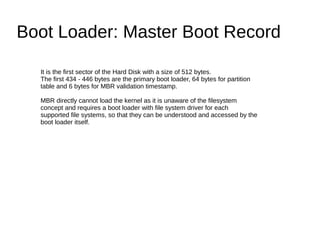
It is the first sector of the Hard Disk with a size of 512 bytes.
The first 434 - 446 bytes are the primary boot loader, 64 bytes for partition
table and 6 bytes for MBR validation timestamp.
MBR directly cannot load the kernel as it is unaware of the filesystem
concept and requires a boot loader with file system driver for each
supported file systems, so that they can be understood and accessed by the
boot loader itself.
Boot Loader: GRUB
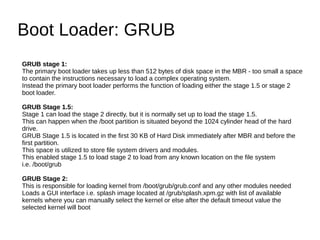
GRUB stage 1:
The primary boot loader takes up less than 512 bytes of disk space in the MBR - too small a space
to contain the instructions necessary to load a complex operating system.
Instead the primary boot loader performs the function of loading either the stage 1.5 or stage 2
boot loader.
GRUB Stage 1.5:
Stage 1 can load the stage 2 directly, but it is normally set up to load the stage 1.5.
This can happen when the /boot partition is situated beyond the 1024 cylinder head of the hard
drive.
GRUB Stage 1.5 is located in the first 30 KB of Hard Disk immediately after MBR and before the
first partition.
This space is utilized to store file system drivers and modules.
This enabled stage 1.5 to load stage 2 to load from any known location on the file system
i.e. /boot/grub
GRUB Stage 2:
This is responsible for loading kernel from /boot/grub/grub.conf and any other modules needed
Loads a GUI interface i.e. splash image located at /grub/splash.xpm.gz with list of available
kernels where you can manually select the kernel or else after the default timeout value the
selected kernel will boot
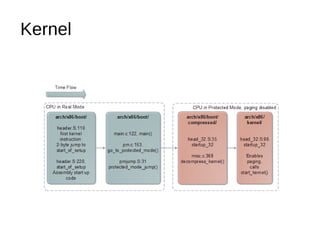
Kernel
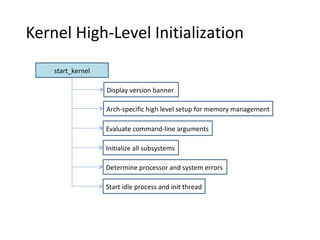
Kernel High-Level Initialization
start_kernel
Display version banner
Arch-specific high level setup for memory management
Evaluate command-line arguments
Initialize all subsystems
Determine processor and system errors
Start idle process and init thread
Search for known system errors
• Checks for bugs in architecture (check_bugs)
• Replaces certain assembler instructions –
depending on processor type – with faster,
modern alternatives.
Init
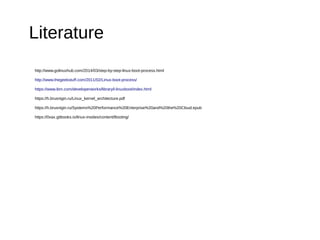
http://www.golinuxhub.com/2014/03/step-by-step-linux-boot-process.html
http://www.thegeekstuff.com/2011/02/Linux-boot-process/
https://www.ibm.com/developerworks/library/l-linuxboot/index.html
https://h.brusnigin.ru/Linux_kernel_architecture.pdf
https://h.brusnigin.ru/Systems%20Performance%20Enterprise%20and%20the%20Cloud.epub
https://0xax.gitbooks.io/linux-insides/content/Booting/​
Literature

Linux boot process

  • 1.
  • 2.
  • 3.
    Linux booting process 1.BIOS 2. Boot Loader 2.1. MBR 2.2. GRUB 3. Kernel 4. Init
  • 4.
    BIOS 1. This isthe first thing which loads once you power on your machine. 2. When you press the power button of the machine, CPU reset-vector out into ROM for further instruction. 3. The ROM contains JUMP function in the form of instrucion which tells the CPU to bring up the BIOS 4. BIOS determines all the list of bootable devices available in the system. 5. Prompts to select bootable device which can be Hard Disk, CD/DVD-ROM, Floppy Drive, USB Flash Memory Stick etc (optional) 6. Operating System tries to boot from Hard Disk where the MBR contains primary boot loader.
  • 5.
    Boot Loader: MasterBoot Record It is the first sector of the Hard Disk with a size of 512 bytes. The first 434 - 446 bytes are the primary boot loader, 64 bytes for partition table and 6 bytes for MBR validation timestamp. MBR directly cannot load the kernel as it is unaware of the filesystem concept and requires a boot loader with file system driver for each supported file systems, so that they can be understood and accessed by the boot loader itself.
  • 6.
    Boot Loader: GRUB GRUBstage 1: The primary boot loader takes up less than 512 bytes of disk space in the MBR - too small a space to contain the instructions necessary to load a complex operating system. Instead the primary boot loader performs the function of loading either the stage 1.5 or stage 2 boot loader. GRUB Stage 1.5: Stage 1 can load the stage 2 directly, but it is normally set up to load the stage 1.5. This can happen when the /boot partition is situated beyond the 1024 cylinder head of the hard drive. GRUB Stage 1.5 is located in the first 30 KB of Hard Disk immediately after MBR and before the first partition. This space is utilized to store file system drivers and modules. This enabled stage 1.5 to load stage 2 to load from any known location on the file system i.e. /boot/grub GRUB Stage 2: This is responsible for loading kernel from /boot/grub/grub.conf and any other modules needed Loads a GUI interface i.e. splash image located at /grub/splash.xpm.gz with list of available kernels where you can manually select the kernel or else after the default timeout value the selected kernel will boot
  • 7.
  • 8.
    Kernel High-Level Initialization start_kernel Displayversion banner Arch-specific high level setup for memory management Evaluate command-line arguments Initialize all subsystems Determine processor and system errors Start idle process and init thread
  • 9.
    Search for knownsystem errors • Checks for bugs in architecture (check_bugs) • Replaces certain assembler instructions – depending on processor type – with faster, modern alternatives.
  • 10.
  • 11.