Getting from Visibility to Profitability  on   Leasa Maxx Marketing Communications Director
What it is Who is using it Why it’s valuable How to get the most out Linkedin: Create visibility Gain credibility Move toward profitability The discussion
“ LinkedIn is an online network of experienced professionals from around the world, representing 170 industries.” Launched May 2003 What is Linkedin?
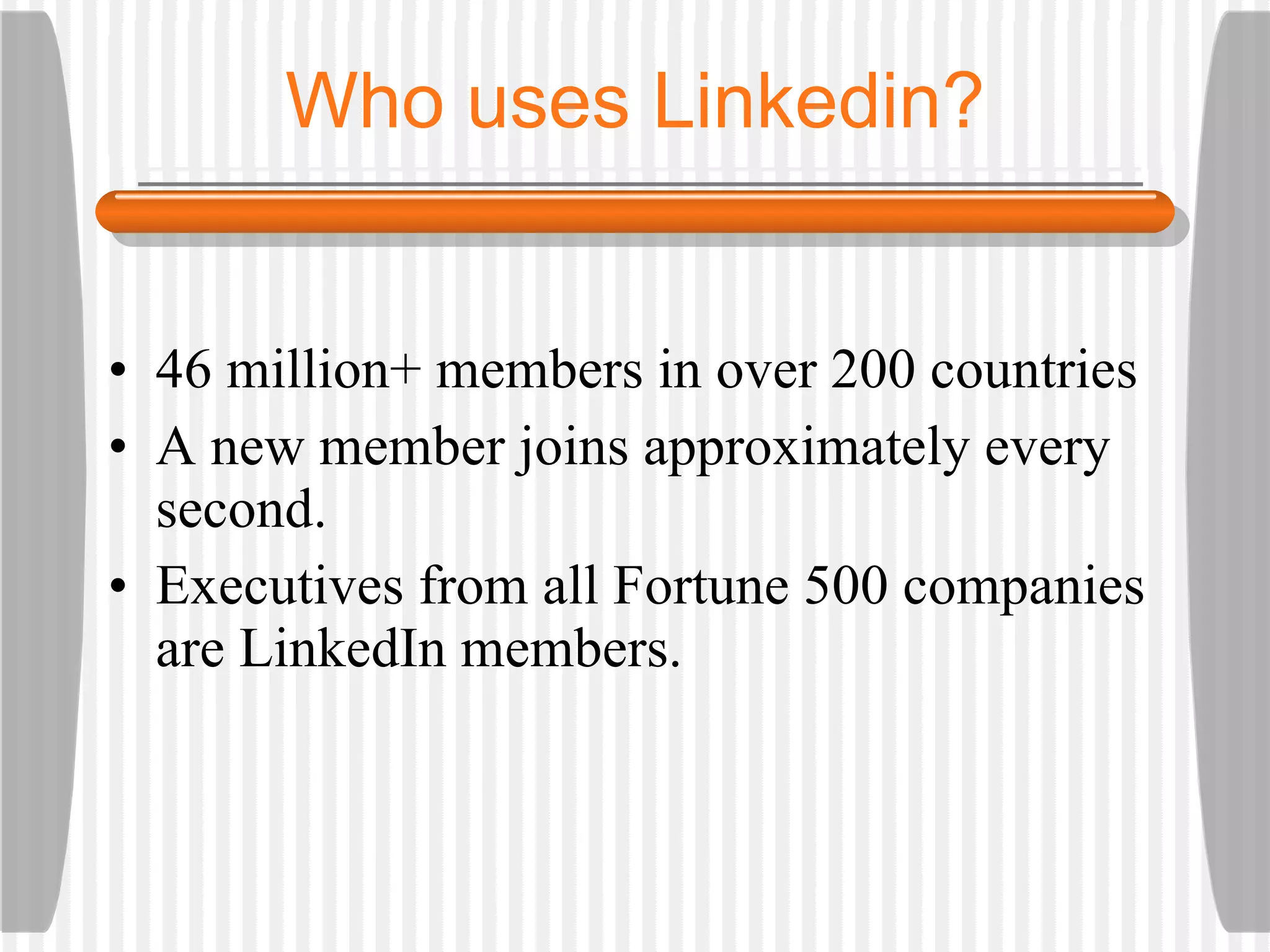
46 million+ members in over 200 countries A new member joins approximately every second.  Executives from all Fortune 500 companies are LinkedIn members. Who uses Linkedin?
What’s the value? The opportunity to find -- and be found. Make your current professional network more visible … know who knows whom.
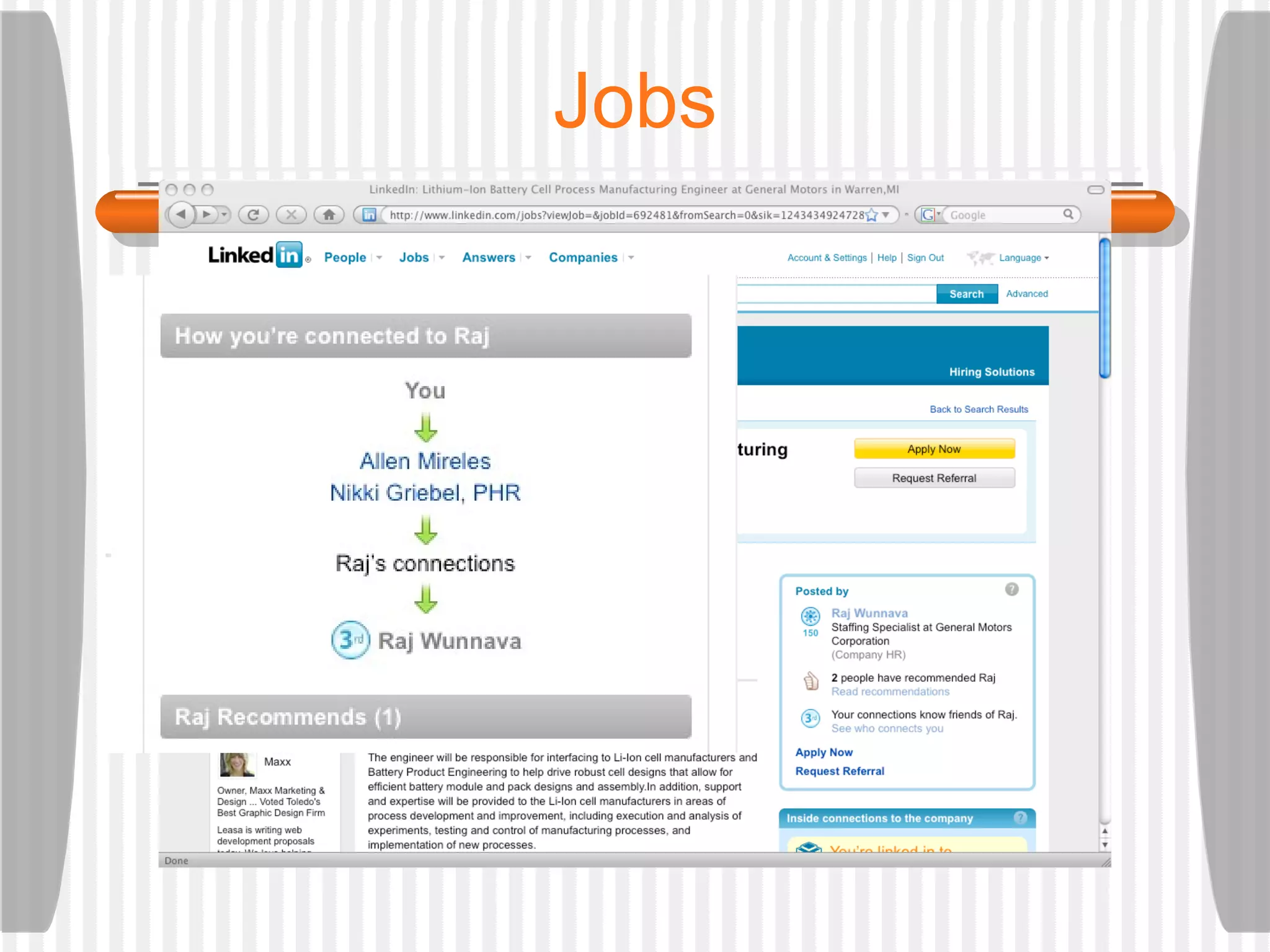
What’s the value? 1st degree contacts 2nd degree contacts (your contacts’ contacts) 3rd degree contacts (people your 2nd degree contacts know) 2nd & 3rd degree contacts could become direct connections
A little humor …
What’s the value? Linkedin could be part of online strategy Coupled with … Ezine articles Blog posts Facebook Twitter Alumni community Job search
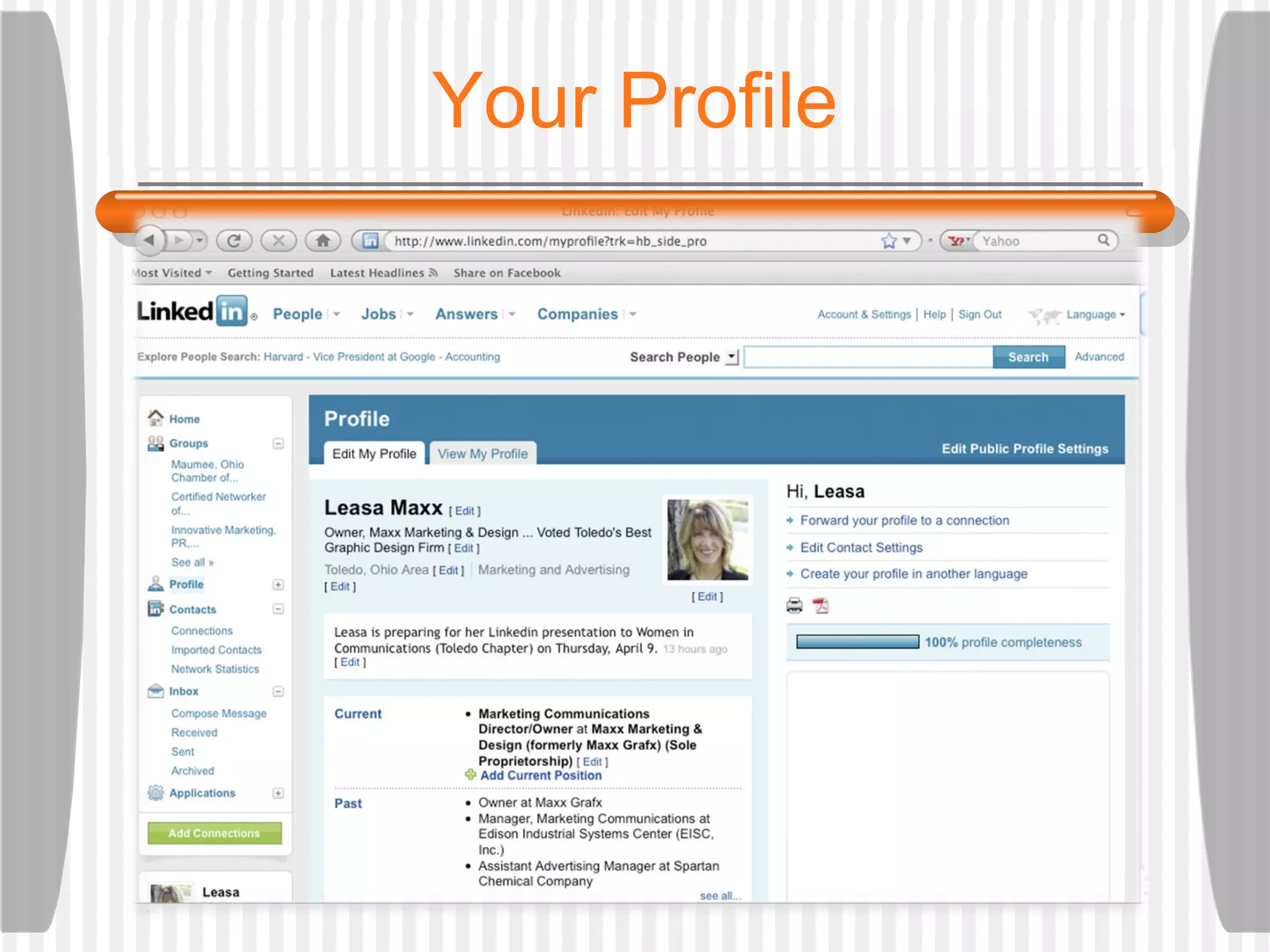
Your Profile
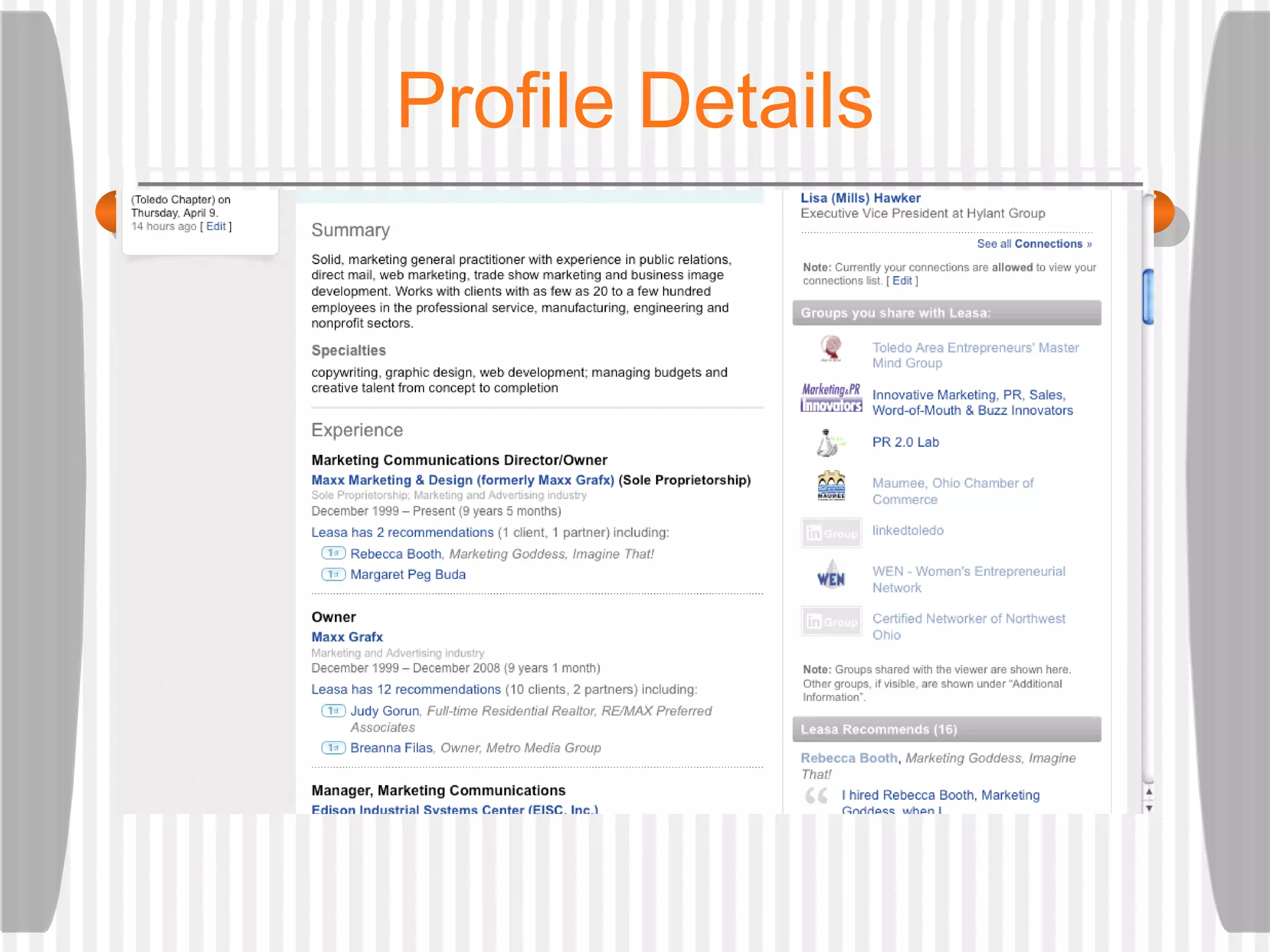
Profile Details
Grow your network How do you want to do this?  who you know and trust who you want to be connected to: Geography Profession Industry Use search to find people Connect directly … or Ask for the introduction
Get recommended: Listed in your profile Listed in Service Directory Share your expertise: Answers Get rated as an expert Gain Credibility
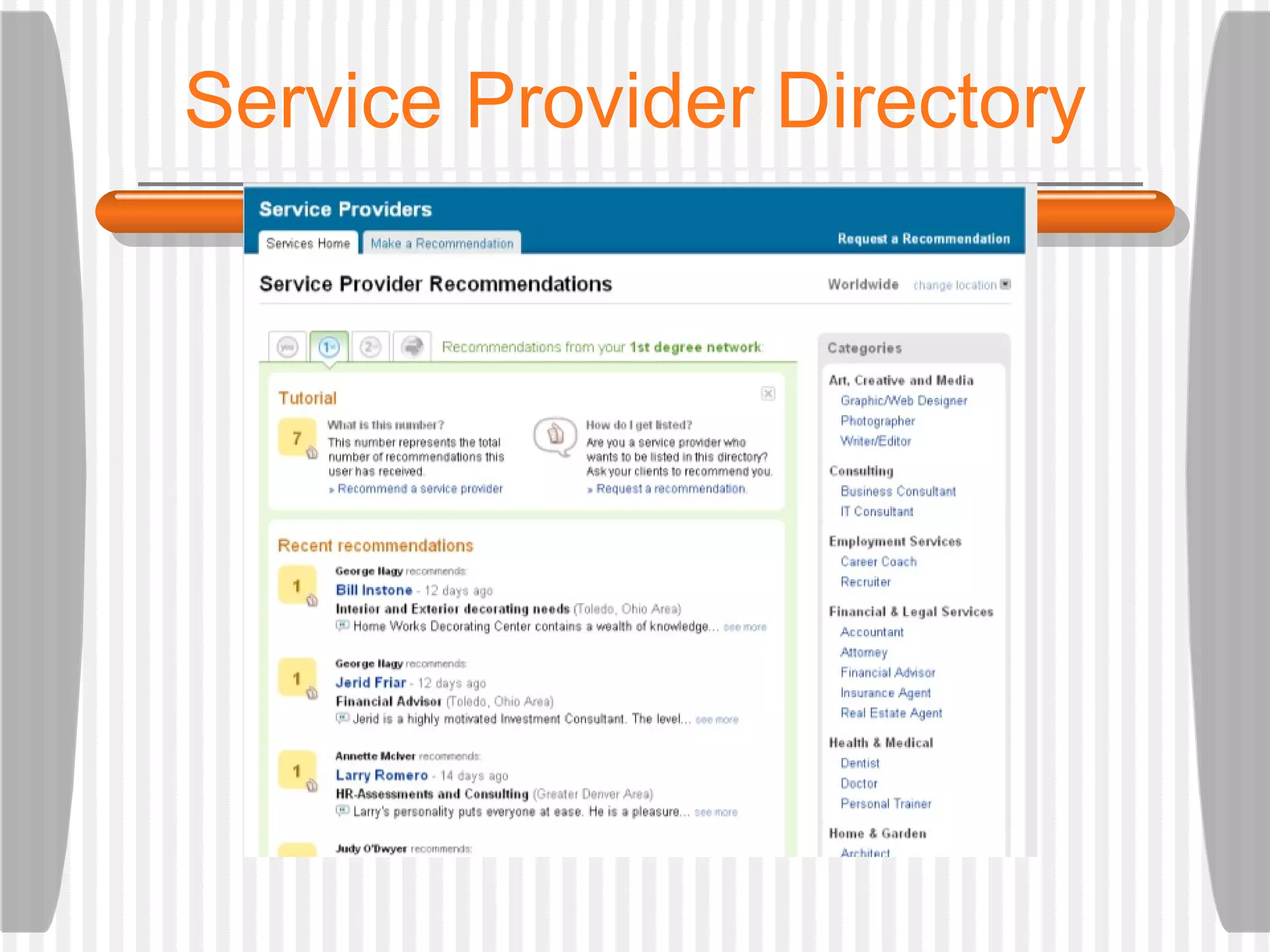
Service Provider Directory
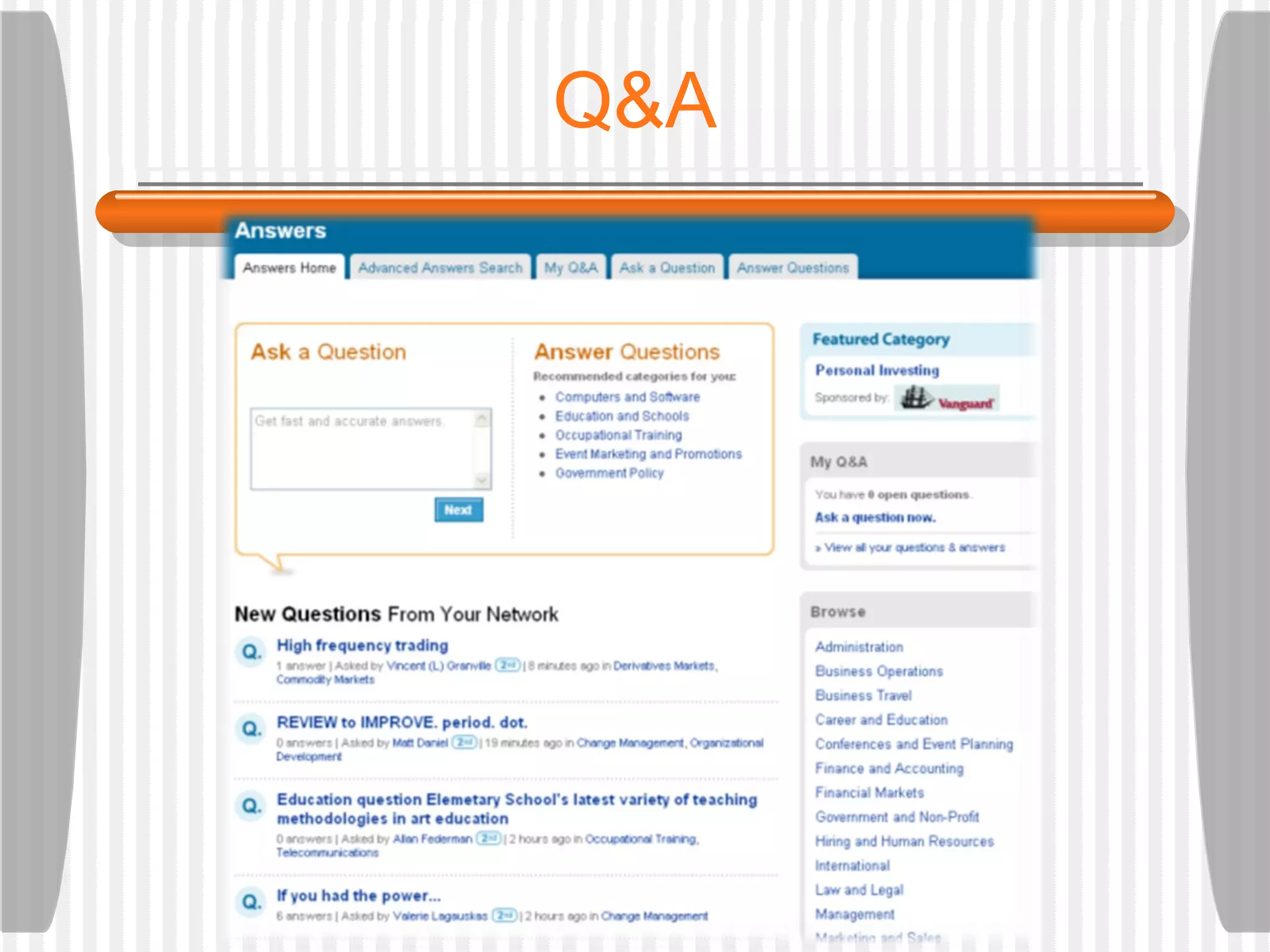
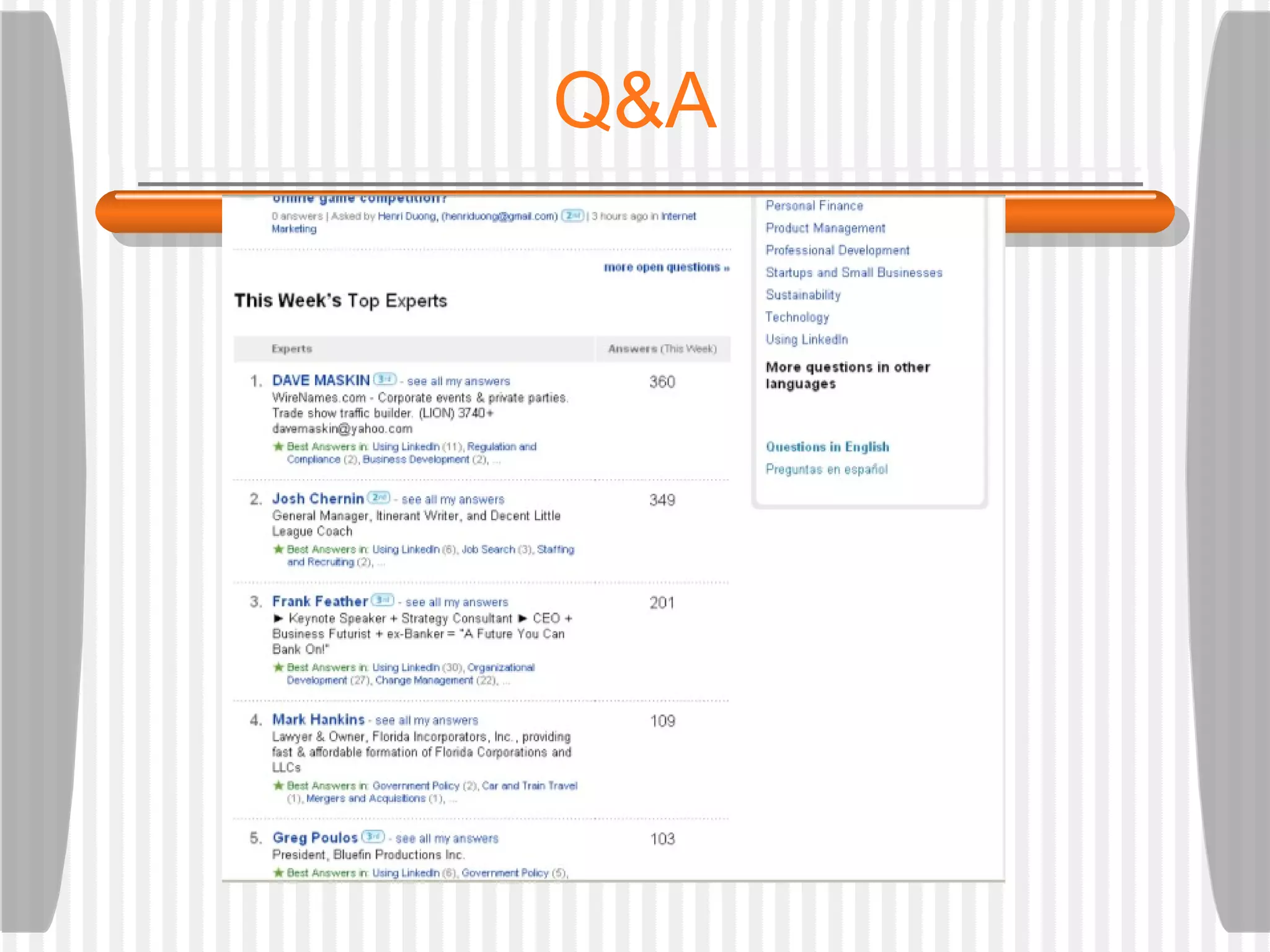
Q&A
Q&A
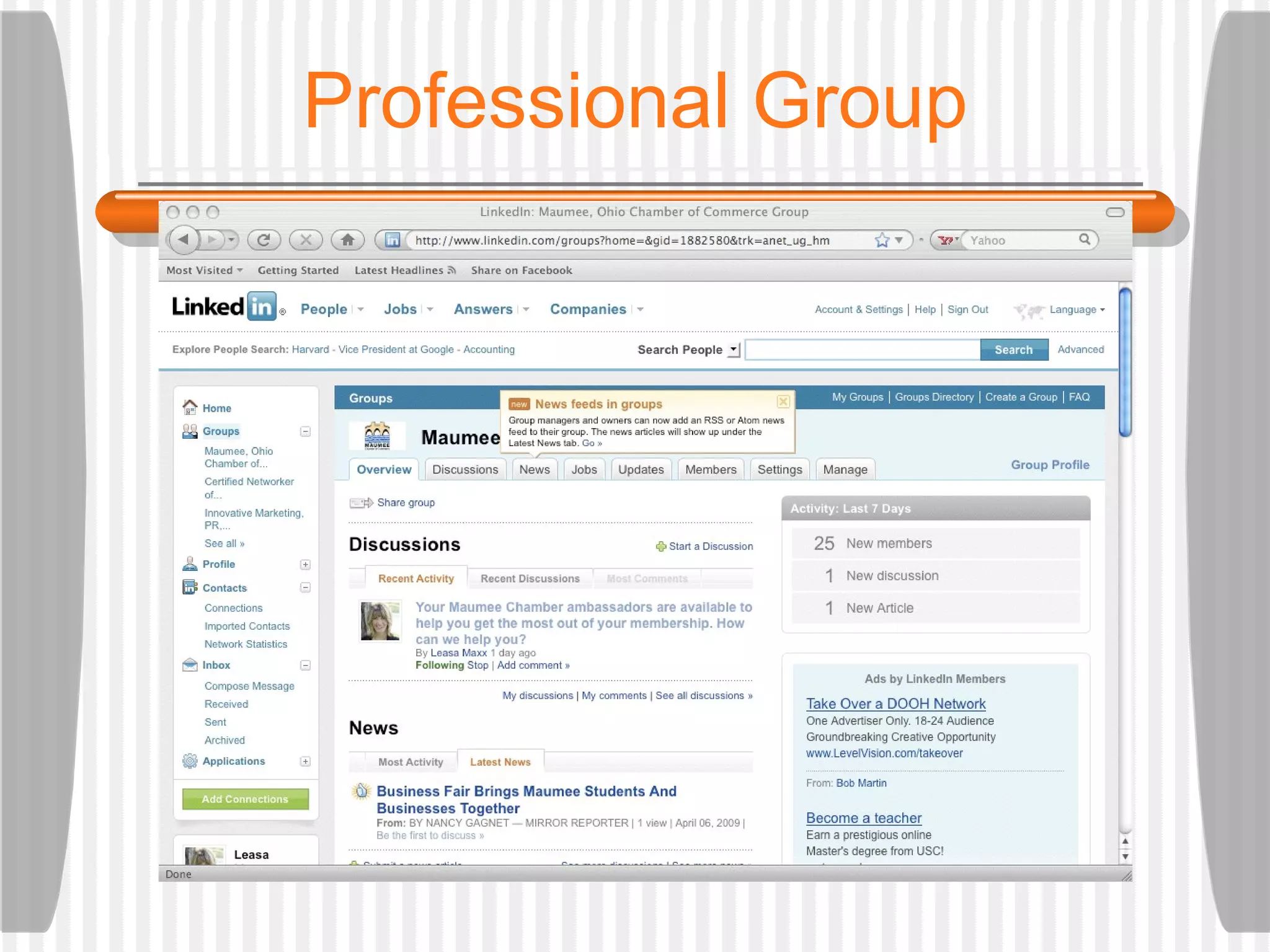
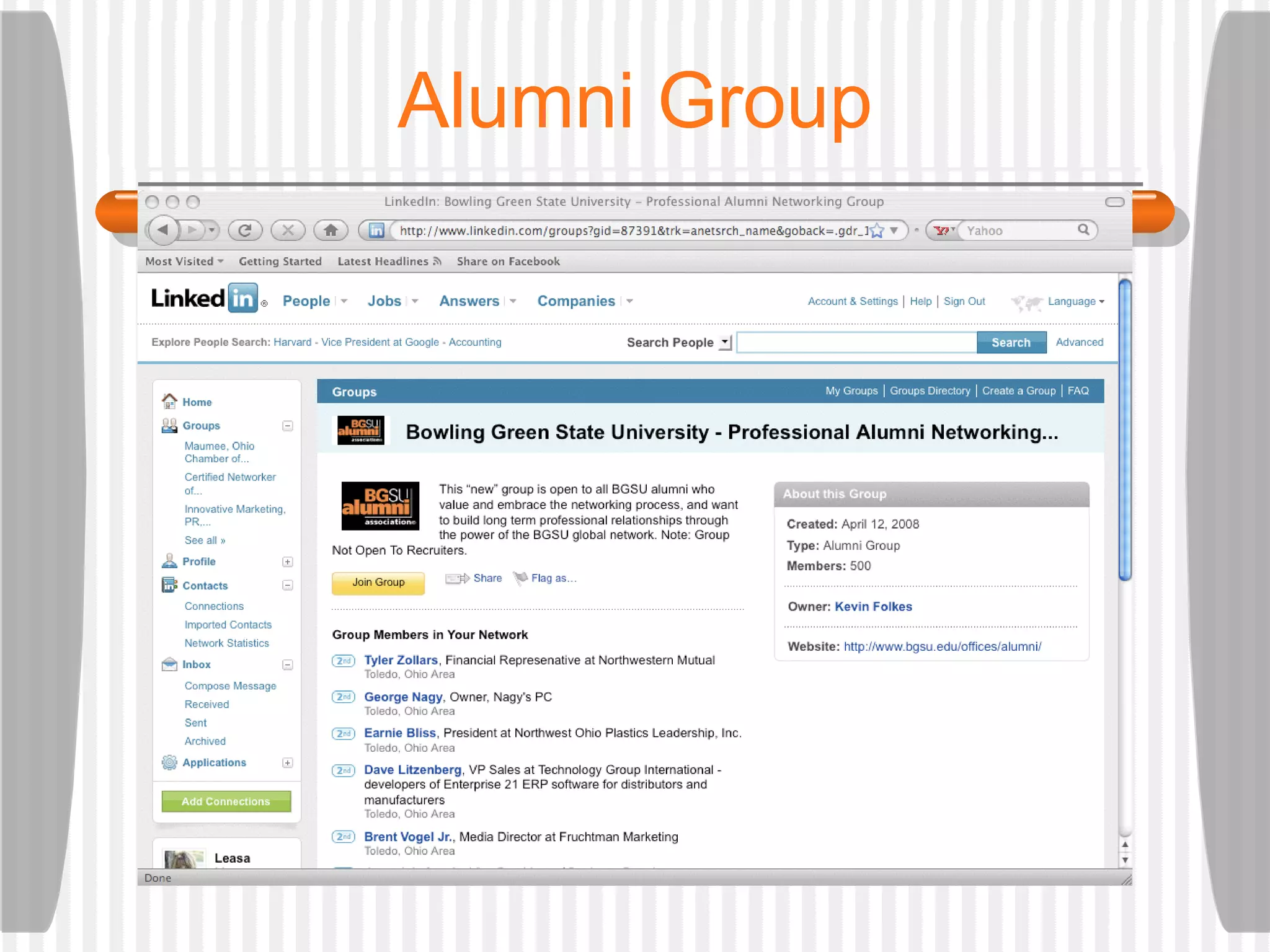
Group icon will show within your profile. Keep in touch with people who share your interests.  Help others via discussions and news items. Provides opportunity to strengthen business relationships. Groups
Professional Group
Alumni Group
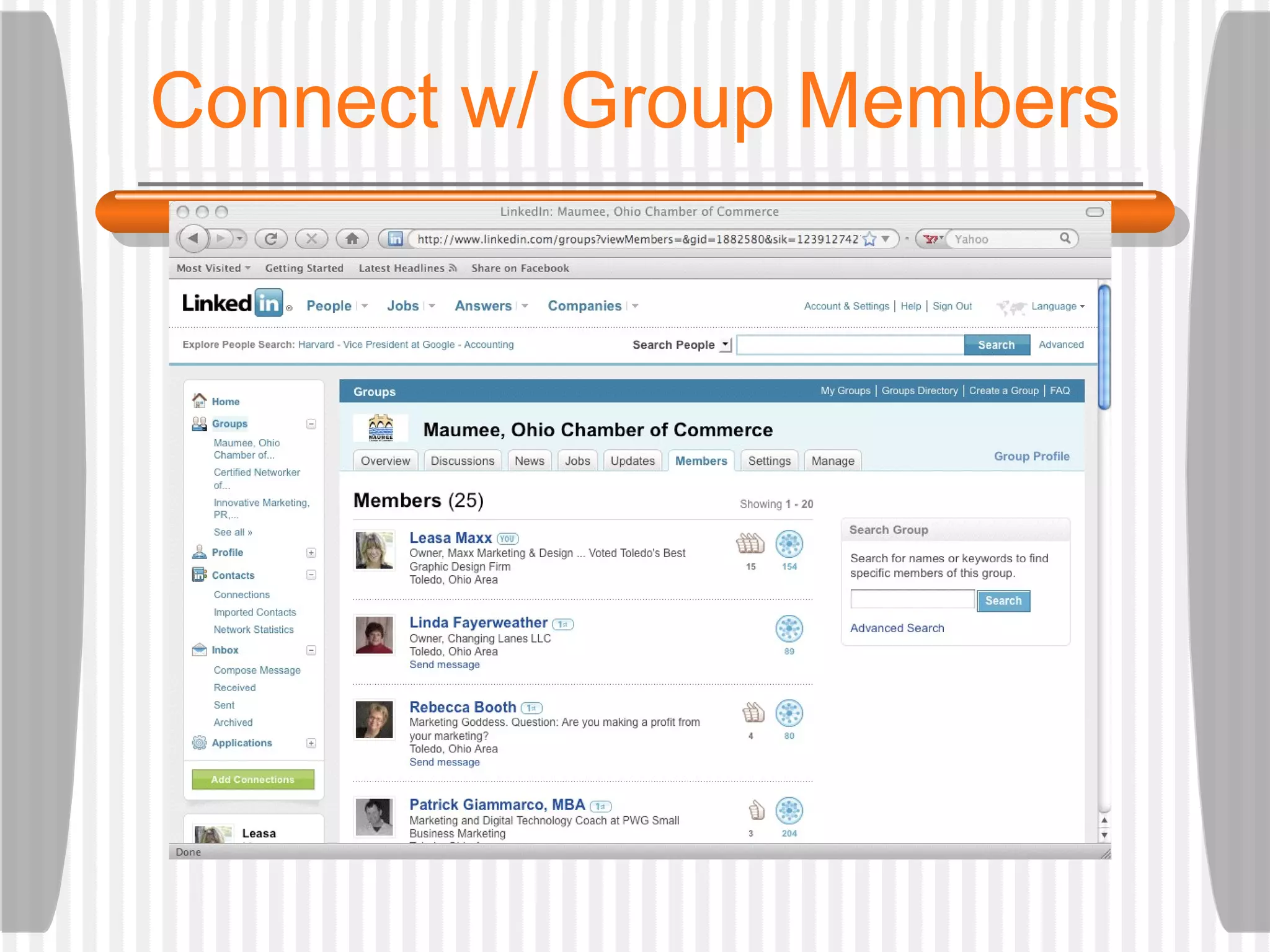
Connect w/ Group Members
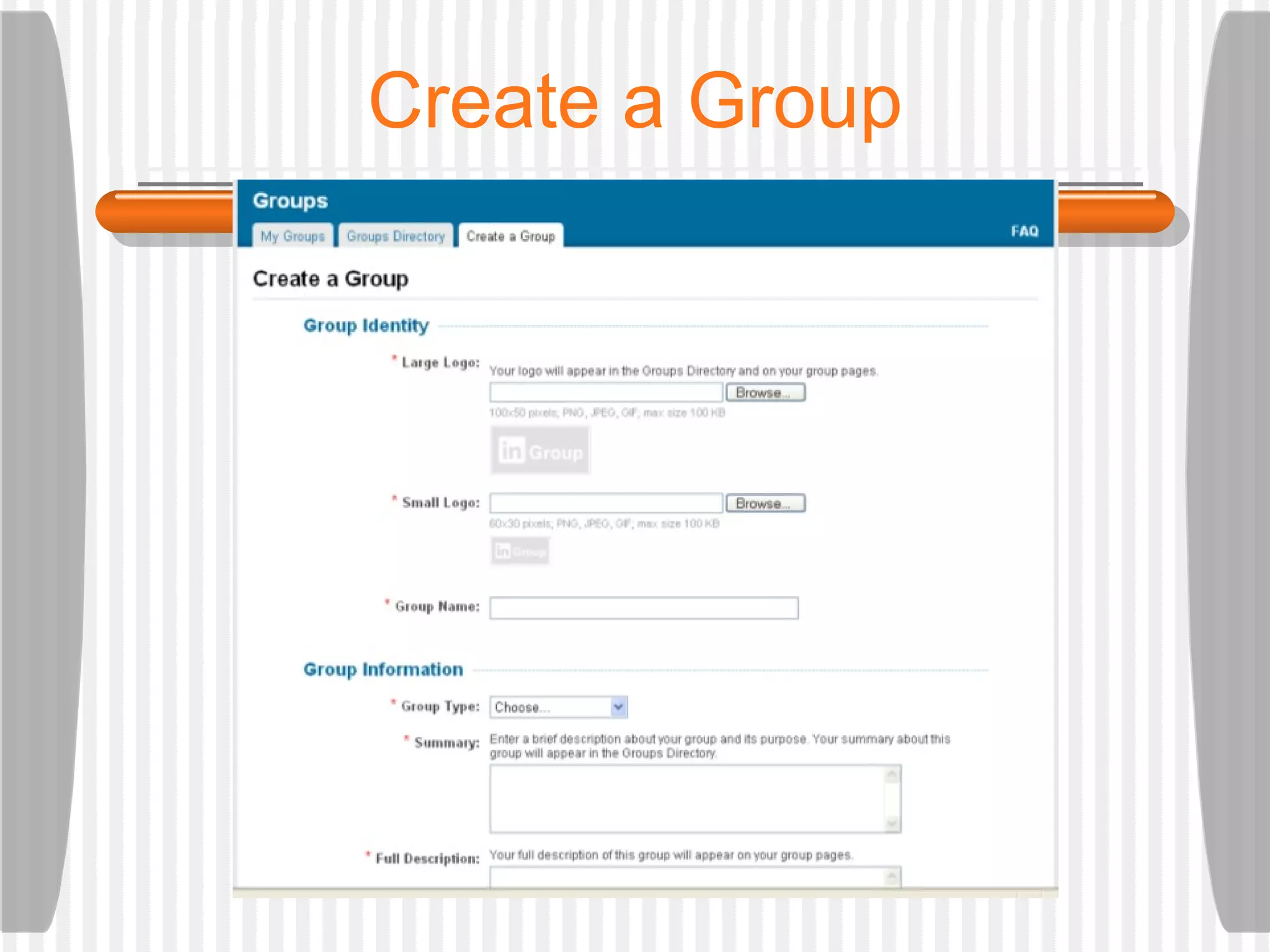
Create a Group
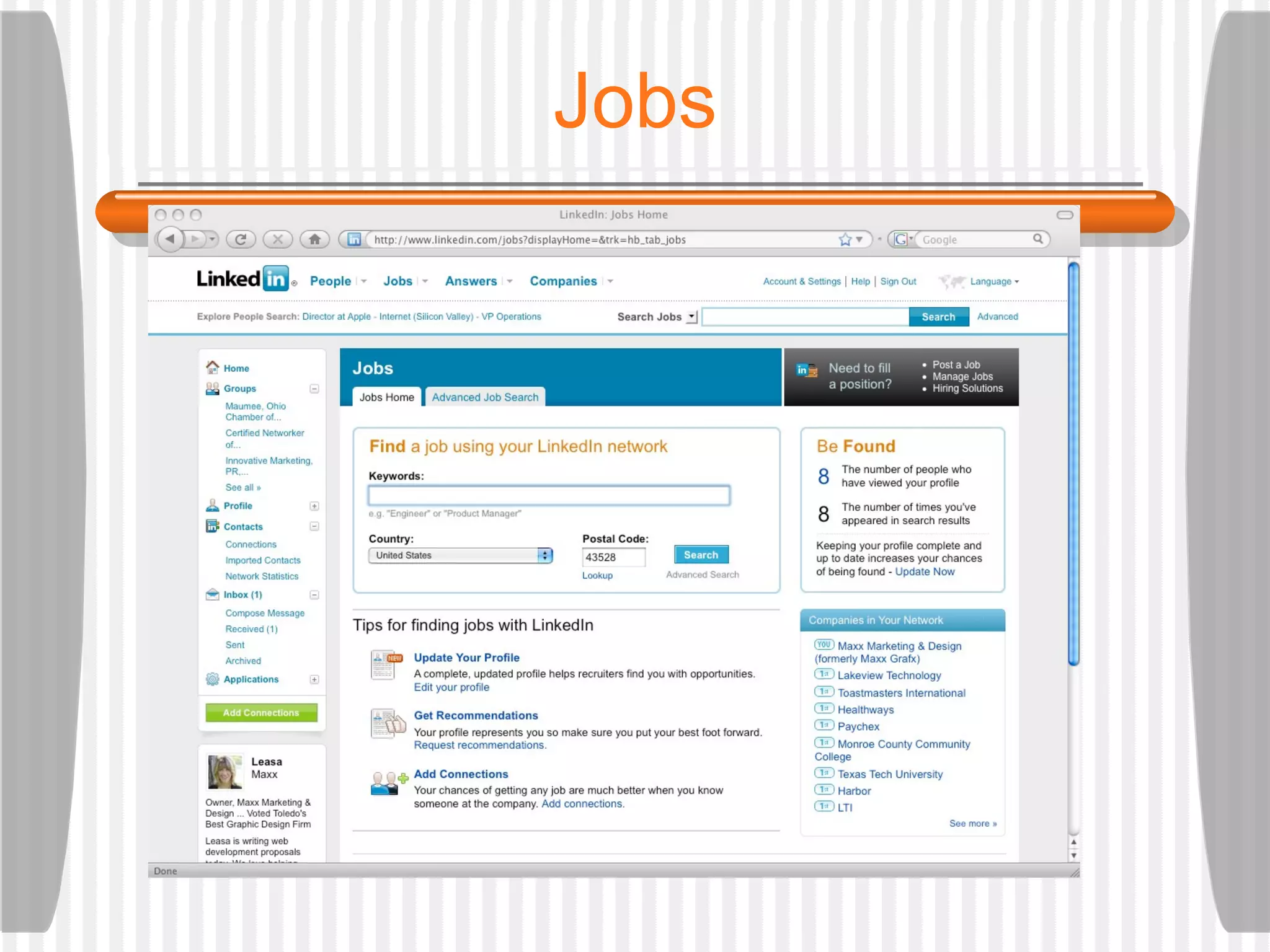
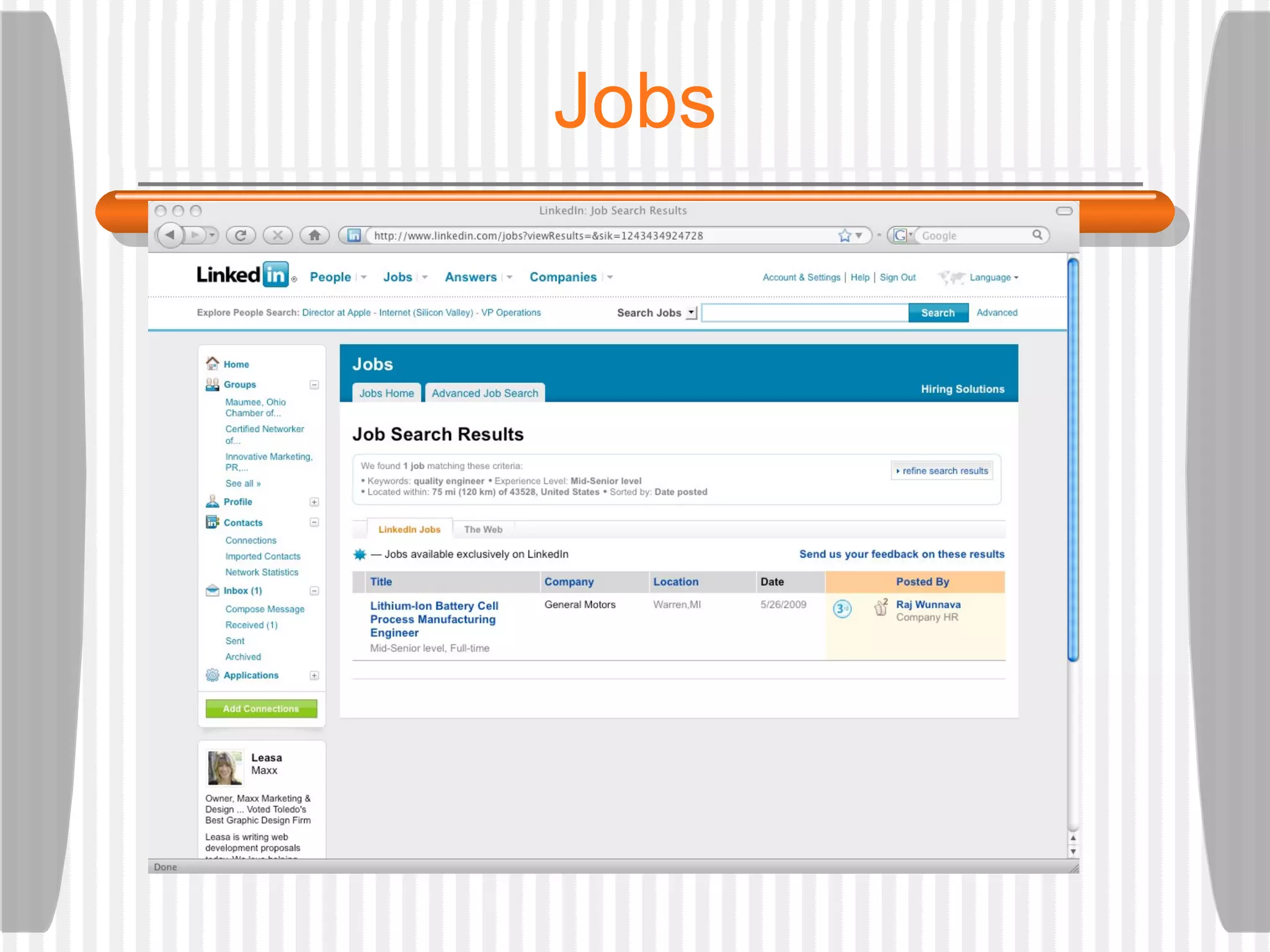
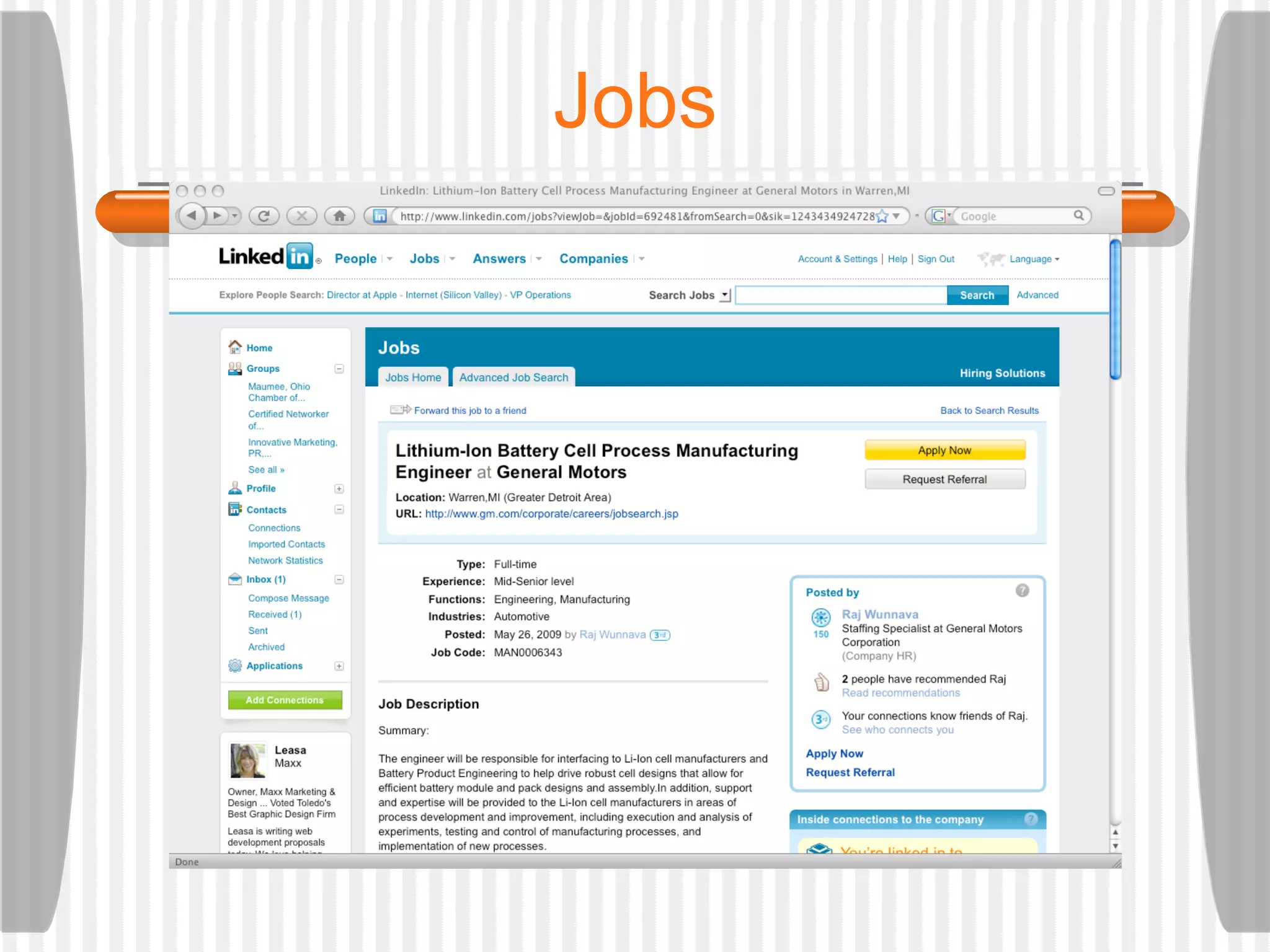
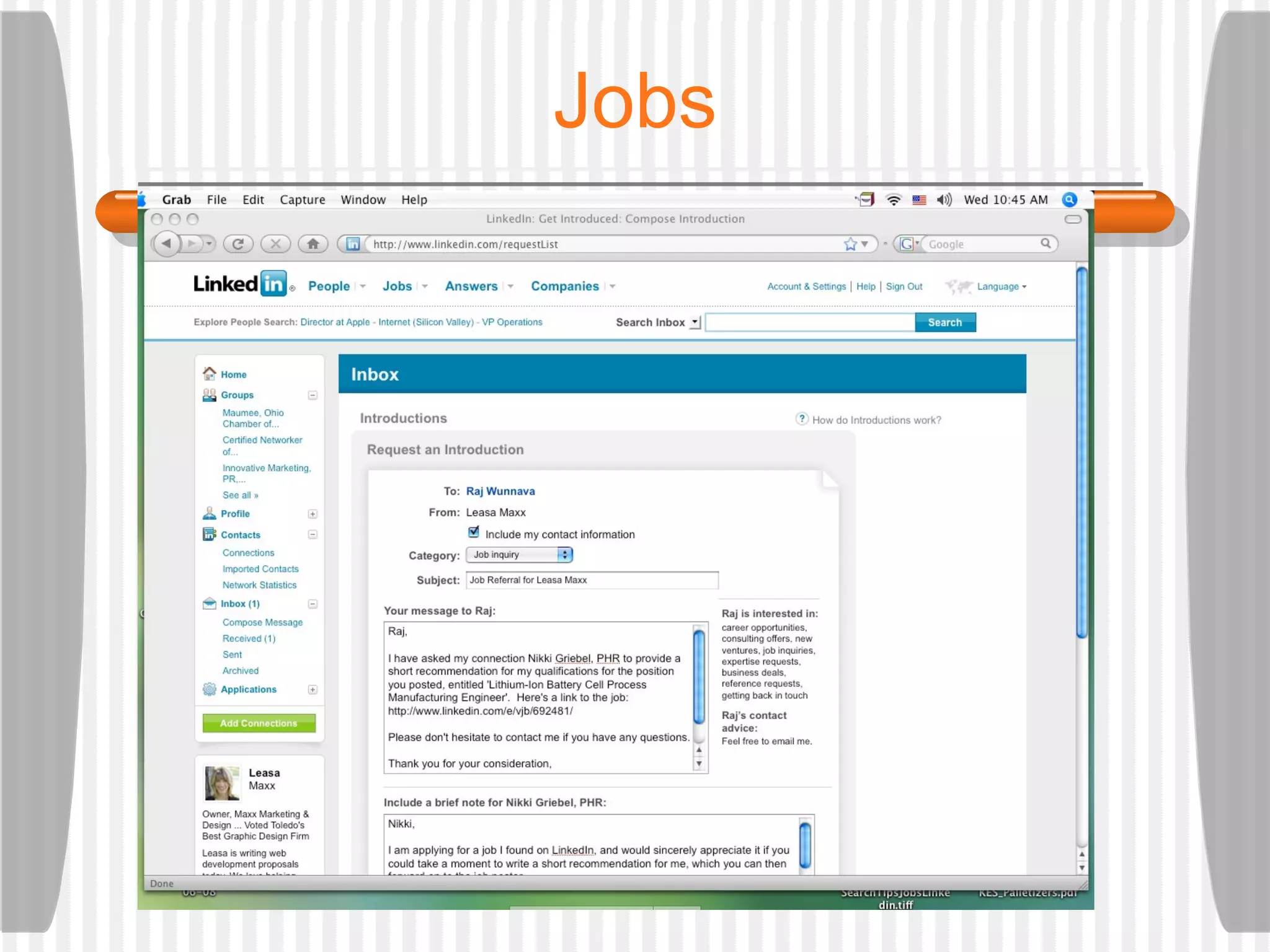
Jobs
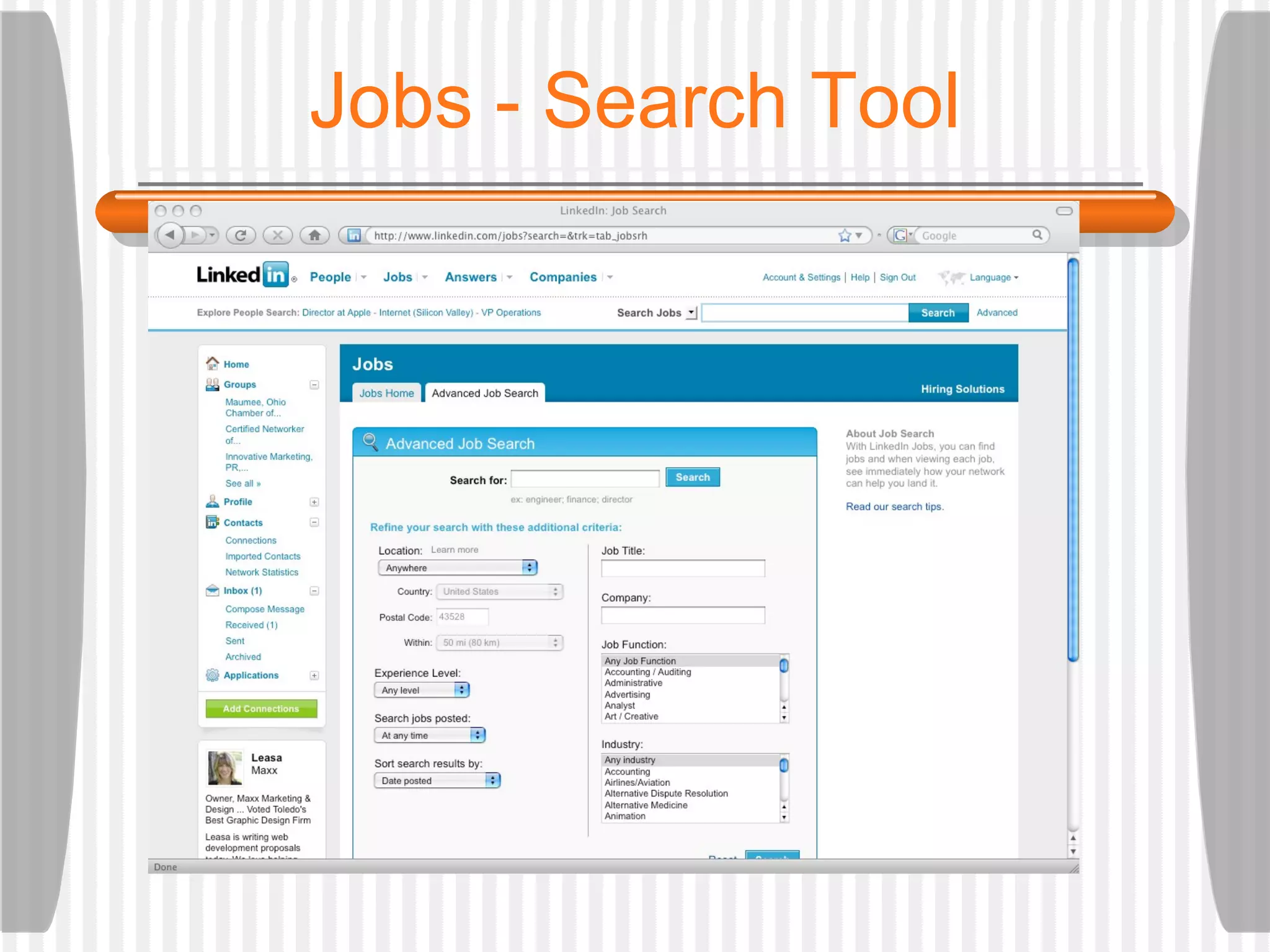
Jobs - Search Tool
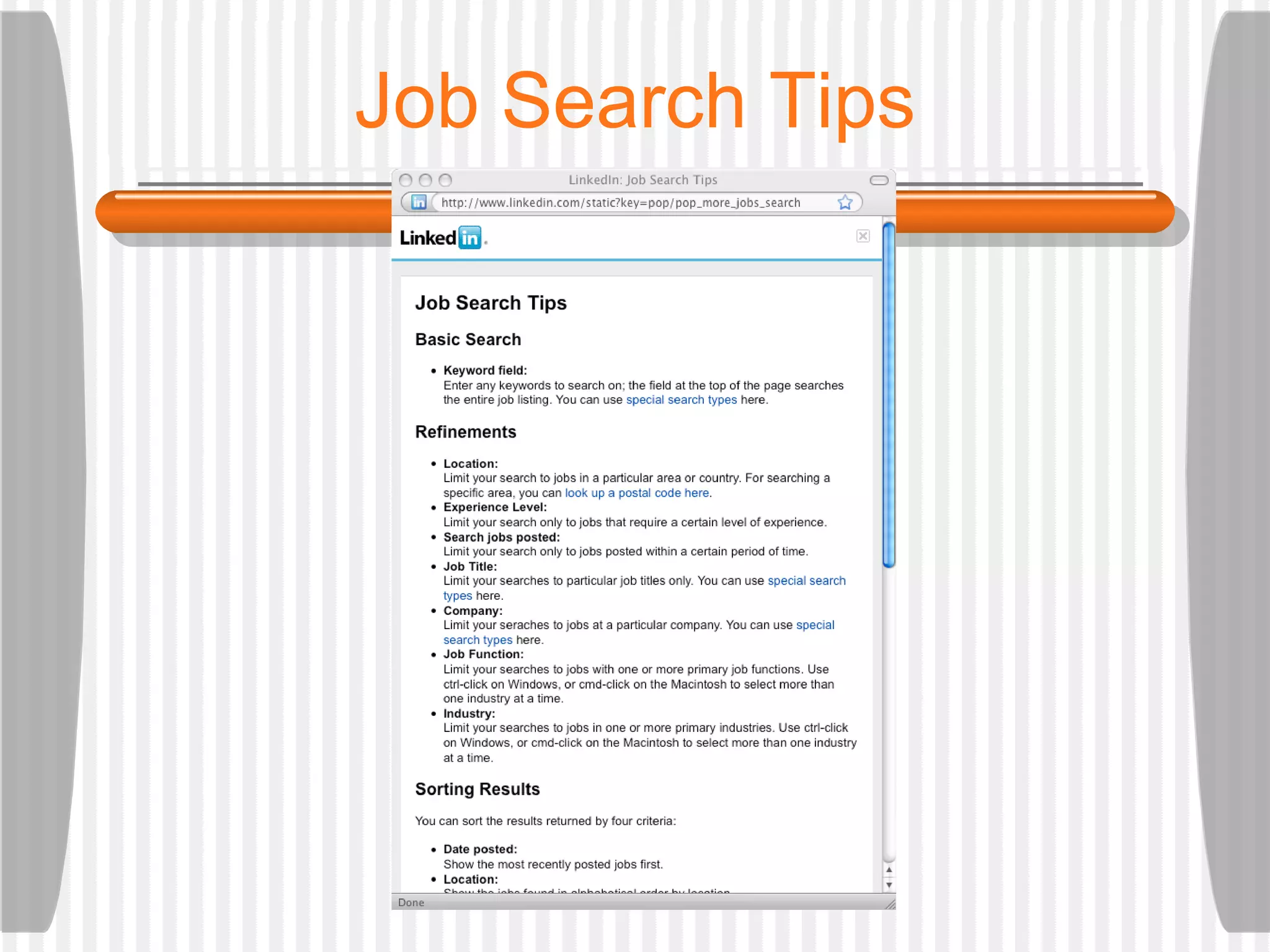
Job Search Tips
Jobs
Jobs
Jobs
Jobs
Companies
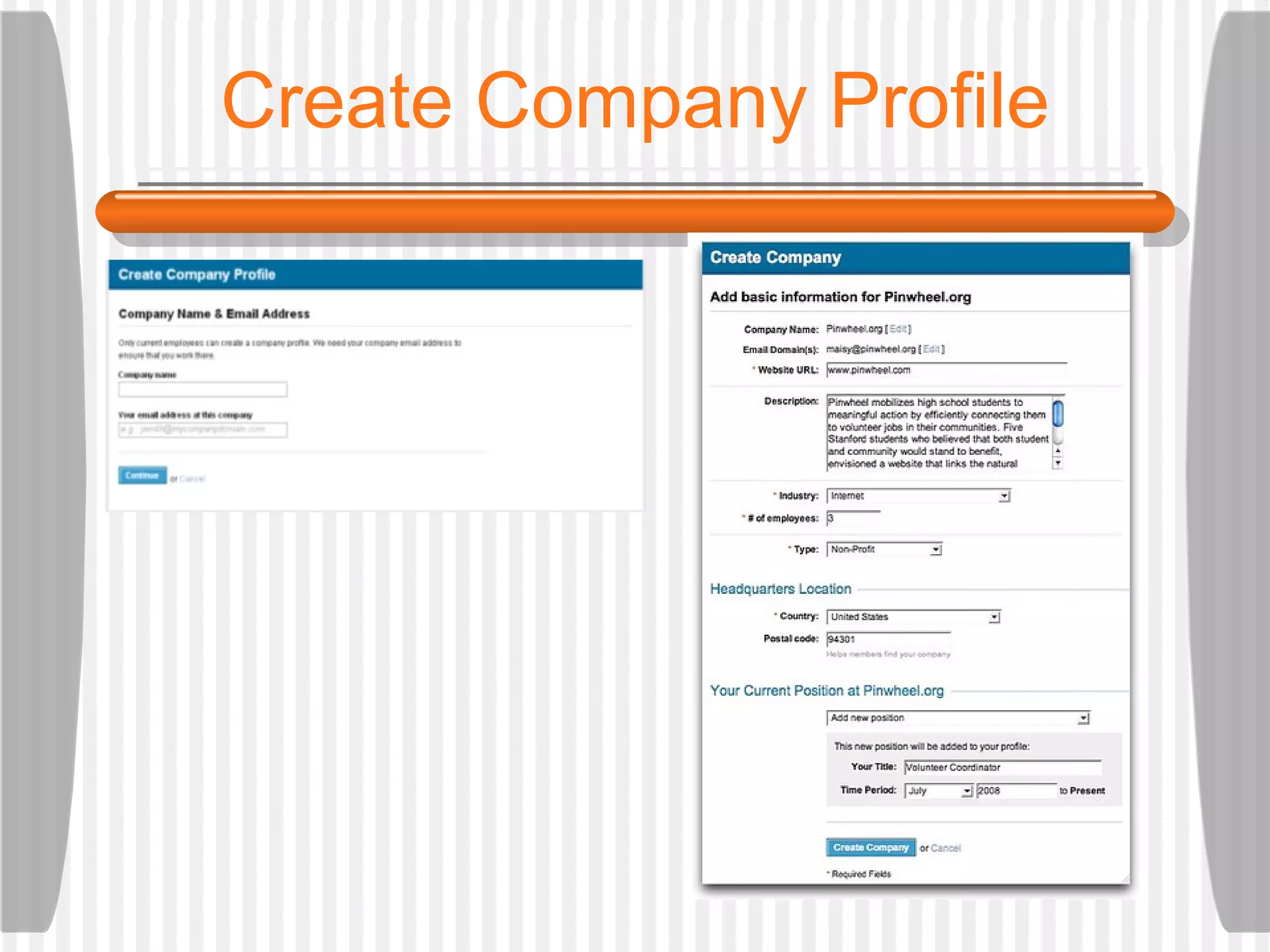
Create Company Profile
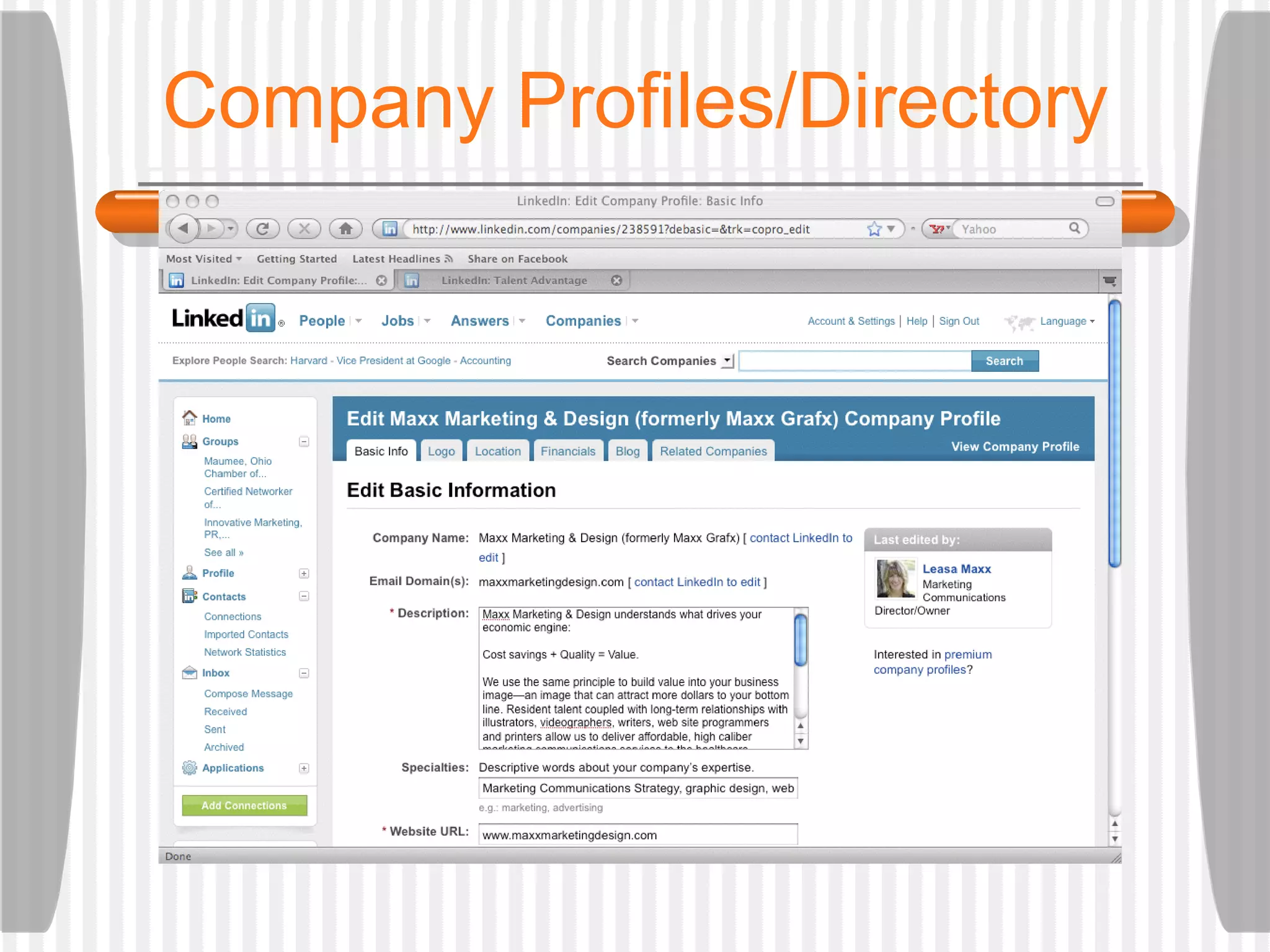
Company Profiles/Directory
Companies Directory
Profitability http://www.blog.linkedin.com
Applications
[email_address] http://www.linkedin.com/in/leasamaxx Thank you! Any questions?

Social Impact: Rise of Social Networking; October 14; Levis Commons; Linkedin Introduction

Editor's Notes

  • #3 So most of us in this room -- an event about social media – may just be curious about Linkedin or already have an account and profile but are not sure how to maximize its potential … We’re going to talk about …
  • #4 Here is one definition … It’s place online where individuals with common interests go to communicate with each other … Linkedin is the place to go for people who want to connect professionally.
  • #5 Here are some recent stats … although they may have changed already today.
  • #6 A couple of value propositions put forth by other experts: Jason Alba (career coach and resume writer and author of “I’m on Linkedin, Now What??”) says … On the site’s blog, Linked in offers that it will …
  • #7 In other words, through your network of connections on Linkedin, you can connect directly with people, perhaps, you know or knew offline(1 st degree) … and … you have the opportunity to connect with their contacts (or your 2 nd degree contacts) and the people your 2 nd degree contacts know (your 3 rd degree connections). These distant connections could become direct connections.
  • #8 So, what does that all mean exactly? Sean Nelson has found the humor in being present on Linkedin without really being present on Linkedin …
  • #9 We want to help you find the real value of Linkedin … how it can be part of a larger strategy … such as … enhancing your personal brand, providing referrals for new business, or an avenue to research new opportunities for business or even a job.
  • #10 Get started on Linkedin by leaving a positive first impression with your profile: Your profile is where you will create personal visibility and credibility on Lin. You want to treat it like an online resume: because of the medium; make it not only compelling, but searchable as well. Don’t overwhelm your connections but hit them hard with your qualifications. And, use keywords that will help your networks find you. For example, a graphic designer may include keywords in his professional summary such as “create logos vs. corporate identities” Because this a social networking site for professionals, also, include a professional photo. And take advantage of a customized url. This could be something memorable like www.linkedin.com/in/yourname ... and can be added to your print materials, web site, blog, e-mail signature and any other number of marketing pieces. Next, consider carefully how you set up your headline/title and web links. Make the description meaningful. (For example, the default link for your business’ web site is “My Company” This could be your actual company name.) From there, fully complete the profile by providing specific dates at all job positions you’ve held, etc.
  • #12 Next, we want to continue to be more visible on Linkedin by growing your network of connection. There are two schools of though on how to do this. One approach is to be a Linkedin Open Networker … or LION. Lions want to reach the masses and reach them quickly. These Linkedin users will almost literally connect to anyone and their brother. On the flip side, is taking a more exclusive approach… where you first connect with those you already know and trust … then consider who you want to be connected to bases on location, profession, and industry. You could be developing a new sales territory, looking for a job in a specific profession or targeting an industry in which to do business. Linkedin, in fact, promotes taking a more exclusive approach to growing your network .. And has mechanisms in place to dissuade you from trying to connect with someone you don’t know. For example, if five individuals reply that they don’t know you after an invitation to connect, Lin will temporarily suspend your account and put you on a sort of probation before reinstating your profile.
  • #13 We’ve talked about the content of your profile adding credibility to your presence on Lin. Here are two more ways to add credibility … Recommendations : These are third-party testimonials from your 1st degree connections. A great way to nurture relationships with your connections. Give first. Give value (be specific.) The payoff is that recommendations help you get found on the Service Directory page … I’ll show you what I mean in just a second … Yet another way is to share your expertise via the Answers section. How do you want to be perceived with key audiences? You can formalize an ask and answer strategy around key marketing messages.
  • #14 Something to remember about how you will appear in the Service Directory. You must become recommended by those in your network. You can ask or give first. Again, this is why it pays to be specific. If your contact does not choose a category when writing the recommendation, the testimonial will not come up in the directory search. What users see: a “yellow pages” style directory of credible services providers that have been recommended by your network (1 2 3). Categories include legal, web design, dentistry and more. Here, you can discover, research and reference check service providers.
  • #15 The easiest way to get started is to ask a question. Your main question becomes the subject line on an e-mail notification. Fill out information completely, including secondary detail, category. If you leave the ”related to” area blank, goes to broader audience. Send e-mail to up to 200 of your connections.. What can you ask: ideas for a book, look for trends in your industry, get feedback on a potential new service. (When you ask, you have the ability to reward people for their good answers.) When you formulate answers: Peruse questions within your groups and professional categories. The answers you provide become part of your profile and demonstrate your expertise to your connections, potential business partners or employers. Remember, you to can be rewarded with a “best answer” – Every time the questioner picks your answer as the best, you gain a point of expertise in the category of the question. Experts in each area are recognized on LinkedIn: the more points of expertise you gain, the higher you appear on lists of experts.
  • #17 Another way to grow your network to connect with others via Linkedin Groups. You can join an existing group or start your own, based on an association with a school, group, cause, profession, among others.
  • #21 Group managers can now blast out e-mails with announcements and create a discussion topic that members can comment on automatically in the process. As a privacy measure, LinkedIn is removing the ability to download or view member e-mail addresses. Group owners and managers can now create a custom news stream they consider relevant for the group by enabling support for importing custom RSS and Atom feeds. Could be from your blog, others blogs, news site, etc. Last but not least, Group managers now have control over whether to enable the jobs discussion capabilities within their group or not, a feature that allows members to discuss job opportunities without cluttering the main conversation.
  • #29 In addition to the Service Provider and Group Directories, Lin also provides a companies directory that helps you find and explore potential companies to work for or do business with. Company profiles feature an overview, who you know at the company (1 2 3) and other data from the Lin network. To create a company profile, you must have an email from that company to create And the Company cannot already exist When viewing a LinkedIn member profile, the icon next to a company name indicates that that there is a company profile attached to it; clicking on that name will take you to their Company Profile page.
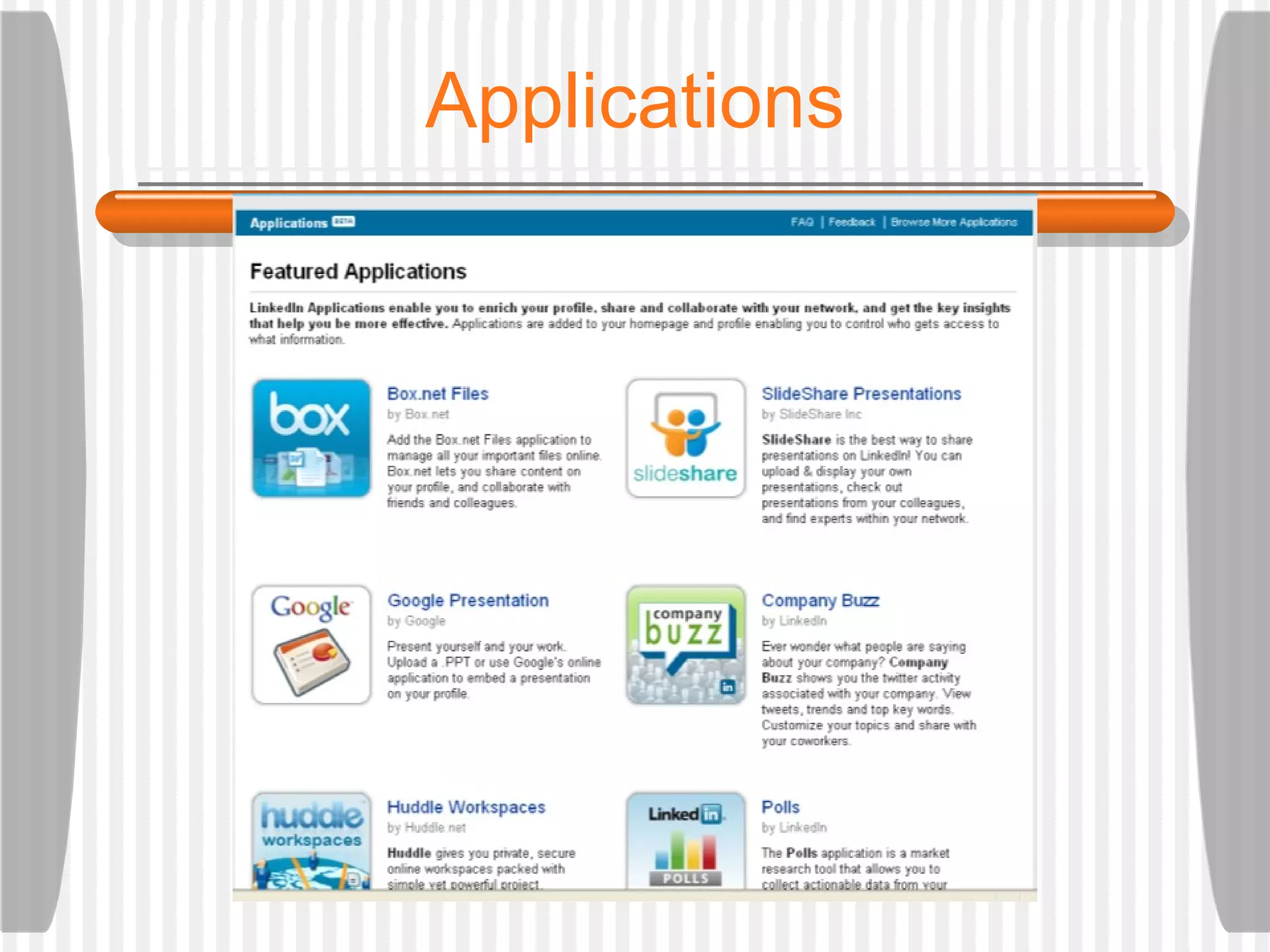
  • #34 These are some of the newest features on Lin. Represent site’s collaboration with external developers -- providing options for you to collaborate on projects and present your work and get insights from those in your network: Ex. TripIt -- shows you where your network is traveling; where you may overlap and meet. Amazon Reading list -- shows your interests, provides insight into others’ interests. Blog link -- RSS feed of yours or others blog post. Slideshare -- share your presentations Share files/collaborate via Box.net or Huddle Workspaces Got to Learning Center, click on Apps and review short videos for more info.