

LinkedIn for Nonprofits
We’ll begin shortly – in the meantime, please take note of
the following:
 Everyone on the line is muted by default. Please type
any questions into the chat box on the left hand side.
 The presentation & recording will be sent via email
within 48 hours.
What is this
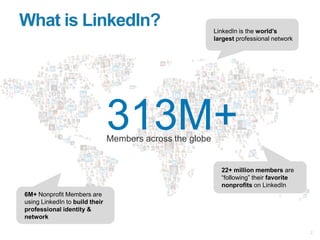
webinar about?
LinkedIn for Nonprofits
✓ LinkedIn basics for nonprofit professionals
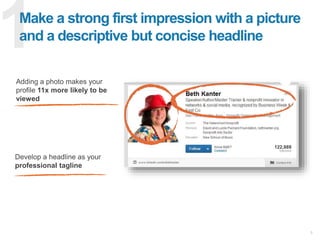
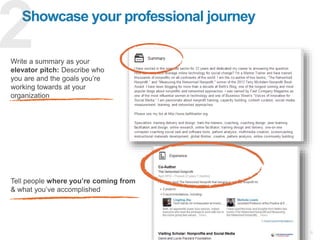
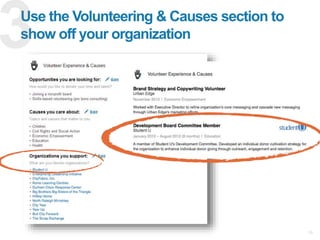
✓ Best practices for nonprofits
✓ Tools and resources
Agenda
Basics for Every Professional
Elevating Awareness of Your Nonprofit
Advanced Use of LinkedIn
101
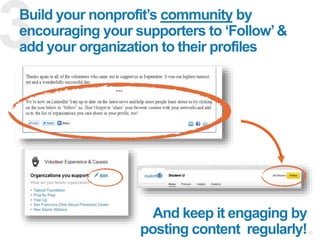
201
301
How long have you been a
member of LinkedIn?
Quick Poll #1
0 – 3 years
3 – 6 years
6+ years
I don’t know
Get to know us
Welcome
LinkedIn’s Mission
Connect the world’s professionals
to make them more productive
and successful
* 2014 member number as of June 30, 2014
Member Growth
375M
300M
225M
150M
75M
2003 2005 2007 2009 2011 2013
75M
380M
2015
25M following nonprofits!
Nonprofits on LinkedIn
5 Million
Nonprofit Professionals
217,000+
Nonprofit Organizations
Do you know how to create a
strong personal presence on
LinkedIn?
Quick Poll #2
Yes!
Somewhat
No
I don’t know
The Basics
✓ Personal profile and identity
✓ Connections and a healthy network
✓ Your presence
101
Creating Your Identity on LinkedIn
Improve Your Profile
✓ Profile picture
✓ Summary - personal mission
✓ Education
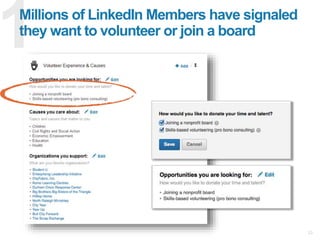
✓ Volunteer experience
& causes
✓ Detailed work experience for
at least 3 recent positions
✓ Skills
101
Connect with Volunteers
& Board Members
✓ Ask volunteers and board
members to add their work
with you to their LinkedIn
profile
✓ Build an auto-response:
When a volunteer signs up, send them
an automated email asking them to
include their involvement on their
LinkedIn profile
✓ Summarize events in blog
posts, and ask your volunteers
to share on with their networks
on LinkedIn
101
Why Connections Matter
1st Degree
2nd Degree
3rd Degree
110,000
✓ Board Members
✓ Staff
✓ Donors
✓ Volunteers
Connect with…
4,000,000
645
101
Status updates go a long way to
generate awareness
✓ Post at peak activity times
✓ Lead with a catchy first line
✓ Reciprocate
101
Master LinkedIn 101
with these steps
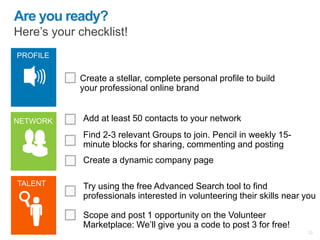
 Fill out all components of your profile
• Best practices: https://smallbusiness.linkedin.com/professional-
branding/linkedin-profile-tips
 Make personal connections to colleagues, board members, and supporters
• Best practices: https://smallbusiness.linkedin.com/professional-
branding/networking-tips
 Post updates on LinkedIn
• How to: https://help.linkedin.com/app/answers/detail/a_id/434/bid/239/pid/231
101
Elevate awareness of
your nonprofit
201
✓ Complete your organization’s Company Page
✓ Get followers involved
✓ Post status updates
Does your organization have a
Company Page?
Quick Poll #3
Yes – it’s great! No
I don’t knowYes – but it could use a
little work
201
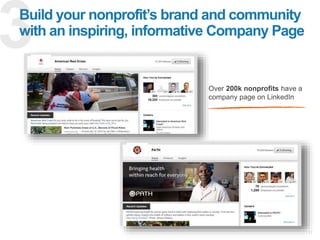
Create a Company Page to
showcase your work
Home
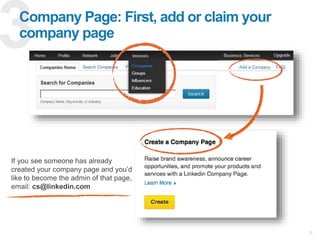
✓ Create or claim your
nonprofit’s Company Page
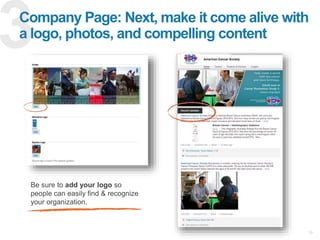
✓ Add an image, logo, and
short description
✓ Encourage board members
& supporters to follow you
✓ Post updates to communicate
with your supporters
201
Consider this:
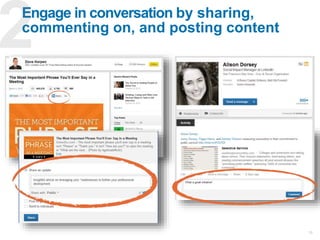
Engage & grow your follower base by regularly sharing company updates
Only 2% of employees regularly
share but are responsible for 20%
of engagement
Make Company updates
201
147% avg increase in engagement
by sharing a photo in your
company update
Thought Leadership via Blogging
201
Master LinkedIn 201
with these steps
 Add multiple owners to your Company Page
• How to: https://help.linkedin.com/app/answers/detail/a_id/4783
 Make your Company Page pop
• See tips and examples here: http://blog.linkedin.com/2014/12/09/announcing-
linkedins-best-of-company-pages-2014/
 Post updates from your organization on LinkedIn
• Steps to engage your followers: https://smallbusiness.linkedin.com/small-
business-marketing/engage-your-audience
 Publish a thought leadership piece
• See examples and get inspiration here:
http://blog.linkedin.com/2015/01/07/linkedin-reaches-one-million-posts-opens-
publishing-to-new-markets/
201
✓ Nonprofit branding
✓ Volunteer / board member recruitment
✓ Full time employee recruitment
✓ Build fundraising relationships
Advanced use of LinkedIn
301
What is your organization
looking to get out of LinkedIn?
Quick Poll #4
Branding Full time employees
Volunteers or board members Fundraising relationships
301
Branding
301
Branding
Grow and
engage
followers
Talent
Branding
Your Company Page
Engaging followers on LinkedIn 301
Branding
Status Updates
Engaging followers on LinkedIn 301
Branding
Consider this:
Engage & grow your followers base by regularly sharing company updates
84% (on avg) increase in
engagement by including a link in
your company update
Posting images results in a
98% higher comment rate
Employee Profiles
Engaging followers on LinkedIn 301
Branding
Targeted Ads
Engaging followers on LinkedIn 301
Branding
Have you thought about Talent Branding? 301
Branding
Show off what it’s like to work at
your organization
CareersCareer Page
301
Branding
Recruitment
Board Members, Employees, and Volunteers
301
Recruitment
Find
candidates and
reach out!
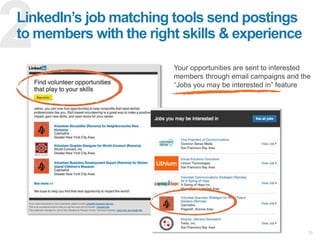
Post to let
candidates
find your job.
Find candidates you want 301
Recruitment
Manage the right candidates
Management tools
One-click InMail
Full names and profiles
for 3rd degree
Premium search facets
301
Recruitment
Reach out
✓ Target, target, target.
✓ Make the first InMail
short, personal and
actionable.
✓ Include a common
connection, if possible
301
Recruitment
job title
job description,
desired skills
and expertise
location
Post your jobs
clickable link to
company page
how candidates
apply
301
Recruitment
Job post
$NP discount
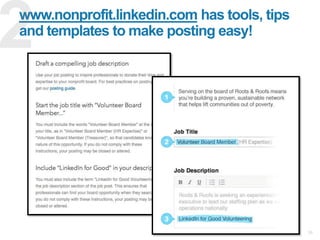
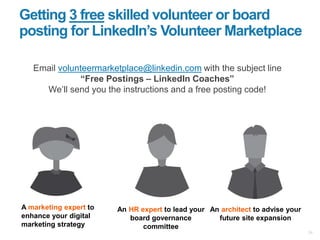
Posting Volunteer or
Board Opportunities
Go to: nonprofits.linkedin.com
301
Recruitment
201 Grad
School101
Nonprofit story
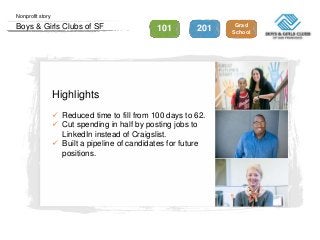
Boys & Girls Clubs of SF
Highlights
 Reduced time to fill from 100 days to 62.
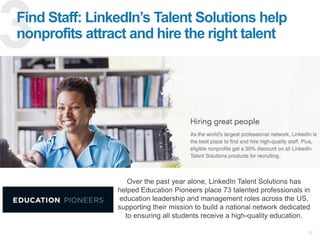
 Cut spending in half by posting jobs to
LinkedIn instead of Craigslist.
 Built a pipeline of candidates for future
positions.
Redefining
Social Fundraising
301
Fundraising
Social
fundraising
definition
How to use
LinkedIn for
fundraising
More charitable than you might think
Our members:
http://mashable.com/2014/09/18/social-media-charity/
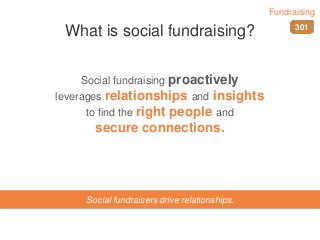
What is social fundraising?
Social fundraising proactively
leverages relationships and insights
to find the right people and
secure connections.
Social fundraisers drive relationships.
301
Fundraising
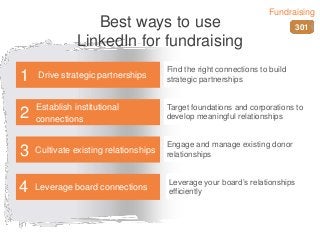
Best ways to use
LinkedIn for fundraising
Find the right connections to build
strategic partnerships
Target foundations and corporations to
develop meaningful relationships
Engage and manage existing donor
relationships
Leverage your board’s relationships
efficiently
Drive strategic partnerships1
Establish institutional
connections2
Cultivate existing relationships3
Leverage board connections4
301
Fundraising
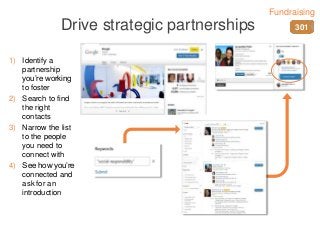
Drive strategic partnerships
1) Identify a
partnership
you’re working
to foster
2) Search to find
the right
contacts
3) Narrow the list
to the people
you need to
connect with
4) See how you’re
connected and
ask for an
introduction
301
Fundraising
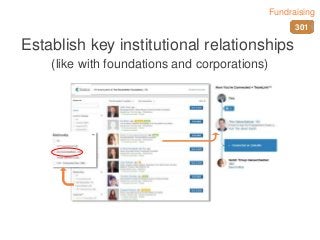
Establish key institutional relationships
(like with foundations and corporations)
301
Fundraising
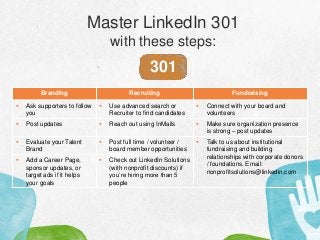
Master LinkedIn 301
with these steps:
301
Branding Recruiting Fundraising
 Ask supporters to follow
you
 Use advanced search or
Recruiter to find candidates
 Connect with your board and
volunteers
 Post updates  Reach out using InMails  Make sure organization presence
is strong – post updates
 Evaluate your Talent
Brand
 Post full time / volunteer /
board member opportunities
 Talk to us about institutional
fundraising and building
relationships with corporate donors
/ foundations. Email:
nonprofitsolutions@linkedin.com
 Add a Career Page,
sponsor updates, or
target ads if it helps
your goals
 Check out LinkedIn Solutions
(with nonprofit discounts) if
you’re hiring more than 5
people
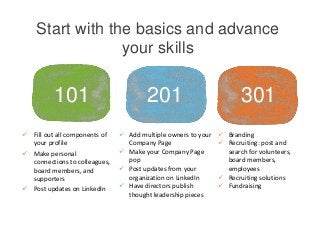
Start with the basics and advance
your skills
101 201 301
 Add multiple owners to your
Company Page
 Make your Company Page
pop
 Post updates from your
organization on LinkedIn
 Have directors publish
thought leadership pieces
 Branding
 Recruiting: post and
search for volunteers,
board members,
employees
 Recruiting solutions
 Fundraising
 Fill out all components of
your profile
 Make personal
connections to colleagues,
board members, and
supporters
 Post updates on LinkedIn
For more information:
Nonprofit.linkedin.com
Free volunteer post:
lnkd.in/volpost

LinkedIn 101 for Nonprofit Professionals & Organizations (01/01/16)

  • 1.
    LinkedIn for Nonprofits We’llbegin shortly – in the meantime, please take note of the following:  Everyone on the line is muted by default. Please type any questions into the chat box on the left hand side.  The presentation & recording will be sent via email within 48 hours.
  • 2.
    What is this webinarabout? LinkedIn for Nonprofits ✓ LinkedIn basics for nonprofit professionals ✓ Best practices for nonprofits ✓ Tools and resources
  • 3.
    Agenda Basics for EveryProfessional Elevating Awareness of Your Nonprofit Advanced Use of LinkedIn 101 201 301
  • 4.
    How long haveyou been a member of LinkedIn? Quick Poll #1 0 – 3 years 3 – 6 years 6+ years I don’t know
  • 5.
    Get to knowus Welcome
  • 6.
    LinkedIn’s Mission Connect theworld’s professionals to make them more productive and successful
  • 7.
    * 2014 membernumber as of June 30, 2014 Member Growth 375M 300M 225M 150M 75M 2003 2005 2007 2009 2011 2013 75M 380M 2015
  • 8.
    25M following nonprofits! Nonprofitson LinkedIn 5 Million Nonprofit Professionals 217,000+ Nonprofit Organizations
  • 9.
    Do you knowhow to create a strong personal presence on LinkedIn? Quick Poll #2 Yes! Somewhat No I don’t know
  • 10.
    The Basics ✓ Personalprofile and identity ✓ Connections and a healthy network ✓ Your presence 101
  • 11.
    Creating Your Identityon LinkedIn Improve Your Profile ✓ Profile picture ✓ Summary - personal mission ✓ Education ✓ Volunteer experience & causes ✓ Detailed work experience for at least 3 recent positions ✓ Skills 101
  • 12.
    Connect with Volunteers &Board Members ✓ Ask volunteers and board members to add their work with you to their LinkedIn profile ✓ Build an auto-response: When a volunteer signs up, send them an automated email asking them to include their involvement on their LinkedIn profile ✓ Summarize events in blog posts, and ask your volunteers to share on with their networks on LinkedIn 101
  • 13.
    Why Connections Matter 1stDegree 2nd Degree 3rd Degree 110,000 ✓ Board Members ✓ Staff ✓ Donors ✓ Volunteers Connect with… 4,000,000 645 101
  • 14.
    Status updates goa long way to generate awareness ✓ Post at peak activity times ✓ Lead with a catchy first line ✓ Reciprocate 101
  • 15.
    Master LinkedIn 101 withthese steps  Fill out all components of your profile • Best practices: https://smallbusiness.linkedin.com/professional- branding/linkedin-profile-tips  Make personal connections to colleagues, board members, and supporters • Best practices: https://smallbusiness.linkedin.com/professional- branding/networking-tips  Post updates on LinkedIn • How to: https://help.linkedin.com/app/answers/detail/a_id/434/bid/239/pid/231 101
  • 16.
    Elevate awareness of yournonprofit 201 ✓ Complete your organization’s Company Page ✓ Get followers involved ✓ Post status updates
  • 17.
    Does your organizationhave a Company Page? Quick Poll #3 Yes – it’s great! No I don’t knowYes – but it could use a little work 201
  • 18.
    Create a CompanyPage to showcase your work Home ✓ Create or claim your nonprofit’s Company Page ✓ Add an image, logo, and short description ✓ Encourage board members & supporters to follow you ✓ Post updates to communicate with your supporters 201
  • 19.
    Consider this: Engage &grow your follower base by regularly sharing company updates Only 2% of employees regularly share but are responsible for 20% of engagement Make Company updates 201 147% avg increase in engagement by sharing a photo in your company update
  • 20.
  • 21.
    Master LinkedIn 201 withthese steps  Add multiple owners to your Company Page • How to: https://help.linkedin.com/app/answers/detail/a_id/4783  Make your Company Page pop • See tips and examples here: http://blog.linkedin.com/2014/12/09/announcing- linkedins-best-of-company-pages-2014/  Post updates from your organization on LinkedIn • Steps to engage your followers: https://smallbusiness.linkedin.com/small- business-marketing/engage-your-audience  Publish a thought leadership piece • See examples and get inspiration here: http://blog.linkedin.com/2015/01/07/linkedin-reaches-one-million-posts-opens- publishing-to-new-markets/ 201
  • 22.
    ✓ Nonprofit branding ✓Volunteer / board member recruitment ✓ Full time employee recruitment ✓ Build fundraising relationships Advanced use of LinkedIn 301
  • 23.
    What is yourorganization looking to get out of LinkedIn? Quick Poll #4 Branding Full time employees Volunteers or board members Fundraising relationships 301
  • 24.
  • 25.
    Your Company Page Engagingfollowers on LinkedIn 301 Branding
  • 26.
    Status Updates Engaging followerson LinkedIn 301 Branding Consider this: Engage & grow your followers base by regularly sharing company updates 84% (on avg) increase in engagement by including a link in your company update Posting images results in a 98% higher comment rate
  • 27.
    Employee Profiles Engaging followerson LinkedIn 301 Branding
  • 28.
    Targeted Ads Engaging followerson LinkedIn 301 Branding
  • 29.
    Have you thoughtabout Talent Branding? 301 Branding
  • 30.
    Show off whatit’s like to work at your organization CareersCareer Page 301 Branding
  • 31.
    Recruitment Board Members, Employees,and Volunteers 301 Recruitment Find candidates and reach out! Post to let candidates find your job.
  • 32.
    Find candidates youwant 301 Recruitment
  • 33.
    Manage the rightcandidates Management tools One-click InMail Full names and profiles for 3rd degree Premium search facets 301 Recruitment
  • 34.
    Reach out ✓ Target,target, target. ✓ Make the first InMail short, personal and actionable. ✓ Include a common connection, if possible 301 Recruitment
  • 35.
    job title job description, desiredskills and expertise location Post your jobs clickable link to company page how candidates apply 301 Recruitment Job post $NP discount
  • 36.
    Posting Volunteer or BoardOpportunities Go to: nonprofits.linkedin.com 301 Recruitment
  • 37.
    201 Grad School101 Nonprofit story Boys& Girls Clubs of SF Highlights  Reduced time to fill from 100 days to 62.  Cut spending in half by posting jobs to LinkedIn instead of Craigslist.  Built a pipeline of candidates for future positions.
  • 38.
  • 39.
    More charitable thanyou might think Our members: http://mashable.com/2014/09/18/social-media-charity/
  • 40.
    What is socialfundraising? Social fundraising proactively leverages relationships and insights to find the right people and secure connections. Social fundraisers drive relationships. 301 Fundraising
  • 41.
    Best ways touse LinkedIn for fundraising Find the right connections to build strategic partnerships Target foundations and corporations to develop meaningful relationships Engage and manage existing donor relationships Leverage your board’s relationships efficiently Drive strategic partnerships1 Establish institutional connections2 Cultivate existing relationships3 Leverage board connections4 301 Fundraising
  • 42.
    Drive strategic partnerships 1)Identify a partnership you’re working to foster 2) Search to find the right contacts 3) Narrow the list to the people you need to connect with 4) See how you’re connected and ask for an introduction 301 Fundraising
  • 43.
    Establish key institutionalrelationships (like with foundations and corporations) 301 Fundraising
  • 44.
    Master LinkedIn 301 withthese steps: 301 Branding Recruiting Fundraising  Ask supporters to follow you  Use advanced search or Recruiter to find candidates  Connect with your board and volunteers  Post updates  Reach out using InMails  Make sure organization presence is strong – post updates  Evaluate your Talent Brand  Post full time / volunteer / board member opportunities  Talk to us about institutional fundraising and building relationships with corporate donors / foundations. Email: nonprofitsolutions@linkedin.com  Add a Career Page, sponsor updates, or target ads if it helps your goals  Check out LinkedIn Solutions (with nonprofit discounts) if you’re hiring more than 5 people
  • 45.
    Start with thebasics and advance your skills 101 201 301  Add multiple owners to your Company Page  Make your Company Page pop  Post updates from your organization on LinkedIn  Have directors publish thought leadership pieces  Branding  Recruiting: post and search for volunteers, board members, employees  Recruiting solutions  Fundraising  Fill out all components of your profile  Make personal connections to colleagues, board members, and supporters  Post updates on LinkedIn
  • 46.

Editor's Notes

  • #2 Lauren
  • #3 Cory Leads Today we’re covering the basics that everybody should be doing on LinkedIn and also sharing best practices to help you achieve the specific goals you may have on our network.
  • #4 Cory Leads Cory – By way of agenda, we’ll focus on what everybody needs to be doing as a professional on LI. We’ll then expand and explore different ways you can be benefiting from raising awareness of your nonprofit and some of our more advanced features, and from there, you can pick and chose what works for you. We’ve structured this webinar with 3 different courses – each section gets a bit more advanced with your use, so we’ll need to ensure that we’ve mastered 101 and 201 prior to going into section 301.
  • #5 Cory Leads Cory – Let’s do a quick warm up. I’d love to take a quick pulse check to get a better understanding of everybody who we have on the line today. Jessica, I’m curious, how long have you been a member of LinkedIn? {After results – transition to the next “Welcome In” slide}: That’s super helpful to know, Lauren. Now that I’m better understanding _______(state the poll results), I’ll do a quick refresher on the latest stats on the network.
  • #7 Cory Leads Cory – LinkedIn’s mission is to connect the world’s professionals to make them more productive and successful. Many people may not automatically know about LinkedIn being a purpose-driven company, but this mantra is what drives every one of us and the jobs we do every day.
  • #8 Cory Leads Cory – I remember when I joined the LinkedIn network back in 2009, when we were around 75M members. I had no idea how much the network would grow since then, where we’re currently at 364M members.
  • #9 Cory Leads Cory – Of those 380M members, we have a large number of nonprofit professionals on LinkedIn and organizations represented on the network in over 205 different countries. Jessica – Discusses importance of nonprofits having same resources as corporations that have access to the network and her experience/challenges coming from Macy’s to BGCSF.
  • #10 Cory Leads With that in mind, I ask each of you, do you know how to ____________. The profile is a big part of that. *BE prepared to breeze through the basic section*
  • #11 Cory Leads Cory – In LinkedIn 101, we’ll walk through the basics starting with your personal profile and identity, your connections and a creating a healthy network, and once we have that down, we’ll walk through how to show off who you are as a professional and what you’re passionate about.
  • #12 Cory Leads Cory: If there’s 1 thing to do to create your professional identity, it’s to create a LinkedIn profile and fill out all of the sections. Jessica, would you like to share what you have included in your LinkedIn profile? Jessica: (Can review bullet points and also include the realities of being a nonprofit employee, that each employee is a mentor and some of the challenges) Facts: Profile picture = Having a profile picture makes your profile 14 times more likely to be viewed by others. The number 1 activity on LinkedIn is members viewing other members’ profiles. Include rich media links – drive people to your website, outside pages,
  • #13 Jessica Leads
  • #14 Cory Leads Cory – at a high level, most people understand that it’s better to have more connections than less. By connecting with people in groups, colleagues, classmates, you’re able to build your network. While having a large network shows others that you are well established LinkedIn, the more first degree connections you have, the more second and third degree connections you have, where you literally are one connection away from being able to reach thousands or millions of people
  • #15 Cory Leads: Status updates help establish you as a thought leader and expert in your particular industry within your network. These are three recommendations I have on sharing status updates: 1. Post at peak activity times: users are active at varying times of the day on each social network, so keep the peak times in mind to maximize the impact of your posts. On LinkedIn, peak activity times are 7-9am and 5-6pm. 2. Lead with a catchy first line 3. Share, comment and like other people’s content and they in turn will be more likely to interact with your posts.
  • #16 Cory – To master the basics of your personal brand, these are the steps you can take today *read list aloud*
  • #17 Cory – Now that we’ve graduated from LinkedIn 101, let’s move on to our next session, which will focus on elevating awareness of your respective nonprofit organization. This is going beyond you and we’ll highlight what you can be doing for your organization. At the end of this session, you’ll be able to ___, learn ____, and understand the importance of your organization posting status updates.
  • #18 Cory
  • #19 Shorten ---- Cory – talk about the basics – A company page is a resource that allows your nonprofit to share information with our members about the great work that you do. Whether it’s somebody who sees a job posting from your organization on LinkedIn and is doing research, or an individual viewing the profile of an old classmate and the learning more about the nonprofit his friend works at, these are all opportunities for you to showcase your mission and grow your followers. Jessica – talk your experience
  • #20  Cory – talk high level Jessica – to talk about strategy and is should be more than HR updates Cory / Jessica – by creating an engaging company page, you’ll begin to see your followers on LinkedIn grow, as every member on LinkedIn can follow companies, whether they’re interested in learning about the mission of an organization, the impact that that they’re making, opportunities to serve as a volunteer, or potentially working there as a full time employee. Keep this audience engaged through company updates, which get pushed out to all of your followers. Many organizations are already active on posting to various social media channels, ___. - 74% (on avg) increase in engagement  by including a video in your company update - 84% (on avg) increase in engagement by including a link in your company update -147% (on avg) increase in engagement by including a photo or image in your company update
  • #21 Cory – we recently hit 1MM blog posts Jessica – realities of getting leaders to actually post
  • #22 Cory – recap section 201
  • #23 Cory – intro section 301
  • #24 Cory – quick poll to understand what people are looking for
  • #25 Jessica – transition to branding
  • #26 Cory - There are many different ways to engage followers on LinkedIn. You can do so through status updates via your company page - people follow your org because they want to stay informed. Updating your company page and status with dynamic content will keep followers interested Employees are your organization’s best brand ambassadors. Make sure their profiles are up to date and representative of who you are as a place to work. Leveraging your company page and status updates are all completely free. In addition to that, many of my nonprofit customers use paid solutions to leverage their employees to ensure that their opportunities are placed in front of the most relevant audience, or target ads about their nonprofit to a desired talent pool to help drive heightened awareness.
  • #27 Cory - There are many different ways to engage followers on LinkedIn. You can do so through status updates via your company page - people follow your org because they want to stay informed. Updating your company page and status with dynamic content will keep followers interested Employees are your organization’s best brand ambassadors. Make sure their profiles are up to date and representative of who you are as a place to work. Leveraging your company page and status updates are all completely free. In addition to that, many of my nonprofit customers use paid solutions to leverage their employees to ensure that their opportunities are placed in front of the most relevant audience, or target ads about their nonprofit to a desired talent pool to help drive heightened awareness.
  • #28 Cory - There are many different ways to engage followers on LinkedIn. You can do so through status updates via your company page - people follow your org because they want to stay informed. Updating your company page and status with dynamic content will keep followers interested Employees are your organization’s best brand ambassadors. Make sure their profiles are up to date and representative of who you are as a place to work. Leveraging your company page and status updates are all completely free. In addition to that, many of my nonprofit customers use paid solutions to leverage their employees to ensure that their opportunities are placed in front of the most relevant audience, or target ads about their nonprofit to a desired talent pool to help drive heightened awareness.
  • #29 Cory - There are many different ways to engage followers on LinkedIn. You can do so through status updates via your company page - people follow your org because they want to stay informed. Updating your company page and status with dynamic content will keep followers interested Employees are your organization’s best brand ambassadors. Make sure their profiles are up to date and representative of who you are as a place to work. Leveraging your company page and status updates are all completely free. In addition to that, many of my nonprofit customers use paid solutions to leverage their employees to ensure that their opportunities are placed in front of the most relevant audience, or target ads about their nonprofit to a desired talent pool to help drive heightened awareness.
  • #30 Cory - Here are some examples of organizational branding that targets candidates rather than consumers. Maybe tag team with Jessica.
  • #31 Cory – Jessica and I mentioned earlier in the webinar the importance of building out your company page. LinkedIn recently released a study on job switchers here in North America, and identified from our participants that the #1 obstacle for changing jobs is not fully knowing what it’s like to work at another company. A Career Page takes your organization’s branding to the next level, and incorporates why people would want to work at your nonprofit and what it’s like to be an employee at a mission-driven org– through employee testimonials, videos, or presentations. Jessica – what’s the bigger branding buy-in?
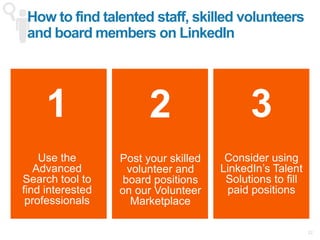
  • #32 Cory – Now we’re going to transition to recruitment – What’s nice for nonprofit organizations is that the same methods can be used for any type of candidate recruitment whether it be volunteers, full time, or board
  • #33 Jessica – example of a search your team commonly does
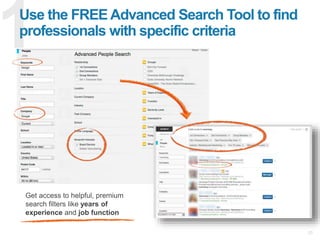
  • #34 Cory – talk about complications of recruitment, and highlight a few features to make it easier “As a Recruiter, or even in a nonprofit where recruiting is just one of the many responsibilities you’re tasked with, it can be really challenging to juggle multiple open requisitions in addition to other roles like payroll or benefits or social media. With that in mind, we have solutions that allow members premium visibility into our entire network, incredibly robust search filters, and the ability to engage with candidates at scale.
  • #35 Cory – using InMails allows you to tap on the shoulders of talent you’d specifically like to engage in, regardless of whether or not you have their contact information or are in their network.
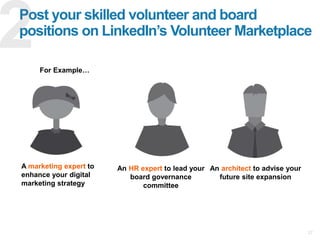
  • #36 Cory – We just walked through how to proactively reach out to candidates, but now we’ll switch gears and discuss another strategy that allows you to post and have candidates come to you. This is how the job post will look like This is what job seekers will be able to see.
  • #37 Cory – special note when you’re posting volunteer / board member opportunities – Must include “volunteer” in the title for it to show up correctly
  • #38 Jessica! Share your story about your previous recruiting process, and how you changed it
  • #39 Lauren
  • #40 Lauren - The fact that we are one of the most charitable social media sites. if you’re not active on LinkedIn, this is huge missed opportunity.
  • #41 Lauren
  • #42 Lauren *animations: click through each point as you want to talk about it, side point will pull up automatically
  • #43 Lauren *Animations: click to activate each step as you talk through them
  • #44 Lauren Focusing on those relationships with foundations, government, or corporations? 40% response rate* if common connection is mentioned 80% response rate* if the common connection works at your prospect’s company and knows the prospect well *On average. Statistics based on LinkedIn data on InMail response rates
  • #45 Cory: Thanks so much for sharing, Duncan. That was incredibly helpful. We went through a lot of information in this last advanced section, so we’ve outlined a checklist on the takeaways from Section 301 on the areas of branding, recruitment of employment/volunteering, and fundraising. We’ll be sending out a copy of this presentation, so if you’re interested in learning more about any of the verticals.
  • #46 Cory
  • #47 Lauren