CP-TLE :Information
and Communication
Technology (ICT)
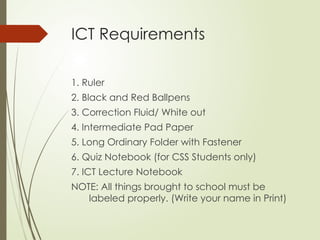
ICT Requirements
1. Ruler

2. Black and Red Ballpens
3. Correction Fluid/ White out
4. Intermediate Pad Paper
5. Long Ordinary Folder with Fastener
6. Quiz Notebook (for CSS Students only)
7. ICT Lecture Notebook
NOTE: All things brought to school must be
labeled properly. (Write your name in Print)
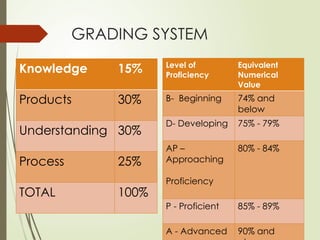
GRADING SYSTEM
Knowledge 15%
Products 30%
Understanding 30%
Process 25%
TOTAL 100%
Level of
Proficiency
Equivalent
Numerical
Value
B- Beginning 74% and
below
D- Developing 75% - 79%
AP –
Approaching
Proficiency
80% - 84%
P - Proficient 85% - 89%
A - Advanced 90% and
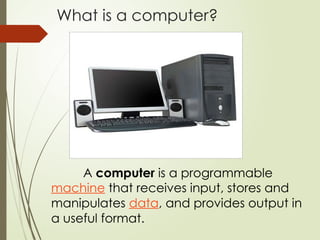
What is a computer?
A computer is a programmable
machine that receives input, stores and
manipulates data, and provides output in
a useful format.
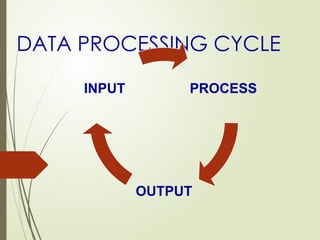
DATA PROCESSING CYCLE
PROCESS
OUTPUT
INPUT
DATA PROCESSING CYCLE
 Data (datum) – given facts
 Process (processus) – an activity of
transferring a raw data into certain
useful information
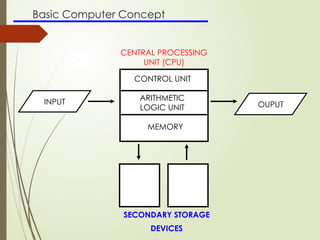
Basic Computer Concept
INPUT OUPUT
CONTROL UNIT
MEMORY
ARITHMETIC
LOGIC UNIT
SECONDARY STORAGE
DEVICES
CENTRAL PROCESSING
UNIT (CPU)
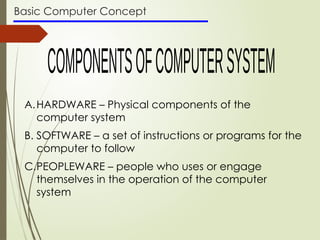
Basic Computer Concept
A.HARDWARE – Physical components of the
computer system
B. SOFTWARE – a set of instructions or programs for the
computer to follow
C.PEOPLEWARE – people who uses or engage
themselves in the operation of the computer
system
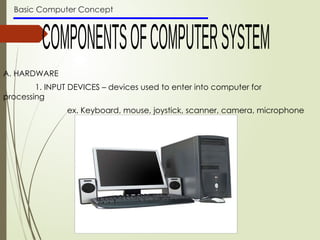
Basic Computer Concept
A. HARDWARE
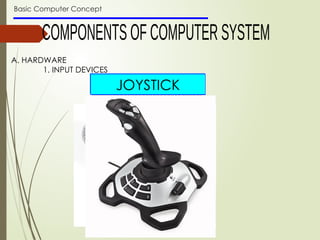
1. INPUT DEVICES – devices used to enter into computer for
processing
ex. Keyboard, mouse, joystick, scanner, camera, microphone
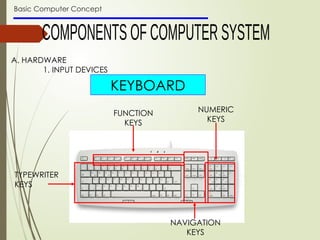
Basic Computer Concept
A. HARDWARE
1. INPUT DEVICES
KEYBOARD
TYPEWRITER
KEYS
FUNCTION
KEYS
NUMERIC
KEYS
NAVIGATION
KEYS
Basic Computer Concept
A. HARDWARE
1. INPUT DEVICES
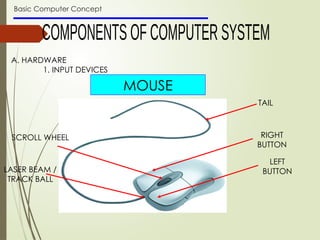
MOUSE
TAIL
RIGHT
BUTTON
LEFT
BUTTON
SCROLL WHEEL
LASER BEAM /
TRACK BALL
Basic Computer Concept
A. HARDWARE
1. INPUT DEVICES
MICROPHONE
SCANNER
WEBCAM
JOYSTICK
Basic Computer Concept
A. HARDWARE
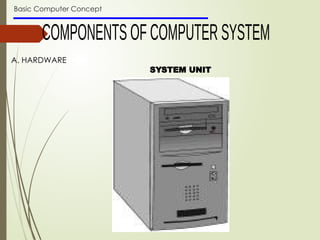
SYSTEM UNIT
Basic Computer Concept
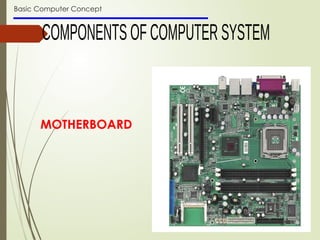
MOTHERBOARD
Basic Computer Concept
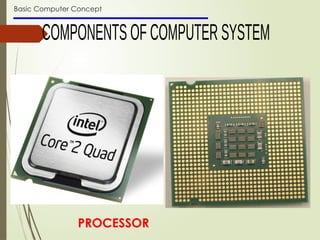
PROCESSOR
Basic Computer Concept
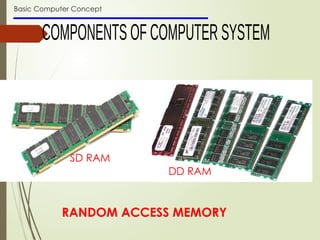
RANDOM ACCESS MEMORY
SD RAM
DD RAM
Basic Computer Concept
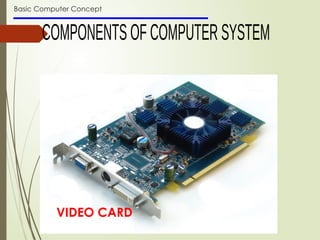
VIDEO CARD
Basic Computer Concept
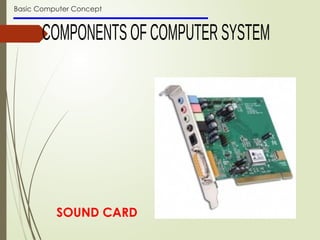
SOUND CARD
Basic Computer Concept
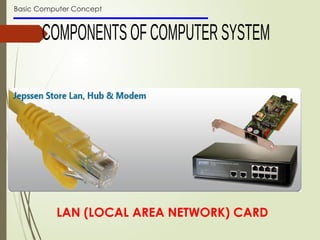
LAN (LOCAL AREA NETWORK) CARD
Basic Computer Concept
A. HARDWARE
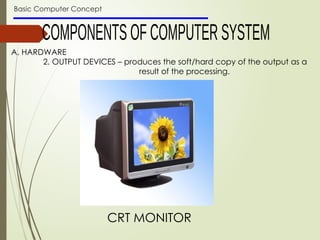
2. OUTPUT DEVICES – produces the soft/hard copy of the output as a
result of the processing.
CRT MONITOR
Basic Computer Concept
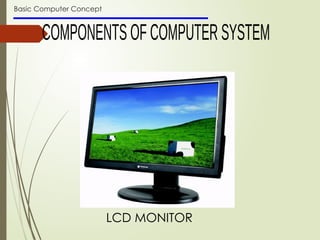
LCD MONITOR
Basic Computer Concept
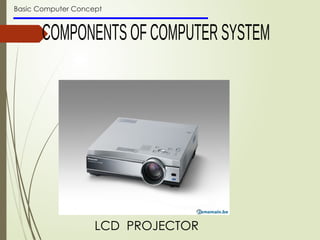
LCD PROJECTOR
Basic Computer Concept
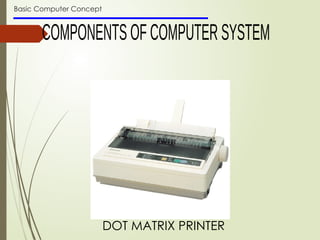
DOT MATRIX PRINTER
Basic Computer Concept
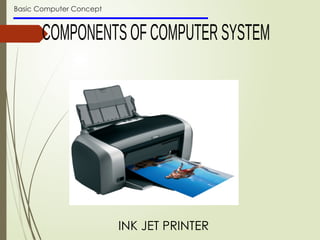
INK JET PRINTER
Basic Computer Concept
A. HARDWARE
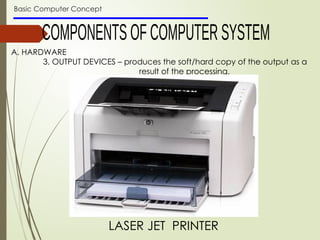
3. OUTPUT DEVICES – produces the soft/hard copy of the output as a
result of the processing.
LASER JET PRINTER
Basic Computer Concept
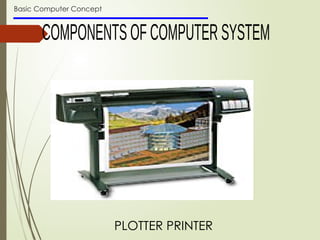
PLOTTER PRINTER
Basic Computer Concept
A. HARDWARE
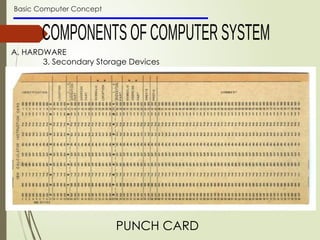
3. Secondary Storage Devices
PUNCH CARD
Basic Computer Concept
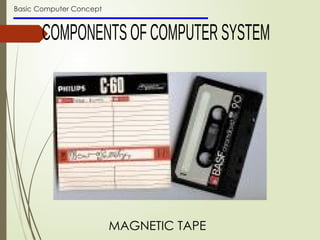
MAGNETIC TAPE
Basic Computer Concept
A. HARDWARE
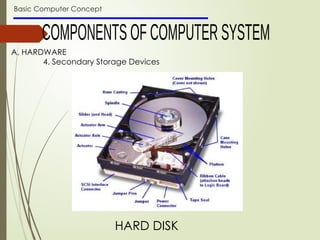
4. Secondary Storage Devices
HARD DISK
Basic Computer Concept
A. HARDWARE
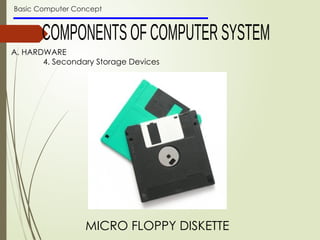
4. Secondary Storage Devices
MICRO FLOPPY DISKETTE
Basic Computer Concept
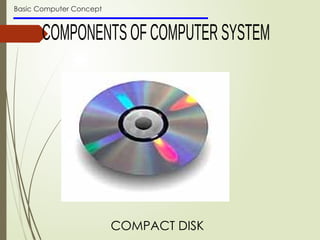
COMPACT DISK
Basic Computer Concept
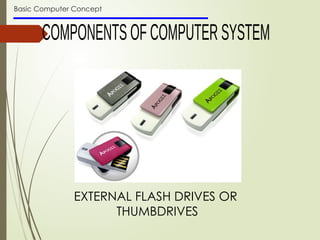
EXTERNAL FLASH DRIVES OR
THUMBDRIVES
Basic Computer Concept
B. SOFTWARE
is the collection of computer programs and related data that provide the
instructions telling a computer what to do
TYPES OF SOFTWARE
1. System software - helps run the computer hardware and
computer system
2. Programming software - usually provides tools to assist a
programmer in writing computer programs, and software
using different programming languages in a more convenient
way.
3. Application software - allows end users to accomplish one or
more specific (not directly computer development related)
tasks
Basic Computer Concept TYPES OF SOFTWARE
1. System software
Ex.
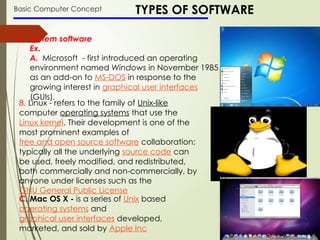
A. Microsoft - first introduced an operating
environment named Windows in November 1985
as an add-on to MS-DOS in response to the
growing interest in graphical user interfaces
(GUIs).
B. Linux - refers to the family of Unix-like
computer operating systems that use the
Linux kernel. Their development is one of the
most prominent examples of
free and open source software collaboration;
typically all the underlying source code can
be used, freely modified, and redistributed,
both commercially and non-commercially, by
anyone under licenses such as the
GNU General Public License
C. Mac OS X - is a series of Unix based
operating systems and
graphical user interfaces developed,
marketed, and sold by Apple Inc
Basic Computer Concept TYPES OF SOFTWARE
2. PROGRAMMING SOFTWARE
The tools include:
Compilers - is a computer program that transforms source code written in a
programming language into another computer language.
Debuggers - a computer program that is used to test and debug other
programs (the "target" program)
Interpreters - an interpreter normally means a computer program that executes,
i.e. performs, instructions written in a programming language. An interpreter
may be a program that either:
a) executes the source code directly
b) translates source code into some efficient intermediate
representation (code) and immediately executes this
c) explicitly executes stored precompiled code made by a compiler
which is part of the interpreter system
Linkers - is a program that takes one or more objects generated by a compiler
and combines them into a single executable program.
text editors - is a type of program used for editing plain text files
Basic Computer Concept
C. PEOPLEWARE
is a term used to refer to one of the three core aspects
of computer technology: hardware, software, and
peopleware. Peopleware can refer to anything that
has to do with the role of people in the development
or use of computer software and hardware systems,
including such issues as developer productivity,
teamwork, group dynamics, the psychology of
programming, project management, organizational
factors, human interface design, and human-
machine-interaction.
HOW DOES ONE ENSURE SUCCESS IN
A CHOSEN ENTREPRENEURIAL
CAREER?

LESSON 1- BASIC COMPUTER CONCEPT.pptxfefew

  • 1.
  • 2.
    ICT Requirements 1. Ruler 2.Black and Red Ballpens 3. Correction Fluid/ White out 4. Intermediate Pad Paper 5. Long Ordinary Folder with Fastener 6. Quiz Notebook (for CSS Students only) 7. ICT Lecture Notebook NOTE: All things brought to school must be labeled properly. (Write your name in Print)
  • 3.
    GRADING SYSTEM Knowledge 15% Products30% Understanding 30% Process 25% TOTAL 100% Level of Proficiency Equivalent Numerical Value B- Beginning 74% and below D- Developing 75% - 79% AP – Approaching Proficiency 80% - 84% P - Proficient 85% - 89% A - Advanced 90% and
  • 4.
    What is acomputer? A computer is a programmable machine that receives input, stores and manipulates data, and provides output in a useful format.
  • 5.
  • 6.
    DATA PROCESSING CYCLE Data (datum) – given facts  Process (processus) – an activity of transferring a raw data into certain useful information
  • 8.
    Basic Computer Concept INPUTOUPUT CONTROL UNIT MEMORY ARITHMETIC LOGIC UNIT SECONDARY STORAGE DEVICES CENTRAL PROCESSING UNIT (CPU)
  • 9.
    Basic Computer Concept A.HARDWARE– Physical components of the computer system B. SOFTWARE – a set of instructions or programs for the computer to follow C.PEOPLEWARE – people who uses or engage themselves in the operation of the computer system
  • 10.
    Basic Computer Concept A.HARDWARE 1. INPUT DEVICES – devices used to enter into computer for processing ex. Keyboard, mouse, joystick, scanner, camera, microphone
  • 11.
    Basic Computer Concept A.HARDWARE 1. INPUT DEVICES KEYBOARD TYPEWRITER KEYS FUNCTION KEYS NUMERIC KEYS NAVIGATION KEYS
  • 12.
    Basic Computer Concept A.HARDWARE 1. INPUT DEVICES MOUSE TAIL RIGHT BUTTON LEFT BUTTON SCROLL WHEEL LASER BEAM / TRACK BALL
  • 13.
    Basic Computer Concept A.HARDWARE 1. INPUT DEVICES MICROPHONE SCANNER WEBCAM JOYSTICK
  • 14.
    Basic Computer Concept A.HARDWARE SYSTEM UNIT
  • 15.
  • 16.
  • 17.
    Basic Computer Concept RANDOMACCESS MEMORY SD RAM DD RAM
  • 18.
  • 19.
  • 20.
    Basic Computer Concept LAN(LOCAL AREA NETWORK) CARD
  • 21.
    Basic Computer Concept A.HARDWARE 2. OUTPUT DEVICES – produces the soft/hard copy of the output as a result of the processing. CRT MONITOR
  • 22.
  • 23.
  • 24.
  • 25.
  • 26.
    Basic Computer Concept A.HARDWARE 3. OUTPUT DEVICES – produces the soft/hard copy of the output as a result of the processing. LASER JET PRINTER
  • 27.
  • 28.
    Basic Computer Concept A.HARDWARE 3. Secondary Storage Devices PUNCH CARD
  • 29.
  • 30.
    Basic Computer Concept A.HARDWARE 4. Secondary Storage Devices HARD DISK
  • 31.
    Basic Computer Concept A.HARDWARE 4. Secondary Storage Devices MICRO FLOPPY DISKETTE
  • 32.
  • 33.
    Basic Computer Concept EXTERNALFLASH DRIVES OR THUMBDRIVES
  • 34.
    Basic Computer Concept B.SOFTWARE is the collection of computer programs and related data that provide the instructions telling a computer what to do TYPES OF SOFTWARE 1. System software - helps run the computer hardware and computer system 2. Programming software - usually provides tools to assist a programmer in writing computer programs, and software using different programming languages in a more convenient way. 3. Application software - allows end users to accomplish one or more specific (not directly computer development related) tasks
  • 35.
    Basic Computer ConceptTYPES OF SOFTWARE 1. System software Ex. A. Microsoft - first introduced an operating environment named Windows in November 1985 as an add-on to MS-DOS in response to the growing interest in graphical user interfaces (GUIs). B. Linux - refers to the family of Unix-like computer operating systems that use the Linux kernel. Their development is one of the most prominent examples of free and open source software collaboration; typically all the underlying source code can be used, freely modified, and redistributed, both commercially and non-commercially, by anyone under licenses such as the GNU General Public License C. Mac OS X - is a series of Unix based operating systems and graphical user interfaces developed, marketed, and sold by Apple Inc
  • 36.
    Basic Computer ConceptTYPES OF SOFTWARE 2. PROGRAMMING SOFTWARE The tools include: Compilers - is a computer program that transforms source code written in a programming language into another computer language. Debuggers - a computer program that is used to test and debug other programs (the "target" program) Interpreters - an interpreter normally means a computer program that executes, i.e. performs, instructions written in a programming language. An interpreter may be a program that either: a) executes the source code directly b) translates source code into some efficient intermediate representation (code) and immediately executes this c) explicitly executes stored precompiled code made by a compiler which is part of the interpreter system Linkers - is a program that takes one or more objects generated by a compiler and combines them into a single executable program. text editors - is a type of program used for editing plain text files
  • 37.
    Basic Computer Concept C.PEOPLEWARE is a term used to refer to one of the three core aspects of computer technology: hardware, software, and peopleware. Peopleware can refer to anything that has to do with the role of people in the development or use of computer software and hardware systems, including such issues as developer productivity, teamwork, group dynamics, the psychology of programming, project management, organizational factors, human interface design, and human- machine-interaction.
  • 38.
    HOW DOES ONEENSURE SUCCESS IN A CHOSEN ENTREPRENEURIAL CAREER?