INTRODUCTION TO COMPUTER
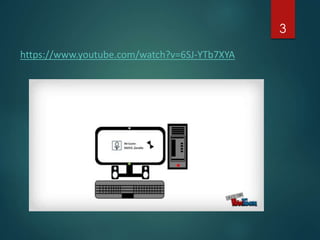
The video will be shown to
the learners before class.
2
https://www.youtube.com/watch?v=6SJ-YTb7XYA
3
http://jobsearchtech.about.com/od/careersintechnology/p/ITDefinition.htm
4
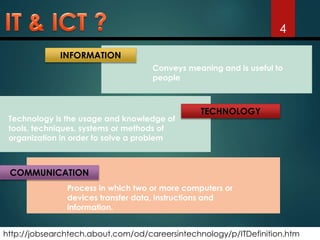
COMMUNICATION
Process in which two or more computers or
devices transfer data, instructions and
information.
TECHNOLOGY
Technology is the usage and knowledge of
tools, techniques, systems or methods of
organization in order to solve a problem
INFORMATION
Conveys meaning and is useful to
people
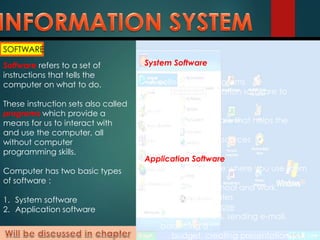
SOFTWARE
Software refers to a set of
instructions that tells the
computer on what to do.
These instruction sets also called
programs which provide a
means for us to interact with
and use the computer, all
without computer
programming skills.
Computer has two basic types
of software :
1. System software
2. Application software
System Software
• A collection of programs
• Enables the application software to
interact with
the hardware
• Background software that helps the
computer
manage its own resources
Application Software
• “End-user” software where you use them
to do
tasks at home, school and work.
• Two major categories
 General purpose
(writing letters, sending e-mail,
balancing a
budget, creating presentations)
6
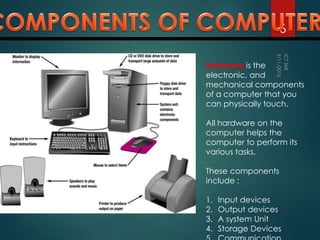
Hardware is the
electronic, and
mechanical components
of a computer that you
can physically touch.
All hardware on the
computer helps the
computer to perform its
various tasks.
These components
include :
1. Input devices
2. Output devices
3. A system Unit
4. Storage Devices
7
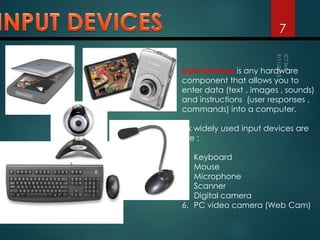
Input Devices is any hardware
component that allows you to
enter data (text , images , sounds)
and instructions (user responses ,
commands) into a computer.
Six widely used input devices are
the :
1. Keyboard
2. Mouse
3. Microphone
4. Scanner
5. Digital camera
6. PC video camera (Web Cam)
8
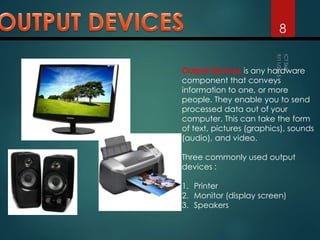
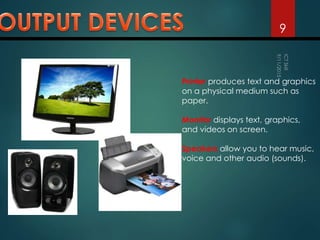
Output Devices is any hardware
component that conveys
information to one, or more
people. They enable you to send
processed data out of your
computer. This can take the form
of text, pictures (graphics), sounds
(audio), and video.
Three commonly used output
devices :
1. Printer
2. Monitor (display screen)
3. Speakers
9
Printer produces text and graphics
on a physical medium such as
paper.
Monitor displays text, graphics,
and videos on screen.
Speakers allow you to hear music,
voice and other audio (sounds).
10
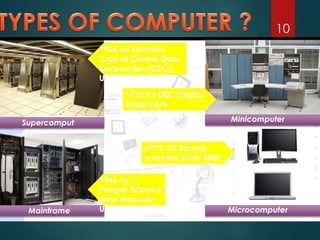
Supercomput
ers
Mainframe
Minicomputer
Microcomputer
1964 by Seymour
Cray at Control Data
Corporation (CDC),
US
1946 by J.
Presper Eckert &
John Mauchly ,
US
1965 by DEC (Digital
Equipment
Corporation)
1975: Ed Roberts
invented Altair 8800
EXERCISE
1. What is the difference between IT and ICT ?
11
 IT is the use of computers and software
to manage information.
 ICT is the use of telecommunication
technology to provide access to
information.
EXERCISE
2. What is information system
12
An information System (IS) is a collection
of
• hardware
• software,
• data,
• people and
• procedures
• connectivity
- that work together to produce quality
information.
EXERCISE
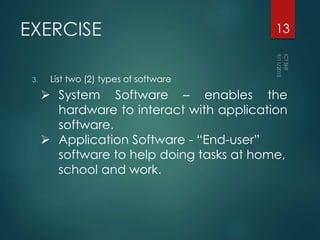
3. List two (2) types of software
13
 System Software – enables the
hardware to interact with application
software.
 Application Software - “End-user”
software to help doing tasks at home,
school and work.
EXERCISE
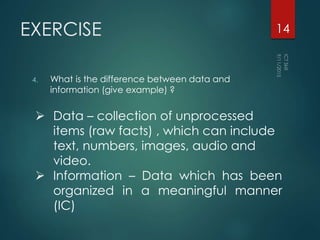
4. What is the difference between data and
information (give example) ?
14
 Data – collection of unprocessed
items (raw facts) , which can include
text, numbers, images, audio and
video.
 Information – Data which has been
organized in a meaningful manner
(IC)
EXERCISE
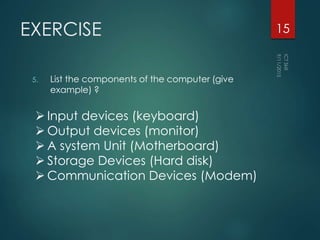
5. List the components of the computer (give
example) ?
15
 Input devices (keyboard)
 Output devices (monitor)
 A system Unit (Motherboard)
 Storage Devices (Hard disk)
 Communication Devices (Modem)
EXERCISE
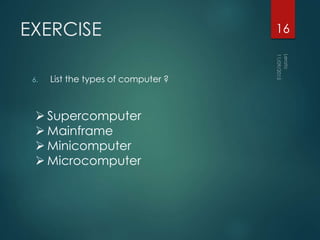
6. List the types of computer ?
16
 Supercomputer
 Mainframe
 Minicomputer
 Microcomputer

Hardware components

  • 1.
  • 2.
    The video willbe shown to the learners before class. 2
  • 3.
  • 4.
    http://jobsearchtech.about.com/od/careersintechnology/p/ITDefinition.htm 4 COMMUNICATION Process in whichtwo or more computers or devices transfer data, instructions and information. TECHNOLOGY Technology is the usage and knowledge of tools, techniques, systems or methods of organization in order to solve a problem INFORMATION Conveys meaning and is useful to people
  • 5.
    SOFTWARE Software refers toa set of instructions that tells the computer on what to do. These instruction sets also called programs which provide a means for us to interact with and use the computer, all without computer programming skills. Computer has two basic types of software : 1. System software 2. Application software System Software • A collection of programs • Enables the application software to interact with the hardware • Background software that helps the computer manage its own resources Application Software • “End-user” software where you use them to do tasks at home, school and work. • Two major categories  General purpose (writing letters, sending e-mail, balancing a budget, creating presentations)
  • 6.
    6 Hardware is the electronic,and mechanical components of a computer that you can physically touch. All hardware on the computer helps the computer to perform its various tasks. These components include : 1. Input devices 2. Output devices 3. A system Unit 4. Storage Devices
  • 7.
    7 Input Devices isany hardware component that allows you to enter data (text , images , sounds) and instructions (user responses , commands) into a computer. Six widely used input devices are the : 1. Keyboard 2. Mouse 3. Microphone 4. Scanner 5. Digital camera 6. PC video camera (Web Cam)
  • 8.
    8 Output Devices isany hardware component that conveys information to one, or more people. They enable you to send processed data out of your computer. This can take the form of text, pictures (graphics), sounds (audio), and video. Three commonly used output devices : 1. Printer 2. Monitor (display screen) 3. Speakers
  • 9.
    9 Printer produces textand graphics on a physical medium such as paper. Monitor displays text, graphics, and videos on screen. Speakers allow you to hear music, voice and other audio (sounds).
  • 10.
    10 Supercomput ers Mainframe Minicomputer Microcomputer 1964 by Seymour Crayat Control Data Corporation (CDC), US 1946 by J. Presper Eckert & John Mauchly , US 1965 by DEC (Digital Equipment Corporation) 1975: Ed Roberts invented Altair 8800
  • 11.
    EXERCISE 1. What isthe difference between IT and ICT ? 11  IT is the use of computers and software to manage information.  ICT is the use of telecommunication technology to provide access to information.
  • 12.
    EXERCISE 2. What isinformation system 12 An information System (IS) is a collection of • hardware • software, • data, • people and • procedures • connectivity - that work together to produce quality information.
  • 13.
    EXERCISE 3. List two(2) types of software 13  System Software – enables the hardware to interact with application software.  Application Software - “End-user” software to help doing tasks at home, school and work.
  • 14.
    EXERCISE 4. What isthe difference between data and information (give example) ? 14  Data – collection of unprocessed items (raw facts) , which can include text, numbers, images, audio and video.  Information – Data which has been organized in a meaningful manner (IC)
  • 15.
    EXERCISE 5. List thecomponents of the computer (give example) ? 15  Input devices (keyboard)  Output devices (monitor)  A system Unit (Motherboard)  Storage Devices (Hard disk)  Communication Devices (Modem)
  • 16.
    EXERCISE 6. List thetypes of computer ? 16  Supercomputer  Mainframe  Minicomputer  Microcomputer