
JDBC


       tnngo2@gmail.com
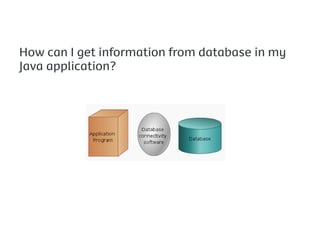
How can I get information from database in my
Java application?
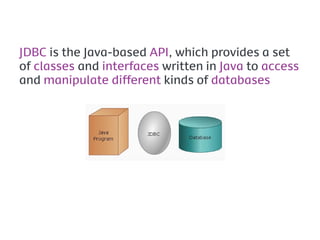
JDBC is the Java-based API, which provides a set
of classes and interfaces written in Java to access
and manipulate different kinds of databases
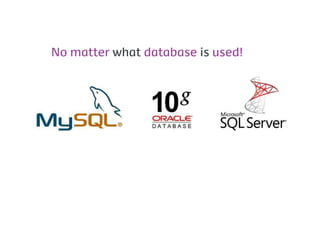
No matter what database is used!
JDBC takes care for you

                      I don’t care eh
                          eh eh …


     Developer
JDBC is not an acronym.
It is often mistaken to be
                  "Java Database Connectivity"
Advantages
      Continued usage of existing data
      Vendor independent
      Platform independent (Cross platform)
      Ease of use


                       Behind the scenes
                           database
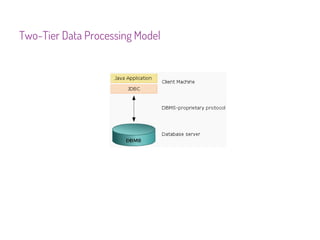
Two-Tier Data Processing Model
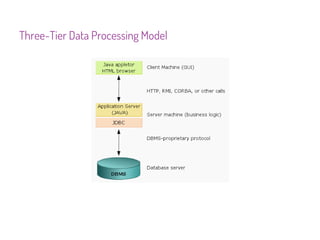
Three-Tier Data Processing Model
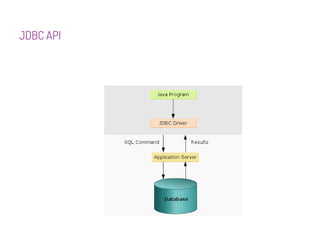
JDBC API
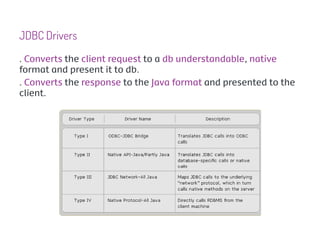
JDBC Drivers
. Converts the client request to a db understandable, native
format and present it to db.
. Converts the response to the Java format and presented to the
client.
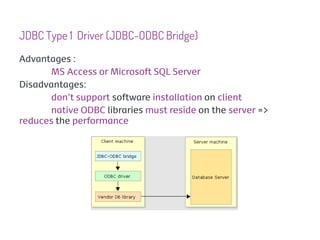
JDBC Type 1 Driver (JDBC-ODBC Bridge)
Advantages :
      MS Access or Microsoft SQL Server
Disadvantages:
      don’t support software installation on client
       native ODBC libraries must reside on the server =>
reduces the performance
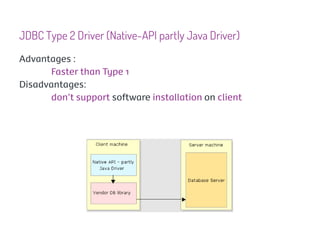
JDBC Type 2 Driver (Native-API partly Java Driver)
Advantages :
      Faster than Type 1
Disadvantages:
      don’t support software installation on client
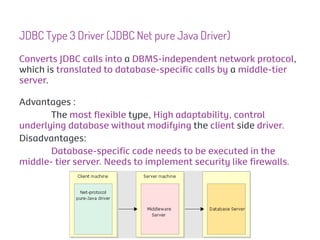
JDBC Type 3 Driver (JDBC Net pure Java Driver)
Converts JDBC calls into a DBMS-independent network protocol,
which is translated to database-specific calls by a middle-tier
server.

Advantages :
       The most flexible type, High adaptability, control
underlying database without modifying the client side driver.
Disadvantages:
       Database-specific code needs to be executed in the
middle- tier server. Needs to implement security like firewalls.
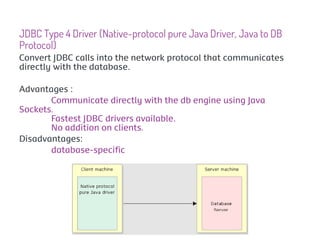
JDBC Type 4 Driver (Native-protocol pure Java Driver, Java to DB
Protocol)
Convert JDBC calls into the network protocol that communicates
directly with the database.

Advantages :
       Communicate directly with the db engine using Java
Sockets.
       Fastest JDBC drivers available.
       No addition on clients.
Disadvantages:
       database-specific
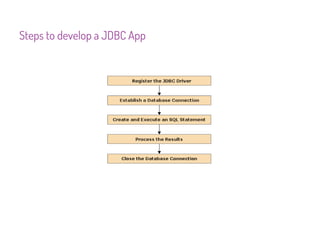
Steps to develop a JDBC App
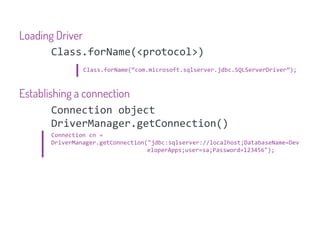
Loading Driver
      Class.forName(<protocol>)
              Class.forName(“com.microsoft.sqlserver.jdbc.SQLServerDriver”);


Establishing a connection
        Connection object
        DriverManager.getConnection()
     Connection cn =
     DriverManager.getConnection("jdbc:sqlserver://localhost;DatabaseName=Dev
                                 eloperApps;user=sa;Password=123456");
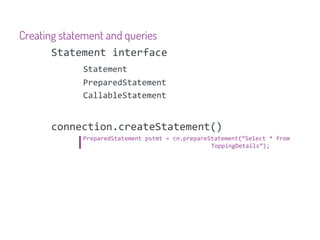
Creating statement and queries
       Statement interface
            Statement
            PreparedStatement
            CallableStatement


      connection.createStatement()
            PreparedStatement pstmt = cn.prepareStatement(“Select * from
                                                 ToppingDetails”);
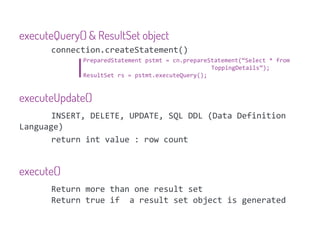
executeQuery() & ResultSet object
       connection.createStatement()
              PreparedStatement pstmt = cn.prepareStatement(“Select * from
                                                   ToppingDetails”);
              ResultSet rs = pstmt.executeQuery();


executeUpdate()
       INSERT, DELETE, UPDATE, SQL DDL (Data Definition
Language)
       return int value : row count


execute()
       Return more than one result set
       Return true if a result set object is generated
Handling exeption
      ClassNotFoundException
      SQLException
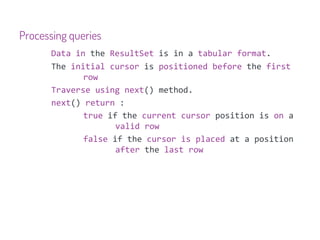
Processing queries
       Data in the ResultSet is in a tabular format.
       The initial cursor is positioned before the first
              row
       Traverse using next() method.
       next() return :
              true if the current cursor position is on a
                     valid row
              false if the cursor is placed at a position
                     after the last row
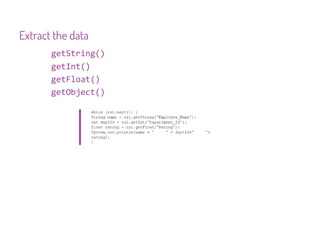
Extract the data
       getString()
       getInt()
       getFloat()
       getObject()
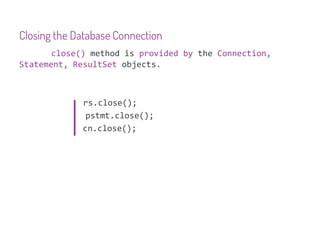
Closing the Database Connection
       close() method is provided by the Connection,
Statement, ResultSet objects.


             rs.close();
              pstmt.close();
             cn.close();
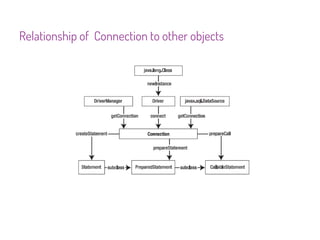
Relationship of Connection to other objects
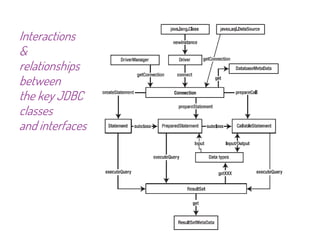
Interactions
&
relationships
between
the key JDBC
classes
and interfaces
Database metadata
      Data about data.
      defines structure and properties of the data stored.

             Column name
             Datatypes for columns
DatabaseMetaData interface
      getMetaData()
      Connection obj

             DatabaseMetaData dmd = cn.getMetaData()
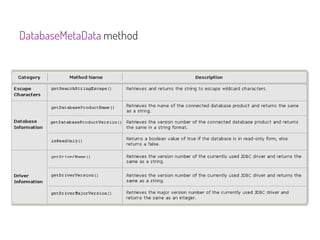
DatabaseMetaData method
ResultSetMetaData interface
      metadata of ResultSet.

             ResultSetMetaData rmd = rs.getMetaData()
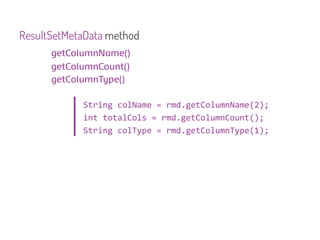
ResultSetMetaData method
      getColumnName()
      getColumnCount()
      getColumnType()

            String colName = rmd.getColumnName(2);
            int totalCols = rmd.getColumnCount();
            String colType = rmd.getColumnType(1);

Jdbc 1

  • 1.
    JDBC tnngo2@gmail.com
  • 2.
    How can Iget information from database in my Java application?
  • 3.
    JDBC is theJava-based API, which provides a set of classes and interfaces written in Java to access and manipulate different kinds of databases
  • 4.
    No matter whatdatabase is used!
  • 5.
    JDBC takes carefor you I don’t care eh eh eh … Developer
  • 6.
    JDBC is notan acronym. It is often mistaken to be "Java Database Connectivity"
  • 7.
    Advantages Continued usage of existing data Vendor independent Platform independent (Cross platform) Ease of use Behind the scenes database
  • 8.
  • 9.
  • 10.
  • 11.
    JDBC Drivers . Convertsthe client request to a db understandable, native format and present it to db. . Converts the response to the Java format and presented to the client.
  • 12.
    JDBC Type 1Driver (JDBC-ODBC Bridge) Advantages : MS Access or Microsoft SQL Server Disadvantages: don’t support software installation on client native ODBC libraries must reside on the server => reduces the performance
  • 13.
    JDBC Type 2Driver (Native-API partly Java Driver) Advantages : Faster than Type 1 Disadvantages: don’t support software installation on client
  • 14.
    JDBC Type 3Driver (JDBC Net pure Java Driver) Converts JDBC calls into a DBMS-independent network protocol, which is translated to database-specific calls by a middle-tier server. Advantages : The most flexible type, High adaptability, control underlying database without modifying the client side driver. Disadvantages: Database-specific code needs to be executed in the middle- tier server. Needs to implement security like firewalls.
  • 15.
    JDBC Type 4Driver (Native-protocol pure Java Driver, Java to DB Protocol) Convert JDBC calls into the network protocol that communicates directly with the database. Advantages : Communicate directly with the db engine using Java Sockets. Fastest JDBC drivers available. No addition on clients. Disadvantages: database-specific
  • 16.
    Steps to developa JDBC App
  • 17.
    Loading Driver Class.forName(<protocol>) Class.forName(“com.microsoft.sqlserver.jdbc.SQLServerDriver”); Establishing a connection Connection object DriverManager.getConnection() Connection cn = DriverManager.getConnection("jdbc:sqlserver://localhost;DatabaseName=Dev eloperApps;user=sa;Password=123456");
  • 18.
    Creating statement andqueries Statement interface Statement PreparedStatement CallableStatement connection.createStatement() PreparedStatement pstmt = cn.prepareStatement(“Select * from ToppingDetails”);
  • 19.
    executeQuery() & ResultSetobject connection.createStatement() PreparedStatement pstmt = cn.prepareStatement(“Select * from ToppingDetails”); ResultSet rs = pstmt.executeQuery(); executeUpdate() INSERT, DELETE, UPDATE, SQL DDL (Data Definition Language) return int value : row count execute() Return more than one result set Return true if a result set object is generated
  • 20.
    Handling exeption ClassNotFoundException SQLException
  • 21.
    Processing queries Data in the ResultSet is in a tabular format. The initial cursor is positioned before the first row Traverse using next() method. next() return : true if the current cursor position is on a valid row false if the cursor is placed at a position after the last row
  • 22.
    Extract the data getString() getInt() getFloat() getObject()
  • 23.
    Closing the DatabaseConnection close() method is provided by the Connection, Statement, ResultSet objects. rs.close(); pstmt.close(); cn.close();
  • 24.
  • 25.
  • 26.
    Database metadata Data about data. defines structure and properties of the data stored. Column name Datatypes for columns
  • 27.
    DatabaseMetaData interface getMetaData() Connection obj DatabaseMetaData dmd = cn.getMetaData()
  • 28.
  • 29.
    ResultSetMetaData interface metadata of ResultSet. ResultSetMetaData rmd = rs.getMetaData()
  • 30.
    ResultSetMetaData method getColumnName() getColumnCount() getColumnType() String colName = rmd.getColumnName(2); int totalCols = rmd.getColumnCount(); String colType = rmd.getColumnType(1);