JAVA UDP Sockets
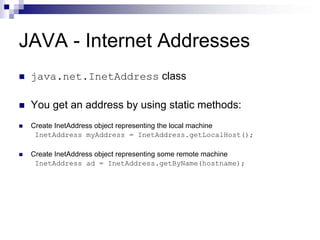
JAVA - Internet Addresses
 java.net.InetAddress class

 You get an address by using static methods:
 Create InetAddress object representing the local machine
  InetAddress myAddress = InetAddress.getLocalHost();

 Create InetAddress object representing some remote machine
  InetAddress ad = InetAddress.getByName(hostname);
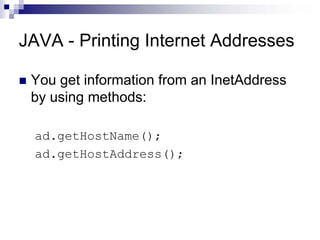
JAVA - Printing Internet Addresses

 You get information from an InetAddress
 by using methods:

 ad.getHostName();
 ad.getHostAddress();
JAVA - The InetAddress Class
 Handles Internet addresses both as host names and as IP addresses
 Static Method getByName returns the IP address of a specified host name as
 an InetAddress object
 Methods for address/name conversion:
  public static InetAddress getByName(String host) throws
      UnknownHostException
  public static InetAddress[] getAllByName(String host) throws
      UnknownHostException
  public static InetAddress getLocalHost() throws UnknownHostException

  public boolean isMulticastAddress()
  public String getHostName()
  public byte[] getAddress()
  public String getHostAddress()
  public int hashCode()
  public boolean equals(Object obj)
  public String toString()
import java.net.*;
import java.io.*;

public class IPFinder
{
          public static void main(String[] args) throws IOException
          {
                    String host;
                    BufferedReader input =
                      new BufferedReader(
                              new InputStreamReader(System.in));

                   System.out.print("nnEnter host name: ");
                   host = input.readLine();
                   try
                   {
                             InetAddress address = InetAddress.getByName(host);
                   System.out.println("IP address: " + address.toString());
                   }
          catch (UnknownHostException e)
          {
                             System.out.println("Could not find " + host);
                   }
          }
}
Retrieving the address of the local machine
import java.net.*;

public class MyLocalIPAddress
{
   public static void main(String[] args)
    {
        try
        {
             InetAddress address = InetAddress.getLocalHost();
             System.out.println (address);
        }
        catch (UnknownHostException e)
        {
             System.out.println("Could not find local address!");
        }
     }
}
The UDP classes
2 classes:
    java.net.DatagramSocket class
        is a connection to a port that does the sending and receiving. A
        DatagramSocket can send to multiple, different addresses.The address
        to which data goes is stored in the packet, not in the socket.
        public DatagramSocket() throws SocketException
        public DatagramSocket(int port) throws SocketException
        public DatagramSocket(int port, InetAddress laddr) throws
        SocketException
    java.net.DatagramPacket class
         is a wrapper for an array of bytes from which data will be sent or into
        which data will be received. It also contains the address and port to
        which the packet will be sent.
        public DatagramPacket(byte[] data, int length)
        public DatagramPacket(byte[] data, int length, InetAddress host, int
        port)
Datagram Sockets
SERVER:
1. Create a DatagramSocket object
   DatagramSocket dgramSocket =
                new DatagramSocket(1234);
2. Create a buffer for incoming datagrams
   byte[] buffer = new byte[256];
3. Create a DatagramPacket object for the incoming datagram
   DatagramPacket inPacket =
                new DatagramPacket(buffer, buffer.length);
4. Accept an incoming datagram
   dgramSocket.receive(inPacket)
Datagram Sockets
SERVER:
5. Accept the sender’s address and port from the packet
   InetAddress clientAddress = inPacket.getAddress();
   int clientPort = inPacket.getPort();
6. Retrieve the data from the buffer
   string message =
     new String(inPacket.getData(), 0, inPacket.getLength());
7. Create the response datagram
   DatagramPacket outPacket =
                new DatagramPacket(
                                response.getBytes(), response.length(),
                                clientAddress, clientPort);
8. Send the response datagram
   dgramSocket.send(outPacket)
9. Close the DatagramSocket: dgram.close();
Datagram Sockets
CLIENT:
1.  Create a DatagramSocket object
    DatagramSocket dgramSocket = new DatagramSocket;
2.  Create the outgoing datagram
    DatagramPacket outPacket = new DatagramPacket(
                                           message.getBytes(),
                                           message.length(),
                                           host, port);
3.  Send the datagram message
    dgramSocket.send(outPacket)
4.  Create a buffer for incoming datagrams
     byte[] buffer = new byte[256];
Datagram Sockets
CLIENT:
5.  Create a DatagramPacket object for the incoming datagram
    DatagramPacket inPacket =
               new DatagramPacket(buffer, buffer.length);
6.  Accept an incoming datagram
    dgramSocket.receive(inPacket)
7.  Retrieve the data from the buffer
    string response = new String(inPacket.getData(), 0,
                                     inPacket.getLength());
8.  Close the DatagramSocket:
        dgram.close();
Sending UDP packets

 When you receive a packet, the IP and
 port number of the sender are set in the
 DatagramPacket.

 You can use the same packet to reply, by
 overwriting the data, using the method:
   packet.setData(newbuffer);
Non-blocking I/O receiving UDP
packets
 You can set a time-out in milliseconds to
 determine how long a read operation
 blocks, before throwing an exception.
   socket.setSoTimeout(duration);
 If the duration given in milliseconds is
 exceeded, an exception is thrown:
   java.io.InterruptedException
References
 Cisco Networking Academy Program (CCNA), Cisco Press.

 CSCI-5273 : Computer Networks, Dirk Grunwald, University of Colorado-Boulder

 CSCI-4220: Network Programming, Dave Hollinger, Rensselaer Polytechnic Institute.

 TCP/IP Illustrated, Volume 1, Stevens.

 Java Network Programming and Distributed Computing, Reilly & Reilly.

 Computer Networks: A Systems Approach, Peterson & Davie.

 http://www.firewall.cx

 http://www.javasoft.com

Lecture6

  • 1.
  • 2.
    JAVA - InternetAddresses java.net.InetAddress class You get an address by using static methods: Create InetAddress object representing the local machine InetAddress myAddress = InetAddress.getLocalHost(); Create InetAddress object representing some remote machine InetAddress ad = InetAddress.getByName(hostname);
  • 3.
    JAVA - PrintingInternet Addresses You get information from an InetAddress by using methods: ad.getHostName(); ad.getHostAddress();
  • 4.
    JAVA - TheInetAddress Class Handles Internet addresses both as host names and as IP addresses Static Method getByName returns the IP address of a specified host name as an InetAddress object Methods for address/name conversion: public static InetAddress getByName(String host) throws UnknownHostException public static InetAddress[] getAllByName(String host) throws UnknownHostException public static InetAddress getLocalHost() throws UnknownHostException public boolean isMulticastAddress() public String getHostName() public byte[] getAddress() public String getHostAddress() public int hashCode() public boolean equals(Object obj) public String toString()
  • 5.
    import java.net.*; import java.io.*; publicclass IPFinder { public static void main(String[] args) throws IOException { String host; BufferedReader input = new BufferedReader( new InputStreamReader(System.in)); System.out.print("nnEnter host name: "); host = input.readLine(); try { InetAddress address = InetAddress.getByName(host); System.out.println("IP address: " + address.toString()); } catch (UnknownHostException e) { System.out.println("Could not find " + host); } } }
  • 6.
    Retrieving the addressof the local machine import java.net.*; public class MyLocalIPAddress { public static void main(String[] args) { try { InetAddress address = InetAddress.getLocalHost(); System.out.println (address); } catch (UnknownHostException e) { System.out.println("Could not find local address!"); } } }
  • 7.
    The UDP classes 2classes: java.net.DatagramSocket class is a connection to a port that does the sending and receiving. A DatagramSocket can send to multiple, different addresses.The address to which data goes is stored in the packet, not in the socket. public DatagramSocket() throws SocketException public DatagramSocket(int port) throws SocketException public DatagramSocket(int port, InetAddress laddr) throws SocketException java.net.DatagramPacket class is a wrapper for an array of bytes from which data will be sent or into which data will be received. It also contains the address and port to which the packet will be sent. public DatagramPacket(byte[] data, int length) public DatagramPacket(byte[] data, int length, InetAddress host, int port)
  • 8.
    Datagram Sockets SERVER: 1. Createa DatagramSocket object DatagramSocket dgramSocket = new DatagramSocket(1234); 2. Create a buffer for incoming datagrams byte[] buffer = new byte[256]; 3. Create a DatagramPacket object for the incoming datagram DatagramPacket inPacket = new DatagramPacket(buffer, buffer.length); 4. Accept an incoming datagram dgramSocket.receive(inPacket)
  • 9.
    Datagram Sockets SERVER: 5. Acceptthe sender’s address and port from the packet InetAddress clientAddress = inPacket.getAddress(); int clientPort = inPacket.getPort(); 6. Retrieve the data from the buffer string message = new String(inPacket.getData(), 0, inPacket.getLength()); 7. Create the response datagram DatagramPacket outPacket = new DatagramPacket( response.getBytes(), response.length(), clientAddress, clientPort); 8. Send the response datagram dgramSocket.send(outPacket) 9. Close the DatagramSocket: dgram.close();
  • 10.
    Datagram Sockets CLIENT: 1. Create a DatagramSocket object DatagramSocket dgramSocket = new DatagramSocket; 2. Create the outgoing datagram DatagramPacket outPacket = new DatagramPacket( message.getBytes(), message.length(), host, port); 3. Send the datagram message dgramSocket.send(outPacket) 4. Create a buffer for incoming datagrams byte[] buffer = new byte[256];
  • 11.
    Datagram Sockets CLIENT: 5. Create a DatagramPacket object for the incoming datagram DatagramPacket inPacket = new DatagramPacket(buffer, buffer.length); 6. Accept an incoming datagram dgramSocket.receive(inPacket) 7. Retrieve the data from the buffer string response = new String(inPacket.getData(), 0, inPacket.getLength()); 8. Close the DatagramSocket: dgram.close();
  • 12.
    Sending UDP packets When you receive a packet, the IP and port number of the sender are set in the DatagramPacket. You can use the same packet to reply, by overwriting the data, using the method: packet.setData(newbuffer);
  • 13.
    Non-blocking I/O receivingUDP packets You can set a time-out in milliseconds to determine how long a read operation blocks, before throwing an exception. socket.setSoTimeout(duration); If the duration given in milliseconds is exceeded, an exception is thrown: java.io.InterruptedException
  • 14.
    References Cisco NetworkingAcademy Program (CCNA), Cisco Press. CSCI-5273 : Computer Networks, Dirk Grunwald, University of Colorado-Boulder CSCI-4220: Network Programming, Dave Hollinger, Rensselaer Polytechnic Institute. TCP/IP Illustrated, Volume 1, Stevens. Java Network Programming and Distributed Computing, Reilly & Reilly. Computer Networks: A Systems Approach, Peterson & Davie. http://www.firewall.cx http://www.javasoft.com