Lecture 9
Error handling
Exceptions
Error handling
▪ If something goes wrong in our program, it is better to do
something with the error, rather than have the whole program
crash. This is to improve robustness.
▪ An exception is a runtime error that occurs during the normal
course of program execution.
▪ When an exception occurs, we say that the exception has been
thrown.
Error handling
▪ We can write code that catches a thrown exception i.e. runs
whenever the exception is thrown.
▪ If we don’t write code to handle the exceptions, there is a
default handler, but this will usually end the program or give
erroneous results.
▪ There is a lot more to this topic that we won’t cover.
Error handling
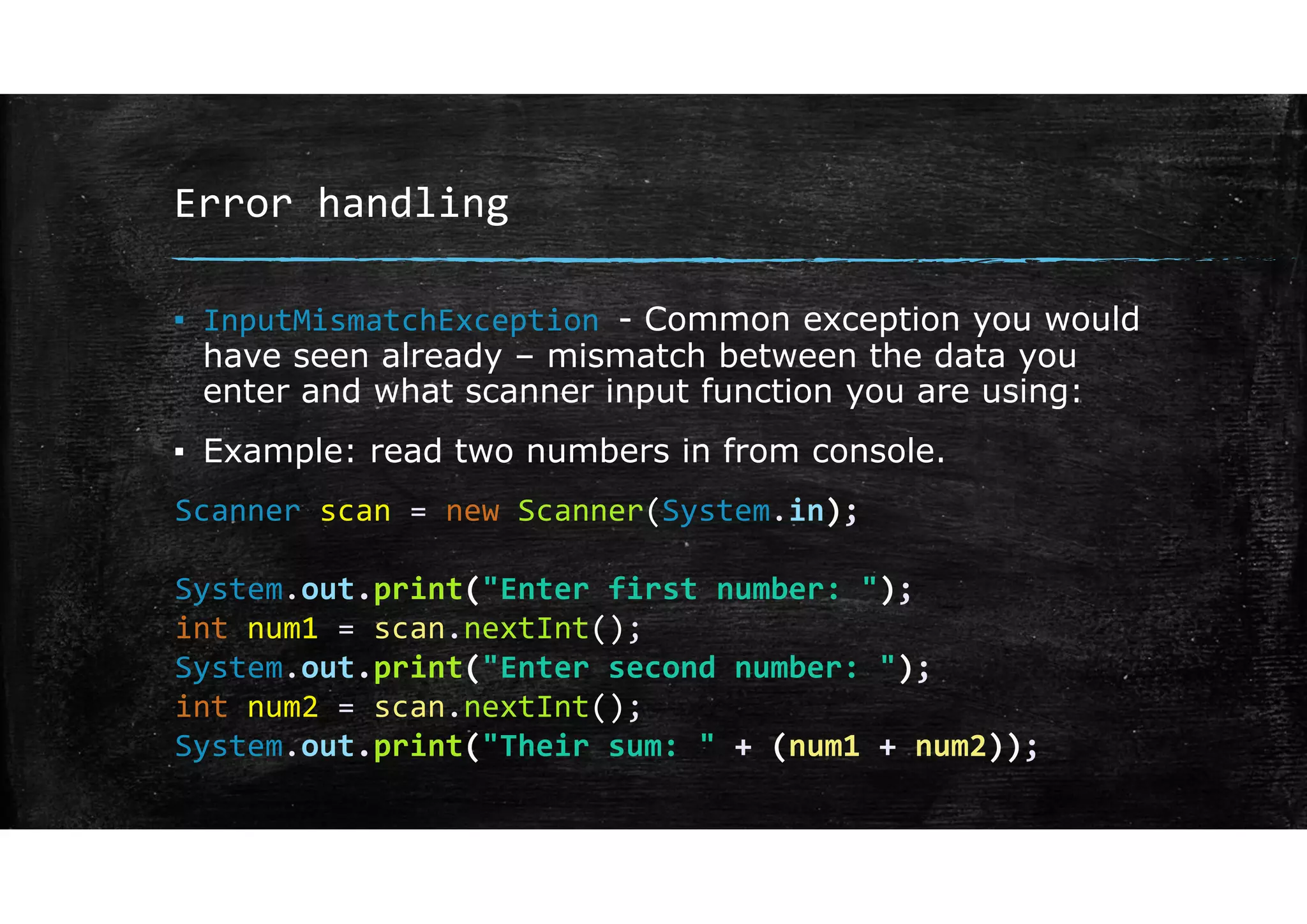
▪ InputMismatchException - Common exception you would
have seen already – mismatch between the data you
enter and what scanner input function you are using:
▪ Example: read two numbers in from console.
Scanner scan = new Scanner(System.in);
System.out.print("Enter first number: ");
int num1 = scan.nextInt();
System.out.print("Enter second number: ");
int num2 = scan.nextInt();
System.out.print("Their sum: " + (num1 + num2));
Error handling
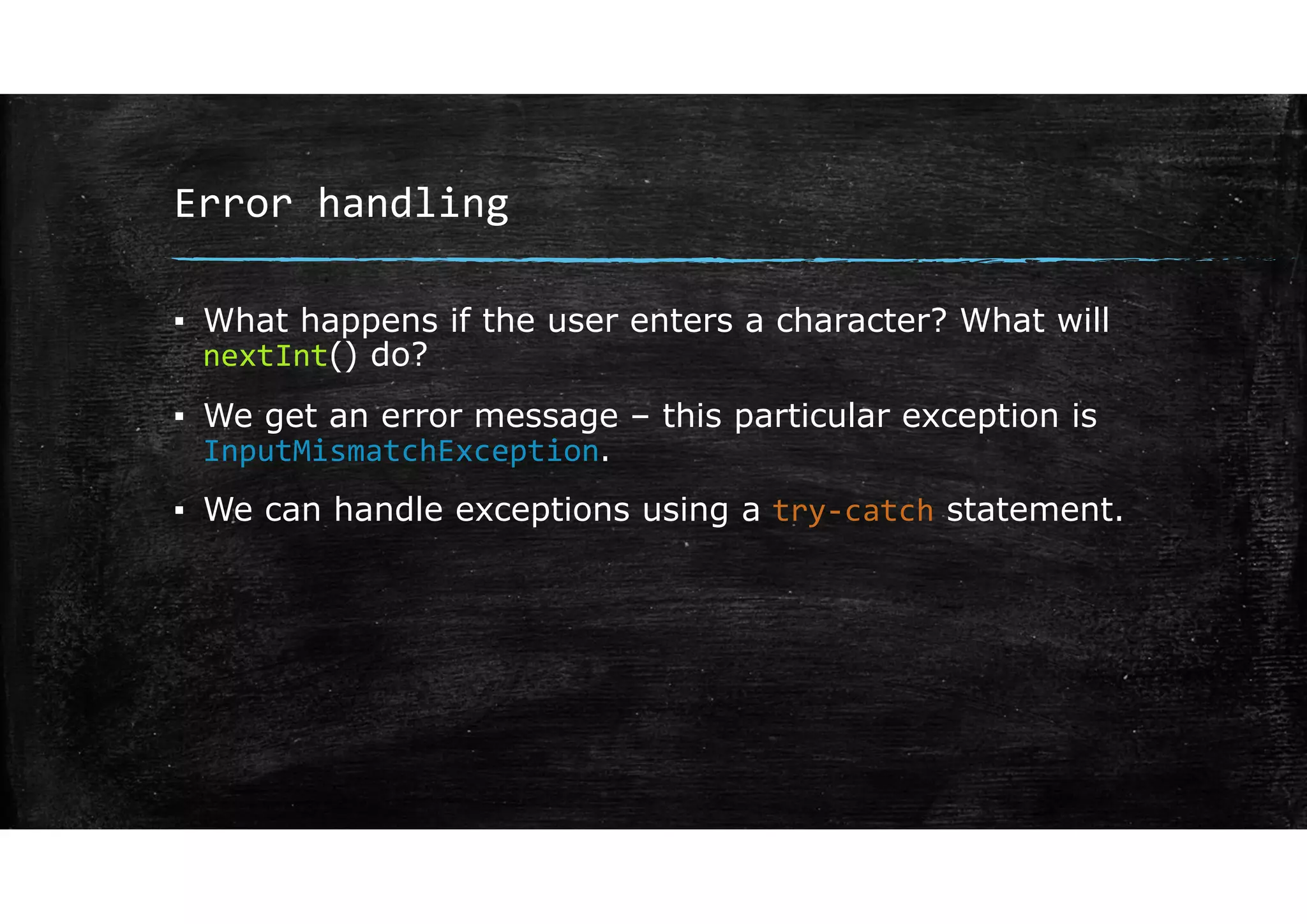
▪ What happens if the user enters a character? What will
nextInt() do?
▪ We get an error message – this particular exception is
InputMismatchException.
▪ We can handle exceptions using a try‐catch statement.
Try‐catch statements
Error handling
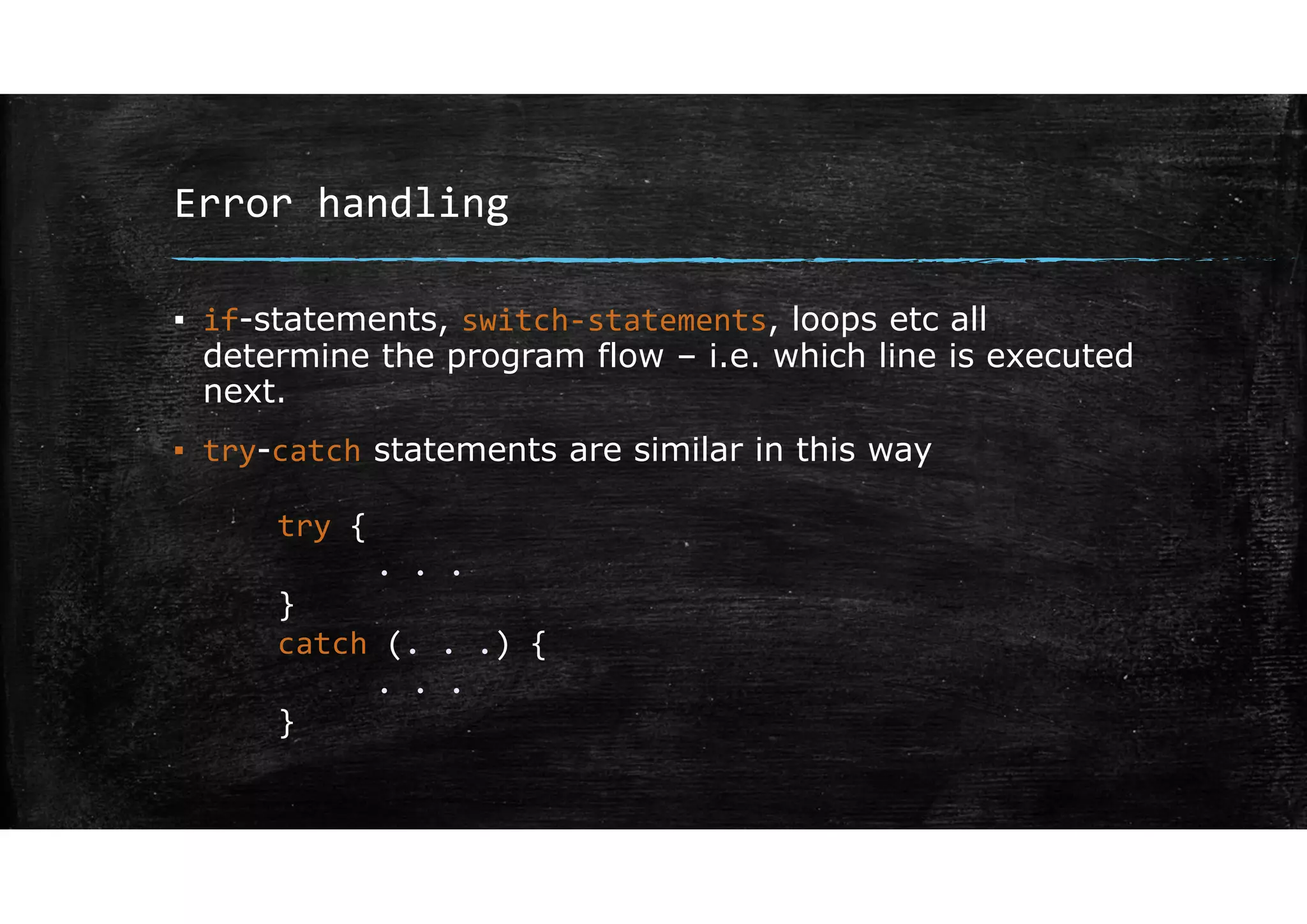
▪ if-statements, switch‐statements, loops etc all
determine the program flow – i.e. which line is executed
next.
▪ try-catch statements are similar in this way
try {
. . .
}
catch (. . .) {
. . .
}
Error handling
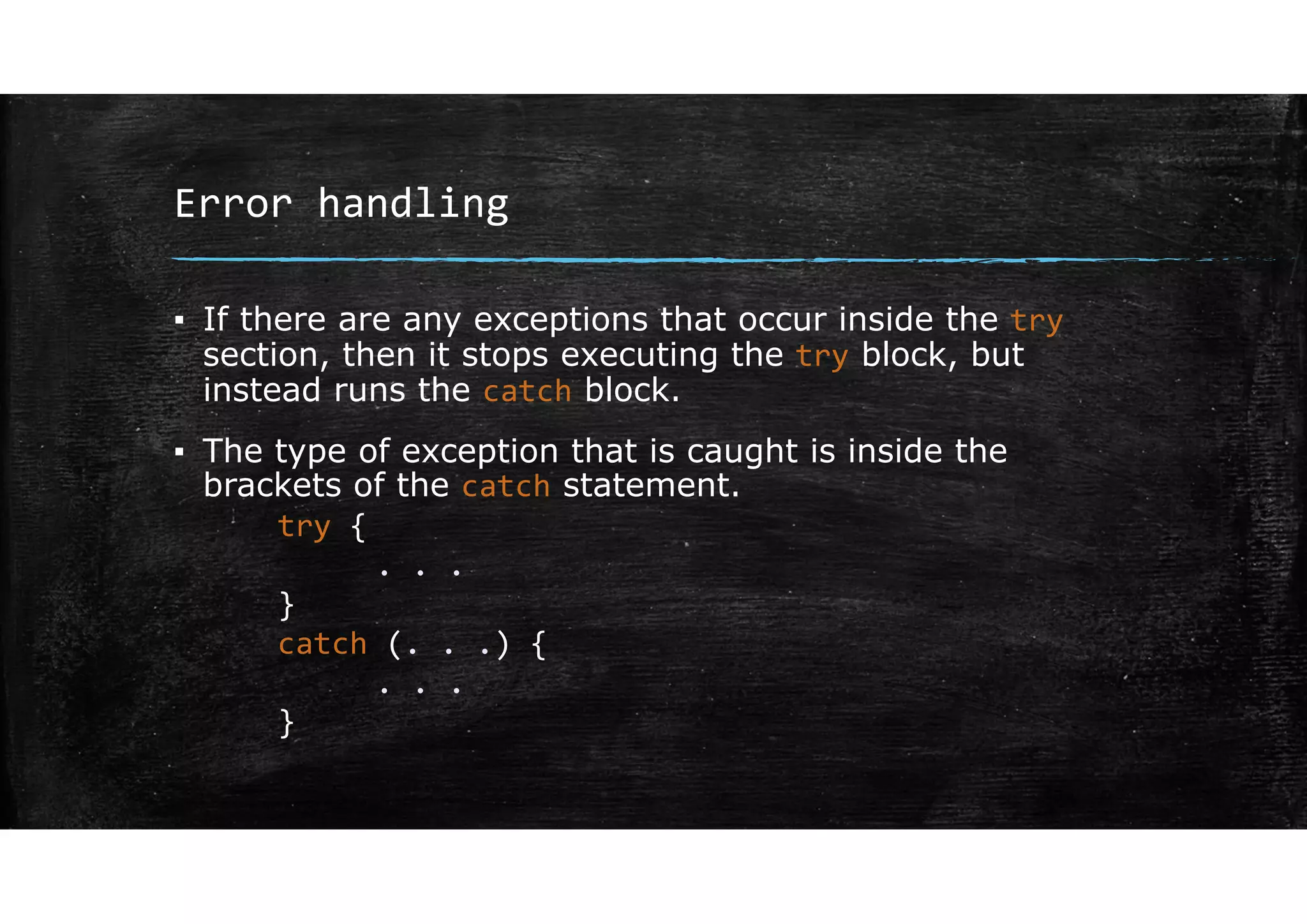
▪ If there are any exceptions that occur inside the try
section, then it stops executing the try block, but
instead runs the catch block.
▪ The type of exception that is caught is inside the
brackets of the catch statement.
try {
. . .
}
catch (. . .) {
. . .
}
Error handling
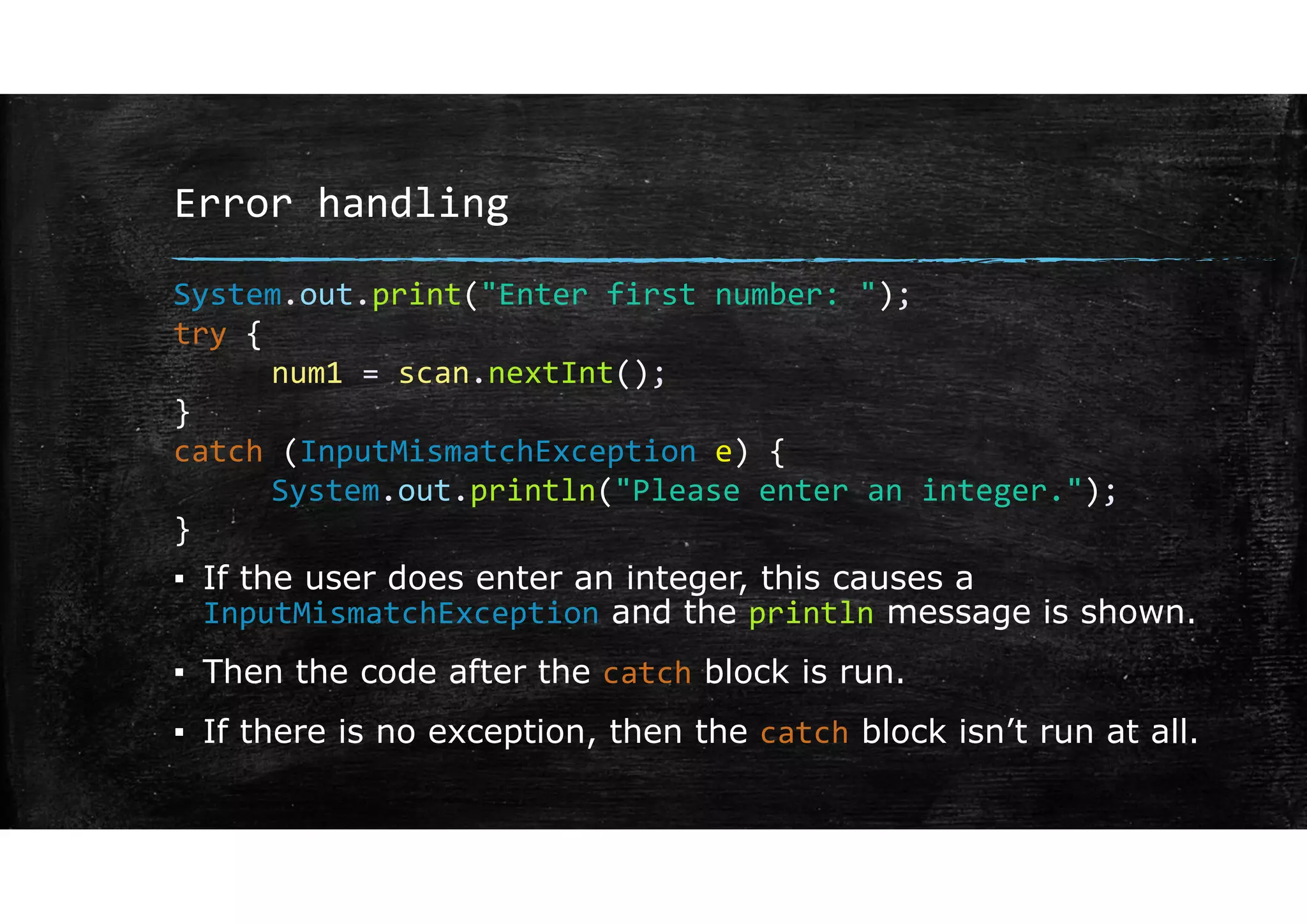
▪ If the user does enter an integer, this causes a
InputMismatchException and the println message is shown.
▪ Then the code after the catch block is run.
▪ If there is no exception, then the catch block isn’t run at all.
System.out.print("Enter first number: ");
try {
num1 = scan.nextInt();
}
catch (InputMismatchException e) {
System.out.println("Please enter an integer.");
}
Error handling
▪ How can we exploit the fact that we leave the try block as
soon as there is an exception?
▪ We can put our try-catch block inside a loop and only change
the loop condition once we have finished the try-block.
Error handling
boolean done = false;
do {
System.out.print("Enter first number: ");
try {
num1 = scan.nextInt();
done = true;
}
catch (InputMismatchException e) {
System.out.println("Please enter an integer.");
scan.next();
}
}while(!done);
Error handling
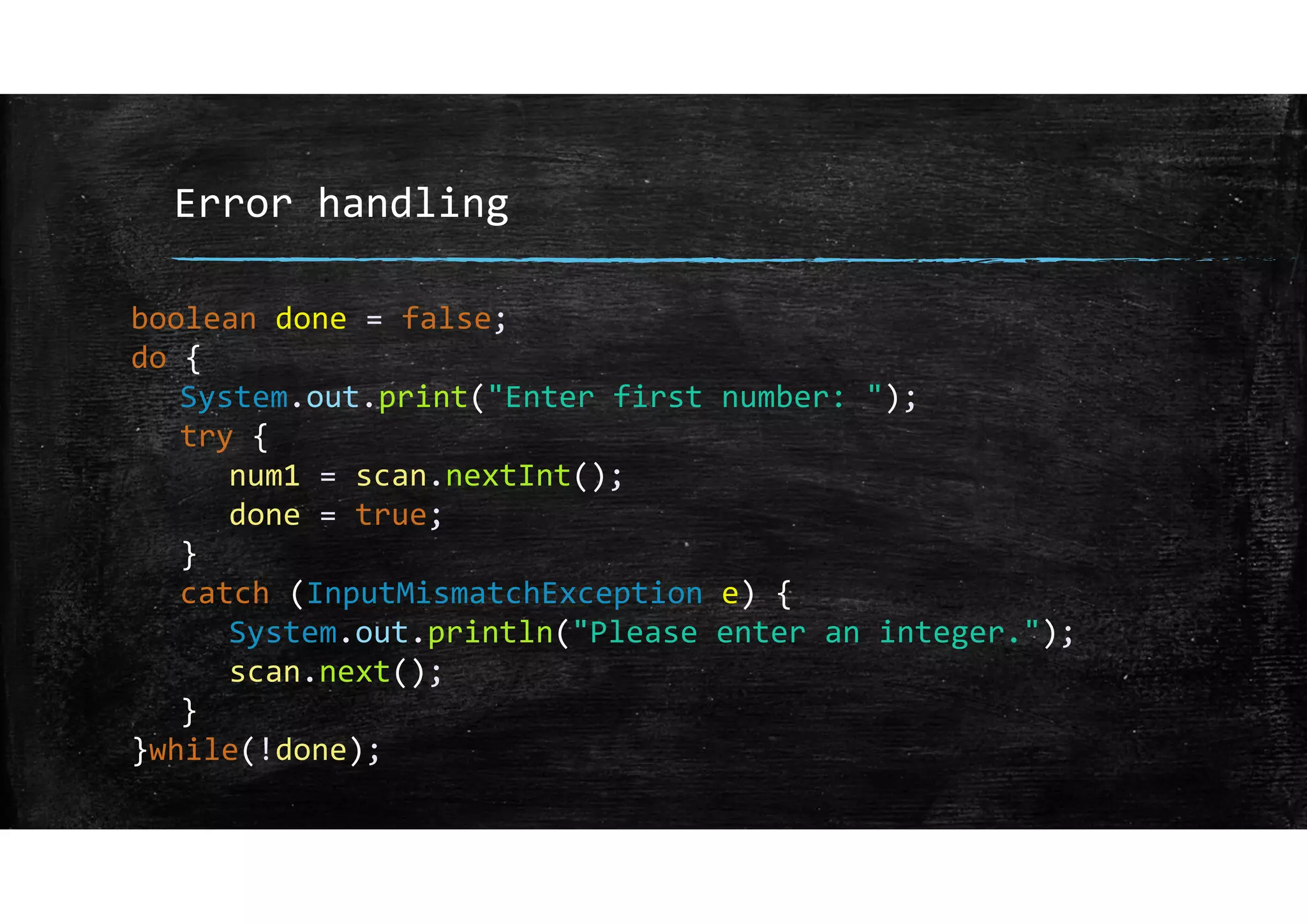
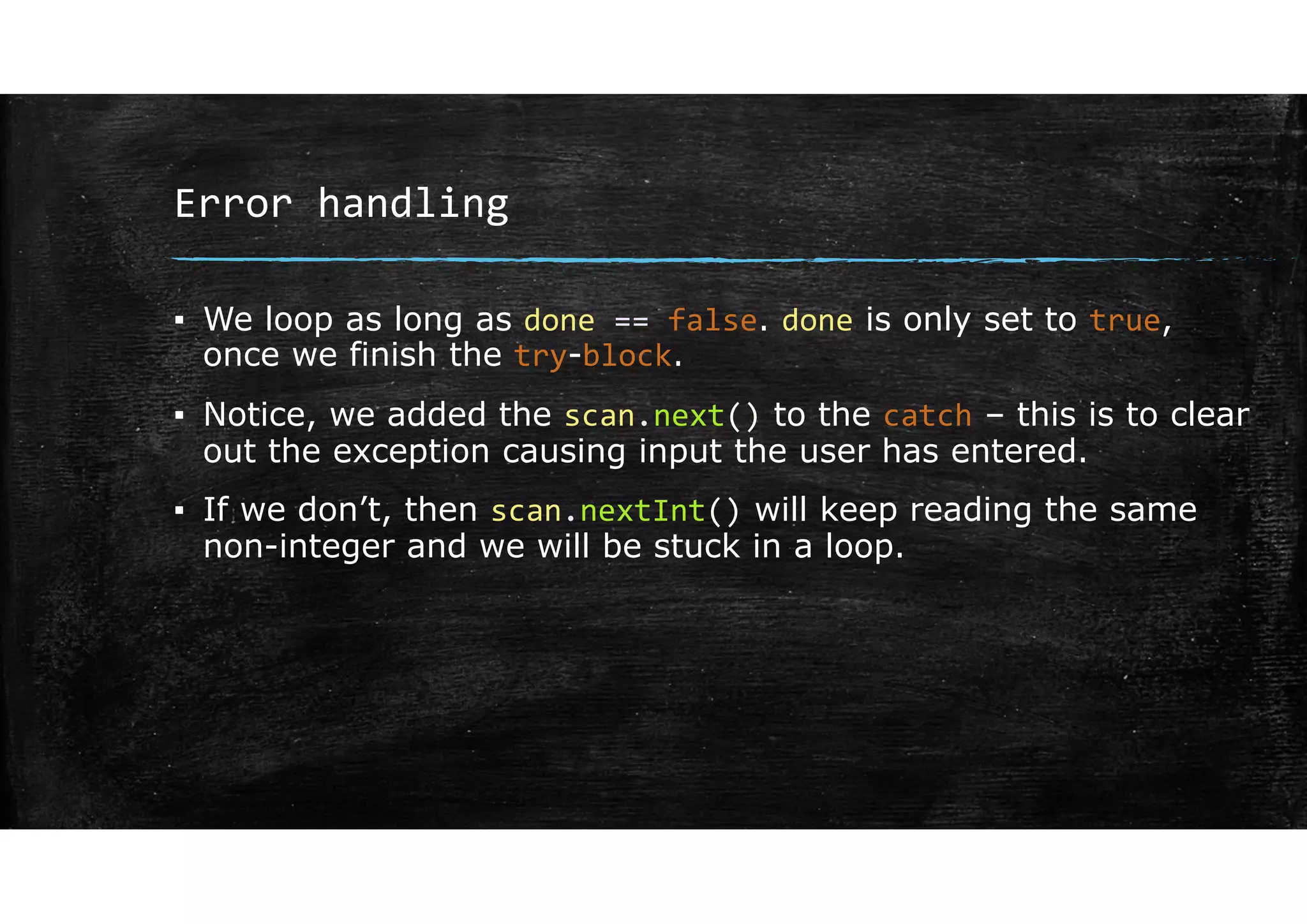
▪ We loop as long as done == false. done is only set to true,
once we finish the try-block.
▪ Notice, we added the scan.next() to the catch – this is to clear
out the exception causing input the user has entered.
▪ If we don’t, then scan.nextInt() will keep reading the same
non-integer and we will be stuck in a loop.
Exception classes
Error handling
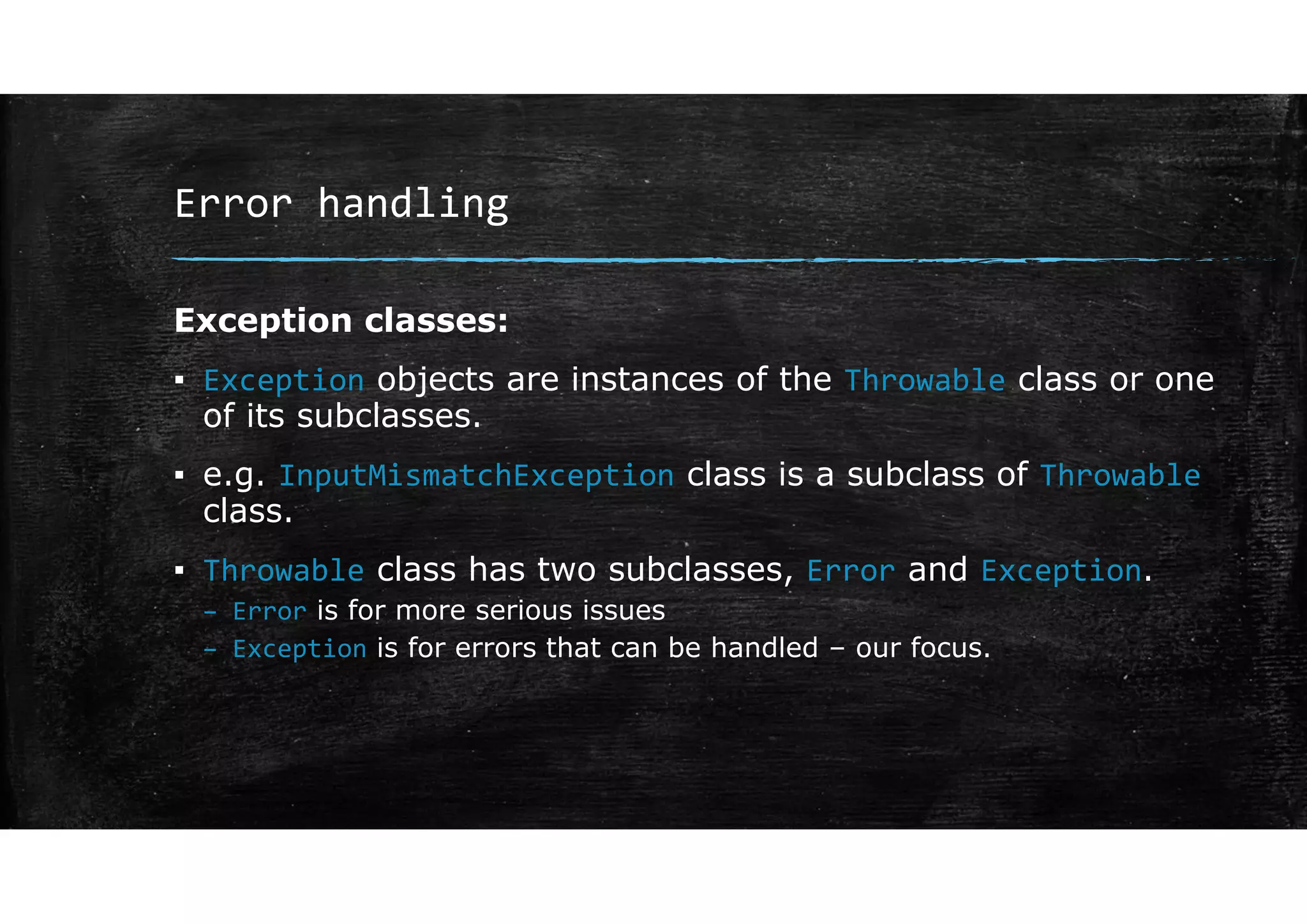
Exception classes:
▪ Exception objects are instances of the Throwable class or one
of its subclasses.
Error handling
Error handling
Exception classes:
▪ Exception objects are instances of the Throwable class or one
of its subclasses.
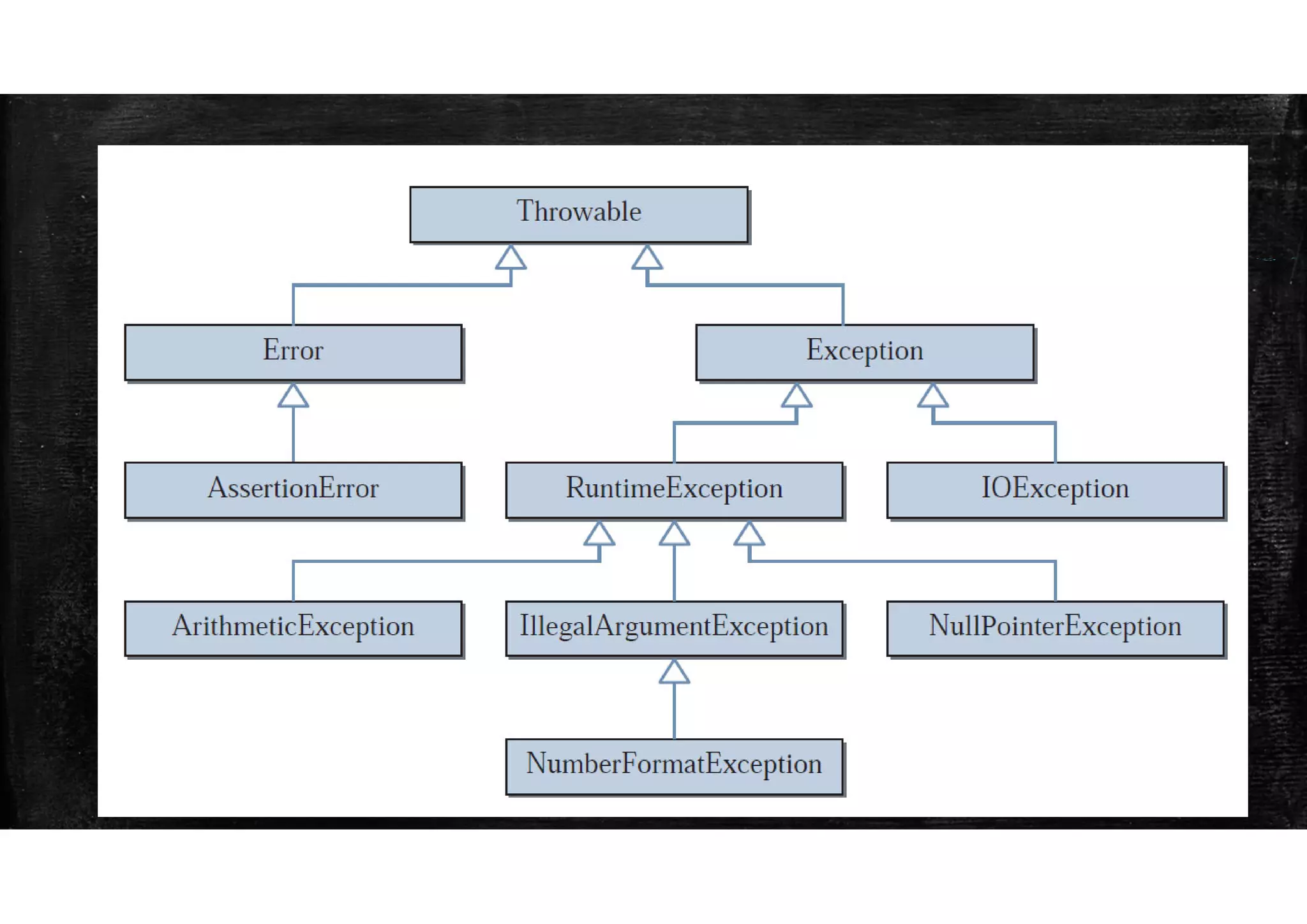
▪ e.g. InputMismatchException class is a subclass of Throwable
class.
▪ Throwable class has two subclasses, Error and Exception.
– Error is for more serious issues
– Exception is for errors that can be handled – our focus.
Error handling
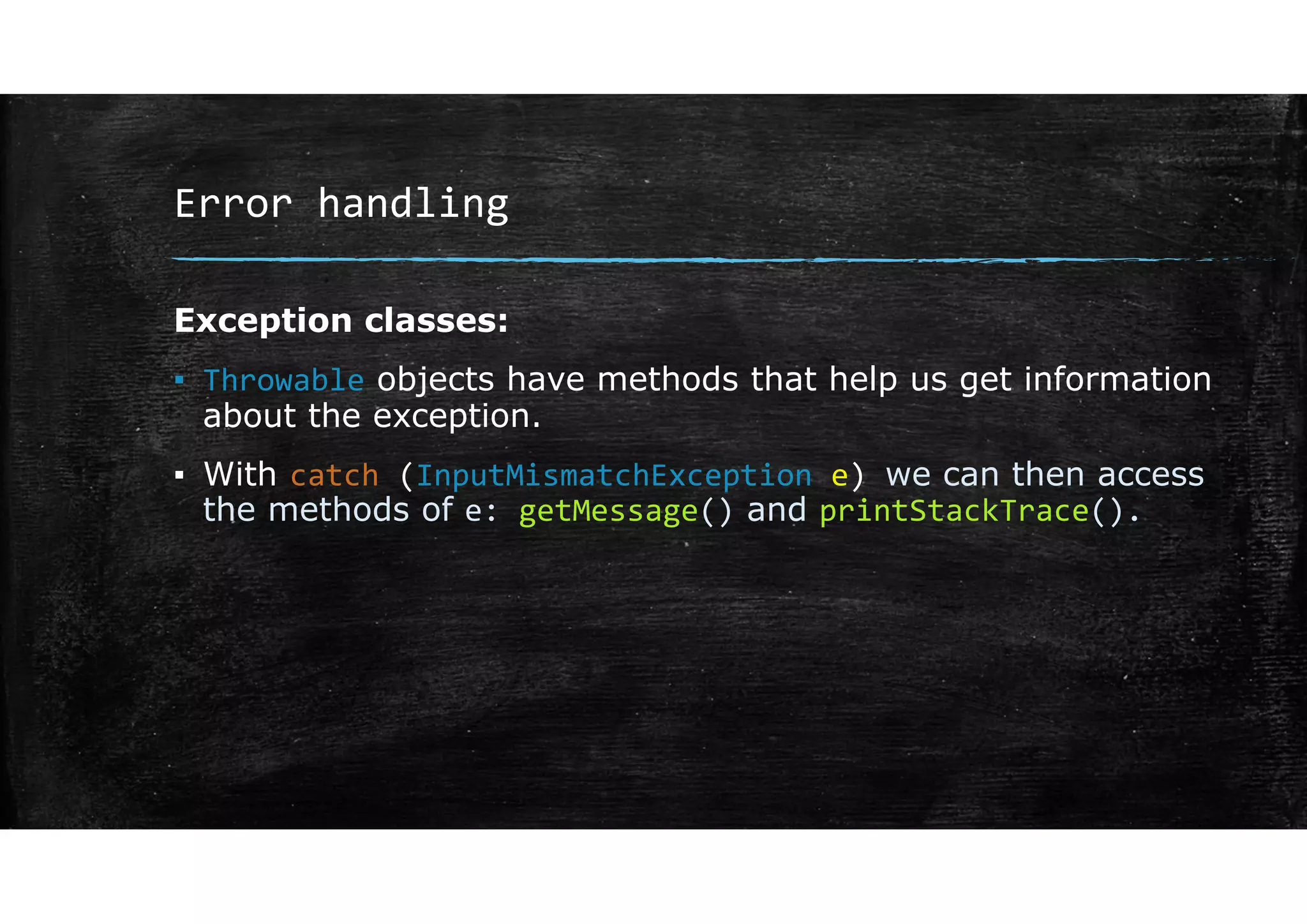
Exception classes:
▪ Throwable objects have methods that help us get information
about the exception.
▪ With catch (InputMismatchException e) we can then access
the methods of e: getMessage() and printStackTrace().
Error handling
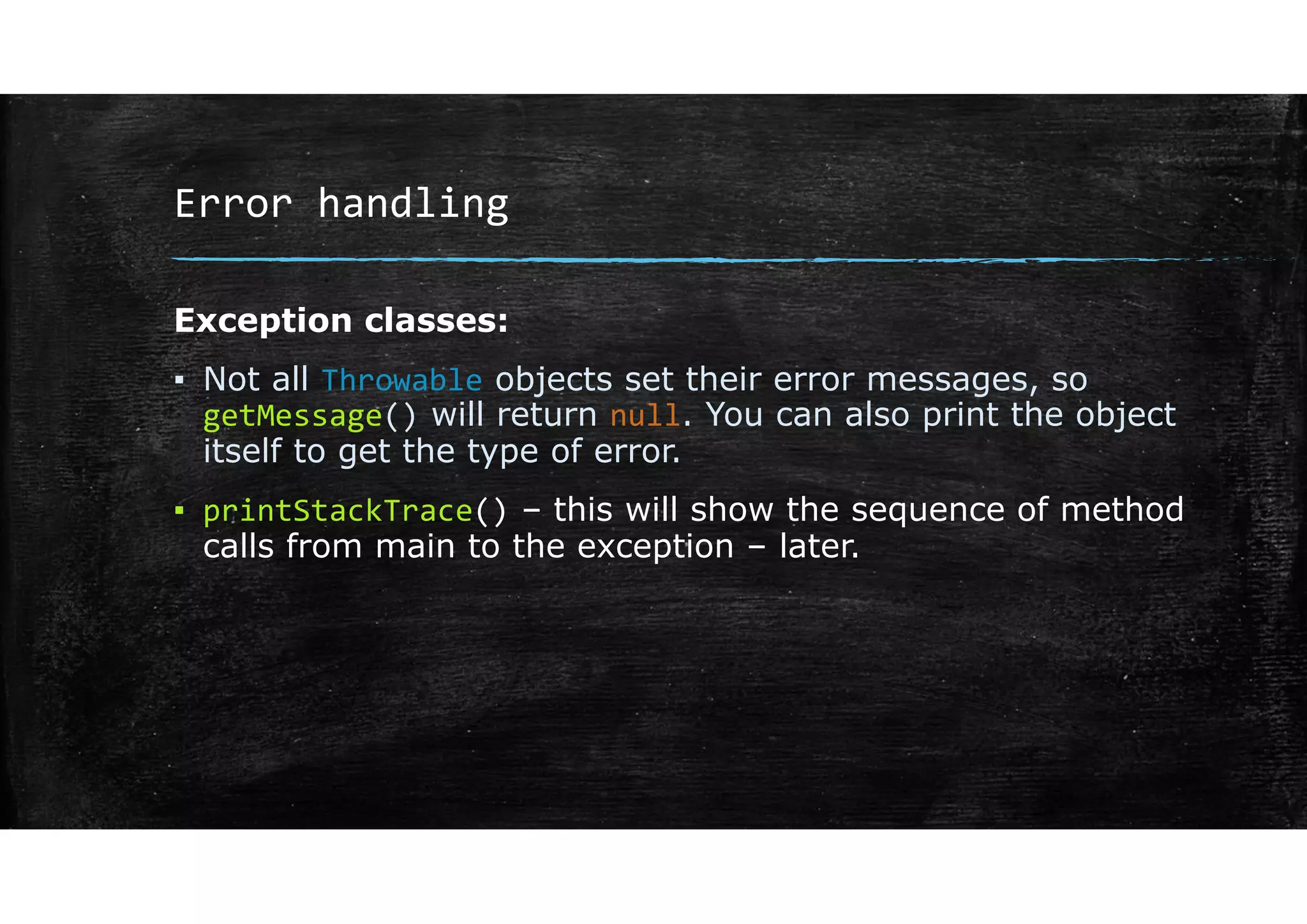
Exception classes:
▪ Not all Throwable objects set their error messages, so
getMessage() will return null. You can also print the object
itself to get the type of error.
▪ printStackTrace() – this will show the sequence of method
calls from main to the exception – later.
Error handling
Different Exceptions
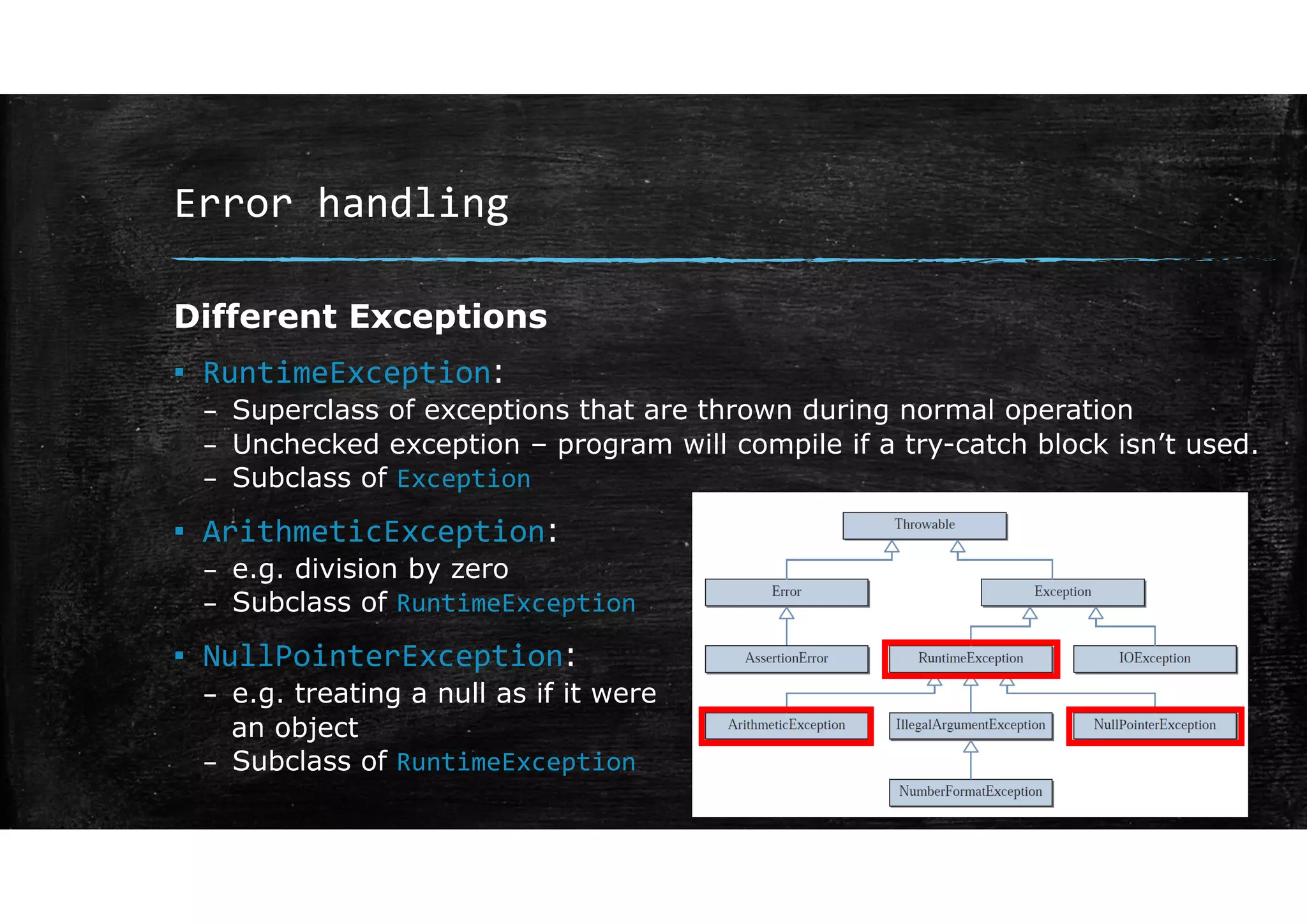
▪ RuntimeException:
– Superclass of exceptions that are thrown during normal operation
– Unchecked exception – program will compile if a try-catch block isn’t used.
– Subclass of Exception
▪ ArithmeticException:
– e.g. division by zero
– Subclass of RuntimeException
▪ NullPointerException:
– e.g. treating a null as if it were
an object
– Subclass of RuntimeException
Error handling
Different Exceptions
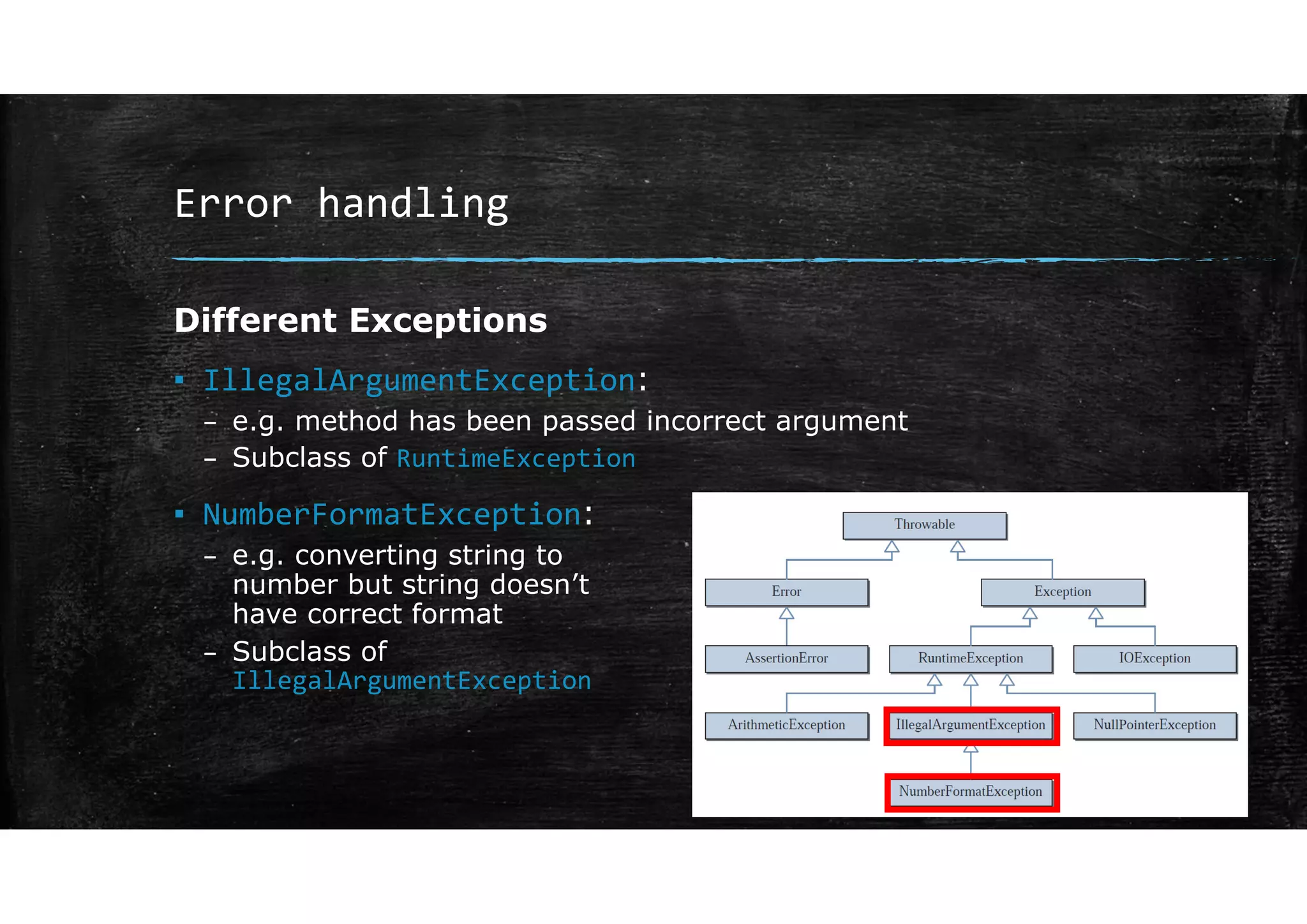
▪ IllegalArgumentException:
– e.g. method has been passed incorrect argument
– Subclass of RuntimeException
▪ NumberFormatException:
– e.g. converting string to
number but string doesn’t
have correct format
– Subclass of
IllegalArgumentException
Error handling
Different Exceptions
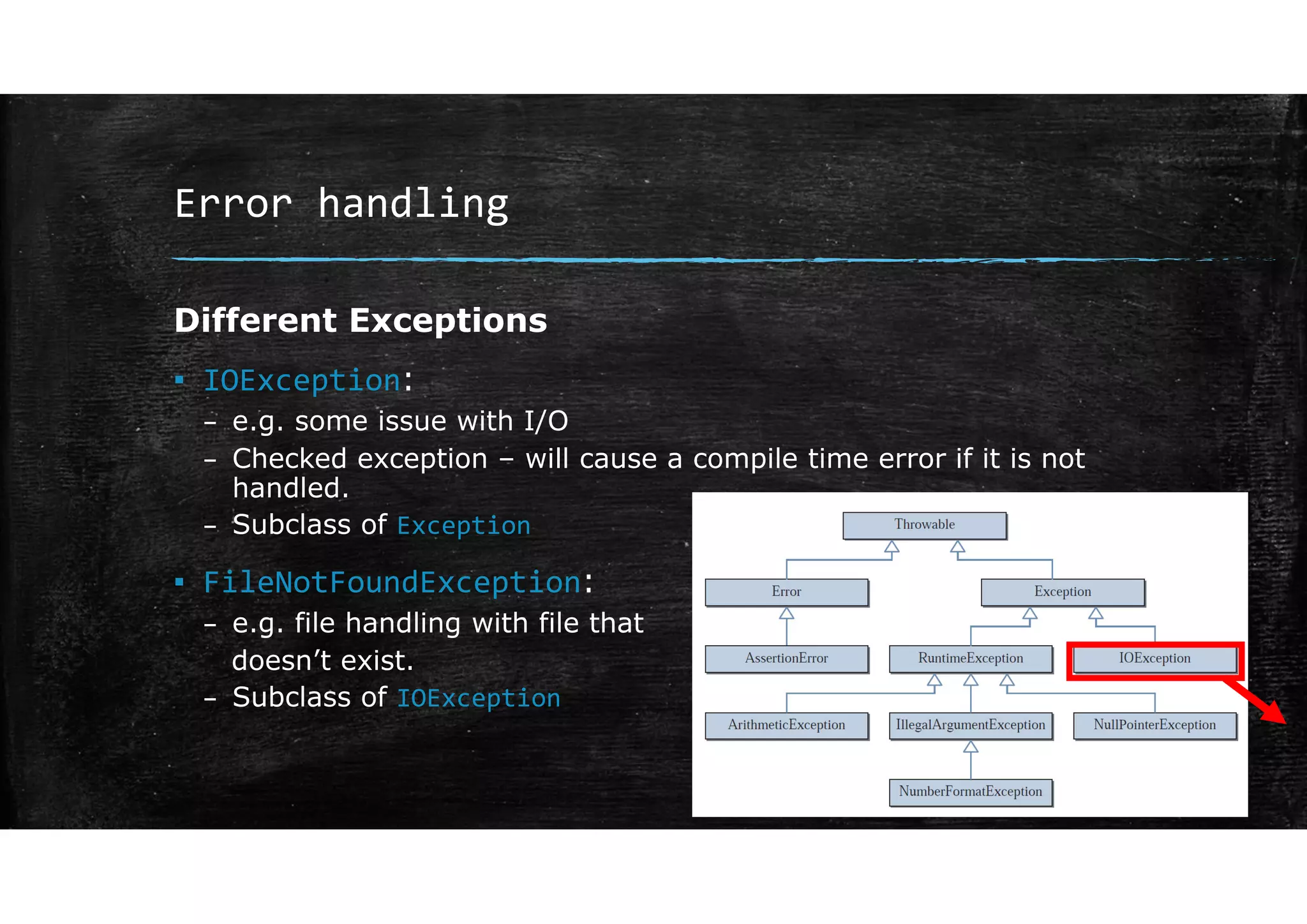
▪ IOException:
– e.g. some issue with I/O
– Checked exception – will cause a compile time error if it is not
handled.
– Subclass of Exception
▪ FileNotFoundException:
– e.g. file handling with file that
doesn’t exist.
– Subclass of IOException
Multiple catch blocks
Error handling
Multiple catch blocks
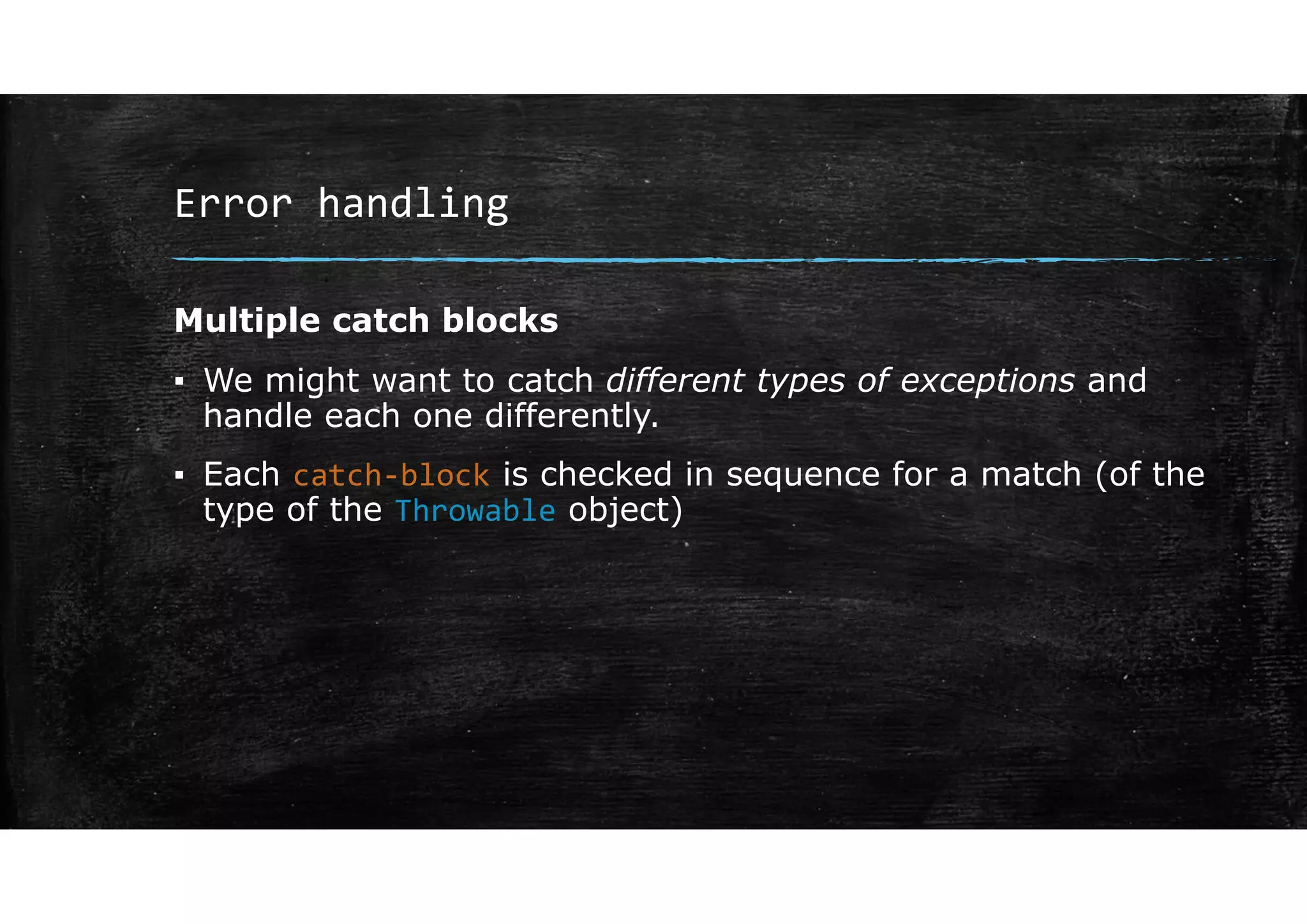
▪ We might want to catch different types of exceptions and
handle each one differently.
▪ Each catch‐block is checked in sequence for a match (of the
type of the Throwable object)
Error handling
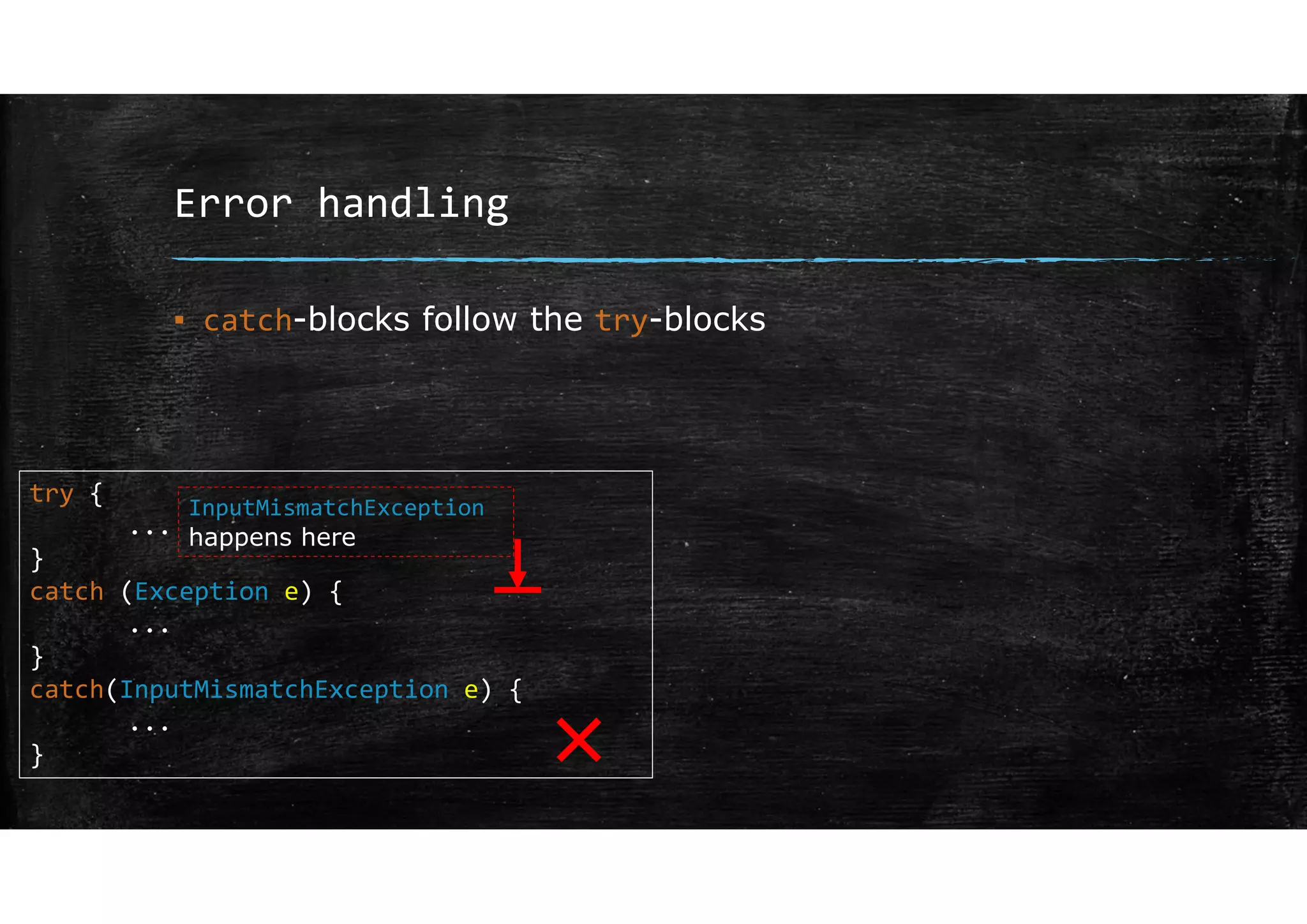
▪ catch-blocks follow the try-blocks
try {
...
}
catch (Exception e) {
...
}
catch(InputMismatchException e) {
...
}
InputMismatchException
happens here
×
Error handling
Multiple catch blocks
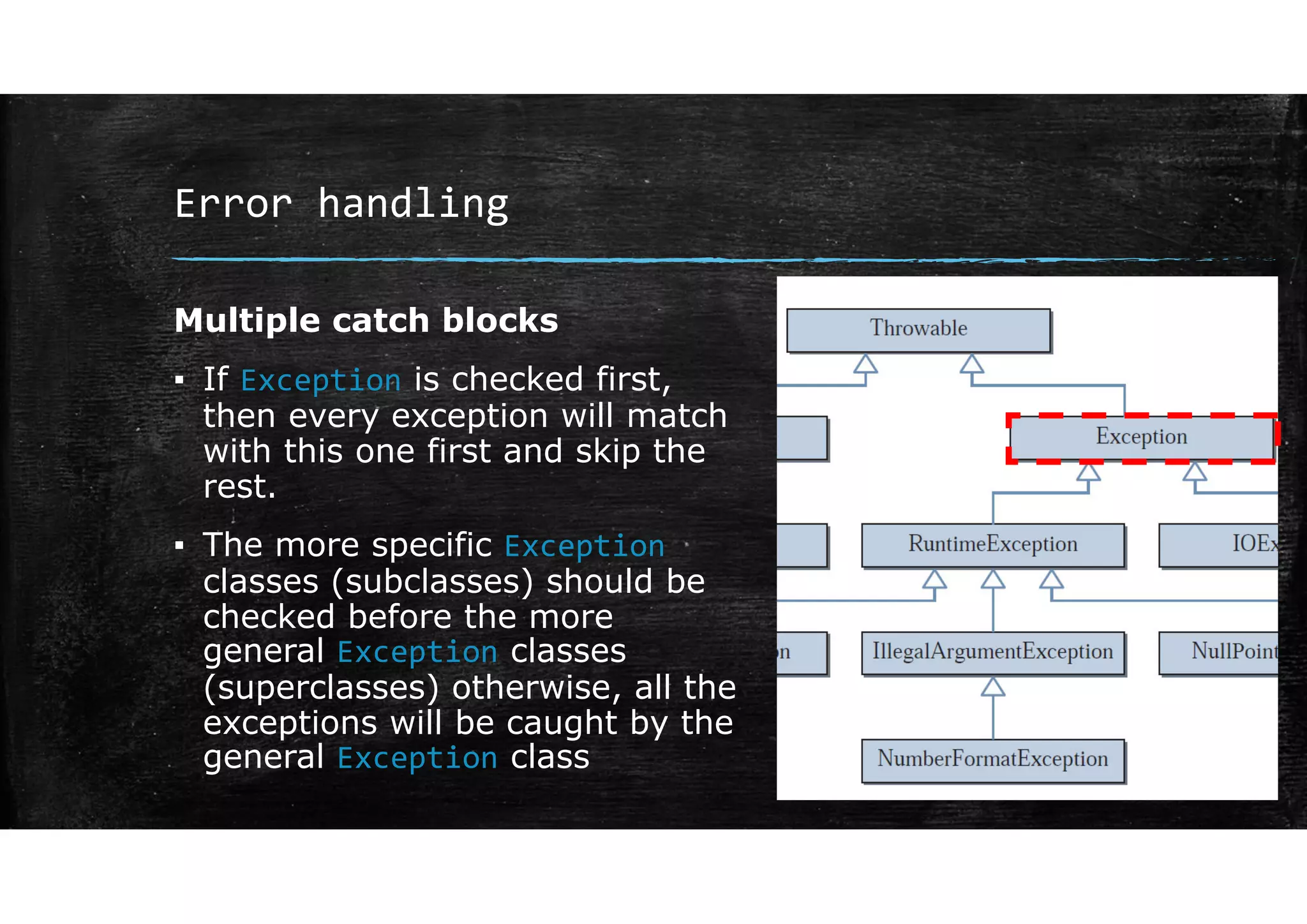
▪ If Exception is checked first,
then every exception will match
with this one first and skip the
rest.
▪ The more specific Exception
classes (subclasses) should be
checked before the more
general Exception classes
(superclasses) otherwise, all the
exceptions will be caught by the
general Exception class
Error handling
Multiple catch blocks
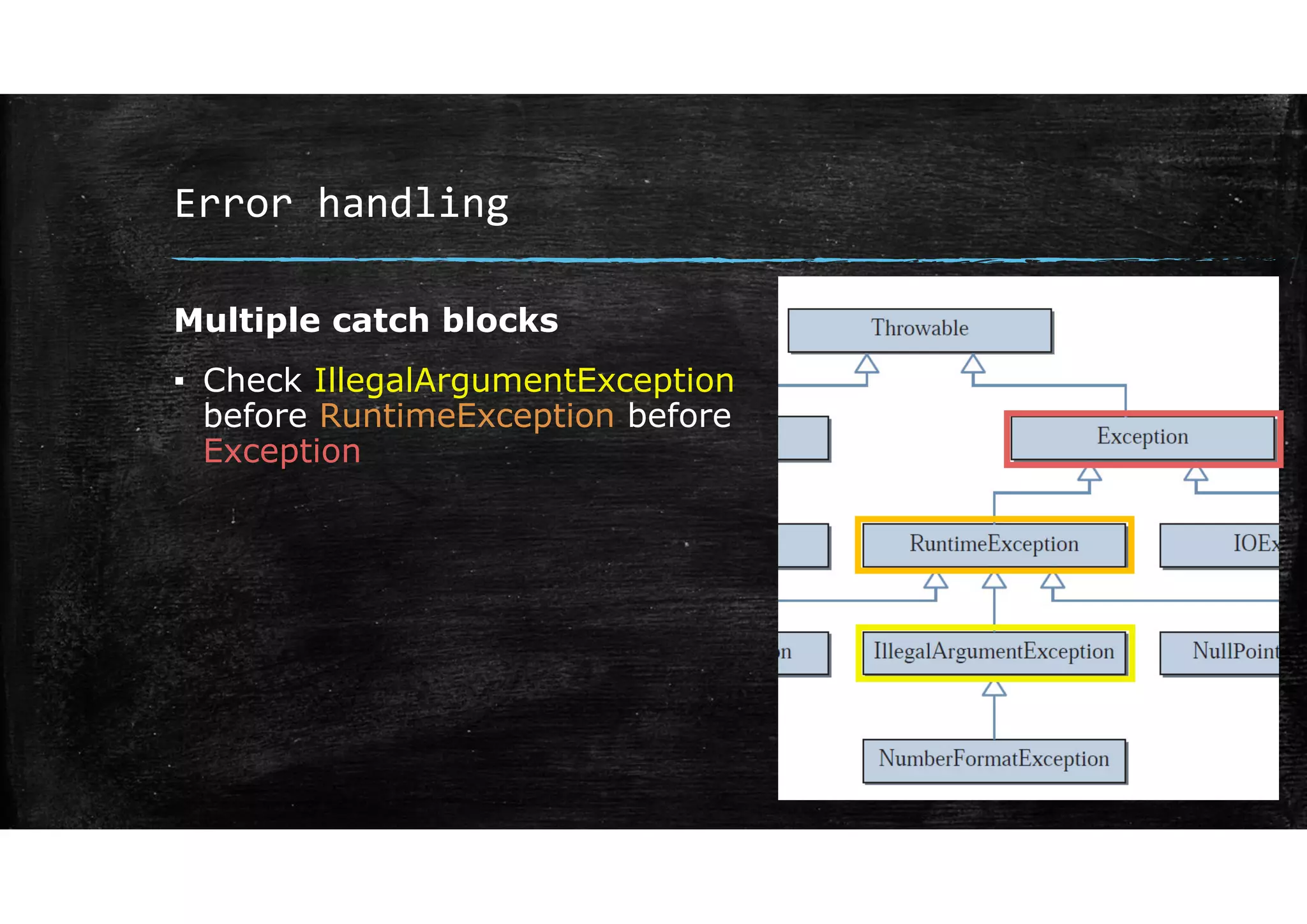
▪ Check IllegalArgumentException
before RuntimeException before
Exception
Error handling
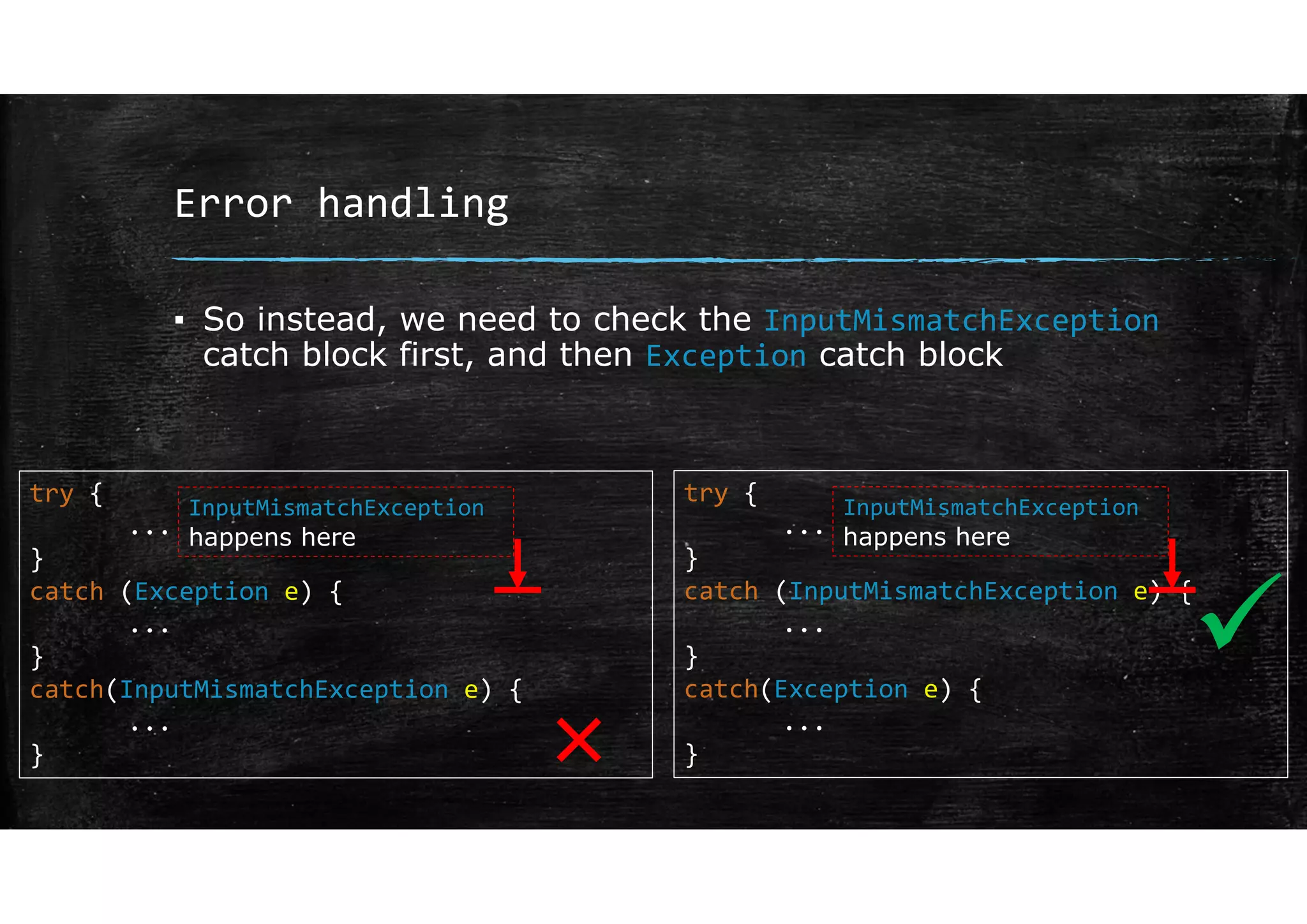
▪ So instead, we need to check the InputMismatchException
catch block first, and then Exception catch block
try {
...
}
catch (Exception e) {
...
}
catch(InputMismatchException e) {
...
}
InputMismatchException
happens here
try {
...
}
catch (InputMismatchException e) {
...
}
catch(Exception e) {
...
}
InputMismatchException
happens here
×

Error handling
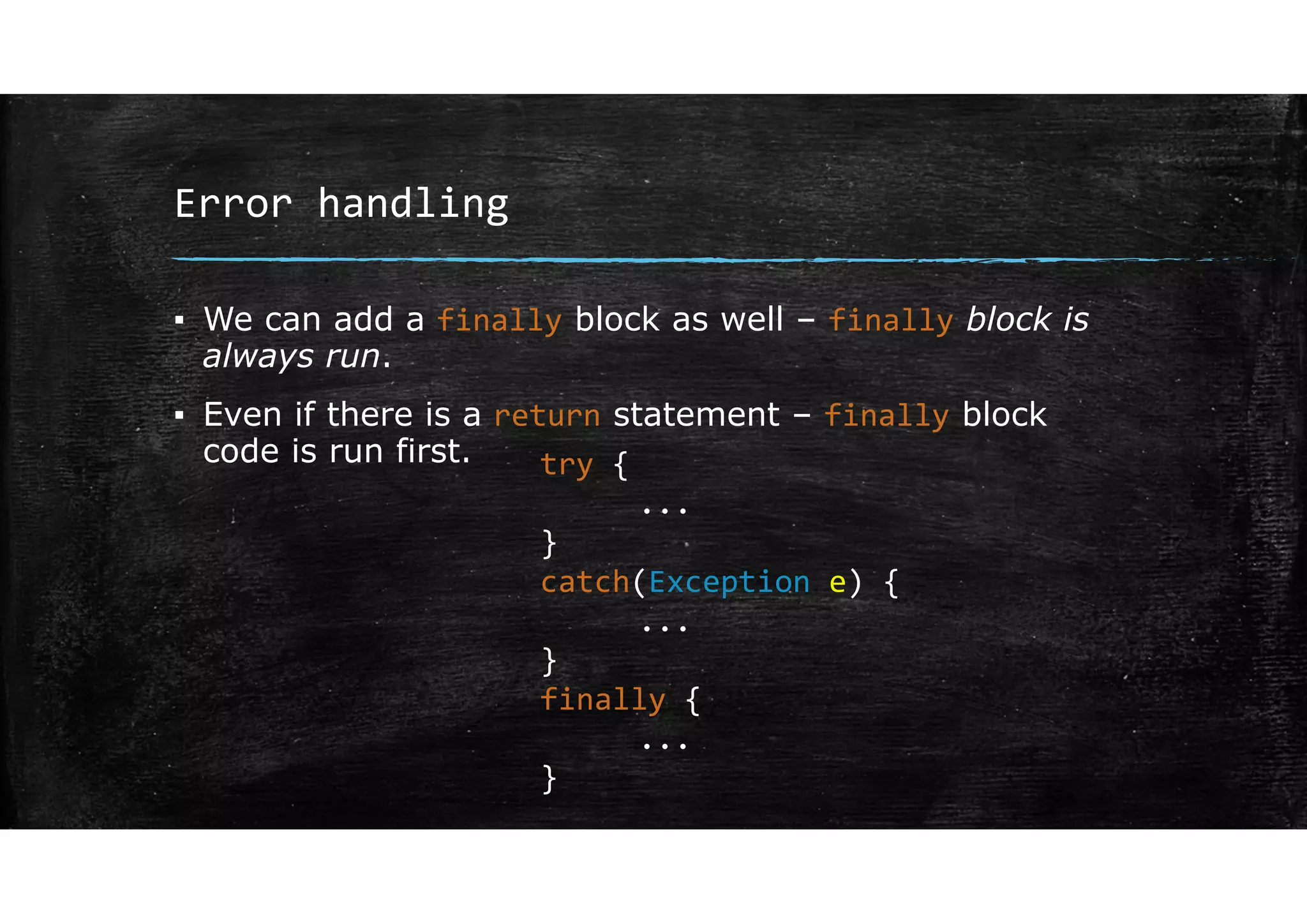
▪ We can add a finally block as well – finally block is
always run.
▪ Even if there is a return statement – finally block
code is run first. try {
...
}
catch(Exception e) {
...
}
finally {
...
}
Throwing exceptions
Error handling
Throwing exceptions
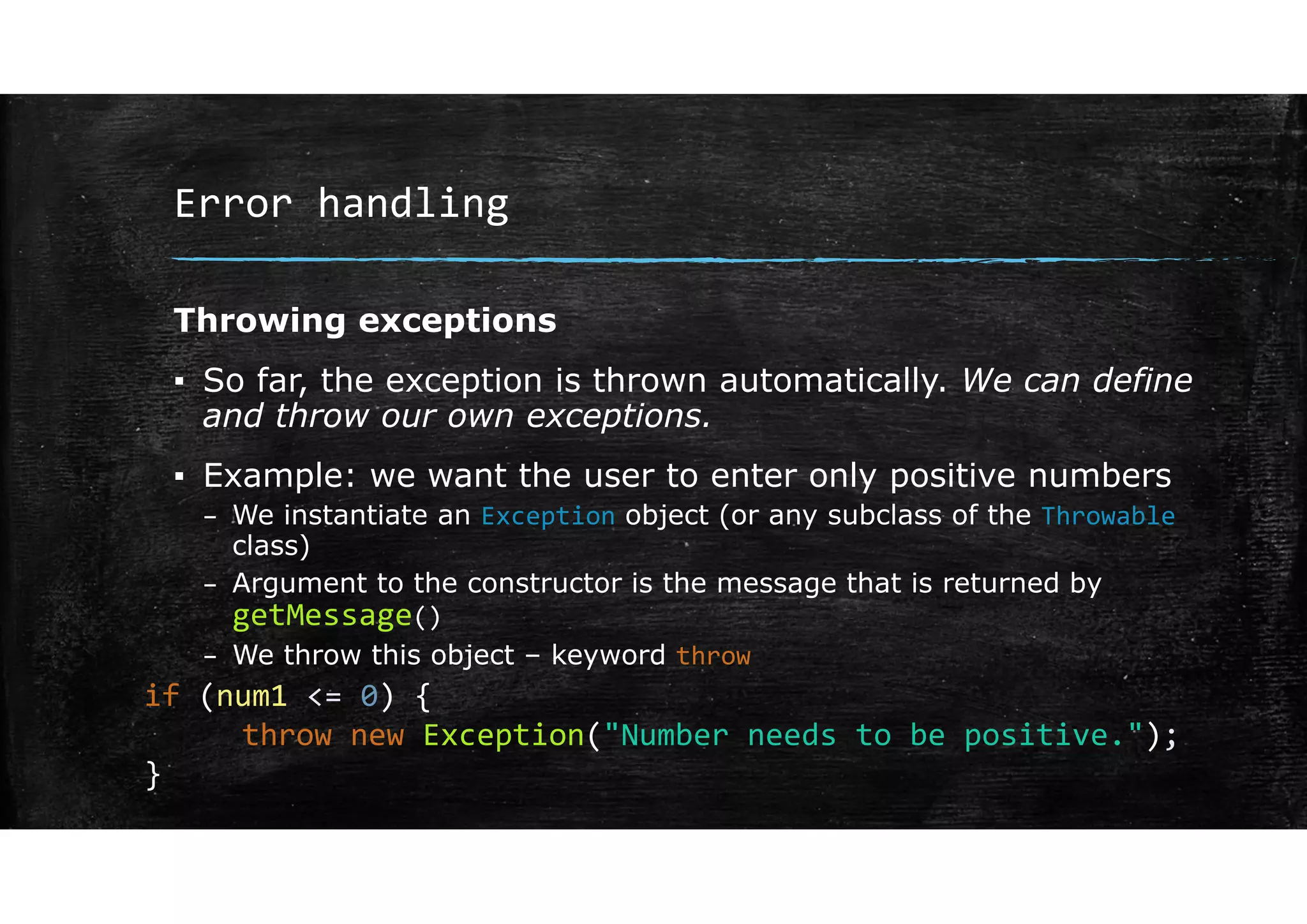
▪ So far, the exception is thrown automatically. We can define
and throw our own exceptions.
▪ Example: we want the user to enter only positive numbers
– We instantiate an Exception object (or any subclass of the Throwable
class)
– Argument to the constructor is the message that is returned by
getMessage()
– We throw this object – keyword throw
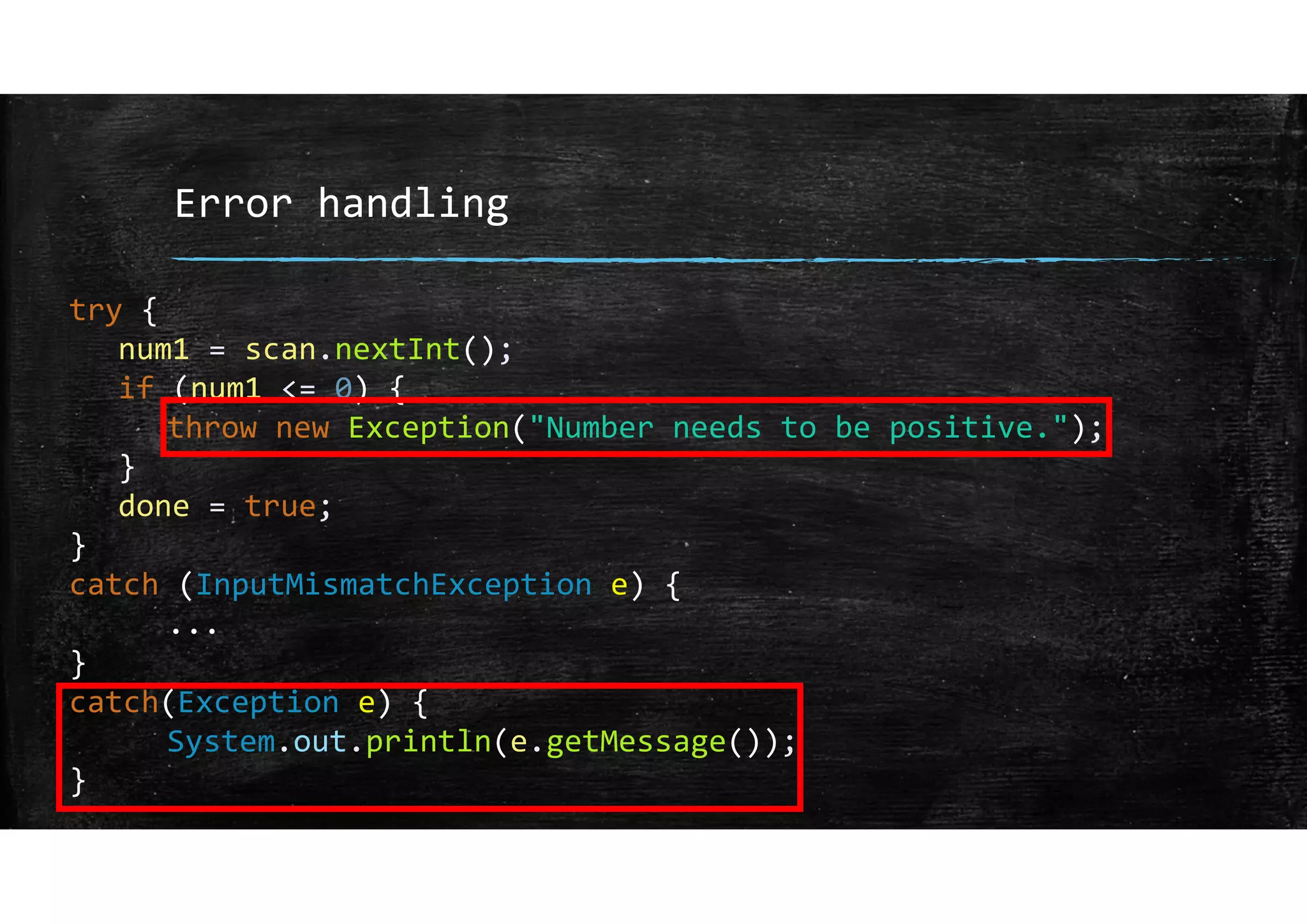
if (num1 <= 0) {
throw new Exception("Number needs to be positive.");
}
Error handling
Throwing exceptions
▪ Now that we have thrown an exception, we need to catch it.
▪ Add another catch-block.
Error handling
try {
num1 = scan.nextInt();
if (num1 <= 0) {
throw new Exception("Number needs to be positive.");
}
done = true;
}
catch (InputMismatchException e) {
...
}
catch(Exception e) {
System.out.println(e.getMessage());
}
Exception Propagation
Error handling
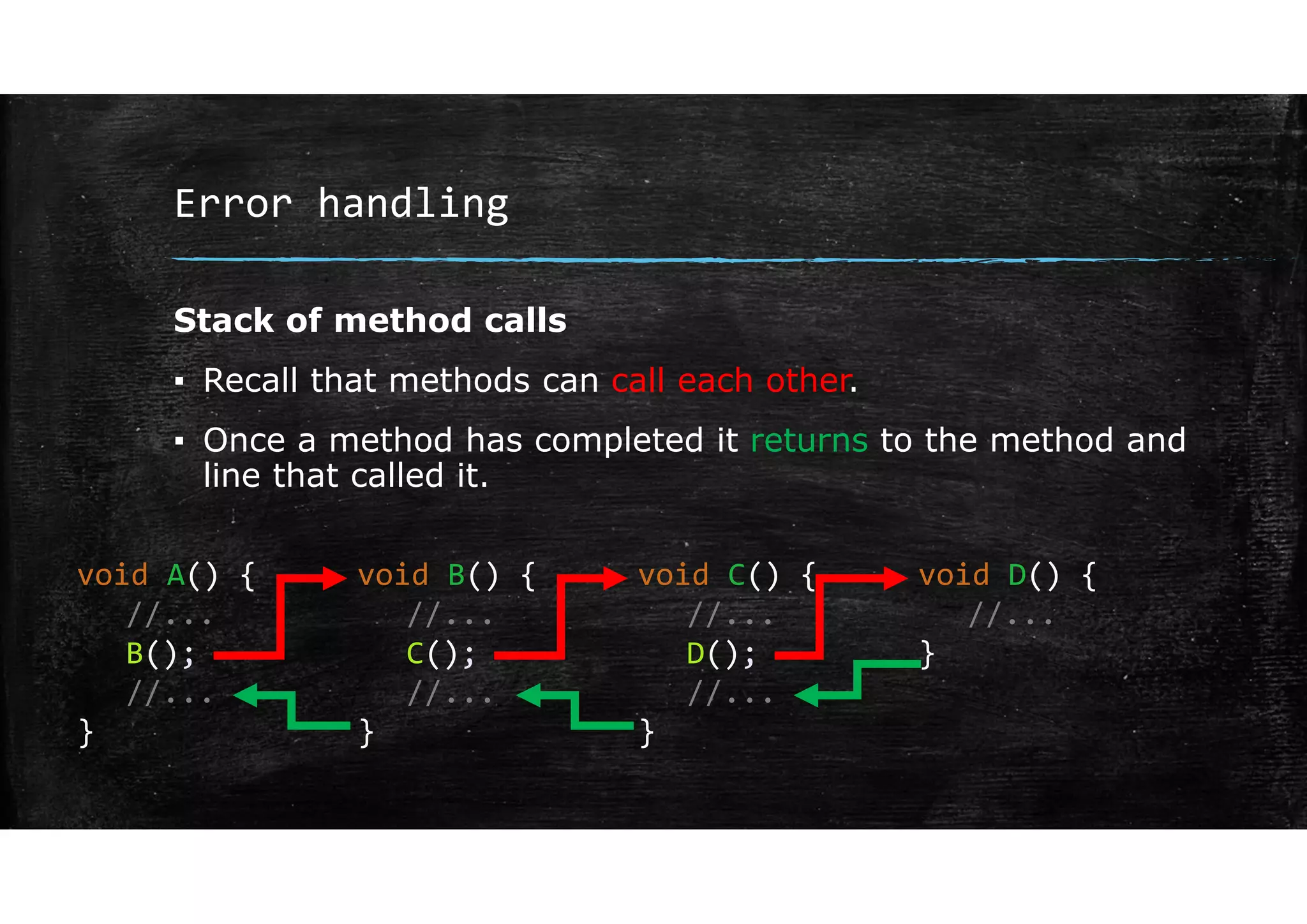
Stack of method calls
▪ Recall that methods can call each other.
▪ Once a method has completed it returns to the method and
line that called it.
void A() {
//...
B();
//...
}
void B() {
//...
C();
//...
}
void C() {
//...
D();
//...
}
void D() {
//...
}
Error handling
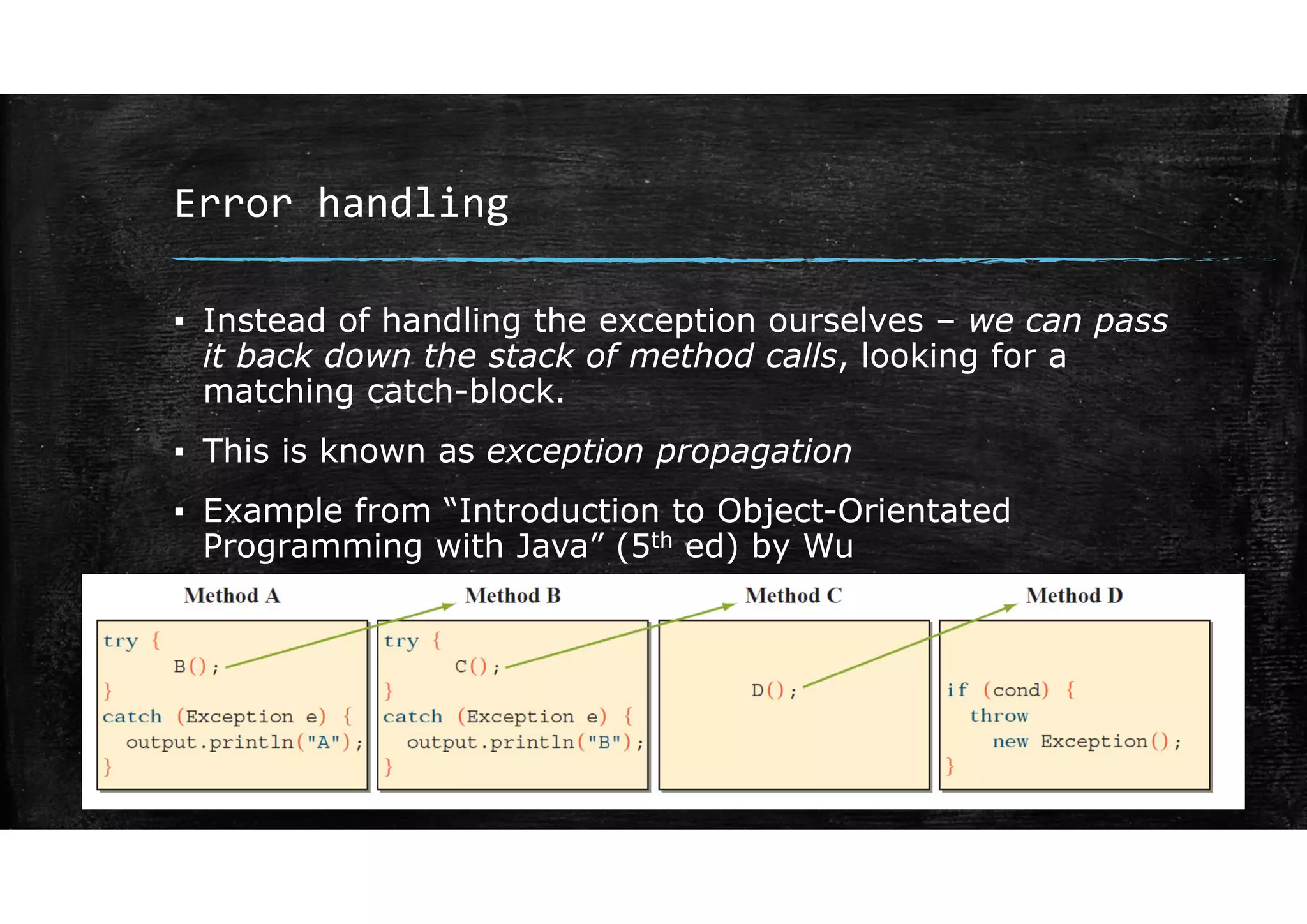
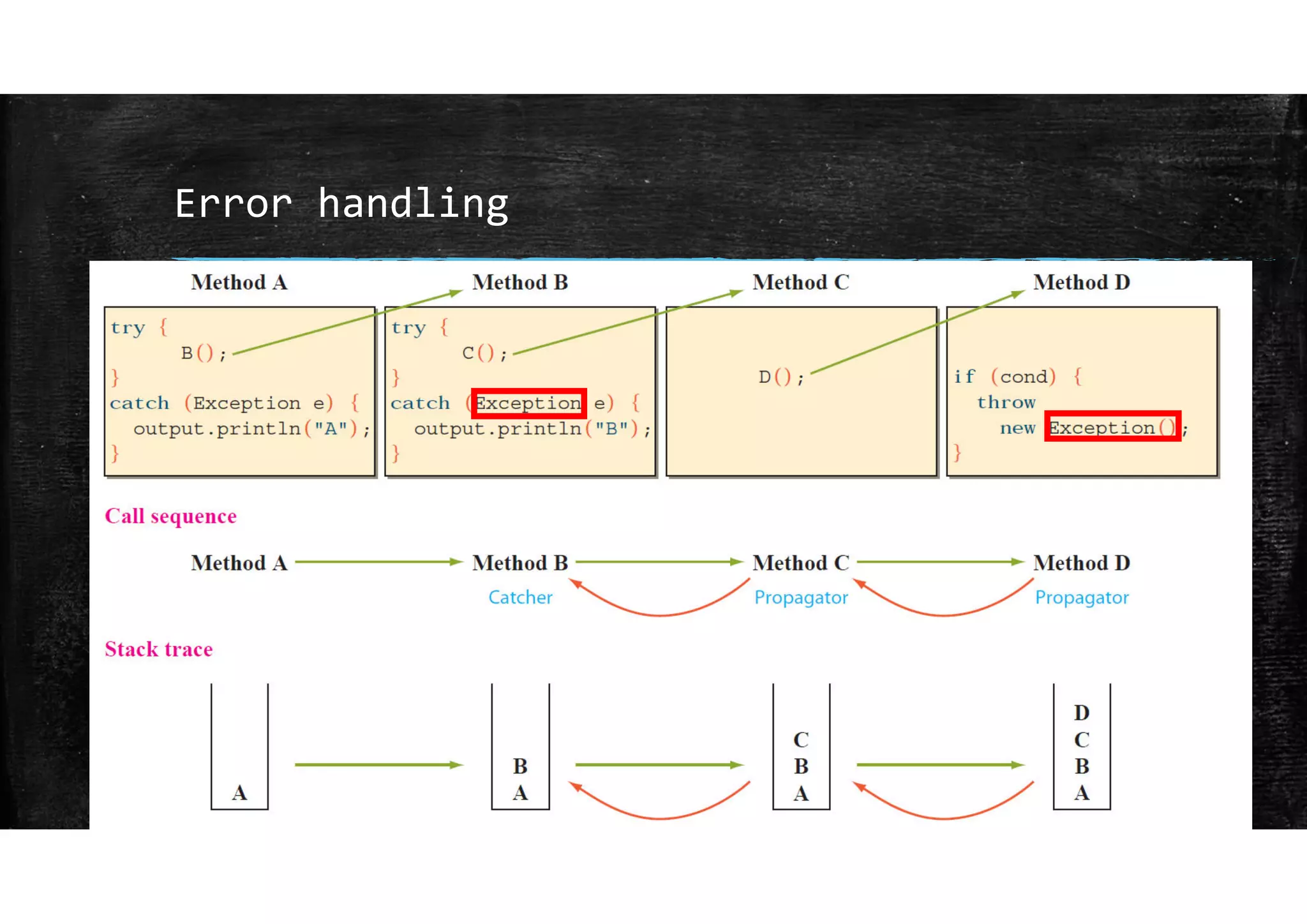
▪ Instead of handling the exception ourselves – we can pass
it back down the stack of method calls, looking for a
matching catch-block.
▪ This is known as exception propagation
▪ Example from “Introduction to Object-Orientated
Programming with Java” (5th ed) by Wu
Error handling
Error handling
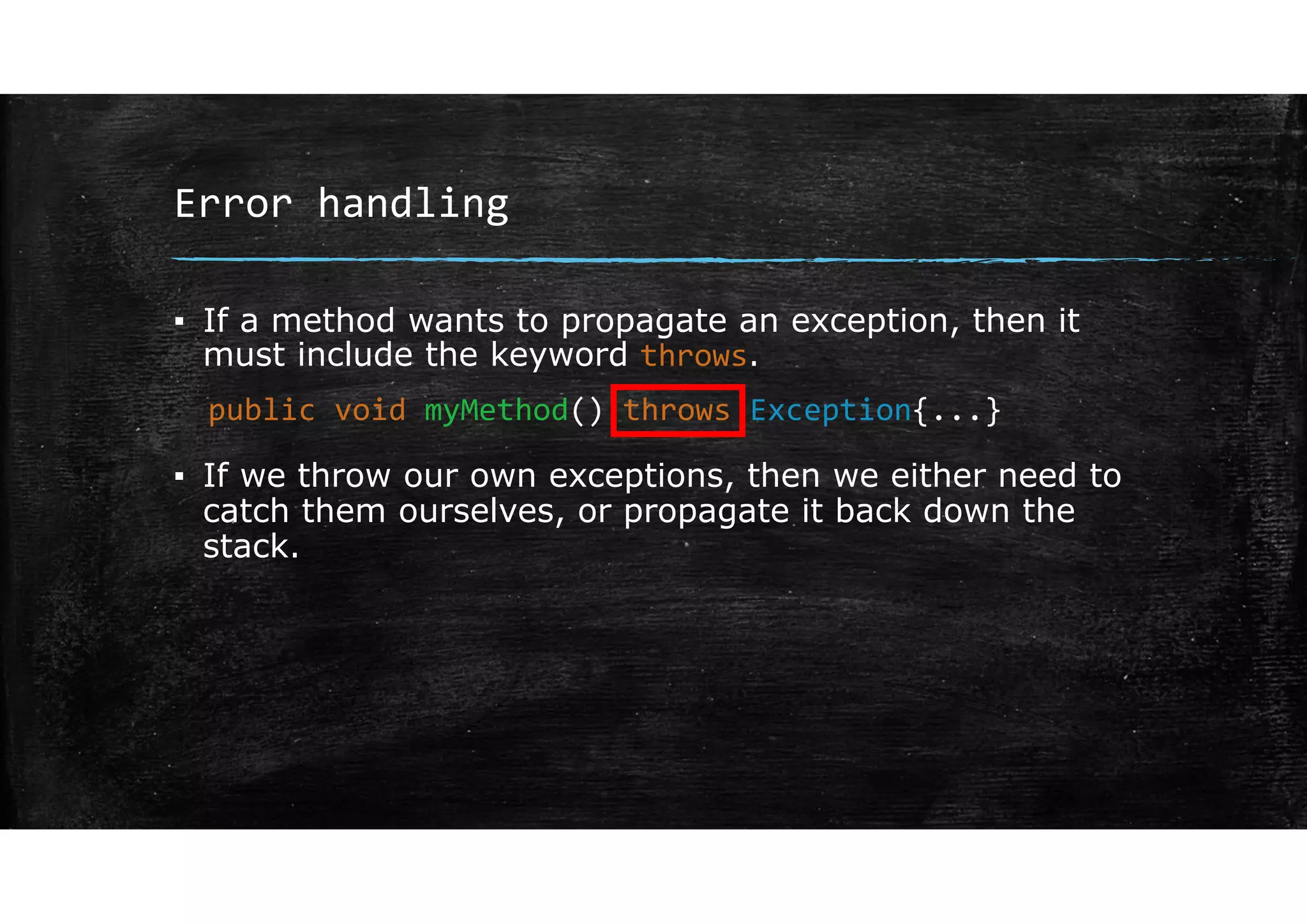
▪ If a method wants to propagate an exception, then it
must include the keyword throws.
▪ If we throw our own exceptions, then we either need to
catch them ourselves, or propagate it back down the
stack.
public void myMethod() throws Exception{...}
Assertions
Error handling
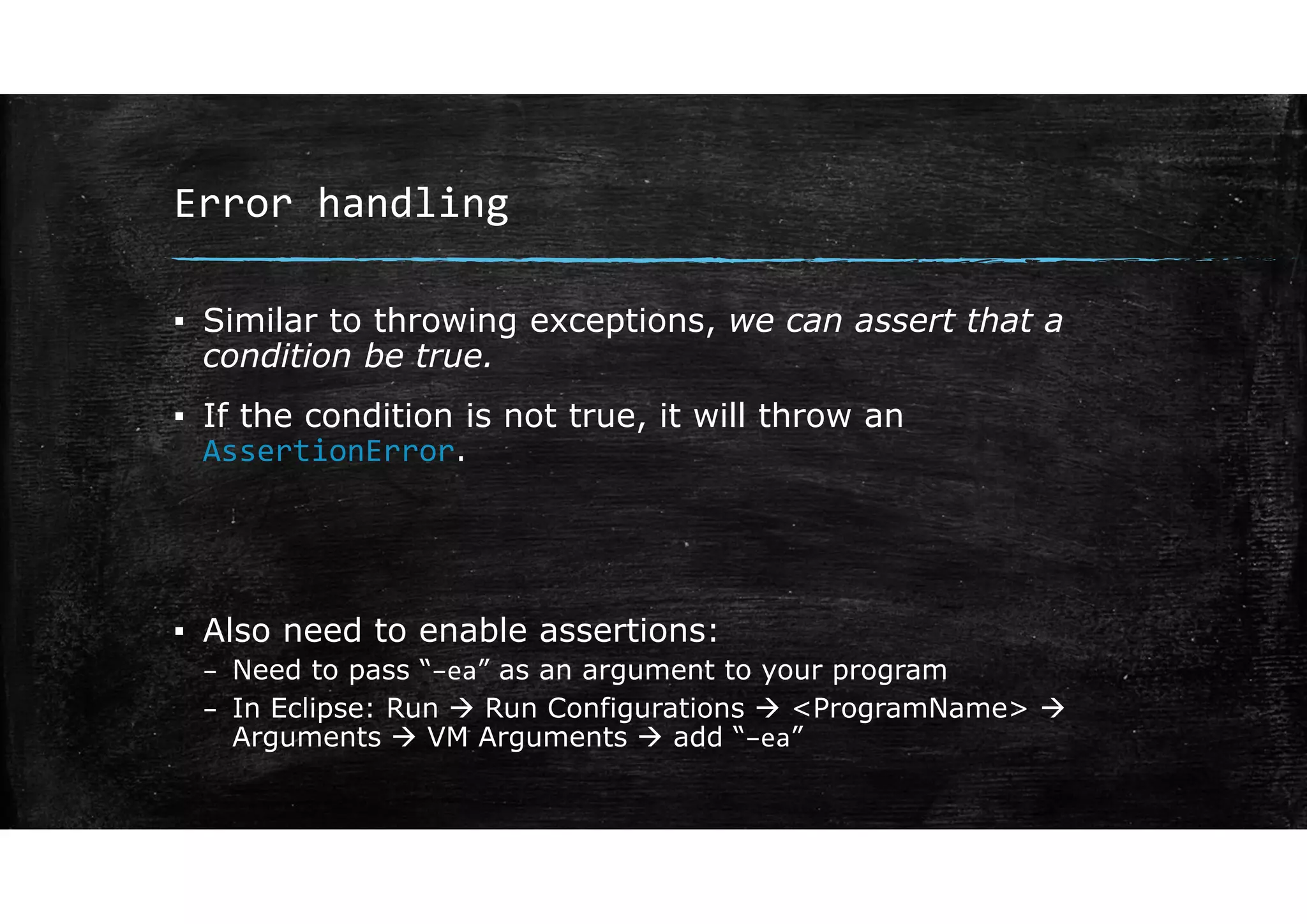
▪ Similar to throwing exceptions, we can assert that a
condition be true.
▪ If the condition is not true, it will throw an
AssertionError.
▪ Also need to enable assertions:
– Need to pass “–ea” as an argument to your program
– In Eclipse: Run  Run Configurations  <ProgramName> 
Arguments  VM Arguments  add “–ea”
Error handling
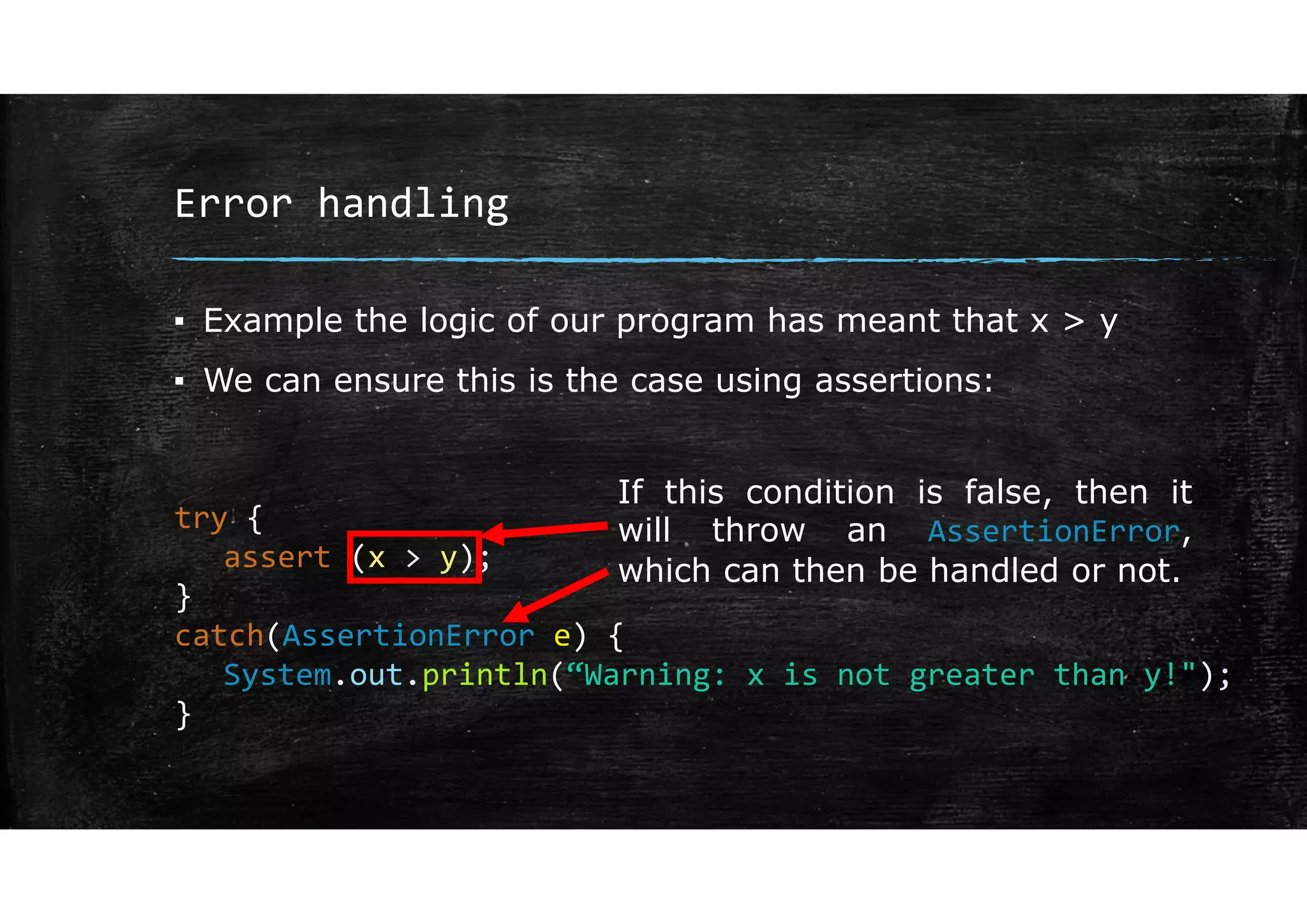
▪ Example the logic of our program has meant that x > y
▪ We can ensure this is the case using assertions:
try {
assert (x > y);
}
catch(AssertionError e) {
System.out.println(“Warning: x is not greater than y!");
}
If this condition is false, then it
will throw an AssertionError,
which can then be handled or not.

Lecture 9.pdf

  • 1.
  • 2.
  • 3.
    Error handling ▪ Ifsomething goes wrong in our program, it is better to do something with the error, rather than have the whole program crash. This is to improve robustness. ▪ An exception is a runtime error that occurs during the normal course of program execution. ▪ When an exception occurs, we say that the exception has been thrown.
  • 4.
    Error handling ▪ Wecan write code that catches a thrown exception i.e. runs whenever the exception is thrown. ▪ If we don’t write code to handle the exceptions, there is a default handler, but this will usually end the program or give erroneous results. ▪ There is a lot more to this topic that we won’t cover.
  • 5.
    Error handling ▪ InputMismatchException- Common exception you would have seen already – mismatch between the data you enter and what scanner input function you are using: ▪ Example: read two numbers in from console. Scanner scan = new Scanner(System.in); System.out.print("Enter first number: "); int num1 = scan.nextInt(); System.out.print("Enter second number: "); int num2 = scan.nextInt(); System.out.print("Their sum: " + (num1 + num2));
  • 6.
    Error handling ▪ Whathappens if the user enters a character? What will nextInt() do? ▪ We get an error message – this particular exception is InputMismatchException. ▪ We can handle exceptions using a try‐catch statement.
  • 7.
  • 8.
    Error handling ▪ if-statements,switch‐statements, loops etc all determine the program flow – i.e. which line is executed next. ▪ try-catch statements are similar in this way try { . . . } catch (. . .) { . . . }
  • 9.
    Error handling ▪ Ifthere are any exceptions that occur inside the try section, then it stops executing the try block, but instead runs the catch block. ▪ The type of exception that is caught is inside the brackets of the catch statement. try { . . . } catch (. . .) { . . . }
  • 10.
    Error handling ▪ Ifthe user does enter an integer, this causes a InputMismatchException and the println message is shown. ▪ Then the code after the catch block is run. ▪ If there is no exception, then the catch block isn’t run at all. System.out.print("Enter first number: "); try { num1 = scan.nextInt(); } catch (InputMismatchException e) { System.out.println("Please enter an integer."); }
  • 11.
    Error handling ▪ Howcan we exploit the fact that we leave the try block as soon as there is an exception? ▪ We can put our try-catch block inside a loop and only change the loop condition once we have finished the try-block.
  • 12.
    Error handling boolean done= false; do { System.out.print("Enter first number: "); try { num1 = scan.nextInt(); done = true; } catch (InputMismatchException e) { System.out.println("Please enter an integer."); scan.next(); } }while(!done);
  • 13.
    Error handling ▪ Weloop as long as done == false. done is only set to true, once we finish the try-block. ▪ Notice, we added the scan.next() to the catch – this is to clear out the exception causing input the user has entered. ▪ If we don’t, then scan.nextInt() will keep reading the same non-integer and we will be stuck in a loop.
  • 14.
  • 15.
    Error handling Exception classes: ▪Exception objects are instances of the Throwable class or one of its subclasses.
  • 16.
  • 17.
    Error handling Exception classes: ▪Exception objects are instances of the Throwable class or one of its subclasses. ▪ e.g. InputMismatchException class is a subclass of Throwable class. ▪ Throwable class has two subclasses, Error and Exception. – Error is for more serious issues – Exception is for errors that can be handled – our focus.
  • 18.
    Error handling Exception classes: ▪Throwable objects have methods that help us get information about the exception. ▪ With catch (InputMismatchException e) we can then access the methods of e: getMessage() and printStackTrace().
  • 19.
    Error handling Exception classes: ▪Not all Throwable objects set their error messages, so getMessage() will return null. You can also print the object itself to get the type of error. ▪ printStackTrace() – this will show the sequence of method calls from main to the exception – later.
  • 20.
    Error handling Different Exceptions ▪RuntimeException: – Superclass of exceptions that are thrown during normal operation – Unchecked exception – program will compile if a try-catch block isn’t used. – Subclass of Exception ▪ ArithmeticException: – e.g. division by zero – Subclass of RuntimeException ▪ NullPointerException: – e.g. treating a null as if it were an object – Subclass of RuntimeException
  • 21.
    Error handling Different Exceptions ▪IllegalArgumentException: – e.g. method has been passed incorrect argument – Subclass of RuntimeException ▪ NumberFormatException: – e.g. converting string to number but string doesn’t have correct format – Subclass of IllegalArgumentException
  • 22.
    Error handling Different Exceptions ▪IOException: – e.g. some issue with I/O – Checked exception – will cause a compile time error if it is not handled. – Subclass of Exception ▪ FileNotFoundException: – e.g. file handling with file that doesn’t exist. – Subclass of IOException
  • 23.
  • 24.
    Error handling Multiple catchblocks ▪ We might want to catch different types of exceptions and handle each one differently. ▪ Each catch‐block is checked in sequence for a match (of the type of the Throwable object)
  • 25.
    Error handling ▪ catch-blocksfollow the try-blocks try { ... } catch (Exception e) { ... } catch(InputMismatchException e) { ... } InputMismatchException happens here ×
  • 26.
    Error handling Multiple catchblocks ▪ If Exception is checked first, then every exception will match with this one first and skip the rest. ▪ The more specific Exception classes (subclasses) should be checked before the more general Exception classes (superclasses) otherwise, all the exceptions will be caught by the general Exception class
  • 27.
    Error handling Multiple catchblocks ▪ Check IllegalArgumentException before RuntimeException before Exception
  • 28.
    Error handling ▪ Soinstead, we need to check the InputMismatchException catch block first, and then Exception catch block try { ... } catch (Exception e) { ... } catch(InputMismatchException e) { ... } InputMismatchException happens here try { ... } catch (InputMismatchException e) { ... } catch(Exception e) { ... } InputMismatchException happens here × 
  • 29.
    Error handling ▪ Wecan add a finally block as well – finally block is always run. ▪ Even if there is a return statement – finally block code is run first. try { ... } catch(Exception e) { ... } finally { ... }
  • 30.
  • 31.
    Error handling Throwing exceptions ▪So far, the exception is thrown automatically. We can define and throw our own exceptions. ▪ Example: we want the user to enter only positive numbers – We instantiate an Exception object (or any subclass of the Throwable class) – Argument to the constructor is the message that is returned by getMessage() – We throw this object – keyword throw if (num1 <= 0) { throw new Exception("Number needs to be positive."); }
  • 32.
    Error handling Throwing exceptions ▪Now that we have thrown an exception, we need to catch it. ▪ Add another catch-block.
  • 33.
    Error handling try { num1= scan.nextInt(); if (num1 <= 0) { throw new Exception("Number needs to be positive."); } done = true; } catch (InputMismatchException e) { ... } catch(Exception e) { System.out.println(e.getMessage()); }
  • 34.
  • 35.
    Error handling Stack ofmethod calls ▪ Recall that methods can call each other. ▪ Once a method has completed it returns to the method and line that called it. void A() { //... B(); //... } void B() { //... C(); //... } void C() { //... D(); //... } void D() { //... }
  • 36.
    Error handling ▪ Insteadof handling the exception ourselves – we can pass it back down the stack of method calls, looking for a matching catch-block. ▪ This is known as exception propagation ▪ Example from “Introduction to Object-Orientated Programming with Java” (5th ed) by Wu
  • 37.
  • 38.
    Error handling ▪ Ifa method wants to propagate an exception, then it must include the keyword throws. ▪ If we throw our own exceptions, then we either need to catch them ourselves, or propagate it back down the stack. public void myMethod() throws Exception{...}
  • 39.
  • 40.
    Error handling ▪ Similarto throwing exceptions, we can assert that a condition be true. ▪ If the condition is not true, it will throw an AssertionError. ▪ Also need to enable assertions: – Need to pass “–ea” as an argument to your program – In Eclipse: Run  Run Configurations  <ProgramName>  Arguments  VM Arguments  add “–ea”
  • 41.
    Error handling ▪ Examplethe logic of our program has meant that x > y ▪ We can ensure this is the case using assertions: try { assert (x > y); } catch(AssertionError e) { System.out.println(“Warning: x is not greater than y!"); } If this condition is false, then it will throw an AssertionError, which can then be handled or not.