What is an exception?
 An exception or exceptional event is an event that occurs
during the execution of a program that disrupts the
normal flow of instructions
 The following will cause exceptions:
 Accessing an out-of-bounds array element
 Writing into a read-only file
 Trying to read beyond the end of a file
 Sending illegal arguments to a method
 Performing illegal arithmetic (e.g divide by 0)
 Hardware failures
Why Use Exceptions?
 Compilation cannot find all errors
 To separate error handling code from regular code
 Code clarity (debugging, teamwork, etc.)
 Worry about handling error elsewhere
 To separate error detection, reporting, and handling
 To group and differentiate error types
 Write error handlers that handle very specific exceptions
In java
 In java exceptions are objects.
 When you throw an exception, you throw an object.
 You can't throw just any object as an exception, -- only
those objects whose classes descend from Throwable.
 Throwable serves as the base class for an entire family of
classes, declared in java.lang, that your program can
instantiate and throw.
In java
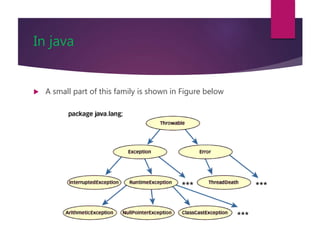
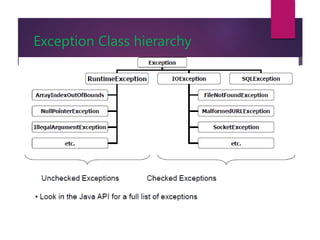
 A small part of this family is shown in Figure below
Exception Terminology In java
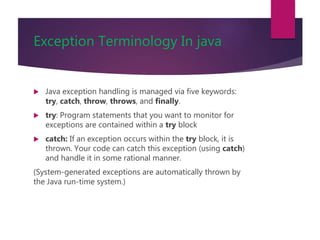
 Java exception handling is managed via five keywords:
try, catch, throw, throws, and finally.
 try: Program statements that you want to monitor for
exceptions are contained within a try block
 catch: If an exception occurs within the try block, it is
thrown. Your code can catch this exception (using catch)
and handle it in some rational manner.
(System-generated exceptions are automatically thrown by
the Java run-time system.)
Exception Terminology In java
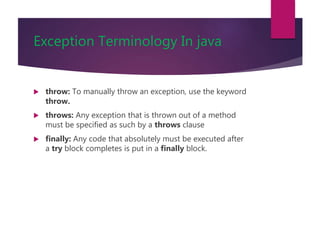
 throw: To manually throw an exception, use the keyword
throw.
 throws: Any exception that is thrown out of a method
must be specified as such by a throws clause
 finally: Any code that absolutely must be executed after
a try block completes is put in a finally block.
Exception Terminology
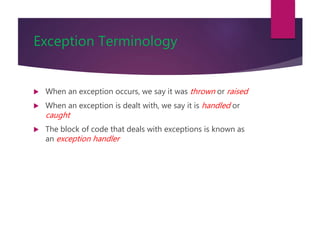
 When an exception occurs, we say it was thrown or raised
 When an exception is dealt with, we say it is handled or
caught
 The block of code that deals with exceptions is known as
an exception handler
In java
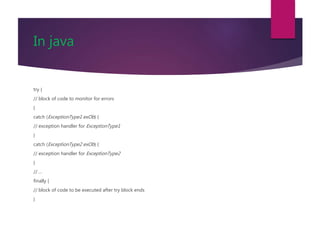
try {
// block of code to monitor for errors
}
catch (ExceptionType1 exOb) {
// exception handler for ExceptionType1
}
catch (ExceptionType2 exOb) {
// exception handler for ExceptionType2
}
// ...
finally {
// block of code to be executed after try block ends
}
Uncaught Exceptions In java
class Exc0 {
public static void main(String args[]) {
int d = 0;
int a = 42 / d;
}
}
Uncaught Exceptions In java
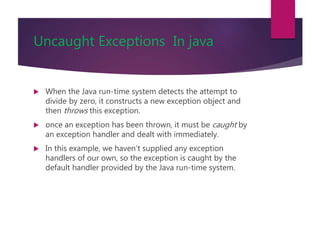
 When the Java run-time system detects the attempt to
divide by zero, it constructs a new exception object and
then throws this exception.
 once an exception has been thrown, it must be caught by
an exception handler and dealt with immediately.
 In this example, we haven’t supplied any exception
handlers of our own, so the exception is caught by the
default handler provided by the Java run-time system.
Uncaught Exceptions In java
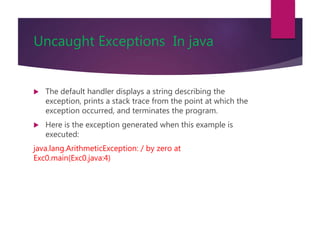
 The default handler displays a string describing the
exception, prints a stack trace from the point at which the
exception occurred, and terminates the program.
 Here is the exception generated when this example is
executed:
java.lang.ArithmeticException: / by zero at
Exc0.main(Exc0.java:4)
Decoding Exception Messages
public class ArrayExceptionExample {
public static void main(String args[]) {
String[] names = {“Bilal", “Robert"};
System.out.println(names[2]);
}
}
 The println in the above code causes an exception
to be thrown with the following exception message:
Exception in thread "main"
java.lang.ArrayIndexOutOfBoundsException: 2 at
ArrayExceptionExample.main(ArrayExceptionExamp le.java:4)
Exception Message Format
Exception messages have
the following format:
[exception class]: [additional description
of exception] at
[class].[method]([file]:[line number]
Exception Messages Example
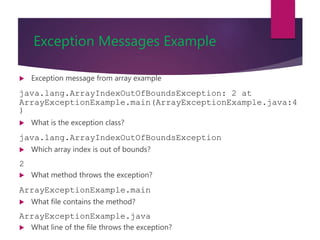
 Exception message from array example
java.lang.ArrayIndexOutOfBoundsException: 2 at
ArrayExceptionExample.main(ArrayExceptionExample.java:4
)
 What is the exception class?
java.lang.ArrayIndexOutOfBoundsException
 Which array index is out of bounds?
2
 What method throws the exception?
ArrayExceptionExample.main
 What file contains the method?
ArrayExceptionExample.java
 What line of the file throws the exception?
stack trace
class Exc1 {
static void subroutine() {
int d = 0;
int a = 10 / d;
}
public static void main(String args[]) {
Exc1.subroutine();
}
}
stack trace
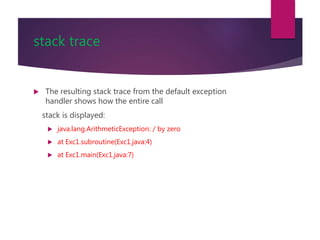
 The resulting stack trace from the default exception
handler shows how the entire call
stack is displayed:
 java.lang.ArithmeticException: / by zero
 at Exc1.subroutine(Exc1.java:4)
 at Exc1.main(Exc1.java:7)
Using try and catch
 Although the default exception handler provided by the
Java run-time system is useful for debugging, you will
usually want to handle an exception yourself.
 Doing so provides two benefits.
 First, it allows you to fix the error.
 Second, it prevents the program from automatically
terminating.
Using try and catch
class Exc2 {
public static void main(String args[]) {
int d, a;
try { // monitor a block of code.
d = 0;
a = 42 / d;
System.out.println("This will not be printed.");
}
catch (ArithmeticException e)
{ // catch divide-by-zero error
System.out.println("Division by zero.");
}
System.out.println("After catch statement.");
}
}
Using try and catch
// Handle an exception and move on.
import java.util.Random;
class HandleError {
public static void main(String args[]) {
int a=0, b=0, c=0;
Random r = new Random();
for(int i=0; i<32000; i++) {
try {
b = r.nextInt();
c = r.nextInt();
a = 12345 / (b/c);
} catch (ArithmeticException e) {
System.out.println("Division by zero.");
a = 0; // set a to zero and continue
}System.out.println("a: " + a);
}}}
Handling Exceptions
 Can use a try-catch block to handle exceptions that are thrown
try{
// code that might throw exception
}
catch([Type of Exception] e) {
// what to do if exception is thrown
}
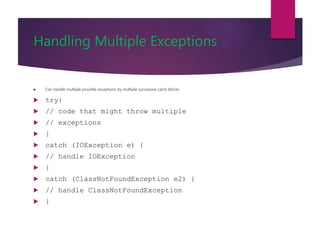
Handling Multiple Exceptions
 Can handle multiple possible exceptions by multiple successive catch blocks
 try{
 // code that might throw multiple
 // exceptions
 }
 catch (IOException e) {
 // handle IOException
 }
 catch (ClassNotFoundException e2) {
 // handle ClassNotFoundException
 }
Nested try
 Try statement can be inside the block of another try.
 Each time a try statement is entered, the context of that
exception is pushed on the stack.
 If an inner try statement does not have a catch handler for a
particular exception, the stack is unwound and the next try
statement’s catch handlers are inspected for a match.
 This continues until one of the catch statements succeeds, or
until all of the nested try statements are exhausted.
 If no catch statement matches, then the Java run-time
system will handle the exception.
throw
 It is possible for your program to throw an exception
explicitly, using the throw statement.
 The general form of throw is shown here:
 Throw ThrowableInstance;
throw
 There are two ways you can obtain a Throwable object:
 using a parameter in a catch clause, or
 creating one with the new operator.
 The flow of execution stops immediately after the throw
statement;
 any subsequent statements are not executed.
 The nearest enclosing try block is inspected to see if it
has a catch statement that matches the type of exception.
throw
 If it does find a match, control is transferred to that
statement.
 If not, then the next enclosing try statement is inspected,
and so on.
 If no matching catch is found, then the default exception
handler halts the program and prints the stack trace.
throws
 If a method is capable of causing an exception that it
does not handle, it must specify this behavior so that
callers of the method can guard themselves against that
exception.
 You do this by including a throws clause in the method’s
declaration
throws
 This is the general form of a method declaration that
includes a throws clause:
 type method-name(parameter-list) throws exception-list
{
// body of method
}
Finally Block
 Can also use the optional finally block at the end of the
try-catch block
 finally block provides a mechanism to clean up regardless
of what happens within the try block
 Can be used to close files or to release other system
resources
Try-Catch-Finally Block
try{
// code that might throw exception
}
catch([Type of Exception] e) {
// what to do if exception is thrown
}
finally{
// statements here always get
// executed, regardless of what
// happens in the try block}
Unchecked Exceptions
 Unchecked exceptions or RuntimeExceptions occur within
the Java runtime system
 Examples of unchecked exceptions
 arithmetic exceptions (dividing by zero)
 pointer exceptions (trying to access an object’s members
through a null reference)
 indexing exceptions (trying to access an array element with
an index that is too large or too small)
 A method does not have to catch or specify that it throws
unchecked exceptions, although it may.
More on Unchecked Exceptions
 Can occur at many points in the program
 Program handling such exceptions would be cluttered,
pointlessly
 Only handle unchecked exceptions at important program
points
Checked Exceptions
 Those other exceptions that the compiler can detect
easily.
 Usually originate in library code
 For example, exceptions occurring during I/O, Files
 Compiler ensures that: checked exceptions are:
 caught using try-catch or
 are specified to be passed up to calling method
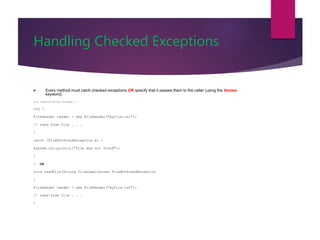
Handling Checked Exceptions
 Every method must catch checked exceptions OR specify that it passes them to the caller (using the throws
keyword)
void readFile(String filename) {
try {
FileReader reader = new FileReader("myfile.txt");
// read from file . . .
}
catch (FileNotFoundException e) {
System.out.println("file was not found");
}
} OR
void readFile(String filename)throws FileNotFoundException
{
FileReader reader = new FileReader("myfile.txt");
// read from file . . .
}
Writing Your Own Exceptions
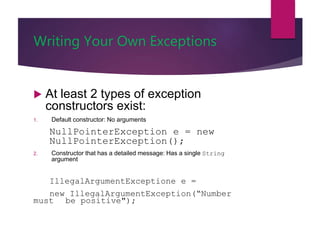
 At least 2 types of exception
constructors exist:
1. Default constructor: No arguments
NullPointerException e = new
NullPointerException();
2. Constructor that has a detailed message: Has a single String
argument
IllegalArgumentExceptione e =
new IllegalArgumentException(“Number
must be positive");
Writing Your Own Exceptions
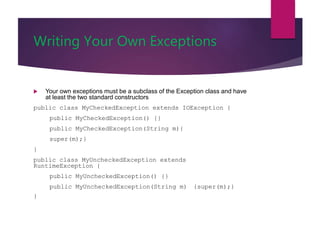
 Your own exceptions must be a subclass of the Exception class and have
at least the two standard constructors
public class MyCheckedException extends IOException {
public MyCheckedException() {}
public MyCheckedException(String m){
super(m);}
}
public class MyUncheckedException extends
RuntimeException {
public MyUncheckedException() {}
public MyUncheckedException(String m) {super(m);}
}
Checked or Unchecked?
 If a user can reasonably be expected to recover from an
exception, make it a checked exception
 If a user cannot do anything to recover from the
exception, make it an unchecked exception
 Judgment call on the part of the designers of the Java
programming language
 http://java.sun.com/docs/books/jls/second_edition/html/
exceptions.doc.html
Exception Class hierarchy
Lecture Summary
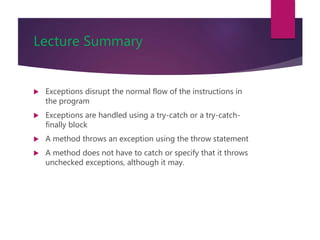
 Exceptions disrupt the normal flow of the instructions in
the program
 Exceptions are handled using a try-catch or a try-catch-
finally block
 A method throws an exception using the throw statement
 A method does not have to catch or specify that it throws
unchecked exceptions, although it may.
Lecture Summary
 Every method must catch possible checked exceptions or
specify that it may throw them
 If you write your own exception, it must be a subclass of
the Exception class
 Define the two standard constructors

Interface andexceptions

  • 1.
    What is anexception?  An exception or exceptional event is an event that occurs during the execution of a program that disrupts the normal flow of instructions  The following will cause exceptions:  Accessing an out-of-bounds array element  Writing into a read-only file  Trying to read beyond the end of a file  Sending illegal arguments to a method  Performing illegal arithmetic (e.g divide by 0)  Hardware failures
  • 2.
    Why Use Exceptions? Compilation cannot find all errors  To separate error handling code from regular code  Code clarity (debugging, teamwork, etc.)  Worry about handling error elsewhere  To separate error detection, reporting, and handling  To group and differentiate error types  Write error handlers that handle very specific exceptions
  • 3.
    In java  Injava exceptions are objects.  When you throw an exception, you throw an object.  You can't throw just any object as an exception, -- only those objects whose classes descend from Throwable.  Throwable serves as the base class for an entire family of classes, declared in java.lang, that your program can instantiate and throw.
  • 4.
    In java  Asmall part of this family is shown in Figure below
  • 5.
    Exception Terminology Injava  Java exception handling is managed via five keywords: try, catch, throw, throws, and finally.  try: Program statements that you want to monitor for exceptions are contained within a try block  catch: If an exception occurs within the try block, it is thrown. Your code can catch this exception (using catch) and handle it in some rational manner. (System-generated exceptions are automatically thrown by the Java run-time system.)
  • 6.
    Exception Terminology Injava  throw: To manually throw an exception, use the keyword throw.  throws: Any exception that is thrown out of a method must be specified as such by a throws clause  finally: Any code that absolutely must be executed after a try block completes is put in a finally block.
  • 7.
    Exception Terminology  Whenan exception occurs, we say it was thrown or raised  When an exception is dealt with, we say it is handled or caught  The block of code that deals with exceptions is known as an exception handler
  • 8.
    In java try { //block of code to monitor for errors } catch (ExceptionType1 exOb) { // exception handler for ExceptionType1 } catch (ExceptionType2 exOb) { // exception handler for ExceptionType2 } // ... finally { // block of code to be executed after try block ends }
  • 9.
    Uncaught Exceptions Injava class Exc0 { public static void main(String args[]) { int d = 0; int a = 42 / d; } }
  • 10.
    Uncaught Exceptions Injava  When the Java run-time system detects the attempt to divide by zero, it constructs a new exception object and then throws this exception.  once an exception has been thrown, it must be caught by an exception handler and dealt with immediately.  In this example, we haven’t supplied any exception handlers of our own, so the exception is caught by the default handler provided by the Java run-time system.
  • 11.
    Uncaught Exceptions Injava  The default handler displays a string describing the exception, prints a stack trace from the point at which the exception occurred, and terminates the program.  Here is the exception generated when this example is executed: java.lang.ArithmeticException: / by zero at Exc0.main(Exc0.java:4)
  • 12.
    Decoding Exception Messages publicclass ArrayExceptionExample { public static void main(String args[]) { String[] names = {“Bilal", “Robert"}; System.out.println(names[2]); } }  The println in the above code causes an exception to be thrown with the following exception message: Exception in thread "main" java.lang.ArrayIndexOutOfBoundsException: 2 at ArrayExceptionExample.main(ArrayExceptionExamp le.java:4)
  • 13.
    Exception Message Format Exceptionmessages have the following format: [exception class]: [additional description of exception] at [class].[method]([file]:[line number]
  • 14.
    Exception Messages Example Exception message from array example java.lang.ArrayIndexOutOfBoundsException: 2 at ArrayExceptionExample.main(ArrayExceptionExample.java:4 )  What is the exception class? java.lang.ArrayIndexOutOfBoundsException  Which array index is out of bounds? 2  What method throws the exception? ArrayExceptionExample.main  What file contains the method? ArrayExceptionExample.java  What line of the file throws the exception?
  • 15.
    stack trace class Exc1{ static void subroutine() { int d = 0; int a = 10 / d; } public static void main(String args[]) { Exc1.subroutine(); } }
  • 16.
    stack trace  Theresulting stack trace from the default exception handler shows how the entire call stack is displayed:  java.lang.ArithmeticException: / by zero  at Exc1.subroutine(Exc1.java:4)  at Exc1.main(Exc1.java:7)
  • 17.
    Using try andcatch  Although the default exception handler provided by the Java run-time system is useful for debugging, you will usually want to handle an exception yourself.  Doing so provides two benefits.  First, it allows you to fix the error.  Second, it prevents the program from automatically terminating.
  • 18.
    Using try andcatch class Exc2 { public static void main(String args[]) { int d, a; try { // monitor a block of code. d = 0; a = 42 / d; System.out.println("This will not be printed."); } catch (ArithmeticException e) { // catch divide-by-zero error System.out.println("Division by zero."); } System.out.println("After catch statement."); } }
  • 19.
    Using try andcatch // Handle an exception and move on. import java.util.Random; class HandleError { public static void main(String args[]) { int a=0, b=0, c=0; Random r = new Random(); for(int i=0; i<32000; i++) { try { b = r.nextInt(); c = r.nextInt(); a = 12345 / (b/c); } catch (ArithmeticException e) { System.out.println("Division by zero."); a = 0; // set a to zero and continue }System.out.println("a: " + a); }}}
  • 20.
    Handling Exceptions  Canuse a try-catch block to handle exceptions that are thrown try{ // code that might throw exception } catch([Type of Exception] e) { // what to do if exception is thrown }
  • 21.
    Handling Multiple Exceptions Can handle multiple possible exceptions by multiple successive catch blocks  try{  // code that might throw multiple  // exceptions  }  catch (IOException e) {  // handle IOException  }  catch (ClassNotFoundException e2) {  // handle ClassNotFoundException  }
  • 22.
    Nested try  Trystatement can be inside the block of another try.  Each time a try statement is entered, the context of that exception is pushed on the stack.  If an inner try statement does not have a catch handler for a particular exception, the stack is unwound and the next try statement’s catch handlers are inspected for a match.  This continues until one of the catch statements succeeds, or until all of the nested try statements are exhausted.  If no catch statement matches, then the Java run-time system will handle the exception.
  • 23.
    throw  It ispossible for your program to throw an exception explicitly, using the throw statement.  The general form of throw is shown here:  Throw ThrowableInstance;
  • 24.
    throw  There aretwo ways you can obtain a Throwable object:  using a parameter in a catch clause, or  creating one with the new operator.  The flow of execution stops immediately after the throw statement;  any subsequent statements are not executed.  The nearest enclosing try block is inspected to see if it has a catch statement that matches the type of exception.
  • 25.
    throw  If itdoes find a match, control is transferred to that statement.  If not, then the next enclosing try statement is inspected, and so on.  If no matching catch is found, then the default exception handler halts the program and prints the stack trace.
  • 26.
    throws  If amethod is capable of causing an exception that it does not handle, it must specify this behavior so that callers of the method can guard themselves against that exception.  You do this by including a throws clause in the method’s declaration
  • 27.
    throws  This isthe general form of a method declaration that includes a throws clause:  type method-name(parameter-list) throws exception-list { // body of method }
  • 28.
    Finally Block  Canalso use the optional finally block at the end of the try-catch block  finally block provides a mechanism to clean up regardless of what happens within the try block  Can be used to close files or to release other system resources
  • 29.
    Try-Catch-Finally Block try{ // codethat might throw exception } catch([Type of Exception] e) { // what to do if exception is thrown } finally{ // statements here always get // executed, regardless of what // happens in the try block}
  • 30.
    Unchecked Exceptions  Uncheckedexceptions or RuntimeExceptions occur within the Java runtime system  Examples of unchecked exceptions  arithmetic exceptions (dividing by zero)  pointer exceptions (trying to access an object’s members through a null reference)  indexing exceptions (trying to access an array element with an index that is too large or too small)  A method does not have to catch or specify that it throws unchecked exceptions, although it may.
  • 31.
    More on UncheckedExceptions  Can occur at many points in the program  Program handling such exceptions would be cluttered, pointlessly  Only handle unchecked exceptions at important program points
  • 32.
    Checked Exceptions  Thoseother exceptions that the compiler can detect easily.  Usually originate in library code  For example, exceptions occurring during I/O, Files  Compiler ensures that: checked exceptions are:  caught using try-catch or  are specified to be passed up to calling method
  • 33.
    Handling Checked Exceptions Every method must catch checked exceptions OR specify that it passes them to the caller (using the throws keyword) void readFile(String filename) { try { FileReader reader = new FileReader("myfile.txt"); // read from file . . . } catch (FileNotFoundException e) { System.out.println("file was not found"); } } OR void readFile(String filename)throws FileNotFoundException { FileReader reader = new FileReader("myfile.txt"); // read from file . . . }
  • 34.
    Writing Your OwnExceptions  At least 2 types of exception constructors exist: 1. Default constructor: No arguments NullPointerException e = new NullPointerException(); 2. Constructor that has a detailed message: Has a single String argument IllegalArgumentExceptione e = new IllegalArgumentException(“Number must be positive");
  • 35.
    Writing Your OwnExceptions  Your own exceptions must be a subclass of the Exception class and have at least the two standard constructors public class MyCheckedException extends IOException { public MyCheckedException() {} public MyCheckedException(String m){ super(m);} } public class MyUncheckedException extends RuntimeException { public MyUncheckedException() {} public MyUncheckedException(String m) {super(m);} }
  • 36.
    Checked or Unchecked? If a user can reasonably be expected to recover from an exception, make it a checked exception  If a user cannot do anything to recover from the exception, make it an unchecked exception  Judgment call on the part of the designers of the Java programming language  http://java.sun.com/docs/books/jls/second_edition/html/ exceptions.doc.html
  • 37.
  • 38.
    Lecture Summary  Exceptionsdisrupt the normal flow of the instructions in the program  Exceptions are handled using a try-catch or a try-catch- finally block  A method throws an exception using the throw statement  A method does not have to catch or specify that it throws unchecked exceptions, although it may.
  • 39.
    Lecture Summary  Everymethod must catch possible checked exceptions or specify that it may throw them  If you write your own exception, it must be a subclass of the Exception class  Define the two standard constructors