Lecture 2:
Programming with class
Plan
▪ Basic components of Object Orientated Programming
and of Java
▪ Classes and Objects
▪ Methods and Attributes
▪ Object declaration vs creation
▪ Java standard class
Recall…
▪ Demo from last lecture…
public class L1{
public static void main(String args[]) {
System.out.println("Hello World!");
}
}
Recall…
public class HelloWorld {
public static void main(String[] args)
System.out.println("Hello World");
Everything in Java is written inside a class
This class shares a name with the file
public class HelloWorld  HelloWorld.java
main() – required method for every
Java program
Prints a line of text to the screen.
Classes and Objects
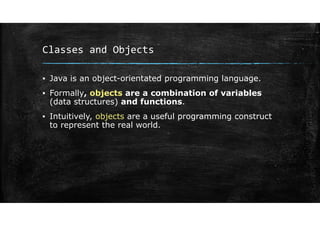
▪ Java is an object-orientated programming language.
▪ Formally, objects are a combination of variables
(data structures) and functions.
▪ Intuitively, objects are a useful programming construct
to represent the real world.
Classes and Objects
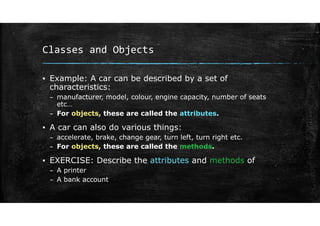
▪ Example: A car can be described by a set of
characteristics:
– manufacturer, model, colour, engine capacity, number of seats
etc…
– For objects, these are called the attributes.
▪ A car can also do various things:
– accelerate, brake, change gear, turn left, turn right etc.
– For objects, these are called the methods.
▪ EXERCISE: Describe the attributes and methods of
– A printer
– A bank account
Classes and Objects
▪ Class vs Object
▪ A class is a blueprint (template).
▪ An object is an instance of a class.
– A specific creation with specific values.
Classes and Objects
▪ Intuitively (not strictly accurate):
▪ Type ↔ Variable is similar to Class ↔ Object
▪ Variables are created from a type, objects are created
from classes
▪ Types define variables size, how they are treated etc…
▪ Classes give definition to objects, what information they
hold, how they behave, what they can do etc.
▪ Think cookie cutter vs cookie.
Classes and Objects
Summary so far:
▪ Classes give the blueprints
▪ Objects are instances of classes
▪ We say that objects belong to classes
▪ Classes and objects have properties (variables) – attributes
or data values or data members
▪ Classes and objects can do things (functions) – methods
(sometime called messages…)
▪ Together, the attributes and methods of a class or object are
called its members.
Classes and Objects
▪ I need to create a class for a robot
– Attributes?
– Methods?
▪ What about a class for an Engineering degree?
– Attributes?
– Methods?
Class declaration
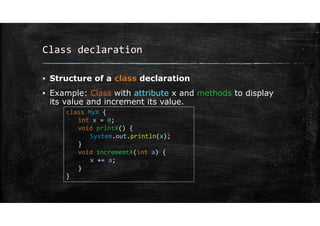
▪ Structure of a class declaration
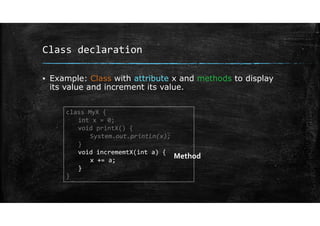
▪ Example: Class with attribute x and methods to display
its value and increment its value.
class MyX {
int x = 0;
void printX() {
System.out.println(x);
}
void incrememtX(int a) {
x += a;
}
}
Class declaration
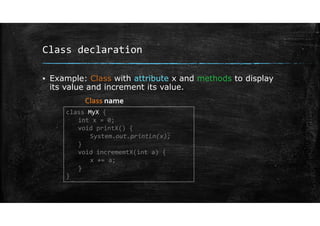
▪ Example: Class with attribute x and methods to display
its value and increment its value.
class MyX {
int x = 0;
void printX() {
System.out.println(x);
}
void incrememtX(int a) {
x += a;
}
}
Class name
Class declaration
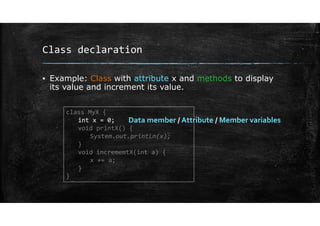
▪ Example: Class with attribute x and methods to display
its value and increment its value.
class MyX {
int x = 0;
void printX() {
System.out.println(x);
}
void incrememtX(int a) {
x += a;
}
}
Data member / Attribute / Member variables
Class declaration
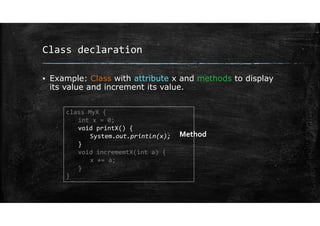
▪ Example: Class with attribute x and methods to display
its value and increment its value.
class MyX {
int x = 0;
void printX() {
System.out.println(x);
}
void incrememtX(int a) {
x += a;
}
}
Method
Class declaration
▪ Example: Class with attribute x and methods to display
its value and increment its value.
class MyX {
int x = 0;
void printX() {
System.out.println(x);
}
void incrememtX(int a) {
x += a;
}
}
Method
Class declaration
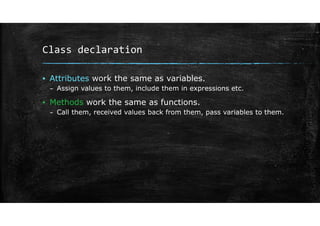
▪ Attributes work the same as variables.
– Assign values to them, include them in expressions etc.
▪ Methods work the same as functions.
– Call them, received values back from them, pass variables to them.
Class declaration
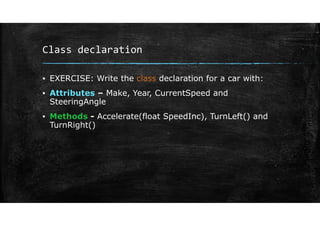
▪ EXERCISE: Write the class declaration for a car with:
▪ Attributes – Make, Year, CurrentSpeed and
SteeringAngle
▪ Methods - Accelerate(float SpeedInc), TurnLeft() and
TurnRight()
Class declaration
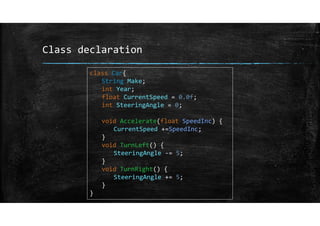
class Car{
String Make;
int Year;
float CurrentSpeed = 0.0f;
int SteeringAngle = 0;
void Accelerate(float SpeedInc) {
CurrentSpeed +=SpeedInc;
}
void TurnLeft() {
SteeringAngle ‐= 5;
}
void TurnRight() {
SteeringAngle += 5;
}
}
Using classes
▪ Now if we have a class and we want to make an object from
that class (instantiate the class)…
▪ Recall: difference between declaration and creation…
▪ Object declaration: designates the name of an object and
the class it belongs to:
▪ Object creation: allocation of space in memory.
Using classes
▪ Now if we have a class and we want to make an object from
that class (instantiate the class)…
▪ Recall: difference between declaration and creation…
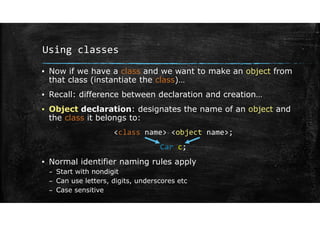
▪ Object declaration: designates the name of an object and
the class it belongs to:
<class name> <object name>;
Car c;
▪ Normal identifier naming rules apply
– Start with nondigit
– Can use letters, digits, underscores etc
– Case sensitive
Using classes
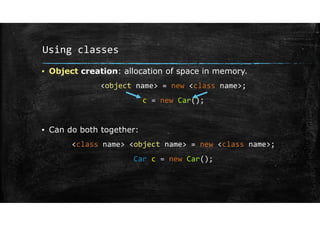
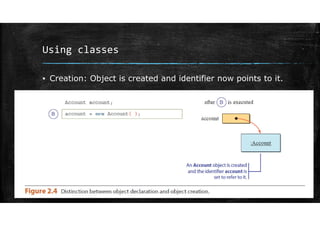
▪ Object creation: allocation of space in memory.
<object name> = new <class name>;
c = new Car();
▪ Can do both together:
<class name> <object name> = new <class name>;
Car c = new Car();
Using classes
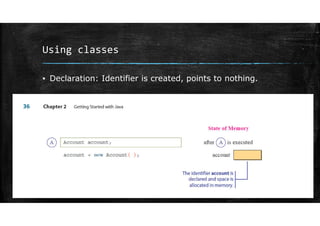
▪ Declaration: Identifier is created, points to nothing.
Using classes
▪ Creation: Object is created and identifier now points to it.
Using classes
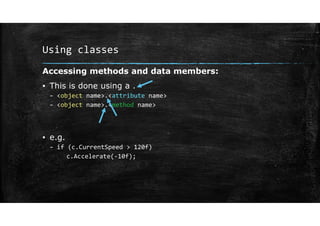
Accessing methods and data members:
▪ This is done using a .
– <object name>.<attribute name>
– <object name>.<method name>
▪ e.g.
– if (c.CurrentSpeed > 120f)
c.Accelerate(‐10f);
Using classes
▪ Back to example:
– Everything in Java happens in a class.
– The main function is just a method inside of a class – should
have the same name as the file
– Now, inside main, create an object from the class car we created.
public class L2 {
public static void main(String[] args) {
<SOME STUFF SHOULD HAPPEN HERE>
}
}
Using classes
▪ Back to example:
public class L2 {
public static void main(String[] args) {
Car c = new Car();
c.Accelerate(10f);
c.TurnLeft();
c.TurnRight();
c.TurnRight();
}
}
Using classes
▪ Back to example:
public class L2 {
public static void main(String[] args) {
Car c = new Car();
c.Accelerate(10f);
c.TurnLeft();
c.TurnRight();
c.TurnRight();
}
}
Object declaration and
creation
Using classes
▪ Back to example:
public class L2 {
public static void main(String[] args) {
Car c = new Car();
c.Accelerate(10f);
c.TurnLeft();
c.TurnRight();
c.TurnRight();
}
}
Calling some object
methods
Using classes
▪ We can create multiple objects from the same class –
same attributes, different values.
public class L2 {
public static void main(String[] args) {
Car c1 = new Car();
Car c2 = new Car();
c1.Accelerate(10f); //c1.CurrentSpeed will be 10.0
c2.Accelerate(20f); //c2.CurrentSpeed will be 20.0
}
}
Using classes
▪ EXERCISE: What will this do?
public class L2 {
public static void main(String[] args) {
Car c;
c = new Car();
c = new Car();
}
}
Using some Java classes
▪ The classes we have considered so far are
programmer-defined classes.
▪ There are also Java standard classes, which are
predefined and come with Java.
Using some Java classes
▪ Classes are grouped together in packages
▪ Often Java classes are imported from packages.
▪ To use a class from a package, similar to objects and members,
use the . :
<package name>.<class name>
▪ Packages can contain subpackages and are referenced the same
way
<package name>.<package name>...<package name>.<class name>
Using some Java classes
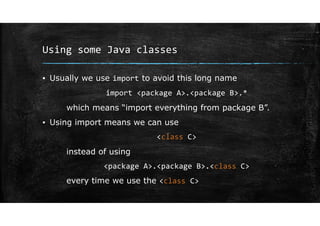
▪ Usually we use import to avoid this long name
import <package A>.<package B>.*
which means “import everything from package B”.
▪ Using import means we can use
<class C>
instead of using
<package A>.<package B>.<class C>
every time we use the <class C>
Using some Java classes
▪ Note: java.lang package is automatically included
▪ Can simply use System.out() instead of java.lang.System.out()
Using some Java classes
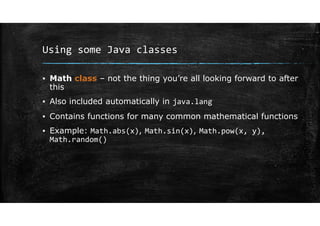
▪ Math class – not the thing you’re all looking forward to after
this
▪ Also included automatically in java.lang
▪ Contains functions for many common mathematical functions
▪ Example: Math.abs(x), Math.sin(x), Math.pow(x, y),
Math.random()
Using some Java classes
▪ Next week: practice some OOP using the Java standard
classes.

Lecture2.pdf

  • 1.
  • 2.
    Plan ▪ Basic componentsof Object Orientated Programming and of Java ▪ Classes and Objects ▪ Methods and Attributes ▪ Object declaration vs creation ▪ Java standard class
  • 3.
    Recall… ▪ Demo fromlast lecture… public class L1{ public static void main(String args[]) { System.out.println("Hello World!"); } }
  • 4.
    Recall… public class HelloWorld{ public static void main(String[] args) System.out.println("Hello World"); Everything in Java is written inside a class This class shares a name with the file public class HelloWorld  HelloWorld.java main() – required method for every Java program Prints a line of text to the screen.
  • 5.
    Classes and Objects ▪Java is an object-orientated programming language. ▪ Formally, objects are a combination of variables (data structures) and functions. ▪ Intuitively, objects are a useful programming construct to represent the real world.
  • 6.
    Classes and Objects ▪Example: A car can be described by a set of characteristics: – manufacturer, model, colour, engine capacity, number of seats etc… – For objects, these are called the attributes. ▪ A car can also do various things: – accelerate, brake, change gear, turn left, turn right etc. – For objects, these are called the methods. ▪ EXERCISE: Describe the attributes and methods of – A printer – A bank account
  • 7.
    Classes and Objects ▪Class vs Object ▪ A class is a blueprint (template). ▪ An object is an instance of a class. – A specific creation with specific values.
  • 8.
    Classes and Objects ▪Intuitively (not strictly accurate): ▪ Type ↔ Variable is similar to Class ↔ Object ▪ Variables are created from a type, objects are created from classes ▪ Types define variables size, how they are treated etc… ▪ Classes give definition to objects, what information they hold, how they behave, what they can do etc. ▪ Think cookie cutter vs cookie.
  • 9.
    Classes and Objects Summaryso far: ▪ Classes give the blueprints ▪ Objects are instances of classes ▪ We say that objects belong to classes ▪ Classes and objects have properties (variables) – attributes or data values or data members ▪ Classes and objects can do things (functions) – methods (sometime called messages…) ▪ Together, the attributes and methods of a class or object are called its members.
  • 10.
    Classes and Objects ▪I need to create a class for a robot – Attributes? – Methods? ▪ What about a class for an Engineering degree? – Attributes? – Methods?
  • 11.
    Class declaration ▪ Structureof a class declaration ▪ Example: Class with attribute x and methods to display its value and increment its value. class MyX { int x = 0; void printX() { System.out.println(x); } void incrememtX(int a) { x += a; } }
  • 12.
    Class declaration ▪ Example:Class with attribute x and methods to display its value and increment its value. class MyX { int x = 0; void printX() { System.out.println(x); } void incrememtX(int a) { x += a; } } Class name
  • 13.
    Class declaration ▪ Example:Class with attribute x and methods to display its value and increment its value. class MyX { int x = 0; void printX() { System.out.println(x); } void incrememtX(int a) { x += a; } } Data member / Attribute / Member variables
  • 14.
    Class declaration ▪ Example:Class with attribute x and methods to display its value and increment its value. class MyX { int x = 0; void printX() { System.out.println(x); } void incrememtX(int a) { x += a; } } Method
  • 15.
    Class declaration ▪ Example:Class with attribute x and methods to display its value and increment its value. class MyX { int x = 0; void printX() { System.out.println(x); } void incrememtX(int a) { x += a; } } Method
  • 16.
    Class declaration ▪ Attributeswork the same as variables. – Assign values to them, include them in expressions etc. ▪ Methods work the same as functions. – Call them, received values back from them, pass variables to them.
  • 17.
    Class declaration ▪ EXERCISE:Write the class declaration for a car with: ▪ Attributes – Make, Year, CurrentSpeed and SteeringAngle ▪ Methods - Accelerate(float SpeedInc), TurnLeft() and TurnRight()
  • 18.
    Class declaration class Car{ StringMake; int Year; float CurrentSpeed = 0.0f; int SteeringAngle = 0; void Accelerate(float SpeedInc) { CurrentSpeed +=SpeedInc; } void TurnLeft() { SteeringAngle ‐= 5; } void TurnRight() { SteeringAngle += 5; } }
  • 19.
    Using classes ▪ Nowif we have a class and we want to make an object from that class (instantiate the class)… ▪ Recall: difference between declaration and creation… ▪ Object declaration: designates the name of an object and the class it belongs to: ▪ Object creation: allocation of space in memory.
  • 20.
    Using classes ▪ Nowif we have a class and we want to make an object from that class (instantiate the class)… ▪ Recall: difference between declaration and creation… ▪ Object declaration: designates the name of an object and the class it belongs to: <class name> <object name>; Car c; ▪ Normal identifier naming rules apply – Start with nondigit – Can use letters, digits, underscores etc – Case sensitive
  • 21.
    Using classes ▪ Objectcreation: allocation of space in memory. <object name> = new <class name>; c = new Car(); ▪ Can do both together: <class name> <object name> = new <class name>; Car c = new Car();
  • 22.
    Using classes ▪ Declaration:Identifier is created, points to nothing.
  • 23.
    Using classes ▪ Creation:Object is created and identifier now points to it.
  • 24.
    Using classes Accessing methodsand data members: ▪ This is done using a . – <object name>.<attribute name> – <object name>.<method name> ▪ e.g. – if (c.CurrentSpeed > 120f) c.Accelerate(‐10f);
  • 25.
    Using classes ▪ Backto example: – Everything in Java happens in a class. – The main function is just a method inside of a class – should have the same name as the file – Now, inside main, create an object from the class car we created. public class L2 { public static void main(String[] args) { <SOME STUFF SHOULD HAPPEN HERE> } }
  • 26.
    Using classes ▪ Backto example: public class L2 { public static void main(String[] args) { Car c = new Car(); c.Accelerate(10f); c.TurnLeft(); c.TurnRight(); c.TurnRight(); } }
  • 27.
    Using classes ▪ Backto example: public class L2 { public static void main(String[] args) { Car c = new Car(); c.Accelerate(10f); c.TurnLeft(); c.TurnRight(); c.TurnRight(); } } Object declaration and creation
  • 28.
    Using classes ▪ Backto example: public class L2 { public static void main(String[] args) { Car c = new Car(); c.Accelerate(10f); c.TurnLeft(); c.TurnRight(); c.TurnRight(); } } Calling some object methods
  • 29.
    Using classes ▪ Wecan create multiple objects from the same class – same attributes, different values. public class L2 { public static void main(String[] args) { Car c1 = new Car(); Car c2 = new Car(); c1.Accelerate(10f); //c1.CurrentSpeed will be 10.0 c2.Accelerate(20f); //c2.CurrentSpeed will be 20.0 } }
  • 30.
    Using classes ▪ EXERCISE:What will this do? public class L2 { public static void main(String[] args) { Car c; c = new Car(); c = new Car(); } }
  • 31.
    Using some Javaclasses ▪ The classes we have considered so far are programmer-defined classes. ▪ There are also Java standard classes, which are predefined and come with Java.
  • 32.
    Using some Javaclasses ▪ Classes are grouped together in packages ▪ Often Java classes are imported from packages. ▪ To use a class from a package, similar to objects and members, use the . : <package name>.<class name> ▪ Packages can contain subpackages and are referenced the same way <package name>.<package name>...<package name>.<class name>
  • 33.
    Using some Javaclasses ▪ Usually we use import to avoid this long name import <package A>.<package B>.* which means “import everything from package B”. ▪ Using import means we can use <class C> instead of using <package A>.<package B>.<class C> every time we use the <class C>
  • 34.
    Using some Javaclasses ▪ Note: java.lang package is automatically included ▪ Can simply use System.out() instead of java.lang.System.out()
  • 35.
    Using some Javaclasses ▪ Math class – not the thing you’re all looking forward to after this ▪ Also included automatically in java.lang ▪ Contains functions for many common mathematical functions ▪ Example: Math.abs(x), Math.sin(x), Math.pow(x, y), Math.random()
  • 36.
    Using some Javaclasses ▪ Next week: practice some OOP using the Java standard classes.